6 Best Compact Laser Printer All-in-One Models for 2027
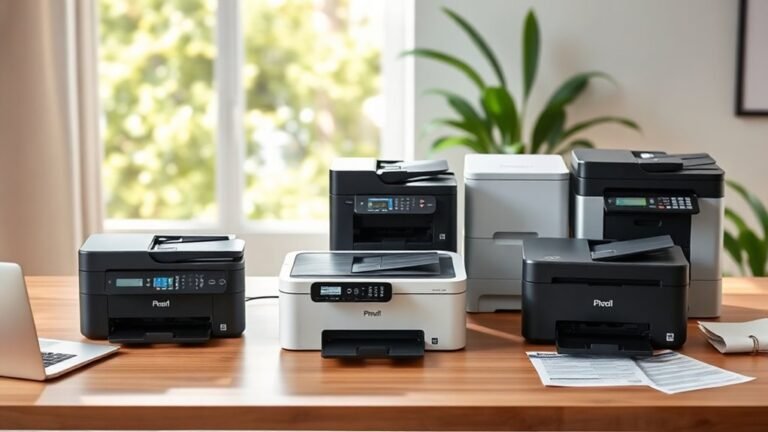
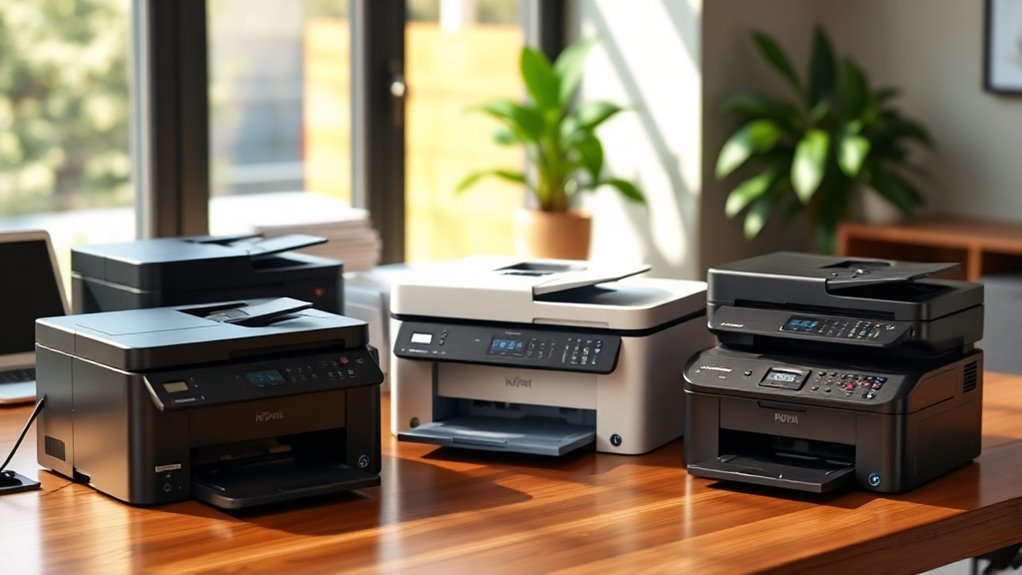
You’ll want a compact all-in-one laser printer that balances speed, connectivity, and ease of use. These printers are perfect for busy professionals and small offices who need reliable performance without taking up too much space.
Whether you need fast monochrome printing or vibrant color output, there’s a model that fits your workflow.
Top picks include the HP LaserJet M234sdw and Brother DCP-L2640DW for fast, reliable monochrome printing.
Canon’s MF465dw II and Color MF753Cdw II offer versatile functions and vibrant color output, while the HP Pro 3105sdw and Brother MFC-L2820DW bring efficient workflow features.
These models stand out for their blend of compact design and powerful capabilities.
Discover what makes each one unique to find your perfect fit.
| Image | Name | Editor's Rating | Price |
|---|---|---|---|

|
|
||

|
|
||

|
|
||

|
|
HP LaserJet M234sdw Monochrome Laser Printer | All-in-One
No products found.
The HP LaserJet M234sdw is designed to keep small teams productive with its reliable all-in-one functionality. It handles printing, scanning, and copying tasks smoothly, producing up to 30 black-and-white pages per minute. This speed helps reduce wait times and keeps daily workflows moving efficiently.
Its wireless and mobile connectivity options allow seamless integration with multiple devices. Dual-band Wi-Fi, Ethernet, and USB connections provide flexible networking, making it easy to print from anywhere in the office. This versatility reduces setup complications and supports a variety of work styles.
Maintenance is straightforward thanks to its compact design and practical features like a 150-sheet input tray and an automatic document feeder. Duplex printing saves paper by printing on both sides automatically, supporting more sustainable office practices without extra effort.
While the monochrome printing suits black-and-white document needs, it is not designed for color prints. The printer’s copy capacity fits small to medium workloads, making it ideal for teams that prioritize efficiency over high-volume output.
Best for: Small teams of 1-5 people needing a compact, efficient, and reliable all-in-one monochrome laser printer with wireless and mobile connectivity.
What We Like:
- Fast printing and copying speeds up to 30 pages per minute.
- Flexible wireless and wired connectivity options.
- Compact design with an auto document feeder for space-saving efficiency.
- Duplex printing for automatic double-sided documents.
Specification:
| Feature | Details |
|---|---|
| Manufacturer | HP |
| Dimensions (W×D×H) | Approx. 15.4 × 14.4 × 10.3 in (39.1 × 36.5 × 26.2 cm) |
| Weight | Approx. 15.2 lb (6.9 kg) |
| Printing Technology | Monochrome Laser |
| Paper Capacity | 150-sheet input tray |
| Connectivity | Dual-band Wi-Fi, Ethernet, USB |
Brother DCP-L2640DW Wireless Compact Monochrome Printer
- BEST FOR SMALL BUSINESSES – Engineered for extraordinary productivity, the Brother DCP-L2640DW Monochrome (Black & White) 3-in-1 combines laser printer, scanner, copier...
- FAST PRINTER WITH EFFICIENT SCANNING – Produces documents quickly with print speeds up to 36 ppm(2) and scan speeds up to 23.6/7.9 ipm(3) (black/color). A 50-page auto...
- FLEXIBLE CONNECTION OPTIONS – Easily navigate the changing demands of your business with secure multi-device connectivity via built-in dual-band wireless (2.4GHz...
- BROTHER MOBILE CONNECT APP – Print, scan, and manage your wireless printer anytime, from almost anywhere from your mobile device. Order Brother Genuine Supplies, track...
- CHOOSE BROTHER GENUINE TONER – When it’s time to replace your toner, be sure to choose Brother Genuine TN830 or TN830XL replacement toner. And with Refresh EZ Print...

Experience efficient and reliable monochrome printing with the Brother DCP-L2640DW, designed to meet the demands of busy workspaces. This compact all-in-one laser printer handles high-volume tasks smoothly, delivering up to 36 pages per minute. Its fast scanning capability and 50-page automatic document feeder simplify multi-page workflows, saving time and effort.
The printer’s 250-sheet paper tray reduces frequent refills, while automatic duplex printing cuts paper use in half. This helps lower operational costs and supports eco-friendly office practices. Maintenance is straightforward, with toner save mode extending cartridge life and minimizing waste.
Connectivity is flexible and user-friendly. Dual-band Wi-Fi, Ethernet, and USB options ensure seamless integration into various office networks. You can also manage printing and scanning remotely using the Brother Mobile Connect app, enhancing convenience and workflow.
Its sturdy design balances compactness with durability, though it weighs 25 pounds, which may affect portability. This monochrome printer is ideal for professionals and small offices needing dependable, high-speed printing without color capabilities.
Best for: small offices or individuals requiring a fast, compact monochrome all-in-one printer with wireless functionality and efficient paper handling.
What We Like:
- Fast print speed of up to 36 pages per minute
- Automatic duplex printing reduces paper waste
- Multiple connectivity options including dual-band Wi-Fi and Ethernet
- 50-page automatic document feeder streamlines scanning tasks
Specification:
| Feature | Details |
|---|---|
| Manufacturer | Brother |
| Dimensions (W×D×H) | 16.1 × 15.7 × 12.0 in |
| Weight | 25 lb |
| Color Options | White |
| Connectivity | Dual-band Wi-Fi, Ethernet, USB |
HP LaserJet Pro 3105sdw Monochrome Laser Printer | All-in-One
No products found.
The HP LaserJet Pro 3105sdw offers efficient monochrome printing designed to meet the demands of small office environments. It delivers sharp 1200 x 1200 dpi prints at speeds up to 33 pages per minute, helping teams stay productive without delays. Automatic duplex printing reduces paper waste, making it an eco-friendly choice.
This all-in-one printer simplifies office workflows by combining scanning, copying, and faxing functions. Smart AI features enhance scan-to-email tasks and minimize unnecessary prints. Setup and maintenance are straightforward with the HP app, streamlining daily operations.
Connectivity is flexible, supporting Wi-Fi, Ethernet, USB, and AirPrint for seamless integration with various devices. The compact design fits comfortably in busy workspaces, though it weighs 23 pounds, which is heavier than some competitors.
While it excels in monochrome printing, it does not support color output. Additionally, scanning is limited to one-sided automatic feeds, which may affect duplex document handling. Overall, it balances multifunction capabilities with secure data protection through HP Wolf Pro Security.
Best for: Small office teams needing reliable, multifunction monochrome printing with easy setup and strong security.
What We Like:
- Fast, high-resolution monochrome printing at 33 ppm
- Multifunction features with AI-enhanced scanning and faxing
- Variety of connection options including Wi-Fi and Ethernet
- Automatic duplex printing reduces paper use
- Strong security with HP Wolf Pro Security
Specification:
| Feature | Details |
|---|---|
| Manufacturer | HP |
| Dimensions (W×D×H) | Not specified |
| Weight | 23.1 lb (10.5 kg) |
| Color Options | Monochrome (black and white) |
| Connectivity | Wi-Fi, Ethernet, USB, AirPrint |
Canon imageCLASS MF465dw II Wireless Monochrome Printer
- Monochrome Wireless, Duplex 4-in-1: Print, Scan, Copy, Fax
- Print up to 42 ppm
- Easy Wireless Setup
- 5-inch Touchscreen
- Mobile Device Printing
Experience efficient and professional monochrome printing with the Canon imageCLASS MF465dw II. This all-in-one device tackles printing, copying, scanning, and faxing, helping small business owners and remote workers streamline their daily tasks. Its fast print speed of up to 42 pages per minute ensures your documents are ready when you need them.
Designed for ease of use, the MF465dw II features a 5-inch customizable touchscreen that simplifies operation. The 50-sheet automatic document feeder accelerates multi-page jobs, saving valuable time. Wireless connectivity and mobile app support allow printing directly from your smartphone or tablet, enhancing flexibility.
Maintenance is straightforward, with a solid paper capacity that expands up to 900 sheets, reducing frequent reloads. While it only prints in monochrome, the sharp 1200 x 1200 dpi resolution delivers clear, professional-quality documents every time. Consider toner costs if you handle high-volume printing.
This printer is ideal for those who need reliable, versatile monochrome document management without the need for color printing or large-format media.
Best for: Small business owners and remote workers needing a fast, reliable, and versatile monochrome all-in-one printer for professional document management.
What We Like:
- Fast printing at up to 42 pages per minute with sharp 1200 x 1200 dpi resolution
- All-in-one functionality including print, copy, scan, and fax
- Easy operation via a 5-inch customizable touchscreen
- Efficient 50-sheet automatic document feeder
- Expandable paper capacity up to 900 sheets
Specification:
| Feature | Details |
|---|---|
| Manufacturer | Canon |
| Dimensions (W x D x H) | 16.5 x 18.1 x 14.4 inches |
| Weight | 38.1 lbs (17.3 kg) |
| Color Options | Monochrome (Black & White) |
| Print Resolution | 1200 x 1200 dpi |
| Print Speed | Up to 42 ppm |
| Paper Capacity | Up to 900 sheets |
| Connectivity | Wireless, Mobile App |
Canon Color imageCLASS MF753Cdw II – All-in-One Color Duplex Laser Printer
- Color, Wireless, Duplex 4-in-1: Print, scan, copy, fax.
Busy professionals need reliable tools that keep up with their fast-paced workdays. The Canon Color imageCLASS MF753Cdw II is designed to streamline your office tasks by combining printing, scanning, copying, and faxing in one device. This all-in-one color laser printer ensures you spend less time managing equipment and more time focused on your work.
Its fast print speed of up to 35 pages per minute and crisp 1200 x 1200 dpi resolution deliver sharp documents quickly. The 50-sheet duplex feeder reduces manual paper handling, while the expandable paper capacity of up to 850 sheets supports high-volume jobs without frequent refills.
Maintaining smooth operation is simple with wireless connectivity and easy mobile printing via the Canon PRINT app. The intuitive 5-inch color touchscreen offers straightforward navigation, minimizing setup and control hassles. Although it has a larger footprint and optional cassette for maximum paper capacity, its robust design suits busy small or home office environments.
Best for: Small and home office users seeking a versatile, efficient, and high-quality all-in-one color laser printer with wireless features.
What We Like:
- Fast printing at up to 35 ppm with high-resolution output
- Duplex feeder and expandable paper capacity streamline workflow
- Wireless and mobile printing via Canon PRINT app
- User-friendly 5-inch color touchscreen for easy control
Specification:
| Feature | Details |
|---|---|
| Manufacturer | Canon |
| Dimensions (W×D×H) | 17.7 × 18.5 × 17.2 inches |
| Weight | 47.4 lbs (21.5 kg) |
| Printing Technology | Color Duplex Laser |
| Connectivity | Wireless, USB |
| Paper Capacity | Up to 850 sheets (with cassette) |
Brother MFC-L2820DW Wireless Monochrome Laser Printer
- BEST FOR SMALL OFFICES – Combining space-saving efficiency and premium monochrome (black & white) print quality with affordability, the Brother MFC-L2820DW delivers...
- EFFICIENT PRINTING & SCANNING – Produces black & white documents quickly with print speeds up to 36 ppm(2) and scan speeds up to 23.6/7.9 ipm(3) (bk/cl). A 50-page auto...
- FLEXIBLE CONNECTION OPTIONS – Securely connect to multiple devices with built-in dual-band wireless (2.4GHz / 5GHz), Ethernet, or connect locally to a single computer...
- 2.7" TOUCHSCREEN – The intuitive 2.7” touchscreen enables effortless navigation with the added ability to print-from and scan-to popular Cloud-based apps such as...
- BROTHER MOBILE CONNECT APP – Print, scan, and manage your wireless printer anytime, from almost anywhere from your mobile device. Order Brother Genuine Supplies, track...
If your home office demands a fast and dependable all-in-one printer, the Brother MFC-L2820DW is designed to meet those needs. This monochrome laser printer handles printing, copying, scanning, and faxing with ease, helping you complete tasks quickly and efficiently.
Its compact design fits neatly in limited spaces, making it ideal for small work areas. The 250-sheet paper tray and 50-page auto document feeder streamline your workflow by reducing frequent paper refills and manual feeding.
Connectivity options are flexible, including dual-band wireless, Ethernet, USB, and mobile printing through Brother’s app. This variety ensures seamless integration with different devices and networks for convenient access.
Maintenance is straightforward with toner-saving features and automatic duplex printing, which cut paper and toner use. These eco-conscious functions contribute to lower operating costs and a smaller environmental footprint.
Best for: Small office and home office users needing a reliable, versatile monochrome laser all-in-one printer with strong connectivity and space-saving design.
What We Like:
- Fast printing and copying speeds up to 36 ppm and 34 ppm
- Multiple connection methods including dual-band Wi-Fi and Ethernet
- Toner saving and automatic duplex printing for cost and resource efficiency
- Compact footprint suitable for tight workspaces
Specification:
| Feature | Details |
|---|---|
| Manufacturer | Brother |
| Dimensions (W×D×H) | 16.1 × 15.7 × 12.7 inches |
| Weight | 18.7 lbs (8.5 kg) |
| Color Options | Monochrome (black and white) |
| Paper Tray Capacity | 250 sheets |
| Auto Document Feeder | 50 pages |
Factors to Consider When Choosing a Compact Laser Printer All in One
When choosing a compact all-in-one laser printer, you’ll want to focus on print speed and connectivity options to match your workflow.
Consider the paper handling capacity and printing quality to guarantee it meets your daily needs. Don’t forget to check device compatibility so the printer works seamlessly with your gadgets.
Print Speed Importance
Choosing a compact laser printer with a fast print speed can greatly boost your workflow. With speeds typically between 30 and 42 pages per minute, a quicker printer means less waiting, especially during peak hours.
If your small team or home office needs rapid document turnaround, opting for a model that prints around 36 pages per minute can really increase productivity. Fast print speeds also enhance duplex printing, letting you print two-sided documents efficiently without delays.
When you’re evaluating print speed, think about it alongside features like automatic document feeders and high-capacity trays. This way, you get the full picture of efficiency.
Prioritizing print speed guarantees your compact laser printer keeps up with your demands, saving you valuable time in busy work environments. It’s all about working smarter, not harder!
Connectivity Options Available
Although print speed is essential, connectivity options play an equally important role in how efficiently you’ll use your compact laser printer. Look for dual-band wireless support (2.4GHz and 5GHz) to guarantee a stable, fast connection for mobile and remote printing.
An Ethernet port is a must if you want reliable wired network access, especially in busy office settings. USB interfaces let you connect directly to your computer, simplifying setup without network hassles.
Don’t overlook mobile printing capabilities through dedicated apps, which let you print straight from smartphones or tablets. Finally, check for cloud service compatibility to access and print documents anywhere, boosting your workflow flexibility.
Choosing the right connectivity options guarantees hassle-free, versatile printing that fits your daily needs. It really makes a difference in how smoothly everything runs!
Paper Handling Capacity
Paper handling capacity directly impacts how smoothly your printing tasks run, especially if you deal with high volumes or multiple users. You’ll want to check how much paper the printer can hold at once—smaller models may hold around 150 sheets, while larger, expandable ones can accommodate over 900 sheets.
An Automatic Document Feeder (ADF) is a huge time-saver, letting you scan, copy, or fax multiple pages automatically, typically handling 50 to 100 sheets. It’s super handy when you’ve got a stack of documents to get through without fuss.
Also, consider the media sizes supported; if you work with legal-sized documents, make sure the printer can handle 8.5 x 14-inch paper. Finally, duplex printing capability is essential for efficiency, enabling automatic two-sided printing and reducing paper usage without extra effort on your part.
Printing Quality Standards
Print quality plays an essential role when selecting a compact laser printer, especially if you want professional-looking documents every time. You should look for printers with a resolution of at least 1200 x 1200 dpi, as they produce sharper text and images compared to standard 600 x 600 dpi models.
If your primary need is black-and-white documents, monochrome laser printers deliver crisp, clear text ideal for reports. Features like automatic duplex printing help maintain legibility on both sides of the paper, enhancing overall output quality.
Don’t overlook toner cartridge quality—high-yield cartridges can print up to 10,200 pages, saving you time and money. And finally, consistent print speeds of 30 pages per minute or more guarantee you get efficient production without compromising quality during large print jobs.
Device Compatibility Range
When choosing a compact laser all-in-one printer, you’ll want to confirm it works smoothly with all your devices. Make sure it supports a wide range of operating systems like Windows, macOS, Android, and iOS. This guarantees seamless integration whether you use a laptop, smartphone, or tablet.
Look for mobile printing features through dedicated apps, letting you print directly from your handheld devices. Check for compatibility with popular cloud services, so you can access and print documents stored online effortlessly.
Also, verify the printer includes multiple connectivity options such as Wi-Fi, Ethernet, and USB ports to fit various network setups. Finally, select a model that supports advanced protocols like Apple AirPrint and Google Cloud Print for enhanced mobile and cloud printing convenience.
Eco-Friendly Features
Although choosing a compact laser printer often focuses on performance and convenience, considering eco-friendly features can greatly reduce your environmental impact. Look for models with ENERGY STAR® certification to guarantee energy-efficient operation, cutting down on power use.
Automatic duplex printing helps you save paper by printing on both sides without extra effort. Toner Save Mode extends cartridge life, reducing waste and costs.
Opting for printers with high-capacity toner cartridges means fewer replacements and less environmental strain. Many compact laser printers also boast lower carbon footprints thanks to efficient printing technologies.
Warranty And Support
Beyond eco-friendly features, you’ll want to pay close attention to the warranty and support offered with your compact laser printer. A longer warranty often signals the manufacturer’s confidence in reliability, so prioritize models with extended coverage.
Make sure the warranty covers both parts and labor. Also, check if there are nearby service centers to reduce repair wait times.
Extensive customer support is essential. Look for printers that provide online resources, live chat, and phone assistance to resolve issues quickly.
Additional tools like troubleshooting guides and FAQs can save you time on minor problems.
Finally, understand the return policy. A generous return window lets you test the printer to verify it fits your needs before fully committing, giving you peace of mind with your purchase.
Frequently Asked Questions
How Do Compact Laser Printers Compare to Inkjet Printers in Cost?
You’ll find compact laser printers cost more upfront but save you money long-term with cheaper toner and less frequent replacements.
Inkjet printers are cheaper initially but often cost more over time due to pricey ink cartridges.
Are Compact Laser Printers Suitable for High-Volume Printing?
You can print up to 15,000 pages monthly with many compact laser printers, making them perfect for high-volume tasks. They handle large jobs efficiently, so you won’t waste time or money on frequent cartridge replacements.
Pretty convenient, right? These printers keep up with your workload without constantly needing attention.
What Are the Environmental Impacts of Laser Printers?
Laser printers use toner cartridges and electricity, which can create waste and carbon emissions.
But don’t worry, you can reduce their impact by recycling cartridges and choosing energy-efficient models. Minimizing unnecessary printing also helps protect the environment.
Can Compact Laser Printers Print on Different Paper Types?
Yes, you can print on different paper types with compact laser printers, including labels, cardstock, and transparencies. Just make sure your printer supports the paper weight and size.
Also, don’t forget to adjust the settings for the best results. That way, your prints will come out looking great every time.
Do Compact Laser Printers Support Mobile and Cloud Printing?
You’ll find compact laser printers often support mobile and cloud printing, making it a breeze to print from your phone or tablet. They connect via Wi-Fi or apps, so your documents travel faster than a lightning bolt.
It’s super convenient, especially when you’re on the go. Just tap, print, and you’re done!
Conclusion
When choosing a compact laser all-in-one printer, remember that 65% of small businesses prioritize wireless connectivity for convenience. You’ll want a model that fits your space without sacrificing performance.
Whether you need color or just monochrome, these top picks combine efficiency and compact design perfectly. By focusing on features like speed, connectivity, and multifunction capabilities, you can find a printer that keeps your workflow smooth and your desk clutter-free.
In the end, selecting the best compact laser printer all-in-one means balancing size with functionality. Look for a model that offers fast printing speeds, reliable wireless connectivity, and versatile features like scanning and copying. This way, you get a powerful printer that won’t crowd your workspace but will handle all your business needs efficiently. With the right choice, your compact laser printer will boost productivity and simplify your daily tasks.