9 Best Compact Desktop Label Printers for 2027
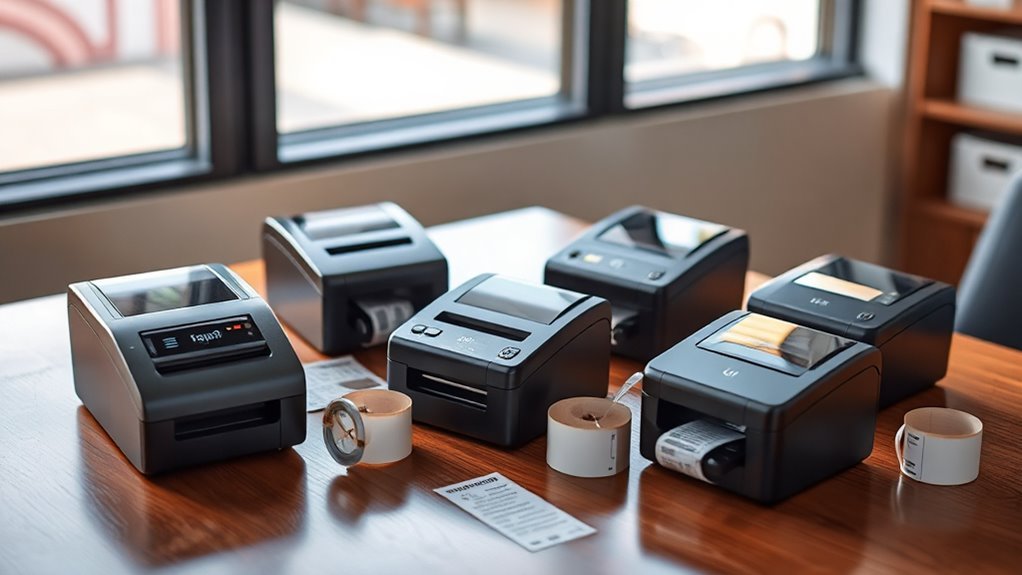
You’ll find top compact desktop label printers like KNAON, JADENS, SUPVAN T50M Pro, and NIIMBOT B1 perfect for fast, high-quality 4×6 shipping labels. These compact label printers are designed to fit easily on your desk without taking up much space, making them ideal for small businesses and home offices. Plus, they offer Bluetooth and USB connectivity, so you can print labels wirelessly or through a wired connection.
These models provide versatile labeling options and easy app-based customization, which means you can create the perfect label for any need. Whether you’re looking for portability and battery-powered convenience like the Phomemo M110 or prefer high-speed output from Nelko, there’s a model to match your workflow. Explore their features and find the best fit for your labeling needs with these reliable compact desktop label printers.
| Image | Name | Editor's Rating | Price |
|---|---|---|---|

|
|
||

|
|
||

|
|
||

|
|
||

|
|
KNAON Shipping Thermal Label Printer, 4×6 Portable Label Printer, White
- Bluetooth Wireless Connection: KNAON Bluetooth shipping label printer enables wireless printing. For Mobile users, download the 'FlashLabel Pro' app from APP Store or...
- USB Cable Connectivity: This printer ensures seamless USB connectivity with macOS, Windows (7 and above), ChromeOS, and Linux. KNAON printer features a built-in USB drive...
- Versatile DIY Labeling Options: KNAON Thermal Shipping Label Printer offers a vast selection of pre-designed templates, including 3,000+ templates, 5,000+ icons, and...
- Seamless Multi-Platform Compatibility: This Bluetooth shipping label printer works effortlessly with all major platforms, including Amazon, eBay, Shopify, USPS, UPS...
- Portable & Stylish Design: KNAON multi-function thermal label printer offers user-friendly operation in a compact design. Its perfect size (7.2 x 3.15 x 2.65 inches...

The KNAON Shipping Thermal Label Printer offers a smart solution for printing shipping labels quickly and efficiently. Its compact, portable design allows you to print labels wherever you are, eliminating the hassle of bulky equipment. Whether you’re on the move or at your workstation, this printer keeps your shipping process smooth and organized.
Connecting is simple with Bluetooth through the FlashLabel Pro app on iOS and Android devices. For desktop users, USB compatibility extends to macOS, Windows, ChromeOS, and Linux, ensuring flexibility across platforms. This versatility helps streamline your workflow without needing multiple devices or complicated setups.
The printer specializes in 4×6 shipping labels, printing at speeds up to 180 mm/s to save you time. You also get access to over 3,000 templates and 5,000 icons, allowing easy customization to match your branding or specific shipping needs. Maintaining the printer is straightforward, but keep in mind it comes with only 20 test papers, so additional label media will be required for longer use.
Best for: Small business owners and e-commerce sellers needing a versatile, portable label printer compatible with various shipping platforms and devices.
What We Like:
- Wireless Bluetooth printing via dedicated app and USB connectivity for major OS.
- Fast print speeds with support for popular 4×6 shipping label size.
- Extensive customization with thousands of templates, icons, and fonts.
- Compact and lightweight design ideal for mobile or desktop use.
Specification:
| Feature | Details |
|---|---|
| Manufacturer | KNAON |
| Dimensions | Not specified |
| Weight | Not specified |
| Material | Not specified |
| Color Options | White |
JADENS Bluetooth Thermal Shipping Label Printer, Wireless 4×6 Label Printer
- [HIGH TECH LABEL PRINTER] Equipped with a Japanese high tech thermal print head, 203 DPI high printing quality. No ink, No toner, Clean with no mess, economical. Works...
- [PRINT WIRELESSLY]The label printer support printing wirelessly. For windows 8 or later and Mac, you can print via Bluetooth. For Android& iOS, you can’t print via...
- [PRINT VIA USB] USB connection works with both Windows (7 and newer) and Mac OS (10.9 and newer) devices. Please long and press the feed button to identify and calibrate...
- [WIDE USAGE] JADENS thermal label printer is widely used to print labels from various marketplaces and shipping platforms, such as Endicia, Dazzle, ShipStation, Shipping...
- [EASY TO SET UP & RELIABLE AFTER-SALE SERVICE] Set up in one minute. Printer driver, instruction videos and problem shooting videos are provided in U-Disk for better...
The JADENS Bluetooth Thermal Shipping Label Printer transforms label printing with its fast, wireless 4×6 printing capabilities, ideal for busy small businesses. Its compact, blue design fits neatly on any desk, reducing clutter and streamlining your shipping process. Connect effortlessly via Bluetooth or USB to Android and iOS devices using the dedicated Jadens app.
This printer uses thermal printing technology, which requires no ink or toner, cutting maintenance needs and costs. It produces sharp, clear labels at 203 DPI, supporting various sizes up to 4×6 inches. Setup is straightforward, with easy calibration to ensure your labels print perfectly every time.
Designed for online sellers, it integrates smoothly with popular shipping platforms like ShipStation and Amazon. Though Bluetooth printing requires the Jadens app, this ensures reliable mobile connectivity. The printer’s media capacity holds up to 50 sheets, suitable for moderate shipping volumes but requiring reloads for high-demand use.
Best for: Small business owners and online sellers needing efficient, wireless 4×6 label printing that works with multiple shipping platforms.
What We Like:
- Bluetooth and USB connectivity with broad device compatibility
- Ink-free thermal printing for low maintenance and clear results
- Simple setup and label calibration process
- Compatibility with major shipping software
- Compact design suitable for limited workspace
Specification:
| Feature | Details |
|---|---|
| Manufacturer | JADENS |
| Dimensions | Compact (exact size not specified) |
| Weight | Not specified |
| Color Options | Blue |
| Print Resolution | 203 DPI |
| Connectivity | Bluetooth, USB |
| Supported OS | Android, iOS, Windows, macOS |
| Max Label Size | 4 x 6 inches |
| Media Capacity | Up to 50 sheets |
SUPVAN T50M Pro Bluetooth Label Maker Machine with Tape, Black
- For Home and Small Business: Prints 3/4" - 2" wide labels; ideal for home organization (storage bins, bottle, jar, food container, etc.), small business (address, product...
- Versatile App Editing Function: Easily add images from your phone, tablet or PC; customize your labels with 30+ fonts, 50+ frames, and 660+ icons; all free to use
- Enhanced Image Quality: The App delivers precise image processing capabilities, resulting in a high-resolution and clear output; enhanced aesthetic appeal, formality, and...
- Easy to Use: The APP is completely free, requires no registration; features auto label size recognition; no ink or toner needed; create labels quickly and easily
- Versatile Label Compatiblity: Compatible with square, round, address, cable, jewelry and file labels, to meet all your needs; ensuring a perfect fit for any project...
The SUPVAN T50M Pro Bluetooth Label Maker transforms label printing into a simple, efficient task. It produces clear, waterproof labels that withstand daily wear, helping you organize your home or business effortlessly. The inkless thermal printing means no messy cartridges, making maintenance hassle-free.
This label maker supports tapes from 3/4″ to 2″ wide with sharp 203 dpi resolution for crisp text and images. Its Bluetooth and USB Type-C connectivity allow quick setup with smartphones or computers. Design labels easily through a free app, which offers a wide variety of fonts and icons without the need for registration.
Compact and lightweight, the device fits comfortably on any desk without clutter. It handles various label types, including address and cable labels, enhancing versatility. Using proprietary SUPVAN tape ensures quality but may limit tape options and incur ongoing costs.
Best for: Home users and small businesses needing fast, durable, and versatile label printing for organization and product identification.
What We Like:
- Inkless, waterproof thermal printing for durable labels
- User-friendly app with diverse fonts and icons, no registration needed
- Compact design with Bluetooth and USB Type-C connectivity
Specification:
| Feature | Details |
|---|---|
| Manufacturer | SUPVAN |
| Dimensions | Compact, fits neatly on desk |
| Weight | Lightweight |
| Printing Method | Thermal inkless printing |
| Tape Width | 3/4″ to 2″ |
| Resolution | 203 dpi |
| Connectivity | Bluetooth, USB Type-C |
| Color | Black |
NIIMBOT B1 Label Maker Came with 3 Rolls of White Labels(Blue)
- 【You Will Get】B1 label maker +3 rolls label paper, 50x30mm white label/50x80mm white label /50x50 round white label, the 50x30mm white label paper is in the paper bin...
- 【Easy to Use】The B1 bluetooth label printer support iOS, Android. Download the "NIIMBOT"app, select the printer model B1 from the app, and connect printer. USB cable...
- 【Powerful APP】More than 30 fonts and languages, 100 borders, and 1500 symbols were supported by the app. Auto-identify the size of the label sticker, no need to...
- 【Widely Use】 It is made of high-quality ABS and has a good appearance. B1 label maker machine with tape, 2 x 1.18 inch labels/roll. Small business, school, office...
- 【Compatibility】Not suggested for use with Pad, incompatible with Pad. Get in touch with us if your Bluetooth label maker is too broken to fix or won't start at all
NIIMBOT B1 Label Maker offers a practical solution for anyone needing fast, reliable label printing. Its three included rolls of white labels in various sizes let you start organizing instantly without hunting for supplies. This device solves the hassle of manual labeling by providing quick, clear prints every time.
The thermal, inkless printing technology ensures sharp, black-and-white labels at 203 dpi resolution. It automatically detects label sizes, so you don’t waste time adjusting settings. With Bluetooth and USB connectivity, you can easily customize labels through the NIIMBOT app, which offers over 30 fonts and 1,500 symbols.
Designed with a compact blue ABS housing, the label maker is lightweight and durable, making it ideal for home, office, or retail environments. Maintenance is simple since it requires no ink cartridges. Just replace the label rolls as needed, keeping your labeling tasks efficient and hassle-free.
A small battery means you should recharge regularly during heavy use, and it’s important to note compatibility is limited, as it does not support iPads. Despite this, the NIIMBOT B1 remains a versatile tool for everyday labeling needs.
Best for: individuals and small businesses needing a portable, easy-to-use label maker with multiple label size options and fast, high-quality printing.
What We Like:
- Includes three rolls of white labels in varied sizes for immediate use
- Inkless thermal printing with sharp 203 dpi and auto label size detection
- Bluetooth and USB connectivity with a robust app featuring 30+ fonts and 1,500 symbols
- Compact and durable blue ABS design, perfect for various environments
Specification:
| Feature | Details |
|---|---|
| Manufacturer | NIIMBOT |
| Dimensions | Not specified |
| Weight | Not specified |
| Material | ABS plastic |
| Color Options | Blue |
| Label Sizes | 50×30 mm, 50×80 mm, 50×50 mm round |
| Printing Type | Thermal, inkless |
| Resolution | 203 dpi |
| Connectivity | Bluetooth, USB |
| Battery Capacity | 1500 mAh |
labelhive Bluetooth Thermal Shipping Label Printer, Wireless 4×6 Printer
- 【4x6 Thermal Shipping Label Printer】 Built for small businesses, shipping stations, warehouses and home offices that handle packages every day. This 203 DPI direct...
- 【Smart PDF Printing for Online Sellers】 Designed for Amazon, Etsy, Shopify and eBay sellers who print shipping labels while packing orders. Download your shipping...
- 【Multiple Label Sizes & Media Types】 Supports thermal labels from 1.57" to 4.41" wide, including popular 4x6, 4x4, 4x2 and 2x1 sizes as well as custom-size labels...
- 【Bluetooth Printing & Automatic Label Calibration】 Print wirelessly from iPhone and Android devices through the FlashLabel Pro app, or connect a Windows computer...
- 【Wide Compatibility for Work & Home】 Connect to Windows through USB or Bluetooth, and use USB with macOS, ChromeOS and Linux. iPhone and Android devices connect...
The labelhive Bluetooth Thermal Shipping Label Printer offers a seamless solution for fast and wireless label printing. Designed for efficiency, it lets small businesses and home offices produce crisp 4×6 shipping labels without the hassle of cables. Connecting via Bluetooth to iPhone or Android devices through the FlashLabel Pro app simplifies the printing process.
This printer supports multiple connectivity options, including USB for Windows, macOS, ChromeOS, and Linux. Its compact, lightweight design fits neatly on any desktop, saving space while delivering consistent black-and-white prints. The 203 x 203 DPI resolution ensures clear labels for shipping, returns, barcodes, and product identification.
Maintenance is straightforward with automatic detection of label gaps and paper jams. The printer handles various label widths, from 1.57 to 4.41 inches, adapting to different packaging needs. Although it prints only in monochrome and has a slightly slower initial page print time, it remains reliable for everyday label printing.
Best for: Small businesses, home offices, and online sellers needing efficient wireless printing of 4×6 shipping and product labels.
What We Like:
- Wireless Bluetooth printing compatible with iPhone and Android via FlashLabel Pro app
- Supports multiple label sizes and media types, including roll and fanfold labels
- Automatic label gap detection and jam detection with easy push-button control
Specification:
| Feature | Details |
|---|---|
| Manufacturer | labelhive |
| Dimensions | Compact, fits on desktop |
| Weight | Lightweight |
| Print Resolution | 203 x 203 DPI |
| Connectivity | Bluetooth, USB |
| Label Width Support | 1.57 to 4.41 inches |
| Color Printing | Black and white only |
Rongta 4×6 Bluetooth Thermal Label Printer Pink

- Label maker for Shipping labels & small business labels
- supports multiple-size wide wireless printing
- Download "RONGTA" app for phone to bluetooth print
- Download computer driver for PC/Laptop to USB print
- Inkless Thermal Printing for Sharp Clarity
Experience hassle-free label printing with the Rongta 4×6 Bluetooth Thermal Label Printer in vibrant pink. This compact printer offers seamless wireless connectivity, allowing you to print labels directly from your iPhone, Android, iPad, macOS, or Windows devices. Its Bluetooth capability and USB option provide flexible use in any workspace.
Designed to simplify organization, this thermal label printer uses inkless technology to produce crisp text and barcode labels without the mess or expense of ink cartridges. It supports multiple label sizes, making it ideal for shipping, inventory management, or home office tasks. The device’s small footprint and stylish design fit neatly into any setting.
Maintenance is straightforward since no ink replacement is required. The only setup needed is downloading the RONGTA app or drivers, ensuring smooth operation across devices. While it excels at label printing, it is not intended for full-page document printing.
The pink color adds a unique touch but may not suit every office environment. Overall, this printer balances performance with convenience, helping you stay organized with minimal effort.
Best for: Small business owners, home office workers, or anyone needing versatile and reliable label printing across multiple platforms.
What We Like:
- Wireless Bluetooth and USB connectivity for versatile printing options.
- Inkless thermal printing delivers sharp, clear labels.
- Compatible with a wide range of devices and operating systems.
- Compact and stylish design fits well in various settings.
- Easy maintenance with no ink cartridges required.
Specification:
| Specification | Details |
|---|---|
| Manufacturer | Rongta |
| Dimensions | 6.1 x 4.3 x 4.5 inches |
| Weight | 1.4 lb (approximate) |
| Material | Durable plastic |
| Color Options | Pink |
Labeer Bluetooth Thermal Shipping Label Printer, Wireless 4×6 Label Printer

- 【Smart PDF Printing】For Amazon, Etsy, Shopify and eBay sellers who print orders while packing, download the shipping label as a PDF and print it directly from an...
- 【4x6 Shipping Label Printing】For delivery workers, shipping staff and online sellers who prepare packages throughout the day, this 4x6 label printer handles standard...
- 【203 DPI Direct Thermal Printing】For warehouse employees, inventory teams and retail staff who print barcode labels, product labels and inventory tags, this Bluetooth...
- 【Multiple Label Sizes】For retail employees, small business owners and manufacturing teams who use different labels for products, inventory, parts and packages, this...
- 【Bluetooth Wireless Printing & Auto Calibration】For warehouse workers, shipping teams and small businesses that print labels throughout the day, connect your Windows...
The Labeer Bluetooth Thermal Shipping Label Printer offers a smart solution for fast, reliable label printing without the hassle of ink or toner. It produces sharp 4×6 labels that are perfect for busy shipping environments. Its ability to handle a variety of label sizes, from 1.57″ up to 4.41″, adds flexibility to your labeling needs.
This wireless label printer connects easily via Bluetooth to Windows devices and uses USB for macOS, ChromeOS, and Linux, making it versatile across platforms. The FlashLabel Pro app on iPhone and Android simplifies printing PDFs, with tools to crop and rotate labels for precise output. Maintenance is straightforward thanks to automatic gap detection and jam alerts, reducing downtime.
Designed for efficiency, this printer improves workflow reliability while maintaining clear, scannable labels through 203 DPI direct thermal printing. However, keep in mind that direct thermal labels may fade over time, which affects long-term durability. Using the FlashLabel Pro app may require some adjustment for new users.
Best for: Small to medium-sized businesses and individual sellers needing efficient, wireless thermal label printing for shipping and returns.
What We Like:
- Supports diverse label sizes with crisp 203 DPI thermal printing.
- Bluetooth and USB connectivity for broad device compatibility.
- FlashLabel Pro app enables easy PDF printing and label editing.
- Automatic gap detection and jam alerts enhance workflow.
- Simple maintenance with no ink, toner, or ribbons required.
Specification:
| Feature | Details |
|---|---|
| Manufacturer | Labeer |
| Label Size Range | 1.57″ to 4.41″ |
| Standard Label Size | 4×6 inches |
| Printing Technology | Direct thermal, 203 DPI |
| Connectivity | Bluetooth (Windows), USB (macOS, ChromeOS, Linux) |
| Mobile App | FlashLabel Pro (iPhone, Android) |
| Color Options | Black |
| Dimensions | Not specified |
| Weight | Not specified |
Phomemo M110 Label Makers, Portable Bluetooth Thermal Printer with Display

- Easy Use Label Maker Printer- Mini Bluetooth wireless thermal portable label printer, connect your mobile phone easily. There are a lot of templates in APP, You can...
- Powerful APP- Print Master - M110 Bluetooth label maker machine with multiple label templates and can set up your own templates. You can edit and typeset labels...
- Stable Bluetooth Connection - One-click connection and printing. Bluetooth 4.0 with a range of up to 33 feet; it only takes 2 seconds to connect. Make your business run...
- Compatibility Note - The M110 label printer comes with one roll of test label paper; please fully charge the device before powering it on for testing, and feel free to...
- What’s included in the box: 1 × M110 2 Inch Label Printer,1 × Test Thermal Label Roll (Pre-installed inside the printer),1 × USB-C Data Cable,1 × User Manual
Discover the convenience of the Phomemo M110, a portable Bluetooth thermal label printer designed to simplify your labeling tasks. Its compact, lightweight design makes it easy to carry, helping you stay organized wherever you go. Whether you need to label items at home, school, or work, the M110 offers sharp monochrome printing without the hassle of ink.
This device connects seamlessly via Bluetooth 4.0 or USB-C, allowing quick setup through the Print Master app. With access to over 6,000 templates, you can customize labels easily and even handle batch printing. The built-in display simplifies navigation and setup, making it user-friendly for all skill levels.
Maintenance is straightforward since the thermal printing technology eliminates ink cartridges. The rechargeable 1500 mAh battery provides lasting power for on-the-go use, reducing downtime and keeping your workflow smooth. However, note that printing is limited to black and white labels, which might not suit those needing color options.
Although some advanced templates require a paid app membership, the M110’s versatility and ease of use make it a practical choice for everyday labeling needs.
Best for: Small business owners and individuals who need a reliable, portable Bluetooth label printer for versatile monochrome labeling tasks.
What We Like:
- Lightweight and compact with Bluetooth 4.0 and USB-C connectivity
- Access to 6,000+ templates via the Print Master app
- Ink-free thermal printing for sharp, clear labels
- Rechargeable battery supports mobile use
- User-friendly display for easy setup
Specification:
| Feature | Details |
|---|---|
| Manufacturer | Phomemo |
| Dimensions | Compact (specific size not provided) |
| Weight | Lightweight (exact weight not provided) |
| Printing Technology | Thermal (monochrome) |
| Connectivity | Bluetooth 4.0, USB-C |
| Battery Capacity | 1500 mAh rechargeable |
| Label Width | Up to 2 inches |
Nelko Bluetooth Thermal Shipping Label Printer, 4×6 Thermal Label Printer

- Go Wireless by Bluetooth: Download the "NELKO"app to print via Bluetooth on your Nelko Bluetooth thermal label printer for iOS and Android. Printing shipping labels has...
- Print via USB: For Windows (7 and later), Mac OS,Chrome OS, you can connect the desktop label printer via USB cable. Note that Mac OS only works with USB connection, you...
- Good Helper for Cost Saving: Advanced thermal direct technology is adopted to achieve the printing speed of 150 mm/s, up to 72 sheets 4x6 labels/min. High speed brings...
- Strong Platform Compatibility: This bluetooth shipping label printer can work with virtually all platforms, including Amazon, Ebay, Shopify, USPS, UPS, Esty, PayPal...
- Suitable for Commercial and Home Use: Printer driver, instruction videos and problem shooting videos are provided in U-Disk for better setting. Nelko PL70E label printer...
Experience hassle-free label printing with the Nelko Bluetooth Thermal Shipping Label Printer. This compact device uses thermal direct technology to print crisp, clear labels without the need for ink or toner. It helps streamline your shipping, pricing, and barcoding tasks by delivering fast, reliable prints with minimal maintenance.
Connect easily through the NELKOapp on iOS, Android, Windows, and Mac M1/M2 devices for wireless convenience. USB connectivity also supports Windows, Mac OS, and Chrome OS, expanding your printing options. The printer handles various label sizes, ensuring you can meet diverse labeling needs efficiently.
Designed for simplicity, setup is straightforward with included drivers and tutorial videos stored on the supplied U-Disk. Regular use requires minimal upkeep since thermal printing eliminates the mess of ink cartridges. However, relying on the NELKOapp for Bluetooth limits flexibility with other software, and label width is capped at 4.1 inches.
Best for: Small business owners and home users who need fast, versatile wireless printing for shipping and barcode labels.
What We Like:
- Seamless Bluetooth printing across multiple platforms via NELKOapp
- High-speed thermal printing up to 72 labels per minute at 203 DPI
- USB support for Windows, Mac OS, and Chrome OS
- Compact design with easy setup and low maintenance
Specification:
| Feature | Details |
|---|---|
| Manufacturer | Nelko |
| Print Technology | Thermal Direct |
| Max Print Speed | 72 sheets/min (4×6 labels) |
| Print Resolution | 203 DPI |
| Connectivity | Bluetooth (NELKOapp), USB |
| Compatible OS | iOS, Android, Windows, Mac M1/M2, Mac OS, Chrome OS |
| Max Label Width | 4.1 inches |
| Dimensions | Compact (exact size not provided) |
Factors to Consider When Choosing a Compact Desktop Label Printer
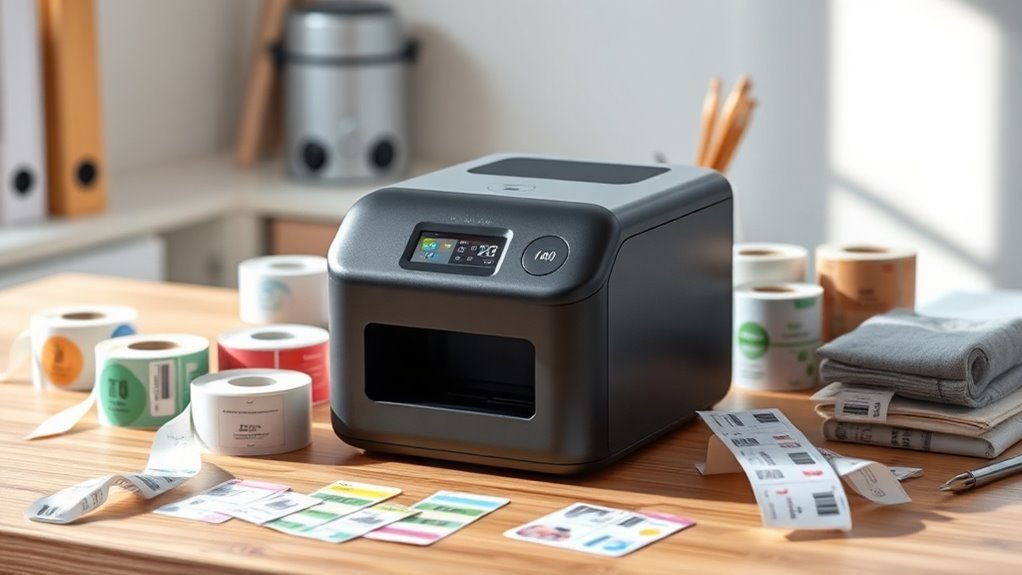
When choosing a compact desktop label printer, you’ll want to check its connectivity options and print quality first. Make sure it supports the label sizes you need and fits your workspace with a portable design.
Don’t forget to verify software compatibility to keep your workflow smooth. It’s all about finding a printer that works well with your setup and helps you get the job done without a hitch.
Printer Connectivity Options
Choosing the right connectivity options plays a pivotal role in how seamlessly your compact desktop label printer fits into your workflow. First, make certain the printer supports the connection methods your devices use—Bluetooth suits mobile devices, USB connects directly to PCs, and USB-C fits modern laptops.
Check if Bluetooth printing requires a vendor-specific app, as some printers don’t support generic wireless printing. Confirm wired connection compatibility with your OS—Windows, macOS, Linux, or ChromeOS—and whether drivers or browser extensions are needed.
Consider your workflow: Bluetooth works great for phones and tablets, while USB or USB-C connections handle heavy desktop or batch label tasks better. Also, verify supported protocols like automatic label detection and PDF import features to assure smooth operation across your devices.
Print Quality And Resolution
After ensuring your printer connects smoothly with your devices, the next step is to evaluate print quality and resolution. Resolution, measured in DPI, determines how sharp your text, barcodes, and icons appear.
While 203 DPI suits clear shipping labels and barcodes, higher DPI delivers finer detail for small fonts and logos. Print technology also matters: thermal transfer printers using ribbons produce more durable, smudge-resistant labels than direct thermal ones.
For reliable barcode scanning, you need crisp, high-contrast bars without banding or over-darkening. Keep in mind, print contrast depends on label stock and coatings, so resolution alone isn’t enough.
Also, check how the printer manages margins and cropping since these affect usable resolution, especially when printing full-bleed graphics on common label sizes like 4×6 inches.
Supported Label Sizes
Make sure your label printer can handle the sizes you need before you buy. Check the maximum media size it supports—most compact models handle up to 4 × 6 inches, which is great for common shipping or product labels.
Also, confirm the supported label width range, usually between 1.4 and 4.4 inches. This way, you can print various formats like 4×6, 4×4, or 2×1 without any hassle.
Don’t forget to verify if the printer accepts both roll and fanfold media. Check the maximum roll diameter or sheet stack capacity to make sure it fits your print volume.
Look for handy features like automatic label-gap detection or software auto-sizing. These help avoid misalignment when printing.
And if you need specialty shapes such as round or cable labels, make sure the printer supports nonstandard or die-cut formats. Also, check its minimum and maximum printable dimensions to be safe.
Portability And Design
When you need a label printer that moves with you, paying attention to size and weight is essential. Look for compact models with footprints under about 8×4×3 inches and weights between 0.5 and 2 pounds to guarantee easy transport and fit in tight workspaces.
If you plan to print on the go, prioritize units with built-in batteries or clear battery capacities like 1500 mAh. Choose printers with durable, lightweight housings—ABS or reinforced plastic—and rounded edges for comfortable handheld use.
Wireless connectivity, especially Bluetooth with app-based printing, offers greater flexibility and fewer cables. Finally, check for user-friendly media loading options such as top-loading or drop-in rolls, plus support for common label widths (1.4–4.4 inches) to simplify reloading and speed up your workflow.
Software Compatibility Features
Since your label printer needs to work seamlessly with your devices, you’ll want to confirm it supports your operating systems—whether that’s Windows, macOS, Linux, iOS, or Android. Also, understand if Bluetooth or USB printing requires specific drivers or apps.
Check if mobile Bluetooth printing needs the manufacturer’s app instead of native pairing. If so, see if that app offers helpful features like templates, batch printing, or OCR.
Look for software that prints PDFs directly with label-aware options such as automatic label-area detection, white margin removal, and PDF crop or rotation.
Also, verify the availability of desktop drivers, browser extensions, or plugins. Find out whether these come preloaded or if you’ll need to download them.
Advanced features like smart PDF import, print-job controls, and cloud template libraries can really help streamline your label printing workflow. It’s worth checking these out to make your life easier!
Setup And Maintenance Ease
Although connectivity options like Bluetooth and USB are important, you’ll want to focus on how easily you can set up and maintain your label printer. Check if the printer offers preloaded drivers or a built-in USB drive and clear tutorial videos to simplify the setup without hunting for downloads.
Look for automatic label gap detection and auto-detect label size features to avoid manual calibration every time you switch media. It really saves time and hassle.
Consider thermal-only printers that don’t need ink, toner, or ribbons. Make sure they have paper-out or jam detection to reduce maintenance headaches.
Finally, verify that the printer includes starter media and easy paper loading mechanisms. That way, you can load rolls or fanfold labels quickly and start printing with minimal fuss.
Frequently Asked Questions
Can These Printers Connect to Multiple Devices Simultaneously?
Yes, many compact desktop label printers let you connect multiple devices at once via Wi-Fi or Bluetooth.
You’ll find this feature handy for seamless printing from your computer, smartphone, or tablet without constantly switching connections.
What Is the Average Lifespan of the Printer’s Thermal Print Head?
You’d think a thermal print head lasts forever, but it typically endures around 50 to 100 kilometers of printed labels.
With proper care, you’ll get the most out of it without constant replacements or frustration.
Are These Label Printers Compatible With macOS and Linux?
Yes, most compact desktop label printers support macOS and Linux, but you’ll want to check each model’s specifications.
Many offer drivers or software compatible with both, ensuring smooth printing regardless of your operating system.
It’s always a good idea to double-check before you buy, just to be sure everything works seamlessly for you.
Do These Printers Support Custom Label Sizes Beyond 4×6 Inches?
You’re the artist with a blank canvas—yes, these printers let you paint beyond 4×6 inches. They support custom label sizes, giving you freedom to craft exactly what you need without limits or boundaries.
What Are the Warranty and Customer Support Options for These Printers?
You’ll usually get a one-year warranty with options to extend it.
Customer support includes phone, email, and live chat, ensuring you can quickly resolve issues or get help setting up your printer whenever needed.
Conclusion
When choosing your compact desktop label printer, remember that over 60% of small businesses prefer wireless models for convenience and efficiency. You’ll want a printer that’s portable, easy to connect, and fits your workspace.
Whether you ship frequently or need labels for organizing, these top nine options offer versatility and reliability. They’re designed to keep up with your demands without taking up too much space.
Pick one that matches your specific needs, and you’ll boost productivity without sacrificing space or quality. A compact desktop label printer is a smart investment for any small business looking to enhance organization and streamline operations. With the right model, you get convenience, efficiency, and durability all in one. So, choose wisely and enjoy hassle-free labeling every day.