7 best compact all in one printer 2026
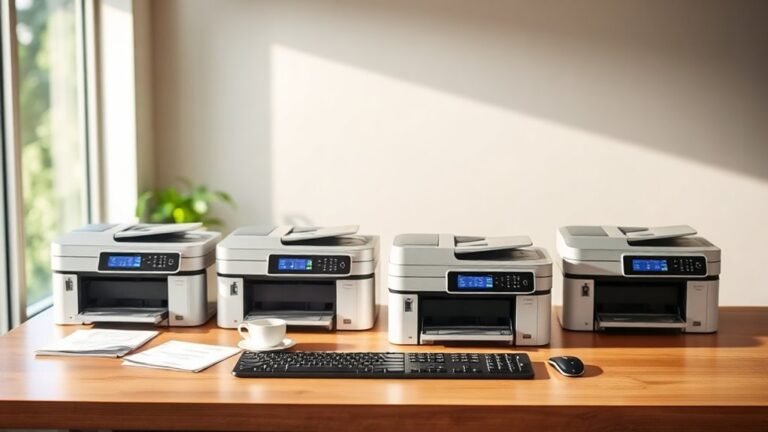
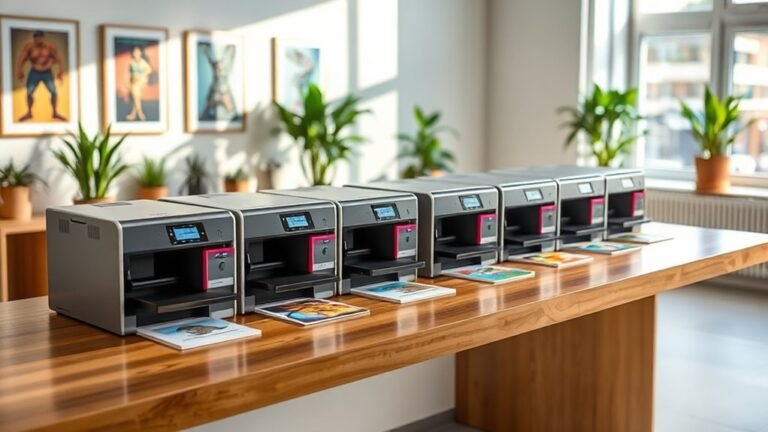
You’ll find seven top compact all-in-one printers perfect for home or office use in 2026. These compact all-in-one printers are designed to save space without sacrificing performance, making them ideal for small workspaces. Whether you need to print, scan, or copy, these models deliver convenience and efficiency.
Models like Canon’s MegaTank G3270 and G3290 offer high-volume, cost-effective printing with wireless connectivity. The PIXMA TS7720 and TS4320 deliver vibrant photos in small spaces, making them great for creative projects.
On the other hand, options like HP DeskJet 2622, Brother MFC-J1012DW, and Epson WF-4920 balance print quality with versatile features. Each printer suits different needs, so exploring the details will help you pick the ideal fit for your printing demands.
| Image | Name | Editor's Rating | Price |
|---|---|---|---|

|
|
||

|
|
||

|
|
||

|
|
||
|
|
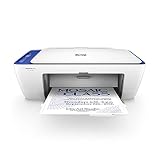
Canon MegaTank G3270 All-in-One Wireless Color Printer
- Wireless Print/Copy/Scan
- Up to 2 years of ink included (2)
- Print up to 6,000 black & white / 7,700 color pages using a single set of inks! (1)
- Save up to $1,000 on ink (1)
- 1.35” Square LCD display

The Canon MegaTank G3270 is designed to reduce the hassle and expense of frequent ink replacements. Its refillable MegaTank system holds enough ink to print up to 7,700 color pages, ensuring fewer interruptions and lower running costs. This makes it a practical choice for users who need consistent, high-volume color printing.
Beyond cost savings, this all-in-one printer offers clear and sharp output with a 4800 × 1200 dpi resolution. It handles printing, scanning, and copying tasks efficiently, making it a versatile tool for home and small office environments. Wireless and USB connectivity options simplify setup and daily use.
Maintenance is straightforward thanks to the large ink tanks, which are easy to refill without messy cartridges. The printer supports a variety of paper sizes, from photos to legal documents, accommodating diverse printing needs. Its energy-efficient design helps minimize power consumption during operation.
However, the printer only supports simplex (single-sided) printing and has a single input tray with a 100-sheet capacity. It also requires a decent amount of desk space due to its size and weight. Despite these considerations, it delivers reliable performance for users with moderate to high printing demands.
Best for: Home users and small offices looking for an economical, efficient all-in-one printer with high-volume color printing and wireless convenience.
What We Like:
- Refillable MegaTank ink system with high page yield
- Crisp print quality at 4800 × 1200 dpi resolution
- Supports multiple paper sizes including legal and photo formats
- Easy wireless setup and smartphone control
- Energy-efficient design reduces power use
Specification:
| Feature | Details |
|---|---|
| Manufacturer | Canon |
| Dimensions | Approx. 17.7 × 13.5 × 7.5 in |
| Weight | Approx. 8.5 kg (18.7 lbs) |
| Printing Resolution | Up to 4800 × 1200 dpi |
| Connectivity | Wireless, USB |
| Paper Capacity | 100 sheets |
| Supported Paper Sizes | Photo, Letter, Legal |
Canon PIXMA TS7720 Wireless All-in-One Printer
- ALL-IN-ONE: Print, Copy, Scan features for full control at your fingertips.
- FAST PRINT SPEEDS: Print approximately 15 (black) / 10 (color) images per minute.
- EASY SETUP: Get running in just a few minutes thanks to a streamlined and easy setup process out of the box.
- EASY TO INSTALL INK: Print full color with only 2 (no mess) easy-to-replace ink cartridges.
- 2.7” LCD SCREEN: Get the job done with an intuitive and easy to use 2.7” LCD touchscreen.
The Canon PIXMA TS7720 is designed to bring high-quality printing to your home or small office with ease. It produces sharp documents and vibrant photos, helping you achieve professional results without hassle. Its compact design fits comfortably in limited spaces, making it ideal for desks and small rooms.
This printer tackles everyday printing challenges with fast speeds of up to 15 ppm for black and 10 ppm for color. The two-cartridge FINE hybrid ink system combines pigment black ink for clear text and dye-based colors for rich images. You can print borderless photos up to 8.5″ x 11″ and switch between various paper sizes using dual trays.
Maintaining the printer is straightforward, though the two-cartridge ink system may require more frequent replacements if you print many photos. The output capacity holds up to 200 sheets, which suits moderate printing demands but might be limited for heavy users.
Wireless connectivity and a 2.7″ touchscreen simplify setup and operation, making it easy to print from smartphones or tablets. However, the absence of an automatic document feeder means multi-page scanning or copying may take more time.
Best for: Home users and photo enthusiasts needing a compact all-in-one printer with vibrant color output and convenient wireless features.
What We Like:
- Fast printing speeds with high-resolution output
- Dual paper trays support various sizes and borderless photos
- Easy wireless setup and intuitive 2.7″ touchscreen
- Compact design fits well in limited spaces
Specification:
| Feature | Details |
|---|---|
| Manufacturer | Canon |
| Dimensions (W x D x H) | Approx. 14.5″ x 12.0″ x 5.0″ |
| Weight | Approx. 11.5 lbs |
| Ink System | Two-cartridge FINE hybrid |
| Print Resolution | 1200 x 1200 dpi |
| Paper Capacity | Up to 200 sheets |
| Connectivity | Wireless |
| Display | 2.7″ Color Touchscreen |
Canon Megatank G3290 All-in-One Wireless Printer
- Wireless Print/Copy/Scan (2)
- Up to 2 years of ink included
- Print up to 6,000 black & white / 7,700 color pages using a single set of inks! (1)
- Save up to $1,000 on ink (1)
- 2.7” LCD Color Touchscreen
Experience seamless high-volume printing with the Canon Megatank G3290, designed to meet the needs of busy home offices. Its wireless connectivity removes cables and clutter, giving you the freedom to print from anywhere in your space. This printer handles sharp text documents and vibrant photos with ease, thanks to its advanced 4-color hybrid ink system.
Maintenance is straightforward with refillable ink tanks that deliver up to 6,000 black and 7,700 color pages, reducing your printing costs significantly. The auto duplex feature helps save paper by enabling double-sided printing without extra effort. A user-friendly 2.7″ LCD touchscreen makes navigation and operation simple and intuitive.
The Canon Megatank G3290 supports various tasks like printing, copying, scanning, and borderless photo printing up to 8.5″x11″. Its flatbed scanner adds versatility, making it a complete solution for everyday office needs. While the color print speed is moderate and the paper tray holds only 100 sheets, its reliable performance balances these considerations.
Best for: Home and home office users needing a cost-effective, wireless all-in-one printer that delivers high-volume printing with vivid photos and crisp text.
What We Like:
- Refillable ink tanks provide high page yield with low cost per print
- Auto duplex printing saves paper and time
- Wireless and USB connectivity for flexible use
- Easy-to-use 2.7″ LCD touchscreen
- Versatile all-in-one functions including scanning and borderless photos
Specification:
| Feature | Details |
|---|---|
| Manufacturer | Canon |
| Dimensions (W×D×H) | 17.7 × 12.4 × 5.9 inches |
| Weight | 14.2 lbs (6.44 kg) |
| Ink System | 4-color hybrid ink tanks |
| Connectivity | Wi-Fi, USB |
| Display | 2.7″ LCD touchscreen |
Canon PIXMA TS4320 – Wireless Color Inkjet Printer with Print, Copy, Scan
- Affordable Versatility - A budget-friendly all-in-one printer perfect for both home users and hybrid workers, offering exceptional value
- Crisp, Vibrant Prints - Experience impressive print quality for both documents and photos, thanks to its 2-cartridge hybrid ink system that delivers sharp text and vivid...
- Effortless Setup & Use - Get started quickly with easy setup for your smartphone or computer, so you can print, scan, and copy without delay
- Reliable Wireless Connectivity - Enjoy stable and consistent connections with dual-band Wi-Fi (2.4GHz or 5GHz), ensuring smooth printing from anywhere in your home or...
- Scan & Copy Handling - Utilize the device’s integrated scanner for efficient scanning and copying operations
Experience effortless printing, copying, and scanning with the Canon PIXMA TS4320, designed to simplify everyday tasks at home or in hybrid work environments. Its wireless color inkjet technology produces sharp, vibrant prints that bring your documents and photos to life. The compact size fits neatly on any desk, saving valuable space without sacrificing performance.
Stay connected easily with dual-band Wi-Fi, enabling smooth and reliable wireless printing from multiple devices. The printer supports duplex printing, helping you save paper and reduce waste. Scanning and copying are straightforward with a 600 dpi flatbed scanner and color or black-and-white copy options.
Maintenance is hassle-free thanks to starter ink tanks that allow immediate use right out of the box. While the paper tray holds up to 100 sheets, making it ideal for light to moderate printing needs, larger format printing is limited to letter size. Copy speed is slightly slower than print speed, suitable for occasional use rather than heavy workloads.
This all-in-one printer offers practical functionality in a sleek design, making it a smart choice for users who want convenience without complexity.
Best for: Home users and hybrid workers who need a compact, easy-to-use all-in-one printer for everyday printing, scanning, and copying tasks.
What We Like:
- Sharp print quality with 1200 dpi resolution for clear documents and photos
- Wireless dual-band Wi-Fi and multiple mobile printing options including Alexa control
- Auto duplex printing saves paper and supports eco-friendly use
- Compact design fits small spaces without compromising functionality
Specification:
| Feature | Details |
|---|---|
| Manufacturer | Canon |
| Dimensions | Approx. 17.7 x 12.3 x 5.7 in (45 x 31.3 x 14.5 cm) |
| Weight | Approx. 8.1 lb (3.7 kg) |
| Printer Type | Wireless Color Inkjet |
| Max Print Resolution | 1200 x 1200 dpi |
| Print Speed | 14 ppm (black), 9 ppm (color) |
| Paper Capacity | 100 sheets |
| Max Media Size | Letter (8.5″ x 11″) |
HP DeskJet 2622 All-in-One Printer (V1N07A)
- Make your life easier – This all-in-one printer, scanner, and copier features wireless printing, AirPrint and more—all to simplify your everyday printing needs
- Our most powerful printing app ever – The highly-rated HP Smart App allows you to print and scan on the go from a variety of smartphones and tablets
- Ink delivered to your home: get your first 2 months free when you enroll in HP Instant Ink (optional) during printer set up; plans starting at $0.99 per month after the...
- Compact and convenient: Put your printer anywhere you'd like, thanks to its compact design; the output tray minimizes space when closed, reduces jams, and holds 25 sheets...
- Save time and money: The DeskJet 2622 is HP's most affordable wireless all-in-one printer to date and features a hassle-free setup and easy printing from your mobile...
The HP DeskJet 2622 All-in-One Printer is designed to fit seamlessly into small spaces without sacrificing essential functionality. Its compact and lightweight design makes it ideal for home offices or personal use where space is limited. You can print, scan, and copy documents easily, helping to streamline everyday tasks.
This printer supports wireless printing, including AirPrint and mobile printing through the HP Smart App. This means you can print directly from your smartphone or tablet without needing cables, simplifying your workflow. The inclusion of Alexa voice command support adds hands-free convenience.
Maintenance is straightforward with a design that reduces paper jams and holds up to 25 sheets, though its smaller tray means frequent refills may be necessary for high-volume use. Print quality is sharp, with up to 2400 dpi resolution, suitable for various media like photo paper and labels.
While print speeds are moderate, the DeskJet 2622 prioritizes versatility and ease of use over high-speed output. Its single USB port and tray limit connectivity and paper handling but keep the device simple and accessible.
Best for: Small home offices or individuals needing a compact all-in-one printer with wireless and mobile printing capabilities.
What We Like:
- Compact, lightweight design that saves space
- Supports wireless, AirPrint, and Alexa voice commands
- Handles a variety of media types with high-resolution output
- Easy to maintain with minimal paper jams
Specification:
| Feature | Details |
|---|---|
| Manufacturer | HP |
| Dimensions | Not specified |
| Weight | 7 lb (3.18 kg) |
| Color Options | Not specified |
| Connectivity | Wireless, USB |
| Print Resolution | Up to 2400 dpi |
| Paper Capacity | 25 sheets |
Brother MFC-J1012DW Wireless Colour Inkjet Printer

- Full functionality in a small footprint. Despite its compact design, this inkjet all-in-one is fully loaded to meet all of your printing and scanning needs. A welcome...
- Fast print speeds up to 17 ppm black/9 ppm colour with printing as mobile as you are. Wireless printing and scanning capabilities offer true mobility so you can print and...
- Easy-to-use 1.8” colour display. Easily navigate onscreen menus that include powerful features. Go mobile with the simple-to-use Brother Mobile Connect app that...
- Versatile paper handling. A 20-page capacity auto document feeder quickly copies and scans, a generous 150-sheet capacity paper tray adjusts for letter or legal-size...
- Never worry about running out of ink again! Brother’s Refresh EZ Print Subscription Service members get ink delivered straight to their door, right when they need it.
The Brother MFC-J1012DW is designed to simplify printing tasks for home and small office users. Its compact size fits neatly in tight spaces, while offering a full suite of functions including printing, copying, scanning, and faxing. This all-in-one wireless inkjet printer delivers sharp prints at up to 6000 x 1200 dpi resolution, ensuring clear text and vibrant colors.
With print speeds of 17 ppm for black and 9 ppm for color, the printer handles everyday documents efficiently. The 150-sheet paper tray supports letter and legal sizes, reducing frequent refills for moderate use. The 20-page automatic document feeder makes scanning and copying multi-page documents fast and easy.
Wireless connectivity and mobile app control allow users to print from smartphones or tablets with ease. Alexa compatibility adds hands-free convenience, streamlining your workflow. Automatic duplex printing saves paper by producing double-sided documents without manual intervention.
Maintenance is straightforward thanks to the inkjet system and compact design. However, the single USB port and limited copy run of 20 pages may restrict some heavier office needs. Overall, the Brother MFC-J1012DW balances versatility and space-saving design for everyday wireless printing.
Best for: Home users and small offices needing a compact, multifunction wireless printer with reliable color printing and scanning.
What We Like:
- High-resolution printing up to 6000 x 1200 dpi
- Automatic duplex printing for efficient double-sided output
- 20-page automatic document feeder speeds up multi-page tasks
- Wireless and mobile app control with Alexa compatibility
Specification:
| Feature | Details |
|---|---|
| Manufacturer | Brother |
| Dimensions (W x D x H) | Approx. 16.1 x 12.3 x 7.5 in (41 x 31.2 x 19 cm) |
| Weight | Approx. 13.7 lb (6.2 kg) |
| Paper Tray Capacity | 150 sheets |
| Print Resolution | Up to 6000 x 1200 dpi |
| Print Speed | 17 ppm (black), 9 ppm (color) |
| Connectivity | Wireless, USB, Mobile app |
| Additional Features | Automatic duplexing, 20-sheet ADF, Fax |
Epson Workforce Pro WF-4920 Wireless All-in-One Printer

- Built for Speed — PrecisionCore Heat-Free technology delivers fast, high-volume printing with 25 (black)/12 (color) ISO ppm and fast first-page-out
- High-Precision Office Printing — Accurate dot placement and DURABrite Ultra instant-dry pigment inks for professional-quality prints
- High-Volume Durability for Heavy Workloads — Innovative heat-free technology engineered for reliability and reduced downtime
- Designed for Productivity — All-in-one printer with auto 2-sided printing and 1-sided, 35-page ADF streamline workflow
- Maximize Printing Efficiency — High-performance office printer with large, 250-sheet paper capacity
Experience efficient, high-volume printing with the Epson Workforce Pro WF-4920. This all-in-one printer is designed to streamline busy office workflows by delivering fast, reliable output for every task. Its PrecisionCore Heat-Free technology ensures sharp prints at speeds up to 25 ppm in black and 12 ppm in color, helping you meet tight deadlines without compromise.
The WF-4920 supports seamless paper management with a 250-sheet tray and a 35-page automatic document feeder. Auto duplex printing reduces paper waste and manual effort, making multi-page jobs easier to handle. Connectivity options include Ethernet, Wi-Fi, and USB, along with mobile printing support like AirPrint, giving you flexibility in how you print.
Maintaining this printer is straightforward, though it uses proprietary Epson 842 ink cartridges. Using genuine cartridges ensures quality prints and protects your warranty. Its compact, durable design fits well in busy office environments, supporting printing, copying, scanning, and faxing.
The 4.3-inch touchscreen and voice commands offer intuitive control, simplifying operation for all users. While color print speed is moderate, the overall functionality meets the needs of demanding professional settings.
Best for: Busy offices and professionals who require fast, high-volume, reliable printing with versatile multifunction capabilities.
What We Like:
- Fast black and color printing with high-resolution output.
- Efficient paper handling with large input tray and ADF.
- Flexible connectivity including mobile printing and voice control.
- Compact, durable design suited for office environments.
Specification:
| Feature | Details |
|---|---|
| Manufacturer | Epson |
| Dimensions (W×D×H) | 18.5 × 15.7 × 11.5 inches |
| Weight | 22.7 lbs (10.3 kg) |
| Color Options | Black |
| Paper Capacity | 250-sheet tray |
| ADF Capacity | 35 pages |
| Connectivity | Ethernet, Wi-Fi, USB |
| Display | 4.3″ touchscreen |
Factors to Consider When Choosing a Compact All in One Printer 2026

When choosing a compact all-in-one printer, you’ll want to focus on print quality and resolution to get sharp results. Consider how the device connects to your gadgets, whether it handles ink efficiently, and how fast it prints.
Don’t forget to check the paper handling options to make sure it fits your needs. After all, you want something that works smoothly without constant fuss.
Print Quality And Resolution
Print quality and resolution play a vital role in choosing a compact all-in-one printer, especially if you want sharp text and vibrant photos. Look for printers with at least 1200 × 1200 dpi for crisp text and 4800 × 1200 dpi or higher for detailed color photos.
Pigment black inks deliver fade-resistant, clear text, while dye-based color inks offer smooth, vivid photo gradients. Also, consider color depth and printer color management; 16-bit processing and accurate ICC profiles guarantee smoother tones and true-to-life colors.
If you scan or copy often, check those resolutions too, aiming for 600 dpi or more. Remember, using premium photo paper and borderless modes can substantially boost perceived quality, so print media choice matters just as much as specs for the best results.
Device Connectivity Options
How do you guarantee seamless communication between your devices and a compact all-in-one printer? Start by choosing a printer that supports both Wi‑Fi 2.4 GHz and 5 GHz bands to avoid interference and boost performance on busy networks.
You’ll want multiple physical ports like USB 2.0/3.0 and Ethernet for reliable wired connections or sharing across a network. Make sure it’s compatible with mobile printing standards like AirPrint or Mopria and offers a companion app for easy printing and scanning from your phone or tablet.
Consider Wi‑Fi Direct or Bluetooth for printing without a network. And don’t forget to check if cloud printing or remote access features are available so you can print securely from anywhere.
These options keep your workflow smooth and flexible. Easy, right?
Ink Efficiency And Cost
Staying connected to your printer is just one piece of the puzzle; controlling your ink expenses plays a big role in keeping your overall printing budget manageable. To do this, compare the cost per page by dividing the replacement ink or refill bottle price by its rated page yield.
Refillable tank or high-yield cartridge systems are ideal if you print over a few hundred pages monthly—they slash ink costs dramatically compared to standard cartridges. Check manufacturer-stated page yields, noting dye-based color and pigment black inks vary, affecting costs.
Also, consider your total ownership cost by factoring initial ink, replacement frequency, and maintenance. Using draft or eco print modes can reduce ink use per page by 30–70%, helping you save even more over time.
Printing Speed Performance
Although speed isn’t the only factor to take into account, it plays an essential role in your overall printing experience. When choosing a compact all-in-one printer, check the print speeds in pages per minute (ppm) for both black and color—expect around 9–25 ppm for black and 6–12 ppm for color.
Don’t rely solely on manufacturer “draft” speeds; instead, look at ISO-rated speeds for real-world performance. It’s a better way to know what you’re really getting.
Pay attention to the first-page-out time, as faster responses improve your experience with occasional printing. If you print double-sided often, verify duplex throughput since it typically halves the effective ppm.
Finally, consider the printer’s duty cycle and monthly volume to make certain it can handle your workload without overheating or slowing down. That way, you’re guaranteed consistent, reliable speed over time.
Paper Handling Capabilities
When choosing a compact all-in-one printer, you’ll want to zero in on its paper handling capabilities to guarantee smooth, hassle-free operation. Start by checking the input tray capacity—ranging from 25 to over 250 sheets—to match your usual print volume and minimize refills.
Look for automatic duplex printing to save paper and reduce manual handling for double-sided documents. It’s a real time-saver and good for the environment.
Consider how many paper sources the printer offers, such as single cassettes or rear trays, especially if you need specialized media like photo paper without interrupting standard printing. Having options means less hassle when switching between tasks.
Verify supported paper sizes, including envelopes, card stock, and legal or wide formats, plus any borderless photo options. You want to make sure it handles everything you throw at it.
Finally, make sure the output tray can hold enough sheets so you won’t need to clear it frequently during larger print jobs. It just makes the whole printing process smoother and less annoying.
Physical Size And Weight
Because space is often limited in home or office settings, you should carefully check a printer’s physical size and weight before buying. Measure your available surface and compare it to the printer’s footprint—most compact models stand 6–11 inches tall, 13–22 inches deep, and 14–17 inches wide.
Don’t forget to allow extra clearance for paper trays, output areas, and the scanner lid to open fully. If you plan to move your printer frequently, opt for models under 10 pounds or those with built-in handles and secure ink latches to prevent spills.
Keep in mind, smaller printers often compromise on paper capacity or features, so balance compactness with your essential needs. Weight affects placement stability, so heavier models require a sturdy spot.
Additional Features And Warranty
Once you’ve settled on a printer that fits your space and weight preferences, it’s important to take into account the additional features and warranty coverage that safeguard your investment. Check the warranty length and scope—most compact models offer around one year, but confirm if it covers parts, labor, and printheads or only limited defects.
Also, look for multi-year spare parts availability and whether repairs happen locally or require shipping. It’s worth considering extra protection like extended warranties or accidental damage plans. Compare their costs and terms to see what works best for you.
Think about features that boost reliability, such as automatic duplexing, refillable ink systems, and user-replaceable printheads to reduce downtime. Don’t forget to verify support resources like online troubleshooting, firmware updates, and responsive customer service. These will help guarantee long-term smooth operation.
Frequently Asked Questions
How Do Compact All-In-One Printers Compare in Energy Efficiency?
You’ll find compact all-in-one printers generally use less energy than larger models. They’re designed to be efficient, often featuring sleep modes and quick startup times.
This helps you save power without sacrificing functionality or print quality. So, it’s a smart choice if you’re looking to cut down on energy use while still getting great results.
What Are the Typical Warranty Terms for Compact All-In-One Printers?
You’ll typically get a one-year limited warranty on compact all-in-one printers, covering defects and malfunctions.
Some brands offer extended warranties or service plans, so you might want to check those options before buying. It’s a good way to protect your investment.
Can These Printers Handle Printing on Specialty Media Like Cardstock?
Of course, your printer isn’t just for boring paper—it can handle cardstock and other specialty media too. Just don’t expect it to magically become a scrapbook wizard.
Check the specs and feed it carefully to avoid paper jams!
Are There Any Subscription Services Required for Ink Replacement?
You don’t have to subscribe to ink replacement services, but some models offer them for convenience. These services automatically send ink before you run out, helping you avoid interruptions.
But don’t worry, they aren’t mandatory to use. You can choose what works best for you!
How Compatible Are These Printers With Mobile Printing Apps?
Don’t worry about tech hassles—these printers work seamlessly with most mobile printing apps like AirPrint and Google Cloud Print.
You’ll easily print directly from your phone or tablet without complicated setups or extra software.
It’s super convenient, right? Just tap and print, no stress involved!
Conclusion
Choosing the right compact all-in-one printer can transform your workspace. Imagine Sarah, a freelancer, who picked the Canon MegaTank G3270—its wireless convenience and vibrant color prints boosted her productivity and client satisfaction.
Whether you prioritize ink efficiency, print speed, or versatility, one of these top models will fit your needs perfectly. Don’t settle for bulky or slow—grab a compact printer that works as hard as you do in 2026!
When picking the best compact all-in-one printer, think about what matters most to you. Need fast printing? Look for a model with high print speed. Want to save on ink? Choose one with great ink efficiency. Versatility is key if you handle multiple tasks like scanning, copying, and printing.
With so many options available, it’s easier than ever to find a compact all-in-one printer that fits your lifestyle and workspace. So, in 2026, make sure your printer is as reliable and efficient as you are!