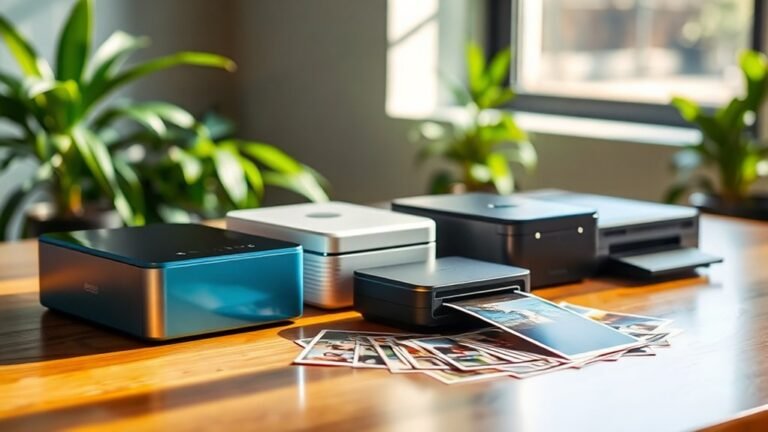
6 Best Budget Printers for Heat Transfer in 2027
If you’re on the hunt for budget-friendly heat transfer printers in 2027, you’ve got some great options to explore. Whether you’re running a small business or just a hobbyist, finding a printer that balances cost, quality, and ease of use is key. Heat transfer printers are perfect for creating custom designs on polyester fabrics, and having the right printer can make all the difference.
Consider the Brother SP-1 or its starter bundle for reliable dye-sublimation printing. It’s a solid choice for polyester items, offering consistent, vibrant results.
Pinckney’s cartridge-free super-tank models are another excellent pick. They feature refillable inks and support borderless printing up to 13×19 inches. This makes them super versatile for different project sizes.
Epson’s SureColor F170 or L805 paired with the DTF A4 Kit also deliver vivid, professional-quality prints. Each of these printers offers a great mix of affordability and performance, making them ideal for various heat transfer needs. Keep exploring to find the perfect match for your creative projects!
| Image | Name | Editor's Rating | Price |
|---|---|---|---|

|
|
||

|
|
||

|
|
||

|
|
||

|
|
Brother Sublimation Printer
No products found.
Unlock your creative potential with the Brother SP-1 Sublimation Printer, designed to bring your custom projects to life. This printer uses dye-sublimation ink that stays vibrant and durable after heat transfer, making it ideal for personalized shirts, mugs, and home decor. Its unique printing method ensures colors appear bright and long-lasting on polyester and polymer-coated surfaces.
The compact design fits neatly into any workspace and offers flexible connectivity options, including Wi-Fi, Ethernet, and USB. You can easily create and manage designs through the Artspira Creative App, paired with a simple 2.7″ touch screen for smooth operation.
Maintenance is straightforward with included genuine ink cartridges and sublimation paper, helping you start your projects without delay. Keep in mind, this printer requires a separate heat press for transferring prints onto your chosen materials. It works best with polyester or polymer-coated items, delivering sharp, professional results every time.
Best for: DIY crafters and small business owners who need a reliable sublimation printer for vibrant, permanent prints on polyester and polymer-coated products.
What We Like:
- Produces bright, long-lasting prints with heat-activated dye-sublimation ink
- Compact size with multiple connectivity options for versatile use
- Intuitive operation via the Artspira Creative App and touch LCD panel
Specification:
| Feature | Details |
|---|---|
| Manufacturer | Brother |
| Dimensions | Compact (exact dimensions not provided) |
| Connectivity | Wi-Fi, Ethernet, USB |
| Ink Type | Dye-sublimation ink |
| Display | 2.7″ touch LCD |
| Included Supplies | Genuine ink cartridges, sublimation paper |
Pinckney Cartridge-Free Super-Tank Printer Bundle (White)
- 【Sublimation Printing】Wireless Super-Tank AIl-in-One Printer with Scanner and Copier. High-capacity ink tanks mean no more ink cartridges.
- 【Sublimation Ink Contents】Black 127mL; Magenta 85mL; Cyan 85mL; Yellow 85mL. Ink may be shipped in a separate package based on logistic optimizations.
- 【Easy to Fill】the auto-fill nozzle fits the printer ink inlet perfectly and allows easily ink fill. No syringe needed, no squeezing, no ink leakage.
- 【Supported Paper Sizes】Letter A Size (8.5 in x 11 in), Legal (8.5 in x 14 in), Executive (7.25 in x 10.5 in), A4 (8.25 in x 11.7 in), A6 (4.13 in x 5.83 in), 5.5 in x...
- 【High-resolution printing】up to 5760 x 1440 dpi. Finer ink droplet size, Worry less about clogging.
Experience seamless dye sublimation printing with the Pinckney Cartridge-Free Super-Tank Printer Bundle (White). Designed to eliminate cartridge hassles, this printer lets you focus on creating vibrant, high-quality prints without frequent interruptions. Its cartridge-free, refillable ink tanks make maintenance simple and cost-effective.
The printer’s easy-fill nozzles prevent leaks, ensuring smooth ink refills and reducing downtime. With wireless capabilities, it supports printing, scanning, and copying—all at a sharp 5760 x 1440 dpi resolution. This versatility makes it suitable for a variety of projects, from fabric designs to custom mugs and phone cases.
Though it supports media sizes up to 8.5 x 11 inches, which suits most small to medium prints, larger projects may be limited. Print speeds are moderate at roughly 5 pages per minute in color, which balances quality and precision. Some users note that sublimation prints may appear dull before the heat transfer step, requiring careful handling.
This all-in-one printer is perfect for creatives and small business owners seeking a practical solution for vibrant dye sublimation printing without the fuss of cartridges.
Best for: creatives and small business owners needing a versatile, cartridge-free dye sublimation printer for fabric and product customization.
What We Like:
- Cartridge-free, high-capacity refillable ink tanks reduce costs and interruptions
- Includes sublimation ink set and leak-proof easy-fill nozzles for hassle-free maintenance
- Wireless all-in-one functionality with high-resolution printing, scanning, and copying
- Compact design suitable for various media types up to 8.5 x 11 inches
Specification:
| Feature | Details |
|---|---|
| Manufacturer | Pinckney |
| Dimensions | Not specified |
| Weight | Not specified |
| Color Options | White |
| Max Media Size | 8.5 x 11 inches |
| Print Resolution | 5760 x 1440 dpi |
| Print Speed (Color) | ~5 ppm |
Pinckney Cartridge-Free Super-Tank Sublimation Printer Bundle
- 【Sublimation Printing】Wireless Super-Tank AIl-in-One Printer with Scanner and Copier. High-capacity ink tanks mean no more ink cartridges.
- 【Bigger and Powerful】Take on Bigger Project with Wide-Format Printing up to 13" x 19". Scanning with ADF. Features a 250-sheet front tray paper capacity with...
- 【Sublimation Ink Contents】Sublimation Ink Contents: Black 127mL; Magenta 85mL; Cyan 85mL; Yellow 85mL. Ink may be shipped in a separate package based on logistic...
- 【Easy to Fill】Easy to Fill: the auto-fill nozzle fits the printer ink inlet perfectly and allows easily ink fill. No syringe needed, no squeezing, no ink leakage.
- 【What's in the box】Converted ET-15000 all-in-one White; Pinckney Sublimation Ink; Manual, CD-ROM for product setup; Power cord
The Pinckney Cartridge-Free Super-Tank Sublimation Printer Bundle transforms how you handle wide-format heat transfers. Say goodbye to cartridge hassles with its cartridge-free super-tank system, designed for easy refilling and less downtime. This printer offers vibrant, high-resolution prints that bring your designs to life on apparel, mugs, and phone cases.
Its wireless connectivity and a 2.7″ color touchscreen simplify operation, while the built-in automatic document feeder (ADF) expands functionality by allowing efficient scanning. The bundle supports borderless printing up to 13 x 19 inches, perfect for larger heat transfer projects without cutting corners.
Maintaining this printer is straightforward, thanks to its cartridge-free design that reduces mess and the risk of ink clogging. While it only supports single-sided printing and moderate speeds, it balances quality and convenience for most small business and hobbyist needs.
With sharp 4800 x 1200 dpi output and rich 48-bit color depth, this printer ensures your creations stand out with crisp detail and vibrant hues.
Best for: Small businesses and hobbyists seeking a reliable, cartridge-free sublimation printer for wide-format heat transfer projects on apparel and accessories.
What We Like:
- Cartridge-free super-tank system for easy, mess-free ink refills
- Borderless wide-format printing up to 13 x 19 inches
- Built-in ADF scanner with 2.7″ color touchscreen for all-in-one use
Specification:
| Feature | Details |
|---|---|
| Manufacturer | Pinckney |
| Maximum Print Size | 13 x 19 inches |
| Print Resolution | 4800 x 1200 dpi |
| Color Depth | 48-bit |
| Touchscreen | 2.7 inches, color |
| Connectivity | Wireless (Wi-Fi) |
| Scanning | Built-in ADF |
| Printing Mode | Single-sided (simplex) |
| Ink System | Cartridge-free super-tank |
Epson SureColor F170 Dye-Sublimation Printer Kit
- Confidence - Epson authorized partner. Original Epson Manufactured product delivered in Epson’s factory-sealed packaging with Epson documentation and Epson’s full...
- Genuine Epson Ink Included - Comes with a full set of OEM Epson sublimation inks, certified ECO PASSPORT by OEKO-TEX for safe use on textiles, apparel, mugs, mousepads...
- Astounding Print Quality - Epson's Surecolor F170 Sublimation printer boasts the PrecisionCore printhead which offers Precision Droplet Control for the most outstanding...
- Versatile Media Support - Includes a 150-sheet auto-feed tray for added efficiency. Epson SureColor sublimation printers house the paper in a dust resistant closed tray...
- Compact Reliable Solution - Space-saving design with user-friendly setup for MacOS & Windows. Please note that connection to mobile devices is not supported with this...
Epson’s SureColor F170 Dye-Sublimation Printer Kit offers an efficient way to produce vibrant, detailed heat transfers on fabrics and promotional items. Its PrecisionCore printhead technology ensures sharp images with resolutions up to 5760 x 1440 dpi, making your designs stand out with rich colors and fine details. This printer is designed to handle small-scale production smoothly, ideal for those seeking professional-quality results without bulky equipment.
Maintenance is simple due to the included genuine OEM Epson ink with auto-stop refill technology, minimizing mess and waste during ink replacement. The printer supports media up to 8.5 inches wide and features a 150-sheet auto-feed tray, streamlining workflow for continuous printing. Its connectivity options include USB and Ethernet, providing stable, direct connections for reliable operation.
While the F170 excels in print quality, it operates at a moderate speed of about one page per minute and supports only simplex printing, which may limit high-volume or double-sided projects. It also lacks mobile device connectivity, so printing requires a computer connection.
This kit is perfect for hobbyists and small business owners who need a compact, easy-to-use dye-sublimation printer for producing colorful fabric and textile heat transfers with professional precision.
Best for: Hobbyists and small business owners looking for a compact, reliable dye-sublimation printer for vibrant fabric and textile heat transfer printing.
What We Like:
- High-resolution printing up to 5760 x 1440 dpi for detailed, vibrant images
- Genuine OEM ink with auto-stop refill tech for clean, hassle-free maintenance
- Supports various media types with an efficient 150-sheet auto-feed tray
- Stable USB and Ethernet connectivity for dependable operation
Specification:
| Feature | Details |
|---|---|
| Manufacturer | Epson |
| Print Resolution | Up to 5760 x 1440 dpi |
| Media Width | Up to 8.5 inches |
| Auto-Feed Tray Capacity | 150 sheets |
| Connectivity | USB, Ethernet |
| Printing Mode | Simplex only |
Brother SP-1 Sublimation Printer Starter Bundle
- Brother SP-1 Dye-Sublimation Printer with full set of CMYK inks, 160 sheets sublimation paper, 50 sublimation blanks, heat resistant tape and more
- BUNDLE INCLUDES: Full Set of Sublimation Inks - Black, Cyan, Magenta, Yellow 47ml Each, Prosub 50 Piece Sublimation Blank Set, 500 in SoFontsy Desgins Cards for...
- BUNDLE INCLUDES: 150 Sheets of ProSub 8.5" x 11" Sublimation Paper, 10 Sheets of Brother 8.5" x 11" Sublimation Paper, 4 Rolls of Prosub Heat Resist Tape - .125in, .25in...
- BUNDLE INCLUDES: Artspira Design Software App (digital download), 100 Sublimation Designs, Quick Reference Guide, Wi-Fi & Ethernet Connectivity, Windows, Mac & App...
- Transform your crafting and small business ventures with the Brother SP-1 Sublimation Printer, a compact, high-performance printer designed to bring your imagination to...
Experience vibrant, professional-quality prints with the Brother SP-1 Sublimation Printer Starter Bundle. This compact dye-sublimation printer fits seamlessly into your creative workspace, delivering crisp images and rich colors ideal for heat transfer projects. Its high-resolution output ensures your designs come to life with clarity and detail.
Designed for ease of use, the printer connects effortlessly via Wi-Fi or Ethernet and is compatible with Windows, Mac, and the Artspira app. This flexibility allows smooth integration into your workflow. Maintenance is straightforward, keeping your printer running reliably without hassle.
The starter bundle includes everything you need: sublimation inks, paper, heat-resistant tape, blanks, and over 600 design assets. This complete package removes the guesswork from sourcing supplies and jumpstarts your creative process. While it handles media up to Legal size, it’s perfect for most standard sublimation projects.
Though it’s a print-only device without scanning or copying features, its focused functionality ensures consistent performance. The printer’s speed strikes a balance between quality and efficiency, making it suitable for hobbyists and small business entrepreneurs alike.
Best for: Hobbyists, artists, and small business owners seeking a compact, high-quality dye-sublimation printer for vibrant heat transfer creations.
What We Like:
- Compact design with easy Wi-Fi and Ethernet connections
- Comprehensive starter bundle with inks, paper, tape, blanks, and 600+ designs
- Sharp 600 x 600 dpi prints delivering professional quality
- Compatible with Windows, Mac, and Artspira app for versatile use
Specification:
| Feature | Details |
|---|---|
| Manufacturer | Brother |
| Print Resolution | 600 x 600 dpi |
| Print Speed | 10 pages per minute |
| Maximum Media Size | Legal (8.5 x 14 inches) |
| Connectivity | Wi-Fi, Ethernet |
| Compatibility | Windows, Mac, Artspira app |
| Included Supplies | Sublimation inks, paper, heat-resistant tape, blanks, 600+ designs |
DTF A4 L805 Printer with Roll Feeder Kit
- Streamlined All-in-One Workflow: Experience effortless operation with our integrated cutter and upgraded roller feeder system. The automated cutter minimizes film waste...
- Advanced White Ink Circulation System: This all-in-one system integrates automatic stirring, continuous circulation, and precision filtration to maintain consistent ink...
- Vibrant Color Reproduction: Bring your designs to life with clarity and color fidelity. The 6-color printing system captures subtle gradients and vibrant hues, producing...
- Versatile Applications: Achieve professional-grade transfers on a wide range of textiles, from cotton tees and polyester sportswear to leather goods and mixed fabrics...
- Professional Technical Support: Access expert guidance through our 24/7 engineer support network. We provide comprehensive operational guidance and troubleshooting...
The DTF A4 L805 Printer with Roll Feeder Kit is designed to bring vibrant garment printing right to your workspace. It addresses common printing frustrations by including an automatic white ink circulation system that keeps the printhead clean and functional longer. This feature significantly reduces downtime caused by clogs.
Its upgraded roller feeder ensures smooth feeding of rolls, minimizing jams that often disrupt workflow. Alongside this, the built-in cutter helps save material by precisely trimming films, reducing waste during print runs.
This printer supports prints up to A3 size at a high resolution of 1440 x 1400 dpi, handling various fabrics like cotton, polyester, and leather. It connects via USB and is compatible with Windows. While print speeds are moderate, it balances quality and efficiency well for smaller scale projects.
Maintenance is straightforward, but users should be aware that the single USB port limits connectivity options. Overall, it offers a practical solution for those seeking an affordable and versatile direct-to-film printer.
Best for: DIY enthusiasts and small businesses needing an affordable DTF printer for colorful garment decoration on multiple fabric types.
What We Like:
- Automatic white ink circulation reduces clogging and extends printhead life
- Upgraded roller feeder minimizes jams for smoother operation
- Integrated cutter reduces film waste
- Supports high-resolution prints up to A3 size on various fabrics
Specification:
| Feature | Details |
|---|---|
| Manufacturer | Not specified |
| Max Print Size | Up to A3 (approx. 11.7 x 16.5 in) |
| Print Resolution | 1440 x 1400 dpi |
| Connectivity | USB (single port) |
| Supported Fabrics | Cotton, polyester, leather |
| Ink System | Automatic white ink circulation |
| Weight | Not specified |
Factors to Consider When Choosing a Budget Printer for Heat Transfer
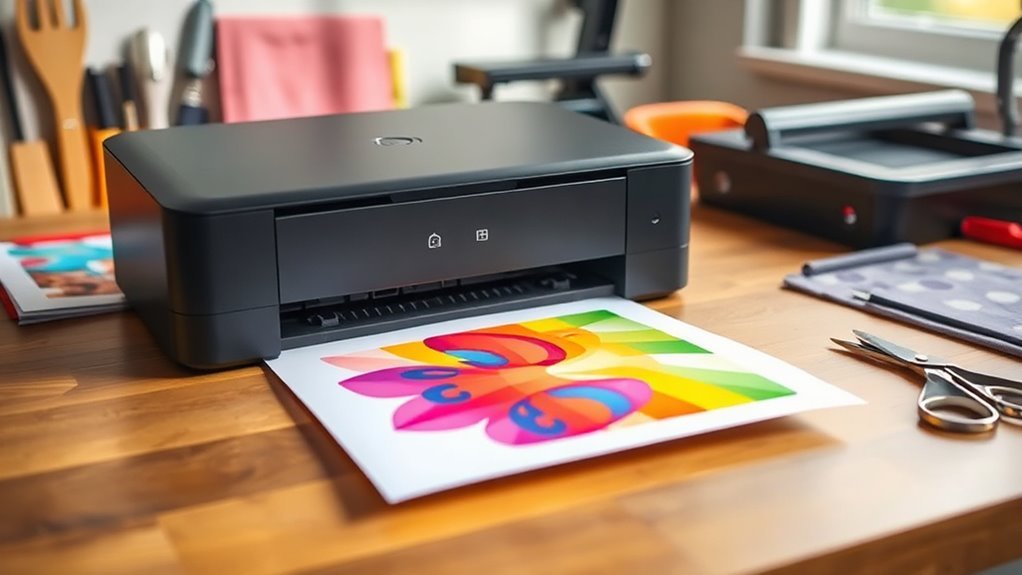
When choosing a budget printer for heat transfer, you’ll want to check if the ink type is compatible with your materials and if the print resolution meets your quality needs. It’s important to get those details right to avoid wasting supplies.
Consider the media sizes the printer supports and the connectivity options it offers for easy use. You’ll want something that fits your project needs and connects smoothly to your devices.
Don’t forget to think about maintenance requirements and how durable the printer is for long-term projects. A reliable printer saves you time and hassle down the road.
Ink Type Compatibility
Because ink type directly impacts the quality and durability of heat transfers, you’ll want to choose a printer that supports dye-sublimation or compatible ink chemistries using heat-activated disperse dyes. These inks bond seamlessly with polyester or polymer-coated substrates, ensuring vibrant, long-lasting prints.
Check whether the printer uses cartridge or refillable tank systems; refillable tanks often lower your cost-per-print and make switching to sublimation ink easier. Make sure the printer’s ink formulation and printhead design handle heat-transfer workflows well, reducing clogging and maintaining pigment stability during pressing.
If you plan to transfer onto cotton or mixed fabrics, remember sublimation inks won’t work directly—alternate inks like pigment or DTF inks might be necessary. So, confirm your printer matches the ink chemistry you intend to use for the best results.
Print Resolution Quality
Although many factors influence heat transfer quality, print resolution plays a pivotal role in achieving sharp, detailed results. For crisp text and fine details, aim for printers with at least 300–600 dpi native resolution.
If you want smoother gradients or photographic quality, 1200 dpi or higher is ideal. Prioritize true dpi over interpolated values since heat-transfer processes can soften sharpness.
Smaller droplet sizes, around 1–4 picoliters, enhance detail and tonal shift, which is essential for photo transfers. Keep in mind that fabric or coated substrates usually reduce apparent resolution, so printing at a slightly higher dpi helps maintain clarity.
Always test print patterns—text, lines, gradients—at different resolutions to see how they hold up after the heat press. This guarantees you pick a printer that delivers the sharpness you need.
Media Size Support
Print resolution impacts the sharpness of your heat transfers, but the size and type of media you use also shape the final outcome. First, check the maximum printable media dimensions to make certain the printer handles the transfer sizes you plan, whether that’s letter, legal, A4, or wide-format up to 13″x19″.
Make sure it supports borderless printing at those sizes to avoid unwanted white margins. Verify the input tray capacity fits your batch volume to minimize interruptions.
Also, confirm the printer accepts your specific substrates—single sheets, roll-fed media, or specialty transfer papers—and supports the paper weights you need. This way, heavier or thicker sheets feed smoothly without jams, making certain consistent, high-quality heat transfers every time.
Connectivity Options Available
Several connectivity options can impact how smoothly you transfer your heat transfer designs to your printer. Make certain the printer supports the connection type you need—whether Wi-Fi, Ethernet, or USB 2.0/3.0—to print seamlessly from phones, tablets, or PCs.
Wi-Fi lets you print wirelessly and use app-based transfers, but check your network’s stability and compatibility with drivers or apps to avoid interruptions. Ethernet provides a more stable, low-latency connection, ideal for multi-user environments or heavy print runs, minimizing job failures.
USB direct connection is straightforward and reliable for single-workstation setups, though it limits mobility and requires the computer to be on and nearby. Also, verify the printer supports desktop drivers and mobile apps for your operating system to guarantee smooth workflow integration.
Maintenance and Durability
You’ll want to perform regular maintenance to keep your heat transfer printer running smoothly and avoid costly downtime. Start with printhead care—run nozzle checks and head cleaning cycles often to prevent clogging from heat-transfer inks, which tend to sediment faster than standard dye inks.
Use proper flushing and deep-clean routines to extend printhead life and cut replacement costs. Keep an eye on ink delivery systems—check tanks, tubes, and connections to prevent air leaks that cause wear and print failures.
Plan ahead for routine replacement of wear parts like printheads, wipers, and maintenance tanks. Make sure to factor these expenses into your budget so there are no surprises.
Finally, store unused sublimation media and inks in cool, dark, sealed conditions. This helps maintain their stability and reduces maintenance issues that come from degraded consumables.
Frequently Asked Questions
Can These Printers Be Used for Regular Document Printing?
Yes, you can use these printers for regular document printing. They handle everyday tasks well, but keep in mind their primary design focuses on heat transfer.
What Maintenance Is Required for Heat Transfer Printers?
Keeping your heat transfer printer in tip-top shape means regular cleaning, replacing worn parts, and using quality inks.
You’ll want to gently clear printheads and rollers to avoid any sneaky clogs or smudges disrupting your work.
Doing this regularly helps keep your prints looking sharp and your machine running smoothly.
Plus, it can save you from costly repairs down the line. So, a little upkeep goes a long way!
Are There Any Safety Precautions When Using Sublimation Inks?
Yes, you should wear gloves and work in a well-ventilated area to avoid inhaling fumes. It’s important to keep sublimation inks away from children and avoid skin contact to prevent irritation.
Always follow the manufacturer’s safety guidelines. Taking these precautions helps keep you safe while working with sublimation inks.
Can These Printers Handle Large Volume Orders Efficiently?
Oh, absolutely—they’ll breeze through massive orders while you sip coffee!
But seriously, these budget printers can handle moderate volumes efficiently. Though for nonstop large jobs, you’ll want a more robust, industrial-grade setup to avoid delays and wear.
What Types of Heat Transfer Materials Are Compatible?
You’ll find these printers work well with materials like heat transfer vinyl, sublimation paper, and transfer films.
Just make sure to check compatibility with your specific printer model to guarantee vibrant, long-lasting prints every time.
Conclusion
Choosing the right budget printer for heat transfer means balancing quality with cost, durability with ease, and features with simplicity. Whether you want vibrant colors or a hassle-free setup, these top options deliver.
You’ll find printers that excel in precision and others that save on ink. Some models handle various materials effortlessly, making your projects smoother and more professional.
No matter your needs, you can achieve professional results without breaking the bank or sacrificing quality. With these best budget printers for heat transfer in 2027, you get reliable performance and great value. So go ahead, pick the one that fits your style and start creating vibrant, long-lasting heat transfer designs today!