8 Best Compact AirPrint Printers for 2027
You’ll want a compact AirPrint printer that fits your space and needs perfectly.
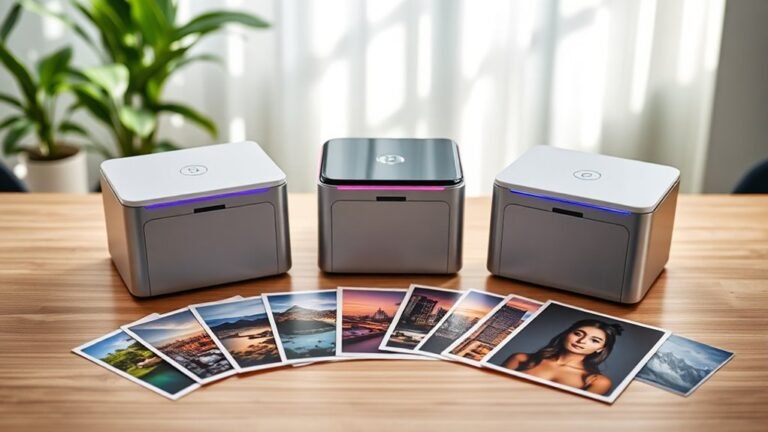
Finding the best compact AirPrint printer for 2027 means balancing size, features, and portability. Whether you need something small for your desk or a versatile all-in-one, there’s a great option out there for you.
For portability, the Canon PIXMA TR160 and Selphy CP1500 really shine with their wireless and battery options. These models make printing on the go super easy and convenient.
If you need all-in-one versatility, consider the PIXMA TS6520, TS4320, TS5320, or TR8620a. They offer print, scan, and copy features that cover all your basic tasks.
For high-volume or monochrome print-only jobs, the TS702a and imageCLASS LBP122dw deliver solid performance and capacity. Keep looking to find out which suits your setup best.
| Image | Name | Editor's Rating | Price |
|---|---|---|---|

|
|
||

|
|
||

|
|
||
|
|
||

|
|
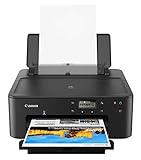
Canon PIXMA TR160 Color Wireless Portable Printer
- LIGHTWEIGHT AND PORTABLE - Connect and print on the go with the PIXMA TR160. This lightweight portable printer can fit into a bag or backpack with room to spare.
- HIGH-QUALITY PRINTING ON THE GO - Print documents and photos up to 8.5” x 11” that showcase sharp black text and vibrant details with rich color thanks to a 5-Color...
- SIMPLE & EASY CONNECTIVITY - Printing is only an app away when using the Canon PRINT app, Apple AirPrint4, or Mopria Print Service5 with your compatible device(s) or the...
- WIRELESS DIRECT MODE - Connect your compatible device to the printer even without a wireless router.
- 1.44” OLED DISPLAY - Easily check ink levels, printer status, and other settings with the 1.44” Monochrome OLED.

The Canon PIXMA TR160 Color Wireless Portable Printer is designed for those who need reliable printing on the move. Its lightweight and compact design means it easily fits into your bag, letting you print sharp documents and vivid photos wherever you are. This printer solves the problem of bulky, stationary printers by offering true portability without compromising print quality.
With wireless printing options like AirPrint, the Canon PRINT app, and Mopria Print Service, it simplifies connectivity across devices. The 5-color Hybrid Ink System ensures crisp black text and vibrant color photos up to 8.5″ x 11″, making it ideal for presentations and photos alike. Maintenance is straightforward, with easy ink replacement to keep your prints sharp.
Though it focuses solely on printing, the Canon PIXMA TR160’s compact size and optional battery make it perfect for travel or small workspaces. Print speed is moderate, and it only supports single-sided printing, which may require extra effort for double-sided documents.
Best for: Professionals and students needing a lightweight, portable printer for high-quality wireless printing on the go.
What We Like:
- Lightweight and compact design for easy portability
- Supports wireless printing via multiple platforms
- High-quality 5-color Hybrid Ink System for sharp text and vibrant photos
- Optional battery for true mobile printing
- Simple ink replacement for easy maintenance
Specification:
| Feature | Details |
|---|---|
| Manufacturer | Canon |
| Dimensions | Compact, fits in bags |
| Weight | 4.5 lb (approx. 2.04 kg) |
| Printing Technology | 5-Color Hybrid Ink System |
| Maximum Print Size | Up to 8.5″ x 11″ |
| Connectivity | Wireless (AirPrint, Canon PRINT app, Mopria) |
| Duplex Printing | No (simplex only) |
| Battery | Optional |
Canon PIXMA TS6520 Wireless Color Inkjet Printer, 1.42″ OLED Display, White
- Affordable Versatility - A budget-friendly all-in-one printer perfect for both home users and hybrid workers, offering exceptional value
- Crisp, Vibrant Prints - Experience impressive print quality for both documents and photos, thanks to its 2-cartridge hybrid ink system that delivers sharp text and vivid...
- Effortless Setup & Use - Get started quickly with easy setup for your smartphone or computer, so you can print, scan, and copy without delay
- Reliable Wireless Connectivity - Enjoy stable and consistent connections with dual-band Wi-Fi (2.4GHz or 5GHz), ensuring smooth printing from anywhere in your home or...
- Scan & Copy Handling - Utilize the device’s integrated scanner for efficient scanning and copying operations
The Canon PIXMA TS6520 is designed to simplify your home printing needs with its compact and stylish build. Its wireless connectivity allows you to print, scan, and copy from anywhere in your home without the hassle of cables. The 1.42″ OLED display makes navigation straightforward, and you can even use voice commands via Amazon Alexa for hands-free control.
This printer delivers sharp, vibrant prints up to 1200 x 1200 dpi, ensuring your documents and photos look professional. Automatic duplex printing saves time and paper by handling double-sided jobs effortlessly. Borderless color printing on letter-sized paper enhances your creativity without limitations.
Maintenance is easy with the two-cartridge hybrid ink system, which balances quality with cost efficiency. However, the single paper tray has limited capacity, so frequent refills may be necessary for heavy use. The absence of an automatic document feeder means multi-page scanning and copying require manual handling.
Weighing just 15.4 pounds, the PIXMA TS6520 fits comfortably in tight spaces, making it ideal for families, students, or hybrid workers who need a versatile and reliable all-in-one printer.
Best for: Families, students, and home or hybrid workers seeking a compact, versatile all-in-one printer with wireless connectivity and high-quality color and black-and-white printing.
What We Like:
- Compact design with intuitive OLED display and voice control for easy operation.
- Dual-band Wi-Fi and mobile printing support for flexible connectivity.
- Automatic duplex printing and borderless color output on letter-sized paper.
- Sharp print resolution up to 1200 x 1200 dpi for professional-quality results.
Specification:
| Feature | Details |
|---|---|
| Manufacturer | Canon |
| Dimensions (W x D x H) | Approx. 14.7 x 11.7 x 5.2 inches |
| Weight | 15.4 lbs (7 kg) |
| Color Options | White |
| Display | 1.42″ OLED |
| Connectivity | Dual-band Wi-Fi, AirPrint |
Canon PIXMA TS4320 – Wireless Color Inkjet Printer with Print, Copy, Scan
- Affordable Versatility - A budget-friendly all-in-one printer perfect for both home users and hybrid workers, offering exceptional value
- Crisp, Vibrant Prints - Experience impressive print quality for both documents and photos, thanks to its 2-cartridge hybrid ink system that delivers sharp text and vivid...
- Effortless Setup & Use - Get started quickly with easy setup for your smartphone or computer, so you can print, scan, and copy without delay
- Reliable Wireless Connectivity - Enjoy stable and consistent connections with dual-band Wi-Fi (2.4GHz or 5GHz), ensuring smooth printing from anywhere in your home or...
- Scan & Copy Handling - Utilize the device’s integrated scanner for efficient scanning and copying operations
Looking for a compact printer that fits seamlessly into your home or hybrid workspace? The Canon PIXMA TS4320 offers a reliable solution for everyday printing, copying, and scanning needs. Its vibrant color and sharp black-and-white prints produce clear documents and photos, helping you present your work professionally.
The printer’s duplex printing saves paper by automatically printing on both sides. An integrated flatbed scanner simplifies copying and scanning tasks, making document management straightforward. Connectivity is versatile with dual-band Wi-Fi, USB, AirPrint, and the Canon PRINT app, enabling easy mobile and desktop access.
Designed with a small footprint, this printer fits comfortably in limited spaces without sacrificing functionality. It supports various media types, allowing flexibility for different projects. Maintenance is simple, but note the 100-sheet tray may require frequent refills for higher volume jobs.
While print speeds are moderate and starter ink tanks have limited yields, the Canon PIXMA TS4320 balances quality and convenience for light, occasional use. It’s an efficient choice for those prioritizing style and ease of use over heavy-duty performance.
Best for: Home users and hybrid workers needing a compact, versatile all-in-one printer for light printing, copying, and scanning tasks.
What We Like:
- High-quality color and black-and-white prints with duplex capability
- Multiple connectivity options including dual-band Wi-Fi and mobile apps
- Compact design with flexible media handling for various projects
- Integrated flatbed scanner simplifies copying and scanning
- Easy maintenance suitable for light, occasional use
Specification:
| Feature | Details |
|---|---|
| Manufacturer | Canon |
| Dimensions | Compact footprint (exact size not specified) |
| Weight | Not specified |
| Printer Type | Wireless Color Inkjet |
| Print Resolution | Up to 1200 x 1200 dpi |
| Connectivity | Dual-band Wi-Fi, USB, AirPrint, Canon PRINT app |
Canon PIXMA TS702a Wireless Print-Only Printer
- Efficient Everyday Printing: It can print great looking borderless photos and even supports various paper types & sizes, from 3.5” x 3.5” Square up to legal size...
- Print Connectivity: Whether that is a smartphone, tablet or computer. Have peace of mind and connect with AirPrintFootnote4, Mopria Print ServiceFootnote...
- Big Performance with Compact Design: With a 350 SHEET plain paper capacity the PIXMA TS702 is ready to take on large print jobs.
- Wireless Single-Function: Print only featuring Auto 2-Sided (Duplex) Printing.
- Sharp Text: The hybrid ink system combines dye ink for rich colors and black pigment ink.
Experience hassle-free printing with the Canon PIXMA TS702a, designed to meet the demands of busy homes and small offices. Its 350-sheet high-capacity tray reduces the need for frequent paper refills, making it ideal for heavy printing tasks. This printer supports various paper sizes, including borderless photos, giving you flexibility for both documents and images.
The TS702a’s hybrid ink system ensures vibrant colors and sharp text, combining dye ink for rich hues and pigment ink for clear black prints. Auto duplex printing helps you save paper while maintaining a professional finish. The compact design fits easily into tight spaces without sacrificing performance.
Connectivity is simple with multiple options such as Wi-Fi, Ethernet, and mobile printing services like AirPrint and Mopria. Although it is a print-only device without scanning or copying functions, its focused capabilities deliver reliable, high-quality results with minimal maintenance.
Best for: Small offices or individuals who need a dependable wireless printer dedicated to efficient, high-volume color and text printing.
What We Like:
- Large 350-sheet paper capacity reduces interruptions
- Supports multiple paper sizes including borderless photos
- Convenient Wi-Fi, Ethernet, and mobile printing options
- Auto duplex printing conserves paper
- Hybrid ink system balances color vibrancy and text clarity
Specification:
| Feature | Detail |
|---|---|
| Manufacturer | Canon |
| Dimensions | Compact (exact size not provided) |
| Weight | Not specified |
| Paper Capacity | 350 sheets |
| Connectivity | Wi-Fi, Ethernet, AirPrint, Mopria |
| Ink System | Hybrid (dye and pigment) |
| Functionality | Print-only |
| Supported Paper Sizes | 3.5″ squares to legal |
Canon imageCLASS LBP122dw – Wireless Monochrome Duplex Laser Printer
- Wireless, duplex printer (print-only)
- Fast print speeds up to 30 pages per minute (black and white)
- Print on-the-go with Canon PRINT app and more.
- Uses Canon GENUINE Toner 071 / 071 high-capacity
- Compact design fits almost anywhere in your home, great for home use and personal printing
Experience efficient and reliable black-and-white printing with the Canon imageCLASS LBP122dw. Designed to tackle everyday printing tasks, this wireless monochrome laser printer lets you produce sharp text quickly and with ease. Its automatic duplex printing helps reduce paper waste, making it a practical choice for home users focused on productivity and sustainability.
The compact design fits comfortably in limited spaces, keeping your workspace organized and clutter-free. Wireless connectivity paired with the Canon PRINT app lets you print directly from mobile devices, so you can handle documents on the go without hassle. This streamlined setup removes the need for complicated cables or frequent manual input.
Maintenance is straightforward with Canon’s genuine Toner 071 cartridges, which ensure consistent print quality and smooth operation. While it is a print-only device without scanning or fax functions, it delivers focused performance for users who prioritize speed and duplex printing in monochrome.
Best for: Home users seeking a fast, reliable, and compact wireless monochrome printer for personal black-and-white duplex printing.
What We Like:
- Fast printing speeds up to 30 pages per minute with automatic two-sided printing
- Wireless printing support via Canon PRINT app enhances convenience
- Compact size fits easily into small home office spaces
- Uses genuine Canon Toner 071 cartridges for consistent quality
Specification:
| Feature | Details |
|---|---|
| Manufacturer | Canon |
| Model | imageCLASS LBP122dw |
| Printing Type | Monochrome Laser Printer |
| Connectivity | Wireless |
| Duplex Printing | Automatic two-sided |
| Dimensions | Compact design (specifics not provided) |
| Toner Cartridge | Canon Toner 071 |
Canon PIXMA TR8620a All-in-One Printer Black

- Never run out of ink. Connect your printer to Alexa and receive notifications when you’re running low. Alexa can even place a smart reorder from Amazon on your behalf...
- Enrolling in Smart Reorders with Alexa ensures that you never have too much or too little ink supplies. No subscription needed.
- Wireless 4-in-1 (Print | Copy | Scan | Fax)
- 15 / 10 ipm Print Speed
- 200 Sheet Capacity (100 Cassette, 100 Rear Feed)
The Canon PIXMA TR8620a is designed to simplify your home office by combining multiple functions into one compact device. It handles printing, copying, scanning, and faxing, making everyday tasks more efficient. Its automatic document feeder and duplex printing reduce manual effort and save time.
This versatile printer supports wireless connectivity through AirPrint and Android devices, allowing you to print from virtually anywhere. Alexa integration offers hands-free control to check ink levels and reorder supplies, helping you stay productive without interruptions.
With a monthly duty cycle of up to 1,000 pages and a 200-sheet capacity, it suits moderate print volumes comfortably. The printer delivers clear output at 15 ipm in black and 10 ipm in color, balancing speed and quality for typical home office needs.
Energy efficiency is a priority, with both ENERGY STAR certification and EPEAT Silver rating. This ensures the printer is environmentally responsible and cost-effective to operate over time.
Best for: Individuals and small home office users needing a reliable, multifunctional printer with smart wireless and voice features.
What We Like:
- Combines four essential functions with automatic feeding and duplexing for convenience
- Wireless printing with AirPrint, Android compatibility, and Alexa voice control
- ENERGY STAR and EPEAT Silver certified for efficient, eco-friendly operation
Specification:
| Feature | Details |
|---|---|
| Manufacturer | Canon |
| Dimensions | Approx. 15.0 x 12.0 x 7.5 inches |
| Weight | Approx. 15.7 lbs |
| Color Options | Black |
| Functions | Print, Copy, Scan, Fax |
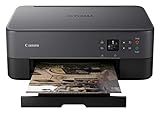
Canon TS5320 Wireless All-in-One Printer Black
- With a 1.44 inch OLED display & LED status bar easily navigate and view your printer status; The OLED display displays deep, accurate color and the LED status bar...
- The Pixma TS5320 has a compact & stylish design that fits your space and personality; Not only is it small, but it comes in 4 distinct colors; Black, white, green, and...
- Designed for ease of use and simple replacement, the Pixma TS5320 only needs 2 fine cartridges for great print quality; Enjoy sharp text documents and great looking...
- With Air Print, easily print from your iPhone, iPad, and Mac without additional apps; (4) Air Print allows you to wirelessly print photos and documents without the need...
Discover the perfect balance of style and function with the Canon TS5320 Wireless All-in-One Printer Black. This compact printer is designed to simplify your printing needs, whether for sharp documents or vibrant photos. Its wireless connectivity lets you print effortlessly from your phone, tablet, or computer without tangled cords.
The Canon TS5320 improves your workflow with duplex printing, reducing paper waste while saving time. Its 1.44″ OLED display offers intuitive control, and the foldable output tray helps keep your workspace tidy. Weighing just 13.8 pounds, it fits comfortably in small spaces without sacrificing performance.
Maintenance is straightforward, though the single paper tray holds up to 100 sheets, so frequent refills might be necessary for heavy use. The printer uses two fine cartridges, which may require more frequent replacements depending on your printing volume.
Designed for everyday use, this model supports multiple photo sizes, including square formats, making it versatile for creative projects. Bluetooth and voice control add convenient ways to operate the printer hands-free.
Best for: Individuals and small office users who need a compact, wireless printer capable of handling both documents and photos efficiently.
What We Like:
- Sharp print quality at 4800 x 1200 dpi for clear text and vivid images
- Duplex printing cuts paper use and speeds up double-sided jobs
- Multiple connectivity options including Wi-Fi, AirPrint, Bluetooth, and voice control
- Compact design with a foldable output tray saves desk space
Specification:
| Feature | Details |
|---|---|
| Manufacturer | Canon |
| Dimensions | Not specified |
| Weight | 13.8 lb (6.26 kg) |
| Color | Black |
| Print Resolution | Up to 4800 x 1200 dpi |
| Display | 1.44″ OLED |
| Paper Capacity | 100 sheets |
Canon Selphy CP1500 Wireless Compact Photo Printer (Black)
No products found.
Experience the freedom of mobile photo printing with the Canon Selphy CP1500 wireless compact photo printer. Its optional battery pack lets you print vibrant 4×6 inch photos anywhere without being tied to a power outlet. This printer is designed to fit easily into your lifestyle, offering a space-saving and lightweight solution for high-quality photo printing.
The Selphy CP1500 connects seamlessly to your smartphone or tablet through wireless AirPrint and Canon’s PRINT and SELPHY Layout apps. This direct printing capability removes the hassle of cables and computers, making your photo printing experience smooth and efficient. Its built-in 3.5-inch LCD display allows quick editing before printing, enhancing convenience.
Using a dye sublimation process, this printer produces water-resistant, long-lasting images that dry instantly. Maintenance is straightforward, with a single paper tray and USB port simplifying media handling, though print speed is around one page per minute. The print resolution of 300 x 300 dpi balances quality with portability, suitable for everyday photo needs.
Best for: Users seeking a portable, wireless photo printer that delivers quick, durable prints directly from mobile devices.
What We Like:
- Compact, lightweight design with optional battery for true mobility
- Wireless printing via AirPrint and Canon PRINT app
- Water-resistant, instantly dry photos with vibrant colors
- Easy-to-use built-in LCD for editing before printing
Specification:
| Feature | Details |
|---|---|
| Manufacturer | Canon |
| Dimensions | Compact and lightweight |
| Weight | Lightweight (exact weight not provided) |
| Color Options | Black |
| Connectivity | Wireless (AirPrint, Canon PRINT app), USB port |
| Print Size | 4×6 inch, square prints, mini labels |
| Resolution | 300 x 300 dpi |
Factors to Consider When Choosing a Compact Airprint Printer
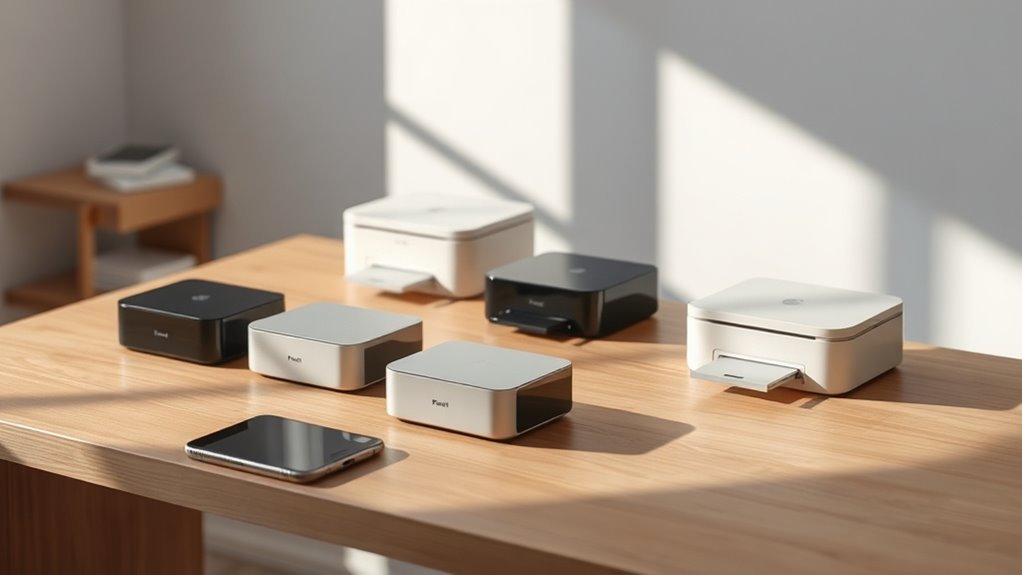
When choosing a compact AirPrint printer, you’ll want to focus on print quality and resolution to guarantee sharp results. Consider wireless connectivity options and portability so it fits your lifestyle and workspace.
Don’t forget to check battery life and media compatibility to match your printing needs. These factors can really make a difference in how smoothly your printer works day-to-day.
Print Quality And Resolution
Print quality hinges on a printer’s maximum resolution, typically measured in dpi (dots per inch). Aim for a printer with at least 1200 x 1200 dpi for sharp detail and smooth gradients, especially if you print photos or graphics.
Also, consider the color system and ink channels; more ink colors, like separate photo inks, boost color accuracy and tonal range. Check the print resolution for both color and black-and-white output—monochrome text often demands different dpi and ink types for crisp results.
Don’t overlook manufacturer features like borderless printing or photo modes that enhance output quality on specialized paper. Keep in mind, your print settings, paper choice, and original file resolution all influence the final result, so use high-res files and best-quality modes when possible.
Wireless Connectivity Options
Choosing the right wireless connectivity options can make a big difference in how easily you print from your devices. First, make sure your compact AirPrint printer supports dual-band Wi-Fi (2.4 GHz and 5 GHz) to minimize interference and boost connection speed.
Native AirPrint compatibility is a must for seamless printing from iOS and macOS without extra drivers. Look for Wireless Direct or Wi-Fi Direct features, so you can print straight from smartphones or tablets even without a network.
Also, check if the printer supports other common mobile protocols like Mopria to cover Android devices. Finally, having a USB-C or USB port and either a built-in display or an app-based setup will simplify pairing and troubleshooting, saving you time and hassle.
Portability And Size
Several key factors influence the portability and size of a compact AirPrint printer, and knowing what to look for can help you pick the best fit for your mobile needs. Start by checking the printer’s weight and dimensions—aim for models under 5 pounds and less than 3 inches tall to guarantee true portability.
Decide if you want a print-only device, which is often smaller and lighter, or a multifunction unit that adds bulk with scanners or ADFs. Also, consider paper handling limits; many portable printers support only letter or 4×6 photo sizes with small input trays holding 10–50 sheets.
Finally, evaluate connectivity options like Wi-Fi Direct, AirPrint, USB-C, or Bluetooth. Look for compact controls or screens to keep your setup simple without sacrificing functionality. It’s all about balancing convenience with what you really need.
Battery And Power Features
After considering size and portability, you’ll want to focus on battery and power features to keep your AirPrint printer running smoothly on the go. Check if it has an internal rechargeable battery or supports external packs, and note the battery life or page yield per charge to gauge real-world usage.
Also, verify power consumption in both idle and active modes, plus any low-power settings that help conserve energy. Confirm charging options like USB-C fast charging and whether the printer can operate while plugged in, so you avoid interruptions.
Look at warm-up times from cold starts, since longer waits cut into battery life. If you plan frequent mobile use, prioritize models with replaceable or swappable batteries and check spare availability to maintain uptime.
Media Compatibility Variety
How versatile does your compact AirPrint printer need to be when handling different media types? Start by checking the range of supported sizes—from small 3.5″×3.5″ squares to Legal 8.5″×14″ sheets—to ensure it fits your paper and photo needs.
If you want edge-to-edge prints, make sure to verify borderless printing capability and the maximum printable area. It’s also good to confirm the types of media it supports, like plain paper, glossy photo paper, card stock, envelopes, labels, and stickers. That way, your specialty projects will come out just right.
Don’t forget to look at input and output tray capacities to match your usual print volumes. And finally, be sure the printer handles the paper weights and thicknesses you’ll use to avoid jams and keep quality high.
These factors help you pick a printer that works well with all your printing tasks. Easy, right?
Speed And Performance
Consider how quickly your compact AirPrint printer handles both black-and-white and color prints. Print speed, measured in pages per minute (ppm), directly impacts your productivity.
Aim for double-digit ppm in black-and-white if you often print large documents. Also, check the first-page-out time—this tells you how fast your printer starts printing single or mobile AirPrint jobs.
Balance speed with quality by reviewing maximum print resolution (dpi) and color system complexity. Keep in mind, higher dpi can slow down printing.
Don’t forget the duty cycle and monthly page volume to avoid frequent slowdowns or wear. Finally, if you need duplexing, remember automatic two-sided printing usually takes longer per sheet, so factor that into your overall speed expectations.
Frequently Asked Questions
How Does Airprint Technology Work on Different Apple Devices?
AirPrint lets you print directly from your Apple devices without installing drivers. It connects via Wi-Fi to compatible printers, automatically detects them, and sends your documents or photos seamlessly.
This makes printing quick and hassle-free every time. You don’t have to worry about complicated setups or extra software. Just pick what you want to print, and AirPrint takes care of the rest.
Can Airprint Printers Connect to Android or Windows Devices?
No, AirPrint printers don’t directly connect to Android or Windows devices since AirPrint is Apple-specific.
However, you can use apps or third-party software to print from those devices to AirPrint-compatible printers. It’s a handy workaround if you want to print without switching devices.
What Is the Typical Battery Life of Portable Airprint Printers?
You’ll get around 2 to 6 hours of battery life from most portable AirPrint printers. Some models even last for about 100 pages on a single charge, so you won’t have to recharge constantly during busy days.
That means you can keep printing on the go without worrying too much about your battery running out. It’s pretty handy, especially if you’re out and about or have a lot to print in a short time.
Are There Any Security Risks With Using Airprint Printers?
Yes, you can face security risks with AirPrint printers, like unauthorized access or data interception. You should secure your network, update firmware regularly, and use strong passwords to protect your print jobs and devices from potential threats.
It’s really important to stay on top of these things. Keeping your devices updated and your network locked down makes a big difference in staying safe.
How Often Should Airprint Printers Be Updated or Maintained?
You should update and maintain your AirPrint printer monthly to maximize performance and minimize malfunctions. Regularly reviewing firmware fixes flaws, while cleaning components carefully curbs clogs.
Consistent care keeps connectivity and printing crisp and clear. It’s a simple routine that really pays off in the long run. Just a little effort goes a long way!
Conclusion
Imagine holding a sleek, compact printer that fits effortlessly on your desk, ready to bring your ideas to life with crisp, vibrant prints. Whether you need speed, color, or versatility, these top Canon AirPrint printers have you covered.
Choosing the right one means less clutter and more convenience, turning your workspace into a creative haven. With these picks, printing becomes a seamless, joyful part of your day—simple, smart, and just a tap away.
When it comes to compact AirPrint printers, finding the perfect balance between size and performance is key. These Canon models offer excellent print quality and wireless convenience without taking up much space. So, if you want reliable, hassle-free printing right from your Apple devices, these compact AirPrint printers are definitely worth considering. They make your workflow smoother and your desk tidier—exactly what every modern workspace needs.