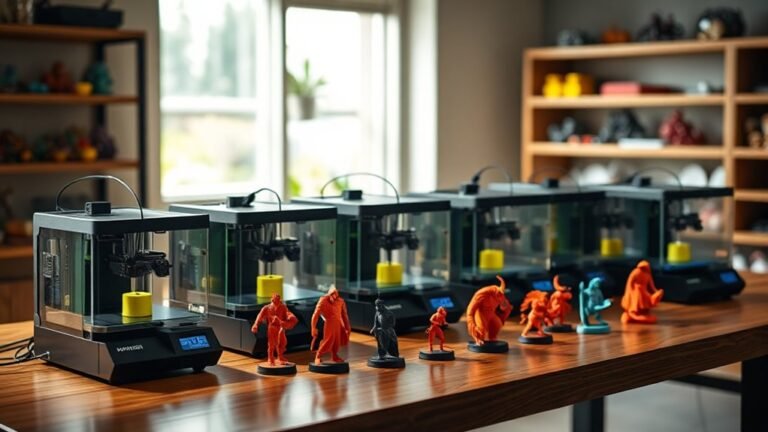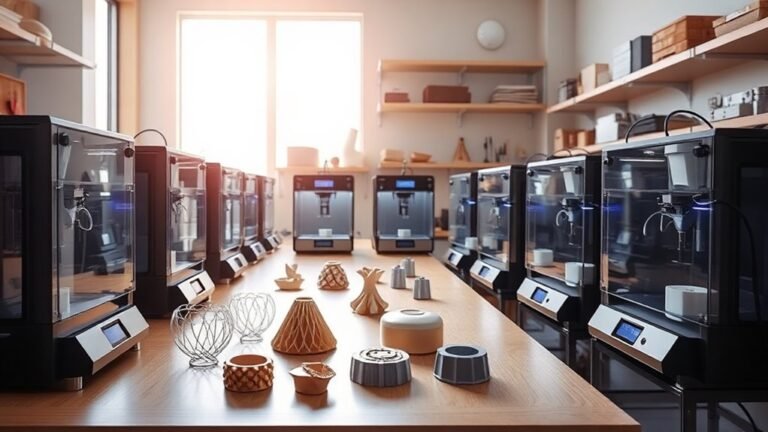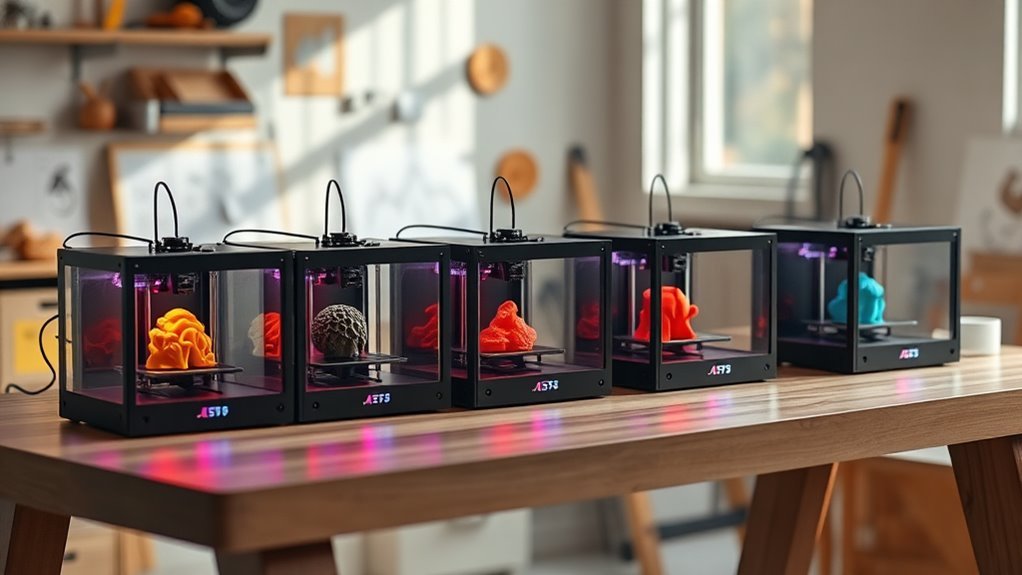
6 Best Compact 3D Printers for 2027
You’ll find top compact 3D printers like the Entina Tina2 Plus with WiFi and app control, the beginner-friendly Bambu Lab A1 with full-auto calibration, and the speedy Creality Ender 3 V3 SE upgrade perfect for enthusiasts.
Portable Compact FDM models offer easy setup and removable plates, making them great for quick projects. Meanwhile, the resin-based ANYCUBIC Photon Mono 4 delivers ultra-fine detail for precision printing.
For AI monitoring and versatile filament handling, consider the Creality SPARKX i7. Keep going to uncover what matches your needs best.
| Image | Name | Editor's Rating | Price |
|---|---|---|---|

|
|
||

|
|
||

|
|
||

|
|
||

|
|
Portable Compact FDM 3D Printer with Removable Plate
- Foolproof Setup with Video Guides – Never get stuck! We provide a crystal-clear Quick Start Guide and step-by-step video tutorials. Watch them online to get started.
- Simple Assembly with Video Guide – Requires quick modular setup (watch our step-by-step video). Comes with 10m PLA filament, TF card, tools, and 12V Type-C power...
- Versatile Filament Compatibility – Unleash your creativity with both PLA and flexible TPU (1.75mm). The reliable 0.4mm nozzle and precise 0.05-0.3mm layer thickness...
- Reliable Performance & Compact Design – Features stable FDM technology and a removable build plate for easy model removal. The perfect 100x100x100mm build volume is...
- Complete Package – No Hidden Costs – Includes printer, 10m PLA filament, 8GB TF card + reader, tools, illustrated manual, and 12V Type-C power adapter. Plus free...
Step into 3D printing with confidence using the Portable Compact FDM 3D Printer with Removable Plate. Its user-friendly design removes the usual barriers to entry, making it easier to start creating detailed models quickly. The compact size fits neatly into small workspaces, ideal for home, school, or hobby setups.
This printer’s removable build plate simplifies the removal of finished prints, reducing the risk of damage and speeding up post-print handling. Its 0.4 mm nozzle and precise layer control enable smooth, detailed results, helping users achieve professional-quality prints without complex adjustments.
Maintenance is straightforward, thanks to clear video tutorials and a Quick Start Guide that guide users through setup and regular care. Supporting PLA and TPU filaments, this printer offers flexibility in material choice while focusing on reliability and ease of use.
With a build volume of 100 x 100 x 100 mm, it encourages creativity within a manageable workspace. While limited to smaller projects and specific filaments, this printer is ideal for beginners and educators exploring STEM concepts in compact settings.
Best for: Beginners, students, hobbyists, and educators needing a simple, compact 3D printer for small-scale projects and STEM learning.
What We Like:
- Compact, portable design with removable build plate for easy print removal
- Clear video tutorials and Quick Start Guide ensure easy setup and use
- Supports PLA and TPU filaments with precise nozzle and layer control
Specification:
| Feature | Details |
|---|---|
| Manufacturer | Portable Compact FDM |
| Build Volume | 100 x 100 x 100 mm |
| Nozzle Size | 0.4 mm |
| Supported Filaments | PLA, TPU |
| Layer Thickness | 0.05–0.3 mm |
| Dimensions | Compact (exact size N/A) |
Entina Tina2 Plus 3D Printer with WiFi & App Control
- 【Start Printing in Minutes – Beginner Friendly】No setup required. Tina2 Plus 3d printer comes fully assembled and ready to use out of the box. With included TF card...
- 【Fast 250mm/s Printing Performance】This Tina2 Plus high speed 3D printer print speeds up to 250 mm/s help reduce waiting time and support fast project turnaround...
- 【WiFi App Control & STEM Model Library】Powered by the Poloprint Cloud app, this WiFi-enabled 3D printer gives access to 3,500+ printable models and 25+ creative DIY...
- 【40-Second Fast Heat Ceramic Hotend】High-efficiency ceramic hotend heats up in just 40 seconds for faster start-up and less downtime. The quick-swap nozzle design...
- 【Compact 3D Printer for Home & Classroom】Designed with a space-saving footprint while maintaining practical print capacity, this compact 3D printer fits easily on...
The Entina Tina2 Plus 3D printer offers a seamless start to 3D printing with its fully assembled design and preloaded models. This setup eliminates typical beginner challenges, allowing you to print immediately without complex setup. Its fast 250 mm/s print speed combined with a 40-second ceramic hotend heat-up saves time and keeps projects moving efficiently.
Designed for ease of use, the WiFi connectivity and Poloprint Cloud app give you mobile control and online slicing capabilities. Access to thousands of models online simplifies project selection and customization. The compact, partially enclosed frame fits well in classrooms or home desks while adding a safety layer during printing.
Maintenance is straightforward due to its reliable components and user-friendly interface. The printer supports multiple operating systems like Windows, macOS, Linux, and Chromebook, making it versatile across different environments. Its size suits educational settings but may limit larger print jobs.
While the partially enclosed frame offers safety, it may restrict access during prints. The compact build is practical but not ideal for extensive or complex projects. As a newer model releasing in April 2026, it has limited long-term user feedback.
Best for: educators, beginners, and STEM learners seeking an easy-to-use, fast 3D printer for home or classroom projects.
What We Like:
- Ready to print out of the box with preloaded models
- Fast printing with quick 40-second hotend heat-up
- WiFi and mobile app for remote control and slicing
- Compact, safe design suitable for classrooms and small spaces
- Supports multiple operating systems for broad compatibility
Specification:
| Feature | Details |
|---|---|
| Manufacturer | Entina |
| Dimensions | Compact design (exact size not provided) |
| Weight | Not specified |
| Material | Partially enclosed frame |
| Color Options | Not specified |
Bambu Lab A1 3D Printer, Ready-to-Use FDM 3D Printer for Beginners and Kids
- High-Speed Precision: Experience unparalleled speed and precision with the Bambu Lab A1 3D Printer. With an impressive acceleration of 10,000 mm/s², the A1 delivers...
- Multi-Color Printing with AMS lite: Unlock your creativity with vibrant and multi-colored 3D prints. The Bambu Lab A1 3D printers make multi-color printing accessible and...
- Full-Auto Calibration: Say goodbye to manual calibration hassles. The A1 3D printer takes care of all the calibration processes automatically, ensuring optimal...
- Active Flow Rate Compensation: Achieve consistently smooth prints with active flow rate compensation. The algorithm actively compensates the flow rate according to the...
- Easy and Quiet 3D Printing: Experience effortless printing with the Bambu Lab A1 FDM 3D printer. Its user-friendly interface and simplified touchscreen make it easy to...
The Bambu Lab A1 3D printer offers an effortless start to 3D printing for beginners and kids. It arrives fully assembled and ready to use, eliminating the frustration of complex setups. With its full-auto calibration, including automatic Z-offset and bed leveling, users can quickly begin printing without technical hassle.
Maintenance is simple thanks to the 1-Clip quick swap nozzle, which allows fast and easy replacement. The printer also features active flow rate compensation to ensure smooth, consistent prints every time. Its quiet operation with noise-canceling technology creates a peaceful environment ideal for home or classroom use.
Designed with convenience in mind, the printer includes a touchscreen interface that keeps controls straightforward and accessible. The MakerWorld model library provides a wide range of creative projects, encouraging exploration and learning. Compact and lightweight at just 22 pounds, it fits comfortably in small spaces.
The Bambu Lab A1 supports multi-color printing through the optional AMS lite accessory, enhancing creative possibilities. However, this feature requires a separate purchase. While the printer uses FDM technology suitable for beginners, it may not meet the precision needs of advanced users.
Best for: Beginners and kids seeking an easy-to-use, ready-to-print 3D printer with minimal setup and quiet performance.
What We Like:
- Full-auto calibration simplifies initial setup.
- 1-Clip quick swap nozzle enables hassle-free maintenance.
- Quiet printing with noise-canceling technology.
- Touchscreen interface paired with MakerWorld model library.
- Supports multi-color printing with optional AMS lite.
Specification:
| Feature | Details |
|---|---|
| Manufacturer | Bambu Lab |
| Dimensions | Compact size (exact dimensions not specified) |
| Weight | 22 lb (10 kg) |
| Technology | FDM (Fused Deposition Modeling) |
| Color Options | Not specified |
Creality Ender 3 V3 SE 3D Printer Upgrade
- 【250mm/s High-speed Printing】Creality Ender 3 V3 SE 3d printer supports a maximum printing speed of 250mm/s, 2500mm/s² acceleration.The speed has been greatly...
- 【Powerful ""Sprite"" Direct Extruder】Ender 3 V3 SE is the upgrade of ender 3, ender 3 v2, ender 3 pro, ender 3 neo, ender 3 v2 neo, ender 3 s1, ender 3 s1 pro etc 3d...
- 【Worry-free CR Touch Auto Leveling & Strain Sensor】Creality Ender 3 upgraded 3d printer features a CR Touch sensor for auto leveling and a strain sensor for auto...
- 【Stable Dual Z-axis & Y-axis Linear Shafts】High-precision dual Z-axis lead screws reduce Z wobbling effectively, avoid printing deviation in single-axis printing...
- 【Quick Assembly & Easy to Use】Preassembly has solved those hassles and worries of parts assembly, It only takes 3 steps to complete the assemble the ender-3 v3 se 3d...

The Creality Ender 3 V3 SE upgrade is designed to speed up your 3D printing projects without sacrificing quality. It tackles long print times by delivering speeds up to 250 mm/s and acceleration of 2500 mm/s², cutting print durations by nearly three-quarters. This makes it ideal for users needing efficiency and precision in their prints.
Its full-metal Sprite dual-gear extruder ensures smooth filament feeding for PLA, TPU, and PETG, reducing jams and simplifying material changes. The extruder’s auto loading and unloading system adds convenience, minimizing downtime during filament swaps.
Maintenance is straightforward thanks to the CR Touch auto-leveling and strain sensor, which keep the Z-offset perfectly calibrated. Dual Z-axis screws and sturdy steel linear shafts increase stability, ensuring consistent print accuracy over time.
Compact yet capable, this printer is preassembled for quick setup and features a generous build volume suitable for a variety of projects. It’s well-suited for hobbyists upgrading from earlier Ender 3 models who value speed, reliability, and ease of use.
Best for: Enthusiasts upgrading from older Ender 3 models who want faster, more reliable 3D printing with simple assembly.
What We Like:
- Fast printing speeds reduce project turnaround times significantly.
- Smooth filament handling with auto loading/unloading supports multiple materials.
- Stable printing ensured by advanced leveling and dual Z-axis screws.
- Compact design with generous build volume fits many applications.
- Preassembled for quick and easy setup.
Specification:
| Feature | Details |
|---|---|
| Manufacturer | Creality |
| Dimensions | Compact (exact size not specified) |
| Weight | Not specified |
| Material | Steel linear shafts, full-metal extruder |
| Supported Filaments | PLA, TPU, PETG |
| Printing Speed | Up to 250 mm/s |
| Acceleration | 2500 mm/s² |
ANYCUBIC Photon Mono 4, Resin 3D Printer with 7” 10K Mono LCD Screen
- 【7'' 10K High Resolution】Photon Mono 4 boasts an impressive 105% increase in print precision compared to Mono 2. With a resolution of 9024x5120, each pixel measures a...
- 【Powerful Light Source】The time-tested Anycubic LighTurbo matrix light source technology delivers stable, balanced, and uniform lighting to reduce layer lines and...
- 【Sufficient Print Size】With a generous maximum build volume of 6.04'' x 3.42'' x 6.49''/153.4mm x 87mm x 165mm, you have ample print space to easily tackle your daily...
- 【Laser-engraved Print Platform 2.0】With a new design, the laser engraving platform of the photon mono 4 improves adhesion to mitigate lifting and warping of the model...
- 【User-friendly Function】The 4-point leveling method is ideal for beginners, after the first leveling and tightening the 4 screws, no need to repeat leveling. Photon...
Experience ultra-high precision resin printing with the ANYCUBIC Photon Mono 4. This 3D printer elevates your creations with a sharp 7-inch 10K mono LCD that delivers a remarkable 9024 x 5120 resolution. It enhances print detail by 105%, allowing you to achieve smooth surfaces and intricate model features that stand out.
Its advanced LighTurbo matrix lighting technology ensures stable and even illumination. This results in consistently smooth surfaces and richer model textures. The laser-engraved Print Platform 2.0 offers strong adhesion, reducing warping during printing. The convenient 4-point leveling system means you only need to calibrate once before starting your project.
Designed for detailed and reliable resin printing, the printer supports a build volume of 153.4 x 87 x 165 mm and prints at speeds up to 70 mm/h. Maintenance is straightforward, ensuring your workflow remains efficient without frequent interruptions. However, note that this model does not support remote control via the Anycubic app, and its build volume might limit very large prints.
Best for: Enthusiasts and professionals seeking ultra-high precision resin 3D printing with smooth surface finishes and detailed models.
What We Like:
- 7″ 10K mono LCD with 105% higher print resolution.
- LighTurbo matrix lighting for uniform exposure and smooth finishes.
- Laser-engraved Print Platform 2.0 ensures excellent adhesion.
- 4-point leveling system for easy and stable setup.
Specification:
| Feature | Details |
|---|---|
| Manufacturer | ANYCUBIC |
| LCD Screen Size | 7 inches |
| LCD Resolution | 9024 x 5120 (10K Mono LCD) |
| Build Volume | 153.4 x 87 x 165 mm |
| Print Speed | Up to 70 mm/h |
| Leveling System | 4-point leveling |
| Print Platform | Laser-engraved Print Platform 2.0 |
Creality SPARKX i7 3D Printer with AI Monitoring

- Easy 3D Printing with Auto Leveling: The Creality SPARKX i7 features automatic bed leveling, quick setup, and streamlined calibration for a smoother desktop 3D printing...
- Smart Camera Monitoring for Reliable Printing: Built-in smart camera monitoring supports remote viewing, time-lapse recording, and print status detection to help improve...
- Quiet High-Speed Desktop 3D Printer: With an optimized motion system and low-noise operation, the SPARKX i7 delivers stable high-speed 3D printing with reduced vibration...
- Large Build Volume for Bigger Creative Projects: Featuring a 260×260×255mm build volume and flexible PEI build plate, the SPARKX i7 supports larger models, props...
- 5-Second Quick-Swap Hotend for Easy Maintenance: The tool-free quick-swap hotend design allows faster nozzle replacement and simplified maintenance, helping reduce...
Experience precise and hassle-free 3D printing with the Creality SPARKX i7. Its built-in AI camera and WiFi connectivity let you monitor your prints remotely, so you can track progress and catch issues early. This reduces filament waste and helps you manage projects more efficiently.
Setup is simple thanks to the automatic bed leveling, which ensures your first layer sticks perfectly every time. The printer’s quiet, high-speed motion system delivers smooth, stable prints with minimal noise. Its direct drive extruder reliably handles a variety of filaments for versatile use.
Designed with maintenance in mind, the SPARKX i7 features a quick-swap hotend for easy part replacement. Optional multi-color printing upgrades expand your creative options without complicating upkeep. The flexible PEI plate allows for effortless print removal, saving time after each job.
With a build volume of 260 × 260 × 255 mm, this printer offers ample space for most projects. Though weighing 29.5 pounds, it balances stability and portability for workshop or home use.
Best for: hobbyists and professionals seeking a reliable, high-speed 3D printer with remote monitoring and easy maintenance for versatile printing projects.
What We Like:
- Remote print monitoring with AI camera and WiFi
- Automatic bed leveling for quick, accurate setup
- Quiet, stable printing with high-speed motion system
- Quick-swap hotend simplifies maintenance
- Flexible PEI plate for easy print removal
Specification:
| Feature | Details |
|---|---|
| Manufacturer | Creality |
| Build Volume | 260 × 260 × 255 mm |
| Weight | 29.5 lb (13.4 kg) |
| Connectivity | WiFi |
| Special Features | Built-in AI camera, Quick-swap hotend, Automatic bed leveling |
Factors to Consider When Choosing a Compact 3D Printer
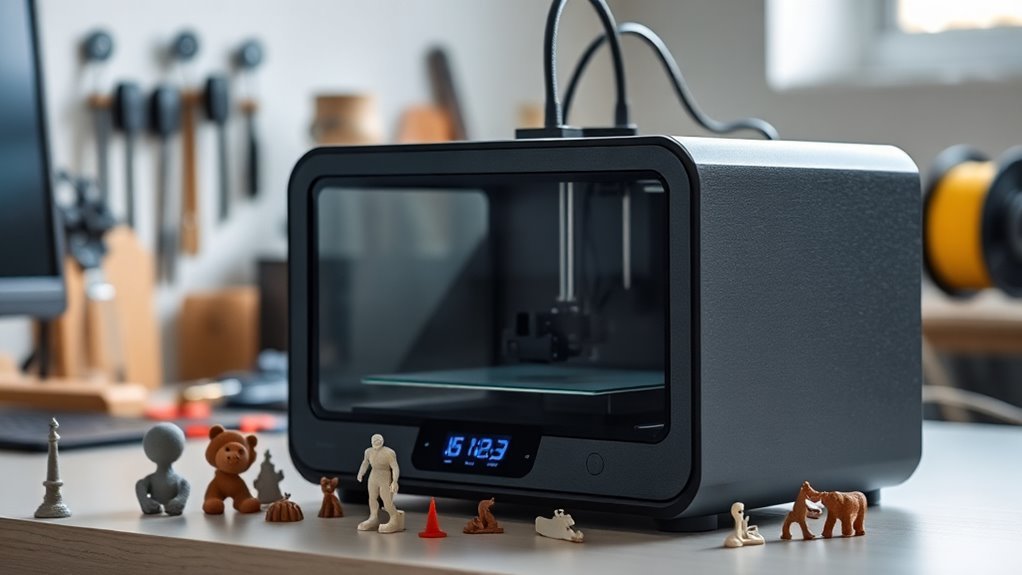
When choosing a compact 3D printer, you’ll want to consider print volume capacity and how easy it is to set up and use. Don’t overlook connectivity options and software compatibility, as well as print quality features.
Finally, think about portability and size to make certain it fits your workspace and needs. It’s all about finding the right balance between functionality and convenience.
Print Volume Capacity
Choosing a compact 3D printer means carefully matching its build volume to the largest parts you plan to create. Most compact models offer between 100 and 260 mm per axis, so a 100×100×100 mm build volume limits you to smaller prints.
Remember, the usable volume may be smaller than advertised due to mechanical parts or enclosure frames. Think about how you’ll orient prints—larger objects can be printed in sections and glued, but this adds time and weakens seams.
If you plan to batch-print many small parts, prioritize a larger XY area over height to fit more models on the plate. Keep in mind that bigger volumes require more filament, longer prints, and sometimes stronger bed heating and motion stability to keep quality consistent.
Setup And Usability
Print volume sets the stage, but setup and usability can make or break your 3D printing experience. First, check if your compact printer arrives fully assembled or requires assembly, which can range from minutes to an hour.
Look for features that ease your first prints—quick-start guides, video tutorials, preloaded sample files, or bundled starter kits help you hit the ground running. Prioritize models with automatic or assisted bed leveling to save time on calibration and guarantee reliable first-layer adhesion.
Also, consider how easy maintenance is, like quick-swap nozzles, removable build plates, and straightforward filament loading. Finally, make sure the user interface suits you, whether it’s a touchscreen or simple controls, so you can focus on printing without frustration or delays.
Connectivity And Software
Considering connectivity and software capabilities is essential for getting the most out of your compact 3D printer. First, check the connectivity options like USB, TF/microSD card, Wi-Fi, and wired Ethernet. This way, you can see if you can print locally, transfer files offline, or stream jobs remotely.
Make sure your printer’s software works with your devices—whether Windows, macOS, Linux, Chromebook, or iOS/Android apps—for slicing, monitoring, and firmware updates. It’s important to have smooth compatibility so you don’t run into hassles.
Look for cloud features such as remote start/stop, online slicing, and print queue management if you want wireless control and easy access to model libraries. These features really make managing prints way more convenient.
Also, confirm support for standard file formats (.gcode, .stl) and compatibility with open-source or third-party slicers for customization. This gives you flexibility depending on your needs.
Finally, consider built-in monitoring, camera support, or API access for real-time status and failure detection. Having these can save you a lot of time and headaches.
Print Quality Features
Once you’ve nailed connectivity and software, focusing on how your compact 3D printer handles output quality will make a big difference. Pay close attention to nozzle size and swap options—0.4 mm is standard, but smaller nozzles let you print finer details.
Look for a wide layer height range; lower heights yield smoother surfaces but take longer. Motion stability and acceleration impact print clarity, so choose a printer with a sturdy frame and quality rails to reduce ringing and artifacts.
First-layer adhesion matters too—systems like PEI or spring steel plates help guarantee successful prints and easy part removal. Finally, thermal control is vital: consistent hotend heating and efficient cooling improve layer bonding, minimize stringing, and preserve intricate details, especially on small features and overhangs.
Portability And Size
How compact does your 3D printer need to be to fit your workspace and lifestyle? Check its footprint and weight—small desktop units under about 12 × 9 × 9 inches and 10 pounds or less are easiest to move and fit on crowded desks.
Consider the build volume too; compact printers often have smaller build envelopes, typically between 100 × 100 × 100 mm and 220 × 220 × 255 mm. So make sure it suits the parts you want to print.
Look for features like removable build plates, quick-release parts, or foldable frames to simplify transport and setup. Also, evaluate power and connectivity options—portable printers that run on a single 12V adapter or support battery use offer more flexibility.
Finally, balance noise and ventilation needs with portability. It’s all about finding the right mix that works for you.
Frequently Asked Questions
What Types of Filaments Are Compatible With Compact 3D Printers?
You can use PLA, ABS, PETG, and TPU filaments with most compact 3D printers. Some also support specialty filaments like nylon or wood-filled.
But it’s always a good idea to check your printer’s specifications before printing. You want to make sure the filament you choose is fully compatible.
How Do I Maintain and Clean a Compact 3D Printer?
Think of your compact 3D printer as a delicate garden. You’ll keep it thriving by regularly cleaning the nozzle, lubricating moving parts, and removing filament debris.
Also, don’t forget to update the firmware. It helps your printer run smoothly and stay up to date.
And hey, make sure to level the bed regularly for those smooth, flawless prints!
Can Compact 3D Printers Handle Multi-Color Printing?
Yes, compact 3D printers can handle multi-color printing, but you’ll often need specific models with dual extruders or manual filament swaps. These features let you create vibrant, multi-colored prints without needing a larger machine.
It’s pretty cool how they pack that functionality into a smaller size. Just keep in mind, not all compact printers come with these options, so you’ll want to check the specs before buying.
What Software Is Best for Designing 3D Prints?
You’ll find that over 70% of 3D designers prefer Fusion 360 for its powerful features and user-friendly interface.
You’ll love how easily it lets you create precise, complex models for your prints without steep learning curves. It really makes designing fun and accessible!
How Long Does It Typically Take to Print a Small Object?
It typically takes you 30 minutes to a few hours to print a small object, depending on complexity, layer height, and printer speed.
You can speed it up by adjusting settings but might lose detail.
Conclusion
When choosing a compact 3D printer, imagine fitting a full workshop on your desk—over 60% of users say portability is their top priority. Whether you want WiFi control, beginner-friendly features, or high-res resin printing, these six models have you covered.
With options that blend power and convenience, you’ll find a printer that fits your space and skill level perfectly. Ready to bring your ideas to life without the bulk?
Your perfect compact 3D printer is waiting, offering the ideal balance of size, functionality, and ease of use. Whether you’re a hobbyist or a professional, these compact 3D printers for 2027 deliver impressive performance in a small footprint. Say goodbye to clutter and hello to creativity—your next great project is just a print away!