4 Best Budget Printers in the UK for 2027
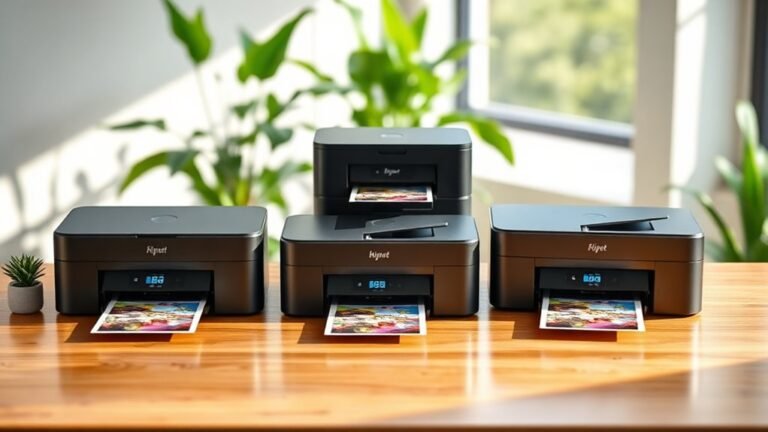
For a reliable, affordable printer in 2027, consider the HP DeskJet 2923 and 2955. These compact all-in-ones come with wireless and mobile printing features, plus ENERGY STAR certifications to save energy and costs.
The Canon PIXMA TS4320 is another great choice. It offers vibrant color prints and automatic duplexing, which makes double-sided printing easy and efficient.
If you need fast, sharp monochrome laser output for high-volume printing, the Brother HL-L2405W fits the bill perfectly. Each printer suits different home or small office setups, depending on your print volume and feature needs.
Take a closer look at their specs and prices to see which one matches your printing habits and space constraints. That way, you can find the best budget printer in the UK for 2027 without breaking the bank.
| Image | Name | Editor's Rating | Price |
|---|---|---|---|

|
|
||

|
|
||

|
|
||

|
|
HP DeskJet 2923 Color Inkjet Printer | Wireless | All-in-One
- Perfect for basic printing needs – Print everyday color documents like to-do lists, letters, financial documents and recipes
- KEY FEATURES – Color print, copy, scan, and a 60-sheet input tray, plus mobile and wireless printing
- OPTIMIZE PRINT FORMATTING WITH HP AI – Print web pages and emails with precision—no wasted pages or awkward layouts; HP AI easily removes unwanted content, so your...
- ICON LCD – Print your basic documents with ease from the intuitive control panel
- PRINT SPEED – Up to 7.5 ppm black, 5.5 ppm color

The HP DeskJet 2923 is a compact all-in-one printer designed to simplify your home printing tasks. It handles color printing, copying, and scanning with ease, making daily document management straightforward. Its user-friendly icon LCD control panel ensures you can operate the device without hassle.
This printer supports wireless printing through dual-band Wi-Fi, allowing you to send prints directly from your smartphone via the HP App. This feature eliminates the need for cables, making it convenient for busy households. With print speeds up to 7.5 ppm for black and 5.5 ppm for color, it suits typical home use but may be slower for large volumes.
Maintenance is simple thanks to its automatic ink delivery system, though continuing this service requires subscribing after the initial six-month Instant Ink trial. The device has a 60-sheet input tray, which is adequate for everyday printing but might require frequent refills for bigger jobs.
Environmentally, the DeskJet 2923 stands out as it is built with 70% recycled plastics and holds ENERGY STAR certification. This makes it a responsible choice for users mindful of their ecological footprint without compromising functionality.
Best for: individuals and families needing an affordable, compact all-in-one printer that supports wireless mobile printing and eco-friendly features for home use.
What We Like:
- Versatile all-in-one functionality with easy-to-use icon LCD control panel
- Wireless printing via dual-band Wi-Fi and HP App for mobile convenience
- Eco-friendly design with 70% recycled plastics and ENERGY STAR certification
- Automatic ink delivery system streamlines maintenance
- Compact size fits well in small home offices or living spaces
Specification:
| Feature | Details |
|---|---|
| Manufacturer | HP |
| Dimensions | Approx. 16.9 x 12.3 x 6.1 inches (43 x 31.2 x 15.5 cm) |
| Weight | Approx. 6.2 lb (2.8 kg) |
| Material | Plastic (70% recycled content) |
| Color Options | White with gray accents |
Canon PIXMA TS4320 – Wireless Color Inkjet Printer with Print, Copy, Scan
- Affordable Versatility - A budget-friendly all-in-one printer perfect for both home users and hybrid workers, offering exceptional value
- Crisp, Vibrant Prints - Experience impressive print quality for both documents and photos, thanks to its 2-cartridge hybrid ink system that delivers sharp text and vivid...
- Effortless Setup & Use - Get started quickly with easy setup for your smartphone or computer, so you can print, scan, and copy without delay
- Reliable Wireless Connectivity - Enjoy stable and consistent connections with dual-band Wi-Fi (2.4GHz or 5GHz), ensuring smooth printing from anywhere in your home or...
- Scan & Copy Handling - Utilize the device’s integrated scanner for efficient scanning and copying operations
The Canon PIXMA TS4320 is a compact all-in-one printer designed to simplify everyday printing tasks. It offers wireless printing, copying, and scanning, making it easy to manage documents from home or a hybrid workspace. Its high resolution ensures sharp color and black-and-white prints, enhancing the quality of your projects.
This printer helps reduce clutter with its sleek design, fitting comfortably into tight spaces. Dual-band Wi-Fi connectivity allows seamless printing from smartphones, laptops, or tablets through the Canon PRINT app, AirPrint, or Mopria. Auto duplex printing saves paper by enabling two-sided printing without extra effort.
Maintenance is straightforward with starter ink tanks included, allowing you to begin printing immediately. However, these inks may require frequent replacement if your usage exceeds light or moderate levels. The single paper tray holds up to 100 sheets, best suited for everyday home or small office use.
While the maximum media size is limited to letter (8.5″ x 11″), the PIXMA TS4320 offers reliable performance for routine documents and photos. It balances functionality, ease of use, and wireless convenience in a stylish package.
Best for: Home users and hybrid workers needing a compact, wireless all-in-one printer for light to moderate printing, copying, and scanning tasks.
What We Like:
- Sharp print quality with up to 1200 x 1200 dpi resolution
- Fast printing speeds with automatic two-sided printing
- Wireless connectivity via Canon PRINT app, AirPrint, and Mopria
- Compact design fits small spaces easily
Specification:
| Feature | Details |
|---|---|
| Manufacturer | Canon |
| Dimensions (W×D×H) | 12.0 x 11.7 x 5.0 inches |
| Weight | 8.4 lbs |
| Color Options | Black |
| Print Resolution | Up to 1200 x 1200 dpi |
| Paper Capacity | 100 sheets |
| Max Media Size | Letter (8.5″ x 11″) |
HP DeskJet 2955 Color Inkjet Printer | Wireless | All-in-One
- PERFECT FOR BASIC PRINTING NEEDS – Print everyday color documents like to-do lists, letters, financial documents and recipes
- KEY FEATURES – Color print, copy, scan, and a 60-sheet input tray, plus mobile and wireless printing
- OPTIMIZE PRINT FORMATTING WITH HP AI – Print web pages and emails with precision—no wasted pages or awkward layouts; HP AI easily removes unwanted content, so your...
- ICON LCD – Print your basic documents with ease from the intuitive control panel
- PRINT SPEED – Up to 7.5 ppm black, 5.5 ppm color
The HP DeskJet 2955 Color Inkjet Printer is ideal for everyday home printing tasks. Its compact design fits easily in small spaces without sacrificing functionality. You can print, copy, and scan documents or colorful projects like recipes and letters with ease.
This all-in-one printer simplifies maintenance with a 60-sheet input tray and an intuitive icon LCD control panel. Its build includes at least 70% recycled plastic, reflecting an eco-conscious choice for users. The device connects seamlessly through dual-band Wi-Fi, enabling wireless printing and scanning from your smartphone via the HP app.
Print speeds of 7.5 ppm for black and 5.5 ppm for color suit moderate home use but may slow down larger jobs. The AI formatting feature helps reduce paper waste by optimizing layout automatically. A free 3-month Instant Ink trial supports hassle-free ink replacement, though a subscription is needed afterward to maintain service.
Best for: individuals or families seeking an affordable, compact all-in-one printer with wireless convenience for routine home use.
What We Like:
- Eco-friendly design with recycled plastics and ENERGY STAR certification
- Dual-band Wi-Fi and mobile printing through the HP app
- AI-driven formatting to minimize paper waste
- Easy maintenance with user-friendly controls and moderate tray capacity
Specification:
| Feature | Details |
|---|---|
| Manufacturer | HP |
| Model | DeskJet 2955 |
| Dimensions (W×D×H) | Approx. 16.5 × 11.4 × 5.9 in (41.9 × 29 × 15 cm) |
| Weight | Approx. 5.8 lb (2.6 kg) |
| Material | At least 70% recycled plastic |
| Connectivity | Dual-band Wi-Fi, USB |
| Color Options | White with black accents |
Brother HL-L2405W Wireless Compact Monochrome Laser Printer
- BEST FOR HOMES & HOME OFFICES – Engineered for consistent, premium print quality, the Brother HL-L2405W Monochrome (Black & White) Laser Printer delivers sharp, crisp...
- COMPACT, CONNECTED PRINTER – Flexible connection options make this an ideal printer for home use and at-home offices. Securely connect to multiple devices with built-in...
- BROTHER MOBILE CONNECT APP – Manage your printer remotely and print from your mobile device anytime, from almost anywhere. Order Brother Genuine Supplies, track toner...
- VERSATILE PAPER HANDLING – Enjoy seamless, reliable everyday printing with the 250-sheet paper tray(4) and a manual feed slot that enables printing on envelopes and...
- BROTHER IS AT YOUR SIDE – Backed by Brother with a 1-year limited warranty and free online, call, or live chat support for the life of your printer
Save space without sacrificing speed with the Brother HL-L2405W, a wireless compact monochrome laser printer designed for busy home offices. This printer delivers sharp black-and-white documents quickly, helping you stay productive and organized. Its fast output of up to 30 pages per minute means less waiting and more doing.
The HL-L2405W offers reliable wireless dual-band connectivity, allowing you to print easily from laptops, smartphones, or tablets using the Brother Mobile Connect app. Its compact design fits neatly on your desk, while the 250-sheet paper capacity and manual feed slot accommodate various paper types, including envelopes.
Maintenance is straightforward thanks to its simple print-only operation. Although it lacks automatic duplexing and scanning functions, its manual duplex feature provides flexibility for double-sided printing when needed. This printer is built to meet basic printing needs efficiently, with easy setup and minimal upkeep.
Best for: small home offices or individuals seeking a compact, fast monochrome printer with wireless and mobile printing capabilities.
What We Like:
- Fast print speed up to 30 ppm with sharp 1200 x 1200 dpi quality
- Dual-band wireless and mobile printing via Brother Mobile Connect app
- Compact footprint with 250-sheet capacity and manual feed slot for specialty papers
Specification:
| Feature | Details |
|---|---|
| Manufacturer | Brother |
| Dimensions (W×D×H) | 14 x 14.2 x 7.2 inches |
| Weight | 15.2 lbs (6.9 kg) |
| Printing Technology | Monochrome Laser |
| Connectivity | Wireless Dual-Band, USB |
| Paper Capacity | 250 sheets + manual feed slot |
Factors to Consider When Choosing a Budget Printer UK

When choosing a budget printer in the UK, you’ll want to assess your printing needs and the quality you expect. Consider connectivity options, ink or toner costs, and how the printer’s size fits your space.
These factors will help you find a device that works efficiently without breaking the bank. It’s all about getting the best value for your money while meeting your everyday printing demands.
Printing Needs Assessment
Because your printing needs directly impact the best budget printer choice, it’s essential to assess factors like monthly page volume, color versus monochrome usage, and document types. Start by estimating how many pages you print monthly—under 100, 100–500, or over 500. This affects duty cycle and running costs.
Next, figure out if you mainly print in color or black-and-white. Color pages cost more, so if you mostly need monochrome, that can steer you toward affordable laser printers.
Think about what you print—text, photos, labels, or envelopes—since media compatibility and handling vary. Also, decide if you want duplex printing, scanning, or mobile connectivity. These features add convenience but might increase the price.
Finally, consider print speed and first-page-out time if you need quick results. Taking the time to assess all these factors carefully guarantees you pick a budget printer that fits your workflow and budget.
Print Quality Requirements
Although budget printers often come with compromises, understanding the print quality requirements guarantees you pick one that meets your needs without overspending. Start by determining the resolution you need: aim for at least 600 x 600 dpi for sharp black-and-white text and basic graphics, and 1200 x 1200 dpi or higher for color prints and photos.
Remember, inkjets excel at vibrant color photos and smooth gradients, while lasers deliver crisp, fast monochrome text. Check real-world print speed at your preferred quality setting, since higher quality modes can slow printing considerably.
Also, evaluate output metrics like color gamut and legibility at small fonts. Don’t forget consumable costs; cheaper inks may cause fading or color shifts, so choose cartridges that balance quality and longevity.
Connectivity Options Available
Print quality matters, but you’ll also want to make sure your budget printer connects seamlessly to your devices. Look for models supporting dual-band Wi-Fi (2.4 GHz and 5 GHz) to enjoy more reliable wireless connections with less interference. This is especially helpful in busy home networks.
Mobile printing compatibility with AirPrint, Mopria, or dedicated apps lets you print and scan directly from smartphones and tablets, adding convenience. A USB port is handy for wired connections when wireless isn’t an option.
If multiple users need access, choose network-ready printers with strong wireless security like WPA2 or WPA3. This ensures safe sharing. Plus, cloud printing and app-based features that automatically detect and resolve connectivity issues can save you time on setup and troubleshooting.
All these options make your printing experience smoother and hassle-free.
Ink And Toner Costs
Understanding ink and toner costs can save you a lot of money when choosing a budget printer in the UK. Laser printers often have higher upfront prices but lower per-page costs for black-and-white printing. This makes them ideal if you print a lot of monochrome documents.
Inkjets, meanwhile, tend to cost more per colour page because of separate cartridges and shorter yields. Always calculate cost-per-page by dividing the cartridge price by page yield to get an accurate estimate of running costs.
Also, think about subscription or refill options carefully. These can reduce expenses but might involve fees or affect warranties.
Don’t forget to factor in additional consumables like drum units or maintenance kits, especially if you print infrequently. Ink drying can increase your effective cost per usable page, so keep that in mind.
Device Size And Design
Once you’ve figured out how ink and toner costs impact your budget, it’s time to think about the physical space your printer will occupy. Measure your desk or shelf carefully and choose a model that fits comfortably. Make sure to allow extra room for scanners and output trays when open.
Compact all-in-one printers often save space by combining functions, but laser or single-function units may be bulkier because of larger internal parts. It’s worth considering paper tray capacity and how trays extend. Front-loading or foldable trays work best in tight spots.
If you plan to store the printer between uses, look for low-profile designs. Also, check the weight and handle placement if you’ll move it frequently. Heavier printers without grips can be harder to reposition.
Print Speed Considerations
You’ll often notice that print speed plays a big role in how smoothly your tasks flow, especially when juggling both black-and-white and color documents. Print speed, measured in pages per minute (ppm), varies for black-and-white and color, so compare both if your printing mixes these.
For occasional home use, 5–15 ppm usually suffices. But if you print frequently or in volume, look for 20–30+ ppm to save time. Don’t overlook first page out time—it impacts responsiveness for quick jobs.
If you often print double-sided, check duplex speed since it can slow output but saves paper. Remember, real-world speeds depend on resolution, complexity, connection type, and warm-up time. So, published ppm figures are ideal estimates, not guarantees.
Mobile Printing Features
Stay connected effortlessly by choosing a budget printer that supports modern mobile printing features. Make sure it offers dual-band Wi-Fi (2.4 GHz and 5 GHz) to guarantee stable connections with your smartphone or tablet.
Look for built-in support for AirPrint, Mopria, or a dedicated app. That way, you can print directly from iOS or Android devices without needing desktop drivers.
Check if the printer allows wireless scanning and cloud uploads through its app. This lets you scan, edit, and share documents on the go.
Also, consider printers with simple Wi-Fi setup options like WPS or QR-code pairing. These features help you avoid frustrating connection issues.
Finally, remote management and mobile notifications help you monitor ink levels and print jobs right from your phone. It’s all about making printing hassle-free and convenient.
Environmental Certifications
Although budget printers may seem similar at first glance, choosing one with strong environmental certifications can substantially reduce your ecological footprint. Look for ENERGY STAR certification to guarantee your printer uses less power both when active and idle.
Check EPEAT registration to gauge broader environmental benefits like reduced hazardous materials and recyclability. Prioritize printers made with a high percentage of post-consumer or recycled plastics to cut down on virgin plastic use.
Also, verify if the manufacturer offers take-back or cartridge-return programs that improve recycling and reduce landfill waste. Finally, review published energy consumption figures and independent eco-labels like Blue Angel or TCO.
These steps help you pick a budget printer that’s kinder to the planet without compromising performance. It’s a win-win, right?
Frequently Asked Questions
How Do I Recycle Used Printer Cartridges in the UK?
You can recycle used printer cartridges in the UK by returning them to stores, using manufacturer recycling programs, or dropping them off at local recycling centers.
Many places offer free collection or rewards, making it easy and eco-friendly.
It’s a simple way to help the environment and keep those cartridges out of landfill.
Just check with your local store or cartridge brand to see what options they have!
Are Budget Printers Compatible With Mac and Windows Operating Systems?
Yes, most budget printers are compatible with both Mac and Windows. You’ll want to check the specific model’s specs or driver support to make certain smooth installation and printing on your operating system before buying.
It’s always a good idea to double-check, just to avoid any surprises. That way, you can be sure your printer will work seamlessly with your computer.
Can Budget Printers Handle Photo Printing Quality?
Yes, budget printers can handle decent photo printing quality, but don’t expect professional-grade results. You’ll get vibrant colors and good detail for casual use.
That said, high-end photo printers do outperform them in sharpness and longevity. So, if you’re after top-notch prints that last, you might want to consider investing a bit more.
What Is the Average Lifespan of a Budget Printer?
You can expect a budget printer to last around 3 to 5 years, depending on usage and maintenance.
If you keep it clean and replace cartridges properly, it’ll serve you reliably within that timeframe.
Do Budget Printers Support Mobile Printing Apps?
Think of budget printers as your trusty sidekick—they often do support mobile printing apps, letting you print straight from your phone or tablet.
You’ll find many offer seamless wireless connections, making printing on the go a breeze.
It’s pretty convenient, right? Just a few taps and your documents or photos are ready without needing a computer.
Conclusion
Choosing the right budget printer might seem tricky, but it doesn’t have to be. While inkjet printers like the HP DeskJet 2923 offer vibrant colors and versatility, laser printers such as the Brother HL-L2405W deliver speed and sharp text.
You might want wireless convenience or all-in-one features. By weighing what matters most to you—color or speed, multifunction or simplicity—you’ll find a perfect printer without breaking the bank.
When searching for the best budget printers in the UK for 2027, focus on what fits your lifestyle and needs. Whether it’s affordable ink cartridges, fast printing speeds, or compact designs, there’s a budget-friendly printer out there for you. Keep your priorities clear, and you’ll easily pick a printer that balances quality, convenience, and cost.