4 Best Commercial Printers for Labels and Stickers in 2027
If you need reliable, high-speed label printers without ink hassles, the Rollo USB Shipping Label Printer offers fast, dependable 4×6 printing for small businesses. It’s perfect for those who want efficiency without the extra costs of ink cartridges. Plus, it’s super easy to set up and use.
The HP 4×6 Direct Thermal Printer suits cost-conscious sellers who need consistent output. It keeps things simple and budget-friendly while delivering quality labels.
If you want something versatile with wireless connectivity, the Zebra ZD421 is a great pick. It’s rugged enough for retail and warehousing environments.
For heavy-duty industrial demands, the Zebra ZT610 handles high volumes with durability. It’s built tough to keep up with your busiest days.
Keep exploring to find the best fit for your label and sticker needs!
| Image | Name | Editor's Rating | Price |
|---|---|---|---|

|
|
||

|
|
||

|
|
||

|
|
Rollo USB Shipping Label Printer – Commercial Grade 4×6 Thermal Printer
- ROLLO PRINTER: Rollo USB is compatible with both Windows (XP and newer) and Mac (10.9 and newer) with easy set up; Print shipping labels, warehouse labels, barcode...
- ROLLO SHIP: Our complimentary shipping app provides a streamlined and cost saving way to mail packages; Connect any ecommerce platform and gain access to exclusive...
- HIGH SPEED & HIGH SAVINGS: Stop buying ink and toner and start printing with advanced direct thermal technology at a speed of 150mm/s or one 4x6 label per second; Labels...
- CUSTOM LABEL MAKER: Our thermal label printer is also a custom label maker (labels from 1.57" to 4.1" width) making it ideal for more than shipping labels; Create from...
- VERSATILE COMPATIBILITY: Rollo thermal label printer is compatible with all major shipping platforms including Fedex, UPS, USPS, Rollo Ship Manager, ShipStation...

The Rollo USB Shipping Label Printer offers a practical solution for businesses that need quick and reliable label printing. Designed for efficiency, it prints 4×6 labels at a speed of one per second using direct thermal technology. This eliminates the need for ink, reducing ongoing costs and simplifying maintenance.
Its compact and lightweight design makes it easy to fit in any workspace. Setting up the printer is straightforward with the included USB cable and power adapter. The device supports labels up to 4.1 inches wide and can handle various types, including barcodes, QR codes, and custom stickers.
Compatible with both Windows and macOS, the Rollo printer integrates smoothly with popular ecommerce platforms such as Shopify and Etsy. This versatility helps streamline shipping processes and product labeling for small businesses.
One limitation is its USB 2.0 wired connection, which means no wireless or network options are available. Additionally, the monochrome printing restricts labels to black and white, and the maximum label capacity per load is 30 sheets, which might require frequent refilling during busy periods.
Best for: Small businesses and ecommerce sellers needing a fast, dependable, inkless thermal label printer compatible with major shipping platforms.
What We Like:
- Fast printing speed of one 4×6 label per second with direct thermal technology
- Compatible with Windows, macOS, and popular ecommerce platforms
- Compact, lightweight design with easy USB setup
- Supports various label types including barcodes and QR codes
Specification:
| Feature | Details |
|---|---|
| Manufacturer | Rollo |
| Dimensions | Compact, fits small workspaces |
| Weight | Lightweight |
| Label Size Support | Up to 4.1 inches wide |
| Connectivity | USB 2.0 wired only |
| Color Output | Monochrome (black and white) |
HP 4×6 Direct Thermal Shipping Label Printer
- PRINTS FAST & EASY – Designed to produce labels with great speed and proficiency. Get barcodes, product labels, and more when you need them most with a print speed of...
- DIRECT THERMAL – With a 203dpi resolution, you can print out clear, detailed labels without worrying about ink or toners. Direct thermal printing allows you to produce...
- PERSONAL OR BUSINESS USE – Increase productivity in your home, office, or small business with this label maker. With a label printer, power cord, AC adapter, USB cable...
- HIGH-QUALITY DIRECT THERMAL PRINTING – Efficiently produces clear, dark lines without the need for ink or toners.
- USEFUL LABEL SIZE – Get the most out of blank, bright white 4” x 6” thermal labels. Package comes with 2 rolls of 250 labels for a total of 500 sheets.
Experience hassle-free, high-volume label printing with the HP 4×6 Direct Thermal Shipping Label Printer. Designed for efficiency, it prints crisp, clear labels quickly without the need for ink or toner. This reduces ongoing costs and simplifies maintenance, making it ideal for busy shipping environments.
The printer supports standard 4” x 6” labels, providing consistent quality at 203 x 203 DPI resolution. Its direct thermal technology means you avoid the mess and expense of refilling ink cartridges or toner. Simply load the included label rolls, and you’re ready to go.
Compact and lightweight at just 3 pounds, this printer fits comfortably in tight workspaces or on the go. It connects easily via USB to both PC and Mac platforms, offering straightforward setup and reliable performance. The single-tray design focuses on simplicity but limits media flexibility.
While it only prints in monochrome and handles fixed label sizes, it excels at delivering professional, durable shipping labels quickly. This makes it a practical choice for small to medium-sized businesses aiming to streamline their shipping process.
Best for: Small to medium businesses and e-commerce sellers needing fast, reliable, and cost-effective 4×6 shipping label printing without the hassle of ink or toner.
What We Like:
- Fast print speed up to 7 inches per second for efficient workflow.
- Direct thermal printing eliminates ink and toner maintenance.
- Lightweight and portable design ideal for small workspaces.
- USB connectivity compatible with PC and Mac systems.
- Consistent 4” x 6” label output for standard shipping needs.
Specification:
| Feature | Details |
|---|---|
| Manufacturer | HP |
| Print Technology | Direct Thermal |
| Print Resolution | 203 x 203 DPI |
| Max Print Speed | 7 inches per second |
| Label Size | 4” x 6” (standard) |
| Weight | 3 pounds (1.36 kg) |
| Connectivity | USB |
Zebra ZD421 Thermal Shipping Label Printer | 4×6 | No Ink Required
- FAST INK FREE PRINTING - Direct thermal printer, requires no ink or toner, perfect for printing labels, barcodes, and shipping documents with 203 DPI resolution at 6 ips...
- EASY TO OPERATE - 3-button user interface and 5 LED icons allow you to instantly see what's needed to keep your printer up and running, from replenishing media to...
- CONNECT YOUR WAY - Connect to your existing wired or wireless networks, or directly to any PC. Print from any Windows, Android, or iOS device. The included Print Touch...
- CONFIDENT AND SECURE PRINTING - Powered by Zebra's Link-OS operating system, the Zebra DNA suite of software tools gets your printer up and running quickly and securely...
- BACKWARDS COMPATIBLE AND READY FOR TOMORROW - Continue to use the same label formats and applications you’re using today, ZD421 printers support EPL and ZPL printer...
Experience efficient, hassle-free label printing with the Zebra ZD421 thermal shipping label printer. Designed to keep busy warehouses and retail spaces running smoothly, this printer eliminates the need for ink by using direct thermal technology. It produces crisp, clear labels quickly, helping you speed up your shipping and inventory processes.
The ZD421 supports fast printing speeds and offers reliable barcode and text clarity at 203 dpi resolution. Its versatile connectivity options, including Bluetooth, Ethernet, USB, and NFC tap-to-pair, ensure easy integration with various devices. This flexibility reduces setup time and streamlines daily operations.
Maintenance is simple with a durable, compact design that fits well in tight workspaces. The printer handles up to 300 sheets of media and requires minimal upkeep, cutting downtime and keeping your workflow uninterrupted. Remote management through Zebra’s Link-OS and DNA tools allows IT teams to monitor and update the printer effortlessly.
While the ZD421 supports only monochrome printing and has a slightly narrower media width limit, it remains an effective solution for straightforward label printing needs. Its single-tray, simplex operation is ideal for businesses focused on speed and reliability rather than complex print jobs.
Best for: Businesses in warehousing, retail, and logistics needing fast, reliable direct thermal label printing without ink.
What We Like:
- Fast print speed with clear 203 dpi resolution
- Multiple connectivity options including Bluetooth and NFC
- Compact, durable design with easy maintenance
- Remote management via Zebra Link-OS and DNA tools
Specification:
| Feature | Details |
|---|---|
| Manufacturer | Zebra |
| Print Technology | Direct Thermal |
| Max Print Speed | Up to 6 inches/second |
| Print Resolution | 203 dpi |
| Media Width | Up to 4.09 inches |
| Connectivity | Bluetooth, Ethernet, USB, NFC |
| Media Capacity | Up to 300 sheets |
| Dimensions | Compact design |
Zebra ZT610 Direct Thermal Label Printer
- High-Speed Printing – Capable of printing up to 14 inches per second for fast label production
- Dual Print Technology – Supports both thermal-transfer (using ribbons) and direct-thermal methods for versatile labeling needs
The Zebra ZT610 stands out as a dependable solution for high-volume label printing in industrial environments. It tackles the challenges of continuous, mission-critical operations by offering both direct thermal and thermal transfer printing, ensuring versatility for different labeling needs. This printer produces sharp, monochrome labels quickly, improving workflow efficiency.
Its design supports a maximum media width of 4.25 inches, making it suitable for large barcode and label production. The rugged build is made to withstand demanding warehouse or manufacturing conditions, allowing for long hours of uninterrupted use. Maintenance is straightforward, with user-friendly controls and a clear display that simplify operation and reduce downtime.
Connectivity is focused on USB, providing a stable and straightforward connection, though it lacks wireless or network options. The printer’s size and weight (50 pounds, 18″ x 20″ x 22″) may require ample space, but this robust design also contributes to its durability and reliability in tough settings.
Best for: Industrial and warehouse operations requiring fast, reliable, and versatile monochrome label printing for large-scale production.
What We Like:
- Dual print technology for flexible label production
- Fast print speed up to 14 inches per second
- Durable design built for continuous industrial use
- User-friendly display and USB connectivity
Specification:
| Specification | Details |
|---|---|
| Manufacturer | Zebra |
| Dimensions | 18″ x 20″ x 22″ (45.7 x 50.8 x 55.9 cm) |
| Weight | 50 lbs (22.7 kg) |
| Print Technology | Direct Thermal & Thermal Transfer |
| Max Print Speed | 14 inches per second |
| Max Media Width | 4.25 inches (10.8 cm) |
Factors to Consider When Choosing a Commercial Printer for Labels and Stickers
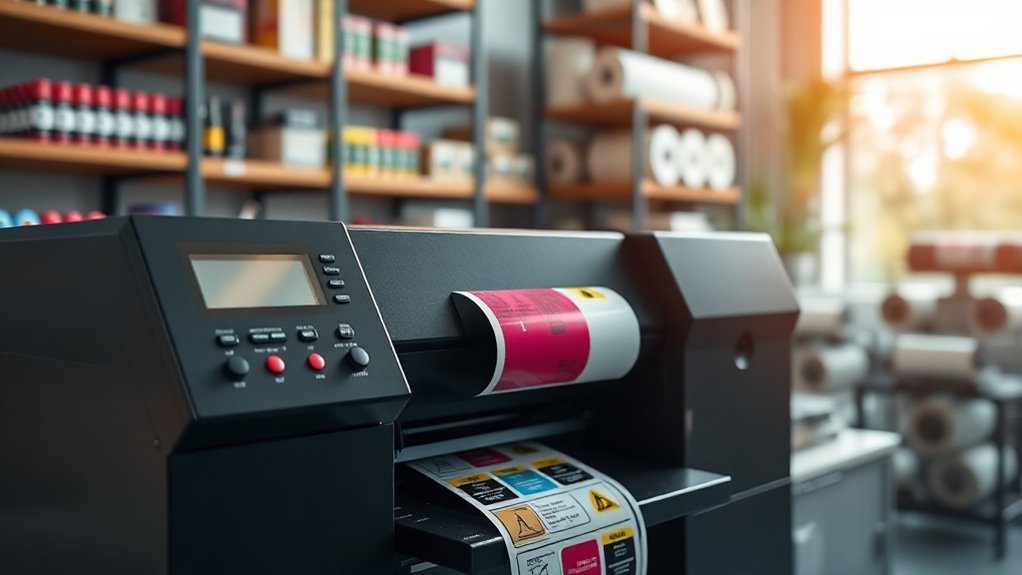
When choosing a commercial printer for labels and stickers, you’ll want to weigh print technology types and whether the printer handles your label sizes. Also, pay attention to print speed and connectivity options to keep your workflow smooth.
Don’t forget to check the resolution for the quality your products need. It really makes a difference in how professional your labels look. Plus, thinking about these factors upfront can save you time and hassle later on.
Print Technology Types
Choosing the right print technology can make all the difference in the quality and durability of your labels and stickers. Direct thermal printers offer simple, ink-free printing on heat-sensitive paper but risk fading over time.
Thermal-transfer printers use a heated ribbon to create durable, high-contrast labels that withstand outdoor conditions. Inkjet printers deliver vibrant, full-color graphics but need special inks and coated papers to avoid smearing.
Laser printers provide fast, sharp output with good water resistance, though their heat can limit some label materials. Consider print resolution too—typical options range from 203 to 600 DPI, impacting detail and barcode readability.
Matching your print technology to your label’s purpose guarantees you get the best balance of color, durability, and clarity for your commercial printing needs.
Label Size Compatibility
Matching print technology to your label’s purpose sets the stage, but guaranteeing your printer handles the right label sizes keeps your workflow smooth and efficient. First, confirm the printer supports your minimum and maximum label widths—common widths range from 1.57″ to 4.25″.
Check the recommended label length and roll capacity, especially if you need larger or longer labels. Make sure the print resolution suits your smallest details, like barcodes or fine text, to maintain clarity.
If you print multiple label sizes, opt for printers with adjustable media guides and sensors that detect varying widths automatically. Finally, consider your label format—pre-cut sheets, continuous rolls, or fan-fold—and verify your printer’s feed mechanism and capacity match to avoid jams and frequent reloads.
Print Speed Efficiency
Print speed often plays a pivotal role in how efficiently you can produce labels and stickers, especially in busy commercial environments. Measured in inches per second (ips), faster printers—ranging from 4 to 14 ips—boost output and reduce packing line delays.
You’ll want to match print speed to your job volume: slower speeds suit low-volume needs, while high-volume operations demand faster rates to keep productivity high. Keep in mind, though, that pushing speed might compromise print quality on detailed graphics or small barcodes, so balance speed with resolution needs.
Also consider warm-up time, label changeover, and media handling, as these affect real-world throughput. For sustained high-speed use, check the duty cycle and monthly volume limits to avoid excessive wear and downtime.
Connectivity Options Available
When setting up a commercial printer for labels and stickers, connectivity options play a critical role in how smoothly your printing process runs. USB connections offer reliable, low-latency data transfer and broad desktop OS support, making them ideal for straightforward setups.
If multiple users need access, Ethernet lets you share the printer over a network, supports higher throughput, and allows remote management—perfect for busy environments. For quick, cable-free pairing, Bluetooth suits short-range, lower-volume printing with tablets and phones.
Wi-Fi adds flexibility by enabling wireless printing from anywhere on your local network, integrating seamlessly with cloud and shipping apps. Finally, NFC and QR-code pairing simplify setup and secure connections, especially useful when devices change frequently.
Choosing the right connectivity guarantees efficient, hassle-free printing tailored to your workflow. It really makes a difference in keeping things running smoothly.
Resolution and Print Quality
Connectivity helps you get your printer up and running, but resolution and print quality determine how professional your labels and stickers will look. Resolution, measured in DPI, directly affects label sharpness.
While 203 DPI handles crisp text and standard barcodes well, you’ll want 300+ DPI for tiny text, detailed logos, or high-density barcodes. Keep in mind, higher DPI means longer print times and more data to manage, so balance quality and speed based on your batch size.
For reliable barcode scanning, choose a resolution that produces correctly sized barcode modules; undersized modules at low DPI can cause scanning errors. Always test-print your actual label art and barcodes at the chosen resolution, checking legibility and barcode compliance visually and with a scanner before mass printing.
Media Capacity Limits
Although selecting a printer with excellent resolution is important, you also need to keep in mind media capacity limits to keep your labeling process efficient. Check the maximum media width and recommended label size to make certain the printer supports your label dimensions, such as the common 4×6 shipping labels.
Consider the sheet or output capacity per run and internal roll capacity—larger capacities reduce how often you need to reload in high-volume settings. Verify the maximum media roll diameter and core size compatibility to use standard thermal rolls without adapters.
Also, assess whether the feeder or tray count and maximum sheet capacity fit your workflow, especially for batching and automation. Higher-capacity printers minimize downtime by allowing longer print runs with fewer interruptions for consumable replacement.
Software Integration Support
Since software integration directly impacts your labeling efficiency, you’ll want to make sure your commercial printer supports common label languages like ZPL or EPL. This way, you can reuse existing templates without reformatting.
Also, confirm it offers drivers for all your operating systems—Windows, macOS, Linux, Android, and iOS. That way, you can print seamlessly from both desktop and mobile devices.
Look for native integrations or APIs with your shipping, inventory, or e-commerce platforms. These help automate label generation, batch printing, and order syncing, making your workflow smoother.
Check if the vendor provides management software or SDKs to remotely configure printers, update firmware, control print queues, and enforce security policies across devices. It’s a real time-saver and adds peace of mind.
Finally, make sure the printer handles common file formats like PDF and PNG. It should also support barcode and QR code standards, and preserve fonts and graphics to keep your labels accurate and professional.
Durability and Warranty
When choosing a commercial printer for labels and stickers, you’ll want to prioritize durability and warranty to protect your investment. Start by checking the warranty length and coverage—longer warranties, especially those covering parts, labor, and printheads, show the manufacturer’s confidence in the printer’s durability.
Also, make sure the printer’s duty cycle matches your expected workload to avoid premature wear. It’s a good idea to look at printhead longevity specs and compatible consumables since these can impact the lifespan of your printer.
Take a close look at the construction quality. Printers with metal gears, reinforced frames, and sealed bearings tend to handle continuous use much better than those with plastic parts.
Finally, confirm that replaceable wear parts are available and that authorized service options exist within the warranty period. These factors help minimize downtime and keep your printer running smoothly for years.
Frequently Asked Questions
Can These Printers Handle Custom Label Shapes?
Yes, these printers can handle custom label shapes with ease. You’ll find flexible cutting options and advanced software that let you create unique designs.
This means your labels and stickers will stand out exactly how you want them. Pretty neat, right?
What Is the Average Lifespan of Printer Components?
Think of printer components like the tires on a race car—they wear out with mileage. You’ll find most parts last around 2 to 5 years, depending on usage and maintenance.
Are These Printers Compatible With Mac and Windows Systems?
Yes, these printers work seamlessly with both Mac and Windows systems. You’ll find they offer easy installation and driver support, so you won’t have compatibility issues regardless of which operating system you’re using.
It’s pretty straightforward, really. Whether you’re on a Mac or a PC, getting set up is a breeze.
Do These Printers Support Wireless or Mobile Printing?
Yes, many of these printers support wireless and mobile printing, letting you easily print from smartphones, tablets, and laptops.
You’ll find convenient Wi-Fi and Bluetooth options, so you don’t have to rely solely on cables. It makes printing way more flexible and hassle-free.
What Types of Label Materials Work Best With Each Printer?
Think of label materials as a dance partner; thermal printers glide best with synthetic and paper, while inkjet printers twirl with glossy and vinyl.
You’ll want to match their chemistry for crisp, lasting prints every time.
Conclusion
When choosing a commercial printer for labels and stickers, you want reliability and efficiency. Imagine running a busy e-commerce business: the Zebra ZD421’s no-ink-needed design saves you time and money. It lets you focus on packing orders faster without worrying about ink refills.
Whether you pick the Rollo, HP, or Zebra, the right printer makes your workflow smoother. Plus, your labels come out sharper and more professional every time.
So, invest wisely. Choosing the best commercial printer for labels and stickers is a small step that can boost your productivity big time. With the right printer, you’ll save time, reduce costs, and keep your business running smoothly. It’s all about making your label printing effortless and efficient.