4 Best Colour Laser Printers for Home Use in 2027
You’ll want a reliable, fast color laser printer for home use, and the Canon MF753Cdw II is a top pick. It offers all-in-one functionality with duplex scanning and a speedy 35 ppm, perfect for busy households.
The HP LaserJet Pro 3201dw is another great option, especially if wireless and secure printing are priorities. It delivers a decent 26 ppm speed, making it efficient without sacrificing convenience.
If you’re looking for a balance between features and affordability, the Canon MF662Cdw fits the bill nicely. Meanwhile, the Brother HL-L3220CDW stands out for solid duplex printing capabilities.
These models are ideal for home offices or small workspaces. Keep exploring to find the printer whose specs and features match your exact needs perfectly.
| Image | Name | Editor's Rating | Price |
|---|---|---|---|

|
|
||

|
|
||

|
|
||

|
|
Canon Color imageCLASS MF753Cdw II – All-in-One Color Duplex Laser Printer
- Color, Wireless, Duplex 4-in-1: Print, scan, copy, fax.

The Canon Color imageCLASS MF753Cdw II is designed to streamline your home or small office tasks with reliable all-in-one functionality. It handles printing, scanning, copying, and faxing, helping you manage documents efficiently and reduce clutter.
With a print speed of up to 35 ppm and automatic duplexing, this printer cuts down wait times and saves paper. The 50-sheet duplex automatic document feeder simplifies handling multi-page documents, enhancing productivity without extra effort.
Connectivity options like Ethernet, USB, Wi-Fi, and mobile printing ensure you stay connected across devices. Its 5-inch touchscreen offers intuitive control, making operation straightforward even for users new to multifunction printers.
Maintenance is straightforward thanks to the standard paper capacity and expandable trays, though the printer’s 50 lb weight means it’s best suited for a fixed location. It supports legal-size paper, accommodating various professional needs.
Best for: Small and home offices, hybrid work environments, and users seeking a versatile color all-in-one duplex laser printer with fast, high-quality output.
What We Like:
- Fast 35 ppm print speed with automatic two-sided printing
- 50-sheet duplex ADF for easy multi-page document handling
- Multiple connectivity options including Wi-Fi and mobile printing
- User-friendly 5-inch touchscreen for simple operation
Specification:
| Feature | Details |
|---|---|
| Manufacturer | Canon |
| Dimensions | Not specified |
| Weight | 50 lb (22.7 kg) |
| Color Options | Standard (single color model) |
| Connectivity | Ethernet, USB, Wi-Fi, Mobile |
| Print Resolution | 1200 x 1200 dpi |
| Paper Capacity | 250 sheets + 50-sheet multipurpose tray |
| Duplexing | Automatic duplex printing and scanning |
HP Color LaserJet Pro 3201dw | Color Laser Printer | Wireless | Duplex
- FROM AMERICA'S MOST TRUSTED PRINTER BRAND – Perfect for small teams printing professional-quality color documents and reports. Print speeds up to 26 ppm black/color.
- PROFESSIONAL PRODUCTIVITY – Proficiency with every print—next-generation TerraJet toner brings your business to life with more vivid colors
- UPGRADED FEATURES – Fast color printing, auto 2-sided printing, and a 250-sheet input tray
- AWARD-WINNING RELIABILITY – Performance you can count on page after page, and always ready for the high demands of business
- WIRELESS PRINTING – Stay connected with dual-band Wi-Fi with self-reset, which automatically detects and resolves connection issues
The HP Color LaserJet Pro 3201dw transforms everyday printing tasks into smooth, professional-quality results. Its duplex printing helps reduce paper waste and saves time by printing on both sides automatically. This makes it ideal for busy home offices or small teams looking for efficiency.
With a sharp 600 x 600 dpi resolution and speeds up to 26 pages per minute, it handles color documents quickly without sacrificing clarity. The printer supports a variety of media types, including envelopes and glossy photo paper, thanks to its 250-sheet input tray. This versatility meets diverse printing needs without constant reloading.
Connectivity is straightforward with dual-band Wi-Fi, Ethernet, USB options, and mobile app control. These features allow for flexible printing from different devices, making work more convenient. HP’s built-in Wolf Pro security safeguards sensitive data, a valuable benefit for small businesses.
Weighing 33 pounds, the printer is sturdy yet manageable in most office setups. It uses original HP toner cartridges to ensure vivid, consistent colors and long-lasting performance. However, it is a single-function printer and does not include scanning or copying capabilities.
Best for: Small office teams and individuals needing reliable, wireless color printing with duplex functionality.
What We Like:
- Efficient duplex printing reduces paper use and saves time.
- Supports diverse media types with a large 250-sheet tray.
- Multiple connectivity options including dual-band Wi-Fi and mobile app control.
- Strong built-in security features protect sensitive information.
- Uses original HP toner for consistent, high-quality color output.
Specification:
| Feature | Details |
|---|---|
| Manufacturer | HP |
| Dimensions | Over 20 inches wide |
| Weight | 33 pounds (approx. 15 kg) |
| Print Resolution | 600 x 600 dpi |
| Print Speed | Up to 26 pages per minute |
| Media Capacity | 250-sheet input tray |
| Connectivity | Dual-band Wi-Fi, Ethernet, USB, Mobile app |
| Functionality | Single-function (print only) |
Canon Color imageCLASS MF662Cdw Wireless Laser Printer
- Color, Wireless, Duplex 3-in-1: Print, scan, copy.
- Fast Print Speeds: Print up to 26 ppm in both color and monochrome and spend less time waiting with a quick first print time of approximately 10.3 seconds.
- Easy Wireless Setup: Setup your wireless connection and get up and running in just a few steps.
- 5-inch Color Touchscreen: Get the job done quickly with Application Library - an intuitive and easy to use customizable access to the features you use most.
- Mobile Device Printing: Print from your compatible mobile devices using the free Canon PRINT app, Apple AirPrint and Mopria Print Service.
Experience efficient, high-quality color printing designed to meet the demands of small offices and hybrid workers. The Canon Color imageCLASS MF662Cdw provides reliable output with a print speed of 26 pages per minute and sharp 600 x 600 dpi resolution, ensuring clear and vibrant documents every time.
This wireless 3-in-1 printer simplifies your workflow by combining printing, scanning, and copying capabilities. Its flatbed scanner and automatic duplex printing reduce manual effort and save paper. The 250-sheet cassette and multipurpose tray support various media sizes, including legal, making it versatile for different tasks.
Maintenance is straightforward, though toner cartridges yield modest page counts, meaning frequent replacements are needed in busy environments. The printer connects seamlessly via Wi-Fi, Ethernet, or USB, and supports mobile printing through Canon PRINT and AirPrint for added convenience.
Its 5-inch touchscreen interface allows easy navigation and customization of shortcuts, helping you work faster without complexity. While the printer is somewhat heavy at 55.1 lb, its features offer a balanced mix of functionality and design to enhance productivity.
Best for: Small offices and hybrid workers needing a fast, versatile, wireless 3-in-1 color laser printer with solid output quality and mobile printing options.
What We Like:
- Fast print speed with clear 600 x 600 dpi resolution
- Automatic duplex printing and flexible media handling
- Multiple connectivity options including mobile printing
- User-friendly 5-inch touchscreen for quick customization
Specification:
| Feature | Details |
|---|---|
| Manufacturer | Canon |
| Dimensions | Not provided |
| Weight | 55.1 lb (25 kg) |
| Material | Not provided |
| Color Options | Not provided |
Brother Color Laser Printer HL-L3220CDW Wireless Duplex
- Professional Quality: Brother Genuine color laser printer delivers stunning business documents with crisp text and vibrant graphics at impressive 19 PPM speed...
- Wireless Connectivity: Brother Genuine advanced wireless capabilities enable seamless printing from laptops, smartphones, and tablets, with built-in security protocols...
- High-Volume Capacity: Brother Genuine laser printer includes a generous 250-sheet paper tray minimizing refills, while the manual feed slot offers versatility for...
- Efficient Performance: Brother Genuine automatic duplex printing saves time and paper, while delivering professional-quality double-sided documents at speeds up to...
- Mobile Integration: Brother Genuine technology ensures seamless compatibility with major mobile printing platforms and cloud services, enabling effortless document...
The Brother HL-L3220CDW brings efficient color laser printing to your home or small office. With wireless duplex printing, it saves time by producing crisp, double-sided documents without manual intervention. This feature helps reduce paper waste and streamlines your workflow.
Designed for busy users, the printer handles up to 250 sheets, including envelopes and specialty media, minimizing interruptions during large print jobs. Its wireless connectivity supports printing from laptops, smartphones, and tablets, allowing easy access across multiple devices. You can print directly from popular mobile platforms and cloud services.
Maintenance is straightforward, thanks to Brother Genuine components that ensure consistent quality and reliability. Built-in security features protect your sensitive information, providing peace of mind when handling confidential documents. While the 19 pages per minute speed is suitable for moderate volumes, it may be slower than some alternatives.
Best for: Professionals and home office users who need reliable, high-quality color laser printing with wireless duplex functionality.
What We Like:
- Sharp text and vibrant graphics with automatic double-sided printing
- Wireless printing from multiple devices and cloud platforms
- Large 250-sheet capacity plus manual feed slot for specialty media
Specification:
| Feature | Details |
|---|---|
| Manufacturer | Brother |
| Dimensions (W×D×H) | 16.1 × 18.7 × 7.2 inches |
| Weight | 24.7 lb (11.2 kg) |
| Paper Capacity | 250 sheets + manual feed |
| Color Options | White |
Factors to Consider When Choosing a Colour Laser Printer for Home Use
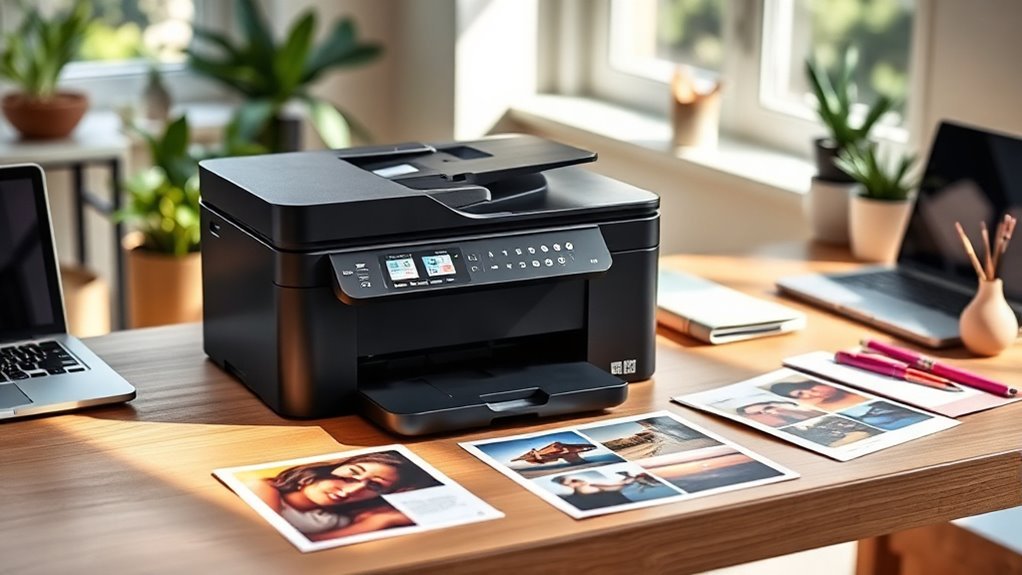
When choosing a colour laser printer for home use, you’ll want to focus on print quality and resolution to get sharp, vibrant results. Think about how fast you need your prints too.
Also, consider what connectivity options suit your setup best. It’s worth checking if the printer supports duplex printing.
And don’t forget to see if it can handle the paper volume you expect. That way, you won’t run into any surprises down the line.
Print Quality And Resolution
Print quality plays a vital role in how satisfied you’ll be with your colour laser printer at home. Aim for at least 600 x 600 dpi resolution to get sharp text and basic graphics. But 1200 x 1200 dpi or more is better for smooth color gradients and professional results.
Keep in mind that higher dpi uses more toner and can slow file processing, so balance quality with cost. Also, check if the printer offers equal resolution for color and black (CMYK) to avoid uneven sharpness in mixed documents.
Color accuracy depends on toner and color management, so printers with wider color gamuts and ICC profile support produce truer photos and brand colors. Finally, make certain the printer uses native dpi, not just interpolation, for crisp, responsive prints.
Printing Speed Requirements
Consider how quickly your colour laser printer handles jobs to keep your home workflow smooth and efficient. For typical home use like documents, schoolwork, and occasional photos, a printer offering 20–30 ppm strikes a good balance between speed and cost without long waits.
If you often print multi-page or double-sided reports, choose a duplex-capable model with higher ppm to cut wait times substantially. Keep an eye on first-page-out times too—printers that start printing within 10 seconds improve responsiveness for small, intermittent jobs.
Connectivity Options Available
How will you connect your colour laser printer to your devices? It’s important to pick one with both Wi‑Fi (dual-band 2.4/5 GHz preferred) and wired Ethernet options so you can choose fast, stable network printing or a simple wireless setup.
Make certain the printer supports mobile printing standards like Apple AirPrint and Mopria, letting you print directly from smartphones or tablets without extra drivers. Look for USB Type-B or Type-C ports for direct USB printing, plus a host/USB-A port to print from thumb drives.
If you share the printer in a home network, check for built-in security like WPA3 Wi‑Fi, password protection, and user access controls. Also, make sure it supports common print protocols and easy driver installs across Windows, macOS, and Chromebooks for broad compatibility.
Duplex Printing Capability
Although duplex printing may slightly reduce your printer’s speed, it markedly cuts paper use and costs by automatically printing on both sides of the page.
When choosing a colour laser printer, make certain it supports automatic duplex for the paper sizes and weights you’ll use, such as Legal or standard 8.5″ x 11″ sheets weighing 60–90 g/m².
Manufacturers usually list simplex and duplex pages-per-minute separately, so expect slower speeds when printing double-sided.
For efficient double-sided scanning and copying, look for a one-pass duplex scanner with an automatic document feeder (ADF) holding around 35 to 50 sheets.
Also, verify that your printer’s firmware and drivers support setting duplex as the default to avoid accidental single-sided prints.
This feature will save you money and reduce waste in regular home use.
Paper Handling Capacity
Match your printer’s paper handling capacity to your daily printing needs to keep interruptions at bay. Most home printers hold 150–250 sheets, so choose one that fits your typical monthly print volume to avoid frequent refills.
Look for a multipurpose or manual feed tray if you print envelopes or specialty media. Note its capacity—usually 1–50 sheets—to switch paper types smoothly.
If you occasionally print in bulk, consider models with expandable input trays that can boost capacity from 250 up to 850 sheets. Don’t forget the output tray capacity; it should handle around 100–250 sheets to prevent overflow during large or duplex jobs.
Also, make sure the printer supports your largest paper size. It should have feeding mechanisms suitable for two-sided or multi-page tasks without manual effort.
Device Size And Weight
Before choosing a colour laser printer for your home, measure the available desk or shelf space to guarantee the device fits comfortably. Most colour laser printers are about 15–20 inches wide and 15–18 inches deep, but you’ll also need extra clearance for paper trays and the automatic document feeder (ADF).
Also, consider the printer’s height and make certain there’s enough vertical space, especially when the ADF or output tray is open. Weight matters too—these models often weigh between 30 and 60 pounds, so place them on sturdy surfaces and get help when moving them.
If you plan to store the printer in a cabinet or closet, allow a few inches of ventilation space on each side to avoid overheating. And don’t forget to check that you have easy front and rear access for paper loading and maintenance.
Energy Efficiency Standards
When choosing a colour laser printer for your home, you’ll want to prioritize energy efficiency to keep both costs and environmental impact low. Look for ENERGY STAR certification as a baseline since these printers consume less power in standby and sleep modes.
Check the sleep-mode power draw—ideally under 1–3 watts—and consider wake-up times, especially if you print frequently in short bursts. This helps avoid high standby energy use.
Opt for models with automatic duplexing and power management features like auto-off and scheduled power-down. These reduce paper waste and idle energy.
Review the printer’s annual energy consumption or typical power use in various modes to gauge real-world costs. Devices with EPEAT certification and toner recycling programs further show a commitment to eco-friendly practices beyond immediate energy savings.
Included Warranty Coverage
Although colour laser printers often come with standard warranties, you should carefully check the length and scope of coverage to avoid unexpected repair costs. Most manufacturers offer limited warranties lasting 1 to 3 years, covering hardware faults but usually excluding consumables like toner and drums.
Make sure you confirm whether the warranty includes on-site service, carry-in, or mail-in repairs. Also, pay attention to any response times or service-level terms they provide.
Keep in mind that using third-party consumables, unauthorized repairs, or improper maintenance can void your warranty. So, it’s a good idea to always keep proof of purchase and register your printer if required.
Don’t forget to explore available customer support options like phone help, online chat, and firmware updates. And if you want extra peace of mind, consider purchasing extended warranty plans to prolong your coverage beyond the base warranty period.
Frequently Asked Questions
How Do Colour Laser Printers Compare to Inkjet Printers in Print Quality?
Colour laser printers deliver sharper text and vibrant colors faster than inkjets, but you might find inkjets excel at photo detail and gradients.
You’ll choose based on whether speed or photo quality matters more to you. It really depends on what you need most from your printer.
What Maintenance Is Required for Colour Laser Printers?
You’ll need to replace toner cartridges, clean the printer regularly to avoid dust buildup, and occasionally replace drums or fusers.
Keeping software updated also helps maintain print quality and prevents jams or errors.
It’s a good idea to check the printer’s manual for specific maintenance tips. That way, you can keep everything running smoothly without any hassle.
Are Colour Laser Printers Eco-Friendly or Energy Efficient?
You won’t believe how eco-friendly colour laser printers can be! They use less energy than you’d think, especially with energy-saving modes.
Plus, their toner lasts forever, so you’re cutting waste and saving power every print. It’s pretty impressive when you think about it!
Can Colour Laser Printers Print on Different Types of Paper?
Yes, you can print on different types of paper with colour laser printers, including glossy, matte, and cardstock. Just make sure your printer supports the specific paper weight and type to avoid jams or poor print quality.
It’s pretty flexible, but checking your printer’s manual or specs first can save you from headaches later. That way, you get the best results without any hassle.
How Long Do Toner Cartridges Typically Last in Home Use?
You know what they say, “a stitch in time saves nine.” Toner cartridges typically last between 2,000 to 5,000 pages in home use. But your actual mileage will vary depending on your printing habits and document types.
Conclusion
When choosing a colour laser printer for home use, you want reliability, speed, and crisp output. Imagine Sarah, a freelance graphic designer, who picked the Canon Color imageCLASS MF753Cdw II. It handles her heavy printing load effortlessly, saving her time and frustration.
Whether you’re printing vibrant photos or important documents, investing in a quality printer tailored to your needs guarantees smooth, professional results every time. Don’t settle—choose what works best for you.
Finding the best colour laser printer for home use means looking for a model that balances performance and ease of use. With so many options available in 2027, focus on printers that offer fast print speeds, sharp image quality, and reliable connectivity. A great home colour laser printer not only meets your daily printing demands but also enhances your overall productivity and creativity. So, make your choice wisely and enjoy crisp, vibrant prints every time!