7 Best Cheapest Inkjet Printers for 2027
If you’re looking for the best cheapest inkjet printers for 2027, you’ve got some solid options to consider. Affordable models like the HP DeskJet 2923 and Canon PIXMA TS4320 deliver reliable wireless all-in-one functions, making them great for everyday use.
These printers offer a nice balance between price and features, perfect for home or small office needs.
On a tighter budget? The HP DeskJet 2722 and Canon Pixma TS3322 provide budget-friendly printing without sacrificing too much on speed or quality.
They’re straightforward and get the job done efficiently.
For something a bit more versatile, check out the Epson XP-4100 or Canon MG2522.
These models balance cost and features well, offering solid connectivity options and decent print quality.
You’ll find practical insights on connectivity, print quality, and efficiency that help you choose the best fit for your needs.
| Image | Name | Editor's Rating | Price |
|---|---|---|---|

|
|
||

|
|
||
|
|
||

|
|
||
|
|
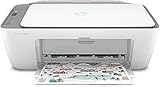
HP DeskJet 2923 Color Inkjet Printer | Wireless | All-in-One
- Perfect for basic printing needs – Print everyday color documents like to-do lists, letters, financial documents and recipes
- KEY FEATURES – Color print, copy, scan, and a 60-sheet input tray, plus mobile and wireless printing
- OPTIMIZE PRINT FORMATTING WITH HP AI – Print web pages and emails with precision—no wasted pages or awkward layouts; HP AI easily removes unwanted content, so your...
- ICON LCD – Print your basic documents with ease from the intuitive control panel
- PRINT SPEED – Up to 7.5 ppm black, 5.5 ppm color

The HP DeskJet 2923 is a compact all-in-one printer designed to simplify your home office tasks. It combines printing, scanning, and copying in one device, saving space and reducing clutter. Its lightweight design fits neatly on your desk without occupying much room.
Wireless connectivity lets you print from multiple devices effortlessly. Use dual-band Wi-Fi or mobile printing options like the HP App, Apple AirPrint, and Mopria. This flexibility helps you stay productive without needing to connect cables.
Maintenance is straightforward with an eco-friendly build made from recycled plastics. The printer is ENERGY STAR certified, which means it operates efficiently to reduce energy consumption. However, its input tray holds only 60 sheets, so frequent refills may be necessary for larger jobs.
Print speeds are moderate, with black pages at up to 7.5 ppm and color at 5.5 ppm, suitable for everyday home use but not heavy workloads. Copying is limited to nine pages at a time, making it better for small tasks rather than high-volume copying.
Best for: Home users needing an affordable, wireless all-in-one printer for basic printing, scanning, and copying tasks.
What We Like:
- Compact and lightweight design fits easily on a desk
- Wireless printing with dual-band Wi-Fi and mobile app support
- Eco-friendly construction using recycled plastics
- ENERGY STAR certification promotes energy efficiency
Specification:
| Feature | Details |
|---|---|
| Manufacturer | HP |
| Dimensions | Under 17 inches wide |
| Weight | 7.6 pounds |
| Material | Recycled plastics |
| Color Options | Not specified |
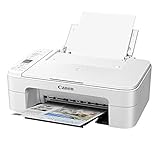
Canon PIXMA TS4320 – Wireless Color Inkjet Printer with Print, Copy, Scan
- Affordable Versatility - A budget-friendly all-in-one printer perfect for both home users and hybrid workers, offering exceptional value
- Crisp, Vibrant Prints - Experience impressive print quality for both documents and photos, thanks to its 2-cartridge hybrid ink system that delivers sharp text and vivid...
- Effortless Setup & Use - Get started quickly with easy setup for your smartphone or computer, so you can print, scan, and copy without delay
- Reliable Wireless Connectivity - Enjoy stable and consistent connections with dual-band Wi-Fi (2.4GHz or 5GHz), ensuring smooth printing from anywhere in your home or...
- Scan & Copy Handling - Utilize the device’s integrated scanner for efficient scanning and copying operations
Experience hassle-free printing with the Canon PIXMA TS4320, designed to bring convenience and style to your workspace. Its compact build fits seamlessly in tight areas, making it perfect for homes or small offices where space is limited. Wireless connectivity via dual-band Wi-Fi allows easy printing from smartphones or tablets using the Canon PRINT App, Apple AirPrint, or Mopria.
This printer delivers vibrant color prints and sharp black-and-white documents with speeds up to 9 and 14 pages per minute, respectively. The auto-duplex feature helps reduce paper waste and streamlines your printing tasks. Integrated scanning and copying functions expand its versatility without adding bulk.
Maintenance is straightforward, with easy cartridge replacement using PG-295/CL-286 inks. While it lacks an advanced display screen for navigation, the simple setup process ensures you can start printing quickly. It supports various media types, making it suitable for everyday documents like homework, recipes, and casual photo printing.
Best for: Users needing a compact, wireless color inkjet printer for everyday home or small office use, emphasizing ease of use and space efficiency.
What We Like:
- Compact design fits limited workspaces effortlessly
- Wireless printing with broad app compatibility
- Auto-duplex printing conserves paper and saves time
- Integrated flatbed scanner and copier add multifunctionality
Specification:
| Feature | Details |
|---|---|
| Manufacturer | Canon |
| Dimensions (W×D×H) | 12.7 × 11.7 × 5.0 inches |
| Weight | 9.5 lbs (4.3 kg) |
| Color Options | Black, White |
| Ink Cartridges | PG-295 (Black) / CL-286 (Color) |
HP DeskJet 2722 All-in-One Wireless Color Inkjet Printer
- HP DeskJet 2722 All-in-One Wireless Color Inkjet Printer
The HP DeskJet 2722 All-in-One Wireless Color Inkjet Printer offers a straightforward solution for users who need reliable printing without complicated setups. It delivers sharp prints with up to 1200 dpi for black and 600 dpi for color, ensuring your documents and photos look clear and vibrant every time.
Designed for ease of use, this compact printer weighs just 7.5 pounds and connects seamlessly via Wi-Fi or USB. It supports printing, scanning, and copying, making it a versatile tool for home or small office tasks. The flatbed scanner handles sizes up to 4 x 6 inches, ideal for everyday document needs.
Maintenance is simple with manual duplex printing that helps save paper, although it requires user involvement to flip pages. Print speeds are moderate, with 5.5 ppm for color and 8.5 ppm for black, suitable for low to medium volume tasks.
The printer’s LCD and app controls make operation intuitive, letting users manage jobs easily from their devices. Its compact design fits well in tight spaces, adding convenience without sacrificing functionality.
Best for: Budget-conscious users needing a compact, wireless all-in-one printer for basic color printing, scanning, and copying.
What We Like:
- Wireless printing via Wi-Fi and USB connectivity
- Clear print quality with up to 1200 dpi black and 600 dpi color
- Lightweight and compact design for easy placement
- Simple app and LCD interface for user-friendly control
- Manual duplex printing helps reduce paper use
Specification:
| Feature | Details |
|---|---|
| Manufacturer | HP |
| Dimensions | Not specified |
| Weight | 7.5 lb (3.4 kg) |
| Color Options | Not specified |
| Connectivity | Wi-Fi, USB |
| Print Resolution | 1200 dpi (black), 600 dpi (color) |
| Scan Size | Up to 4 x 6 inches |
Canon PIXMA TS Wireless All-in-One Color Printer
- What's in the Box: PIXMA TS Series Wireless All-In-One Printer; 4" x 6" Photo Paper Sample Pack (3 Sheets PP-301); Manual, and Other Documentation; Set of Starter...
- 1.5" segment LCD screen and straightforward buttons: Use the intuitive screen for printing, copying, and scanning directly from the printer.
- 4800 x 1200 dpi print resolution for rich and bright photos up to 8.5 x 14". Print Speed up to 7.7 ipm in black and up to 4 ipm in color.
- Number of Nozzles - Color: 960 / Pigment Black: 320/ Total: 1,280. Standard paper handling Features a 60-sheet input capacity.
- Hi-Speed USB; Wireless PictBridge; Wi-Fi (802.11b/g/n wireless networking, 2.4 GHz); Wireless Direct Connection (Access Point Mode Only). Smart assistant & automation...
Experience seamless printing with the Canon PIXMA TS, designed to bring convenience and quality to your home or small office. Its compact design fits easily into limited spaces, making it ideal for those who need reliable printing without bulky equipment.
This all-in-one printer delivers sharp color prints at a high resolution of 4800 x 1200 dpi. Enjoy borderless photo printing that enhances your memories with vivid detail. Wireless connectivity via Wi-Fi, USB, and direct wireless lets you print effortlessly from laptops, smartphones, or tablets.
Maintenance is simple with a 2-cartridge ink system that keeps running costs low. The 60-sheet rear tray suits moderate printing needs, while hands-free control through Alexa or Google Assistant adds extra convenience to your workflow.
While print speeds are moderate, and the copy function is limited to 20 pages, the PIXMA TS excels at providing quality output in a compact, user-friendly package. It’s a practical solution for everyday document and photo printing without unnecessary complexity.
Best for: Small office users and individuals seeking a versatile wireless all-in-one color printer with smart assistant integration and high-quality photo prints.
What We Like:
- High-resolution prints with borderless photo capability
- Multiple wireless options for easy device connectivity
- Compact footprint ideal for small spaces
- Hands-free operation with Alexa and Google Assistant
Specification:
| Feature | Details |
|---|---|
| Manufacturer | Canon |
| Dimensions (W×D×H) | Approx. 17.7 × 14.7 × 5.8 in (45 × 37.3 × 14.7 cm) |
| Weight | Approx. 8.8 lb (4 kg) |
| Ink System | 2-cartridge ink system |
| Paper Tray Capacity | 60 sheets (rear tray) |
| Connectivity | Wi-Fi, USB, Wireless Direct |
Pixma Canon TS3322 Wireless All in One Printer – White
- WIRELESS CONNECT provides a simple setup process that only takes minutes from your smartphone.
- Designed for ease of use and simple replacement, the PIXMA TS3320 only needs 2 FINE CARTRIDGES for great print quality.
- Easily print from any room - from laptops, tablets, and smartphones - with built-in Wi-Fi.
- Load plain or photo paper with the dedicated REAR PAPER TRAY.
- Adjust settings on the 1.5" SEGMENT LCD SCREEN and straightforward buttons.
Experience hassle-free wireless printing with the Pixma Canon TS3322, designed to simplify your everyday printing tasks. Its compact design fits easily in small spaces, while the flatbed scanner and rear paper tray handle diverse media types with ease. This printer is ideal for users who want a straightforward solution for both documents and photos.
The Pixma Canon TS3322 uses a 2-cartridge FINE Hybrid Ink System, producing sharp black text and vibrant color prints. Although the color print speed is moderate, it delivers borderless 4×6 photos in about 65 seconds, making it suitable for casual photo printing at home or small offices. The small LCD screen keeps navigation simple, though it may limit detailed settings adjustments.
Wireless connectivity options like Wi-Fi, AirPrint, and Google Assistant support make printing from smartphones and laptops effortless. This feature eliminates the need for cables and streamlines your workflow. Maintenance is straightforward, but the two-cartridge system may require frequent replacements under heavy use.
Best for: individuals and small home offices looking for an affordable wireless all-in-one printer with good photo quality and easy mobile printing.
What We Like:
- Compact design with versatile media handling
- Quality borderless 4×6 photo printing in about 65 seconds
- Easy wireless printing via Wi-Fi, AirPrint, and smart assistant compatibility
- Simple maintenance with a 2-cartridge hybrid ink system
Specification:
| Feature | Details |
|---|---|
| Manufacturer | Canon |
| Dimensions (W x D x H) | Approx. 17.7 x 12.0 x 5.9 inches |
| Weight | Approx. 8.6 lbs |
| Color Options | White |
| Ink System | 2-cartridge FINE Hybrid Ink System |
Canon Pixma MG2522 All-in-One Inkjet Printer, Scanner & Copier

- Meet the PIXMA MG2522, a simple printer for your home printing needs
- The PIXMA MG2522 makes it easy to print documents and it even supports optional XL ink cartridges so you replace them less often
- Welcome to affordable home printing.
Experience hassle-free printing, scanning, and copying with the Canon Pixma MG2522. Designed for everyday tasks, this all-in-one printer delivers clear documents that meet your home or small office needs. Its reliable performance helps you manage basic jobs without complication.
The device prints sharp black-and-white and color pages with a resolution up to 600 x 1200 dpi. This ensures your text and images appear crisp and professional. The sheetfed scanner maintains this quality, making it easy to create clear copies and digital scans.
Maintenance is straightforward, thanks to the four-color cartridge system, which supports optional XL cartridges. This lets you save on ink replacements and reduces downtime. Its compact, lightweight design fits neatly on any desk or shelf, saving valuable space.
Connection through USB 2.0 keeps setup simple and compatible with most computers. While it lacks wireless features, this makes it a dependable choice for users focused on basic, wired connectivity.
Best for: Individuals and small office users needing a compact, affordable, and easy-to-use all-in-one printer for everyday printing, scanning, and copying.
What We Like:
- Supports optional XL ink cartridges to lower running costs
- Compact and lightweight design saves space
- Clear print and scan resolution of 600 x 1200 dpi
- Simple USB 2.0 connection for easy setup
Specification:
| Feature | Details |
|---|---|
| Manufacturer | Canon |
| Dimensions | 17.7 x 12.0 x 7.7 inches |
| Weight | 6.6 lb (3.0 kg) |
| Color Options | Black |
| Print Resolution | Up to 600 x 1200 dpi |
| Connectivity | USB 2.0 |
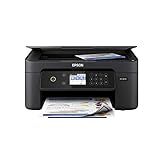
Epson Expression Home XP-4100 Wireless Printer
- This printer is designed for use with Epson cartridges only, not third party cartridges or ink; Cartridges described as Compatible, Re-manufactured, refilled or...
- Save time and paper auto 2 sided printing
- Simple setup and navigation high res 2. 4 inches Color LCD to easily print, copy and scan
- Complete wireless solution easily print from iPad, iPhone, Android tablets and smartphones (1); includes Wi Fi Direct (3)
- Affordable individual ink cartridges replace only the cartridge that runs out. Operating temperature - 10 to 35 degree Celsius
The Epson Expression Home XP-4100 offers a compact solution for those who need reliable wireless printing in a small footprint. Its intuitive 2.4-inch color LCD makes navigating print, scan, and copy tasks straightforward, reducing frustration and saving time. This all-in-one printer is designed to fit easily in home or office spaces without sacrificing functionality.
With wireless connectivity, you can print directly from smartphones, tablets, or via voice commands. This flexibility helps streamline your workflow by letting you print documents and photos from virtually anywhere in your space. The auto two-sided printing feature also cuts paper use, supporting more efficient and eco-friendly printing.
Maintenance is simple thanks to individual Epson Claria ink cartridges. You only replace the color that runs out, which can lower ongoing costs. The ink produces vibrant, dry-to-touch prints that hold up well over time. However, keep in mind that print speeds are modest, especially for color pages, and the 100-sheet paper tray limits capacity for heavy use.
Best for: small home offices or individuals needing a compact, wireless printer with scanning and copying abilities for everyday document and photo tasks.
What We Like:
- Easy-to-use 2.4-inch color LCD for quick navigation
- Wireless and voice-activated printing from multiple devices
- Individual ink cartridges reduce waste and replacement costs
- Auto two-sided printing saves paper
- Compact design fits well in limited spaces
Specification:
| Feature | Details |
|---|---|
| Manufacturer | Epson |
| Dimensions (W×D×H) | Approx. 14.7 × 12.2 × 5.8 in |
| Weight | Approx. 8.2 lb (3.7 kg) |
| Print Resolution | Up to 5760 x 1440 dpi |
| Print Speed | Up to 10 ppm (black), 5 ppm (color) |
| Paper Tray Capacity | 100 sheets |
| Display | 2.4-inch color LCD |
| Connectivity | Wireless, voice-activated |
Factors to Consider When Choosing the Cheapest Inkjet Printer
When choosing the cheapest inkjet printer, you need to focus on print quality and how much the ink will cost over time. Check if the printer offers the connectivity options you need and consider how fast it can print.
Also, decide if you want extra features like scanning or copying built in. It’s all about finding the right balance between price and functionality for your needs.
Print Quality Essentials
Although price is a key factor, choosing the cheapest inkjet printer means paying close attention to print quality essentials. You’ll want a printer with high print resolution—look for at least 4800 x 1200 dpi—to guarantee sharp, vibrant photos.
Color depth matters too; aim for printers offering around 9600 bits per pixel for richer, smoother color gradations. Don’t overlook print speed; models delivering 7 to 10 ppm in black and white help you get tasks done faster.
The ink system also influences quality—individual cartridges often provide better color accuracy than hybrid systems. Finally, consider features like automatic two-sided printing, which not only saves paper but also improves your documents’ presentation.
These essentials help you balance cost with impressive output quality. So, keep them in mind when picking your next printer!
Ink Cost Efficiency
Balancing print quality with ongoing expenses means paying close attention to ink cost efficiency. You’ll want to reflect on the price of replacement cartridges alongside their page yield—the number of pages you can print before needing a refill.
Calculating the cost per page by dividing cartridge price by page yield helps you compare ongoing expenses accurately. Choosing printers with individual color cartridges can save you money since you only replace the empty color, not the entire set.
Also, look for models offering high-capacity or XL cartridges; though pricier upfront, they lower your cost per page considerably. Don’t overlook subscription ink delivery services, which provide discounted rates and automatic refills.
These services make ink expenses more predictable and often cheaper over time. It’s definitely worth considering if you want to keep your printing costs manageable.
Connectivity Options Availability
Since printers serve multiple devices today, having versatile connectivity options is essential for convenience and efficiency. You’ll want a printer with dual-band Wi-Fi to print wirelessly from several devices without cables.
Mobile printing compatibility, like Apple AirPrint and Mopria support, makes it easy to print directly from your smartphone or tablet. Wireless direct printing is another great feature, letting you print without connecting to a network, which is perfect for quick jobs.
Don’t overlook USB ports if you prefer a wired connection to your computer—it’s reliable and straightforward. Choosing a printer with broad connectivity guarantees you can print from various devices and operating systems, making your printing experience smooth and hassle-free.
Printing Speed Requirements
Along with connectivity, printing speed plays a big role in choosing the right inkjet printer for your needs. You’ll want a printer that can handle at least 5-8 pages per minute (ppm) for black and white and 4-6 ppm for color if you’re using it at home for everyday tasks.
Don’t forget to check the initial print time—the first page can take 6 to 10 seconds, which matters if you often print urgent documents. Also, consider models with automatic duplex printing to save time and paper by printing on both sides without hassle.
When comparing printers, look beyond max speed and evaluate how consistently they perform across different media and quality settings to guarantee steady efficiency. It’s all about finding a balance that fits your daily printing needs.
Multifunction Features Included
While choosing the cheapest inkjet printer, you’ll want to contemplate multifunction features that combine printing, scanning, and copying in one device. These all-in-one printers often include flatbed scanners, making it simple to scan or copy documents of various sizes.
Many models offer wireless connectivity, so you can print directly from your mobile device without hassle. Look for automatic two-sided printing—it saves paper and cuts costs, which is ideal if you’re budget-conscious.
Some printers also provide borderless printing, perfect for photo projects and creative tasks. Considering these multifunction features guarantees you get a versatile printer that meets multiple needs without extra purchases or clutter, making your investment smarter and more convenient.
Paper Handling Capacity
When choosing the cheapest inkjet printer, you should consider its paper handling capacity, which directly affects how often you’ll need to reload the paper tray. Budget models typically hold around 60 sheets, while higher-end options can accommodate over 250 sheets.
If you print frequently or in large volumes, a larger tray means less hassle. Some printers offer multiple trays, letting you load different media types at once. That’s super handy for switching between documents and photos.
Also, check the maximum media size the printer supports—most handle standard 8.5 x 11 inches, but some can print up to 11 x 17 inches. Finally, automatic duplex printing lets you print on both sides, saving paper and reducing costs. It’s a great way to boost overall efficiency.
Device Compatibility Support
Because your devices vary, you’ll want an inkjet printer that seamlessly connects with your operating system, whether you use Windows or macOS. Make certain the printer supports the versions you run to avoid compatibility issues.
Check if it offers mobile printing options like AirPrint, Mopria, or dedicated apps so you can print directly from your smartphone or tablet. Also, verify connectivity options—USB and Wi-Fi are essential for easy integration with your devices.
Consider if the printer works with smart assistants like Amazon Alexa or Google Assistant for voice-activated printing. Finally, confirm it handles various media types and sizes to suit your specific needs, whether you’re printing documents or photos.
Prioritizing device compatibility saves you frustration and maximizes your printer’s usefulness.
Energy Consumption Levels
Although price is a key factor in choosing the cheapest inkjet printer, you should also consider its energy consumption levels. Inkjet printers vary widely, using as little as 2.55 watts during operation or up to 21 watts.
Models with ENERGY STAR certification typically consume less power, saving you money on electricity over time. Don’t overlook standby power, which can range from a few watts to over 15 watts, affecting overall efficiency.
Many modern printers include auto power on/off features, cutting energy use when idle. By choosing a printer with low energy consumption, you not only reduce your electricity bills but also make a more sustainable choice, minimizing your environmental impact.
This balance of cost and efficiency guarantees you get the best value without hidden energy expenses. It’s definitely worth thinking about both price and power before making your pick!
Frequently Asked Questions
How Long Do Ink Cartridges Typically Last in These Printers?
Ink cartridges typically last for about 200 to 400 pages, depending on your printer model and usage.
You’ll want to monitor ink levels regularly since heavy printing or photos can drain cartridges faster than usual.
It’s a good idea to keep an eye on your printer’s ink alerts so you’re not caught off guard.
That way, you can replace cartridges before running out in the middle of a job.
Are These Printers Compatible With Mac and Windows Operating Systems?
You’ll find that over 90% of these printers work seamlessly with both Mac and Windows systems. So, whether you’re on a MacBook or a PC, you won’t have to worry about compatibility issues at all.
It’s pretty convenient, right? No need to stress about which operating system you’re using. Just plug in and print!
Can These Printers Handle Photo Printing on Glossy Paper?
Yes, these printers can handle photo printing on glossy paper. You’ll get vibrant colors and sharp details, especially with models designed for photo quality.
Just make sure to use the recommended paper settings for best results. That way, your prints will come out looking their absolute best.
What Is the Average Print Speed for Black and Color Documents?
Coincidentally, these printers average around 8-12 pages per minute for black and white, and about 5-8 for color.
You’ll find they balance speed and quality well, so you won’t be waiting long for your prints.
Do These Printers Support Mobile and Cloud Printing Options?
Yes, most of these printers support mobile and cloud printing options. You can easily print from your smartphone, tablet, or laptop using apps or cloud services.
This makes your printing tasks convenient and flexible wherever you are. So, whether you’re at home, in the office, or on the go, printing is a breeze!
Conclusion
Choosing the cheapest inkjet printer doesn’t mean you have to settle for less. With options like HP, Canon, and Epson, you can find a reliable printer that fits your budget and needs.
Remember, the right printer is like a trusty sidekick—ready to handle your tasks without breaking the bank. So, weigh your options carefully, and you’ll be printing smoothly in no time!
When searching for the best cheapest inkjet printer, consider what features matter most to you. Look at print quality, speed, and ink costs to get the best value. With so many affordable inkjet printers available in 2027, there’s no need to compromise on performance.
By choosing wisely, you’ll enjoy hassle-free printing that meets your demands without overspending. So, dive into the list of the best cheapest inkjet printers for 2027 and find the perfect match for your home or office!