6 Best Cheapest Home Printers for 2027
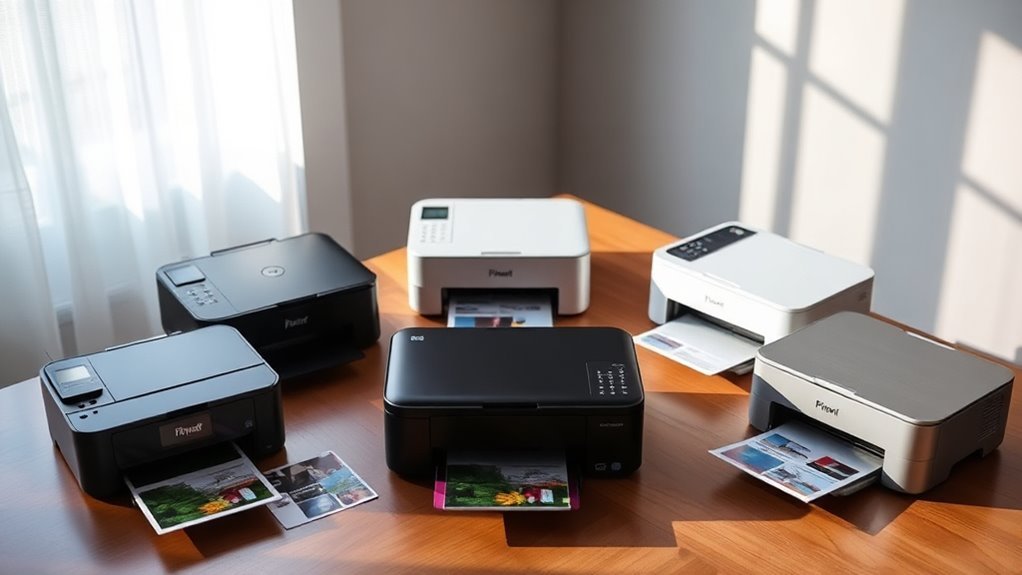
If you’re looking for the best cheapest home printers in 2027, there are some great affordable and reliable options to consider.
Whether you want something compact, stylish, or packed with features, there’s a model that fits your needs without breaking the bank.
For example, the HP DeskJet 2923 is perfect if you need a compact all-in-one printer that handles everyday tasks.
On the other hand, the Canon PIXMA TS4320 stands out with sharp prints and a sleek design that looks good in any room.
If you want more functionality, the Canon PIXMA TR4720 includes fax and an auto document feeder, making it super convenient.
The Epson XP-4205 offers high-resolution wireless printing, ideal for crisp photos and documents.
For those focused on efficiency, the HP DeskJet 2855e is a solid choice.
Plus, the HP Smart Tank 5003 comes with years of ink included, saving you money long-term.
Keep reading to find out which printer suits your home setup best!
| Image | Name | Editor's Rating | Price |
|---|---|---|---|

|
|
||

|
|
||

|
|
||

|
|
||
|
|
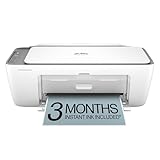
HP DeskJet 2923 Color Inkjet Printer | Wireless | All-in-One
- Perfect for basic printing needs – Print everyday color documents like to-do lists, letters, financial documents and recipes
- KEY FEATURES – Color print, copy, scan, and a 60-sheet input tray, plus mobile and wireless printing
- OPTIMIZE PRINT FORMATTING WITH HP AI – Print web pages and emails with precision—no wasted pages or awkward layouts; HP AI easily removes unwanted content, so your...
- ICON LCD – Print your basic documents with ease from the intuitive control panel
- PRINT SPEED – Up to 7.5 ppm black, 5.5 ppm color

Experience hassle-free printing with the HP DeskJet 2923 All-in-One Printer, designed to fit seamlessly into compact spaces. Its lightweight and small footprint make it perfect for home offices or dorm rooms where space is limited. This device efficiently combines printing, copying, and scanning, simplifying your daily tasks without clutter.
The printer offers reliable wireless connectivity through dual-band Wi-Fi, allowing you to print directly from your smartphone or tablet using the HP app, Apple AirPrint, or Mopria. This flexibility helps you stay productive without being tethered to your desk. Its moderate print speeds are well-suited for typical home and personal use.
Maintenance is straightforward with a manageable input tray holding up to 60 sheets, keeping refills simple. Additionally, the HP DeskJet 2923 supports eco-conscious choices by using 70% recycled plastics and carrying the ENERGY STAR certification, helping reduce environmental impact.
Best for: Home users and individuals looking for a compact, affordable all-in-one printer with reliable wireless and mobile printing features.
What We Like:
- Compact and lightweight design ideal for small spaces
- Wireless printing with support for multiple mobile platforms
- Environmentally friendly build with recycled plastics and ENERGY STAR rating
Specification:
| Feature | Details |
|---|---|
| Manufacturer | HP |
| Dimensions | Under 12 inches deep |
| Weight | 7.6 pounds (3.45 kg) |
| Connectivity | Dual-band Wi-Fi, Mobile printing via HP app, Apple AirPrint, Mopria |
| Input Tray Capacity | 60 sheets |
Canon PIXMA TS4320 – Wireless Color Inkjet Printer with Print, Copy, Scan
- Affordable Versatility - A budget-friendly all-in-one printer perfect for both home users and hybrid workers, offering exceptional value
- Crisp, Vibrant Prints - Experience impressive print quality for both documents and photos, thanks to its 2-cartridge hybrid ink system that delivers sharp text and vivid...
- Effortless Setup & Use - Get started quickly with easy setup for your smartphone or computer, so you can print, scan, and copy without delay
- Reliable Wireless Connectivity - Enjoy stable and consistent connections with dual-band Wi-Fi (2.4GHz or 5GHz), ensuring smooth printing from anywhere in your home or...
- Scan & Copy Handling - Utilize the device’s integrated scanner for efficient scanning and copying operations
The Canon PIXMA TS4320 is designed to simplify your everyday printing needs with reliable wireless connectivity and vibrant color output. Its compact and stylish design fits comfortably in any home workspace, helping you save space without sacrificing performance. This printer makes it easy to produce sharp documents and photos, enhancing productivity for homework, recipes, and basic photo projects.
With dual-band Wi-Fi and mobile app compatibility, connecting your devices is straightforward. You can print directly from your smartphone or tablet using the Canon PRINT App, AirPrint, or Mopria. The quick start time and auto-duplex feature help you complete tasks efficiently while reducing paper waste.
Maintenance is hassle-free thanks to its straightforward design and 100-sheet paper capacity. It supports a variety of media types, making it versatile for different printing tasks without complicated setup. However, the printer’s speed is moderate, especially for color prints, and it is limited to standard letter-size paper.
Overall, the PIXMA TS4320 balances functionality and ease of use, providing a practical solution for everyday home printing needs.
Best for: individuals needing an affordable, compact wireless printer for routine home use, including document and photo printing.
What We Like:
- Compact design ideal for small spaces
- Dual-band Wi-Fi and mobile printing support
- Auto-duplex printing for efficient paper use
- Easy setup and maintenance with 100-sheet capacity
Specification:
| Feature | Details |
|---|---|
| Manufacturer | Canon |
| Dimensions | Compact (exact size not provided) |
| Weight | Not specified |
| Color Options | Not specified |
Canon PIXMA TR4720 All-in-One Wireless Printer
- Wireless 4-in-1 (print | copy | scan | fax)..Power Consumption: 7W (0.8W Standby / 0.3W Off)
- Print speed up to: 4" x 6" Borderless Photo (PP-201): Approx. 65.0 Seconds / Black Document (Letter/Simplex): Approx. 8.8 ipm / Color Document (Letter/Simplex): Approx...
- Designed for easy ink cartridge installation and replacement.
- Auto 2-sided printing and auto document feeder.
- Produce quality documents, photos and boarderless prints up to 8.5" x 11".
The Canon PIXMA TR4720 offers a practical solution for those needing a compact, all-in-one wireless printer that fits easily in tight spaces. It handles printing, copying, scanning, and faxing, making it ideal for home offices or small workspaces. This printer helps streamline everyday tasks by supporting automatic two-sided printing, which reduces paper use and saves time.
Setting up and maintaining the PIXMA TR4720 is straightforward. It connects via USB, Wi-Fi, or the Canon app, allowing seamless mobile printing. Alexa integration adds convenience by letting you monitor ink levels and reorder supplies through voice commands. The 100-sheet paper tray and auto document feeder support routine printing needs but may require frequent refills under heavy use.
Print speeds are suitable for typical office documents, with 8.8 ipm for black and 4.4 ipm for color prints. However, photo printing is slower, taking about 65 seconds for a 4 x 6 borderless print. This model is Energy Star certified, ensuring efficient power use while delivering consistent output quality with user-friendly ink replacement.
Best for: Individuals or small offices seeking an affordable, compact all-in-one wireless printer with versatile functions and easy mobile connectivity.
What We Like:
- Supports printing, copying, scanning, and faxing with two-sided printing
- Multiple connectivity options including wireless, USB, and mobile app
- Alexa integration for ink tracking and supply reordering
- Compact design with a 100-sheet tray and auto document feeder
Specification:
| Feature | Details |
|---|---|
| Manufacturer | Canon |
| Dimensions (W x D x H) | 17.7 x 12.1 x 7.5 inches |
| Weight | Approx. 13.6 lbs |
| Connectivity | USB, Wi-Fi, Mobile app |
| Paper Capacity | 100 sheets |
| Functions | Print, Copy, Scan, Fax |
| Energy Certification | Energy Star Certified |
Epson Expression Home XP-4205 Wireless Color All-in-One Inkjet Printer
- Remarkable Print Quality for Home and Photo Printing — Epson’s leading-edge imaging technology produces crisp documents, vibrant borderless photos with rich colors...
- Stress-Free Setup and Operation — Large 2.4" color display for effortless navigation, plus easy installation and operation through your smartphone or tablet using the...
- Convenient Connectivity — Supports easy wireless connections and printing from Android or iOS devices (2)
- Engineered for Reliability — Consistently delivers high-quality prints with heat-free technology and a permanent printhead designed to last the life of the printer
- Easy, Affordable Printing — Individual ink cartridges make it easy to only replace the ink you need
Experience hassle-free printing at home with the Epson Expression Home XP-4205, designed to simplify your everyday tasks. This wireless all-in-one color inkjet printer lets you print, scan, and copy without the clutter of cables, making it an ideal fit for small spaces.
Its compact design saves room while delivering sharp prints up to 5760 x 1440 dpi. Enjoy vibrant borderless photos that bring your creative projects to life. Wireless connectivity lets you print directly from Android or iOS devices, and voice control support through Alexa and Siri adds hands-free convenience.
Maintenance is straightforward with individual ink cartridges, helping you replace only the colors you need and reducing waste. Automatic two-sided printing saves paper and cuts costs, making this printer eco-friendly and budget-conscious.
Though print speeds are modest, especially for color documents, and the 100-sheet paper capacity may require regular refills, its reliable inkjet technology ensures consistent results. This printer is perfect for users balancing quality, space, and ease of use in a home or small office setting.
Best for: Home users and small office workers seeking a compact, wireless all-in-one printer for everyday printing, scanning, and copying.
What We Like:
- Sharp print quality with high resolution and borderless photo printing
- Wireless printing with smartphone compatibility and voice command support
- Individual ink cartridges for cost-efficient maintenance
- Automatic duplex printing for saving paper
Specification:
| Feature | Details |
|---|---|
| Manufacturer | Epson |
| Dimensions (W×D×H) | Approx. 15.7 × 11.7 × 6.0 in |
| Weight | Approx. 7.5 lb (3.4 kg) |
| Printer Type | Wireless Color Inkjet All-in-One |
| Color Options | White |
HP DeskJet 2855e Color Inkjet Printer | Wireless | All-in-One
- The DeskJet 2855e is perfect for homes printing to-do lists, letters, financial documents and recipes. Print speeds up to 5.5 ppm color, 7.5 ppm black
- PERFECTLY FORMATTED PRINTS WITH HP AI – Print web pages and emails with precision—no wasted pages or awkward layouts; HP AI easily removes unwanted content, so your...
- KEY FEATURES – Color printing, copy, scan, and a 60-sheet input tray
- WIRELESS PRINTING – Stay connected with our most reliable Wii-Fi, which automatically detects and resolves connection issues.This printer is only 2.4 ghz capable.
- 3 MONTHS OF INSTANT INK WITH HP+ ACTIVATION – Subscribe to Instant Ink delivery service to get ink delivered directly to your door before you run out. After 3 months...
Looking for a reliable all-in-one printer that fits your daily needs without hassle? The HP DeskJet 2855e is designed to simplify your printing, scanning, and copying tasks. Its compact design saves space while delivering sharp color prints and clear black-and-white documents.
This printer connects easily to your home network via 2.4 GHz Wi-Fi, allowing you to print wirelessly from your smartphone or tablet through the HP app. Managing print jobs remotely means less time waiting and more time focusing on what matters.
Maintenance is straightforward with HP+, offering three months of free Instant Ink to keep your supply costs low. The flatbed scanner handles documents quickly, and copy speeds up to 7.5 pages per minute help you finish tasks efficiently.
While the input tray holds up to 60 sheets, it’s ideal for light to moderate use. The single-band wireless may be less robust in busy networks, and print speeds suit everyday rather than high-volume demands.
Best for: individuals or small home offices needing a compact, budget-friendly all-in-one printer for everyday wireless printing, scanning, and copying.
What We Like:
- Wireless printing with easy mobile app control
- High-quality color output at 4800 x 1200 dpi
- Three months of free Instant Ink with HP+ activation
- Compact design ideal for limited space
- Flatbed scanner for versatile document handling
Specification:
| Feature | Details |
|---|---|
| Manufacturer | HP |
| Dimensions | Not specified |
| Weight | Not specified |
| Printing Technology | Color Inkjet |
| Wireless Connectivity | 2.4 GHz Wi-Fi |
| Print Resolution | 4800 x 1200 dpi (color), 600 dpi (black) |
| Copy Speed | Up to 7.5 ppm |
| Input Tray Capacity | 60 sheets |
HP Smart Tank 5003 Ink Tank Printer | 3 Years of Ink Included | All-in-One

- THE LAST PRINTER YOU'LL EVER NEED – Set it up once and print with confidence; no complicated maintenance, just easy, reliable printing you can count on
- FULLY LOADED WITH SAVINGS – Best for low-cost, high-volume printing—up to 3 years of HP Ink included; get up to 6,000 color or black pages right out of the box
- KEY FEATURES – Print, copy and scan, plus borderless prints, mobile and wireless printing
- MESS-FREE REFILL – Replenish ink with HP's easy-access, mess-free refill system; simply plug the ink bottles into this cartridge-free ink tank and let them drain—no...
- BEST PRINT QUALITY, PERIOD – Sharper text, richer colors, only with HP Smart Tank
The HP Smart Tank 5003 offers a practical solution for high-volume printing without the hassle of frequent ink changes. Its refillable ink tank system eliminates the need for cartridges, making maintenance simple and reducing interruptions. This design keeps your workflow smooth and cost-efficient.
With up to three years of ink included, you can print thousands of pages without worry. The printer delivers sharp output at a maximum resolution of 4800 x 1200 dpi for color prints. Black-and-white printing is efficient at 10 pages per minute, meeting everyday home and small office needs.
Wireless connectivity options like AirPrint, HP ePrint, and Wi-Fi make it easy to print from multiple devices. While the paper capacity holds up to 100 sheets, it suits moderate use rather than heavy workloads. The scanner offers decent quality at 600 dpi, suitable for general tasks but not professional-grade scans.
Overall, the HP Smart Tank 5003 balances low maintenance and affordability with reliable performance. It’s ideal for those who want a versatile printer that minimizes frequent ink replacements while supporting wireless convenience.
Best for: users who need reliable, high-volume printing at home with minimal ink maintenance and versatile wireless connectivity.
What We Like:
- Includes up to 3 years of ink, enabling cost-effective, long-term printing.
- Cartridge-free refillable tanks simplify ink management and reduce waste.
- Supports wireless printing via AirPrint, HP ePrint, and Wi-Fi for ease of use.
Specification:
| Feature | Details |
|---|---|
| Manufacturer | HP |
| Dimensions | Not specified |
| Weight | Not specified |
| Print Resolution | Up to 4800 x 1200 dpi (color) |
| Print Speed | 10 ppm (black and white) |
| Paper Capacity | 100 sheets |
| Scanner Resolution | 600 dpi |
| Connectivity | Wi-Fi, AirPrint, HP ePrint |
Factors to Consider When Choosing the Cheapest Home Printer
When choosing the cheapest home printer, you’ll want to focus on print quality and how much ink costs over time.
Also, think about the connectivity options and whether the printer fits comfortably in your space.
Don’t forget to check its speed and overall performance to match your daily needs.
Print Quality Expectations
Choosing a home printer means balancing several print quality factors to get the best results without overspending. You’ll want to check the printer’s dpi—higher resolutions like 4800 x 1200 dpi deliver sharper, more vibrant color prints, especially for photos.
Print speed matters too; faster printers might sacrifice some color detail but usually keep black-and-white clarity intact. The ink system plays a role; hybrid systems often offer better color accuracy across different media.
Features like automatic duplex printing help maintain consistent quality on both sides of the page while reducing waste. Also, using high-quality, inkjet-specific paper can boost color vibrancy and prevent smudging or bleeding, making a noticeable difference in your final prints.
Ink Cost Efficiency
How much you spend on ink can make a big difference in your printer’s overall cost-efficiency. Choosing a cartridge-free printer with refillable ink tanks can save you a lot. Sometimes, these come with enough ink for thousands of pages right from the start.
If you prefer traditional cartridges, look for models with individual color cartridges. That way, you only replace what’s empty and avoid wasting ink. Automatic two-sided printing is another great feature. It helps cut down on paper use, which lowers your overall supply expenses.
Some printers even offer ink subscription services. These let you manage costs better and make sure you never run out unexpectedly. By focusing on these ink cost factors, you’ll find a home printer that keeps your long-term expenses low without sacrificing quality or convenience.
Connectivity Options Available
Since reliable connectivity directly impacts your printing experience, you’ll want a home printer that supports both 2.4GHz and 5GHz Wi-Fi bands for faster, more stable connections.
Make certain the printer works seamlessly with mobile printing apps like Apple AirPrint, Google Cloud Print, and any manufacturer-specific options. That way, you can print straight from your smartphone or tablet without hassle.
Don’t overlook additional ports like USB and wireless direct printing, which add flexibility for connecting various devices. If you often scan or copy multiple pages, consider models with an automatic document feeder (ADF) to save time.
Plus, if you have a smart home setup, a printer with voice-activated printing can streamline your workflow by letting you print hands-free. These connectivity features guarantee smooth, versatile use.
Device Size Considerations
While you might prioritize features and price, paying attention to device size can make a big difference in your home printing setup. Compact printers usually measure around 11.97D x 16.73W x 6.06H inches and weigh about 7.6 pounds. They’re perfect for small home offices.
If you have limited space, consider models with a smaller footprint or vertical stacking options to fit tight areas. Larger printers, measuring up to 14.8D x 14W x 6.7H inches and weighing 15.5 pounds, offer more features but need more room and are less portable.
Also, think about the weight—lighter printers between 7.6 to 11.1 pounds let you move them easily within your home. Make sure your workspace can accommodate the printer’s size plus any extra space for paper trays. It’s all about finding the right balance for your setup!
Speed And Performance
Once you’ve found a printer that fits your space, the next step is to look at speed and performance to match your needs. Print speed, measured in pages per minute (ppm), typically ranges from 5 to 14 ppm for black and color documents.
Faster speeds boost your efficiency, especially if you print often. Also, check the initial page print time—some printers deliver the first page in as little as 9 seconds, which helps when you print small jobs.
Resolution matters too; printers offering up to 4800 x 1200 dpi produce sharper photos and detailed graphics. Automatic duplex printing saves you time and paper by handling two-sided prints without manual flipping.
Finally, consider how many copies the printer can handle per run; some manage up to 99, which is great for bulk tasks. It’s all about finding what fits your workflow best!
Environmental Impact Factors
When choosing the cheapest home printer, you should also consider its environmental impact to help reduce waste and energy use. Look for printers made with at least 70% recycled plastics to cut down resource consumption.
ENERGY STAR certified models are a smart pick since they use less energy and lower your carbon footprint. Printers with automatic duplex printing can save a lot of paper, reducing waste with every job.
Cartridge-free ink tank systems are another eco-friendly choice—they generate less plastic waste and deliver more pages per refill than traditional cartridges.
Finally, think about the printer’s full lifecycle impact, including materials, energy use, and disposal options. That way, you make a sustainable choice that benefits both your budget and the planet.
Frequently Asked Questions
How Do I Connect My Printer to a Smartphone?
You connect your printer to a smartphone by enabling Wi-Fi or Bluetooth on both devices. Then, just select your printer from the phone’s available devices list.
If needed, use the printer’s app to complete the setup. That way, you can start printing quickly and easily.
What Is the Average Lifespan of a Home Printer?
You can expect your home printer to last around 3 to 5 years with regular use. Proper maintenance and careful handling help extend its lifespan.
Are Ink Refills Compatible Across Different Printer Models?
No, ink refills usually aren’t compatible across different printer models. You’ll need to check your specific printer’s cartridge type because manufacturers design cartridges uniquely.
Using the wrong one can cause printing issues or even damage your printer. So, it’s always best to double-check before you buy!
Can These Printers Print on Specialty Paper Types?
Can you imagine limiting your creativity just because of paper type?
Yes, these printers can handle specialty papers like photo, cardstock, and labels.
Just check your model’s specs to verify compatibility before you print.
How Do I Troubleshoot Common Printer Errors?
You can troubleshoot common printer errors by checking connections, restarting the printer, and updating drivers. Clearing paper jams is also a good step to try.
Make sure your ink or toner levels are sufficient too. If you’re still stuck, consult your printer’s manual or check online support for specific error codes. It usually helps!
Conclusion
Choosing the right home printer is like picking the perfect key to access your creative potential. Each affordable option here opens doors to vibrant prints, smooth scans, and seamless copies without breaking the bank.
Remember, the best printer for you isn’t just about price—it’s the tool that fits your lifestyle and sparks your productivity.
So, grab your key, and let your ideas flow freely onto every page with ease and confidence. Whether you need a budget-friendly printer for everyday tasks or a versatile device for creative projects, these options are designed to meet your needs.
In 2027, finding the best cheapest home printer means balancing cost, quality, and features. With the right choice, you’ll enjoy reliable performance and crisp results without overspending. Ready to make your pick? Your perfect printer awaits!