13 Best Cheap Thermal Printers for Shipping Labels in 2027
If you’re hunting for an affordable thermal printer for shipping labels in 2027, you want something reliable and easy to use.
Look for models with Bluetooth and USB connectivity so you can print directly from your phone or computer without any hassle.
It’s best to choose compact, fast printers that offer a resolution between 203 to 300 DPI. This ensures your labels come out sharp and scannable every time.
Plus, a printer with features like automatic calibration and jam detection can save you a lot of time and frustration.
Don’t forget to consider printers that have a built-in paper bin to keep everything neat.
Many great options support 4×6 labels and come with free apps for easy customization.
Take a closer look at the models that fit your business needs and watch how they streamline your entire shipping process.
| Image | Name | Editor's Rating | Price |
|---|---|---|---|

|
|
||

|
|
||
|
|
||

|
|
||

|
|
labelhive Bluetooth Thermal Shipping Label Printer, Wireless 4×6 Printer
- 【4x6 Thermal Shipping Label Printer】 Built for small businesses, shipping stations, warehouses and home offices that handle packages every day. This 203 DPI direct...
- 【Smart PDF Printing for Online Sellers】 Designed for Amazon, Etsy, Shopify and eBay sellers who print shipping labels while packing orders. Download your shipping...
- 【Multiple Label Sizes & Media Types】 Supports thermal labels from 1.57" to 4.41" wide, including popular 4x6, 4x4, 4x2 and 2x1 sizes as well as custom-size labels...
- 【Bluetooth Printing & Automatic Label Calibration】 Print wirelessly from iPhone and Android devices through the FlashLabel Pro app, or connect a Windows computer...
- 【Wide Compatibility for Work & Home】 Connect to Windows through USB or Bluetooth, and use USB with macOS, ChromeOS and Linux. iPhone and Android devices connect...

If you ship packages regularly, the labelhive Bluetooth Thermal Shipping Label Printer simplifies your workflow with wireless convenience and dependable 4×6 label printing. It prints sharp, scannable labels at 203 DPI, ensuring your packages are clearly marked for quick processing. This printer handles various thermal label widths, adapting effortlessly to your shipping needs.
Designed for easy use, it connects via Bluetooth to iPhone and Android devices through the FlashLabel Pro app, or via USB to Windows computers. Its compact, lightweight design fits neatly into any workspace, making label printing hassle-free. Automatic calibration and jam detection reduce downtime, keeping your shipping station running smoothly.
Maintenance is straightforward—just load your preferred roll or fanfold thermal labels, and the printer adjusts automatically. This reduces manual setup and minimizes errors, saving you time. While the 203 DPI resolution suits most shipping labels, it may not meet needs for ultra-fine print quality.
Best for: Small business owners, shipping stations, and home offices requiring reliable wireless thermal label printing for daily package shipments.
What We Like:
- Supports various label sizes and types, including roll and fanfold options
- Wireless Bluetooth printing with iPhone and Android via FlashLabel Pro app
- Automatic calibration and jam detection for smooth operation
Specification:
| Feature | Details |
|---|---|
| Manufacturer | labelhive |
| Dimensions | Compact and lightweight design |
| Label Size Range | 1.57 to 4.41 inches wide |
| Print Resolution | 203 DPI |
| Connectivity | Bluetooth (iPhone, Android), USB (Windows) |
| Label Types | Roll and fanfold thermal labels |
9527 Fanfold 4×6 Direct Thermal Shipping Labels
- 500 Labels per Stack, 1 Stack.
- Label size: 4 inch x 6 inch (100mm x 152mm) , with perforated line.
- Material: direct thermal labels, upgrade the label, the label backing paper is thicker and the printing is more smoothly.
- Strong adhesive to corrugated boxes and envelope. NOTE: Temperature and humidity should be paid attention to when storing thermal label paper. It is best to place it in a...
- Compatible with Zebra, Roll, Fargo, Elton, Datamax, Sato, Intermec, NEX ,MUNBYN, MFlabel, Comer,Polono Labels, iDRPT, Jiose, K Comer, LabelRange, OFFNOVA, and other...
The 9527 Fanfold 4×6 Direct Thermal Shipping Labels offer a straightforward solution for businesses seeking reliable and easy-to-use shipping labels. Designed with a thick backing, these labels deliver smooth, jam-free printing for consistent results. Their crisp white surface ensures clear, professional shipping information every time.
Strong adhesive makes these labels stick firmly to corrugated boxes and envelopes, reducing the risk of labels peeling during transit. They work seamlessly with many direct thermal printers like Zebra, Roll, and Datamax, ensuring broad compatibility for various shipping needs. However, they are not compatible with Dymo, Brother, or laser/inkjet printers.
To maintain label quality, store them in a dry, dark place and keep unused labels sealed. Proper printer setup is essential—labels must face upward and be correctly detected to avoid printing errors. This thoughtful design helps reduce waste and downtime.
These labels streamline the shipping process by combining durability and ease of use. They are ideal for businesses that want reliable, high-quality thermal labels that stick securely and print smoothly.
Best for: Businesses and individuals needing durable, easy-to-print thermal shipping labels compatible with a wide range of direct thermal printers.
What We Like:
- Strong adhesive ensures secure attachment to boxes and envelopes
- Thick backing supports smooth, jam-free printing
- Compatible with popular direct thermal printers like Zebra, Roll, and Datamax
- Clear white surface enhances print visibility
Specification:
| Feature | Details |
|---|---|
| Manufacturer | 9527 |
| Dimensions | 4 x 6 inches |
| Quantity | 500 labels per stack |
| Material | Direct thermal paper |
| Color | White |
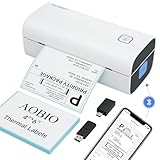
4×6 Shipping Label Printer – Desktop Thermal Barcode Printer
- 【Print from Smartphone Via Bluetooth】 For iPhone or Android smartphones, please download "HereLabel" app from the Google Play or Apple Store, using the app to find...
- 【Print from Computer Via USB Cable】 The AOBIO printer supports Windows 7/8/10/11 and newer, Mac OS 10.9 and newer (excluding Surface tablets). The user manual...
- 【High-Speed and High-Quality Printing】The printer use thermal printing technology, there is no need for ink or toner. You can quickly and efficiently print clear...
- 【Versatile and Convenient】The printer is compatible to print labels for major e-commerce selling platforms such as FedEx, USPS, DHL, Amazon, Etsy, eBay, Shopify, and...
- 【Compatible with a Wide Range of Labels】The printer works with label widths ranging from 1.57" to 4.25", it supports standard sizes of 4"x6", 4"x3", 3"x2", 2"x...
The AOBIO 4×6 Shipping Label Printer offers a simple solution for fast, reliable thermal printing without the need for ink. Its desktop design fits neatly into any workspace, helping you streamline your shipping process. With sharp 203 DPI output, it produces clear labels that reduce scanning errors and improve package handling.
This thermal barcode printer supports multiple label sizes, including the common 4×6 format, making it versatile for various shipping needs. It connects easily via USB or Bluetooth to Windows, Mac, Linux, iOS, and Android devices using the HereLabel app. This flexibility helps you print labels directly from your preferred platform without complicated setup.
Maintenance is straightforward since the printer uses thermal technology, eliminating ink cartridges and reducing upkeep. The compact build saves space, while its integration with major e-commerce platforms simplifies label creation for online sellers. However, the print resolution might not meet demands for highly detailed graphics.
Best for: Small to medium-sized businesses and e-commerce sellers needing efficient, ink-free shipping label printing.
What We Like:
- Fast 152mm/s printing speed with crisp 203 DPI clarity
- Broad compatibility across major operating systems and devices
- Supports various label sizes for versatile shipping needs
- Easy maintenance with inkless thermal printing
- Compact design fits well in limited workspace
Specification:
| Feature | Details |
|---|---|
| Manufacturer | AOBIO |
| Dimensions | Desktop-sized (exact size not specified) |
| Weight | Not specified |
| Print Resolution | 203 DPI |
| Print Speed | Up to 152 mm/s |
| Connectivity | USB, Bluetooth |
| Compatible OS | Windows, Mac, Linux, iOS, Android |
| Supported Label Sizes | Multiple, including 4×6 in |
Phomemo D520BT Thermal Label Printer for Business with Built-in Paper Bin
- Space-Saving Internal Paper Holder: The Phomemo D520BT thermal printer features a built-in paper holder, eliminating the need for an external label rack. This design...
- Wide Printing Range and High Speed: This versatile thermal printer supports a printing width of 1-4.6 inches, making it ideal for various printing tasks, from small...
- Dual Connectivity Options: The Phomemo D520BT label printer offers both USB and Bluetooth connectivity, providing compatibility with a variety of devices. Easily pair...
- Ink-Free Thermal Printing Technology: Equipped with ink-free thermal printing technology, the Phomemo D520BT thermal printer reduces ink costs and provides efficient...
- Comprehensive App Support and Easy Setup: The Phomemo D520BT postage label printer comes with app support, offering a range of free templates for customizing labels and...
The Phomemo D520BT thermal label printer offers a smart solution for small businesses and home offices seeking a tidy printing setup. Its built-in paper bin keeps labels organized, reducing clutter and saving valuable desk space. This design feature makes it easier to maintain a neat work area without frequent paper handling.
This printer supports label widths from 1 to 4.6 inches and prints up to 72 sharp, ink-free labels per minute. Its fast output helps streamline labeling tasks, improving productivity during busy workdays. The thermal printing technology eliminates the need for ink or toner, simplifying maintenance.
Connectivity is flexible with both USB and Bluetooth options, compatible with Android, iOS, Windows, Mac, Chrome OS, and Linux devices. The included free app offers customizable templates to simplify label creation, making it accessible even for users new to thermal printing.
Compact and portable, the D520BT comes with labels, power and Type C adapters, plus a clear user guide. While the built-in paper bin is convenient, its capacity may be limited for heavy-duty use. Overall, it delivers an efficient and versatile solution for everyday label printing.
Best for: Small businesses and home offices needing a compact, efficient label printer with space-saving design and easy connectivity.
What We Like:
- Fast printing speed up to 72 labels per minute.
- Dual USB and Bluetooth connectivity for versatile use.
- Free app with customizable label templates.
- Built-in paper bin keeps workspace organized.
- Compact design ideal for small spaces.
Specification:
| Feature | Details |
|---|---|
| Manufacturer | Phomemo |
| Dimensions | Compact, exact size not specified |
| Weight | Not specified |
| Label Width Support | 1 to 4.6 inches |
| Connectivity | USB, Bluetooth |
| Compatibility | Android, iOS, Windows, Mac, Chrome OS, Linux |
| Included Accessories | Labels, power adapter, Type C adapter, user guide |
KNAON Shipping Thermal Label Printer, 4×6 Portable Label Printer, White
- Bluetooth Wireless Connection: KNAON Bluetooth shipping label printer enables wireless printing. For Mobile users, download the 'FlashLabel Pro' app from APP Store or...
- USB Cable Connectivity: This printer ensures seamless USB connectivity with macOS, Windows (7 and above), ChromeOS, and Linux. KNAON printer features a built-in USB drive...
- Versatile DIY Labeling Options: KNAON Thermal Shipping Label Printer offers a vast selection of pre-designed templates, including 3,000+ templates, 5,000+ icons, and...
- Seamless Multi-Platform Compatibility: This Bluetooth shipping label printer works effortlessly with all major platforms, including Amazon, eBay, Shopify, USPS, UPS...
- Portable & Stylish Design: KNAON multi-function thermal label printer offers user-friendly operation in a compact design. Its perfect size (7.2 x 3.15 x 2.65 inches...
The KNAON Shipping Thermal Label Printer offers a practical solution for on-the-go labeling needs. Its compact white design fits easily into any workspace or bag, making it ideal for mobile professionals and small business owners who require portability without sacrificing functionality.
This portable label printer connects via Bluetooth using the FlashLabel Pro app on iOS, Android, and Windows devices, or through USB for macOS, Windows, ChromeOS, and Linux. This flexibility ensures you can print labels wherever you are, simplifying shipping, barcode creation, and inventory management.
With over 3,000 templates and 5,000 icons, customizing labels is straightforward and efficient. The printer operates at a fast speed of 180 mm/s and a resolution of 203 dpi, producing clear and reliable prints on paper widths up to 4.41 inches.
Maintenance is simple, though the device holds only 20 sheets at a time, requiring regular reloading for high-volume tasks. The reliance on the FlashLabel Pro app for Bluetooth use may limit compatibility with some devices, but USB connectivity remains a solid alternative.
Best for: Small business owners and mobile professionals who need a compact, versatile label printer with multiple connectivity options for efficient, on-the-go labeling.
What We Like:
- Supports Bluetooth and USB connectivity across various operating systems
- Extensive library of templates and icons for diverse label customization
- Fast print speed with clear 203 dpi resolution for quality output
Specification:
| Feature | Details |
|---|---|
| Manufacturer | KNAON |
| Dimensions | Compact (exact size not provided) |
| Weight | Not specified |
| Color | White |
| Print Speed | 180 mm/s |
| Print Resolution | 203 dpi |
| Max Paper Width | 4.41 inches |
| Connectivity | Bluetooth, USB |
Rongta Bluetooth 4×6 Thermal Shipping Label Printer

- Label maker for Shipping labels & small business labels
- supports multiple-size wide wireless printing
- Download "RONGTA" app for phone to bluetooth print
- Download computer driver for PC/Laptop to USB print
- Inkless Thermal Printing for Sharp Clarity
The Rongta Bluetooth 4×6 Thermal Shipping Label Printer offers a practical solution for those who need fast, wireless label printing without extra hassle. It prints sharp, clear labels up to 4×6 inches using inkless thermal technology, eliminating the need for ink cartridges or ribbons. This helps reduce ongoing maintenance and keeps printing costs low.
Designed for small workspaces, the printer’s compact size and lightweight build make it easy to place anywhere. Connecting is simple via Bluetooth or USB, compatible with Windows, macOS, Android, and iOS devices. The included RONGTA app and drivers streamline setup and everyday use.
With its 203 dpi printing resolution, the device produces monochrome labels that are clear enough for most shipping needs. While it doesn’t support color printing, its speed and ease of use make it ideal for quick, reliable label production. The printer’s minimal maintenance requirements save time and effort.
Best for: Small business owners and individuals seeking efficient, wireless shipping label printing in a compact and affordable package.
What We Like:
- Compact design fits easily into limited spaces
- Wireless Bluetooth connectivity supports multiple devices
- Inkless thermal printing means no ink replacements
- Clear, monochrome labels printed quickly at 15 ppm
- Simple setup with dedicated app and drivers
Specification:
| Feature | Details |
|---|---|
| Manufacturer | Rongta |
| Dimensions | 4 x 1 x 2 inches |
| Weight | 16 ounces (approx. 0.45 kg) |
| Printing Size | Up to 4 x 6 inches |
| Resolution | 203 x 203 dpi |
| Connectivity | Bluetooth, USB |
| Color | White |
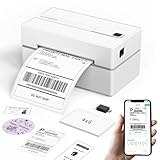
KNAON Bluetooth 4×6 Thermal Shipping Label Printer
- Bluetooth Wireless Connection: KNAON Bluetooth shipping label printer enables wireless printing. For Mobile users, download the 'FlashLabel Pro' app from APP Store or...
- USB Cable Connectivity: This printer ensures seamless USB connectivity with macOS, Windows (7 and above), ChromeOS, and Linux. KNAON printer features a built-in USB drive...
- Versatile DIY Labeling Options: KNAON Thermal Shipping Label Printer offers a vast selection of pre-designed templates, including 3,000+ templates, 5,000+ icons, and...
- Seamless Multi-Platform Compatibility: This Bluetooth shipping label printer works effortlessly with all major platforms, including Amazon, eBay, Shopify, USPS, UPS...
- Portable & Stylish Design: KNAON multi-function thermal label printer offers user-friendly operation in a compact design. Its perfect size (7.17 x 3.9 x 3.43 inches...
KNAON’s Bluetooth 4×6 Thermal Shipping Label Printer offers a seamless way to print labels wirelessly and with ease. It solves common shipping challenges by providing quick, on-demand printing without the clutter of cables. Connect effortlessly through Bluetooth or USB across multiple platforms like macOS, Windows, and Linux.
This printer supports a wide range of label sizes, accommodating paper widths from 1.5 to 4.2 inches. It prints at speeds up to 180 mm/s, helping you stay efficient during busy packing sessions. The compact and lightweight design makes it easy to carry and store, ideal for small business environments.
Maintenance is simple with thermal printing technology—no ink or toner cartridges are needed, reducing ongoing costs and downtime. The FlashLabel Pro app lets you customize labels using thousands of templates, icons, and fonts, ensuring your labels look professional and clear.
While the print resolution of 200×200 dpi suits most shipping and pricing needs, it may not capture fine graphic details. Also, wireless functionality depends on app support, which users should consider for long-term use.
Best for: Small business owners and entrepreneurs needing a versatile, portable thermal label printer compatible with multiple devices for efficient shipping and labeling.
What We Like:
- Extensive customization with thousands of templates, icons, and fonts
- Dual connectivity: Bluetooth wireless and USB for broad compatibility
- Compact, lightweight design ideal for mobile or small space use
Specification:
| Feature | Details |
|---|---|
| Manufacturer | KNAON |
| Dimensions | 7.17 x 3.9 x 3.43 inches |
| Weight | 2.8 pounds |
| Printing Speed | Up to 180 mm/s |
| Print Resolution | 200 x 200 dpi |
| Paper Width | 1.5 to 4.2 inches |
| Connectivity | Bluetooth, USB |
Thermal Shipping Label Printer 4×6 Bluetooth Label Maker for Small Business

- 【High‑Quality, Energy‑Efficient Thermal Printing】The NULLTONEX shipping label printer uses direct thermal technology, eliminating the need for ink or toner and...
- 【Bluetooth & USB Dual Connectivity】 Connect seamlessly to your phone, laptop or PC via Bluetooth or USB. Download the free app for quick Bluetooth pairing to create...
- 【User‑Friendly Operation】 Easy setup and a dedicated app offer 1,800+ customizable templates, 300+ fonts, and multiple editing tools for everything from daily home...
- 【Wide Compatibility with Popular Shipping Platforms】 Works seamlessly with major shipping carriers and e‑commerce platforms including Amazon, Shopify, Etsy, USPS...
- 【Durable, Compact & Ready to Use】 Featuring a special matte finish with reinforced coating and a space‑saving design that fits neatly on any desk. Built‑in...
Looking for a simple way to print sharp, clear shipping labels without the hassle of ink or toner? The Thermal Shipping Label Printer 4×6 by NULLTONEX offers direct thermal printing that eliminates maintenance worries. This means smooth, reliable label printing for your small business with minimal upkeep.
Designed with both Bluetooth and USB connectivity, it lets you print directly from smartphones, laptops, or PCs. The included free app supports over 1,800 templates that you can customize and store locally. This feature allows you to work offline, ensuring uninterrupted productivity.
Its compact design fits neatly into any workspace and supports standard 4×6 labels, ideal for major shipping platforms like Amazon and FedEx. While the printer delivers crisp prints at 203 DPI, it may not suit needs requiring higher resolution or larger label sizes.
The package includes 25 thermal labels to get you started, but you’ll need to purchase extras for ongoing use. Overall, this printer balances ease of use, portability, and functionality to streamline your shipping process.
Best for: Small business owners and entrepreneurs who need a reliable, easy-to-maintain thermal printer for efficient shipping label creation.
What We Like:
- Direct thermal printing with no ink or toner required
- Bluetooth and USB support for versatile device connectivity
- Free app with 1,800+ customizable templates and offline use
- Compact size fits well in limited workspace
- Compatible with major shipping platforms including Amazon and FedEx
Specification:
| Feature | Details |
|---|---|
| Manufacturer | NULLTONEX |
| Printing Method | Direct Thermal |
| Print Resolution | 203 DPI |
| Label Size | Up to 4 x 6 inches |
| Connectivity | Bluetooth, USB |
| Included Labels | 25 thermal sheets |
| Dimensions | Compact design |
Gloryang Bluetooth Thermal Label Printer 4×6

- Smaller, Lighter, and More Space-Saving Design: The Gloryang Bluetooth thermal printer is compact and lightweight, taking up less space on your desk compared to...
- Seamless Wireless Printing Across Multiple Devices: Easily connect via Bluetooth to phones, laptops, computers, Chromebooks, and tablets. Fully compatible with iOS...
- Fast and Clear Thermal Printing for Multiple Label Sizes: Whether you need 4x6 shipping labels or smaller 2-inch and 3-inch labels, the Gloryang label printer delivers...
- Hassle-Free Inkless Printing Technology: With advanced thermal printing, there’ s no need for ink or toner, reducing maintenance and operating costs. Simply load the...
- Easy Setup and User-Friendly Operation: Designed for quick setup and intuitive use, this phone printer is easy to operate even for first-time users. Its sleek, modern...
Discover a practical solution to your shipping label needs with the Gloryang Bluetooth Thermal Label Printer. This compact device fits seamlessly into tight spaces, making it ideal for home offices and small businesses that require efficient, wireless label printing.
The printer connects effortlessly via Bluetooth to smartphones, laptops, or tablets, supporting both iOS and Android systems. Its inkless thermal printing method produces clear, sharp labels without the hassle of ink cartridges, reducing maintenance and saving time.
Designed to handle labels up to 4×6 inches, it prints quickly at 150 pages per minute, helping you keep up with busy shipping or inventory tasks. While the resolution of 203 x 203 dpi is sufficient for most labels, it may not meet the needs of users seeking higher detail.
This printer’s lightweight and space-saving design enhance portability and convenience, making label printing straightforward and efficient. However, its limited print size and warranty should be considered based on your specific requirements.
Best for: small business owners and home office users needing a compact, wireless thermal label printer for shipping and inventory management.
What We Like:
- Compact, lightweight design for easy placement and portability
- Wireless Bluetooth connectivity compatible with multiple devices
- Inkless thermal printing reduces maintenance and produces sharp labels
- Fast printing speed of 150 pages per minute supports high-volume tasks
Specification:
| Feature | Details |
|---|---|
| Manufacturer | Gloryang |
| Dimensions | Not specified |
| Weight | Lightweight |
| Print Resolution | 203 x 203 dpi |
| Maximum Print Size | 4 x 6 inches |
| Connectivity | Bluetooth (iOS & Android) |
| Printing Method | Thermal (inkless) |
Labeer Bluetooth Thermal Shipping Label Printer, Wireless 4×6 Label Printer

- 【Smart PDF Printing】For Amazon, Etsy, Shopify and eBay sellers who print orders while packing, download the shipping label as a PDF and print it directly from an...
- 【4x6 Shipping Label Printing】For delivery workers, shipping staff and online sellers who prepare packages throughout the day, this 4x6 label printer handles standard...
- 【203 DPI Direct Thermal Printing】For warehouse employees, inventory teams and retail staff who print barcode labels, product labels and inventory tags, this Bluetooth...
- 【Multiple Label Sizes】For retail employees, small business owners and manufacturing teams who use different labels for products, inventory, parts and packages, this...
- 【Bluetooth Wireless Printing & Auto Calibration】For warehouse workers, shipping teams and small businesses that print labels throughout the day, connect your Windows...
The Labeer Bluetooth Thermal Shipping Label Printer offers a practical solution for small businesses that need efficient, wireless 4×6 label printing. Its direct thermal printing technology produces sharp, clear labels without requiring ink or toner. This reduces maintenance and keeps your workflow smooth.
Designed to handle various label widths from 1.57 to 4.41 inches, it easily adapts to different shipping and packaging needs. The printer connects via Bluetooth or USB to multiple operating systems, including Windows, macOS, Linux, iPhone, and Android devices, making it highly versatile.
Using the FlashLabel Pro app, you can print PDFs directly and benefit from auto calibration for consistent, hassle-free printing. Features like paper-out detection and the ability to cancel print jobs help avoid interruptions and wasted materials.
While it only prints in monochrome and uses direct thermal technology that may fade over time, its straightforward design and smart functions enhance daily label printing tasks without complexity.
Best for: Small businesses and individuals needing a reliable, wireless 4×6 label printer with broad device compatibility.
What We Like:
- Supports a variety of label sizes for flexible use
- Bluetooth and USB connectivity across many platforms
- Auto calibration and paper-out alerts improve efficiency
- Direct PDF printing streamlines label creation
Specification:
| Feature | Details |
|---|---|
| Manufacturer | Labeer |
| Printing Technology | Direct Thermal |
| Print Resolution | 203 DPI |
| Label Width Range | 1.57 – 4.41 inches |
| Connectivity | Bluetooth, USB |
| Compatible OS | Windows, macOS, Linux, iOS, Android |
| Color | Monochrome |
Phomemo M420 Thermal Label Printer, 4×6 Portable Shipping Label Printer

- 【2026 Upgraded Portable 4x6 Thermal Printer】- Phomemo M420 4x6 Bluetooth Label Printer is equipped with a high-precision 4-inch wide thermal print head, supporting...
- 【All in One Wireless Label Printer】-The M420 4x6 Bluetooth Thermal Printer essentially meets all printing needs for both home and commercial use. It combines the...
- 【Powerful Multiple Templates App】-The Phomemo-M420 Bluetooth Label Printer comes with multiple label templates for mobile phones, and you can create your own custom...
- 【Supports Fanfold & Roll Shipping Labels】-The M420 4X6 Portable Shipping Label Printer supports both internal roll paper printing and external fanfold paper feeding...
- 【Widely Used】- Phomemo 4x6 Portable Wireless Label Printer works with labels from 1.57" to 4.1" in width, It supports printing a wide range of label types, including...
The Phomemo M420 Thermal Label Printer is designed to simplify your shipping and organization tasks with speed and precision. Its compact size and lightweight build allow you to take it anywhere, ensuring you can print crisp, professional 4×6 labels on the go. This printer addresses the hassle of bulky equipment, making label printing effortless wherever you work.
Connectivity is seamless with Bluetooth and USB Type C options, letting you link the printer to laptops, smartphones, or tablets quickly. The device supports a range of thermal label widths, catering to various labeling needs. Its dual-color printing capability adds clarity and distinction to your labels, enhancing readability.
Maintaining the printer is straightforward, though it performs best with Phomemo-branded thermal labels, which ensures consistent print quality. The rechargeable battery supports cordless use, but for high-volume printing, you may need to recharge or reload labels more frequently due to its moderate capacity and battery life.
Overall, the Phomemo M420 combines portability, versatility, and user-friendly features to meet the demands of small businesses and mobile professionals who require reliable 4×6 shipping labels without sacrificing convenience.
Best for: Small business owners and mobile professionals needing a fast, portable thermal label printer for efficient on-the-go shipping label creation.
What We Like:
- Lightweight and compact for easy portability
- Dual-color printing enhances label visibility
- Supports Bluetooth and USB Type C connectivity
- User-friendly app for label customization and batch printing
Specification:
| Feature | Details |
|---|---|
| Manufacturer | Phomemo |
| Dimensions | 4 x 4 x 2 inches |
| Weight | Lightweight (exact weight not specified) |
| Supported Label Width | 1.57 to 4.1 inches |
| Connectivity | Bluetooth, USB Type C |
| Battery | Rechargeable, cordless use |
| Printing Speed | Up to 30 pages per minute |
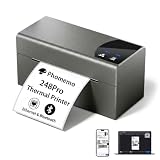
Phomemo Thermal Label Printer with Ethernet & Bluetooth Connectivity
- Wireless Connectivity, Hassle-Free Setup: This versatile thermal label printer features newly upgraded Ethernet connection that frees you from tangled USB cables—simply...
- Inkless Thermal Printing, Cost-Effective & Efficient: Phomemo 248 Pro thermal printer uses heat-transfer technology that requires no ink or toner, reducing plastic waste...
- Wide Label Size Compatibility: This thermal label printer supports label widths from 0.8" to 4.5", compatible with the full range of Phomemo labels: 4"x6" shipping...
- All-in-One Solution: Great Partner for Home & Small Business: Phomemo thermal label printer for shipping is your go-to multifunctional partner for both personal and...
Phomemo’s Thermal Label Printer offers a practical solution for small businesses and home users who need efficient, wireless label printing. Its multiple connectivity options, including Bluetooth, Ethernet, and USB, allow seamless integration into diverse work environments. This flexibility helps reduce setup frustrations and keeps your workflow smooth.
The printer’s compact design and lightweight build make it easy to move around without sacrificing performance. It prints quickly at up to 150mm per second with clear 203 dpi resolution. Using heat-transfer technology, it eliminates the need for ink or toner, simplifying maintenance and cutting ongoing costs.
This label printer supports various label sizes, including standard 4×6 shipping labels, making it versatile for shipping, pricing, and inventory tasks. It works across multiple operating systems like iOS, Android, Windows, Mac, Linux, and Chrome OS, ensuring broad compatibility.
While the 203 dpi resolution might not capture very fine details, and the maximum label width is limited to 4.5 inches, it remains a reliable choice for everyday labeling needs. Its portability suits light to moderate use rather than heavy industrial environments.
Best for: small businesses and home users seeking a fast, versatile, and wireless label printing solution with broad device compatibility.
What We Like:
- Multiple connectivity options: Bluetooth, Ethernet, and USB
- Inkless thermal printing reduces supply costs
- Compatible with a wide range of label sizes and types
- Compact and lightweight for easy portability
Specification:
| Feature | Details |
|---|---|
| Manufacturer | Phomemo |
| Dimensions | Compact (exact size not provided) |
| Weight | 1.1 pounds (approximately 0.5 kg) |
| Printing Speed | Up to 150mm per second |
| Print Resolution | 203 dpi |
| Connectivity | Bluetooth, Ethernet, USB |
| Compatible OS | iOS, Android, Windows, Mac, Linux, Chrome OS |
HP Shipping Thermal Label Printer, 4×6, High-Speed 300 DPI Printer

- PRINTS FAST & EASY – Designed to produce labels with great speed and proficiency. Load labels through the back of the printer and get shipping labels, barcodes, product...
- DIRECT THERMAL – With a 300 dpi resolution, you can print out clear, detailed labels without worrying about ink or toners. Direct thermal printing allows you to produce...
- TYPES OF LABELS – Create various sized labels up to 4” in width with the printer’s adjustable media holder guides. Print out mailing, shipping, warehouse, and other...
- GREAT FOR ECOMMERCE SELLERS – Load printer with HP labels or other major brand thermal labels. Then, make professional labels for popular eCommerce sellers or platforms...
- PERSONAL OR BUSINESS USE – Increase productivity in your home, office, or small business with this label maker. With a label printer, power cord, AC adapter, USB cable...
Experience faster, clearer shipping with the HP Shipping Thermal Label Printer, designed to streamline your small business labeling tasks. This printer quickly produces sharp, professional-grade labels that help eliminate shipping delays and confusion.
Its compact design fits neatly into any workspace, saving valuable room. With direct thermal printing, you can say goodbye to ink cartridges and toner, reducing maintenance and ongoing costs. The printer handles labels up to 4 inches wide, ideal for popular shipping platforms like Amazon, UPS, and Shopify.
Setup is simple, thanks to USB 2.0 compatibility with both Mac and PC systems. Print speed of 5 inches per second means you can keep up with busy shipping schedules without sacrificing quality. The 300 DPI resolution ensures every barcode and sticker is crisp and scannable.
Keep in mind that this printer only produces monochrome labels and requires direct thermal labels, which may fade when exposed to heat or light over time. Despite these limitations, it remains a practical choice for efficient label printing.
Best for: Small business owners and eCommerce sellers needing fast, reliable shipping labels and barcodes.
What We Like:
- Fast print speed of 5 inches per second with clear 300 DPI output
- No ink or toner needed due to direct thermal technology
- Compact footprint fits tight workspaces easily
- Easy USB 2.0 connection compatible with Mac and PC
Specification:
| Feature | Details |
|---|---|
| Manufacturer | HP |
| Print Resolution | 300 DPI |
| Print Speed | 5 inches per second |
| Max Label Width | 4 inches |
| Connectivity | USB 2.0 |
| Compatible Systems | Mac, PC |
| Dimensions | Compact (exact size not specified) |
Factors to Consider When Choosing a Cheap Thermal Printer for Shipping Labels
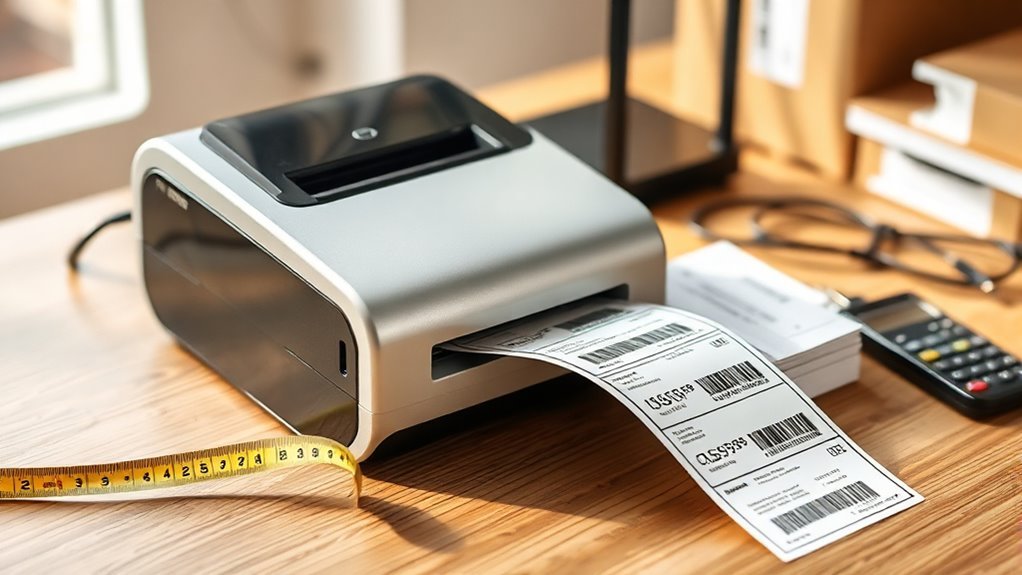
When choosing a cheap thermal printer for shipping labels, you’ll want to focus on print quality and resolution to guarantee clear labels. Check the connectivity options and supported label sizes to match your setup and needs.
Also, consider printing speed and device compatibility to keep your shipping process efficient. These little details can make a big difference in how smoothly everything runs.
Print Quality And Resolution
Although budget-friendly thermal printers might seem similar at first glance, their print quality and resolution can vary greatly, affecting your shipping label clarity. Most printers offer 203 DPI, which handles barcodes and text well for shipping.
But if you want sharper details and improved scanning accuracy, a 300 DPI model is worth considering. Keep in mind, print speed matters too—faster printers up to 180 mm/s can keep quality steady while processing lots of labels.
Also, decide between direct thermal and thermal transfer printing: direct thermal is simpler but fades faster, while thermal transfer provides more durable labels. Finally, consistent print quality is key.
Look for printers with reliable calibration to prevent misreads and keep your shipping process smooth.
Connectivity Options Available
Since connectivity directly impacts how easily you can print shipping labels, it’s important to choose a thermal printer that offers versatile options. Many models provide dual connectivity like Bluetooth and USB, letting you print wirelessly from smartphones or tablets and connect directly to computers.
Bluetooth is great if you’re often on the move, while USB compatibility covers major operating systems like Windows, macOS, Linux, and ChromeOS. Some printers even include dedicated mobile apps for quick setup and label design via Bluetooth pairing.
If you need a more permanent setup, consider models with Ethernet support, which let you connect your printer to a network for shared access. Picking a printer with the right connectivity guarantees smooth, flexible printing no matter your workflow.
Supported Label Sizes
Choosing a thermal printer that supports various label sizes can save you time and hassle as your shipping needs evolve. Make sure the printer handles a range from about 1.57 to 4.41 inches wide to fit different shipping labels.
Most printers cover the standard 4×6 size used widely in e-commerce, but some also support 4×4, 4×2, and 2×1 labels, giving you more flexibility. You’ll also want to check if it works with both roll and fanfold thermal labels since this impacts how you manage your media.
Opt for a model that automatically detects label sizes to reduce setup errors and speed up your workflow. Supporting multiple label sizes keeps your operations smooth and adaptable.
Printing Speed Efficiency
Supporting multiple label sizes sets the stage for smoother operations, but printing speed efficiency plays a big role in keeping your shipping process moving swiftly. When choosing a cheap thermal printer, look for models that offer fast print speeds—typically between 72 to 180 mm/s or up to 150 pages per minute—to minimize waiting times.
Consistent speed is key, especially if you handle high volumes, since even small delays add up and slow your entire workflow. Thermal printers’ inkless technology boosts speed and cuts maintenance costs by eliminating ink replacements.
Additionally, printers that can print multiple labels at once or handle batch jobs will help you process orders faster, ensuring you meet tight shipping deadlines without hassle. Prioritize speed efficiency to keep your operations smooth and productive.
Compatibility With Devices
How well your thermal printer connects with your devices can make or break your shipping workflow. You’ll want to verify the printer supports your operating system—whether it’s Windows, macOS, or Linux—to avoid frustrating connectivity issues.
Many cheap thermal printers now offer Bluetooth, letting you print wirelessly from mobile devices. That’s perfect if you need flexibility on the move. Don’t overlook USB connections, either; they’re often more reliable for direct computer links.
Some models even provide both Bluetooth and USB options, giving you versatility in different work setups. Finally, make sure your printer syncs smoothly with popular shipping platforms and label software so you can print without a hitch.
Checking these compatibility factors upfront saves time and headaches later.
Warranty And Support
While shopping for a cheap thermal printer, you’ll want to pay close attention to the warranty and support options offered. A limited warranty, typically lasting one to three years, covers defects and gives you peace of mind.
Check if customer support is available via phone, email, or live chat—these channels can help you quickly tackle setup or troubleshooting problems. Also, look for detailed user manuals and video tutorials to guide you through using the printer effectively.
Don’t forget to review the return policy, which often allows returns within 30 days if the printer doesn’t meet your expectations. Finally, make certain replacement parts or service centers are accessible, so you can maintain your printer and avoid costly downtime.
Frequently Asked Questions
How Long Do Thermal Labels Typically Last After Printing?
Thermal labels typically last 1 to 3 years after printing, but you’ll want to keep them away from heat, sunlight, and chemicals to prevent fading.
Proper storage helps your labels stay clear and readable longer. So, try to store them in a cool, dry place. That way, they’ll look good for as long as possible.
Can Thermal Printers Print on Non-Adhesive Paper?
You can print on non-adhesive paper with thermal printers, but remember, like a classic typewriter, they require special thermal paper to work properly.
Regular paper won’t hold the image or heat needed for printing. So, if you want clear and lasting prints, stick to thermal paper. It’s the key to making your thermal printer do its magic!
Are Thermal Printers Compatible With Mac and Windows?
Yes, you’ll find many thermal printers compatible with both Mac and Windows. Just check the manufacturer’s specs and drivers before buying to guarantee smooth installation and operation with your operating system.
It’s always a good idea to double-check, though. That way, you avoid any surprises when setting up your printer.
What Maintenance Is Required for Thermal Printers?
You’ll need to regularly clean the printhead and rollers to avoid jams and streaks. Use isopropyl alcohol and a lint-free cloth to get the job done right.
Also, keep your labels dust-free because dust can cause problems too. It’s a good idea to check for worn parts now and then. That way, you’ll guarantee smooth, long-lasting printer performance.
Do Thermal Printers Support Custom Label Sizes?
Yes, thermal printers do support custom label sizes. You can easily adjust the settings or use compatible software to design and print labels that fit your specific dimensions.
This gives you plenty of flexibility for various shipping needs. So, whether you need small or large labels, you’re covered!
Conclusion
Choosing the right thermal printer is like finding a dependable compass on your shipping journey. Each label you print guides your packages safely to their destinations, turning chaos into order.
By picking a reliable, affordable printer, you’re not just saving money—you’re investing in smooth sailing for your business. Let your choice be the beacon that lights the way.
When it comes to cheap thermal printers for shipping labels, it’s all about balancing cost with quality. A good printer ensures efficiency, accuracy, and durability, making your shipping process hassle-free.
So, whether you’re a small business or scaling up, the right thermal printer can make a huge difference. Invest wisely in one of the best cheap thermal printers for shipping labels to keep your operations efficient and your customers happy.