9 Best 3D Printers for 2026 That Will Blow Your Mind
You want speed, precision, and vibrant multi-material printing? The Bambu Lab P2S Combo with AMS 2 Pro delivers ultra-fast CoreXY motion and automated filament management. It’s perfect for those who need efficiency without sacrificing quality.
The P1S Combo and Anycubic Kobra X add smart multi-color printing with quick setup, making them ideal for users who want to experiment with different materials easily.
Meanwhile, Snapmaker U1 and WonderMaker ZR Ultra-S offer multi-toolheads for complex, multi-material projects.
Each printer balances performance and ease, catering to everyone from beginners to pros. Stick around to explore which model fits your 2026 printing ambitions perfectly. You’re about to find the perfect 3D printer that will blow your mind!
Bambu Lab P2S Combo, P2S 3D Printer & AMS 2 Pro, Multi-Color 3D Printing
Experience the future of 3D printing with the Bambu Lab P2S Combo and AMS 2 Pro, designed to elevate your multi-color and multi-material projects. This advanced system tackles common printing challenges by combining speed and precision, allowing you to create vibrant, complex models without compromise.
The high-speed CoreXY mechanism prints up to 600 mm/s, ensuring fast results while maintaining sharp detail. The AMS 2 Pro automates filament handling, drying materials to prevent jams and managing spools effortlessly. This setup reduces downtime and keeps your workflow smooth.
Maintenance is simplified through features like automatic calibration and adaptive airflow control, which help maintain consistent print quality. AI failure detection alerts you to issues early, saving material and time. Bambu Studio software integrates all controls, making multi-material printing straightforward.
While the system requires dedicated space due to its size and weight, its automation and reliability make it a valuable tool for serious creators. The learning curve is balanced by its intuitive design, perfect for those ready to advance their 3D printing capabilities.
Best for: Professionals and enthusiasts seeking high-speed, automated multi-material and multi-color 3D printing with precise, reliable results.
What We Like:
- Fast CoreXY design prints up to 600 mm/s without losing accuracy
- AMS 2 Pro’s filament drying and automatic spool management reduces print failures
- Automatic calibration and AI failure detection enhance print consistency
- Integrated Bambu Studio software streamlines multi-material workflows
Specification:
| Feature | Details |
|---|---|
| Manufacturer | Bambu Lab |
| Dimensions | 18 x 22 x 18 in |
| Weight | 46.3 lb |
| Print Speed | Up to 600 mm/s |
| Material Handling | Multi-material with AMS 2 Pro |
| Software | Bambu Studio |
Bambu Lab P1S Combo, P1S 3D Printer and AMS, Multi-Color 3D Printing
Step into the future of 3D printing with the Bambu Lab P1S Combo, a powerful duo designed to transform your creative workflow. This system solves the common challenge of lengthy print times by delivering speeds up to 500 mm/s, enabling you to complete projects faster without compromising detail.
The P1S 3D printer pairs seamlessly with the AMS, allowing you to print in up to 16 vibrant colors. This capability is ideal for intricate, multi-material designs that demand precision and variety. Its fully enclosed design ensures consistent print quality by maintaining stable temperatures and reducing environmental interference.
Maintenance is straightforward with automatic bed leveling, reducing setup hassle and ensuring reliable first layers. The printer handles popular materials like PLA, PETG, and TPU, making it versatile for different applications, though it does not support carbon or glass fiber-reinforced filaments.
This combo suits creators who require efficient, multi-color 3D printing with minimal downtime. Its quick 15-minute setup means you spend less time preparing and more time producing.
Best for: Creators and professionals needing fast, precise, multi-material 3D printing with easy setup and dependable results.
What We Like:
- Supports up to 16 colors via AMS for detailed multi-material prints
- High-speed printing reduces production times significantly
- Fully enclosed structure stabilizes printing conditions
- Automatic bed leveling simplifies maintenance and setup
Specification:
| Feature | Details |
|---|---|
| Manufacturer | Bambu Lab |
| Dimensions | Not specified |
| Weight | Not specified |
| Material Compatibility | PLA, PETG, TPU (no carbon/glass fiber) |
| Color Options | Multi-color via AMS (up to 16 colors) |
Anycubic Kobra X Multicolor 3D Printer, Easy Setup, Native 4-Color
The Anycubic Kobra X Multicolor 3D Printer revolutionizes home and classroom printing with its native 4-color capability, allowing users to create detailed, vibrant projects effortlessly. This printer simplifies multi-material printing, eliminating the usual hassle of switching filaments manually. Its design supports quick setup and easy maintenance, perfect for users who want to focus on creativity rather than technical challenges.
Speed meets precision with a max print speed of 600 mm/s and the LeviQ 3.0 auto bed leveling system. These features ensure smooth, consistent layers for professional-quality results every time. The hardened steel nozzle reaches temperatures up to 300°C, supporting a wide range of filaments like PLA, PETG, and TPU.
Maintenance is straightforward, with quiet operation and efficient filament use cutting waste by over 80%. Smart AI monitoring combined with dual-band Wi-Fi enables remote printing control and error detection, offering peace of mind during long print jobs.
Best for: Educators, families, and hobbyists seeking an easy-to-use, versatile 4-color 3D printer that delivers fast, multi-material prints with smart remote features.
What We Like:
- Native 4-color printing for rich, complex designs
- Fast, precise printing with LeviQ 3.0 auto bed leveling
- Smart AI monitoring and dual-band Wi-Fi for remote management
- Supports multiple filament types with a high-temperature steel nozzle
- Efficient filament usage reduces waste significantly
Specification:
| Feature | Details |
|---|---|
| Manufacturer | Anycubic |
| Dimensions (L×W×H) | Not specified |
| Weight | Not specified |
| Color Options | Native 4-color printing |
| Max Print Speed | 600 mm/s |
| Nozzle Material | Hardened steel |
| Max Nozzle Temp | 300°C |
| Supported Filaments | PLA, PETG, TPU, others |
| Connectivity | Dual-band Wi-Fi |
| Bed Leveling | LeviQ 3.0 auto bed leveling |
Bambu Lab P1S Combo, P1S 3D Printer and AMS, Multi-Color 3D Printing
The Bambu Lab P1S Combo revolutionizes 3D printing by simplifying the creation of vibrant, multi-color models. When paired with the AMS, it effortlessly handles up to 16 colors, removing the complexity usually involved in multi-material projects. This combination allows creators to bring intricate designs to life with ease and precision.
Designed for efficiency, the printer supports a variety of filaments such as PLA, PETG, and TPU. Its fully enclosed structure maintains a stable printing environment, enhancing print quality and reducing warping. Automatic bed leveling further cuts down setup time and ensures consistent results.
Speed is a key advantage here. With print speeds reaching 500 mm/s and acceleration up to 20,000 mm/s², the P1S Combo accelerates production without sacrificing detail. However, it’s important to note that it does not support carbon or glass fiber reinforced polymers, and advanced materials like PA and PC may require some fine-tuning.
Maintenance is straightforward thanks to its enclosed design and automated features, making it a practical choice for creators looking to focus more on design and less on troubleshooting.
Best for: Creators and professionals seeking fast, reliable multi-color and multi-material 3D printing with minimal setup and high-quality results.
What We Like:
- Handles up to 16 colors seamlessly with AMS
- High-speed printing with precise acceleration
- Fully enclosed design ensures stable print conditions
- Automatic bed leveling simplifies setup
- Supports a wide range of common filaments
Specification:
| Feature | Details |
|---|---|
| Manufacturer | Bambu Lab |
| Dimensions | Standard desktop 3D printer size |
| Weight | Moderate, suitable for desktop use |
| Material Compatibility | PLA, PETG, TPU, PA, PC (no carbon/glass fiber reinforced polymers) |
| Color Options | Multi-color with AMS support |
Bambu Lab P1S 3D Printer, Ready-to-Use FDM 3D Printer
Experience the perfect blend of speed and precision with the Bambu Lab P1S 3D printer. Designed to deliver professional-quality prints quickly, it tackles common 3D printing challenges like uneven layers and long setup times. Its enclosed CoreXY motion system lets you print at speeds up to 500 mm/s while maintaining sharp detail.
The P1S ensures consistent results through its auto bed leveling, reducing manual adjustments and print failures. Setup is straightforward, taking just 15 minutes, so you can focus on creating rather than troubleshooting. Its compact, lightweight frame fits easily on your desk without sacrificing build volume.
This printer supports a variety of filaments such as PLA, PETG, and TPU, making it versatile for different projects. The fully enclosed design stabilizes temperature, which improves print quality and allows the use of advanced materials. However, it does not support carbon or glass fiber reinforced polymers, which may limit some industrial applications.
Maintenance is simplified thanks to its robust construction and user-friendly features, making it suitable for both beginners and experienced users who want reliable, multi-material printing. The P1S is a practical choice for those who value efficiency and quality in a compact package.
Best for: users seeking a fast, precise, and easy-to-use 3D printer with multi-material support in a stable, enclosed design.
What We Like:
- High-speed printing up to 500 mm/s with precise acceleration for detailed results.
- Auto bed leveling ensures consistent first layers and reduces setup time.
- Enclosed CoreXY system stabilizes the printing environment for better material compatibility.
- Compact and lightweight design fits well in small workspaces.
- Supports flexible and standard filaments, enhancing versatility.
Specification:
| Feature | Details |
|---|---|
| Manufacturer | Bambu Lab |
| Dimensions (W×D×H) | Compact (exact size not specified) |
| Weight | Approximately 39 lb (17.7 kg) |
| Motion System | Enclosed CoreXY |
| Max Print Speed | 500 mm/s |
| Acceleration | 20,000 mm/s² |
| Supported Filaments | PLA, PETG, TPU |
| Enclosure | Fully enclosed |
Creality K2 Plus Combo 3D Printer Multi Color Printing with CFS
Experience the freedom of multi-color 3D printing with the Creality K2 Plus Combo. This innovative printer lets you combine up to 16 filament colors in a single project, expanding your creative possibilities without the hassle of manual painting. Its CFS multi-filament system simplifies color changes, making complex prints more accessible.
Precision is at the core of this printer’s design. Synchronized FOC step-servo motors ensure ultra-precise motion control, while automatic bed leveling provides consistent print quality. The direct-drive extrusion system paired with a high-flow hotend supports engineering-grade materials that require temperatures up to 350°C.
The actively heated chamber stabilizes printing conditions for tough materials like ABS and ASA, reducing warping and improving durability. Additionally, AI-powered cameras monitor your prints in real-time, allowing early detection of errors to save time and resources.
Maintenance requires attention to the multi-filament system and AI cameras, but these features enhance your workflow by automating complex tasks. The printer’s larger footprint and power needs suit dedicated workspaces, ideal for professional makers or advanced hobbyists.
Best for: Professional makers and advanced hobbyists seeking precise multi-color 3D printing with robust material support and automated monitoring.
What We Like:
- Supports up to 16 filament colors for vibrant, complex prints
- Ultra-precise synchronized step-servo motors with automatic bed leveling
- Actively heated chamber enables stable printing of high-temp engineering materials
- AI cameras provide real-time print failure detection
- Durable direct-drive extrusion system for reliable material handling
Specification:
| Feature | Details |
|---|---|
| Manufacturer | Creality |
| Dimensions | Not specified |
| Weight | Not specified |
| Material Compatibility | Engineering-grade filaments up to 350°C |
| Color Options | Multi-color via CFS system |
ANYCUBIC Kobra X 3D Printer, Native 4-Color, Up 19-Color with 4 ACE 2 Pro
Experience the power of multi-color 3D printing with the ANYCUBIC Kobra X. This printer offers native 4-color printing, which can expand up to 19 colors by adding four ACE 2 Pro units. It solves the challenge of creating intricate, multi-material designs with ease and precision.
Designed for efficiency, the Kobra X reduces filament waste by over 81%. This means less material discarded and lower production costs. Printing speeds reach up to 600 mm/s, allowing you to produce detailed models like a benchy in just 14 minutes.
Maintenance is simplified with LeviQ 3.0 auto-leveling, ensuring the print bed is always perfectly aligned. AI-powered monitoring tracks print progress, helping prevent errors and wasted prints. Its compact 260×260×260 mm build volume fits well in tight workspaces without sacrificing capacity.
This printer is ideal for professionals and hobbyists aiming for fast, multi-color prints with industrial-level quality. While expanding to 19 colors requires extra equipment, the enhanced color range unlocks new creative possibilities.
Best for: Professionals and enthusiasts seeking high-speed, multi-color 3D printing with advanced precision and efficiency for complex and industrial-style projects.
What We Like:
- Native 4-color printing expandable to 19 colors for complex designs
- Over 81% reduction in filament waste for cost-effective printing
- Fast printing speeds up to 600 mm/s
- LeviQ 3.0 auto-leveling ensures hassle-free setup
- AI-powered monitoring reduces print failures
Specification:
| Feature | Details |
|---|---|
| Manufacturer | ANYCUBIC |
| Build Volume | 260×260×260 mm |
| Color Options | Native 4-color, expandable to 19 colors |
| Printing Speed | Up to 600 mm/s |
| Auto-Leveling | LeviQ 3.0 |
| Additional Units | ACE 2 Pro for color expansion |
Snapmaker U1 3D Printer,4-Toolhead with 5s Toolchanger,Multi-Color Printing
Experience seamless multi-material and multi-color 3D printing with the Snapmaker U1 3D Printer. Its unique ability to switch between four independent toolheads in just five seconds transforms complex projects into efficient workflows. This rapid tool changing eliminates downtime and manual filament swaps, allowing you to focus on creativity without interruption.
The SnapSwap automatic tool changer ensures reliability, completing over a million swaps with zero failures. Its CoreXY motion system, enhanced with carbon fiber rails, speeds through prints at up to 500 mm/s while maintaining precision within a generous 270 × 270 × 270 mm build volume. This makes it ideal for detailed and large-scale projects alike.
Maintenance is straightforward thanks to smart calibration and AI monitoring. These features reduce setup time and help avoid errors, making the printer accessible for both beginners and seasoned users. You can work confidently with a wide variety of materials, including rigid, flexible, and soluble supports, all in a single print job.
While the Snapmaker U1 weighs nearly 58 pounds, its robust design supports high-speed, multi-tool operation with excellent stability. The advanced technology may require some initial learning but pays off in productivity and print quality.
Best for: Makers, small businesses, and professionals seeking fast, multi-material 3D printing with automated tool changing for improved efficiency.
What We Like:
- Fast and reliable tool changes in about 5 seconds with the SnapSwap system
- Supports diverse materials including rigid, flexible, and soluble supports
- High-speed CoreXY motion with carbon fiber rails for precise, large prints
- Smart calibration and AI help simplify setup and reduce errors
Specification:
| Feature | Details |
|---|---|
| Manufacturer | Snapmaker |
| Dimensions | Not specified |
| Weight | Approximately 58 lb |
| Build Volume | 270 × 270 × 270 mm |
| Motion System | CoreXY with carbon fiber rails |
| Toolheads | 4 independent toolheads with 5s automatic tool changer |
WonderMaker ZR Ultra-S 4-Toolhead 3D Printer, Multi-Color, 300x270x290mm
Experience the freedom of true multi-material and multi-color 3D printing with the WonderMaker ZR Ultra-S 4-Toolhead 3D Printer. Its four independent toolheads allow you to switch between colors and materials swiftly, reducing downtime and streamlining complex projects.
With a spacious 300 x 270 x 290 mm build volume and a heated chamber set at 60°C, this printer helps prevent warping when working with engineering-grade materials like ABS and PC. The precise 0.02 mm calibration guarantees sharp color boundaries, ensuring your prototypes and parts come out with excellent detail.
Maintenance is straightforward thanks to integrated HEPA H13 and activated carbon filters that keep the printing environment clean and safe. The 5-inch touchscreen and remote monitoring capabilities make operation and oversight convenient, even during lengthy print jobs.
While its sturdy design ensures stability, the WonderMaker ZR Ultra-S is relatively heavy at 57.1 pounds and requires a sizable workspace. These factors are important considerations for users with limited room or portability needs.
Best for: professionals and advanced users needing high-precision multi-color and multi-material 3D printing for functional prototypes and intricate designs.
What We Like:
- Four independent toolheads with fast ~9-second tool changes for efficient multi-material printing
- Heated chamber at 60°C prevents warping with engineering-grade materials
- Precise 0.02 mm calibration ensures sharp color transitions
- Integrated HEPA H13 and activated carbon filters maintain a clean printing environment
- Large build volume supports complex and sizable projects
Specification:
| Feature | Details |
|---|---|
| Manufacturer | WonderMaker |
| Build Volume | 300 x 270 x 290 mm |
| Heated Chamber Temp | 60°C |
| Calibration Precision | 0.02 mm |
| Toolheads | 4 independent |
| Weight | 57.1 lbs (25.9 kg) |
| Dimensions | 22 x 22 x 24 inches |
| Filters | HEPA H13 and activated carbon |
| Touchscreen | 5-inch |
Factors to Consider When Choosing a 3 D Printer 2026
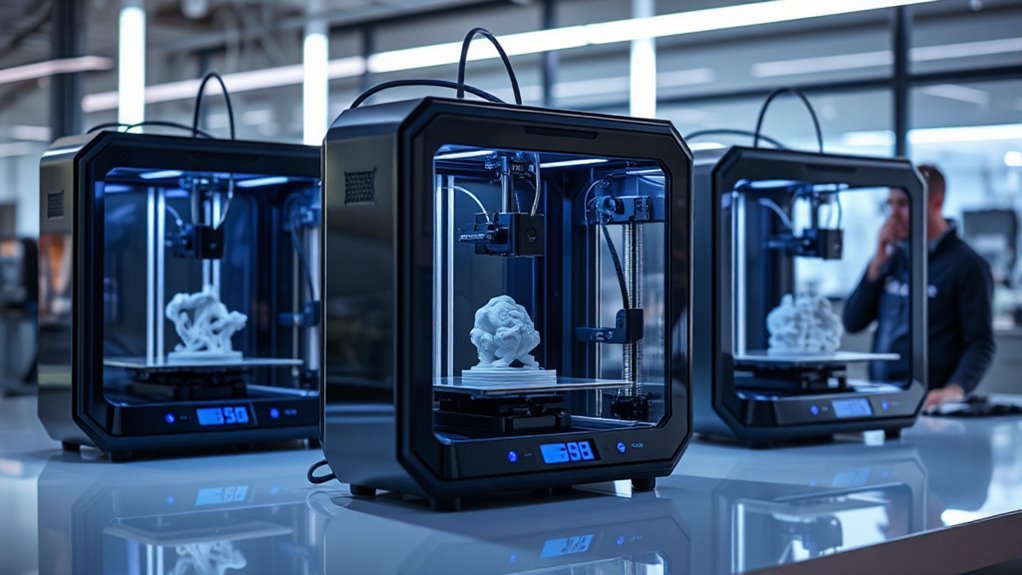
When choosing a 3D printer in 2026, you’ll want to focus on print speed and accuracy to guarantee quality results. Consider multi-material compatibility and build volume capacity to match your project needs.
Don’t forget ease of setup and advanced monitoring features to keep your printing process smooth and efficient. These factors really help make the whole experience less stressful and more productive.
Print Speed & Accuracy
Explore the balance between print speed and accuracy to maximize your 3D printer’s performance in 2026. Look for machines boasting top speeds of 500–600 mm/s and accelerations up to 30,000 mm/s², but verify test conditions since these speeds often apply only to simple prints.
Check extruder types, motion systems like CoreXY or direct drive, and microstepping resolution to guarantee positional accuracy at high speeds. Consider maximum flow rates and nozzle durability for handling fast filament melt and abrasive materials.
Mechanical stiffness, belt tensioning, and vibration control play vital roles in maintaining layer registration and surface quality during rapid printing. Finally, prioritize printers with software features like Active Flow Compensation, adaptive acceleration, and real-time AI failure detection to reduce defects and preserve intricate details without sacrificing speed.
Multi-Material Compatibility
Although selecting a 3D printer with multi-material compatibility can be complex, understanding the supported filament types and temperature capabilities will help you make an informed choice. Check if the printer handles common filaments like PLA, PETG, TPU, and specialty ones such as PVA, ASA, or high-temp composites like PA and PC.
Also, confirm its hotend reaches at least 300–350°C and if the heated chamber hits around 60°C for engineering plastics. This ensures it can handle tougher materials without issues.
Evaluate its multi-material system—whether it uses direct-drive, multi-nozzle, or tool-switching—and how it manages purge waste and tool changes. These factors affect print quality and ease of use.
Look for features like filament drying, detection, and AI failure alerts that boost reliability. Such additions can save you time and frustration.
Finally, verify the slicing software supports multi-material workflows with automated toolpaths and per-extruder controls. This will streamline your printing experience and make complex prints much easier to manage.
Ease of Setup
Choosing a 3D printer with a quick and simple setup can save you hours of frustration and get you printing faster. Look for models reporting average out-of-box setup times around 15 minutes with clear, step-by-step guides.
Automatic bed leveling and pre-calibrated motion systems eliminate tedious manual adjustments. That way, your first print won’t require constant tweaking.
Printers with native software integration and one-click profile imports simplify slicing and firmware pairing. This cuts down on complex tuning.
Quick-swap or pre-installed nozzles and accessible toolheads make filament changes and initial maintenance straightforward.
Built-in diagnostics like auto-calibration wizards, guided touchscreen workflows, and remote app setups help you troubleshoot quickly. These features guarantee reliable prints from the start.
Prioritize these features to enjoy a smooth, hassle-free printing experience right away.
Build Volume Capacity
After setting up your 3D printer with ease, the next step is to contemplate the build volume capacity. Match the build volume (X×Y×Z) to the largest single part you plan to print. Keep clearance for fixturing, supports, and post-processing in mind to avoid awkward scaling or splitting.
Be cautious—advertised dimensions may differ from usable space because of filament systems or toolheads limiting effective height. Larger volumes demand stiffer frames, dual-Z stabilization, and stronger bed heat, which increases cost and warm-up time.
If you use multi-tool or multi-color setups, make sure the build envelope accommodates offsets and purge towers without collisions. For big, detailed prints, consider printers with modular or sectional printing. This helps balance size and resolution without sacrificing quality.
Choose wisely to match your projects perfectly.
Advanced Monitoring Features
When you invest in a 3D printer for 2026, advanced monitoring features can save you time, material, and frustration. Look for AI-assisted systems that detect failures like spaghetti or nozzle clogs in real time, cutting down on wasted filament.
Integrated cameras with time-lapse and remote live streaming let you monitor prints from anywhere. This way, you can ensure first-layer adhesion and catch issues early before they become bigger problems.
Filament and environmental sensors maintain material quality by tracking humidity, temperature, and spool usage. These help prevent mid-print failures, so you’re not left with ruined prints.
Automated calibration and mesh bed probing speed up setup and help diagnose recurring problems by logging print parameters. It’s like having a built-in assistant keeping your printer tuned and ready.
If you’re managing multiple printers, networked models with secure remote management, job queueing, and push alerts make a huge difference. They let you prioritize, monitor, and recover prints effortlessly, boosting your productivity.
Frequently Asked Questions
What Materials Are Best for Multi-Color 3D Printing?
You’ll want PLA or PETG filaments for multi-color 3D printing since they’re easy to work with and blend well.
Flexible TPU can add texture, but keep your printer calibrated for smooth color shifts. It’s all about balancing flexibility and precision to get the best results.
How Do I Maintain and Clean Multi-Tool 3D Printers?
You know, “a stitch in time saves nine.” You should clean nozzles regularly, lubricate moving parts, and calibrate tools often.
Also, make sure to remove filament residue promptly to keep your multi-tool 3D printer running smoothly. Doing these little things can really help avoid costly repairs later.
What Software Is Compatible With Advanced Multi-Color 3D Printers?
You’ll want software like Cura, PrusaSlicer, or Simplify3D for advanced multi-color 3D printers. These programs handle multi-extrusion well and let you customize color changes easily.
That way, you can get precise, vibrant prints every time without any hassle. It’s all about making those color transitions smooth and looking great!
Are There Safety Tips Specific to Multi-Color 3D Printing?
Think of multi-color 3D printing like painting a delicate mural—keep ventilation flowing, avoid touching heated parts, and regularly check filament paths.
These safety steps guarantee your masterpiece stays vibrant without unwanted hazards.
How Does Multi-Color 3D Printing Affect Print Speed and Quality?
Multi-color 3D printing usually slows your print speed due to extra nozzle changes and pauses.
However, it enhances your print quality by adding vibrant details and complexity, making your models more visually appealing and intricate.
Conclusion
With so many incredible 3D printers ready to transform your creative projects in 2026, which one will you choose to bring your ideas to life? Whether you want multi-color magic, easy setup, or advanced toolheads, there’s a perfect match waiting for you.
Don’t just imagine your creations—print them! The future of 3D printing is in your hands, so why wait to start making something amazing today?
When it comes to choosing the best 3D printer for 2026, consider what features matter most to you. From beginner-friendly models to professional-grade machines, the options are endless. Whether you’re after precision, speed, or versatility, there’s a 3D printer that fits your needs perfectly.
So dive into the world of 3D printing and watch your ideas come to life. With the right 3D printer, your creative potential is truly limitless!