8 Best Cheap LaserJet Printers for 2027
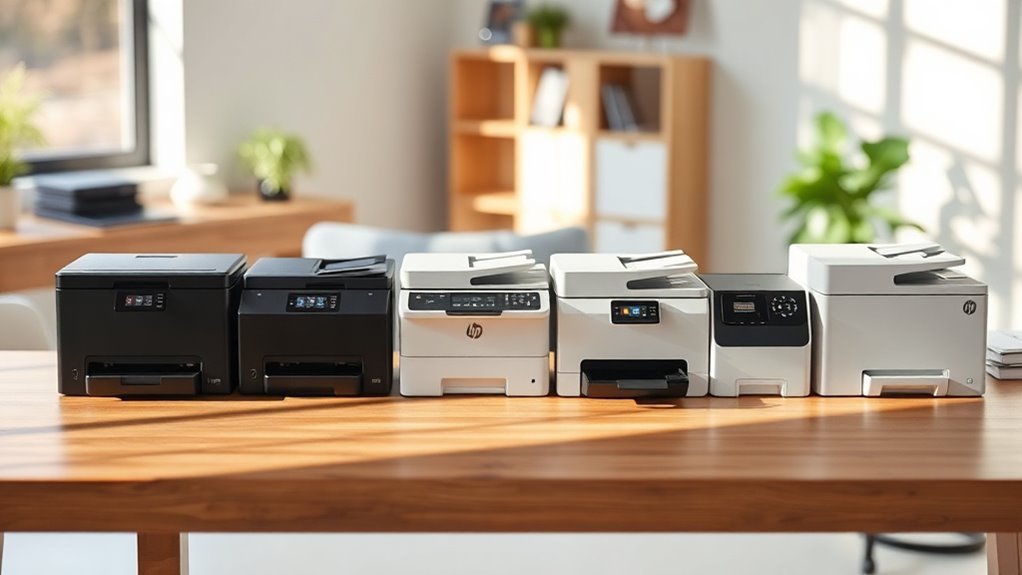
You’ll find reliable, budget-friendly LaserJet printers perfect for small offices or home use in 2027. These cheap LaserJet printers combine quality and affordability, making them great for anyone looking to save without sacrificing performance. Models like the HP LaserJet M234sdw and Brother HL-L2405W offer fast, compact monochrome printing with wireless connectivity.
If you need duplex printing, consider the HP LaserJet M207dw or M209dw. For multifunction needs, the HP LaserJet M140w fits well. Each model balances speed, security, and energy efficiency to suit different workflows. Explore these options to pick the perfect fit for your printing needs.
| Image | Name | Editor's Rating | Price |
|---|---|---|---|

|
|
||

|
|
||

|
|
||

|
|
||

|
|
HP LaserJet M234sdw Monochrome Laser Printer | All-in-One
No products found.
The HP LaserJet M234sdw is built to streamline printing tasks for small teams. It delivers fast and reliable monochrome printing, copying, and scanning, helping offices stay productive throughout the day. With a print speed of up to 30 pages per minute, it handles busy workloads efficiently.
This all-in-one printer features automatic duplex printing and a 40-page auto document feeder, reducing manual effort and saving time. It supports wireless connections via dual-band Wi-Fi, Ethernet, and USB, enabling smooth integration with mobile devices through the HP Smart app.
Designed with compactness in mind, the M234sdw fits neatly into tight office spaces and weighs just 19 pounds. Its Energy Star certification ensures it operates efficiently, lowering power consumption without sacrificing performance. Security features help protect sensitive information, making it a dependable choice for small offices.
Maintenance is straightforward, with easy access to replaceable toner cartridges. While it only supports monochrome output and a maximum media size of 8.5 x 14 inches, the printer excels at handling everyday document needs with clarity and speed.
Best for: small teams of 1–5 users requiring efficient, secure, and space-saving monochrome printing, copying, and scanning solutions.
What We Like:
- Fast printing at up to 30 ppm with duplex capability
- 40-page auto document feeder for multitasking
- Multiple connectivity options including dual-band Wi-Fi and mobile printing
- Compact design ideal for limited office spaces
- Energy Star certified with built-in security measures
Specification:
| Feature | Details |
|---|---|
| Manufacturer | HP |
| Dimensions | Compact, fits small spaces |
| Weight | 19 lb (8.6 kg) |
| Color Options | Gray |
| Print Speed | Up to 30 pages per minute |
| Max Media Size | 8.5 x 14 inches |
| Print Resolution | 600 x 600 dpi |
| Connectivity | Dual-band Wi-Fi, Ethernet, USB |
HP LaserJet M110w | Monochrome | Laser Printer
- FROM AMERICA'S MOST TRUSTED PRINTER BRAND – Perfect for small teams printing professional-quality black & white documents and reports. Perfect for 1-3 people
- WORLD'S SMALLEST LASER IN ITS CLASS – Precision laser printing that fits anywhere
- FAST PRINT SPEEDS – Up to 21 black-and-white pages per minute single-sided
- WIRELESS WITH SELF-RESET – Helps you stay connected
- PRINT FROM ANY DEVICE – Wireless printing from any mobile device, PC or tablet. Works with Microsoft, Mac, AirPrint, Android, Chromebook and more

The HP LaserJet M110w stands out as an ideal solution for small offices needing a compact and dependable monochrome laser printer. Its small footprint fits easily in tight workspaces, helping to keep your desk clutter-free. This printer delivers sharp black-and-white prints quickly, making it easy to handle daily office documents, forms, and reports without delay.
Setup is straightforward, with USB and wireless connectivity that works seamlessly with laptops, smartphones, and tablets. This flexibility means you can print from multiple devices without hassle. The printer supports various media types, accommodating diverse printing needs while maintaining consistent quality.
Maintenance is simple, but it’s important to note the printer uses only original HP toner cartridges. This ensures print reliability but may affect supply expenses. The single tray holds up to 150 sheets, which suits small print volumes but might require frequent refills during heavier use.
Energy efficiency and lightweight design make the M110w easy to move and cost-effective to operate. Its functionality and neat design make it a smart choice for teams needing reliable black-and-white printing without extra bulk.
Best for: small teams of 1–3 people needing a compact, reliable monochrome laser printer for office documents, forms, and reports.
What We Like:
- Smallest laser printer in its class, saving workspace
- Fast print speed up to 21 pages per minute
- Sharp 600 x 600 dpi black-and-white printing
- USB and wireless connectivity for versatile device support
- Lightweight and energy-efficient design
Specification:
| Feature | Details |
|---|---|
| Manufacturer | HP |
| Dimensions (W×D×H) | Compact size (exact not specified) |
| Weight | Lightweight (exact not specified) |
| Print Technology | Monochrome Laser |
| Print Speed | Up to 21 pages per minute |
| Print Resolution | 600 x 600 dpi |
| Connectivity | USB, Wireless |
| Paper Capacity | 150 sheets |
HP LaserJet M207dw | Monochrome | Laser Printer | Duplex
- FROM AMERICA'S MOST TRUSTED PRINTER BRAND – Perfect for offices printing black & white brochures, business documents and presentations. Perfect for 1-5 people
- FASTEST TWO-SIDED PRINTING IN ITS CLASS – Up to 28 black-and-white pages per minute single-sided. Quickly finish multipage print projects with the fastest in-class...
- DUAL-BAND WI-FI WITH SELF-RESET – Automatically detects and resolves connectivity issues
- STRONG SECURITY – Built-in security features help protect your printer from potential attacks
- PRINT FROM ANY DEVICE – Wireless printing from any mobile device, PC or tablet. Ethernet included. Works with Microsoft, Mac, AirPrint, Android, Chromebook and more.
Experience efficient black-and-white printing tailored for small offices with the HP LaserJet M207dw. This monochrome laser printer tackles everyday printing tasks quickly, helping you save time on multipage documents with its duplex printing feature. Its fast output of up to 28 pages per minute keeps your workflow moving smoothly.
Connectivity is seamless thanks to dual-band Wi-Fi with self-reset, along with Ethernet and wireless options. This flexibility ensures easy printing from mobile devices and computers across platforms like Microsoft, Mac, AirPrint, Android, and Chromebook. The printer’s compact design fits well in limited office spaces, making it easy to maintain without hassle.
Built with security in mind, the M207dw offers built-in protections against cyber threats. This safeguards your documents and network, allowing you to print with confidence. While it only supports monochrome printing, it delivers sharp, professional-quality results ideal for business documents, brochures, and presentations.
Regular maintenance is straightforward with HP’s reliable laser technology, designed for consistent performance. Though it’s best suited for small teams, this printer balances speed, connectivity, and security to meet everyday business needs efficiently.
Best for: Small office teams of 1 to 5 users needing fast, reliable monochrome printing with duplex capabilities for business documents, brochures, and presentations.
What We Like:
- Fast printing at up to 28 pages per minute with efficient two-sided printing
- Dual-band Wi-Fi with self-reset plus Ethernet and wireless mobile printing
- Wide platform compatibility including Microsoft, Mac, AirPrint, Android, and Chromebook
- Robust built-in security features to protect your printer and network
Specification:
| Feature | Details |
|---|---|
| Manufacturer | HP |
| Dimensions | Compact design (exact size not provided) |
| Weight | Not specified |
| Printing Technology | Monochrome Laser |
| Print Speed | Up to 28 pages per minute |
| Connectivity | Dual-band Wi-Fi, Ethernet, Wireless |
| Duplex Printing | Automatic two-sided printing |
Canon imageCLASS LBP6030w Wireless Monochrome Laser Printer
- FAST PRINT SPEEDS: Print up to 19 pages per minute.
- COMPACT DESIGN: Space-saving, compact design fits anywhere in your home, school or small office.
- WIRELESS CONNECTIVITY: Print from almost anywhere in your workspace using your compatible mobile device.
- PAPER CAPACITY: Up to 150 sheets.
- SUSTAINABILITY: Uses less than 2 watts in Energy Saver mode.
The Canon imageCLASS LBP6030w is a compact wireless laser printer designed to simplify printing tasks in home offices and small businesses. Its small footprint fits neatly on any desk, saving valuable workspace. This printer ensures documents are ready quickly, with the first page printed in about 8 seconds, helping you stay productive without delay.
With a print speed of up to 19 pages per minute, it handles everyday monochrome printing efficiently. The crisp 600 x 600 dpi resolution produces clear, professional-looking text. Wireless connectivity makes it easy to print directly from laptops and mobile devices, eliminating the hassle of cables and allowing flexible placement.
Maintenance is straightforward with a 150-sheet input tray that suits typical printing volumes. Energy-saving mode reduces power use, making it a practical choice for frequent users concerned about electricity consumption. However, it supports black-and-white printing only and lacks multifunction features like scanning or copying.
Overall, the Canon imageCLASS LBP6030w offers reliable, space-saving wireless printing tailored for users who prioritize simplicity and efficiency.
Best for: Individuals and small businesses needing a reliable, compact monochrome laser printer for daily document printing.
What We Like:
- Fast printing up to 19 pages per minute with sharp 600 x 600 dpi quality
- Wireless capability for easy mobile and laptop printing
- Compact design saves desk space
- Energy-saving mode lowers power consumption
Specification:
| Feature | Details |
|---|---|
| Manufacturer | Canon |
| Dimensions | 13 x 9.8 x 7 inches (approx.) |
| Weight | 12.6 lbs (approx.) |
| Printing Technology | Monochrome Laser |
| Print Speed | Up to 19 ppm |
| Resolution | 600 x 600 dpi |
| Paper Capacity | 150 sheets |
| Connectivity | Wireless |
Brother HL-L2405W Wireless Monochrome Laser Printer
- BEST FOR HOMES & HOME OFFICES – Engineered for consistent, premium print quality, the Brother HL-L2405W Monochrome (Black & White) Laser Printer delivers sharp, crisp...
- COMPACT, CONNECTED PRINTER – Flexible connection options make this an ideal printer for home use and at-home offices. Securely connect to multiple devices with built-in...
- BROTHER MOBILE CONNECT APP – Manage your printer remotely and print from your mobile device anytime, from almost anywhere. Order Brother Genuine Supplies, track toner...
- VERSATILE PAPER HANDLING – Enjoy seamless, reliable everyday printing with the 250-sheet paper tray(4) and a manual feed slot that enables printing on envelopes and...
- BROTHER IS AT YOUR SIDE – Backed by Brother with a 1-year limited warranty and free online, call, or live chat support for the life of your printer
Experience efficient black-and-white printing with the Brother HL-L2405W, designed to meet the needs of busy home offices. It delivers quick prints at up to 30 pages per minute, helping you stay productive without delay. The sharp 1200 x 1200 dpi resolution ensures clear, professional-looking documents every time.
This compact laser printer fits neatly on any desk, saving valuable space. It handles up to 250 sheets of paper, plus envelopes through the manual feed slot, making it versatile for everyday printing tasks. Its dual-band wireless connectivity allows seamless printing from laptops, smartphones, or tablets.
Maintenance is straightforward, with the device built for reliability and ease of use. The printer supports management through the Brother Mobile Connect app and voice commands via Alexa, simplifying print jobs without interrupting your workflow. Although it’s a print-only model and requires manual duplexing, it offers dependable performance at an accessible power level.
Best for: Small home offices and individuals needing fast, reliable wireless monochrome printing in a compact design.
What We Like:
- High-speed printing with sharp 1200 x 1200 dpi quality
- Dual-band wireless support plus mobile app and Alexa control
- Compact footprint with a 250-sheet capacity and manual envelope feed
- Easy maintenance and straightforward print management
Specification:
| Feature | Details |
|---|---|
| Manufacturer | Brother |
| Dimensions | Approx. 14 x 14 x 7.2 inches |
| Weight | Approx. 15 lb (6.8 kg) |
| Printing Technology | Monochrome Laser |
| Connectivity | Dual-band Wi-Fi, USB |
| Paper Capacity | 250 sheets + manual feed slot |
| Print Speed | Up to 30 ppm |
| Print Resolution | 1200 x 1200 dpi |
HP Laserjet MFP M140w Wireless Black & White Printer
- FROM AMERICA'S MOST TRUSTED PRINTER BRAND – Perfect for small teams printing, scanning and copying professional-quality black & white documents and reports. Perfect for...
- WORLD'S SMALLEST LASER IN ITS CLASS – Precision laser printing, scanning, and copying that fits anywhere
- FAST PRINT SPEEDS – Up to 21 black-and-white pages per minute single-sided
- WIRELESS WITH SELF-RESET – Helps you stay connected
- EASILY COPY ID CARDS AND MORE – Copy both sides of ID cards or other small-size documents onto the same side of one sheet of paper
Experience efficient printing designed for small workspaces with the HP Laserjet MFP M140w. This compact black-and-white laser printer fits easily on your desk, helping you save valuable space. It tackles everyday printing, scanning, and copying needs with speed and precision.
Designed to boost productivity, it prints up to 21 pages per minute, delivering clear, professional-quality documents quickly. Wireless connectivity allows seamless printing from smartphones, tablets, or PCs, supporting multiple platforms like Microsoft, Mac, and Android. The HP Smart app further simplifies scanning to the cloud and device management.
Maintenance is straightforward with original HP cartridges that include security features to prevent unauthorized replacements. While this ensures consistent print quality, it limits cartridge options and may require firmware updates that block non-HP cartridges.
This printer is ideal for small teams or individuals who need reliable, fast black-and-white printing with wireless convenience in a minimal footprint.
Best for: Small teams or individuals needing a compact, reliable black-and-white laser printer with wireless capabilities.
What We Like:
- Smallest laser printer in its class, saving desk space
- Fast printing speed of up to 21 ppm for efficient workflows
- Wireless printing and scanning with broad device compatibility
- HP Smart app simplifies cloud scanning and device management
Specification:
| Feature | Details |
|---|---|
| Manufacturer | HP |
| Dimensions | Compact size (exact size not specified) |
| Weight | Not specified |
| Color Options | Black |
| Printing Speed | Up to 21 pages per minute |
| Connectivity | Wireless (compatible with Microsoft, Mac, Android) |
HP LaserJet M209dw Monochrome Laser Printer

- HP LaserJet M209dw Wireless Printer, Print, Fast speeds, Easy setup, Mobile printing, Best-for-small teams, Instant Ink eligible
- Perfect for small teams printing black & white documents and reports, plus auto two-sided printing. Perfect for 1-5 people
- FASTEST TWO-SIDED PRINTING IN ITS CLASS – Up to 30 black-and-white pages per minute single-sided, u up to 19 black-and-white images per minute two-sided printing
- DUAL-BAND WI-FI WITH SELF-RESET – Automatically detects and resolves connectivity issues
- STRONG SECURITY – Built-in security features help protect your printer from potential attacks
The HP LaserJet M209dw is designed to meet the needs of small teams requiring quick and dependable black-and-white printing. It delivers sharp, single-sided prints at up to 30 pages per minute, streamlining the production of reports and documents. Duplex printing runs smoothly at 19 ipm, saving paper and effort with automatic two-sided output.
Setup and connectivity are hassle-free thanks to dual-band Wi-Fi and mobile printing support. The printer also features a self-reset function that automatically resolves connection issues, reducing downtime and keeping your workflow uninterrupted. Its compact design fits well in small office spaces without sacrificing performance.
Maintenance is straightforward, with built-in security that safeguards the printer from potential cyber threats. Instant Ink eligibility offers cost efficiency by managing ink supply automatically, helping teams save both time and money. The M209dw focuses on reliability and practical features rather than advanced finishing options.
While it is limited to monochrome printing and tailored for low to moderate volume use, this printer remains a smart, efficient choice for everyday office document needs.
Best for: Small teams of 1–5 people seeking fast, reliable black-and-white printing for routine office documents.
What We Like:
- Consistent speeds of up to 30 ppm for quick document turnaround
- Dual-band Wi-Fi and seamless mobile printing for easy connectivity
- Self-reset capability minimizes connection interruptions
- Built-in security features protect against cyber threats
- Automatic duplex printing reduces paper use and saves time
Specification:
| Feature | Details |
|---|---|
| Manufacturer | HP |
| Dimensions | Approx. 14.3 x 10.1 x 8.5 in (36.3 x 25.7 x 21.6 cm) |
| Weight | Approx. 15.4 lb (7 kg) |
| Printing Technology | Monochrome Laser |
| Connectivity | Wireless dual-band Wi-Fi |
| Print Speed | Up to 30 ppm (single-sided), 19 ipm (duplex) |
HP LaserJet Pro M102w Wireless Printer (G3Q35A)

- Reliable productivity - HP LaserJet Pro M102w is a compact wireless monochrome laser printer that delivers reliable printing for small Office and home business.
- Work with less wait - This wireless laser printer prints up to 23 pages per minute, with the first page out in as few as 7. 3 seconds
- Best-in-class mobile print APP(1) – The highly rated HP Smart app allows you to print and scan from smartphone or tablet, Print from the cloud, such as iCloud, Google...
- Wireless connectivity YOU CAN count on – built-in wireless capabilities let you easily access, Print, and share resources on a network. Those without a network can...
- Compact design - This wireless laser printer has a streamlined design with a footprint of 14. 4"W x 9. 7"D x 7. 5"H. Get reliable printing while taking up less space.
The HP LaserJet Pro M102w is designed to bring fast and reliable wireless printing to your home or small business. It prints up to 23 pages per minute with sharp 600 x 600 dpi resolution, helping you complete tasks quickly without sacrificing quality. Its compact size fits neatly on your desk, saving space in busy work areas.
This monochrome laser printer offers easy wireless connectivity through built-in Wi-Fi and Wi-Fi Direct. You can print directly from your smartphone or tablet using the HP Smart app, making it simple to handle documents on the go. Manual duplex printing helps reduce paper use, though you’ll need to flip pages yourself for double-sided prints.
Maintenance is straightforward with hassle-free toner replacement, keeping your workflow smooth and uninterrupted. The printer is Energy Star-certified and uses HP Auto-On/Auto-Off technology to minimize power consumption, making it an efficient choice for everyday use.
With Alexa voice control and cloud printing support, the HP LaserJet Pro M102w adds convenience to your printing routine. It balances performance and cost-effectiveness, ideal for those needing reliable black-and-white printing without extra features.
Best for: Home users and small to medium businesses needing a compact, wireless monochrome laser printer with mobile and voice control capabilities.
What We Like:
- Fast printing at 23 pages per minute with clear resolution
- Wireless printing via built-in Wi-Fi and HP Smart app
- Energy-efficient with Auto-On/Auto-Off and Energy Star certification
- Easy toner replacement for simple maintenance
- Voice control with Alexa for hands-free operation
Specification:
| Feature | Details |
|---|---|
| Manufacturer | HP |
| Dimensions (W x D x H) | 14.5 x 10.2 x 7.5 in |
| Weight | 12.6 lb (5.7 kg) |
| Color Options | White |
| Connectivity | Wi-Fi, Wi-Fi Direct, USB 2.0 |
Factors to Consider When Choosing a Cheap Laserjet Printer
When choosing a cheap LaserJet printer, you’ll want to focus on print speed, connectivity options, and print resolution to match your needs. Don’t forget to check paper handling capacity and energy efficiency ratings to guarantee long-term convenience and savings.
These factors help you pick a printer that balances cost with performance. It’s all about finding the right fit without breaking the bank. So, take your time and consider what features matter most to you.
Print Speed Importance
Because print speed directly impacts how quickly you clear your print queue, it’s a key factor to take into account when choosing a cheap LaserJet printer. Print speed is measured in pages per minute (ppm) for single-sided jobs, so if you frequently print long documents, a higher ppm will save you time.
For two-sided printing, check images-per-minute (ipm) or two-sided ppm, as duplex jobs usually print slower than single-sided ones. Don’t overlook first-page-out time—if you print short jobs often, a fast start is essential.
Keep in mind that rated speeds are tested under ideal conditions; real-world results depend on resolution, paper type, network load, and whether you’re printing duplex. Choose a speed that matches your printing habits to balance efficiency and cost.
Connectivity Options Available
How do you make sure your LaserJet printer stays connected no matter the setup? Start by choosing one with dual-band Wi-Fi (2.4 GHz and 5 GHz) or Wi-Fi that automatically resets itself to avoid dropouts in busy networks.
If you share the printer across multiple users or offices, prioritize models with both wireless and wired Ethernet connectivity for stable access. Don’t forget to check for USB ports (USB 2.0 or higher) for reliable direct PC connections or offline printing.
Also, make certain your printer supports mobile printing protocols like AirPrint, Mopria, or native apps so you can print straight from your smartphone or tablet. For situations without a network, look for Wi-Fi Direct or hotspot mode for secure peer-to-peer printing.
Printing Resolution Quality
What resolution do you really need from a cheap LaserJet printer? For most black-and-white printing, 600 x 600 dpi delivers sharp text and solid fills, making it sufficient for clear documents and small fonts.
If you print detailed charts or grayscale images often, consider 1200 x 1200 dpi for smoother halftones and finer detail. Remember, higher dpi can slow print speed and slightly increase toner use.
Also, check if the printer’s dpi is native or interpolated—native resolution gives a more accurate representation of print quality. Keep in mind, toner quality and font rendering impact text legibility more than raw dpi.
Paper Handling Capacity
Paper handling capacity plays a pivotal role in choosing a cheap LaserJet printer that fits your workflow. First, check the input tray capacity—budget models typically hold 100 to 250 sheets. Match this to your daily print volume to avoid constant refills.
Also, look for the maximum output capacity and options for extra trays; these guarantee smoother bulk printing without interruptions. Verify the supported paper sizes, including legal (8.5 x 14 inches), envelopes, labels, and cardstock, so your printer handles all your media needs.
Don’t overlook a manual feed or multipurpose slot for specialty sheets without disturbing the main tray. And if two-sided printing or scanning matters, confirm whether duplexing and the automatic document feeder (ADF) are automatic and their page capacities. This helps streamline your workflow efficiently.
Energy Efficiency Ratings
When choosing a cheap LaserJet printer, you’ll want to prioritize energy efficiency to keep operational costs low and reduce your environmental impact. Look for models with Energy Star certification or similar labels, as they use less power both in standby (often under 5 W) and during printing.
Consider printers with Auto-On/Auto-Off or quick sleep modes to minimize energy waste during idle times. It’s a smart way to save energy without even thinking about it.
Compare active printing power (typically 200–500 W) against pages per minute to gauge energy used per page. Also, factor in duplex printing and high-yield cartridges, which lower resource use and energy per page over time.
Balancing these features helps you pick a cost-effective, eco-friendly LaserJet suited for your print volume and budget. In the end, it’s all about getting the best value while being kind to the planet.
Security Features Included
Although budget-friendly LaserJet printers may seem straightforward, you shouldn’t overlook essential security features that protect your device and sensitive documents. Look for built-in firmware security that blocks unauthorized or tampered code during startup, preventing persistent attacks.
Make sure the printer supports encrypted network communication like WPA2/WPA3 for Wi-Fi and TLS/SSL for management interfaces to keep your print jobs and admin access secure. It’s really important to keep those connections locked down.
Choose models with user authentication options—PIN, badge, or username/password—and secure release printing to avoid leaving sensitive documents unattended. You don’t want your confidential info just sitting there on the tray.
Verify role-based access control and password-protected admin settings to restrict changes and usage to authorized personnel only. This way, only the right people can make adjustments or access sensitive functions.
Finally, check for automatic security updates or an easy update process so your printer stays protected with the latest patches and firmware fixes. Staying current helps keep your printer safe from new threats.
Frequently Asked Questions
How Long Do Toner Cartridges Typically Last?
Toner cartridges typically last between 2,000 and 5,000 pages, depending on your printer and usage.
You’ll want to replace them once print quality drops or pages start fading to keep your prints sharp.
It’s pretty simple—when your prints don’t look as clear as before, it’s time for a new cartridge. Just keep an eye on how your pages turn out!
Are These Printers Compatible With Mac and Linux Systems?
Yes, most of these printers work with both Mac and Linux systems. You’ll want to check specific model drivers, but manufacturers usually provide compatible software or open-source drivers.
What Is the Average Energy Consumption of These Printers?
Like a quiet river, these printers usually sip around 200-500 watts while printing and drop to under 10 watts in standby.
You’ll save energy without sacrificing performance, keeping your bills and carbon footprint low.
It’s pretty impressive how efficient they are, right? Just a small change like this can make a big difference over time.
Can These Printers Handle Photo Printing Well?
No, these printers aren’t great for photo printing since laser technology focuses on text and graphics. You’ll get decent black-and-white images, but for vibrant, detailed photos, an inkjet printer suits you much better.
Inkjet printers really shine when it comes to color and detail. So, if you want your photos to pop, they’re the way to go. Laser printers just don’t quite capture that same richness.
Do These Printers Support Mobile Printing Apps?
Oh, of course not—because who needs convenience?
But seriously, these printers do support mobile printing apps, so you can easily print from your phone or tablet without fuss.
They make your life simpler, not harder.
Conclusion
Choosing the right cheap LaserJet printer is like picking the perfect compass for your journey. Each model—whether sleek and wireless or simple and sturdy—guides you toward clear, sharp prints without draining your resources.
Trust your needs to steer you, and you’ll find a reliable partner that prints smoothly through every task. With these options, you’re not just buying a printer; you’re setting your course for efficient, budget-friendly success.
When looking for the best cheap LaserJet printers, think about what matters most: print quality, speed, and cost-effectiveness. These printers offer great value without compromising performance. So, whether it’s for home, school, or office use, a budget-friendly LaserJet can meet your needs without breaking the bank.
In the end, choosing a cheap LaserJet printer means smart spending and reliable results. It’s all about finding that perfect balance between affordability and functionality to keep your printing tasks running smoothly.