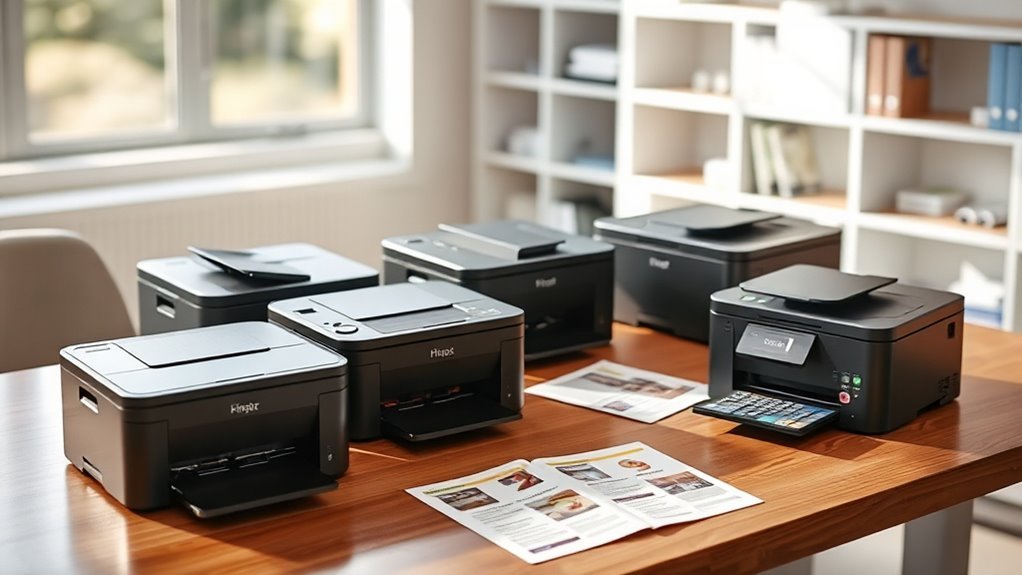
8 Best Cheap Laser Printers for 2027
If you need a reliable, affordable monochrome laser printer for 2027, there are plenty of great options to consider. Models like the HP LaserJet M110w and Brother HL-L2405W deliver fast, sharp prints and come with handy wireless features that make printing from your phone or laptop a breeze.
The Canon imageCLASS LBP122dw and MF284dw stand out because they offer duplex printing and mobile app support, which is perfect for saving paper and printing on the go. Meanwhile, the Xerox B230 is known for its high speed and easy setup, ideal if you want to get started quickly without any hassle.
If you’re looking to save even more, refurbished models like the HP Pro P1606DN provide excellent value without sacrificing quality. Plus, multifunction printers are great for small offices that need scanning and copying alongside printing. Explore these picks to find the perfect fit for your printing needs and workflow.
| Image | Name | Editor's Rating | Price |
|---|---|---|---|

|
|
||

|
|
||

|
|
||

|
|
||
|
|
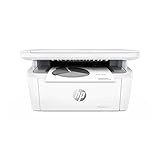
HP LaserJet M110w | Monochrome | Laser Printer
- FROM AMERICA'S MOST TRUSTED PRINTER BRAND – Perfect for small teams printing professional-quality black & white documents and reports. Perfect for 1-3 people
- WORLD'S SMALLEST LASER IN ITS CLASS – Precision laser printing that fits anywhere
- FAST PRINT SPEEDS – Up to 21 black-and-white pages per minute single-sided
- WIRELESS WITH SELF-RESET – Helps you stay connected
- PRINT FROM ANY DEVICE – Wireless printing from any mobile device, PC or tablet. Works with Microsoft, Mac, AirPrint, Android, Chromebook and more

The HP LaserJet M110w is a compact monochrome laser printer designed to fit seamlessly into small office spaces. It addresses the need for fast, reliable black-and-white printing without taking up much room. With a print speed of up to 21 pages per minute, it helps your team stay productive by quickly delivering sharp documents.
Designed for ease of use, the printer supports automatic duplex printing, reducing paper waste and saving time. Its wireless and USB connectivity options make it versatile and compatible with various devices and operating systems. Setup is straightforward, allowing you to get started with minimal effort.
Maintenance is simple thanks to the preinstalled toner cartridge, though you will need to use original HP toner cartridges with proprietary chips. This limitation ensures quality prints but restricts cartridge choices. The single input tray holds up to 150 sheets, suitable for light to moderate printing tasks.
Energy Star certification means the printer operates efficiently, balancing performance with lower power consumption. This feature is ideal for businesses looking to reduce their environmental impact while maintaining productivity.
Best for: Small teams or offices of 1–3 people needing a compact, reliable monochrome laser printer for black-and-white documents.
What We Like:
- Fast printing at 21 pages per minute with clear 600 x 600 dpi resolution
- Supports automatic duplex printing to save paper
- Wireless and USB connectivity for flexible device compatibility
- Compact design fits easily in limited office space
Specification:
| Feature | Details |
|---|---|
| Manufacturer | HP |
| Dimensions | Compact (exact size not provided) |
| Weight | Not specified |
| Printing Technology | Monochrome Laser |
| Print Speed | Up to 21 pages per minute |
| Print Resolution | 600 x 600 dpi |
| Connectivity | Wireless, USB |
| Input Tray Capacity | 150 sheets |
| Duplex Printing | Automatic |
| Energy Certification | Energy Star certified |
Brother HL-L2405W Wireless Monochrome Laser Printer
- BEST FOR HOMES & HOME OFFICES – Engineered for consistent, premium print quality, the Brother HL-L2405W Monochrome (Black & White) Laser Printer delivers sharp, crisp...
- COMPACT, CONNECTED PRINTER – Flexible connection options make this an ideal printer for home use and at-home offices. Securely connect to multiple devices with built-in...
- BROTHER MOBILE CONNECT APP – Manage your printer remotely and print from your mobile device anytime, from almost anywhere. Order Brother Genuine Supplies, track toner...
- VERSATILE PAPER HANDLING – Enjoy seamless, reliable everyday printing with the 250-sheet paper tray(4) and a manual feed slot that enables printing on envelopes and...
- BROTHER IS AT YOUR SIDE – Backed by Brother with a 1-year limited warranty and free online, call, or live chat support for the life of your printer
The Brother HL-L2405W offers a powerful solution for fast, efficient black-and-white printing. It handles high-volume tasks with ease, printing up to 30 pages per minute. This speed helps reduce wait times, making it ideal for busy home offices or small workgroups.
Its sharp 1200 x 1200 dpi resolution ensures clear, professional-quality text every time. The printer’s compact design fits comfortably on any desk, saving valuable space. Wireless dual-band connectivity allows seamless printing from laptops, smartphones, and tablets without tangled cables.
Maintenance is straightforward, with a 250-sheet capacity that minimizes frequent paper refills. Manual duplex printing lets you save paper by printing on both sides, although it requires user intervention. The device supports envelopes and specialty papers, adding versatility for different printing needs.
While the HL-L2405W is print-only and lacks scanning or copying functions, its focus on monochrome printing makes it an efficient, cost-effective choice for users who don’t require color output. Overall, it balances performance and simplicity for everyday black-and-white printing needs.
Best for: Small home offices or individuals needing a fast, reliable monochrome printer with wireless capabilities and remote management.
What We Like:
- Fast printing speed of up to 30 pages per minute
- Crisp 1200 x 1200 dpi resolution for sharp text
- Wireless dual-band support for multiple devices
- Compact size ideal for limited desk space
- Supports specialty papers and manual duplex printing
Specification:
| Feature | Details |
|---|---|
| Manufacturer | Brother |
| Dimensions (W x D x H) | 14.2 x 14.2 x 7.2 in |
| Weight | 15 lbs (6.8 kg) |
| Printing Technology | Monochrome Laser |
| Connectivity | Wireless Dual-band (2.4/5 GHz) |
| Paper Capacity | 250 sheets |
| Duplex Printing | Manual |
Canon imageCLASS LBP122dw – Wireless Monochrome Duplex Laser Printer
- Wireless, duplex printer (print-only)
- Fast print speeds up to 30 pages per minute (black and white)
- Print on-the-go with Canon PRINT app and more.
- Uses Canon GENUINE Toner 071 / 071 high-capacity
- Compact design fits almost anywhere in your home, great for home use and personal printing
The Canon imageCLASS LBP122dw offers a streamlined solution for fast, efficient monochrome printing at home. Its wireless capability eliminates cables and clutter, allowing you to print from anywhere in your space with ease. This printer helps reduce paper waste thanks to its automatic duplex printing feature, which saves time and resources.
Designed for simplicity, the compact build fits neatly on a desk or shelf without taking up much room. Its user-friendly setup and maintenance mean less downtime and hassle, keeping your workflow smooth. The Canon PRINT app adds convenience by letting you print directly from your smartphone or tablet.
While it focuses solely on black-and-white output, this model delivers consistent, high-quality prints ideal for documents and everyday tasks. It doesn’t include scanning or fax functions, but its core function excels with reliable laser technology. Using Canon GENUINE Toner 071 ensures longevity and maintains print quality over time.
Best for: Home users and individuals seeking a compact, fast, and reliable monochrome laser printer with wireless duplex printing capabilities.
What We Like:
- Fast print speed up to 30 pages per minute
- Automatic two-sided printing reduces paper use
- Wireless printing with mobile app support
- Compact design fits small spaces
- Uses genuine toner for consistent quality
Specification:
| Feature | Details |
|---|---|
| Manufacturer | Canon |
| Dimensions (W×D×H) | 14.0 × 14.0 × 8.7 inches |
| Weight | 13.9 lbs (6.3 kg) |
| Printing Technology | Monochrome Laser |
| Connectivity | Wireless (Wi-Fi) |
| Duplex Printing | Automatic two-sided printing |
Refurbished HP LaserJet Pro P1606DN P1606 CE749A Printer w/90-Day Warranty
- This Certified Refurbished product is tested and certified to look and work like new. The refurbishing process includes functionality testing, basic cleaning, inspection...
Save money and enjoy consistent printing performance with the refurbished HP LaserJet Pro P1606DN. This printer is designed to handle everyday printing tasks efficiently, making it ideal for home offices and small businesses. Its compact design fits easily on a desk, saving valuable workspace.
The printer undergoes careful testing, cleaning, and inspection to ensure it functions like new. It delivers sharp, professional-quality prints while maintaining low maintenance needs. Users benefit from reliable laser printing technology that reduces downtime and keeps workflows smooth.
Maintenance is straightforward with accessible toner replacement and minimal upkeep required. This model’s robust build supports regular use without compromising print quality. Although it may arrive in a plain box, all essential accessories are included to get you started immediately.
Choosing this refurbished model balances cost savings with dependable performance. It offers an efficient solution for those who want quality prints without the expense of a brand-new printer. Minor cosmetic imperfections do not affect its functionality or output.
Best for: Small businesses and individuals needing a cost-effective laser printer that delivers reliable, high-quality printing.
What We Like:
- Certified refurbished with thorough functionality testing
- Compact design fits well in limited spaces
- Easy maintenance with accessible toner replacement
- Reliable laser printing technology for consistent results
- Includes all necessary accessories for immediate use
Specification:
| Feature | Details |
|---|---|
| Manufacturer | HP |
| Model | LaserJet Pro P1606DN |
| Dimensions | 13.5 x 14.1 x 8.3 inches |
| Weight | 14.4 lbs (6.5 kg) |
| Color | Black |
Canon imageCLASS MF3010 Wired Monochrome Laser Printer
No products found.
Experience efficient black-and-white printing with the Canon imageCLASS MF3010, designed to streamline your home office tasks. This wired monochrome laser printer offers a fast output of 19 pages per minute, helping you complete jobs quickly without sacrificing quality. Its sharp 600 x 600 dpi resolution ensures clear text and crisp copies every time.
The multifunction design integrates printing, scanning, and copying into one compact device, saving space and reducing clutter. Automatic duplex printing reduces paper use, making it easier to manage resources while maintaining productivity. Handling various media types is simple with its 150-sheet paper capacity.
Setup and maintenance are straightforward with USB connectivity and broad compatibility across Windows, Mac, and Linux systems. The included toner cartridge delivers up to 2,300 pages, lowering the frequency of replacements and overall running costs. However, note that it lacks wireless options and has a single paper tray, which may not suit high-volume needs.
Best for: Budget-conscious home office users needing a reliable and efficient monochrome multifunction printer with essential scanning and copying functions.
What We Like:
- Fast print and copy speeds with sharp resolution
- Automatic duplex printing saves paper
- Compatible with multiple operating systems via USB
- Toner yields up to 2,300 pages for cost efficiency
Specification:
| Feature | Details |
|---|---|
| Manufacturer | Canon |
| Model | imageCLASS MF3010 |
| Print Speed | 19 pages per minute |
| Resolution | 600 x 600 dpi |
| Paper Capacity | 150 sheets |
| Connectivity | Wired USB |
| Functions | Print, Scan, Copy |
| Operating Systems | Windows, Mac, Linux |
| Toner Yield | Up to 2,300 pages |
HP Laserjet MFP M140w Wireless All-in-One Printer
- All-in-One Functionality: The HP LaserJet MFP M140w offers the convenience of printing, copying, and scanning in a single, compact device, saving valuable space in your...
- Wireless Connectivity for Easy Printing: Enjoy the flexibility of wireless printing with seamless Wi-Fi connectivity. You can easily print documents from your phone...
- Fast, High-Quality Monochrome Printing: Achieve clear, sharp, black-and-white prints with fast print speeds, making this printer perfect for handling high-volume tasks...
- Effortless Setup and User-Friendly Operation: The HP LaserJet MFP M140w is designed for quick and simple setup. With a user-friendly interface, you'll be up and running...
- Energy-Efficient with Auto-On/Off Technology: Save on energy costs with HP’s Auto-On/Off technology, which automatically powers the printer on when you send a print job...
Experience reliable and efficient printing with the HP LaserJet MFP M140w, a compact all-in-one designed to simplify your home or small office tasks. This monochrome printer delivers fast, sharp prints at 21 pages per minute, helping you complete jobs quickly without sacrificing quality.
Its sleek white design saves valuable desk space while offering easy wireless connectivity through Wi-Fi and the HP Smart app. This allows you to print, scan, and copy without being tethered to a computer, streamlining your workflow and reducing clutter.
Maintenance is straightforward with energy-saving Auto-On/Auto-Off technology that helps reduce power use when the printer is idle. The device supports various paper sizes, though its 150-sheet tray is best suited for low to moderate print volumes.
While it lacks color printing, the MFP M140w excels in delivering crisp black-and-white documents efficiently. Its lightweight design makes it easy to move and position wherever you need it most.
Best for: individuals or small offices needing a compact, reliable monochrome all-in-one printer to handle everyday printing, scanning, and copying tasks.
What We Like:
- Fast printing at 21 pages per minute with clear 600 dpi resolution
- Wireless Wi-Fi and mobile printing via HP Smart app for convenience
- Energy-efficient Auto-On/Auto-Off reduces power consumption
- Compact design fits easily in small workspaces
Specification:
| Feature | Details |
|---|---|
| Manufacturer | HP |
| Dimensions | Not specified |
| Weight | Under 12 lb (approx. 5.4 kg) |
| Color | White |
| Connectivity | Wireless Wi-Fi |
Xerox B230 Wireless Black and White Laser Printer – Print Only

- FAST BLACK & WHITE PRINTING: Deliver professional results with print speeds up to 36 ppm. Designed to keep small businesses and hybrid offices productive with fast...
- BUSINESS QUALITY: Produce sharp black text and clear graphics. Ensure business documents, reports and presentations look polished every time.
- WIRELESS & MOBILE PRINTING: Stay connected with Wi-Fi, Apple AirPrint, and Mopria. Effortlessly print from your laptop, smartphone, or tablet from anywhere in your...
- EASY SMARTPHONE SETUP: Get printing in minutes. Use the Xerox Easy Assist App for a simplified, guided installation that eliminates complex manuals and traditional driver...
- VALUE FOR YOUR BUSINESS: Built for small businesses that print up to 2,500 pages per month. High-yield toner options mean fewer interruptions and a lower total cost of...
Experience efficient printing with the Xerox B230 Wireless Black and White Laser Printer. Designed to deliver sharp, fast black-and-white prints, it helps small businesses and home offices maintain productivity without hassle.
This compact printer achieves speeds up to 36 pages per minute at a clear 600 x 600 dpi resolution. Automatic duplex printing reduces paper use, while support for various paper sizes, including legal, adds versatility to your daily tasks.
Setup and maintenance are straightforward with the Xerox Easy Assist App. The single 250-sheet tray and high-yield black toner reduce interruptions and keep running costs manageable. Wireless, USB, and Ethernet connections, plus mobile printing via Apple AirPrint and Mopria, ensure seamless integration into your workflow.
While it focuses solely on printing, this device is ideal for users who need reliable, monochrome output without the complexity of multifunction features. Its small footprint fits well in limited spaces, supporting regular monthly volumes up to 2,500 pages.
Best for: Small businesses, hybrid, and home offices needing a compact, dependable monochrome laser printer with wireless capabilities.
What We Like:
- Fast printing at 36 ppm with crisp 600 x 600 dpi output
- Automatic duplex printing saves paper and time
- Multiple connectivity options including Wi-Fi, USB, and Ethernet
- Easy setup and maintenance via Xerox Easy Assist App
- Compact design fits well in tight office spaces
Specification:
| Feature | Details |
|---|---|
| Manufacturer | Xerox |
| Dimensions | 14.7 x 14.1 x 11.1 inches |
| Weight | 17.6 lb (8 kg) |
| Print Technology | Black and white laser |
| Print Speed | Up to 36 pages per minute |
| Resolution | 600 x 600 dpi |
| Paper Capacity | 250-sheet single tray |
| Connectivity | Wi-Fi, USB, Ethernet |
| Mobile Printing | Apple AirPrint, Mopria |
Canon imageCLASS MF284dw Multifunction Wireless Monochrome Laser Printer

- Print up to 35 pages-per-minute with a first print out of time of less than 4.9 seconds (letter)
- Print on-the-go with Canon Print App, Canon PRINT Business, Apple AirPrint and Mopria Print Service
- High capacity toner option keeps up with your printing needs and limits toner replacement interruptions
- Duplex print saves paper and related costs
- High speed scanning. Single-sided: up to 15/21 ipm (BW/Color)
The Canon imageCLASS MF284dw is designed to keep your office running smoothly with fast, dependable monochrome printing. It handles high-volume tasks efficiently, producing up to 35 pages per minute. This quick output saves valuable time during busy workdays.
This multifunction printer combines printing, copying, and scanning into one compact device. Duplex printing and an auto document feeder simplify handling large documents. Wireless connectivity supports mobile printing through Canon PRINT, Apple AirPrint, and Mopria, making it easy to print from multiple devices.
Maintenance is straightforward thanks to a high-capacity toner option that reduces the frequency of replacements. Its clean white design fits neatly in office spaces without overwhelming your desk. While it only prints in black and white, it excels at delivering sharp, professional text documents.
Best for: Offices and professionals who need fast, reliable monochrome printing with multifunction features to boost productivity.
What We Like:
- Fast printing speed of up to 35 pages per minute
- Multifunction capabilities including duplex print, copy, and scan
- Wireless mobile printing compatibility with popular apps
- High-capacity toner reduces downtime
Specification:
| Feature | Details |
|---|---|
| Manufacturer | Canon |
| Dimensions | Compact design (exact size not specified) |
| Weight | Relatively bulky (exact weight not specified) |
| Color Options | White |
| Printing Technology | Monochrome Laser |
Factors to Consider When Choosing a Cheap Laser Printer
When choosing a cheap laser printer, you’ll want to focus on print speed and connectivity options to match your workflow. Don’t overlook print quality, paper handling capacity, and whether it supports duplex printing.
These factors can make a big difference in convenience and overall value. So, it’s worth taking a moment to consider what features matter most to you before making a decision.
Print Speed Importance
Although print speed might not be your only concern, it plays a crucial role in choosing a cheap laser printer that fits your needs. If you print frequently or in batches, aim for a printer with at least 20–30 pages per minute (ppm) to cut down wait times.
Check the first-page-out time too—under 10 seconds is ideal for quick, occasional prints. Keep in mind, duplex printing often slows speeds, so verify if the ppm rating applies to single-sided prints only.
Also, consider the monthly duty cycle; faster printers handle heavy workloads better without causing bottlenecks or wear. Finally, make certain the printer’s processor and memory support its speed claims, especially if you deal with complex documents or graphics regularly.
Connectivity Options Available
How do you guarantee seamless printing from all your devices? Choose a cheap laser printer that supports both wired USB and wireless Wi‑Fi connections, so you can print from desktops and mobiles without swapping cables.
Look for dual-band Wi‑Fi (2.4 GHz and 5 GHz) or Ethernet options to make certain stable network performance, especially in busy environments. Check if the printer supports mobile print protocols like AirPrint, Mopria, or vendor apps for direct smartphone and tablet printing.
Automatic network features—such as Wi‑Fi setup, WPS, or guided app installation—simplify setup and management. For multi-user or office use, prioritize printers with Ethernet/network ports and broad driver compatibility across Windows, macOS, Android, and Chromebook.
This way, your printer stays versatile and easy to manage. It just makes life easier, don’t you think?
Print Quality Standards
Having a printer that connects effortlessly is great, but you’ll want to make certain the print quality lives up to your expectations as well. Start by checking the print resolution—600 x 600 dpi or higher guarantees sharp text and detailed graphics.
Consider first-page-out time and print speed together; a quick start (under 9 seconds) and higher pages per minute keep your workflow smooth. Don’t overlook toner yield and consistency—look for stable coverage to avoid streaks or banding throughout the cartridge life.
Also, confirm the printer can handle small fonts and fine lines clearly, especially if you deal with forms or legal documents. Finally, if you use duplex printing, make sure it maintains alignment and consistent toner transfer to prevent ghosting or misregistration.
Paper Handling Capacity
Paper handling capacity plays a vital role in choosing a cheap laser printer that fits your needs. Start by checking the input tray capacity—most small printers hold 150 to 250 sheets.
Pick one that matches your monthly print volume to avoid frequent refills. Also, consider the output tray size to prevent interruptions during long print jobs.
Make sure the printer supports the paper sizes you use, including legal-sized sheets if needed, plus specialty media like envelopes or labels. Look at the number of trays available and whether you can add extra or larger ones if your print demands grow or if you want separate feeds for different paper types.
Paying attention to these factors guarantees smooth, efficient printing without constant hassle.
Duplex Printing Feature
Although not all budget laser printers include it, an automatic duplex printing feature can save you significant time and paper by printing on both sides without manual effort. When choosing a cheap laser printer, check whether duplexing is true hardware-based or driver-driven.
Hardware duplexers handle two-sided printing faster and with less hassle, while manual duplex requires reinserting pages, slowing you down and increasing errors. Keep in mind that automatic duplexing might slightly reduce your printer’s pages-per-minute speed for double-sided jobs.
Also, if you frequently print on mixed media like envelopes or cardstock, confirm that the duplex mechanism supports these materials, as some only work with plain paper. Prioritizing automatic duplex printing guarantees cost efficiency and convenience in your everyday printing tasks.
Compatibility With Devices
When choosing a cheap laser printer, make sure it’s compatible with the devices you use daily. First, check if it supports your operating systems—Windows, macOS, Linux, Android, iOS, or Chromebook. This will guarantee drivers and mobile printing features work smoothly.
Next, consider connectivity options like USB, Wi-Fi (2.4 GHz and 5 GHz), Ethernet, and protocols such as AirPrint or Mopria. Match these with your devices and network setup to avoid any hiccups.
If you frequently print from smartphones or tablets, confirm the printer’s mobile app compatibility. Features like mobile printing, scan-to-cloud, and remote setup can make your life a lot easier.
Finally, if multiple users with different systems share the printer, verify it supports networked printing. Also, check it has reliable driver support for mixed environments so everyone can print hassle-free.
Warranty And Support
Since a cheap laser printer is an investment you’ll rely on regularly, understanding its warranty and support options is essential. First, check the warranty length and type—whether it’s 90 days or a one-year limited hardware warranty—and what it covers, like parts, labor, or the print engine.
Make sure consumables such as toner or drums aren’t excluded if you want full protection. Next, look for support availability: phone, chat, and online options matter, as does whether support is 24/7 or only during business hours.
Also, verify if firmware updates and compatibility changes are handled under warranty. Finally, ask about repair turnaround times, authorized service centers, and whether you can get refurbished or replacement units during the warranty period for uninterrupted use.
Frequently Asked Questions
How Long Do Toner Cartridges Typically Last in Cheap Laser Printers?
Toner cartridges typically last between 1,500 to 3,000 pages, but it depends on your printer and usage.
You’ll get fewer pages if you print a lot of graphics or heavy documents regularly.
Can Cheap Laser Printers Handle Printing Labels or Envelopes?
Think of your cheap laser printer as a sturdy ship steering through calm waters—it can handle labels and envelopes, but be cautious. Use specific settings and lighter stock to keep your voyage smooth and avoid paper jams.
Just take it slow and follow the right steps. That way, your printer will sail through without any trouble.
What Is the Average Warm-Up Time for Budget Laser Printers?
You’ll typically wait about 20 to 60 seconds for a budget laser printer to warm up. Some models are quicker, but don’t expect instant printing—
you’ll notice a short delay before it’s ready to go. It’s just part of how these printers work. But once it’s warmed up, the printing speeds pick up nicely!
Are Cheap Laser Printers Compatible With macOS and Linux?
Wondering if your cheap laser printer will play nice with macOS or Linux? Most will, but you’ll want to double-check driver support to avoid headaches.
Compatibility varies, so don’t assume—it’s worth a quick research! Better safe than sorry, right?
Do Inexpensive Laser Printers Support Mobile Printing Apps?
Yes, many inexpensive laser printers support mobile printing apps, letting you print directly from your smartphone or tablet. Just check the specs to make certain compatibility with your device’s operating system before buying.
It’s pretty convenient, right? Being able to print on the go without needing a computer makes life easier for a lot of people. So, a quick look at the printer’s features can save you some hassle later.
Conclusion
Choosing the perfect cheap laser printer might feel like hunting for a unicorn, but trust me, it’s totally doable. Whether you want blazing-fast prints, wireless magic, or multifunction marvels, one of these eight gems will blow your socks off without emptying your wallet.
Don’t settle for sluggish or bulky—grab a laser printer that’s as smart and efficient as you are. Your printing game is about to level up like never before!
When it comes to finding the best cheap laser printers for 2027, you don’t have to sacrifice quality for price. These budget-friendly options offer speedy performance, crisp text, and reliable wireless connectivity. Plus, many come with handy features like scanning and copying, making them perfect for home offices or students.
So, whether you need a basic model or a multifunction powerhouse, this list has you covered. Get ready to enjoy fast, affordable, and high-quality printing without breaking the bank!