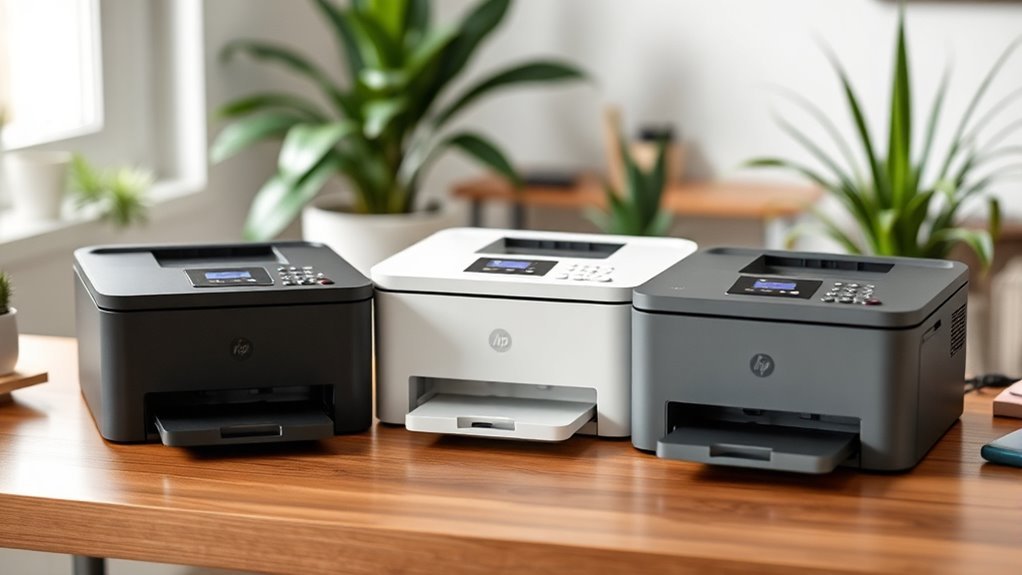
3 Best Cheap Basic Printers for 2027
For affordable, reliable printing in 2027, consider the HP DeskJet 2923, Canon PIXMA TS4320, and Brother HL-L2405W. These cheap basic printers offer great value without compromising quality. Whether you need color prints, wireless connectivity, or fast black-and-white output, these models have you covered.
You’ll get versatile all-in-one color printing and wireless connectivity with HP. Canon delivers sharp color prints plus auto duplex, which is great for saving paper. And Brother offers fast black-and-white laser printing, perfect for everyday documents.
Each printer balances cost, speed, and media support for everyday home or small office use. To pick the best fit, explore how their features and running costs compare. This way, you can find the printer that suits your needs and budget perfectly.
| Image | Name | Editor's Rating | Price |
|---|---|---|---|

|
|
||

|
|
||

|
|
HP DeskJet 2923 Color Inkjet Printer | Wireless | All-in-One
- Perfect for basic printing needs – Print everyday color documents like to-do lists, letters, financial documents and recipes
- KEY FEATURES – Color print, copy, scan, and a 60-sheet input tray, plus mobile and wireless printing
- OPTIMIZE PRINT FORMATTING WITH HP AI – Print web pages and emails with precision—no wasted pages or awkward layouts; HP AI easily removes unwanted content, so your...
- ICON LCD – Print your basic documents with ease from the intuitive control panel
- PRINT SPEED – Up to 7.5 ppm black, 5.5 ppm color

If you need a reliable all-in-one printer that fits neatly into your home workspace, the HP DeskJet 2923 Color Inkjet Printer is a smart choice. It simplifies everyday printing, copying, and scanning, helping you manage tasks without hassle. Its compact size keeps your desk clutter-free while still offering essential color printing.
The printer connects easily via dual-band Wi-Fi, allowing seamless printing from smartphones through the HP app. This wireless setup means you can print or scan from anywhere in your home without being tied to cables. The intuitive icon LCD panel makes operation straightforward and user-friendly.
Maintenance is simple with a 60-sheet input tray, suitable for routine jobs, though larger print volumes may require more frequent refills. The included 6-month Instant Ink trial helps you avoid running out of ink by automatically replenishing supplies. After the trial, a subscription keeps ink delivery convenient but optional.
Built with sustainability in mind, the DeskJet 2923 uses recycled plastics and meets ENERGY STAR standards. This eco-friendly design supports efficient energy use without compromising performance. While print speeds are moderate, this printer balances functionality with environmental responsibility.
Best for: Home users seeking a compact, wireless all-in-one printer with reliable color printing, scanning, and copying for everyday needs.
What We Like:
- Wireless dual-band Wi-Fi enables easy mobile printing.
- Six-month Instant Ink trial offers hassle-free ink management.
- Compact design fits well in small spaces.
- Eco-friendly build with recycled materials and ENERGY STAR certification.
Specification:
| Feature | Details |
|---|---|
| Manufacturer | HP |
| Dimensions | Compact (specific size not provided) |
| Weight | Not specified |
| Printing Technology | Color Inkjet |
| Connectivity | Wireless dual-band Wi-Fi |
| Input Tray Capacity | 60 sheets |
| Control Panel | Icon LCD panel |
| Included Features | 6-month Instant Ink trial |
Canon PIXMA TS4320 – Wireless Color Inkjet Printer with Print, Copy, Scan
- Affordable Versatility - A budget-friendly all-in-one printer perfect for both home users and hybrid workers, offering exceptional value
- Crisp, Vibrant Prints - Experience impressive print quality for both documents and photos, thanks to its 2-cartridge hybrid ink system that delivers sharp text and vivid...
- Effortless Setup & Use - Get started quickly with easy setup for your smartphone or computer, so you can print, scan, and copy without delay
- Reliable Wireless Connectivity - Enjoy stable and consistent connections with dual-band Wi-Fi (2.4GHz or 5GHz), ensuring smooth printing from anywhere in your home or...
- Scan & Copy Handling - Utilize the device’s integrated scanner for efficient scanning and copying operations
The Canon PIXMA TS4320 is designed to simplify your home or hybrid work printing needs with reliable, all-in-one functionality. Its compact build fits easily on any desk, saving space while delivering sharp color and black-and-white prints up to 1200 dpi. This printer helps you create professional-looking documents and photos without hassle.
Maintaining the PIXMA TS4320 is straightforward, with easy access to ink tanks and simple wireless setup. The auto duplex feature reduces paper waste and streamlines double-sided printing. You can quickly print, scan, or copy from a single device, making everyday tasks more efficient.
Wireless connectivity ensures you can print from your smartphone or laptop without cables. The printer supports a variety of media, including photo paper and envelopes, catering to different project needs. Alexa compatibility and mobile app control add convenience for managing print jobs remotely.
While the 100-sheet paper tray is ideal for moderate use, heavy printing may require frequent refills. The single tray limits simultaneous handling of diverse media, and starter ink tanks offer limited yield, so plan for ink replacement accordingly.
Best for: Home users and hybrid workers looking for a compact, versatile all-in-one printer for occasional to moderate printing, copying, and scanning tasks.
What We Like:
- Sharp print quality at up to 1200 dpi for color and black-and-white.
- Auto duplex printing reduces paper use and speeds up jobs.
- Wireless dual-band Wi-Fi and mobile app make printing easy and flexible.
- Supports multiple media types, including photo paper and envelopes.
- Compact design fits well in small workspaces.
Specification:
| Feature | Details |
|---|---|
| Manufacturer | Canon |
| Dimensions | Approx. 17.7 x 12.7 x 5.1 in |
| Weight | Approx. 8.0 lbs |
| Printing Technology | Color Inkjet |
| Connectivity | Dual-band Wi-Fi, USB |
| Print Resolution | Up to 1200 dpi |
| Paper Capacity | 100 sheets |
Brother HL-L2405W Wireless Monochrome Laser Printer
- BEST FOR HOMES & HOME OFFICES – Engineered for consistent, premium print quality, the Brother HL-L2405W Monochrome (Black & White) Laser Printer delivers sharp, crisp...
- COMPACT, CONNECTED PRINTER – Flexible connection options make this an ideal printer for home use and at-home offices. Securely connect to multiple devices with built-in...
- BROTHER MOBILE CONNECT APP – Manage your printer remotely and print from your mobile device anytime, from almost anywhere. Order Brother Genuine Supplies, track toner...
- VERSATILE PAPER HANDLING – Enjoy seamless, reliable everyday printing with the 250-sheet paper tray(4) and a manual feed slot that enables printing on envelopes and...
- BROTHER IS AT YOUR SIDE – Backed by Brother with a 1-year limited warranty and free online, call, or live chat support for the life of your printer
Experience efficient, wireless printing designed for busy home offices with the Brother HL-L2405W. This monochrome laser printer delivers sharp black-and-white documents quickly, helping you stay productive without delays. Its compact design fits neatly in small spaces, making it ideal for tight work areas.
The printer’s fast output of up to 30 pages per minute means less waiting and more doing. With a clear 1200 x 1200 dpi resolution, your text and graphics will appear crisp and professional. Dual-band Wi-Fi and USB 2.0 connectivity allow seamless printing from laptops, smartphones, or tablets, simplifying your workflow.
Maintenance is straightforward with a large 250-sheet paper capacity that reduces frequent refills. Manual duplex printing lets you save paper by printing on both sides, though it requires flipping pages by hand. The Brother Mobile Connect app adds convenience by letting you manage print jobs and toner levels remotely.
While it focuses solely on monochrome printing, it supports envelopes and labels to cover various printing needs. This printer is a practical choice for those who value speed, wireless flexibility, and ease of use in a compact package.
Best for: individuals and small home offices needing reliable, fast monochrome printing with wireless and mobile management capabilities.
What We Like:
- Fast print speed with high-resolution output
- Dual-band Wi-Fi and USB 2.0 connectivity
- Large 250-sheet capacity for less frequent paper loading
- Support for envelopes and label printing
- Mobile app for easy print and toner management
Specification:
| Feature | Details |
|---|---|
| Manufacturer | Brother |
| Dimensions | Compact (exact size not provided) |
| Weight | Not specified |
| Printing Technology | Monochrome Laser |
| Print Speed | Up to 30 pages per minute |
| Resolution | 1200 x 1200 dpi |
| Connectivity | Dual-band Wi-Fi, USB 2.0 |
| Paper Capacity | 250 sheets |
Factors to Consider When Choosing a Cheap Basic Printer
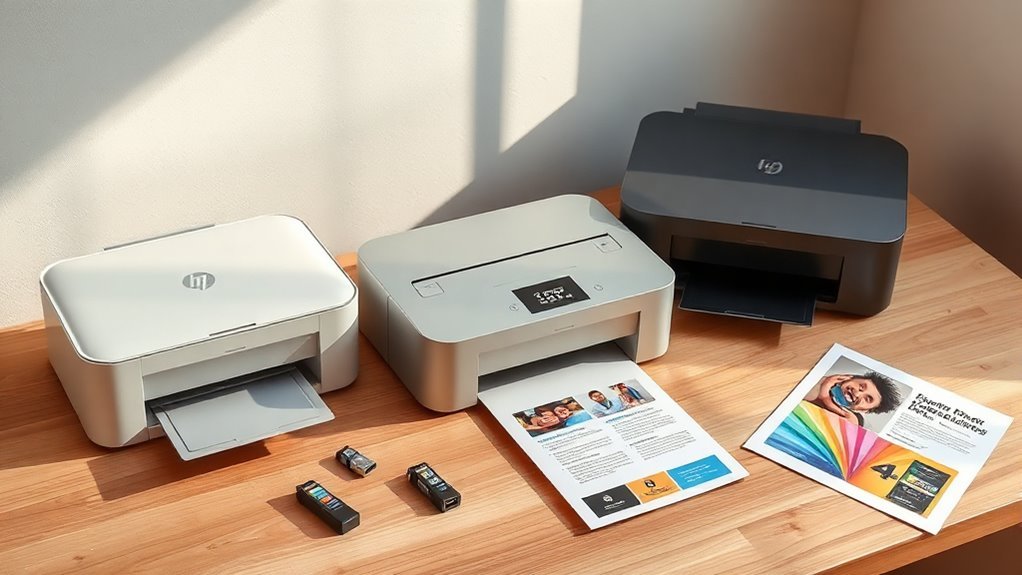
When choosing a cheap basic printer, you’ll want to focus on print quality, connectivity options, and how fast it can handle your jobs. Don’t forget to check ink or toner costs, as they can add up quickly.
Also, consider the size of the printer to make sure it fits comfortably in your workspace. It’s a small thing, but it really makes a difference when you’re setting up your area.
Print Quality Expectations
Although cheap printers might not match high-end models, you can still expect clear, readable text at around 600–1200 dpi—perfect for everyday documents like letters or invoices.
Color photo quality, however, tends to be limited. Inkjets often show banding, muted colors, and dithering on glossy paper.
If you print multi-page jobs, keep in mind that faster printers might sacrifice some sharpness by applying ink less precisely.
Fine graphics and small fonts benefit from higher dpi and pigment-based inks. But entry-level models usually use dye inks or basic toner, resulting in softer edges and less accurate colors.
Also, expect some variability in ink or toner consistency over time. This can cause color shifts or changes in print density as cartridges run low.
Connectivity Options Available
Clear and reliable printouts depend not only on quality but also on how you connect your printer. Make sure your printer supports both 2.4 GHz and 5 GHz Wi-Fi bands for stronger wireless connections, especially in crowded networks.
Mobile printing compatibility like AirPrint, Mopria, or vendor apps lets you print directly from your smartphone or tablet without hassle. It’s super convenient when you’re on the go.
If you want a simple, direct setup, look for a USB port to connect your printer to a single computer. For shared access in home offices or small workgroups, an Ethernet or network port provides a stable wired connection.
Finally, check if your printer supports cloud printing or email-to-print features. That way, you can print remotely or from web apps with ease.
These connectivity options guarantee your printer works seamlessly with your devices and network. It just makes everything smoother and easier to handle.
Speed and Efficiency
Since speed and efficiency directly impact your productivity, you’ll want to focus on a printer’s pages-per-minute (ppm) rating and first-page-out time. Budget inkjets typically print 5–15 ppm, while entry-level monochrome lasers can reach 20–30 ppm, cutting down wait times for multi-page jobs.
Also, check the first-page-out time—fast warm-up (often 5–10 seconds) means less waiting for single prints. Consider the monthly duty cycle and recommended page volume to make certain your printer handles your workload without extra maintenance.
Don’t overlook input tray capacity (60–250 sheets) and output capacity, since larger trays mean fewer reloads during batch printing. Finally, automatic duplexing saves you time and effort on two-sided documents, unlike manual duplexing, which doubles handling for every double-sided print.
Ink and Toner Costs
While speed and efficiency help you get your documents quickly, the ongoing cost of ink or toner can substantially affect your overall printer expenses. Inkjet color pages often cost several cents to over $0.20 each, whereas monochrome laser pages typically range from $0.02 to $0.06 per page.
To get the best deal, calculate the cost per page by dividing the cartridge price by its stated page yield. High-yield or XL cartridges can cut costs by 30–70%. Subscription refill programs may lower per-page prices but watch for ongoing fees.
Third-party cartridges look cheaper upfront but might reduce print quality or void warranties. By carefully comparing these factors, you can choose a printer that keeps your ink and toner costs manageable over time.
Device Size and Footprint
When choosing a cheap basic printer, you’ll want to measure your available space carefully to guarantee a good fit. Make sure the printer’s depth, width, and height leave 2–4 inches of clearance on all sides for cable access and ventilation.
Think about whether you need a printer with a compact height to fit vertically or one that lays flat, as some require horizontal space for output trays and paper loading. If surface space is tight, opt for fold-away trays or top-loading designs to minimize the footprint when the printer isn’t in use.
Also, consider the paper tray capacity versus size; larger trays mean fewer refills but take up more room. Don’t forget to leave extra space for power cords, wireless router access, and opening panels for ink or toner replacement.
Additional Features Included
If you need more than just printing, look for a printer that includes multi-function features like scanning and copying. These can save space and cost by replacing multiple devices.
Wireless connectivity, especially dual-band 2.4/5 GHz Wi-Fi and mobile app support, lets you print directly from phones, tablets, or PCs without extra adapters. Automatic duplex printing helps reduce paper use and expenses, though manual duplex might work if you print rarely.
Also, check for useful software features like mobile apps, web optimization, or cloud printing. These make printing from emails and web pages easier. Finally, consider bundled ink or toner subscription programs with optional automatic replenishment, as these can influence your long-term running costs and convenience.
Frequently Asked Questions
How Long Do Ink Cartridges Typically Last in Basic Printers?
Ink cartridges typically last for about 200 to 400 pages, depending on your printer and usage.
You’ll want to replace them when print quality drops or colors fade. So, keep an eye on your prints regularly.
Can These Printers Connect to Mobile Devices Without Wi-Fi?
You usually can’t connect basic printers to mobile devices without Wi-Fi, but some offer USB or Bluetooth options. However, Bluetooth’s rare in cheap models, so you’ll likely need a wired connection or Wi-Fi for mobile printing.
That said, if your printer does have Bluetooth, it can be super handy for quick prints without setting up a network. Otherwise, a USB cable or Wi-Fi is your best bet to get mobile printing done easily.
What Is the Average Print Speed for Basic Color Inkjet Printers?
Imagine waiting for toast—basic color inkjet printers usually print around 5 to 10 pages per minute.
Are Replacement Parts Readily Available for These Printer Models?
Yes, you’ll find replacement parts for most basic color inkjet printers easily available online or at local stores. Manufacturers and third-party sellers keep supplies stocked, so you won’t have trouble maintaining your printer over time.
It’s pretty convenient, really. When you need a part, it’s usually just a quick search away.
Do These Printers Support Duplex (Double-Sided) Printing?
Yes, some do, and some don’t, but you’ll find basic models often skip duplex printing.
If double-sided printing’s a must, you’ll want to check specs closely or consider slightly pricier options that include that feature.
Conclusion
Choosing the cheapest, cheerful choice for your printing needs doesn’t have to be complicated. Whether you want wireless wonders like the HP DeskJet 2923, crisp color clarity with the Canon PIXMA TS4320, or speedy simplicity from the Brother HL-L2405W, consider your copy count, connectivity, and cost carefully.
By balancing basic benefits and budget, you’ll pick the perfect printer to power your projects without paying a pretty penny. Remember, the best cheap basic printers for 2027 combine affordability with essential features that fit your lifestyle. So, whether you’re printing occasional documents or regular photos, focusing on value and reliability will help you get the most out of your purchase. Keep these factors in mind, and you’ll find a printer that meets your needs without breaking the bank.