6 Best Cheap 3D Printers for 2027
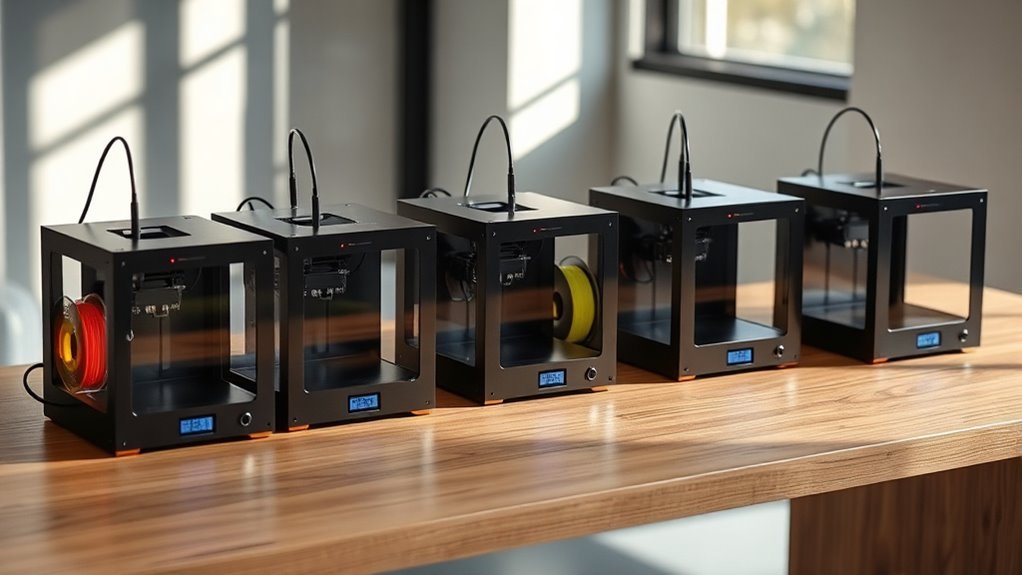
If you’re looking for the best cheap 3D printers for 2027, you’ve got some solid options to consider. Budget-friendly doesn’t mean you have to sacrifice quality or features. From compact models to multi-color kits, there’s something for every type of maker.
For example, the Portable Compact FDM comes with a removable plate, making prints super easy to handle. Then there’s the Entina Tina2 Plus, which stands out with fast WiFi and cloud control, perfect for remote printing without the hassle.
Geeetech offers a high-speed mini model that’s ideal if you’re just starting out. The Portable 4-Color kit is great for those who want to experiment with multiple filaments in one go.
If you want something a bit more advanced, the Creality Ender 3 V3 SE features auto-leveling and runs quietly. Lastly, the TRONXY CRUX 1S balances speed and a roomy build area, making it versatile for various projects.
Take a look at these key features to find the right printer that fits your budget and project needs!
| Image | Name | Editor's Rating | Price |
|---|---|---|---|

|
|
||

|
|
||

|
|
||

|
|
||
|
|
Portable Compact FDM 3D Printer with Removable Plate
- Foolproof Setup with Video Guides – Never get stuck! We provide a crystal-clear Quick Start Guide and step-by-step video tutorials. Watch them online to get started.
- Simple Assembly with Video Guide – Requires quick modular setup (watch our step-by-step video). Comes with 10m PLA filament, TF card, tools, and 12V Type-C power...
- Versatile Filament Compatibility – Unleash your creativity with both PLA and flexible TPU (1.75mm). The reliable 0.4mm nozzle and precise 0.05-0.3mm layer thickness...
- Reliable Performance & Compact Design – Features stable FDM technology and a removable build plate for easy model removal. The perfect 100x100x100mm build volume is...
- Complete Package – No Hidden Costs – Includes printer, 10m PLA filament, 8GB TF card + reader, tools, illustrated manual, and 12V Type-C power adapter. Plus free...
Discover the ease of 3D printing with this portable compact FDM 3D printer designed for simplicity and convenience. Its small footprint fits perfectly in tight spaces, making it ideal for home, classroom, or hobby use. The printer’s intuitive setup and clear Quick Start Guide help you get started fast, even without prior experience.
The removable build plate significantly improves maintenance and print removal. You can easily detach your models without damaging prints or the printer. This feature saves time and reduces frustration, especially for beginners.
With a nozzle size of 0.4 mm and a build volume of 100 x 100 x 100 mm, it handles detailed prints using PLA or TPU filaments. While the material options are limited, this focus ensures reliable, smooth results with everyday filaments. The printer’s stable FDM technology delivers consistent layers, although the maximum layer thickness of 0.3 mm may not meet very fine detail demands.
This compact printer solves common challenges by blending user-friendly design with dependable performance, making 3D printing accessible and hassle-free for new users.
Best for: beginners, students, and hobbyists seeking a reliable, space-saving 3D printer with easy maintenance and straightforward operation.
What We Like:
- Simple setup with clear guides and tutorials
- Compact size fits small workspaces easily
- Removable build plate for quick print removal and cleaning
- Stable FDM technology ensures consistent print quality
Specification:
| Feature | Details |
|---|---|
| Manufacturer | — |
| Build Volume | 100 x 100 x 100 mm |
| Nozzle Diameter | 0.4 mm |
| Supported Filaments | PLA, TPU |
| Layer Thickness | Up to 0.3 mm |
| Design | Portable, compact |
Entina Tina2 Plus Fast WiFi 3D Printer
- 【Start Printing in Minutes – Beginner Friendly】No setup required. Tina2 Plus 3d printer comes fully assembled and ready to use out of the box. With included TF card...
- 【Fast 250mm/s Printing Performance】This Tina2 Plus high speed 3D printer print speeds up to 250 mm/s help reduce waiting time and support fast project turnaround...
- 【WiFi App Control & STEM Model Library】Powered by the Poloprint Cloud app, this WiFi-enabled 3D printer gives access to 3,500+ printable models and 25+ creative DIY...
- 【40-Second Fast Heat Ceramic Hotend】High-efficiency ceramic hotend heats up in just 40 seconds for faster start-up and less downtime. The quick-swap nozzle design...
- 【Compact 3D Printer for Home & Classroom】Designed with a space-saving footprint while maintaining practical print capacity, this compact 3D printer fits easily on...
The Entina Tina2 Plus Fast WiFi 3D Printer is designed to simplify your entry into 3D printing. It comes fully assembled and ready to use, so you can start creating within minutes. With a preloaded TF card of models and intuitive WiFi connectivity, it removes common setup hassles.
This printer’s fast 250 mm/s print speed and quick 40-second heat-up time help reduce waiting, making projects more efficient. The ceramic hotend ensures consistent, reliable printing, which means fewer interruptions and smoother prints. Its WiFi compatibility with the Poloprint Cloud app lets you control prints remotely and access a vast library of designs.
The compact, partially enclosed design is ideal for classrooms or home workspaces where space is limited. It offers a balance of safety and visibility, although the enclosure may slightly limit access during printing. Maintenance is straightforward, with easy access to parts and minimal setup needed.
While the build volume is moderate, this printer is tailored for small to medium projects. Supervised use is recommended, especially for younger users, to ensure safe and successful operation.
Best for: Beginners, educators, and kids seeking an easy-to-use, fast, and compact 3D printer for home or classroom STEM projects.
What We Like:
- Ready to print out of the box with preloaded models
- Fast printing and heat-up reduce project downtime
- WiFi-enabled with mobile app control for convenience
- Compact design fits well in tight spaces
- Reliable ceramic hotend ensures consistent results
Specification:
| Feature | Details |
|---|---|
| Manufacturer | Entina |
| Dimensions | Compact size (exact dims not specified) |
| Weight | Not specified |
| Material | Partially enclosed frame |
| Color Options | Not specified |
Geeetech 3D Printer for Kids & Beginners, High-Speed Mini 3D Printer
No products found.
The Geeetech 3D Printer for Kids & Beginners makes 3D printing accessible and enjoyable for young creators and hobbyists. Its high-speed printing up to 250 mm/s reduces wait times, helping users complete projects faster and stay motivated. The direct drive dual-metal gear extruder and heated nozzle ensure consistent, smooth extrusion for reliable results.
Designed with compact spaces in mind, this mini 3D printer fits easily on a desk or in a classroom. The flexible magnetic build plate and heated bed simplify print removal and improve adhesion, minimizing frustration during the finishing process. Setup is straightforward, thanks to its pre-assembled design and one-button filament loading.
Maintenance is made easier with the 16-point auto-leveling system, which keeps the print surface perfectly calibrated. The intuitive 2.4-inch color screen offers clear controls, making navigation simple for beginners. While it supports only TPU and PLA filaments and has a limited print volume, it covers the essentials for learning and creative exploration.
Best for: Kids, beginners, and hobbyists seeking a fast, easy-to-use 3D printer for home or educational STEM projects.
What We Like:
- Fast printing speeds with stable extrusion and heating
- Easy setup with pre-assembled parts and one-button filament loading
- Flexible magnetic build plate and heated bed for easy print removal
- 16-point auto-leveling for consistent print quality
- Compact size fits small spaces
Specification:
| Feature | Details |
|---|---|
| Manufacturer | Geeetech |
| Dimensions | Compact (exact size not given) |
| Weight | Not specified |
| Material | Metal and plastic components |
| Supported Filaments | PLA, TPU |
| Display | 2.4-inch color screen |
Portable 3D Printer with 4-Color PLA Filament
- ✅ Compact & Portable 3D Printer – This lightweight and compact 3D printer is perfect for beginners and hobbyists. With a 100x100x100mm build volume and a removable...
- ✅ Easy Setup & Operation – Designed for effortless use, this 3D printer supports TF card connectivity for offline printing. It is compatible with Windows XP...
- ✅ Precise & Efficient Printing – Featuring a 0.4mm nozzle and FDM technology, this printer ensures high-precision prints with adjustable layer thickness from 0.05mm...
- ✅ Stable Performance & Fast Printing – With a printing speed of 40mm/s and a nozzle temperature range of 180-230°C, this 3D printer delivers smooth, detailed prints...
- ✅ Includes 4 Colors PLA Filament – The package comes with 4 rolls of PLA filament (200g each in blue, green, red, and white), along with essential accessories like a...
Experience the freedom to create wherever inspiration strikes with this portable 3D printer designed for on-the-go versatility. Its compact design fits easily into your workspace or travel bag, making multi-color 3D printing accessible anytime. The 100 x 100 x 100 mm build volume provides enough space for detailed models without sacrificing portability.
This printer uses FDM technology compatible with PLA and TPU filaments, allowing you to produce durable and flexible parts. Its 0.4 mm nozzle prints precise layers between 0.05 and 0.3 mm thick at a steady 40 mm/s, ensuring consistent quality throughout your project. Offline printing via TF card lets you work without being tethered to a computer.
Maintenance is straightforward thanks to its simple design and included accessories. The package also comes with four 200 g PLA filament rolls in blue, green, red, and white, so you can start crafting vibrant, multi-color prints immediately. This printer is ideal for creators who need a reliable, flexible tool for colorful projects on the move.
Best for: Creators and hobbyists seeking a compact, multi-color 3D printing solution for versatile projects away from the desk.
What We Like:
- Lightweight, compact design ideal for travel and small workspaces
- Supports multi-color printing with included PLA filament rolls
- Offline printing capability via TF card for convenience without PC connection
Specification:
| Feature | Details |
|---|---|
| Manufacturer | [Not specified] |
| Build Volume | 100 x 100 x 100 mm |
| Printing Technology | FDM |
| Compatible Materials | PLA, TPU |
| Nozzle Diameter | 0.4 mm |
| Layer Thickness | 0.05 – 0.3 mm |
| Printing Speed | 40 mm/s |
| Filament Included | Four 200 g PLA rolls (blue, green, red, white) |
Creality Ender 3 V3 SE Beginner-Friendly 3D Printer with Auto Leveling
- 250mm/s High-Speed Printing: Print at speeds of up to 250mm/s with 2500mm/s² acceleration, helping you complete prototypes, functional parts, and everyday projects...
- Easy Setup with Auto Leveling: Designed for a fast and straightforward setup, the Ender 3 V3 SE can be assembled in just a few simple steps. CR Touch Auto Leveling and...
- Proven Sprite Direct Drive Extruder: The upgraded Sprite Direct Drive Extruder provides smooth and consistent filament feeding for PLA, PETG, and TPU. Its proven design...
- Stable Motion System for Consistent Results: Dual synchronized Z-axis lead screws and precision Y-axis linear shafts work together to help reduce vibration and Z...
- Quiet Operation with Easy Print Removal: A 32-bit silent mainboard helps reduce operating noise for a more comfortable printing experience, while the flexible PC spring...
The Creality Ender 3 V3 SE is designed to make 3D printing accessible and hassle-free for beginners. Its easy assembly and CR Touch auto leveling system take the guesswork out of setup, ensuring your first prints come out right without tedious manual adjustments. This means you can start creating faster and with less frustration.
The upgraded Sprite Direct Drive Extruder offers smooth and reliable filament feeding. It works well with popular materials like PLA, PETG, and TPU, giving you the flexibility to experiment with different projects. Quiet printing is achieved through the 32-bit silent mainboard, so your workspace stays peaceful during long print jobs.
Stability is a priority with dual synchronized Z-axis screws and precision Y-axis shafts. These features reduce vibrations and Z wobble, helping you achieve consistent, high-quality results. Maintenance is simplified with the flexible PC spring steel build plate, which allows for easy model removal without damage.
This printer is suited for a variety of uses, from prototyping to functional parts and everyday creative projects. Its design balances performance and convenience, making 3D printing a smooth experience for new users.
Best for: Beginners and hobbyists seeking a reliable, user-friendly 3D printer with auto leveling and versatile filament options.
What We Like:
- Simple setup with CR Touch auto leveling for quick, accurate prints
- Smooth extrusion from upgraded Sprite Direct Drive Extruder supporting multiple filament types
- Quiet operation thanks to the 32-bit silent mainboard
- Enhanced print stability through dual Z-axis screws and precision Y-axis shafts
- Easy model removal with flexible PC spring steel build plate
Specification:
| Feature | Details |
|---|---|
| Manufacturer | Creality |
| Dimensions | Not specified |
| Weight | Not specified |
| Material | PC spring steel build plate |
| Color Options | Not specified |
TRONXY CRUX 1S Small High Speed 3D Printer
- 🍁【High-speed 3D Printer】Upgraded version of crux1,and update the printhead for faster printing,the print speed up to 300mm/s,machine weight: 5.8KG,nozzle diameter...
- 🍁【MINI 3D Printer for Beginners and Kids.】A must-have for newbies.TRONXY crux 1s 3d printer has a simple operating system and interface, which novices can quickly...
- 🍁【95% Pre-Installed and Newbie-Friendly 】TRONXY Crux 1s small 3d printer is a new desktop portable printer specially designed for novice enthusiasts. This fdm 3d...
- 👍【Small but Mighty】Crux 1s is a compact 3d printer with up to 10 more advance features in a basic printer.You will be pleasantly surprised with this entry level...
- 🍁【Stable Printing】Use smoother and more durable dual-axis metal guide rails.X-axis and Y-axis use external double-axis roller guide rails ,which run smoothly and...
The TRONXY CRUX 1S is a small yet powerful 3D printer designed to bring speed and simplicity to your creative projects. Its compact size and fast print speeds up to 300 mm/s help you complete prints quickly without taking up much space. This makes it a practical choice for those who want efficient results in a limited area.
Its dual-axis metal guide rails and upgraded printhead ensure precise and smooth motion, reducing noise during operation. The 2.8-inch full-color touchscreen with eight-language support simplifies navigation and control. Setup is easy thanks to the 95% pre-assembled design, allowing users to start printing with minimal effort.
Maintenance is straightforward, as the machine’s design focuses on durability and ease of use. The built-in power supply and lightweight frame at just 5.8 kg make it portable and safe for use in home or classroom environments. However, the 180 × 180 × 180 mm build volume limits larger project sizes, and the fixed 0.4 mm nozzle restricts fine detail adjustments.
Overall, this printer suits beginners and hobbyists looking for a reliable, fast, and compact desktop 3D printer to learn and create with minimal hassle.
Best for: Beginners, hobbyists, and students needing a user-friendly and compact 3D printer for everyday projects.
What We Like:
- Fast printing speeds up to 300 mm/s with smooth, low-noise motion
- Easy setup with 95% pre-assembled design and full-color touchscreen
- Compact and lightweight for convenient placement and transport
- Dual-axis metal guide rails enhance print precision and stability
Specification:
| Feature | Details |
|---|---|
| Manufacturer | TRONXY |
| Build Volume | 180 × 180 × 180 mm |
| Print Speed | Up to 300 mm/s |
| Nozzle Diameter | 0.4 mm |
| Touchscreen | 2.8-inch full-color |
| Weight | 5.8 kg |
| Language Support | 8 languages |
Factors to Consider When Choosing a Cheap 3D Printer
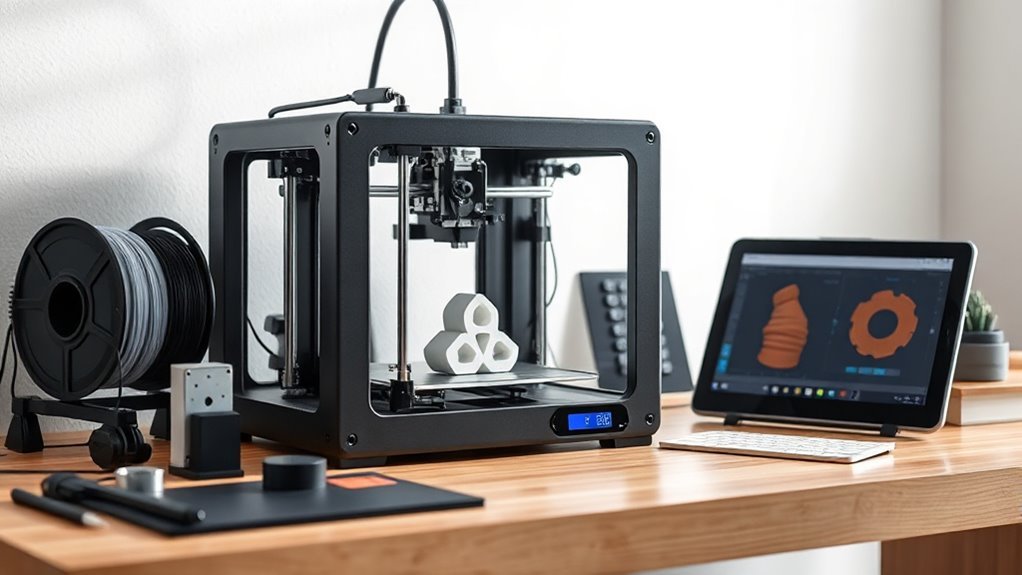
When choosing a cheap 3D printer, you’ll want to take into account factors like build volume capacity and printing speed options to match your projects. Check the filament compatibility range to guarantee flexibility with materials.
Also, make sure the printer is easy to set up and consistently delivers good print quality. It’s important that your printer doesn’t give you headaches every time you use it. After all, you want a smooth and reliable printing experience.
Build Volume Capacity
Consider the build volume capacity carefully, as it directly limits the maximum size of single parts you can print. Budget 3D printers usually offer build volumes between 100×100×100 mm and 180×180×180 mm, so you should compare these dimensions to the size of your largest expected models.
If you need bigger parts, opt for a taller Z height rather than splitting models, which adds seams and weakens strength. Smaller volumes heat up faster, use less material, and fit better in tight spaces, making them ideal for desktops or classrooms.
Remember to check the printable object orientation and usable build area, since some printers list nominal volumes but have restricted corners or removable parts that limit actual print space. Balancing volume with precision and stability is key.
Printing Speed Options
Although speed isn’t the only factor to weigh, you’ll want to pay close attention to a printer’s printing speed options since they directly affect how quickly your projects finish.
Budget FDM printers usually print between 40 mm/s for quality and up to 250–300 mm/s for speed, but pushing top speed often requires fine-tuning. Remember, higher speeds can cause ringing, layer shifting, or under-extrusion if the hardware isn’t up to par.
Acceleration and jerk settings also matter—you’ll get smoother surfaces with lower acceleration but faster movement with higher values, though that can introduce artifacts. Keep in mind, material type and layer height affect practical speeds.
If you’re starting out, focus on consistent, reliable speeds that match your printer’s firmware and hardware rather than chasing the highest numbers. It’s better to get steady results than to rush and end up with mistakes.
Filament Compatibility Range
Many factors influence a printer’s filament compatibility, so you’ll want to start by checking the supported filament diameters—typically 1.75 mm or 2.85/3.00 mm. These sizes determine which spools you can use.
Next, verify which materials the printer supports, such as PLA, PETG, ABS, TPU, or Nylon. Also, confirm the maximum nozzle and bed temperatures for safe printing.
Consider the extruder type: direct-drive systems handle flexible filaments like TPU better, while Bowden setups favor stiffer filaments. This makes a big difference depending on what you want to print.
If you plan to print high-temperature materials like Nylon or Polycarbonate, make sure the hotend is all-metal, without a PTFE liner near the melt zone. That’s important for durability and safety.
Finally, check bed compatibility and heating capacity to manage adhesion and warping. This is especially crucial for ABS or Nylon prints, which can be tricky to work with otherwise.
Ease Of Setup
How quickly can you get your new 3D printer up and running? Look for models that arrive pre-assembled or over 90% built, with clear modular connections to keep setup under 30 minutes.
Prioritize printers featuring step-by-step quick start guides, video tutorials, and on-board prompts so you can start printing within minutes. Automatic or assisted bed leveling—using multi-point or sensor-based systems—minimizes manual tweaks and boosts first-layer success.
Choose machines with simple filament loading systems, like one-button or guided loading, plus removable build plates for hassle-free filament changes and part removal. Also, verify the printer supports common connectivity options such as TF cards, USB, or wireless, and comes with preloaded test files to avoid complicated software setups.
These features make ease of setup a top priority for your new 3D printer.
Print Quality Consistency
When you choose a cheap 3D printer, ensuring consistent print quality is key to getting reliable results every time. Look for printers that maintain a stable layer height between 0.05 and 0.3 mm. This controls surface smoothness and accuracy.
A solid motion system with low vibration and synchronized axes reduces issues like Z-wobble and misaligned layers on longer prints. Reliable extrusion is essential too—consistent filament feed and precise nozzle diameter prevent over- or under-extrusion. This helps ensure a uniform finish.
A flat, removable, or flexible build plate with strong first-layer adhesion minimizes warping and print failures. That way, your prints stay consistent.
Finally, temperature stability from a responsive hotend and heated bed maintains steady melt flow. This reduces variability between prints and improves overall quality consistency.
Connectivity And Software
Consistent print quality means little if your 3D printer can’t connect smoothly or work well with your preferred software. Make sure it supports multiple connection options like USB, SD/TF cards, Wi-Fi, or Ethernet. This flexibility lets you print locally when networks fail and transfer files directly.
Check compatibility with popular slicers such as Cura or PrusaSlicer and common file formats like .gcode, .stl, and .obj. If wireless printing matters, confirm the printer offers a reliable app for remote control and secure over-the-air transfers with password or token authentication.
Look for onboard slicing or preloaded models via SD cards to print offline without a computer. And finally, favor open-source firmware or vendor APIs for easy customization, community support, and timely updates that keep your printer secure and feature-rich.
Portability And Size
Picking a cheap 3D printer that fits your space and lifestyle means sizing up its portability and footprint carefully. First, check the build volume to make sure it handles the largest parts you want to print—compact models typically offer 100×100×100 to 180×180×180 mm.
Consider the printer’s weight and size; lighter, smaller units are easier to move and store but might trade off stability and features. Look for removable or flexible build plates and easy-access enclosures to simplify part removal and boost portability.
Also, verify power requirements and connector types like 12 V adapters or USB-C to confirm compatibility with your power sources. Finally, choose a printer with quick setup and simple controls so you can print easily in different locations without hassle.
Warranty And Support
Although cheap 3D printers offer great value, you’ll want to carefully evaluate their warranty and support to avoid costly headaches down the line. Check that the warranty covers parts and electronics for at least 6–12 months, including repairs or replacements for common failures.
Also, verify available support channels like email, phone, live chat, or forums, and find out how quickly they respond to technical issues. It’s important to know whether you must ship the printer back to the manufacturer or if local repair options exist.
Don’t forget to check who covers shipping costs. Plus, understand what voids the warranty, such as user modifications or using improper filament.
Finally, choose sellers who provide spare parts, online firmware updates, and easy access to replacements. That way, you can keep your printer running well beyond the warranty period.
Frequently Asked Questions
What Maintenance Is Required for Cheap 3D Printers?
You’ll need to regularly clean the print bed, lubricate moving parts, and check and tighten screws.
Also, don’t forget to update the firmware and replace worn nozzles or belts.
Keeping up with these little tasks will help your 3D printer run smoothly and produce quality prints consistently.
Can Cheap 3D Printers Handle Flexible Filaments?
You wouldn’t use a bicycle to tow a trailer, right? Cheap 3D printers often struggle with flexible filaments due to limited extruder design.
But with some tweaks, you can still get decent prints without breaking the bank. It just takes a bit of patience and know-how.
Are Cheap 3D Printers Compatible With Third-Party Software?
Yes, many cheap 3D printers work with third-party software. You’ll just need to check compatibility and may tweak settings for best results.
Open-source slicers like Cura often support budget printers seamlessly. It’s pretty easy to get things running once you find the right setup.
How Long Do Parts Last on Budget 3D Printers?
Parts on budget 3D printers last like a candle flickering—typically 6 months to 2 years depending on use and maintenance.
If you care for them, you’ll keep your printer humming longer without costly replacements.
What Safety Precautions Should I Take When Using a Cheap 3D Printer?
You should always use your 3D printer in a well-ventilated area and keep it away from flammable materials. Never leave it unattended while printing.
Also, make sure to wear safety glasses. It’s a good idea to regularly check for loose wires or damaged parts to stay safe.
Conclusion
When choosing a cheap 3D printer, remember that 70% of beginners prioritize ease of use and reliability. You want a printer that’s not just affordable but also user-friendly and efficient.
Whether you pick a compact portable model or a high-speed option like the TRONXY CRUX 1S, make sure it fits your needs and skill level. With the right choice, you’ll enjoy smooth, hassle-free printing without breaking the bank.
Finding the best cheap 3D printer for 2027 means balancing cost with functionality. Focus on models that offer great performance without overwhelming you. That way, you can dive into 3D printing confidently and create amazing projects with ease.