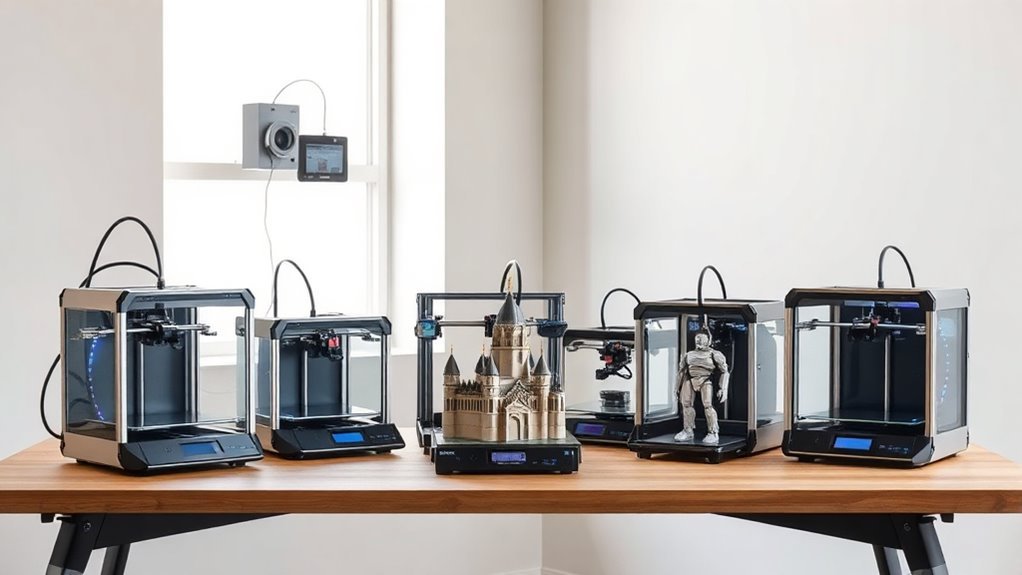
8 Best 3D Printers for Tabletop Use in 2027
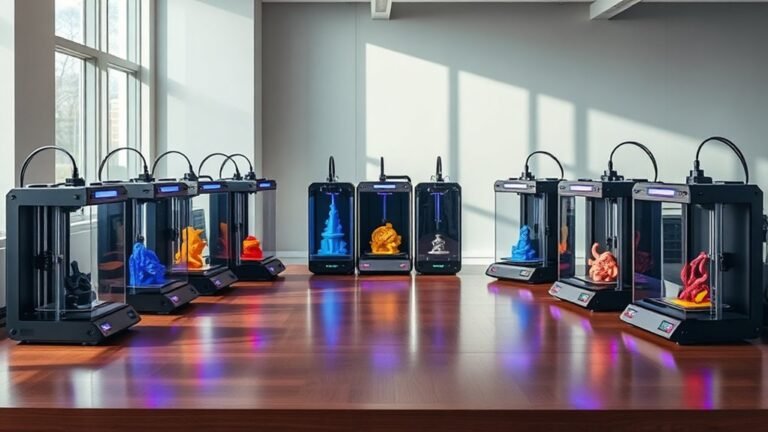
You want a 3D printer that balances speed, detail, and multicolor options for tabletop projects. Finding the right 3D printer for tabletop use means considering factors like print quality, ease of use, and color capabilities. Whether you’re crafting miniatures, game pieces, or detailed models, having the right machine can make all the difference.
The Bambu Lab P1S and P2S Combos offer fast CoreXY motion with up to 16-color AMS systems, perfect for intricate models. These printers bring speed and vibrant multicolor options, making your tabletop creations stand out. Meanwhile, the ELEGOO Centauri 2 and Kobra X Multicolor provide beginner-friendly multicolor printing with smart monitoring, great for those just starting out.
If ultra-fine details are your priority, the phrozen Sonic Mighty 8K resin excels at capturing tiny features. For compact and reliable setups, consider options like the Portable FDM and Ender 3 V3 SE. These printers are easy to set up and perfect for smaller spaces. Explore the best fit for your needs next.
| Image | Name | Editor's Rating | Price |
|---|---|---|---|

|
|
||

|
|
||

|
|
||

|
|
||

|
|
Bambu Lab P1S Combo, P1S 3D Printer and AMS, Multi-Color 3D Printing
- Up to 16 Colors: Bring your designs to life with vibrant multi-color/multi-material printing capabilities, perfect for showcasing your creativity. Note: Connecting Bambu...
- 500mm/s and 20000 mm/s² Acceleration True High Speed: Don't wait around for your masterpieces. Lightning-fast printing speed lets you focus on creating, not waiting.
- Enclosed Design: Fully enclosed body improves print performance for advanced filaments. Automatic Bed Leveling: Say hello to high-quality, successful prints. Auto bed...
- Set Up in 15 Minutes: Spend more time printing and less time setting up. User-friendly design ensures a hassle-free assembly experience for all skill levels.
- Supported Filament: Ideal: PLA, PETG, TPU, PVA, PET ABS, ASA; Capable : PA, PC; Not Recommended: Carbon/Glass Fiber Reinforced Polymer.
The Bambu Lab P1S Combo elevates your 3D printing projects by enabling vibrant, multi-color creations with ease. Its advanced AMS system supports up to 16 colors, allowing seamless transitions between materials for detailed, eye-catching prints. This helps you bring complex designs to life without manual filament swaps.
Designed with a high-speed CoreXY motion system, the printer delivers precision and efficiency, reaching speeds up to 500 mm/s. The fully enclosed frame ensures stable printing conditions and supports a wide range of filaments like PLA, PETG, and TPU. This versatility opens up creative possibilities while maintaining print quality.
Setup and maintenance are straightforward. The automatic bed leveling feature simplifies the preparation process, reducing failed prints and saving time. The printer’s design balances performance with user-friendliness, making it accessible to both beginners and experienced users.
While the AMS adds complexity and cost, it is essential for multi-color capabilities. Note that the P1S Combo is not suited for carbon or glass fiber reinforced polymers, limiting some advanced material applications. Its weight of 47.5 pounds may affect portability but contributes to stability.
Best for: hobbyists and professionals seeking fast, multi-color 3D printing with a reliable, easy-to-use machine that supports diverse filaments.
What We Like:
- AMS supports up to 16 colors for intricate, multi-material prints
- High-speed CoreXY system ensures precision and fast production
- Fully enclosed design enables use of advanced filaments and stable printing
- Automatic bed leveling reduces setup time and improves print reliability
Specification:
| Feature | Details |
|---|---|
| Manufacturer | Bambu Lab |
| Dimensions | Not specified |
| Weight | 47.5 lb (21.5 kg) |
| Supported Filaments | PLA, PETG, TPU |
| Color Options | Multi-color via AMS (up to 16) |
Bambu Lab P2S Combo, P2S 3D Printer & AMS 2 Pro, Multi-Color 3D Printing
- High-Speed Precision: The Bambu Lab P2S 3D printer prints up to 600 mm/s while maintaining exceptional accuracy. With the PMSM Servo Extruder and Active Flowrate...
- Ready to Print in 15 Minutes: Set up your P2S FDM 3D printer and start printing in just 15 minutes. With AI failure detection, quick-swap nozzles, and automatic...
- Effortless Multi-Color Printing: The AMS 2 Pro enables seamless multi-color/multi-material 3D printing. It features built-in filament drying at up to 65 °C, keeping...
- Smart Airflow for Any Filament: The Adaptive Airflow System automatically balances cooling and heat retention—keeping overhangs crisp with cool air, or maintaining a...
- Limitless Creativity, Seamless Workflow: Explore over one million 3D models on MakerWorld and bring them to life with a smooth, unified workflow using Bambu Studio, Bambu...
Experience the power of fast, precise, and versatile 3D printing with the Bambu Lab P2S Combo. Designed for tabletop use, it solves the common challenges of slow print speeds and limited color options. Its high-speed CoreXY system reaches up to 600 mm/s, allowing you to create sharp, smooth layers quickly and consistently.
The Combo’s AMS 2 Pro accessory takes multi-material and multi-color printing to the next level. It includes built-in filament drying, which reduces print failures caused by moisture. This means you can enjoy seamless, vibrant prints without frequent material maintenance.
Setup is straightforward, and the AI failure detection system actively monitors prints to prevent errors. The Adaptive Airflow System keeps the printer’s temperature balanced for optimal results. Together, these features ensure reliable operation and improve your workflow.
While the unit is somewhat large and heavy, its advanced functions make it a powerful tool for hobbyists and professionals alike. Maintenance is simplified through smart design, but beginners may need some time to adjust to the full feature set.
Best for: hobbyists and professionals seeking a fast, precise, multi-color 3D printer with advanced features for reliable tabletop projects.
What We Like:
- High-speed CoreXY design with up to 600 mm/s printing speed
- AMS 2 Pro supports multi-material and multi-color printing with filament drying
- AI failure detection improves print success rates
- Adaptive Airflow System maintains optimal printing temperatures
Specification:
| Feature | Details |
|---|---|
| Manufacturer | Bambu Lab |
| Dimensions | 18 x 22 x 18 inches |
| Weight | 46.3 pounds |
| Print Technology | CoreXY 3D Printer |
| Multi-Color Support | Yes, with AMS 2 Pro |
ELEGOO Centauri 2 Combo 3D Printer, Beginner-Friendly Multicolor Printing
- 4-Color Printing with CANVAS: Create vibrant multi-color models effortlessly with CANVAS 4-color printing. Independent motors, instant color switching, RFID filament...
- Start Printing with Confidence: Full auto calibration and smart pre-print checks simplify setup, while 22 intelligent sensors monitor every print in real time. From first...
- Designed for Speed: Experience faster creation with a high-speed CoreXY system reaching up to 500mm/s and 20,000mm/s² acceleration. The rigid aluminum frame and...
- Smoother, Sharper, Smarter: From the first layer to the final detail, intelligent calibration, vibration compensation, and precise extrusion control help produce clean...
- A Seamless Workflow from Idea to Print: Simplify your entire workflow with the ELEGOO ecosystem. Discover ready-to-print models on Nexprint, prepare projects with...

The ELEGOO Centauri 2 Combo 3D Printer offers a seamless way for beginners to dive into multicolor 3D printing without feeling overwhelmed. Its innovative 4-color CANVAS system lets you switch colors instantly, eliminating the hassle of manual filament changes. This feature alone makes creating vibrant, complex models much easier and more enjoyable.
The printer’s CoreXY motion system ensures smooth, precise extrusion at speeds up to 500 mm/s. This means your prints come out clean and detailed, saving you time and frustration. With auto calibration and 22 sensors monitoring the process, you can trust in consistent first-layer adhesion and real-time print quality checks.
Designed with a sturdy aluminum frame, the Centauri 2 is built to last and handle frequent use. Maintenance is simplified by smart features that keep your printer running smoothly. The 5-inch touchscreen and ELEGOO Matrix app provide intuitive control, making it accessible even for those new to 3D printing.
Best for: Beginners and hobbyists who want an easy-to-use multicolor 3D printer with fast, reliable performance and smart monitoring.
What We Like:
- 4-color CANVAS system for effortless color changes
- High-speed CoreXY motion for precise, quick prints
- Auto calibration with 22 sensors for reliable first layers
- Sturdy aluminum frame ensures durability
- User-friendly touchscreen and app controls
Specification:
| Feature | Details |
|---|---|
| Manufacturer | ELEGOO |
| Dimensions | Not specified |
| Weight | 33 lb (15 kg) |
| Material | Aluminum frame |
| Color Options | Not specified |
Anycubic Kobra X Multicolor 3D Printer, Easy Setup, Native 4-Color
- 【 Newest Level - 19-Color with 4 ACE 2 Pro】Why settle for one color when you can have multicolor? The Kobra X comes born with 4 colors built-in. It is innovative 3D...
- 【 Savings 2X Time】Stop wasting hours and filament on purging! Kobra X impresora 3D reduces the filament and machine travel path by 81.25%, so 2X the Speed, and...
- 【Hardened Precision & High Speed 】 Equipped with a high-durability hardened steel nozzle and vibration compensation, the Kobra X ensures every layer remains smooth...
- 【Flawless First Layer with LeviQ 3.0】The LeviQ 3.0 and auto bed leveling system uses a 49-point calibration and advanced leveling algorithm to ensure 100% bed...
- 【Smart AI Monitoring & Large Model Library】APP remote control, features Spaghetti detection and foreign object detection. The innovative top-mount spool holder...
The Anycubic Kobra X Multicolor 3D Printer transforms your creative workflow by enabling four-color printing right from the start. Its straightforward setup gets you printing in about 15 minutes, saving time and simplifying the process for both beginners and experienced users. With a generous 260 mm³ build volume, it handles diverse projects efficiently.
This printer combines speed and precision, reaching up to 600 mm/s while maintaining quality with LeviQ 3.0 auto bed leveling and vibration compensation. These features ensure your prints have smooth layers and accurate dimensions, reducing the need for post-processing. The multi-material support expands your design possibilities.
Maintenance is straightforward thanks to smart AI monitoring, which helps detect issues early and keeps the printer running smoothly. Its quiet operation and dual-band Wi-Fi connectivity fit seamlessly into any workspace, whether at home, school, or a makerspace.
While filament isn’t included, this allows you to choose materials suited to your projects. Note that expanding beyond four colors requires compatible hardware, and the printer’s size may be a consideration for very limited spaces.
Best for: Makers, educators, and professionals seeking a fast, easy-to-use 3D printer with native multicolor capabilities and reliable performance.
What We Like:
- Native 4-color printing with easy expansion up to 19 colors
- High-speed printing up to 600 mm/s with vibration control
- Precise auto bed leveling with LeviQ 3.0 technology
- Smart AI monitoring for hassle-free maintenance
- Quiet operation and dual-band Wi-Fi for versatile use
Specification:
| Feature | Details |
|---|---|
| Manufacturer | Anycubic |
| Build Volume | 260 mm³ |
| Max Print Speed | 600 mm/s |
| Color Capability | Native 4-color, expandable |
| Auto Bed Leveling | LeviQ 3.0 |
| Connectivity | Dual-band Wi-Fi |
| Weight | Not specified |
| Setup Time | Approximately 15 minutes |
phrozen Sonic Mighty 8K Resin 3D Printer
- Ultra-Fine 8K Resolution - Capture miniature-level detail and high-resolution surfaces without the need for post-polish with 28µm Ultra-Fine XY Resolution.
- Enhanced Volume with 8K Detail - Print larger, sharper models with a 10" monochrome LCD and 8.6" x 4.8" x 9.3" printing volume.
- Stable Z-axis Structure - Reinforced dual linear rails ensure precise layer alignment and smoother vertical motion throughout each print.
- Highly Efficient Operation - Smart firmware, consistent exposure, and improved thermal performance reduce failed prints and save time.
- Ideal for Resin Creators - Whether you're making action figures or professional-grade prototypes, this 3D resin printer handles it with ease.
Experience ultra-fine detail with the phrozen Sonic Mighty 8K Resin 3D Printer, designed to bring your miniatures and prototypes to life with incredible precision. Its 8K resolution and 28-micron XY accuracy ensure sharp, high-definition prints that don’t require post-polishing. This means you spend less time finishing and more time creating.
The printer’s robust design features a 10-inch monochrome LCD and reinforced dual linear rails, providing smooth, stable Z-axis movement. This stability guarantees each layer aligns perfectly, reducing print errors and improving overall quality. Its smart firmware actively manages exposure and temperature, helping to prevent failed prints and saving valuable time.
Maintenance is straightforward thanks to intelligent controls and solid hardware, making it easier to keep your printer in optimal condition. The build volume of 8.6 × 4.8 × 9.3 inches strikes a balance between detail and size, ideal for serious hobbyists and professionals focused on detailed tabletop models.
While it offers premium features, the weight of 31.5 pounds and moderate build volume may limit portability and larger-scale projects. Still, it’s a dependable choice for those prioritizing detail and consistency in resin printing.
Best for: Enthusiasts and professionals who require ultra-fine detail and high-resolution 3D prints for miniatures, prototypes, and detailed models.
What We Like:
- Crisp, high-detail surfaces with 8K, 28 µm XY resolution
- Stable Z-axis motion from reinforced dual linear rails
- Smart firmware that optimizes exposure and thermal control
- Balanced build volume suitable for detailed tabletop modeling
Specification:
| Feature | Details |
|---|---|
| Manufacturer | phrozen |
| Build Volume | 8.6 × 4.8 × 9.3 inches |
| XY Resolution | 8K, 28 microns |
| LCD Screen | 10-inch monochrome |
| Weight | 31.5 pounds |
Portable Compact FDM 3D Printer with Removable Plate

- Foolproof Setup with Video Guides – Never get stuck! We provide a crystal-clear Quick Start Guide and step-by-step video tutorials. Watch them online to get started.
- Simple Assembly with Video Guide – Requires quick modular setup (watch our step-by-step video). Comes with 10m PLA filament, TF card, tools, and 12V Type-C power...
- Versatile Filament Compatibility – Unleash your creativity with both PLA and flexible TPU (1.75mm). The reliable 0.4mm nozzle and precise 0.05-0.3mm layer thickness...
- Reliable Performance & Compact Design – Features stable FDM technology and a removable build plate for easy model removal. The perfect 100x100x100mm build volume is...
- Complete Package – No Hidden Costs – Includes printer, 10m PLA filament, 8GB TF card + reader, tools, illustrated manual, and 12V Type-C power adapter. Plus free...
Experience the convenience of desktop 3D printing with this portable compact FDM 3D printer featuring a removable build plate. Its small footprint fits neatly on any tabletop, making it perfect for tight spaces. This design simplifies your workflow by allowing easy removal and cleaning of prints.
Setting up is straightforward with an included quick-start guide and step-by-step video tutorials. These resources help you assemble and level the printer efficiently, so you can begin producing detailed models in minutes. The adjustable layer thickness from 0.05 to 0.3 mm ensures quality prints tailored to your needs.
The printer works with PLA and flexible TPU filaments, offering versatility for various projects. Its 100 x 100 x 100 mm build volume suits small models, toys, and home decor items. While the compact size limits larger prints, it excels in educational and hobbyist environments.
Maintenance is simplified by the removable build plate, which makes print removal and cleaning hassle-free. This feature helps maintain print quality and prolong the printer’s lifespan without complex procedures.
Best for: Beginners, students, and hobbyists seeking an easy-to-use, compact 3D printer for small-scale creations and learning.
What We Like:
- Simple setup with clear guides and tutorials
- Space-saving design ideal for classrooms and desktops
- Supports PLA and flexible TPU for diverse printing options
- Removable build plate simplifies cleaning and maintenance
Specification:
| Feature | Details |
|---|---|
| Manufacturer | Portable Compact FDM |
| Build Volume | 100 x 100 x 100 mm |
| Nozzle Diameter | 0.4 mm |
| Layer Thickness | 0.05 – 0.3 mm |
| Filament Types | PLA, TPU |
| Weight | Approx. 3 kg |
| Dimensions | Compact tabletop size |
Bambu Lab P1S 3D Printer, Ready-to-Use FDM 3D Printer

- Up to 16 Colors: Bring your designs to life with vibrant multi-color/multi-material printing capabilities, perfect for showcasing your creativity. Note: Connecting Bambu...
- 500mm/s and 20000 mm/s² Acceleration True High Speed: Don't wait around for your masterpieces. Lightning-fast printing speed lets you focus on creating, not waiting.
- Enclosed Design: Fully enclosed body improves print performance for advanced filaments. Automatic Bed Leveling: Say hello to high-quality, successful prints. Auto bed...
- Set Up in 15 Minutes: Spend more time printing and less time setting up. User-friendly design ensures a hassle-free assembly experience for all skill levels.
- Supported Filament: Ideal: PLA, PETG, TPU, PVA, PET ABS, ASA; Capable : PA, PC; Not Recommended: Carbon/Glass Fiber Reinforced Polymer.
Experience the power of speed and precision with the Bambu Lab P1S 3D Printer, designed to elevate your tabletop projects. Its advanced CoreXY enclosed design allows printing at speeds up to 500 mm/s, delivering rapid results without sacrificing quality.
This ready-to-use FDM printer simplifies your workflow with a quick 15-minute setup and automatic bed leveling. The intuitive ecosystem supports a wide range of filaments, including PLA, PETG, and TPU, making it adaptable for various creative needs.
For more complex projects, the optional AMS system enables printing with up to 16 colors, expanding your design possibilities. While multi-color printing requires additional equipment, the base printer offers robust single-material performance.
Maintenance is straightforward, ensuring minimal downtime and consistent output. Though it weighs 38.9 pounds, its solid build enhances stability during fast, precise printing.
Best for: users seeking a fast, versatile 3D printer that balances ease of use with multi-material and multi-color capabilities for tabletop creations.
What We Like:
- High-speed printing up to 500 mm/s with smooth acceleration
- Supports a variety of filaments for diverse applications
- Quick setup and automatic bed leveling for user convenience
- Optional AMS system for multi-color printing flexibility
Specification:
| Feature | Details |
|---|---|
| Manufacturer | Bambu Lab |
| Dimensions | Not specified |
| Weight | 38.9 lb (17.6 kg) |
| Printing Technology | FDM |
| Max Print Speed | 500 mm/s |
| Acceleration | 20,000 mm/s² |
| Filament Compatibility | PLA, PETG, TPU, others |
| Color Options | Up to 16 with AMS system |
Creality Ender 3 V3 SE Beginner-Friendly 3D Printer with Auto Leveling

- 250mm/s High-Speed Printing: Print at speeds of up to 250mm/s with 2500mm/s² acceleration, helping you complete prototypes, functional parts, and everyday projects...
- Easy Setup with Auto Leveling: Designed for a fast and straightforward setup, the Ender 3 V3 SE can be assembled in just a few simple steps. CR Touch Auto Leveling and...
- Proven Sprite Direct Drive Extruder: The upgraded Sprite Direct Drive Extruder provides smooth and consistent filament feeding for PLA, PETG, and TPU. Its proven design...
- Stable Motion System for Consistent Results: Dual synchronized Z-axis lead screws and precision Y-axis linear shafts work together to help reduce vibration and Z...
- Quiet Operation with Easy Print Removal: A 32-bit silent mainboard helps reduce operating noise for a more comfortable printing experience, while the flexible PC spring...
The Creality Ender 3 V3 SE is designed to simplify 3D printing for beginners. Its auto-leveling system, featuring CR Touch and automatic Z-offset calibration, removes the guesswork from setup. This means you get reliable first layers every time without tedious manual adjustments.
This printer maintains smooth filament feeding with its Sprite Direct Drive Extruder. It supports a variety of materials like PLA, PETG, and TPU, making it versatile for different projects. Print speeds reach up to 250 mm/s, balancing performance and quality.
Built with dual Z-axis screws and a 32-bit silent mainboard, the Ender 3 V3 SE offers stable and quiet operation. Its compact design, weighing just under 20 pounds, fits neatly on a tabletop and is easy to maintain for everyday use.
While the print speed may not satisfy users needing ultra-fast results, the Ender 3 V3 SE excels at reliable, precise printing with minimal fuss. It’s a solid choice for hobbyists and beginners who value ease of use and consistent output.
Best for: Beginners and hobbyists seeking a user-friendly 3D printer with automatic leveling and quiet, stable operation for daily projects and prototypes.
What We Like:
- Auto-leveling with CR Touch ensures consistent first layers.
- Supports diverse filaments with smooth feeding from the direct drive extruder.
- Dual Z-axis screws and silent 32-bit board provide precise, quiet printing.
- Compact and portable design suitable for tabletop use.
Specification:
| Feature | Details |
|---|---|
| Manufacturer | Creality |
| Dimensions | Compact tabletop size (approximate, not specified) |
| Weight | Just under 20 pounds (approx. 9 kg) |
| Filament Compatibility | PLA, PETG, TPU, and more |
| Print Speed | Up to 250 mm/s |
| Mainboard | 32-bit silent mainboard |
Factors to Consider When Choosing a 3D Printer for Tabletop
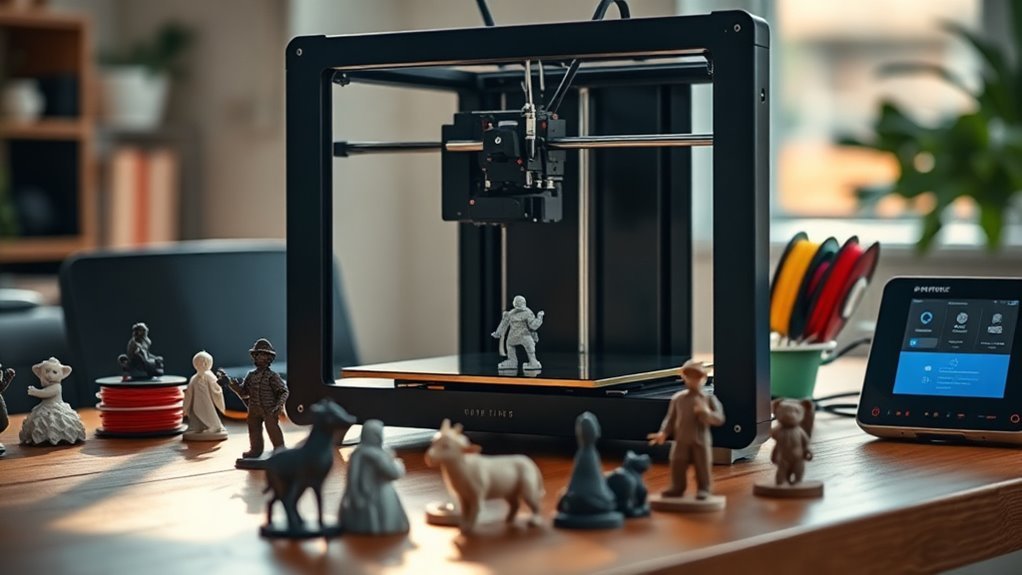
When choosing a 3D printer for your tabletop projects, you’ll want to focus on print resolution and detail to capture fine features accurately. Consider the build volume size to make certain your printer can handle the models you want to create.
Also, check material compatibility, ease of use, and printing speed to match your workflow and creative needs. These factors will help you get the best results without too much hassle.
Print Resolution and Detail
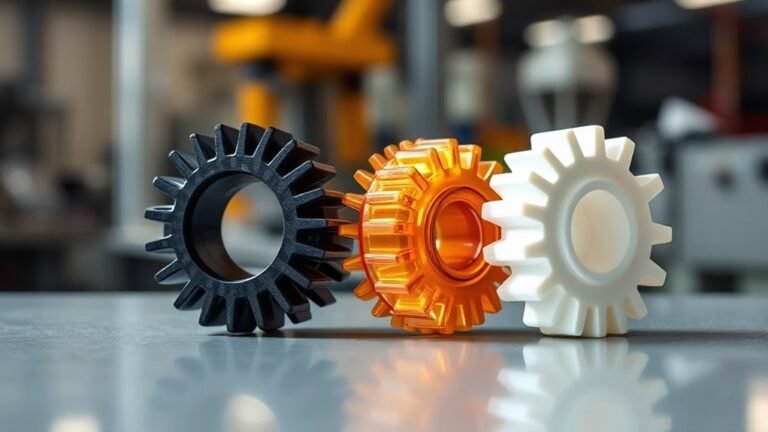
Choosing a 3D printer with high print resolution can make a huge difference in capturing the fine details and smooth curves essential for tabletop miniatures and terrain. Aim for a printer with XY resolution between 20–50 microns to guarantee crisp features.
Layer height, or Z resolution, matters too; values between 25–50 microns reduce visible layer lines, giving your models a smoother finish. Don’t overlook nozzle diameter—smaller nozzles (0.2–0.3 mm) help produce finer details but may slow print speed.
Also, the printer’s mechanical precision and stable Z-axis minimize wobble, preventing blurring or banding. Resin printers, like SLA or LCD types, generally offer superior detail with resolutions in the single-digit micron range, making them ideal if you want the highest quality for intricate tabletop pieces.
Build Volume Size
Although print resolution impacts detail, build volume size determines what you can create in one go. If you primarily print single miniatures, a build height of 50–100 mm is usually enough.
But if you want to produce armies or large terrain, look for printers with 200–300 mm in at least one axis. Consider orientation: a taller Z-axis suits stacking vertical prints, while larger X/Y dimensions let you print multiple minis or wide terrain in one batch.
A bed around 200 x 200 mm or bigger boosts efficiency by printing 10–20 small figures together, cutting setup and post-print time. Remember, bigger volumes mean longer print times and higher failure risk, so decide if you prefer fewer large pieces or many smaller, snap-fit components.
Also, make certain the build volume fits your workspace and future projects.
Material Compatibility Range
Since tabletop projects often demand diverse materials, you’ll want a 3D printer that handles a broad range of filaments like PLA, PETG, TPU, and PVA. Check that your printer supports these common materials, especially if you need flexible parts or soluble supports.
For advanced filaments like Nylon, PC, or composites, confirm the nozzle and hotend can reach temperatures up to 300–350°C. An enclosed heated chamber or heated bed with adjustable temperature helps reduce warping for ABS, ASA, and polyamides by maintaining stable ambient heat.
If you plan multi-material or multi-color prints, make sure the printer and slicer can handle these workflows with compatible filament feed systems. Finally, consider filament storage and drying options since hygroscopic materials like Nylon and PVA require moisture control to keep print quality consistent.
Ease of Use
When you pick a 3D printer for tabletop use, ease of use can make all the difference in your printing experience. Look for features like auto bed leveling and reliable first-layer calibration to cut setup time and reduce failed prints.
A user-friendly interface—whether a touchscreen or app—with guided, step-by-step prompts helps you slice, tune, and start prints without frustration. Quick-change nozzles and modular extruders simplify maintenance, while tool-less bed removal speeds up post-print part extraction.
Preconfigured print profiles for popular materials like PLA and TPU let you print quality miniatures without mastering slicer settings. Plus, built-in sensors that check filament presence, nozzle temperature, and detect print failures mean you won’t have to constantly watch your printer during long jobs.
These conveniences help you focus on creating, not troubleshooting. Makes the whole experience way more enjoyable, right?
Speed and Efficiency
To maximize your tabletop printing output, you want a 3D printer that balances speed with quality. Look for machines with high maximum print speeds above 200–300 mm/s and accelerations over 5,000 mm/s². But be ready to fine-tune settings to prevent ringing or detail loss.
Adjusting layer height and nozzle diameter impacts throughput—thicker layers (0.2–0.4 mm) and larger nozzles (0.6–1.0 mm) speed prints but reduce surface detail. If you’re printing multi-color or multi-material models, expect extra time for tool changes and filament swaps.
An enclosed printer with stable thermal control lets you push faster speeds reliably, cutting failed prints. Features like automatic bed leveling, smart filament handling, and print-failure detection minimize downtime. This makes batch printing smoother and more efficient.
Reliability and Durability
Although speed and efficiency matter, you’ll want a 3D printer with rigid construction and high-quality components to guarantee reliability and durability during long tabletop printing sessions. Look for printers with aluminum or steel frames and quality linear motion parts to minimize layer shifting and wear.
Check duty-cycle ratings and motor specs to make certain the machine handles continuous runs without overheating. Enclosed or semi-enclosed designs with heated chambers help control temperature-sensitive filaments, reducing warping and mechanical stress.
Consider printers with easy-to-replace parts like belts and nozzles for simple maintenance and extended lifespan. Finally, prioritize models featuring auto-calibration, filament detection, and print-failure sensors—these reduce failed prints and mechanical strain, keeping your printer running smoothly through countless tabletop projects.
Frequently Asked Questions
What Materials Are Best for Tabletop 3D Printing?
You’ll want PLA for its ease and detail, PETG for durability, and resin for high precision.
These materials balance quality and strength, making them perfect for tabletop 3D printing projects you’ll be proud to show off.
How Do I Maintain My 3D Printer for Longevity?
You should regularly clean your printer’s nozzle and bed, lubricate moving parts, update firmware, and check belt tension.
Also, keep it covered to avoid dust and store filaments properly to make sure your printer lasts longer.
Can I Use These Printers for Miniatures Painting Preparation?
Yes, you can use these printers for miniature painting preparation. They create detailed, smooth models that are perfect for priming and painting.
This helps you achieve high-quality finishes and intricate details on your miniatures with ease. It’s a great way to get your models ready for painting without much hassle.
What Software Is Compatible With These 3D Printers?
Oh, you’ll love this—most 3D printers play nice with popular software like Cura, PrusaSlicer, and Simplify3D.
You’ll easily prepare your models without headaches, letting you focus on creating, not wrestling with incompatible programs.
Are There Any Safety Precautions for Indoor 3D Printing?
Yes, you should make sure proper ventilation is in place and avoid inhaling fumes. Keep the printer on a stable surface to prevent any accidents.
Never leave it unattended while printing. Also, use gloves when handling resin, and clean spills promptly to stay safe indoors.
Conclusion
Choosing the perfect 3D printer for your tabletop treasures lets you unleash unlimited creativity and craft captivating creations. Whether you crave colorful combos or simple setups, these standout selections spark your imagination and simplify your printing journey.
Dive into dependable designs that deliver detailed, dynamic results every time. Don’t delay—discover the delightful device that drives your dreams and brings your tabletop tales to life with brilliant, bold brilliance!
When it comes to tabletop use, having a reliable 3D printer makes all the difference. These printers not only offer precision but also cater to various skill levels, making them ideal for hobbyists and pros alike.
So, if you want to elevate your miniature game or create custom game pieces, choosing one of the best 3D printers for tabletop use in 2027 will ensure your projects shine with vibrant detail and lasting quality. Get ready to bring your creative visions to life with ease and confidence!