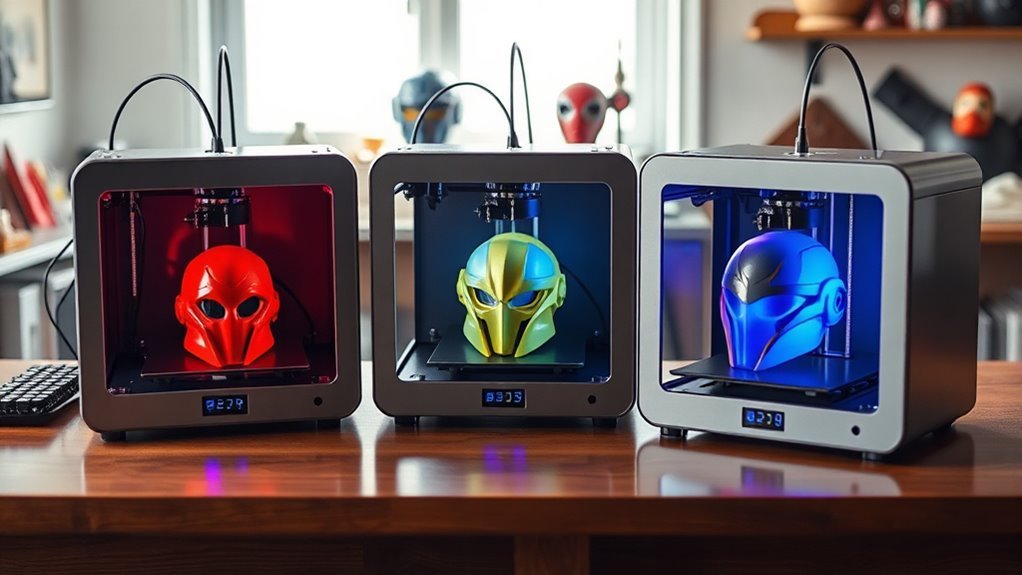
3 Best Cheap 3D Printers for Cosplay in 2027
You’ll want the Creality Ender 3 V3 SE for its reliable auto-leveling and smooth direct-drive extrusion. It’s perfect for detailed cosplay parts that need precision and consistency.
The Anycubic Kobra X Multicolor offers easy one-click printing with multicolor support and speedy performance. This makes it great for creating vibrant, eye-catching designs without hassle.
For large, stable prints, the LONGER LK5 Pro’s huge build volume and dual Z-axis keep your projects steady. It’s ideal when you need bigger pieces that don’t wobble during printing.
Keep in mind factors like material compatibility, assembly ease, and noise levels. Exploring these will help you pick the best cheap 3D printer for your cosplay needs.
| Image | Name | Editor's Rating | Price |
|---|---|---|---|

|
|
||

|
|
||

|
|
Creality Ender 3 V3 SE Beginner-Friendly 3D Printer with Auto Leveling
- 250mm/s High-Speed Printing: Print at speeds of up to 250mm/s with 2500mm/s² acceleration, helping you complete prototypes, functional parts, and everyday projects...
- Easy Setup with Auto Leveling: Designed for a fast and straightforward setup, the Ender 3 V3 SE can be assembled in just a few simple steps. CR Touch Auto Leveling and...
- Proven Sprite Direct Drive Extruder: The upgraded Sprite Direct Drive Extruder provides smooth and consistent filament feeding for PLA, PETG, and TPU. Its proven design...
- Stable Motion System for Consistent Results: Dual synchronized Z-axis lead screws and precision Y-axis linear shafts work together to help reduce vibration and Z...
- Quiet Operation with Easy Print Removal: A 32-bit silent mainboard helps reduce operating noise for a more comfortable printing experience, while the flexible PC spring...
The Creality Ender 3 V3 SE offers a smooth entry into 3D printing, especially for cosplay and creative projects. Its CR Touch auto leveling reduces setup time by ensuring the build plate is perfectly calibrated, so your prints start right the first time. This feature helps avoid common printing errors and frustration.
Equipped with the upgraded Sprite Direct Drive Extruder, it handles popular filaments like PLA, PETG, and TPU with ease. The direct drive system improves filament control, which means better print quality and fewer jams. Automatic filament loading makes maintenance simpler and saves time.
The printer’s dual Z-axis screws and precision linear shafts provide stable and consistent motion. This supports accurate layer formation even at speeds up to 250 mm/s. Its quiet operation and a flexible build plate also enhance user convenience by simplifying model removal and reducing noise during printing.
While it excels with common filaments, it is not designed for advanced or specialty materials. Assembly is straightforward but requires some basic knowledge, which may pose a slight challenge for absolute beginners.
Best for: Beginners and hobbyists seeking an easy-to-use, reliable 3D printer for cosplay, prototypes, and everyday creative projects.
What We Like:
- CR Touch auto leveling for reliable first layers
- Smooth printing with Sprite Direct Drive Extruder
- Stable motion via dual Z-axis screws and precision shafts
- Quiet operation improves the printing experience
- Flexible build plate simplifies model removal
Specification:
| Feature | Details |
|---|---|
| Manufacturer | Creality |
| Dimensions | Approx. 21.3 x 20.1 x 24.4 in (54 x 51 x 62 cm) |
| Weight | Around 11.5 kg (25.4 lbs) |
| Filament Types | PLA, PETG, TPU |
| Auto Leveling | CR Touch auto leveling |
| Max Print Speed | 250 mm/s |
| Drive System | Sprite Direct Drive Extruder |
Anycubic Kobra X Multicolor 3D Printer, Easy One-Click Printing
- 【Vivid 19-Color and Versatile Materials】Unleash creativity beyond limits. The Kobra X supports 4-color standard and expands up to 19 colors with 4 ACE 2 Pro for...
- 【600mm/s High Speed Performance】Don't let slow speeds limit your creativity. This high-speed FDM 3D printer reaches up to 600mm/s, completing tasks significantly...
- 【True Plug & Play Experience】Start your first project in as little as 15 minutes. The Kobra X arrives with a user-friendly setup and LeviQ 3.0 automatic bed leveling...
- 【LeviQ 3.0 Perfect First Layer】Forget the frustration of manual bed leveling that plagues beginner machines. The LeviQ 3.0 system utilizes 49-point full-auto leveling...
- 【Quiet & Reliable for Home】The ultra-quiet ≤48 dB operation ensures the living or learning space remains peaceful. Combined with power loss recovery and filament...
The Anycubic Kobra X Multicolor 3D Printer transforms cosplay creation by making multicolor printing simple and efficient. Its easy one-click printing reduces setup time and eliminates common printing errors, allowing users to focus on crafting detailed, vibrant pieces. The printer supports up to four colors by default, and you can expand this to nineteen with additional modules for more complex designs.
Its adaptive extrusion force compensator ensures smooth filament shifts between materials like TPU, PLA, and PETG. This technology helps maintain print quality even at high speeds, reaching up to 600 mm/s. Vibration compensation further sharpens details, while the large 260 mm build volume accommodates a variety of cosplay parts.
Maintenance is straightforward with plug-and-play setup and automatic bed leveling, minimizing downtime and hassle. A built-in 720p camera combined with AI monitoring actively prevents print failures, providing peace of mind during long print jobs.
While the nozzle temperature maxes out at 300°C, which may limit some specialty materials, the modular multicolor expansion adds flexibility at an increased cost. The build volume suits most cosplay needs but may restrict very large projects.
Best for: cosplay enthusiasts looking for a fast, reliable multicolor 3D printer with easy setup and error prevention.
What We Like:
- Supports 4 colors standard; expandable to 19 for detailed multicolor prints
- High-speed printing up to 600 mm/s with vibration reduction for crisp results
- Adaptive extrusion compensator ensures smooth material transitions
- Integrated 720p camera and AI monitoring reduce print errors
- Plug-and-play setup with automatic bed leveling for easy maintenance
Specification:
| Feature | Details |
|---|---|
| Manufacturer | Anycubic |
| Build Volume | 260 × 260 × 260 mm |
| Maximum Nozzle Temp | 300°C |
| Supported Materials | TPU, PLA, PETG |
| Color Options | Multicolor (4 standard, up to 19 with modules) |
| Camera | 720p |
LONGER LK5 Pro 3D Printer, Dual Z-Axis, 300x300x400mm, 180mm/s Print Speed
- LARGE-FORMAT PROJECTS: Create oversized prototypes, cosplay props, organizers and functional models with room for designs that exceed compact desktop printer limits.
- DUAL Z-AXIS & REINFORCED FRAME: Dual Z-axis support and diagonal braces help stabilize the gantry and reduce vibration. The lattice glass bed offers a flat surface and...
- FILAMENT RUNOUT & POWER-LOSS RESUME: Sensors pause printing when filament runs out or power fails. Resume from the last saved position after power returns to help reduce...
- 4.3-IN COLOR TOUCHSCREEN & EASY SETUP: An intuitive display and approximately 90% pre-assembled design simplify setup. Follow the included instructions to complete...
- QUIET TMC2209 DRIVER & OPEN-SOURCE FIRMWARE: Silent drivers help reduce motor noise, while editable G-code supports customization. Includes lifetime technical support and...
Experience the freedom to create large, detailed models with the LONGER LK5 Pro 3D printer. Its generous 300x300x400mm build volume lets you print oversized cosplay props and prototypes without breaking them into parts. The dual Z-axis system combined with a reinforced frame ensures your prints stay stable and precise throughout long sessions.
This printer tackles common printing interruptions with features like a filament runout sensor and power-loss resume, so your projects remain uninterrupted. Its lattice glass bed provides a consistently flat surface that simplifies print removal, reducing maintenance time and frustration.
Designed for efficiency, the LK5 Pro can print at speeds up to 180mm/s without compromising quality. The quiet TMC2209 stepper drivers and a responsive 4.3-inch touchscreen make operation smooth and user-friendly. While mostly pre-assembled, it requires some setup, and its 26.4-pound weight means it’s best suited for a stationary workspace.
Best for: hobbyists and makers who need a reliable, large-format 3D printer for oversized prototypes, cosplay props, and functional models with stable, high-speed printing.
What We Like:
- Large build volume ideal for big projects
- Dual Z-axis and reinforced frame for print stability
- Filament runout sensor and power-loss resume features
- Quiet operation with TMC2209 stepper drivers
- Easy-to-use 4.3-inch touchscreen interface
Specification:
| Feature | Details |
|---|---|
| Manufacturer | LONGER |
| Build Volume | 300 x 300 x 400 mm |
| Print Speed | Up to 180 mm/s |
| Weight | 26.4 lbs (12 kg) |
| Bed Type | Lattice glass bed |
| User Interface | 4.3-inch touchscreen |
Factors to Consider When Choosing a Cheap 3D Printer for Cosplay
When picking a cheap 3D printer for cosplay, you’ll want to take into account print volume to fit your costume pieces. Make sure the printer supports materials that work best for your designs and offers the precision needed for fine details.
Don’t forget to check print speed and how easy the printer is to assemble, so you can get started without hassle. It’s all about finding something that matches your needs without making things complicated.
Print Volume Requirements
Since cosplay pieces like helmets and armor panels can vary greatly in size, you should identify the maximum dimensions of your largest prints before choosing a 3D printer. Pick a printer with a build volume at least as large as those dimensions to avoid splitting your models into multiple parts, which adds seams and alignment work.
Larger print beds let you produce single-piece parts that are stronger and cleaner, but remember that printing big objects takes more time. So, factor in your available printing schedule and whether you can print sections in parallel.
Also, consider the final assembly size for transport and storage, making sure your print strategy fits those needs. Finally, leave extra space in the build volume for brims, supports, or orientation changes to get the best surface quality and strength.
Material Compatibility Options
After determining the print volume you need, consider the types of materials your cosplay projects require. Make sure your printer supports popular filaments like PLA, PETG, and TPU.
PLA prints easily and finishes well, PETG adds strength and heat resistance, and TPU gives you flexible parts for wearable gear. Check that the nozzle can reach at least 240–260°C if you plan to print higher-temperature materials like PETG or ASA.
If you want flexible filaments, opt for a direct-drive extruder to prevent filament buckling and guarantee smooth feeding. Also, confirm your printer handles soluble supports like PVA or multi-material setups for cleaner, detailed pieces.
Finally, verify filament diameter compatibility—usually 1.75 mm—and features like adjustable extrusion force and filament run-out detection to avoid failed prints. These little details can save you a lot of frustration down the line.
Print Speed Importance
Although faster print speeds can help you finish large cosplay parts quickly, they often reduce surface detail and dimensional accuracy. Printing at high speeds like 150–300 mm/s might cut down your wait time, but it increases risks of ringing and layer artifacts unless your printer has strong motion stability and effective vibration damping.
For parts where fit and durability matter, it’s better to stick with moderate speeds around 40–100 mm/s. Acceleration settings also impact print time—higher acceleration shortens jobs but can worsen quality during long travel moves.
When working on thin-walled or detailed props, slow down outer perimeter speeds to 20–40 mm/s to keep edges crisp, even if you print infill faster. Balancing speed guarantees your cosplay parts come out reliable and functional.
Precision and Detail Quality
When choosing a cheap 3D printer for cosplay, you’ll want to focus on precision and detail quality to bring your designs to life accurately. Start by selecting a printer and slicer that support layer heights between 0.1 and 0.2 mm for fine parts and smoother finishes.
Look for steady motion systems like synchronized dual Z leadscrews to reduce Z-wobble, preserving sharp edges and intricate features. A direct-drive extruder helps control filament flow, minimizing stringing and artifacts on small ornaments or thin fins.
Nozzle diameter matters too—0.2 to 0.4 mm nozzles strike a good balance between detail and print speed. Smaller nozzles can capture very fine textures but take longer to print.
Also, consider vibration damping and calibrated acceleration settings to keep details crisp and dimensional accuracy high. These little tweaks really make a big difference in the final look of your cosplay pieces.
Ease Of Assembly
Getting your 3D printer up and running quickly makes a big difference, especially if you’re keen to start crafting cosplay pieces. Aim for printers that come at least 50–90% pre-assembled to cut setup time and lower the risk of errors.
Clear, well-illustrated instructions and included tools can shrink assembly from hours to under 30 minutes for basic models. Choose designs with fewer mechanical parts—like a single Z-axis or simple gantry—to speed up and simplify the build.
Look for plug-and-play features such as pre-calibrated belts, pre-tensioned rollers, or auto-bed-leveling hardware to avoid tedious manual tweaks. Don’t overlook community support and tutorial videos, as strong documentation can help you breeze through assembly even if it’s a bit more involved.
Noise Level Considerations
Since cosplay projects often require long print sessions, choosing a 3D printer with low noise levels can make your workspace much more comfortable. Aim for printers under 50 dB to avoid disruptive noise, especially in home settings.
Look for models with silent stepper drivers like TMC-style and well-designed fan ducting to reduce high-frequency whine. Vibration damping features—such as dual Z-axis support, reinforced frames, or vibration-isolating feet—help cut down structural noise during fast or extended prints.
You can also balance print speed and acceleration settings to minimize motor and vibration noise. Finally, consider your printer’s placement: using an enclosed cabinet, sound-absorbing mats, or keeping the printer away from living areas can markedly lower the noise you actually hear, even if the decibel level stays the same.
Frequently Asked Questions
What Materials Are Best for Printing Durable Cosplay Props?
You’ll want to use PLA for ease, but ABS or PETG are better for durability and flexibility. TPU works great for flexible parts.
Consider resin for detailed props, but it’s more fragile and costly. So, if you need super fine details, resin’s your go-to, just keep in mind it won’t hold up like the others.
How Do I Paint and Finish 3D Printed Cosplay Pieces?
You should sand your pieces smooth, then apply a primer to seal the surface. This helps the paint stick better and gives you a nice even base.
Next, use acrylic paints for vibrant colors. They’re easy to work with and dry pretty quickly.
Finally, finish with a clear coat to protect your work. It also gives your piece a professional, durable look that lasts.
Can These Printers Handle Flexible Filament for Costume Parts?
You’d be amazed—these printers can absolutely handle flexible filament! Just make sure to adjust settings like print speed and temperature.
With a bit of tweaking, you’ll create costume parts that bend and move like magic. It’s easier than you think!
What Safety Precautions Should I Take When 3D Printing Cosplay Items?
You should always work in a well-ventilated area and wear gloves to avoid burns. Keeping your workspace clean is important too.
Never leave the printer unattended, okay? Also, make sure to use proper eye protection to stay safe while 3D printing your cosplay items.
How Do I Troubleshoot Common 3D Printing Errors for Cosplay?
Don’t worry if prints fail; you can troubleshoot by checking bed leveling, adjusting temperature, and ensuring proper filament flow.
It’s also a good idea to clean the nozzle and tighten the belts.
Plus, reviewing your slicer settings can help fix common 3D printing errors efficiently.
Just take it step by step, and you’ll have better results in no time!
Conclusion
When you’re hunting for the perfect budget 3D printer for cosplay, it’s no coincidence that Creality Ender 3 V3 SE, Anycubic Kobra X, and LONGER LK5 Pro stand out. Each brings unique features that match different cosplay needs, proving that affordability doesn’t mean you have to sacrifice quality or detail.
So, whether you crave precision, speed, or ease of use, you’ll find a printer that fits your creative vision—and your wallet—just right. These cheap 3D printers for cosplay offer a great balance of performance and cost, making them ideal for hobbyists and pros alike.
In 2027, choosing the right 3D printer is easier than ever. With options like the Ender 3 V3 SE, Anycubic Kobra X, and LONGER LK5 Pro, you can create stunning cosplay props without breaking the bank. Affordable 3D printing is definitely within reach—bringing your cosplay dreams to life has never been this accessible or fun!