3 Best CD DVD Printers for 2027
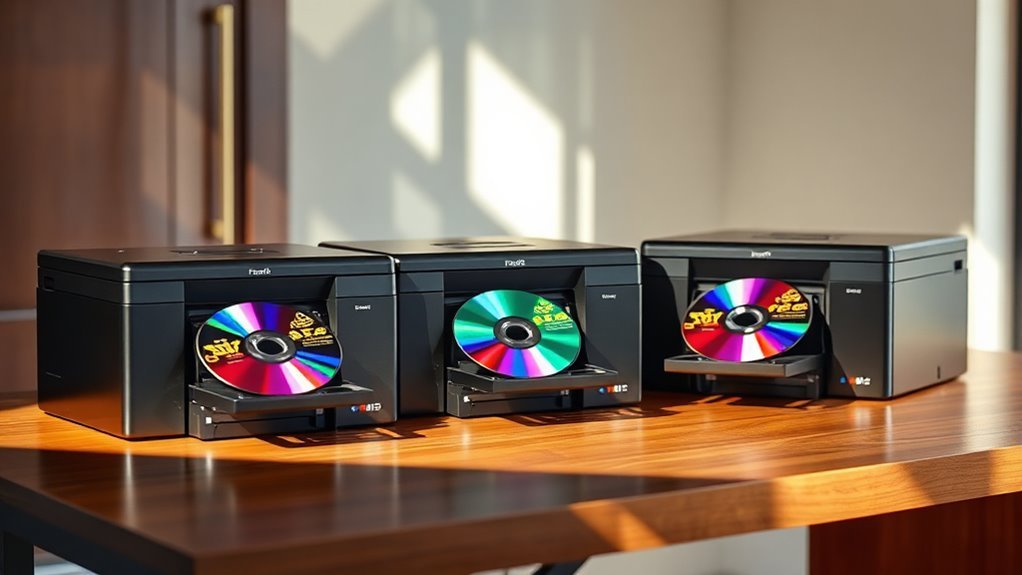
If you want reliable CD/DVD printing in 2027, you’ll want to check out some of the best CD DVD printers on the market. These devices offer everything from vibrant, full-color labels to sharp, smudge-free monochrome titles. Whether you need high-capacity disc handling or portable power options, there’s something for every type of user.
The Epson Discproducer PP-100III is great for vibrant, full-color labels and can handle a large number of discs at once. Meanwhile, the Casio CW-E60 shines with sharp, smudge-free monochrome titles and offers the convenience of portable power.
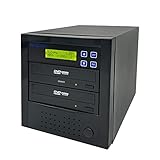
If you’re looking for standalone duplication plus printing, the 24X CD DVD M-Disc Duplicator Copier Tower is perfect. It handles fast, archival M-Disc copies without needing a PC. Each of these printers fits different needs—from unattended batch jobs to on-the-go printing. Keep exploring to find out which suits your setup best.
| Image | Name | Editor's Rating | Price |
|---|---|---|---|
|
|
||

|
|
||
|
|
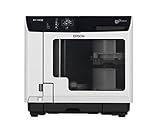
Epson Discproducer PP-100III CD/DVD/Blu-ray Disc Publisher and Printer
- Simple, unattended production — easily create multiple CD, DVD or Blu-ray discs. PP-100III holds up to 100 discs for automated printing and duplication
- High-quality printing — get sharp text and stunning graphics with patented MicroPiezo technology
- Economical and easy to maintain— low total cost of ownership with six high-capacity ink cartridges (each with low ink sensors) and a field-replaceable waste tank. Also...
- Reliable automation — Discproducer's proven robotic arm and patented AcuGrip technology ensure that only one disc is placed in the drive or on the printer at one time
- Compact, durable design — PP-100III's rugged construction and space-saving format is build to last
The Epson Discproducer PP-100III offers a practical solution for high-volume disc duplication and printing. It helps you manage large jobs without constant supervision, holding up to 100 discs for efficient unattended production. This means you can save time and focus on other tasks while it runs.
Its compact and durable design includes a patented AcuGrip robotic arm, which carefully handles each disc to prevent errors. The advanced MicroPiezo inkjet technology produces sharp text and vibrant colors using six high-capacity ink cartridges, ensuring professional-quality results every time.
Maintenance is straightforward, keeping your operating costs low and performance reliable. The Discproducer supports CDs, DVDs, and Blu-rays, connecting easily via USB and working seamlessly with Epson’s TotalDiscMaker software on both PC and Mac.
While it excels in disc duplication and printing, the device is focused on these specific tasks and offers only USB connectivity. Its 46.2-pound weight balances portability with rugged construction for professional environments.
Best for: professionals and businesses needing unattended, high-quality disc duplication and printing in a reliable, compact system.
What We Like:
- Holds up to 100 discs for continuous operation
- Sharp, vibrant printing with MicroPiezo inkjet technology
- Durable design with precise AcuGrip robotic arm
- Easy maintenance for consistent performance
Specification:
| Feature | Details |
|---|---|
| Manufacturer | Epson |
| Dimensions | Not specified |
| Weight | 46.2 lb (20.95 kg) |
| Material | Rugged construction |
| Color Options | Not specified |
Casio CW-E60 CD & DVD Disc Title Printer
- Directly prints on the disc
- Features a USB connection for fast hook-up to your PC
- Has an on-screen preview image
- Powered by 8 “AA” size batteries or an AC adapter
- Includes: AC adapter, USB cable, software, black ink ribbon
The Casio CW-E60 CD & DVD Disc Title Printer offers a precise and convenient way to label your discs without the need for adhesive labels. Its direct thermal printing technology ensures sharp, smudge-free titles and graphics right on the surface of CDs and DVDs up to 120 mm in diameter. This eliminates the risk of damage or peeling that can occur with traditional labels.
Designed for portability, the CW-E60 connects easily to your PC via USB, allowing you to import fonts, images, and track names directly from Windows Media Player. The built-in preview screen lets you see exactly how your design will appear before printing, reducing mistakes and wasted discs.
Maintenance is straightforward, as the printer uses thermal printing that requires no ink or toner replacements. Power options include eight AA batteries or an AC adapter, giving you flexibility whether you’re on the go or near a power outlet. Its steady print speed of 8 mm per second balances quality and efficiency for small to medium disc labeling tasks.
While it only prints in monochrome and requires PC connectivity, the CW-E60 is ideal for users who need reliable, direct disc printing with flexible customization options and easy setup.
Best for: professionals and hobbyists needing accurate, portable thermal printing of titles and graphics on CDs and DVDs.
What We Like:
- Direct thermal printing prevents label damage and smudging
- Imports fonts and track info from PC and Windows Media Player
- Portable design with dual power options and built-in preview
- No ink or toner needed, simplifying maintenance
Specification:
| Feature | Details |
|---|---|
| Manufacturer | Casio |
| Dimensions | Not specified |
| Weight | Not specified |
| Printing Technology | Direct thermal |
| Max Disc Diameter | 120 mm |
| Power Options | 8 AA batteries or AC adapter |
24X CD DVD M-Disc Duplicator Copier Tower
- [Complete Standalone Operation] No PC required to operate the duplicator.
- [FREE Copy Protection] Able to create FREE copy protected DVD Video copies using OptoDisc MID media from an original master.
- [Supports Max Write Speed] Up to 24x DVD Write Speed, 52x CD-R Write Speed, with default max caps for selected medias to give optimal burning capability
- [Supports M-Disc DVD Format] Able to record on to 1000 year archival grade M-Disc media
- [Won’t Copy Encrypted Discs] The duplicator will not copy any discs that are encrypted with copy protection.
The 24X CD DVD M-Disc Duplicator Copier Tower offers a reliable solution for fast standalone disc duplication. Without the need for a PC, it simplifies copying DVDs, CDs, and archival M-Discs at speeds up to 24x for DVDs and 52x for CDs. This makes it ideal for users who need quick and precise disc replication.
Designed with high-quality SATA DVD duplication-grade drives, the tower guarantees accurate 1-to-1 copies. Its compatibility with 1000-year archival M-Disc media ensures long-term data preservation. The device supports free DVD-Video copy protection on OptoDisc MID media, though it does not handle other encryption types.
Maintaining this duplicator is straightforward, as it comes with essential power and SATA cables along with a user manual for easy setup. The black tower’s sturdy design weighs 11 pounds and measures 7 x 11 x 8 inches, offering a stable and durable build for stationary use.
This duplicator is perfect for individuals or businesses requiring dependable disc copying without a PC. However, it’s not suited for multi-target duplication or discs encrypted beyond OptoDisc MID schemes.
Best for: Users or small businesses needing fast, reliable standalone duplication of DVDs, CDs, and archival M-Discs without computer dependency.
What We Like:
- Precise 1-to-1 duplication with SATA DVD duplication-grade drives
- Supports long-term archival 1000-year M-Disc media
- Handles free DVD-Video copy protection on OptoDisc MID media
- Includes all necessary cables and a detailed user manual
- Solid build with a compact tower design
Specification:
| Feature | Details |
|---|---|
| Manufacturer | Not specified |
| Dimensions | 7 x 11 x 8 inches |
| Weight | 11 pounds |
| Color Options | Black |
| Media Support | DVD, CD, M-Disc |
Factors to Consider When Choosing a Cd Dvd Printer
When choosing a CD DVD printer, you’ll want to contemplate printing technology types and media compatibility to make certain it fits your needs.
Pay attention to connectivity options, print quality, and speed to get the best performance.
Don’t forget to factor in maintenance and durability for long-term reliability.
It’s all about finding the right balance that works for you. Take your time and consider what matters most in your printing tasks.
Printing Technology Types
Although choosing a CD DVD printer might seem straightforward, understanding the different printing technologies is essential to making the right decision.
Inkjet printers use piezo or thermal printheads with liquid inks, offering full-color, high-resolution images perfect for photographic-quality labels.
Dye-sublimation printers deliver smooth, continuous-tone color through heat transfer, producing long-lasting prints but requiring specific consumables and slower speeds.
Thermal transfer printers melt ink from ribbons onto discs, providing durable, water-resistant prints but usually in monochrome or limited colors with lower resolution.
Direct-to-disc inkjets allow edge-to-center printing and variable data, which is ideal for personalization. On the other hand, thermal models often stick to single-color fixed templates.
When choosing, consider print resolution, color fidelity, consumable costs, print speed, and maintenance like clogging or ribbon replacements. This way, you can find a technology that really fits your needs.
Media Compatibility Options
Understanding printing technologies is just one part of choosing the right CD DVD printer; you also need to take into account what types of media the printer can handle. First, confirm it supports the disc types you need—CD, DVD, or Blu-ray. Also, check any maximum diameter limits, usually around 120 mm, to guarantee full-surface printing.
Pay attention to specialized archival media like M-Disc or printable hub discs, since some printers may not work well with these. It’s a good idea to match the print method to the media surface too. Thermal, direct thermal, or inkjet printing all require discs with compatible coatings.
Finally, make sure to verify the printer’s handling capabilities for single or batch feeds. Also, check manufacturer limits on disc thickness and hub size to avoid jams or misalignment with nonstandard discs. These little details can save you from a lot of headaches down the line!
Connectivity And Interface
Since connectivity options directly impact how you integrate a CD DVD printer into your setup, you’ll want to carefully check the available interfaces such as USB 2.0/3.0, Ethernet, or SATA. Make sure the printer supports the bandwidth and reliability your workflow demands.
If multiple users need access, look for built-in Ethernet or Wi-Fi to enable network sharing instead of relying solely on a single USB connection. Confirm that the printer’s drivers and software utilities are compatible with your operating system, whether it’s Windows, macOS, or Linux.
Also, consider if you need standalone operation with internal controls for unattended batch production or continuous PC control. Finally, review port count and layout to verify it fits your cable management needs and workflow efficiency.
Print Quality And Speed
When choosing a CD DVD printer, you’ll want to prioritize print quality and speed to match your production needs. Look for printers offering a higher native resolution—300 to 1200 DPI or more—to guarantee sharp text and fine image detail.
Pay attention to the color system; multi-ink or pigment/thermal setups deliver richer colors and better photo reproduction than basic dye or single-color options. Speed matters, too: printers that produce discs in under a minute are ideal for high-volume jobs, while thermal methods may take longer.
Also, balance print speed with drying or curing time, since faster printing might require special discs to prevent smudging. Finally, check mechanical precision—high DPI alone won’t help if the printer can’t align discs accurately, causing blur or banding.
Maintenance And Durability
Beyond print quality and speed, you’ll want a CD DVD printer built to handle your workload reliably over time. Check the printer’s rated duty cycle and media capacity to match your run lengths without risking accelerated wear.
Choose models with replaceable consumables—like ink cartridges, waste tanks, and print heads—and clear OEM part availability to reduce downtime and cost. It really helps to have easy access to these parts when you need them.
Look for built-in maintenance features such as automatic printhead cleaning, low-ink sensors, and firmware updates that keep print quality consistent and prevent clogs. These little things can save you a lot of hassle down the road.
Also, assess mechanical parts like rollers and feeders, plus the mean time between failures (MTBF) or warranty period, to guarantee long-term durability. It’s smart to know how tough your printer is before committing to it.
Finally, consider environmental specs and recommended cleaning intervals to maintain reliable print alignment and adhesion under your operating conditions. Keeping up with these will keep your prints looking sharp and consistent.
Frequently Asked Questions
Can These Printers Print on Other Surfaces Besides Discs?
You can’t usually print on surfaces other than discs with these printers since they’re specifically designed for CDs and DVDs.
However, some models might handle flat, printable items like certain labels or cardstock with compatible ink. It really depends on the printer and the materials you want to use.
What Is the Average Lifespan of Printed Disc Labels?
Think of your printed disc labels like a fresh tattoo—they usually last 3 to 5 years if you handle them carefully.
With proper care, your designs won’t fade or peel, keeping your discs looking sharp and vibrant.
Are There Eco-Friendly Ink Options for Disc Printers?
Yes, you can use eco-friendly inks for disc printers. These inks are often soy- or water-based, which means they reduce harmful chemicals and waste.
You’ll help the environment while still getting vibrant, durable prints on your discs. It’s a great way to print responsibly without sacrificing quality.
Do Cd/Dvd Printers Support Wireless Connectivity?
You’ll be amazed—yes, CD/DVD printers totally support wireless connectivity!
You won’t be tangled in cords or stuck at your desk. Just connect via Wi-Fi or Bluetooth, and you’re free to print discs from anywhere effortlessly.
Pretty convenient, right? It makes printing your discs way easier and more flexible.
Can These Printers Handle Printing in Bulk Automatically?
Yes, many CD/DVD printers can handle bulk printing automatically. You’ll find models with automatic feeders and batch processing features that let you print multiple discs efficiently.
This saves you time and effort during large projects. So, if you’ve got a lot to print, these printers can really make the job easier.
Conclusion
Choosing the perfect printer for your CDs and DVDs doesn’t have to be complicated. By considering essential criteria like cost, compatibility, and convenience, you can confidently capture crisp, clear creations.
Whether you pick Epson’s efficient Discproducer, Casio’s clever CW-E60, or the dynamic duplicator tower, you’ll deliver dazzling discs with delightful details. Each option brings unique features that make disc printing easier and more professional.
Plunge into your decision with diligence, and you’ll discover a device that perfectly prints your prized projects with precision and pride. Remember, the best CD DVD printers combine reliability and quality, ensuring your discs look fantastic every time.
So, take your time, weigh your choices, and find the ideal CD DVD printer that fits your needs perfectly. With the right printer, your creations will truly stand out in 2027 and beyond.