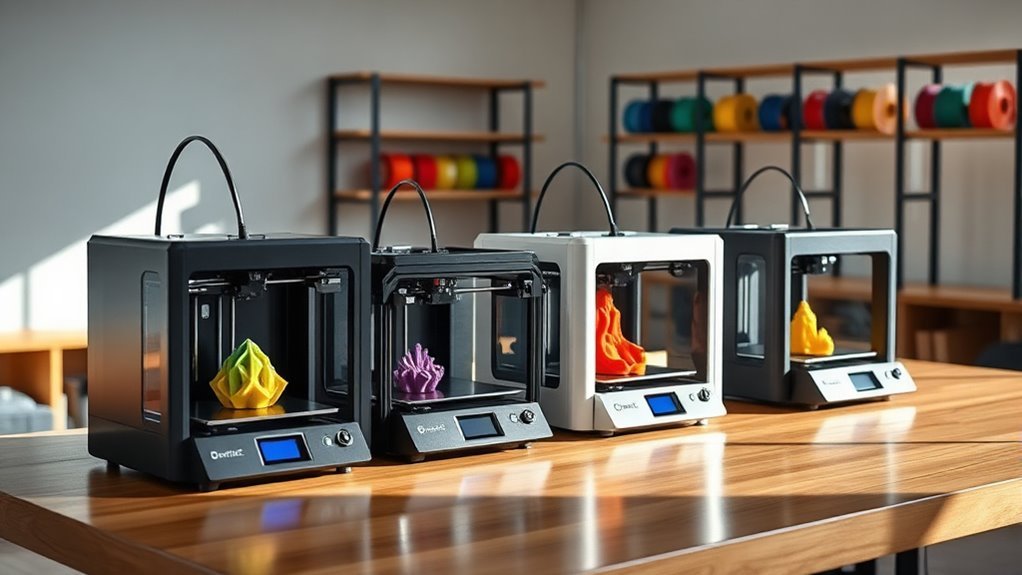
4 Best Bang for Buck 3D Printers for 2027 That Impress
You’ll love the Bambu Lab P2S Combo for fast, high-quality multi-color prints with automated filament management. It’s perfect if you want speed without sacrificing detail.
Plus, the P1S Combo offers a sleek design and supports up to 16 colors, making it ideal for intricate, colorful projects.
The Creality Ender 3 V3 SE delivers reliable speed and precision for hobbyists on a budget. It’s a solid choice if you want great prints without breaking the bank.
Meanwhile, the Anycubic Kobra X Multicolor makes multi-color printing easy with native four-color support, so you can get creative straight away.
Keep exploring to find out which 3D printer suits your needs best and offers the best bang for your buck in 2027. These options impress with performance, value, and versatility—perfect for beginners and pros alike.
| Image | Name | Editor's Rating | Price |
|---|---|---|---|

|
|
||

|
|
||

|
|
||

|
|
Bambu Lab P2S Combo, P2S 3D Printer & AMS 2 Pro, Multi-Color 3D Printing
- High-Speed Precision: The Bambu Lab P2S 3D printer prints up to 600 mm/s while maintaining exceptional accuracy. With the PMSM Servo Extruder and Active Flowrate...
- Ready to Print in 15 Minutes: Set up your P2S FDM 3D printer and start printing in just 15 minutes. With AI failure detection, quick-swap nozzles, and automatic...
- Effortless Multi-Color Printing: The AMS 2 Pro enables seamless multi-color/multi-material 3D printing. It features built-in filament drying at up to 65 °C, keeping...
- Smart Airflow for Any Filament: The Adaptive Airflow System automatically balances cooling and heat retention—keeping overhangs crisp with cool air, or maintaining a...
- Limitless Creativity, Seamless Workflow: Explore over one million 3D models on MakerWorld and bring them to life with a smooth, unified workflow using Bambu Studio, Bambu...
Step into the future of 3D printing with the Bambu Lab P2S Combo, designed to simplify multi-color and multi-material creation. This system combines the fast and precise P2S 3D printer with the AMS 2 Pro filament management system, solving common issues like color mixing and filament moisture. You can now print complex, vibrant models without interruption or quality loss.
The AMS 2 Pro keeps your filaments dry at up to 65 °C, ensuring consistent extrusion and reducing print failures. Its automated filament switching lets you move between colors seamlessly, expanding your creative possibilities. Maintenance is straightforward, with quick-swap nozzles and an AI-driven failure detection system that helps catch problems early.
Designed for both enthusiasts and professionals, the P2S boasts print speeds up to 600 mm/s and a heated chamber, enabling engineering-grade parts with sharp detail. Setup is quick, taking only about 15 minutes, so you can focus more on your projects than on preparation.
Best for: Creators and professionals seeking reliable, high-speed multi-color and multi-material 3D printing with user-friendly automation and advanced features.
What We Like:
- Smooth multi-color printing with integrated AMS 2 Pro filament management
- Fast CoreXY mechanics delivering prints up to 600 mm/s
- Heated chamber for durable, precise engineering-grade models
- AI failure detection enhances print reliability
- Easy setup and maintenance with quick-swap nozzles
Specification:
| Feature | Details |
|---|---|
| Manufacturer | Bambu Lab |
| Dimensions | 18 x 22 x 18 inches |
| Weight | 46.3 pounds |
| Print Speed | Up to 600 mm/s |
| Chamber | Heated |
| Filament Drying Temp | Up to 65 °C |
| Nozzle System | Quick-swap |
Bambu Lab P1S Combo, P1S 3D Printer and AMS, Multi-Color 3D Printing
- Up to 16 Colors: Bring your designs to life with vibrant multi-color/multi-material printing capabilities, perfect for showcasing your creativity. Note: Connecting Bambu...
- 500mm/s and 20000 mm/s² Acceleration True High Speed: Don't wait around for your masterpieces. Lightning-fast printing speed lets you focus on creating, not waiting.
- Enclosed Design: Fully enclosed body improves print performance for advanced filaments. Automatic Bed Leveling: Say hello to high-quality, successful prints. Auto bed...
- Set Up in 15 Minutes: Spend more time printing and less time setting up. User-friendly design ensures a hassle-free assembly experience for all skill levels.
- Supported Filament: Ideal: PLA, PETG, TPU, PVA, PET ABS, ASA; Capable : PA, PC; Not Recommended: Carbon/Glass Fiber Reinforced Polymer.
Experience the power of multi-color 3D printing with the Bambu Lab P1S Combo. Designed to simplify complex projects, this system integrates the P1S 3D printer with the AMS accessory, enabling seamless printing with up to 16 colors. It transforms your ideas into vibrant, detailed models without the hassle of manual filament changes.
The CoreXY motion system ensures fast, precise movements reaching speeds up to 500 mm/s. This lets you complete prints quickly while maintaining high accuracy. Its fully enclosed design enhances filament compatibility and protects prints from environmental factors, improving overall reliability.
Setup is straightforward and takes about 15 minutes, making it accessible to users of all experience levels. Maintenance is minimal thanks to the modular design, which allows easy access for cleaning and part replacement. The printer supports a wide range of materials including PLA, PETG, and TPU, offering versatility for creative and professional use.
While the AMS adds a valuable multi-color function, it requires an additional connection and increases the system’s weight to 47.5 pounds, which may affect portability. Also, the P1S Combo is not suited for carbon or glass fiber reinforced polymers, limiting its use with some advanced materials.
Best for: hobbyists and professionals who need a reliable, high-speed 3D printer capable of vibrant multi-material and multi-color projects with straightforward setup and maintenance.
What We Like:
- Multi-color printing up to 16 colors with AMS accessory
- Fast and precise CoreXY motion system at 500 mm/s
- Enclosed build enhances filament compatibility and print quality
- Quick and easy setup suitable for all skill levels
Specification:
| Feature | Details |
|---|---|
| Manufacturer | Bambu Lab |
| Dimensions (printer + AMS) | Compact, enclosed design |
| Weight | 47.5 lb (21.5 kg) |
| Supported Materials | PLA, PETG, TPU, others |
| Color Options | Multi-color via AMS |
Creality Ender 3 V3 SE 3D Printer Upgrade
- 【250mm/s High-speed Printing】Creality Ender 3 V3 SE 3d printer supports a maximum printing speed of 250mm/s, 2500mm/s² acceleration.The speed has been greatly...
- 【Powerful ""Sprite"" Direct Extruder】Ender 3 V3 SE is the upgrade of ender 3, ender 3 v2, ender 3 pro, ender 3 neo, ender 3 v2 neo, ender 3 s1, ender 3 s1 pro etc 3d...
- 【Worry-free CR Touch Auto Leveling & Strain Sensor】Creality Ender 3 upgraded 3d printer features a CR Touch sensor for auto leveling and a strain sensor for auto...
- 【Stable Dual Z-axis & Y-axis Linear Shafts】High-precision dual Z-axis lead screws reduce Z wobbling effectively, avoid printing deviation in single-axis printing...
- 【Quick Assembly & Easy to Use】Preassembly has solved those hassles and worries of parts assembly, It only takes 3 steps to complete the assemble the ender-3 v3 se 3d...

Experience faster and more precise 3D printing with the Creality Ender 3 V3 SE. Designed to speed up your projects, it offers a maximum print speed of 250 mm/s, cutting printing time by up to 73% compared to other models. This means you can complete your creations quicker without sacrificing quality.
The Sprite full-metal dual-gear direct extruder ensures smooth, slip-free filament feeding. It works well with a variety of materials like PLA, TPU, and PETG, giving you flexibility for different projects. Dual Z-axis lead screws and steel linear shafts provide stability and accuracy, so your prints come out crisp and detailed.
Setup is straightforward thanks to the CR Touch auto leveling and a quick assembly process that takes about 20 minutes. One-touch filament loading adds convenience, reducing downtime and frustration. Maintenance is simplified by the robust design, helping keep your printer reliable over time.
While the build volume of 220 x 220 x 250 mm fits most hobby and small business needs, it may limit larger projects. Weighing 15.66 lb, it offers moderate portability but is better suited for a dedicated workspace.
Best for: Hobbyists and small business owners needing a fast, reliable 3D printer with versatile filament options and high precision.
What We Like:
- High-speed printing up to 250 mm/s for faster project completion
- Smooth filament feeding with full-metal Sprite dual-gear extruder
- Automated bed leveling with CR Touch reduces setup time
- Stable dual Z-axis design ensures precise prints
- Quick assembly and one-touch filament loading for ease of use
Specification:
| Feature | Details |
|---|---|
| Manufacturer | Creality |
| Build Volume | 220 x 220 x 250 mm |
| Maximum Print Speed | 250 mm/s |
| Extruder Type | Full-metal dual-gear direct extruder |
| Filament Compatibility | PLA, TPU, PETG |
| Weight | 15.66 lb (7.1 kg) |
Anycubic Kobra X Multicolor 3D Printer, Easy Setup, Native 4-Color
- 【 Newest Level - 19-Color with 4 ACE 2 Pro】Why settle for one color when you can have multicolor? The Kobra X comes born with 4 colors built-in. It is innovative 3D...
- 【 Savings 2X Time】Stop wasting hours and filament on purging! Kobra X impresora 3D reduces the filament and machine travel path by 81.25%, so 2X the Speed, and...
- 【Hardened Precision & High Speed 】 Equipped with a high-durability hardened steel nozzle and vibration compensation, the Kobra X ensures every layer remains smooth...
- 【Flawless First Layer with LeviQ 3.0】The LeviQ 3.0 and auto bed leveling system uses a 49-point calibration and advanced leveling algorithm to ensure 100% bed...
- 【Smart AI Monitoring & Large Model Library】APP remote control, features Spaghetti detection and foreign object detection. The innovative top-mount spool holder...
Experience a new level of creativity with the Anycubic Kobra X Multicolor 3D Printer. This machine simplifies multicolor printing, allowing you to produce vibrant, detailed models without complex setup or maintenance. It tackles the challenge of color blending in 3D projects, making multi-hued designs accessible to users of all skill levels.
Setup is quick and straightforward, taking about 15 minutes thanks to the LeviQ 3.0 auto bed leveling system. This feature ensures consistent print quality while saving time. The hardened steel nozzle supports a variety of filament types and maintains performance at speeds up to 600 mm/s.
Maintenance is hassle-free, with smart AI monitoring that detects potential issues early and keeps the printer running smoothly. Its quiet operation at 45 dB creates a comfortable environment for extended use. The build volume of 260 mm³ is spacious enough for most home, educational, or professional projects.
While the printer supports native 4-color printing, expanding to 19 colors requires additional hardware, which may increase costs. Filaments are sold separately, so plan for extra supplies when creating multicolor prints.
Best for: hobbyists, educators, and professionals seeking an easy-to-use, versatile 4-color 3D printer for vibrant multicolor projects.
What We Like:
- Native 4-color printing with upgrade options for complex color designs
- Fast and user-friendly 15-minute setup with automatic bed leveling
- Smart AI monitoring enhances print reliability and quality
- Quiet operation enables comfortable workspace use
- Hardened steel nozzle supports diverse filament types and fast printing speeds
Specification:
| Feature | Details |
|---|---|
| Manufacturer | Anycubic |
| Build Volume | 260 mm × 260 mm × 260 mm |
| Printing Colors | Native 4-color, expandable to 19 colors |
| Nozzle Material | Hardened Steel |
| Maximum Print Speed | 600 mm/s |
| Noise Level | 45 dB |
| Setup Time | Approximately 15 minutes |
Factors to Consider When Choosing the Bang for Buck 3d Printer
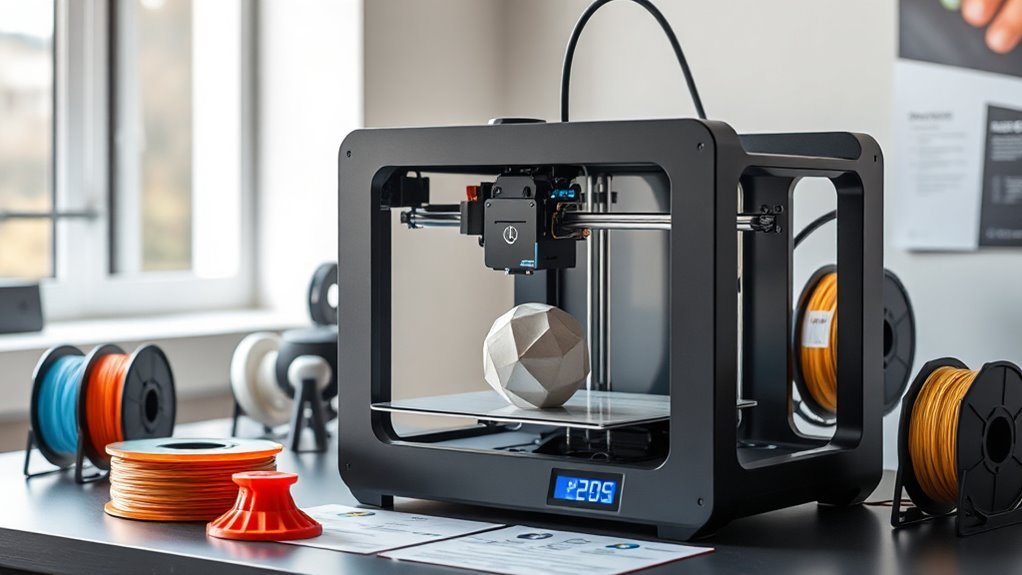
When choosing a 3D printer that gives you the best value, you’ll want to focus on print quality and precision. This makes sure your projects look professional and polished.
Also, consider speed and efficiency. Saving time on every print really adds up.
Think about material compatibility too. You want to make sure it works well with the types of projects you plan to create.
And don’t forget ease of use. A printer that’s simple to operate makes your experience smoother.
Multi-color capability is another great feature. It can make your prints more versatile and visually interesting.
Print Quality and Precision
Achieving high-quality print quality and precision hinges on several key factors you should evaluate before buying a 3D printer. Focus first on layer height capability and nozzle options; printers supporting 0.05–0.1 mm layers with quick-swap nozzles let you achieve finer surface detail and easier tuning.
Check the motion system rigidity and Z-axis design—dual leadscrews and stiffer frames help reduce Z-wobble and ringing, sharpening vertical features. Consider extruder type: direct or geared extruders with active flow compensation improve corner accuracy and overhang consistency.
Don’t overlook thermal management—heated chambers and controlled airflow maintain stable temperatures, minimizing warping and layer adhesion issues. Finally, make sure firmware and mechanics balance acceleration and jerk settings to control vibration, so you get precise, consistent prints every time.
Speed and Efficiency
Although speed may seem like the most obvious factor in choosing a 3D printer, you should also consider how efficiently it maintains quality at higher print rates. Look beyond maximum print speed and acceleration—higher values can reduce print time but may sacrifice surface quality without proper tuning.
Check the extrusion system’s volumetric flow rate; a higher throughput lets you print thicker layers and bigger nozzles faster without under-extrusion. Don’t overlook warm-up, cooldown times, and chamber heating, as quicker thermal recovery minimizes downtime for back-to-back prints.
Reliability features like auto bed leveling, filament runout detection, and failure alerts help avoid wasted time and material. Finally, make sure your printer supports slicer-driven optimizations such as adaptive layer height and pressure advance to boost usable speed without losing accuracy.
Material Compatibility
Speed and efficiency matter, but your printer’s material compatibility can make or break your projects. Check the maximum nozzle and bed temperatures; higher temps (around 300°C nozzle, 100+°C bed) let you print engineering plastics like PETG, ABS, and nylon.
If you want to print flexible filaments like TPU, verify the printer has a direct-drive or dual-gear extruder and a compatible feeding path to prevent jams. For moisture-sensitive materials such as PVA or nylon, look for multi-material handling features like dry boxes or filament drying up to 65°C.
Confirm the recommended filament diameter, typically 1.75 mm, and that the extruder materials handle abrasive filaments like carbon or glass-filled composites. Finally, check if the printer offers build chamber temperature control to reduce warping and delamination on high-temp materials.
Ease of Use
When choosing a bang-for-buck 3D printer, ease of use can make all the difference in your experience. Look for models with quick setup times—ideally 10 to 20 minutes—and clear, step-by-step guides to get you printing fast.
Automatic bed leveling and auto Z-offset minimize manual calibration, saving you time and frustration. Features like one-touch filament loading, filament sensors, and built-in spool drying help reduce failed prints and routine upkeep.
An intuitive touchscreen or a simple companion app with remote monitoring streamlines print management and lowers the learning curve. Plus, robust community support, preconfigured slicer profiles, and included sample files guarantee you can achieve consistent, quality results without deep technical know-how.
Prioritizing these ease-of-use factors guarantees a smoother, more enjoyable 3D printing journey. It really makes all the difference when you’re just getting started or want hassle-free printing.
Multi-Color Capability
If you want to create vibrant, multi-colored prints, you’ll need to understand the different multi-color systems available and how they affect your printing process. Native multi-extruder setups let you print colors simultaneously but can complicate spool management.
Multi-material units switch filaments through one nozzle, simplifying toolpaths but often require purge towers, wasting filament and time. Consider how many colors you need and how your printer handles filament drying and storage since moisture can cause jams, especially with materials like TPU or PVA.
Also, check the printer’s software for robust color assignment, multi-part toolpaths, and reliable auto-calibration to guarantee precise color alignment. Remember, frequent color swaps slow print speed and increase material use, so choose a system that balances your color needs with efficiency.
Price and Warranty
Although upfront price matters, you should weigh it against long-term costs like filament, replacement nozzles, and electricity to find the true value of a 3D printer. Estimate monthly expenses for these consumables to understand ongoing costs.
Check the warranty length and coverage carefully—aim for at least a 12-month warranty that includes parts, labor, and shipping. Confirm if registration is required and watch for exclusions that might void coverage, such as user modifications or third-party parts.
Also, consider how easy and affordable it is to get replacement parts. Cheaper printers with scarce parts can cost more over time.
Finally, evaluate vendor support options like phone, email, or forums. See if extended warranties or service plans are available to keep your total cost of ownership predictable.
Frequently Asked Questions
What Materials Are Compatible With Budget 3D Printers?
You can print with PLA, ABS, PETG, and TPU on most budget 3D printers. They handle these materials well, offering flexibility and durability without needing advanced features or expensive upgrades.
These options are great because they don’t require a heated chamber or special nozzles. So, if you’re just starting out or want to keep costs low, these materials are perfect for your projects.
How Do Maintenance Costs Affect Overall Value?
Maintenance costs directly impact your printer’s overall value by adding ongoing expenses. If you don’t keep costs low, repairs and part replacements can outweigh initial savings, making what seemed like a bargain less cost-effective over time.
Think of it this way: a cheap printer might cost less upfront, but if you’re constantly paying for fixes, it ends up costing more in the long run. So, keeping maintenance costs in check really helps protect your investment.
Can These Printers Handle High-Resolution Prints?
You’ll find these printers paint with fine brushes, capturing intricate details sharply. They don’t just print; they craft visions, turning pixels into precision.
What Software Is Best for Beginners Using These Printers?
You’ll want to start with Ultimaker Cura or PrusaSlicer—they’re user-friendly and perfect for beginners.
These programs simplify 3D printing, letting you tweak settings easily without overwhelming you, so you’ll get great prints faster.
Are There Warranties or Customer Support Included?
Sure, you’re definitely not getting warranties or support—said no reputable 3D printer ever.
Most come with solid warranties and customer service, so you won’t be stuck fixing your new gadget solo.
Conclusion
You might think the most expensive 3D printers always deliver the best results, but these bang-for-buck models prove otherwise. From Bambu Lab’s advanced multi-color combos to Creality’s reliable upgrades and Anycubic’s easy setup, you get impressive quality without breaking the bank.
Don’t settle for less or pay more than you need—these printers show you can have innovation and affordability side by side. It’s clear that in 2027, the best 3D printers don’t have to cost a fortune.
With these top budget-friendly 3D printers, you’ll enjoy outstanding performance, user-friendly features, and durable designs. Whether you’re a hobbyist or a professional, these picks help you level up your 3D printing game without stretching your budget. So why wait? Make 2027 the year you invest smartly in 3D printing technology that truly impresses.