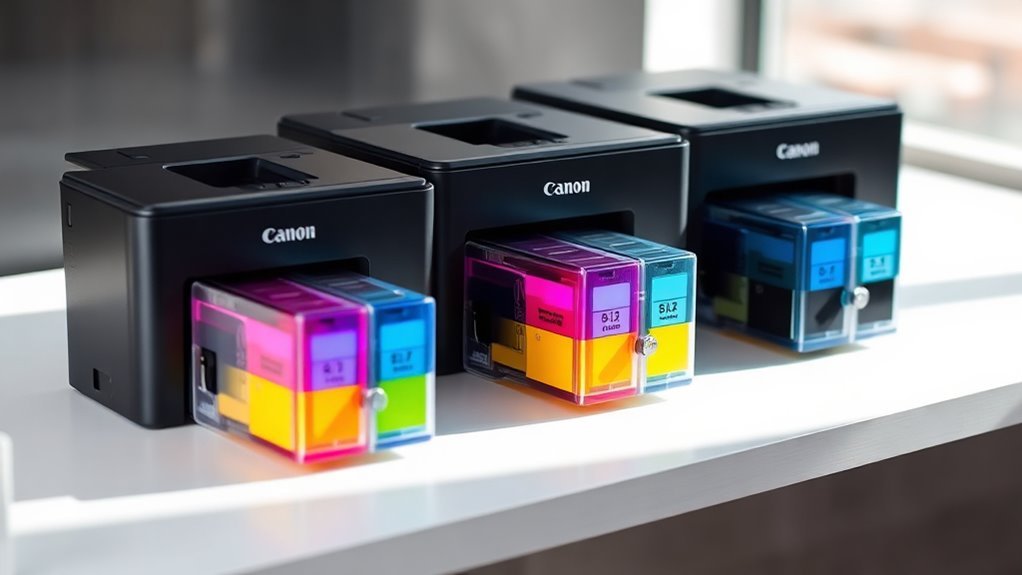
3 Best Canon Printer Ink Tank Systems for 2027
For 2027, you’ll want the Canon MegaTank G3270 if you need wireless, cost-effective color printing with high ink yields. This model is perfect for those who value convenience and quality without breaking the bank. Plus, its wireless feature means you can print from anywhere in your home or office.
The MAXIFY GX2020 suits you best if you want fast, duplex printing and a 250-sheet capacity for small business tasks. It’s designed to handle larger workloads efficiently, making it a solid choice for productivity. If speed and volume are your priorities, this one’s got you covered.
For photo enthusiasts craving vibrant, detailed prints, the PIXMA G620 with its 6-color dye system is ideal. It delivers stunning color accuracy and sharpness that bring your photos to life. Keep exploring to find out which fits your workflow and connectivity needs perfectly.
| Image | Name | Editor's Rating | Price |
|---|---|---|---|

|
|
||

|
|
||

|
|
Canon MegaTank G3270 All-in-One Wireless Color Printer
- Wireless Print/Copy/Scan
- Up to 2 years of ink included (2)
- Print up to 6,000 black & white / 7,700 color pages using a single set of inks! (1)
- Save up to $1,000 on ink (1)
- 1.35” Square LCD display

If you want to reduce ink expenses without sacrificing quality, the Canon MegaTank G3270 All-in-One Wireless Color Printer is a practical solution. It features a refillable MegaTank system that prints up to 6,000 black and 7,700 color pages per ink set, helping you save time and money on frequent cartridge replacements.
This printer is designed for everyday use at home or in a home office, supporting wireless and USB connections for easy printing, scanning, and copying. Its compact design fits neatly into small spaces, making it ideal for tight work areas.
Maintenance is simple thanks to the high-capacity ink tanks, which reduce the hassle of frequent refills. The printer produces sharp, borderless prints with high resolution up to 4800 × 1200 dpi, ensuring clear documents and vibrant photos.
While it lacks automatic duplex printing and has a modest copy speed, the G3270 still offers reliable performance for routine tasks. Its straightforward controls and smartphone app compatibility add to its user-friendly appeal.
Best for: Individuals and home office users needing a cost-effective, wireless color printer with versatile media handling for everyday printing, copying, and scanning.
What We Like:
- High ink yield with refillable MegaTank system
- Wireless and USB connectivity with smartphone app control
- Compact design with borderless, high-resolution printing
- Easy maintenance with long-lasting ink tanks
Specification:
| Feature | Details |
|---|---|
| Manufacturer | Canon |
| Dimensions (W×D×H) | Not specified |
| Weight | Not specified |
| Color Options | Not specified |
| Connectivity | Wireless, USB |
| Print Resolution | Up to 4800 × 1200 dpi |
| Ink Yield | 6,000 pages (black), 7,700 pages (color) |
Canon MAXIFY GX2020 Wireless All-in-One Printer
- Wireless Print/Copy/Scan/Fax (2)
- Print up to 3,000 black & white / 3,000 color pages using a single set of inks! (1)
- 2.7” LCD Color Touchscreen
- Auto 2-sided printing
- ADF – 35 sheet Auto Document Feeder
The Canon MAXIFY GX2020 is designed to meet the demands of small businesses and home offices needing reliable, high-volume printing. Its refillable MegaTank system significantly lowers ink costs by producing up to 3,000 pages per set, cutting down frequent cartridge replacements. This makes managing printing budgets easier and more predictable.
With print speeds of up to 15 ppm in black and 10 ppm in color, it handles daily tasks efficiently without long wait times. The all-in-one functionality allows you to print, scan, copy, and fax, streamlining multiple office needs into one compact device. Duplex printing and a 35-sheet automatic document feeder improve workflow and save time.
Connectivity options are flexible, featuring dual-band Wi-Fi, wired LAN, and USB, allowing seamless integration into different office environments. The 2.7-inch color touchscreen offers straightforward operation and supports various media sizes and types for versatile use. While its paper capacity maxes out at 250 sheets, it balances compact design with practical functionality.
Best for: Small businesses and home offices requiring efficient, cost-effective high-volume printing combined with versatile all-in-one capabilities.
What We Like:
- High page yield from the refillable MegaTank system reduces ink expenses.
- Duplex printing and 35-sheet ADF enhance productivity.
- Multiple connectivity options including dual-band Wi-Fi and wired LAN.
- Easy-to-use 2.7″ touchscreen supports diverse media types.
- Compact design fits well in limited office spaces.
Specification:
| Feature | Details |
|---|---|
| Manufacturer | Canon |
| Dimensions | Compact design (exact size not specified) |
| Weight | Not specified |
| Color Options | Not specified |
| Connectivity | Dual-band Wi-Fi, Wired LAN, USB |
| Print Speed | Up to 15 ppm (black), 10 ppm (color) |
| Paper Capacity | Up to 250 sheets |
| Display | 2.7″ Color touchscreen |
| Additional Features | Duplex printing, 35-sheet ADF |
Canon PIXMA G620 Wireless MegaTank All-in-One Printer
- Never run out of ink. Connect your printer to Alexa and receive notifications when you’re running low. Alexa can even place a smart reorder from Amazon on your behalf...
- Enrolling in Smart Reorders with Alexa ensures that you never have too much or too little ink supplies. No subscription needed.
- MEGATANK HIGH PAGE YIELD: Print up to 3,800 4” x 6” color photos on a full set of ink.
- LOW COST PER PRINT with approx. ink cost of 2.5 cents per 4” x 6” color photo.2
- 6-COLOR DYE-BASED INK SYSTEM including Red and Gray inks for a wider color gamut.
The Canon PIXMA G620 Wireless MegaTank All-in-One Printer is designed to deliver vibrant, long-lasting photo prints without the hassle of frequent ink replacements. Its high-capacity MegaTank system lets you print up to 3,800 4″ x 6″ photos on a single ink set, reducing ongoing costs. This makes it ideal for users who want quality photos without worrying about ink running dry.
With a unique 6-color dye-based ink system including Red and Gray inks, the G620 offers a wider color range and richer photo detail. Wireless and USB connectivity simplify printing from PCs and smartphones, while Alexa integration sends low-ink alerts and enables easy smart reordering. This keeps your workflow smooth and uninterrupted.
The printer supports various paper sizes and prints at resolutions up to 4800 x 1200 dpi, ensuring sharp and vivid output. It also functions as a scanner and copier, with an LCD display for straightforward operation. While its print speed is modest and the paper tray holds up to 50 sheets, the G620 balances functionality with convenience.
The design is bulkier and heavier than compact photo printers, weighing 19.5 pounds, which may require dedicated space. Maintenance is straightforward due to refillable ink tanks, helping reduce waste and cost over time.
Best for: Photo enthusiasts and home users seeking vibrant, high-quality prints with cost-effective ink and versatile wireless printing.
What We Like:
- High photo yield with low-cost ink refills.
- Enhanced color accuracy from a 6-color dye-based system.
- Easy wireless and USB connectivity with Alexa support.
- Multifunctional with scanning and copying capabilities.
- Clear LCD display for user-friendly control.
Specification:
| Feature | Details |
|---|---|
| Manufacturer | Canon |
| Dimensions | Not specified |
| Weight | 19.5 lb (8.85 kg) |
| Ink System | 6-color dye-based MegaTank (includes Red and Gray) |
| Connectivity | Wireless, USB |
| Max Print Resolution | 4800 x 1200 dpi |
| Paper Tray Capacity | 50 sheets |
Factors to Consider When Choosing a Canon Printer Ink Tank System
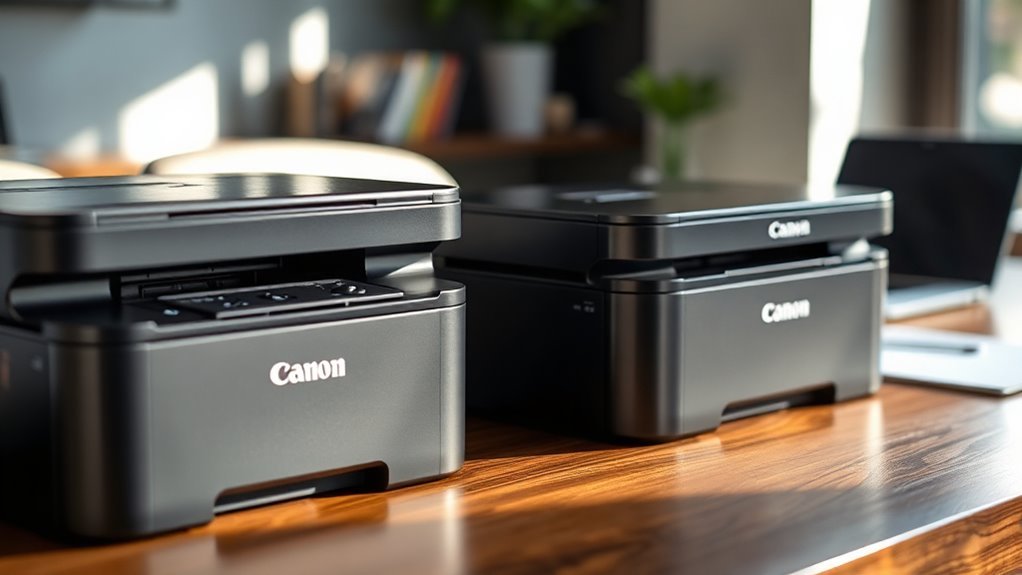
When choosing a Canon printer ink tank system, you’ll want to take into account ink yield capacity and print quality standards to match your needs. Check the connectivity options and supported media types to guarantee smooth operation.
Also, make sure the system is compatible with your devices for hassle-free printing. It’s all about finding the right fit so your printing experience is seamless and efficient.
Ink Yield Capacity
Understanding ink yield capacity helps you choose a Canon printer ink tank system that matches your printing needs and budget. Ink yield capacity tells you how many pages or photos a full ink tank set can produce, usually listed separately for black and color cartridges.
Keep in mind, manufacturers test yields using ISO/IEC standards with 5% coverage, so your real-world results may vary, especially if you print photos or graphics. Your chosen print mode—draft, standard, or high-quality photo—also affects ink consumption.
To get a clear picture of costs, compare both pages per set and cost per page. Remember, maintenance cycles like head cleaning use ink too, which slightly lowers your usable yield over time.
Print Quality Standards
Although print speed and ink yield are important, you’ll want to prioritize print quality standards when selecting a Canon printer ink tank system. Start by checking the maximum print resolution—higher dpi, like 2400 to 4800, delivers finer detail and smoother gradients, especially for photos.
Make certain the ink system offers enough color channels; 4 to 6 colors, including photo-specific or gray inks, improve tonal accuracy and widen the color gamut. Look at color depth and bit depth, plus support for ICC profiles and calibration, to guarantee consistent, accurate colors.
Decide between dye-based inks, which produce vibrant photos, and pigment-based inks for sharper text and longer-lasting prints. Finally, consider print longevity and fade resistance to match your needs for photo or document durability.
Connectivity Options Available
To connect your Canon printer seamlessly to various devices, you’ll want to explore both wired and wireless options. Look for USB and Ethernet for stable local connections, especially if wireless networks are spotty.
Dual-band Wi-Fi (2.4/5 GHz) offers faster, more reliable wireless transfers than 2.4 GHz alone. This is super important for busy offices or large print jobs.
Make certain your printer supports mobile and cloud printing protocols like AirPrint, Mopria, or dedicated apps. That way, printing from your smartphone or tablet is a breeze.
Network sharing via Ethernet or Wi-Fi combined with features like an Auto Document Feeder (ADF) can really streamline multi-user scanning and faxing workflows.
Also, don’t forget to check USB standards (USB 2.0 vs. 3.0). It helps future-proof your setup and guarantees smooth data transfer.
Supported Media Types
When choosing a Canon printer ink tank system, you’ll want to make sure it supports the media types and sizes you plan to print regularly. Check the supported paper sizes—like letter, A4, legal, common photo formats, or custom dimensions—to match your projects.
Confirm the printer handles various media, such as plain paper, glossy and high-resolution photo paper, envelopes, card stock, labels, or banners. Don’t forget to verify maximum media thickness and weight, especially if you work with heavier card stock or business cards, to avoid jams.
If you need borderless printing or full-bleed photos, look for any size or edge-to-edge limitations. Also, consider input/output tray capacities and manual feed options for smooth handling of mixed media and higher volume specialty prints.
Device Compatibility Range
Several key factors determine whether a Canon printer ink tank system will work seamlessly with your devices and workflow. First, check if the system supports your operating systems—Windows, macOS, Linux, iOS, Android, or Chromebook. This guarantees drivers and mobile apps are available.
Next, verify wired and wireless connectivity options like USB, 2.4/5 GHz Wi‑Fi, and Ethernet to fit your network setup. If you need multifunction features like scanning or faxing, confirm these are compatible with your software. Don’t forget to check for ADF and duplex scanning if those are important to you.
Also, make sure the printer handles your common paper sizes and media types to prevent feed issues. Finally, consider integration with cloud services, voice assistants, and print-management tools if you want remote or automated printing and refills. It’s all about making your printing experience smooth and hassle-free.
Printing Speed Performance
You’ll often find that printing speed plays a pivotal role in how efficiently your Canon ink tank system handles daily tasks. Start by checking the rated pages-per-minute (ppm) for black and color prints—expect about 3–15 ppm for color and up to 15 ppm or more for black in typical consumer or office models.
Don’t overlook features like automatic duplexing and an auto document feeder (ADF); these can boost throughput for multi-page jobs even if single-sided ppm seems modest. Also, consider first-page-out and warmup times since long initialization can slow short print tasks.
Remember to evaluate speeds separately for black and color, and across quality modes—photo-quality prints usually run much slower than draft modes. Finally, factor in duty cycle and monthly volume to guarantee consistent performance under your workload.
Warranty And Support
Printing speed matters, but so does the peace of mind that comes with solid warranty and support for your Canon ink tank system. Before buying, check the warranty length—whether it’s one year or multi-year—and what it covers, including parts, labor, and accidental damage.
Make sure you know the available support channels like phone, online chat, or authorized service centers. Also, confirm if spare parts are guaranteed for a certain period, such as five years.
Be aware of any page-count limits tied to the warranty and review replacement programs, including typical repair or exchange turnaround times. Finally, understand Canon’s policy on third-party ink use or refills, since using nonapproved methods could void your warranty.
This guarantees you get reliable support when you need it most.
Frequently Asked Questions
How Long Does Canon Ink Last Once Opened?
Once opened, Canon ink usually lasts about six months if stored properly.
You’ll want to keep the bottle tightly sealed and in a cool, dark place. This helps prevent it from drying out or losing quality quickly.
It’s pretty simple, but these little steps make a big difference in how long your ink stays good. Just a bit of care goes a long way!
Can Canon Ink Tanks Be Refilled With Third-Party Ink?
Can you refill Canon ink tanks with third-party ink? Yes, you can—but tread carefully.
Using third-party ink might save money, yet it risks clogging or voiding your warranty.
Always research compatibility before you decide. Better safe than sorry!
Are Canon Ink Tank Printers Compatible With Mac and Windows?
Yes, Canon ink tank printers work with both Mac and Windows. You’ll find drivers on Canon’s website, making setup easy.
Just download the right software, connect your printer, and you’re ready to print from either system. It’s pretty straightforward!
What Is the Warranty Period for Canon Ink Tank Printers?
Think of Canon’s warranty as a safety net—you’ll get a standard one-year warranty on their ink tank printers. That means if anything goes wrong within 12 months, you’re covered and won’t be left hanging.
It’s pretty straightforward and gives you peace of mind while using your printer. So, no worries if something unexpected pops up during that first year!
How Do I Troubleshoot Ink Clogs in Canon Printers?
You can troubleshoot ink clogs by running the printer’s cleaning cycle, checking ink levels, and gently wiping the printhead with a lint-free cloth.
If clogs persist, try deep cleaning or consult your printer’s manual for specific steps.
Sometimes, giving the printer a little extra attention can make all the difference!
Conclusion
Choosing the right Canon ink tank system is like planting a sturdy tree—it grows with you, saving costs and nurturing creativity. Whether you pick the MegaTank G3270, MAXIFY GX2020, or PIXMA G620, you’re investing in reliability and vibrant prints that won’t wither over time.
Keep your roots strong by considering your needs carefully, and watch your productivity blossom effortlessly with a printer designed to keep up with your pace.
When selecting the best Canon printer ink tank system for 2027, think about what fits your daily printing demands and budget. These models offer impressive ink efficiency and high-quality output, making them perfect for both home and office use.
So, if you want a cost-effective, reliable printer that delivers consistent, vibrant results, the MegaTank G3270, MAXIFY GX2020, or PIXMA G620 should be on your shortlist. Choosing any of these Canon ink tank systems ensures you’ll enjoy seamless printing and save money on ink in the long run.