10 Best 3D Printer Laser Cutters for Precision in 2027
If you’re looking for precise and reliable 3D printer laser cutters in 2027, you’ve got some great options to consider. Models like the xTool M2 with its 40W versatility stand out, along with the ultra-fast xTool P2S CO2 laser.
These machines are designed to deliver top-notch accuracy for all kinds of projects.
For those who need extra detail, the Longer RAY5 and Creality Falcon are excellent choices. They offer sharp spot sizes and solid builds that handle both thick and delicate materials with ease.
Plus, they come with user-friendly software and safety features to keep you protected.
Keep exploring the market to find the perfect fit for your specific needs. Whether you’re a hobbyist or a professional, there’s a laser cutter that matches your precision requirements and budget.
| Image | Name | Editor's Rating | Price |
|---|---|---|---|

|
|
||

|
|
||
|
|
||

|
|
||

|
|
xTool M2 40W Color Craft Laser Engraver and Cutter, Deluxe Bundle
- Ultimate Versatility in One machine: Syncs CMYK Inkjet and laser in one machine, the M2 laser engraver transforms 400+ materials—cardstock, felt, leather, wood, and...
- Smart Crafting with Dual-Camera: Built-in dual cameras, this M2 laser engraving machine offers a real-time preview of your workspace. Backed by ACS, it fuses this vision...
- Effortless Software with Customizable Templates: Beginner-friendly xTool Studio offers hundreds of ready-to-use templates and an integrated AI image generator. Go from...
- Power Options for Every Creative Goal: Switch between 10W/20W/40W diode laser, inkjet module or 3W IR (sold separately) to match your specific workflow. The M2 adapts to...
- Safe & Perfect for Home Crafters & DIY Makers: Class 1 safety with real-time monitoring and a fully enclosed design that protects your family. Perfect for stickers...
The xTool M2 40W Color Craft Laser Engraver and Cutter Deluxe Bundle offers a powerful solution for creative projects requiring precision and versatility. This machine lets you easily switch between different laser powers—10W, 20W, or 40W diode lasers, along with inkjet and 3W IR modules—allowing you to work with over 400 materials. Its compact design fits well in small workshops but requires a stable workspace due to its size.
Maintenance is straightforward, with modular components simplifying cleaning and upgrades. The built-in dual cameras provide real-time previews, helping you position designs accurately and reduce material waste. This feature is especially useful for users aiming to save costs and improve project outcomes.
Designed for hobbyists, DIY makers, and small business entrepreneurs, this laser cutter supports full-color printing, cutting, and engraving on materials like leather, cardstock, and wood. The xTool Studio software includes AI design tools and templates, making it easy to create complex designs without prior experience.
Some advanced features, such as the inkjet and 3W IR laser modules, are sold separately, which can add to the investment. Additionally, new users might face a learning curve when adapting to the machine’s multifunctionality.
Best for: hobbyists and small business owners seeking a versatile and precise laser engraving and cutting solution.
What We Like:
- Supports over 400 materials with interchangeable laser modules
- Dual cameras enable precise positioning and reduce waste
- User-friendly software with AI-powered design tools
- Modular design simplifies maintenance and upgrades
Specification:
| Feature | Details |
|---|---|
| Manufacturer | xTool |
| Dimensions | Not specified |
| Weight | Not specified |
| Laser Power Options | 10W, 20W, 40W diode lasers |
| Additional Modules | Inkjet, 3W IR (sold separately) |
| Supported Materials | Over 400 types including wood, leather, cardstock |
| Software | xTool Studio with AI design tools |
xTool P2S 55W CO2 Laser Cutter, Smart Desktop CO2 Laser Engraver and Cutter
- Enhanced Performance: The xTool P2S provides stronger airflow with more powerful exhaust fans and a dual-cylinder air pump, delivering sharper, cleaner cuts and...
- Supercharged Productivity: With engraving speeds of up to 600mm/s and upgraded smart fill batch processing, the xTool P2S easily handles serial numbers, names, and custom...
- Expandable Working Area: xTool P2S features a large 26" x 14" bed, Auto-Passthrough for materials up to 118” long, and a Riser Base for engraving objects up to...
- Effortless Cutting & Precise Engraving: With industry-leading 55W output and a custom CO2 laser tube, the xTool P2S cuts through all colors of acrylic up to 20mm thick...
- Safety First: xTool P2S ensures safety with AI fire detection, automatic lock, and emergency stop. Its enclosed design, adjustable air assist, and 233.3 CFM exhaust fan...
The xTool P2S 55W CO2 Laser Cutter delivers precise, high-speed engraving and cutting tailored for professional workflows. Its powerful 55W laser effortlessly handles thick materials like acrylic up to 20mm and walnut up to 18mm in a single pass, solving challenges related to slow or imprecise cutting.
Equipped with dual 16MP cameras and LiDAR autofocus, it ensures real-time, high-resolution previews and flawless focus accuracy down to 0.001 mm. This reduces errors and material waste, helping users achieve consistent, detailed results every time.
The spacious 26 x 14-inch bed with auto-passthrough accommodates materials up to 118 inches long. This versatility supports diverse projects, from small detailed work to large-scale cutting. The design also integrates safety features, including AI fire detection and an automatic lock, to maintain a secure workspace.
Maintenance is straightforward thanks to its durable aluminum alloy construction and smart desktop design, making it suitable for daily use in busy studios or small businesses.
Best for: professionals and small business owners who need efficient, precise laser engraving and cutting with advanced safety and automation features.
What We Like:
- High-power 55W laser capable of thick material cutting in one pass
- Dual 16MP cameras plus LiDAR autofocus for error-free precision
- Large work area with auto-passthrough for handling long materials
- Safety features including AI fire detection and automatic locking
Specification:
| Feature | Details |
|---|---|
| Manufacturer | xTool |
| Laser Power | 55W CO2 |
| Working Area | 26 x 14 inches |
| Max Material Length | 118 inches (with passthrough) |
| Cameras | Dual 16MP |
| Focus Technology | LiDAR Autofocus |
| Weight | 130.7 lbs |
| Material | Aluminum Alloy |
Longer New Upgrade RAY5 Laser Engraver Cutter,Working Area 15.75″x15.75″
- High-Precision Engraving Effect : Longer laser engraver adopts the latest laser technology, high-density laser makes the engraving and cutting more powerful. The laser...
- Powerful Performance and Intelligent Touch Screen : With built-in 240MHz ESP32 chipset, The Longer RAY5 5W engraver is faster and more powerful than machines with 8-bit...
- Safety Protection : The laser engraving machine is equipped with a protective cover and protective glasses, effectively avoiding eye irritation and protecting your eyes...
- Offline Connection & Wide Compatibility : This engraving machine supports 4 connection modes: USB/TF Card/WiFi/APP, and supports offline operation, allowing you to use...
- Easy Installation & Professional Support : With the necessary tools and accessories provided and detailed product installation and user guide to refer to, the Longer RAY...
The Longer New Upgrade RAY5 Laser Engraver Cutter offers a precise and efficient solution for detailed engraving and cutting projects. Its generous 15.75″x15.75″ working area allows users to create intricate designs without constantly shifting materials. This makes it ideal for hobbyists and small business owners who need accuracy and consistency.
Equipped with a 5W high-density laser and a 0.08mm spot size, the RAY5 delivers sharp cuts and fine engravings at speeds up to 24,000mm/min. The smooth operation is supported by a 240MHz ESP32 chipset and a 3.5-inch color touchscreen, ensuring easy control and quick adjustments. These features help improve workflow and precision.
Maintenance is straightforward, with protective gear included to shield users during operation. Safety is enhanced by integrated flame detection and automatic shutdown, reducing risks and downtime. The device supports multiple connection methods such as USB, TF card, WiFi, and app control, allowing flexible use both online and offline.
While the 15.75″x15.75″ working area is perfect for many projects, it may limit larger tasks. The 5W laser power is sufficient for most materials but might struggle with thicker or tougher cuts. Compatible with LaserGRBL and LightBurn software, users can choose their preferred design platform; however, LightBurn requires a separate purchase.
Best for: hobbyists, makers, and small business owners seeking a precise, versatile laser engraver and cutter for detailed projects.
What We Like:
- High precision with 0.08mm spot size and 0.01mm engraving accuracy
- Multiple connectivity options including USB, TF card, WiFi, and app support
- Advanced safety features with flame detection and automatic shutdown
- User-friendly 3.5-inch color touchscreen and smooth, fast operation
Specification:
| Feature | Details |
|---|---|
| Manufacturer | Longer |
| Working Area | 15.75″ x 15.75″ (40 cm x 40 cm) |
| Laser Power | 5W |
| Laser Spot Size | 0.08 mm |
| Engraving Accuracy | 0.01 mm |
| Control Chipset | 240MHz ESP32 |
| Display | 3.5-inch color touchscreen |
| Connectivity Options | USB, TF card, WiFi, app |
Creality Falcon 10W Desktop Laser Engraver Cutter
- 【10W Optical Power & Cutting Performance】 The Creality Falcon 10W laser engraver delivers 10W optical output power with engraving speeds of up to 10,000mm/min. It...
- 【Engraving & Cutting Master】 Featuring a 0.06 × 0.06mm compressed laser spot, the Falcon 10W laser engraving machine produces intricate patterns, clean lines, and...
- 【15.7" × 16.3" Spacious Working Area】 With a 15.7" × 16.3" working area, the Creality Falcon laser cutter gives you room to handle larger designs and multiple...
- 【Safe & Protective Design】 This Creality Falcon laser engraver features an anti-UV acrylic filter integrated into the laser module, filtering 97% of UV rays to help...
- 【Software Compatibility & Offline Engraving】 Compatible with LightBurn and LaserGRBL, this engraving machine also supports SD card offline operation for convenient...
The Creality Falcon 10W Desktop Laser Engraver Cutter offers precision and speed for detailed engraving projects. Its 0.06mm laser spot size allows for fine, intricate designs, while the 10W optical power ensures efficient cutting and engraving on a variety of materials. This makes it ideal for users needing accuracy without sacrificing productivity.
The machine features a 15.7″ × 16.3″ workspace, accommodating wood, acrylic, leather, and coated metal with ease. Its sturdy aluminum alloy frame and steel shaft guides provide stability during operation. Adjustable belt tension helps maintain consistent cuts, reducing errors and material waste.
Maintenance is straightforward, thanks to its durable construction and easy access to components. Safety is prioritized with an anti-UV acrylic filter and protective goggles, protecting users during operation. Compatible with popular software like LightBurn and LaserGRBL, it also supports offline use via an SD card for flexible project management.
While its cutting depth is limited to 5mm on basswood and 3mm on acrylic per pass, multiple passes can handle thicker materials. The desktop size suits small to medium projects but may restrict larger-scale work.
Best for: Precision hobbyists and small business owners who need a reliable, high-speed laser engraver for detailed work on versatile materials.
What We Like:
- Fine 0.06mm laser spot size for detailed engraving
- Stable aluminum alloy frame with steel guides for consistent cuts
- Safety features including anti-UV filter and protective goggles
- Supports LightBurn, LaserGRBL, and offline SD card operation
Specification:
| Feature | Details |
|---|---|
| Manufacturer | Creality |
| Workspace Size | 15.7″ × 16.3″ (40 × 41.4 cm) |
| Laser Power | 10W |
| Cutting Depth | Up to 5mm (basswood), 3mm (acrylic) |
| Frame Material | Aluminum alloy |
| Safety Features | Anti-UV acrylic filter, protective goggles |
X2 7000mW Laser Engraver & Cutter Machine
- 200×200mm Workspace for Larger Custom Creations:Create bigger projects with a spacious 200×200mm working area. From wooden signs and home decorations to personalized...
- Large 200×200mm Workspace for Custom Product Creation: Designed for serious creators, the spacious working area supports larger designs, multiple projects, and custom...
- Advanced Cutting Performance for7W handles thicker wood, acrylic, leather, and other materials, giving makers more freedom to design and build
- Create Sellable Products From Your Own Workshop: From personalized signs and wedding decorations to handmade accessories and gifts, X2 7W helps entrepreneurs transform...
- Reliable Performance with Professional Software Support: Built with a stable aluminum alloy structure and compatible with LightBurn and LaserGRBL, X2 delivers consistent...

The X2 7000mW Laser Engraver & Cutter transforms your creative ideas into detailed, precise projects with its exceptional 0.01mm accuracy. Its powerful 7W laser effortlessly cuts through wood, acrylic, and leather, making it ideal for crafting personalized signs or wedding decorations. This machine solves the common challenge of achieving fine details while working on complex designs.
With a compact 200x200mm workspace, it fits well on any workbench yet provides enough space for most custom projects. The sturdy aluminum alloy frame ensures stability and durability during operation. Compatible with popular software like LightBurn and LaserGRBL, it allows you to maintain control over your designs with ease.
Maintenance is straightforward thanks to its robust construction and included toolkit. Regular cleaning and proper handling will keep the laser performing at its best. Safety measures are essential; always use the provided goggles to protect your eyes while operating the laser.
This engraver is perfect for serious creators and small businesses aiming to produce professional-quality custom products with precision. Its combination of power, accuracy, and user-friendly design addresses challenges faced in advanced DIY and small-scale manufacturing.
Best for: Serious creators and small business entrepreneurs who need precise, powerful laser engraving and cutting for advanced DIY projects and custom product production.
What We Like:
- High precision with 0.01mm accuracy for intricate designs
- Strong 7W laser capable of cutting wood, acrylic, and leather
- Stable aluminum alloy frame ensures consistent performance
- Compatible with LightBurn and LaserGRBL for flexible software use
- Includes essential accessories like goggles and a toolkit
Specification:
| Feature | Details |
|---|---|
| Manufacturer | — |
| Workspace Size | 200 x 200 mm |
| Laser Power | 7W (7000mW) |
| Accuracy | 0.01 mm |
| Material | Aluminum Alloy Frame |
| Software | LightBurn, LaserGRBL |
| Included Items | Aluminum Sheet, Toolkit, Goggles |
xTool F1 Ultra 20W Fiber & Diode Dual Laser Engraver

- NOTE: This is xTool F1 Ultra, with 16mp camera, 20w fiber laser, support 3D emobossing engraving.
- Support Almost All Materials Ultra-Fast: Introducing the world's first 20W fiber and diode dual lasers, achieving speeds up to 10,000mm/s. The fiber laser can engrave all...
- 3D Embossing and Deep Engraving: With 20W power in both fiber and diode lasers, the F1 Ultra laser engraving machine handles intricate, multi-level 3D engraving and deep...
- Factory-Level Productivity: xTool's exclusive Auto Streamline Production, powered by the Auto Conveyor (available separately) and a 16MP SMART CAMERA system, effortlessly...
- Revolutionary Working Area and HD Resolution: The F1 Ultra boasts the largest desktop fiber laser engraver working space at 220mm x 220mm, expandable to 220mm x 500mm if...
Discover the xTool F1 Ultra, a versatile engraver designed to handle both metals and non-metals with ease. Its dual 20W fiber and diode lasers quickly mark materials like gold, stainless steel, wood, and acrylic, delivering sharp, high-quality results. This machine boosts productivity by working at speeds up to 10,000mm/s.
Precision is enhanced by the 16MP SMART CAMERA system, which ensures accurate alignment and smooth pattern filling. For batch jobs, the optional Auto Conveyor automates material handling, reducing manual effort and improving efficiency. Its enclosed design prioritizes safety, featuring fire alarms and protective covers.
Maintenance is straightforward due to the robust, enclosed build, minimizing dust and debris contact. Users can create detailed 3D embossing and cut wood up to 15mm thick, expanding creative possibilities without complex setup. While metal cutting is limited to thin sheets, the F1 Ultra excels in versatile, high-speed engraving.
Best for: Small to medium businesses and creative professionals seeking fast, precise, and automated engraving and cutting on diverse materials.
What We Like:
- Dual fiber and diode lasers for broad material compatibility
- 16MP SMART CAMERA with optional Auto Conveyor for precise, efficient batch processing
- Ability to create 3D embossing and handle thick wood cutting
Specification:
| Feature | Details |
|---|---|
| Manufacturer | xTool |
| Laser Power | 20W (fiber & diode dual laser) |
| Maximum Speed | 10,000 mm/s |
| Camera Resolution | 16MP SMART CAMERA |
| Max Wood Cutting Depth | 15 mm |
| Safety Features | Enclosed cover, fire alarms |
YC150 Laser Fume Extractor 150W Power &170 CFM with Dual High‑Iodine Carbon

- 【Wide Compatibility】The laser fume extractor can work with xTool F1 Ultra / S1 /M1/ D1 Pro & Most Diode Laser Engravers Under 40W. Designed specifically for laser...
- 【Multi-Layer Filter, Powerful Odor Removal】Most laser smoke purifiers use only single-layer activated carbon. The YC150 laser engraver fume extractor features a...
- 【Great Suction Power】The YC150 laser engraver air purifier delivers an airflow of 290 m³/h (170 CFM) to clear Laser smoke instantly. Equipped with a 150W brushless...
- 【Low Noise (<55dB) & Long-Lasting Filters】Work comfortably at garage, home or studio for laser engraving. Unlike cheap, loud laser smoke extractor, this unit runs...
- 【Safe & Reliable Operation】This fume extractor for laser engraver fits next to your laser without taking over your workspace. Dimensions only...
The YC150 Laser Fume Extractor tackles smoke and odors effectively with its powerful 150W motor and 170 CFM airflow. It helps maintain a clean workspace by capturing harmful fumes generated during laser engraving and other small-scale tasks. This keeps your air fresh and your equipment running smoothly.
Its multi-stage filtration system combines dual high-iodine carbon filters with H13 HEPA technology. This design captures 99.97% of particles and neutralizes odors, ensuring safer breathing and preventing lens contamination. Regular use supports better health and improves the longevity of your laser devices.
Maintenance is straightforward but essential. Filters require periodic replacement to maintain peak performance, which adds some ongoing costs. The unit’s lightweight and quiet operation (under 55dB) make it easy to use without distraction or fatigue.
Designed mainly for diode laser engravers under 40W, the YC150 also suits resin 3D printers and soldering setups. It is not intended for heavy-duty cutting or applications with high particulate volumes, so it best fits light to moderate use environments.
Best for: Users seeking efficient smoke and odor removal during daily laser engraving, resin 3D printing, and soldering with low-power diode lasers.
What We Like:
- Strong 150W motor delivering 170 CFM airflow for effective fume extraction
- Advanced multi-stage filtration with dual high-iodine carbon and H13 HEPA filters
- Quiet operation below 55dB and lightweight for convenient use
Specification:
| Feature | Details |
|---|---|
| Manufacturer | YC150 |
| Power | 150W |
| Airflow | 170 CFM |
| Filtration | Dual high-iodine carbon, H13 HEPA |
| Noise Level | <55 dB |
| Compatible Devices | Diode lasers under 40W, resin 3D printers, soldering |
| Weight | Lightweight (exact weight not specified) |
ELIDOR 12000mW Laser Engraver and Cutter Machine

- High Precision Engraving: High-Precision Engraving: The ELIDOR 12W Laser Engraver features a fine 0.04 × 0.14 mm laser spot with engraving accuracy up to 0.01 mm and...
- Built to Perform: Powerful 12W Laser Performance: Equipped with a 12W (12000mW) laser module, this laser engraver easily engraves wood, leather, acrylic, cardboard...
- Compact & Portable: Compact, Lightweight & Easy to Use: Featuring a 300 × 300 mm (11.8" × 11.8") working area and weighing only 2.13 kg (4.7 lbs), Elidor laser...
- Wide Software Compatibility: Compatible with Popular Engraving Software: Works seamlessly with LaserGRBL and LightBurn, supporting Windows, macOS, and Linux. Compatible...
- Creative Projects & Reliable Support: Create Personalized Projects with Confidence: From custom keychains and engraved tumblers to home décor, holiday gifts, and...
Experience precise and versatile engraving with the ELIDOR 12000mW Laser Engraver and Cutter. Designed to deliver sharp, detailed results, this laser engraver tackles a variety of materials like wood, leather, acrylic, and glass. Its fine laser spot and high accuracy help you create professional-quality designs quickly and efficiently.
The compact design fits easily in home workshops and mobile setups. With a working area of 300 × 300 mm, it supports a wide range of projects without taking up too much space. The machine is lightweight and easy to move, making it ideal for hobbyists and small business creators on the go.
Maintenance is straightforward, requiring regular cleaning of the laser lens and careful calibration to maintain its accuracy. It supports popular software such as LaserGRBL and LightBurn across Windows, macOS, and Linux platforms, offering flexibility in your creative workflow.
While the 12W laser is powerful enough for many materials, it may not handle very thick or industrial-grade items. The limited working area could also restrict larger projects. However, its precision and material compatibility make it a strong choice for detailed, small-to-medium scale work.
Best for: DIY makers, hobbyists, and small business creators seeking a high-precision, versatile laser engraver for varied materials.
What We Like:
- High precision with a 0.04 × 0.14 mm laser spot and 0.01 mm accuracy
- Compatible with LaserGRBL and LightBurn on multiple operating systems
- Compact, portable design with a generous 300 × 300 mm working area
- Supports engraving on diverse materials including wood, leather, and glass
Specification:
| Feature | Details |
|---|---|
| Manufacturer | ELIDOR |
| Laser Power | 12W (12000mW) |
| Working Area | 300 × 300 mm |
| Weight | 2.13 kg |
| Compatible Software | LaserGRBL, LightBurn |
| Supported OS | Windows, macOS, Linux |
AlgoLaser MK3 15W Laser Engraver and Cutter Machine, 400 x 400mm Work Area

- Engrave and Cut with One Versatile Machine: The 15W diode laser engraver combines detailed personalization with cutting for makers who want both from the start. Engrave a...
- Create Offline, Expand with Professional Software: Built-in AlgoOS turns this laser engraver machine into an on-screen creative workspace. Use AlgoType for English...
- 95% Pre-Assembled with a Built-In Focus Stick: Spend less time assembling equipment and more time preparing your next project. The DIY KIT MK3 arrives 95% pre-assembled...
- 400 x 400 mm for Sets, Signs and Cut Components: Arrange a larger sign, matching gifts or multiple craft components within the spacious work area. Drag your designs into...
- Personalized Designs for Your Small Business: Turn names, dates and original artwork into custom gifts, event favors and decorative products for your shop or craft-market...
The AlgoLaser MK3 15W laser engraver brings precision and versatility to beginners and small businesses. Its large 400 x 400 mm work area lets you craft detailed signs, ornaments, and layered projects with ease. This machine simplifies creative work by handling batch processing, allowing you to efficiently scale your personalized products.
Setup is straightforward thanks to its 95% pre-assembled design and a manual focus stick, reducing downtime. The compact and lightweight build makes it easy to move or store when not in use. Maintenance is user-friendly, helping you keep the engraver running smoothly without hassle.
The included AlgoOS software offers an intuitive touchscreen interface with tools like AlgoType and AlgoSketch, making text and design creation simple. For more advanced users, compatibility with LightBurn expands design possibilities significantly. This versatility supports both hobby projects and growing craft businesses.
While its 15W power is sufficient for many materials, it may struggle with thicker or denser ones. Its compact size limits industrial heavy-duty applications, but it excels in small-scale production and detailed engraving tasks.
Best for: Beginners, hobbyists, and small craft businesses seeking an easy-to-use laser engraver with a spacious work area.
What We Like:
- Quick setup with 95% pre-assembled frame and manual focus stick
- User-friendly AlgoOS software plus LightBurn compatibility
- Large 400 x 400 mm work area supports batch processing
- Lightweight design for easy portability and storage
Specification:
| Feature | Detail |
|---|---|
| Manufacturer | AlgoLaser |
| Power | 15W |
| Work Area | 400 x 400 mm |
| Weight | 7.59 lb (3.44 kg) |
| Assembly | 95% pre-assembled |
| Software | AlgoOS, AlgoType, AlgoSketch, LightBurn compatible |
FC-2002 Laser Fume Extractor with H13 Filtration for Fume Removal

- 【Powerful Suction Capability】- The FumeClear FC2002 solder fume extractor is capable of achieving a significant suction power of up to 260-300m³/h, effectively...
- 【99.97% Purification Rate】- The FumeClear FC2002 fume extractor incorporates a 3-stage filtration system designed to capture large particles, smoke and dust below...
- 【Professional Grade High Lodine Filter】- The FC2002 fume extractor features a main carbon filter made of highly iodized coconut shell activated carbon that provides...
- 【Aerospace-Grade Noise Reduction Structure】- The FC2002 solder fume extractor features an aerospace-grade noise reduction design. It is painted with noise-reducing...
- 【Worry-Free After-Sales Service】- The FumeClear FC2002 is CE, FCC, ROHS, and UKCA certified. Additionally, the Fumeclear team provides 24-hour online technical...
The FC-2002 Laser Fume Extractor offers a practical solution for maintaining clean air when working with laser engravers and cutters. Its advanced H13 filtration system captures 99.97% of fine particles smaller than 0.3 microns, ensuring harmful fumes and powders are effectively removed from your workspace. This 3-stage filter includes a pre-filter, HEPA filter, and activated carbon to tackle a wide range of contaminants.
Designed specifically for laser machines between 10W and 40W, the extractor works best within a 15cm³ area near the fume source. Its strong suction capacity of 260-300m³/h ensures quick and efficient fume removal, keeping your environment safe and comfortable. The unit also features aerospace-grade noise reduction technology, maintaining sound levels under 55db for quieter operation.
Maintenance requires regular filter replacements, which may involve some cost due to the specialized activated carbon and multiple pre-filters. However, this upkeep is essential to preserve the extractor’s performance. The compact and efficient design makes it ideal for workshops or hobby stations where clean air is a priority.
Best for: Professionals and hobbyists using 10W to 40W laser engraving, cutting, or soldering machines who need efficient and quiet fume extraction to maintain a clean and safe workspace.
What We Like:
- High-efficiency 3-stage H13 filtration system captures fine particles effectively
- Strong suction power removes fumes and powders quickly within close range
- Quiet operation with aerospace-grade noise reduction keeps noise under 55db
- Compact design suited for small workspaces requiring clean air
- Certified CE, FCC, ROHS, and UKCA for safety and reliability
Specification:
| Feature | Details |
|---|---|
| Manufacturer | Not specified |
| Suitable Laser Power | 10W to 40W |
| Filtration | H13 3-stage system |
| Suction Power | 260-300 m³/h |
| Noise Level | Under 55 db |
| Effective Range | 15 cm³ near hood |
Factors to Consider When Choosing a 3D Printer Laser Cutter
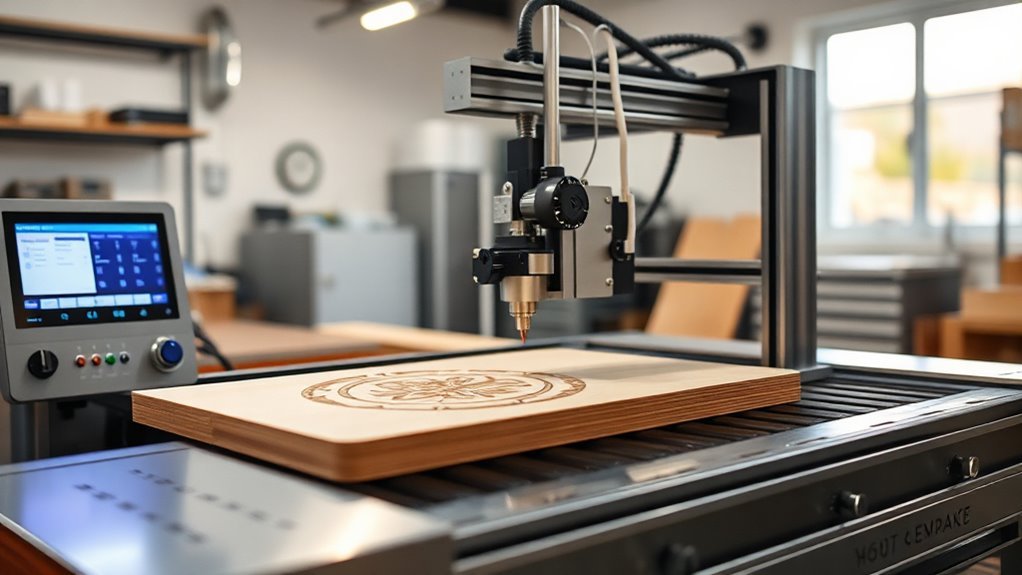
When choosing a 3D printer laser cutter, you’ll want to take into account laser power options and the range of materials it can handle. Precision, accuracy, and built-in safety features are essential for quality and protection.
Don’t forget to check the software compatibility and connectivity for smooth operation. It’s all about making sure everything works together without a hitch.
Laser Power Options
Choosing the right laser power for your 3D printer laser cutter can make a big difference in both cutting quality and speed. Laser power typically ranges from 5W to 55W, with higher wattages cutting thicker materials and engraving faster.
If you work with thin materials like paper or felt, a 10W laser will do the job efficiently. For thicker materials such as acrylic or wood, a 40W laser offers better performance.
Lower power lasers between 5W and 10W produce finer laser spots, which are ideal for detailed engraving and intricate designs. When you need to cut dense materials like black walnut up to 18mm thick in a single pass, a 55W or higher laser is necessary.
Your choice directly affects how quickly and precisely your projects get completed. So, picking the right power really matters!
Material Compatibility Range
Because laser cutters vary widely in their material compatibility, you need to match your machine to the specific materials you plan to work with. Some cutters handle over 400 materials, including wood, acrylic, leather, and metal, while others are more limited.
Consider the thickness of your materials—some lasers cut up to 20mm thick in one pass, but many handle thinner materials better. The laser type matters too: CO2 lasers excel with organic materials, while diode lasers are great for plastics and wood engraving.
Also, think about whether your machine can adjust cutting and engraving speeds to suit different materials. Choosing the right compatibility range guarantees your projects come out clean and efficient without damaging your machine or materials.
Precision And Accuracy
Precision and accuracy define the quality of your laser cutting and engraving projects. When choosing a 3D printer laser cutter, consider the laser spot size—smaller sizes like 0.04 mm let you achieve intricate designs and fine details.
Accuracy, measured as engraving precision, can reach as fine as 0.01 mm, which is critical for high-quality results. Keep in mind that processing speed impacts precision; speeds up to 10,000 mm/min might reduce detail unless carefully calibrated.
Laser output power also plays a role—higher wattage improves cutting on thicker materials without sacrificing precision. Finally, verify the machine’s build quality and structural stability. Consistent performance during long or complex jobs really depends on it.
Focusing on these factors guarantees your projects come out flawless every time. So, take your time choosing the right machine and settings—you won’t regret it!
Safety Features Included
When working with 3D printer laser cutters, safety should never take a backseat to performance. You want a fully enclosed design to minimize exposure to laser radiation and protect yourself during operation.
Look for models with automatic shutdown features that activate if the machine overheats or moves abnormally—these prevent accidents before they happen. Fire detection systems are essential too; they alert you to hazards early.
Don’t forget integrated smoke extraction systems to filter harmful fumes, ensuring the air stays safe and breathable. Finally, choose machines that come with protective gear like goggles to shield your eyes from laser exposure.
Prioritizing these safety features helps you work confidently and securely with your 3D printer laser cutter.
Software And Connectivity
Choosing the right software and connectivity options can make or break your experience with a 3D printer laser cutter. You should verify compatibility with popular programs like LightBurn and LaserGRBL, which offer powerful design tools and an easy-to-use interface.
Look for devices supporting multiple connection modes—USB, WiFi, and TF cards—so you can manage projects flexibly, even offline. Built-in software with templates and design tools can simplify your work, whether you’re a beginner or a pro.
A touchscreen interface boosts usability by letting you navigate settings intuitively. Also, check for advanced features like AI image generators and project libraries that help speed up design creation.
These factors combine to enhance your workflow and guarantee precise, efficient laser cutting and printing.
Workspace Size Considerations
One of the most important factors to evaluate is the workspace size of your 3D printer laser cutter, as it defines the maximum material dimensions you can work with. If your projects involve larger or more intricate designs, you’ll need a machine with a spacious work area—some models offer up to 26″ x 14″ or more, while smaller desktop options typically measure around 15.7″ x 16.3″.
Don’t forget to take into account the height of the workspace if you plan to engrave or cut taller objects; some machines accommodate materials up to 8.4” high. Also, if you’re working with long materials, look for a laser cutter with auto-passthrough capability.
Finally, assess your available workshop space to guarantee your chosen machine fits comfortably and allows easy material handling. It’s all about making sure your setup works smoothly for whatever projects you have in mind.
Frequently Asked Questions
How Do Laser Cutters Compare to Traditional CNC Machines?
You’ll find laser cutters offer finer detail and faster cuts on thin materials. They’re great when precision and speed matter most.
Traditional CNC machines, on the other hand, excel at thicker, tougher materials because they use more force. So, they’re better for heavy-duty jobs.
Both have their strengths, really. It all comes down to what your project needs.
What Safety Precautions Are Needed When Operating Laser Cutters?
You’ll wear goggles shielding your eyes from sharp laser beams, keep flammable materials far away, and guarantee proper ventilation to clear smoke.
Always stay alert, like a guardian watching a glowing, precise cutting dance unfold safely.
Can Laser Cutters Handle Materials Other Than Wood and Acrylic?
Yes, you can cut materials like leather, fabric, paper, and certain plastics with laser cutters. Just make sure your machine supports those materials and adjust settings to avoid damage or hazardous fumes during the process.
It’s pretty cool that laser cutters aren’t limited to just wood and acrylic. But, a quick heads-up — always double-check what your specific laser cutter can handle before diving in. Safety first, right?
What Maintenance Is Required for Optimal Laser Cutter Performance?
Want your laser cutter to perform flawlessly? You’ll need to clean lenses, check alignment, and lubricate rails.
Don’t forget to replace filters and regularly inspect wiring. These little tasks make a big difference.
Also, don’t skip calibration and software updates—they keep your cutter sharp and reliable. Keeping up with these steps really pays off!
Are There Software Compatibility Issues With Different Laser Cutter Models?
Yes, you’ll face software compatibility issues depending on the laser cutter model. Always check if your design software supports the machine’s format or if you need converters.
Staying updated avoids workflow disruptions and maximizes precision. It’s a simple step that can save you a lot of headaches down the line.
Conclusion
You might worry that laser cutters are too complex or pricey, but these top 3D printer laser cutters prove otherwise. They offer precision, versatility, and user-friendly features perfect for both beginners and pros.
Whether you’re crafting intricate designs or tackling larger projects, there’s a model tailored to your needs and budget.
With the right choice, you’ll reveal new creative possibilities without the hassle—making your investment truly worthwhile in 2027 and beyond. Choosing one of the best 3D printer laser cutters ensures you get accuracy and reliability, unlocking your full potential in creative projects. So, dive in and find the perfect laser cutter that matches your style and demands for years to come!