8 Best Business Printers for 2026 That Boost Office Efficiency
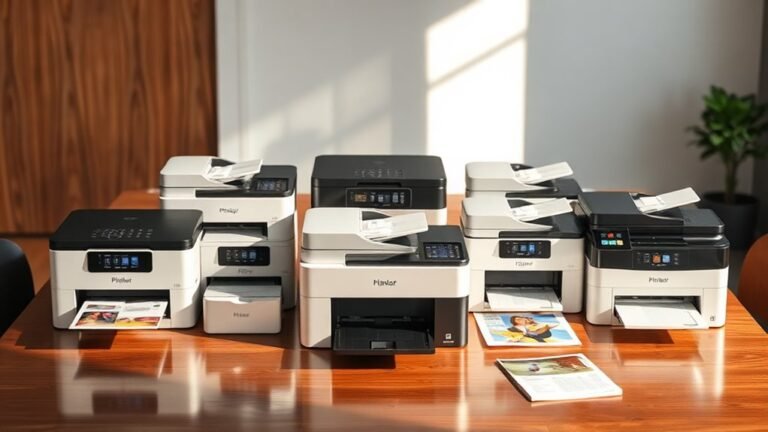
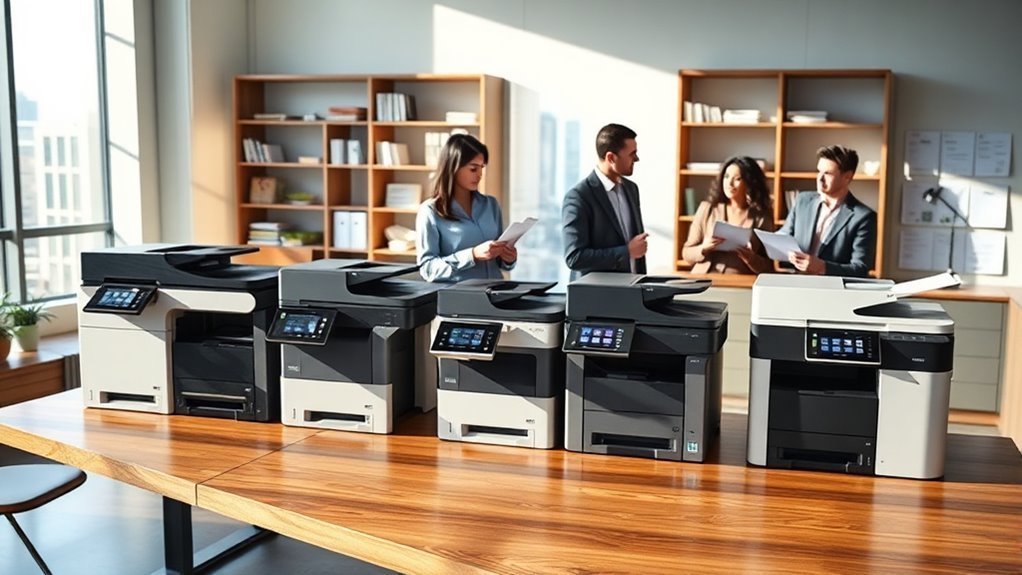
If you want to boost office efficiency in 2026, choosing the right business printer is key. Fast and reliable printers can make a huge difference in your daily workflow. For example, the HP OfficeJet Pro 9730 is perfect if you need wide-format color printing without sacrificing speed.
On the other hand, the Xerox B415DN handles heavy black-and-white workloads with ease, making it ideal for busy offices. Brother’s HL-L5210DWT and MFC-L6810DW models offer speedy, high-capacity monochrome printing and come with smart security features to keep your documents safe.
Epson’s Workforce Pro WF-4930 stands out for color duplex jobs, combining quality with efficiency. And if your office demands high-volume printing, the HP LaserJet Enterprise M635fht delivers an impressive 65 pages per minute. Take some time to explore how each of these printers can fit perfectly into your unique office workflow.
| Image | Name | Editor's Rating | Price |
|---|---|---|---|

|
|
||

|
|
||

|
|
||

|
|
||

|
|
HP OfficeJet Pro 9730 Wide-Format Wireless Printer
- FROM AMERICA'S MOST TRUSTED PRINTER BRAND – The wide-format OfficeJet Pro 9730 is perfect for offices printing professional-quality color documents like floorplans...
- 3 MONTH TRIAL OF INSTANT INK INCLUDED – Subscribe to the Instant Ink delivery service to get ink delivered directly to your office door before you run out, and you save...
- KEY FEATURES – Fast color printing up to 11 x 17, copy, auto 2-sided printing, auto document feeder with single-pass 2-sided scanning, and two 250-sheet input trays
- EASILY ACHIEVE VIBRANT, SCREEN-ACCURATE PRINTS – Print true to screen with the world's first and only wide-format printer with P3 for a wider color gamut vs. sRGB
- 4.3-INCH TOUCHSCREEN – Quickly navigate your printer with a large color touchscreen and a phone-like user interface

Experience seamless productivity with the HP OfficeJet Pro 9730 Wide-Format Wireless Printer, designed to handle your office’s diverse printing needs effortlessly. Its ability to print wide-format documents up to 11 x 17 inches allows you to create professional presentations and detailed reports without hassle.
This all-in-one device not only prints but also scans, copies, and faxes with single-pass duplex scanning, making document management faster and more efficient. Dual 250-sheet trays reduce interruptions, letting you focus on your work instead of constantly refilling paper.
Connectivity is flexible with Wi-Fi, Ethernet, and USB options, while the intuitive 4.3-inch touchscreen and HP Smart app support mobile printing and easy task management. Maintenance is straightforward, though ink cartridges are sold individually, which may affect long-term costs.
Though the printer is sizable and requires ample desk space, its robust functionality and wide-format capability make it a solid choice for busy offices aiming to improve workflow and versatility.
Best for: offices and professionals needing a versatile, wide-format all-in-one printer with efficient duplex scanning and mobile connectivity.
What We Like:
- Supports wide-format printing up to 11 x 17 inches with dual 250-sheet trays
- Fast print speeds up to 22 ppm black and user-friendly 4.3-inch touchscreen
- Multiple connectivity options including dual-band Wi-Fi, Ethernet, USB, and mobile app
- Single-pass duplex scanning speeds up document handling
- HP Smart app enhances remote management and mobile printing
Specification:
| Feature | Details |
|---|---|
| Manufacturer | HP |
| Dimensions | Not specified |
| Weight | 43 lb (19.5 kg) |
| Paper Capacity | Dual 250-sheet trays |
| Print Speed | Up to 22 ppm (black) |
| Connectivity | Wi-Fi, Ethernet, USB |
| Touchscreen | 4.3-inch color touchscreen |
| Supported Paper Size | Up to 11 x 17 inches |
Xerox B415DN Black and White Laser All-in-One Printer for Business
- FAST BLACK & WHITE PRINTING: Deliver professional results with print speeds up to 50 ppm, with scanning and copying capabilities to keep demanding business teams and...
- BUSINESS QUALITY: Produce sharp black text and clear graphics. Ensure business documents, reports and presentations look polished every time.
- FLEXIBLE CONNECTIVITY: Connect through Gigabit Ethernet and print easily from laptops, smartphones and tablets with Apple AirPrint and Mopria. Optional Wi‑Fi provides...
- EASY SMARTPHONE SETUP: Get printing in minutes. Use the Xerox Easy Assist App for a simplified, guided installation that eliminates complex manuals and traditional driver...
- VALUE FOR YOUR BUSINESS: Built for enterprise workgroups needing high-volume printing up to 20,000 pages per month. High-yield toner options mean fewer interruptions and...
Experience efficiency and reliability with the Xerox B415DN Black and White Laser All-in-One Printer. This device is designed to tackle high-volume printing challenges, making it ideal for busy office environments. It simplifies your workflow by handling printing, copying, scanning, and faxing all in one compact unit.
The printer delivers a fast print speed of up to 50 pages per minute, reducing wait times and keeping your projects on schedule. Its automatic duplex function and large 550-sheet capacity help maintain smooth operations without frequent interruptions. Connecting to your network is straightforward via Gigabit Ethernet, with an optional Wi-Fi add-on for more flexibility.
Maintenance is hassle-free thanks to high-yield toner cartridges that extend usage between replacements, cutting down on downtime and costs. The Android-based touchscreen interface is intuitive, while the Xerox ConnectKey apps boost productivity with easy access to essential functions. Multiple security layers protect your sensitive data, which is crucial for business environments.
Best for: Businesses and enterprise teams requiring a robust, high-speed monochrome laser printer with strong security and flexible connectivity options.
What We Like:
- Rapid printing at up to 50 ppm suits demanding workloads
- Automatic duplex and large paper capacity minimize workflow disruption
- User-friendly touchscreen with productive ConnectKey apps
- Multi-layered security safeguards business data
Specification:
| Feature | Details |
|---|---|
| Manufacturer | Xerox |
| Dimensions (W×D×H) | 17.5 × 18.1 × 14.1 inches |
| Weight | 31.4 lbs (14.25 kg) |
| Color Options | Black and White |
| Connectivity | Gigabit Ethernet, Optional Wi-Fi |
Epson Workforce Pro WF-4930 Wireless All-in-One Printer
- Built for Speed — PrecisionCore Heat-Free technology delivers fast, high-volume printing with 25 (black)/12 (color) ISO ppm and fast first-page-out
- High-Precision Office Printing — Accurate dot placement and DURABrite Ultra instant-dry pigment inks for professional-quality prints
- High-Volume Durability for Heavy Workloads — Innovative heat-free technology engineered for reliability and reduced downtime
- Complete Duplex Solution — All-in-one printer with auto 2-sided print, copy, scan and fax; plus 50-sheet ADF
- Maximize Printing Productivity — High-performance office printer with 500-sheet paper capacity; includes two 250-sheet trays for added convenience
The Epson Workforce Pro WF-4930 Wireless All-in-One Printer is designed to boost productivity in busy offices. It tackles high-volume printing with speed and precision, delivering up to 25 pages per minute in black and 12 pages per minute in color. This helps reduce wait times, keeping your workflow efficient.
Its multifunction design combines printing, copying, scanning, and faxing, all supported by a 50-sheet automatic document feeder and duplex printing. These features streamline tasks and save paper, making it easier to manage daily office demands. The dual 250-sheet trays mean less frequent paper refills.
Maintenance is straightforward with Epson’s DURABrite Ultra inks, which provide sharp, long-lasting prints. Wireless, Ethernet, and mobile printing support offer flexible connectivity options so you can print from various devices without hassle. The 4.3-inch touchscreen ensures quick and intuitive operation.
While it requires Epson Genuine Cartridges, which may raise ink costs, its high-quality output and versatile functions make it a dependable choice. Its size and weight call for ample desk space but support robust office use.
Best for: busy offices and professionals needing a fast, reliable, high-volume wireless multifunction printer with crisp print quality.
What We Like:
- Fast print speeds for both black and color documents
- Multifunction capabilities with duplex and 50-sheet ADF
- Flexible wireless, Ethernet, and mobile printing options
- Durable and vibrant prints with DURABrite Ultra inks
- Intuitive 4.3-inch touchscreen for easy control
Specification:
| Feature | Details |
|---|---|
| Manufacturer | Epson |
| Dimensions (W×D×H) | 17.4 × 18.9 × 11.7 inches |
| Weight | 23.6 lbs (10.7 kg) |
| Print Speed | 25 ppm black, 12 ppm color |
| Maximum Resolution | 4800 x 2400 dpi |
| Paper Capacity | Dual 250-sheet trays |
| Connectivity | Wi-Fi, Ethernet, mobile |
| ADF Capacity | 50 sheets |
Brother HL-L6210DWT Wireless Monochrome Laser Printer Bundle
- Brother USA AUTHORIZED - Brother Full USA Warranty | DUAL PAPER TRAYS: Spend less time refilling paper trays with dual 520-sheet capacitypaper trays, as well as a...
- LOW-COST OUTPUT: Help reduce operating costs by using the Brother GenuineTN920UXXL ultra high-yield replacement toner cartridge for 18,000 pages. Includes aBrother...
- FLEXIBLE CONNECTIVITY: Features built-in Gigabit Ethernet and dual band wireless networking to seamlessly set up and share on your wired or wireless network. Easily print...
- ADVANCED SECURITY FEATURES: Equipped with Triple Layer Security features to help safeguard your network, keep your devices secure, and protect documents in transit to and...
- FAST PRINTING FOR INCREASED EFFICIENCY: The Brother HL-L6210DWT business monochrome laser printer delivers high-quality output and a print speed of up to 50ppm(1) to help...
Experience efficient, high-volume printing with the Brother HL-L6210DWT Wireless Monochrome Laser Printer Bundle. Designed for busy offices, it delivers sharp black-and-white prints at up to 50 pages per minute, helping you meet tight deadlines effortlessly. The dual 520-sheet trays and 100-sheet multipurpose tray handle large workloads, reducing the need for frequent paper refills.
This printer’s wireless and wired connectivity options, including built-in Gigabit Ethernet and dual-band Wi-Fi, allow seamless integration into your office network. Mobile printing support simplifies your workflow, letting you print directly from smartphones or tablets. Its robust design balances speed and reliability, ensuring consistent performance during high-demand periods.
Maintenance is straightforward with high-yield toner options that lower overall costs and minimize waste. The monochrome laser technology focuses on crisp text output, ideal for documents, invoices, and reports. While it prints only in black and white and is somewhat heavy at 35.4 pounds, its durability and security features provide peace of mind for sensitive office environments.
Best for: Offices and businesses needing fast, reliable wireless monochrome printing with strong security and large paper capacity.
What We Like:
- Fast print speed of up to 50 ppm with clear 1200 x 1200 dpi resolution
- Large, expandable paper capacity up to 1,660 sheets
- Versatile connectivity via Gigabit Ethernet and dual-band Wi-Fi
- Mobile printing support streamlines document handling
- High-yield toner options reduce operating costs
Specification:
| Feature | Details |
|---|---|
| Manufacturer | Brother |
| Dimensions (W x D x H) | 16.1 x 15.7 x 11.7 inches |
| Weight | 35.4 pounds (16.05 kg) |
| Printing Technology | Monochrome Laser |
| Connectivity | Gigabit Ethernet, Dual-band Wi-Fi |
| Paper Capacity | 1,140 sheets (expandable to 1,660) |
Brother MFC-L6810DW Wireless Monochrome Laser Printer
- FAST BUSINESS PRINTING AND COPYING: The Brother MFC-L6810DW enterprise monochrome laser all-in-one printer delivers high-quality output and print and copy speeds up to...
- LIFETIME VALUE: Offers built-in value with an included Brother Genuine 8,000-page toner cartridge. For even lower cost printing, use the Brother Genuine TN920UXXL ultra...
- ENTERPRISE LEVEL SECURITY FEATURES: Triple Layer Security features help to safeguard your network, keep your devices secure, and protect documents in transit to and from...
- FAST, HIGH-VOLUME SCANNING: The 80-page capacity(3) auto document feeder offers single-pass, two-sided scanning up to 200ipm(4). Features a large document glass for up to...
- LARGE, EXPANDABLE PAPER CAPACITY: Spend less time refilling paper trays with the 520-sheet capacity paper tray, 100-sheet capacity multipurpose tray for printing on...
The Brother MFC-L6810DW is designed to streamline busy office tasks with fast and reliable monochrome printing. It tackles printing, copying, scanning, and faxing with ease, making it ideal for mid to large-sized workgroups. Its quick first-page output and printing speeds up to 52 pages per minute help reduce wait times and maintain productivity.
Maintenance is straightforward thanks to its large, expandable paper capacity of up to 1,660 sheets, which minimizes frequent refills. The 80-sheet auto document feeder and single-pass duplex scanning save time on multi-page jobs, while energy-saving modes help reduce operational costs. This printer’s durable design supports continuous heavy use in demanding office environments.
Connectivity options like dual-band Wi-Fi, Gigabit Ethernet, and NFC ensure seamless integration into your network. Security features, including Triple Layer Security and NFC badge authentication, protect sensitive documents and network access. The 7″ touchscreen interface makes navigating functions intuitive, reducing the learning curve for users.
While it only supports monochrome printing, it excels where black-and-white output is essential. The printer’s size requires adequate space but rewards with robust performance and multifunction capabilities.
Best for: offices and workgroups needing efficient, high-speed monochrome multifunction printing with strong security and connectivity.
What We Like:
- High-speed printing and scanning boost workflow efficiency.
- Large, expandable paper capacity reduces downtime.
- Advanced security safeguards documents and network access.
- Easy-to-use 7″ touchscreen simplifies operation.
- Versatile connectivity options for flexible office integration.
Specification:
| Feature | Details |
|---|---|
| Manufacturer | Brother |
| Dimensions (W x D x H) | Approx. 16.1 x 16.7 x 13.7 in (41 x 42.4 x 34.8 cm) |
| Weight | Approx. 31.8 lbs (14.4 kg) |
| Color Options | White/Gray |
| Connectivity | Dual-band Wi-Fi, Gigabit Ethernet, NFC |
| Paper Capacity | Standard 620 sheets, expandable to 1,660 sheets |
| Printing Speed | Up to 52 ppm (monochrome) |
| Scanning Speed | Up to 200 ipm (duplex) |
Brother HL-L5210DWT Wireless Monochrome Laser Printer Bundle
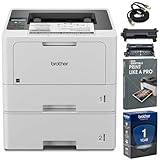
- Brother USA AUTHORIZED - Brother Full USA Warranty | Ultra-Fast Business Printing: Delivers high-speed monochrome printing up to 48 pages per minute, ideal for busy...
- Large & Expandable Paper Capacity: Includes a 250-sheet standard tray, 520-sheet second tray, and 100-sheet multipurpose tray, expandable up to 1,390 sheets for...
- Flexible Network Connectivity: Built-in dual-band Wi-Fi (2.4/5 GHz) and Gigabit Ethernet enable easy wired or wireless sharing across teams, with mobile printing support...
- Cost-Efficient & Secure: Supports high-yield Brother TN920XXL Toner Cartridge for lower cost per page and features advanced multi-layer security to help protect sensitive...
- INCLUDED IN THE BOX: Brother HL-L5210DWT Business Monochrome Laser Printer | Brother Genuine TN920 Starter Toner Cartridge (approx. 3,000 pages) | DR920 Drum Unit...
Experience efficient, high-volume printing with the Brother HL-L5210DWT Wireless Monochrome Laser Printer Bundle. Its fast output of up to 48 pages per minute lets busy offices handle large print jobs quickly and smoothly. The automatic duplex feature cuts paper use in half while saving time.
With a large paper capacity expandable to 1,390 sheets, this printer minimizes interruptions for refills, keeping your workflow steady. Dual-band Wi-Fi, Gigabit Ethernet, and mobile printing support ensure you connect easily from any device in your workspace.
Designed for black-and-white printing, it suits environments focused on monochrome documents, helping reduce costs with an available high-yield toner option. Energy-efficient operation and secure printing features add reliability and peace of mind.
Maintenance is straightforward, though heavy users should consider upgrading toner early to maintain performance. The printer’s design balances speed, capacity, and connectivity to meet the needs of small workgroups and busy offices.
Best for: Small offices and workgroups requiring fast, reliable monochrome printing with flexible connectivity and efficient operation.
What We Like:
- Fast print speed with automatic duplex printing
- Large, expandable paper capacity reduces downtime
- Multiple connectivity options including dual-band Wi-Fi and Ethernet
- Energy-efficient design with secure printing features
- High-yield toner available for cost-effective maintenance
Specification:
| Feature | Details |
|---|---|
| Manufacturer | Brother |
| Print Speed | Up to 48 ppm |
| Paper Capacity | Up to 1,390 sheets (with optional trays) |
| Connectivity | Dual-band Wi-Fi, Gigabit Ethernet, Mobile printing |
| Printing Technology | Monochrome Laser |
| Power Consumption | 680 watts |
Brother DCP-L5510DN Monochrome Laser All-in-One Printer

- FAST BUSINESS PRINTING AND COPYING: The Brother DCP-L5510DN business monochrome laser all-in-one printer delivers high-quality output and print and copy speeds up to...
- COST-EFFICIENT OUTPUT: Help reduce operating costs by using the Brother Genuine TN920XXL super high-yield 11,000-page replacement toner cartridge. Includes a Brother...
- ADVANCED SCANNING CAPABILITIES: Scan to popular destinations directly from the touchscreen display including cloud services(3), email, SharePoint, SSH Server (SFTP), and...
- EXPANDABLE PAPER CAPACITY: 250-sheet capacity paper tray is adjustable for letter or legal-sized paper and 100-sheet capacity multipurpose tray is ideal for printing on...
- BUILT-IN NETWORKING: Features a Gigabit Ethernet interface to seamlessly set up and share with multiple users on your wired network. Easily print from a wide variety of...
Experience efficient monochrome printing that keeps your office moving. The Brother DCP-L5510DN offers fast output with speeds up to 48 pages per minute, reducing wait times for high-volume tasks. This all-in-one printer combines printing, copying, and scanning to streamline your workflow.
Designed for busy environments, it features a 3.5-inch touchscreen for easy operation and supports automatic duplex printing to cut paper usage. The 250-sheet paper tray and 50-sheet auto document feeder handle large jobs with minimal interruptions. Network integration is simple with built-in Gigabit Ethernet, USB, and mobile printing options.
Maintenance is straightforward, helping reduce downtime. Its monochrome laser technology ensures sharp, consistent text documents, ideal for professional reports and forms. Though it does not print in color, its focus on black-and-white output suits offices prioritizing speed and reliability.
The printer’s size and weight may require a dedicated space, but its robust security features provide peace of mind in shared environments. Overall, this model balances functionality and durability for demanding workgroups.
Best for: Small to medium-sized offices needing fast, reliable monochrome printing combined with copying and scanning capabilities.
What We Like:
- Fast print and copy speed up to 48 ppm for heavy workloads
- Automatic duplex and 50-sheet ADF promote efficient paper handling
- Multiple connectivity options including Gigabit Ethernet and mobile printing
- Easy-to-use 3.5″ touchscreen interface
- Consistent, sharp black-and-white output for professional documents
Specification:
| Feature | Details |
|---|---|
| Manufacturer | Brother |
| Dimensions (W×D×H) | Approx. 16.1 × 15.7 × 9.5 in |
| Weight | Approx. 27 lb (12.3 kg) |
| Printing Technology | Monochrome Laser |
| Paper Capacity | 250-sheet tray, 50-sheet ADF |
| Connectivity | Gigabit Ethernet, USB, Mobile |
| Display | 3.5″ Color Touchscreen |
HP LaserJet Enterprise M635fht | Monochrome | Laser Printer | All-in-One

- World’s most secure printing: Print, copy, scan, and fax professional-quality documents with the HP LaserJet Enterprise MFP M635fht, a multifunction laser printer with...
- Self-repair from hacks: With HP Sure Start, this monochrome printer regularly checks its operating code at start-up and repairs itself from attempted hacks
- Centralize printing control: Help build business efficiency with HP Web JetAdmin by easily adding new devices and third-party solutions, updating features, and applying...
- Loaded for productivity: Get high-speed performance with an extra 550-sheet paper tray and wheeled stand for a total 1200-sheet paper capacity, a 9" functional...
- Energy-efficient: This black and white laser printer uses low amounts of energy thanks to its innovative design and toner technology
Experience the power of efficient, high-volume printing with the HP LaserJet Enterprise M635fht. Designed for busy offices, this monochrome laser printer handles printing, copying, scanning, and faxing with ease. It delivers sharp, professional-quality output at speeds up to 65 pages per minute, helping to keep your workflow smooth and uninterrupted.
This all-in-one device supports a large paper capacity of up to 1,200 sheets across three trays, which minimizes downtime for reloading. The 9-inch touchscreen provides intuitive control, simplifying operation for all users. Maintenance is straightforward, with long-lasting toner cartridges that yield approximately 10,500 pages, reducing replacement frequency.
Security and energy efficiency are built-in priorities. HP Sure Start protects the device from firmware attacks, while JetIntelligence toner technology helps lower power consumption. While it’s a heavy unit at 115.8 pounds and limited to monochrome printing, its robust design suits demanding environments where speed and multifunctionality are critical.
Best for: High-volume business environments needing fast, reliable monochrome printing combined with versatile copying, scanning, and faxing functions.
What We Like:
- Fast output at up to 65 pages per minute with crisp 1200 x 1200 dpi resolution
- Large paper capacity reduces frequent tray refills
- Secure operation with HP Sure Start and energy-saving JetIntelligence technology
- User-friendly 9″ touchscreen for easy navigation
- Long-lasting toner cartridge minimizes downtime
Specification:
| Feature | Details |
|---|---|
| Manufacturer | HP |
| Printing Technology | Monochrome Laser |
| Print Speed | Up to 65 pages per minute |
| Resolution | 1200 x 1200 dpi |
| Paper Capacity | Up to 1,200 sheets (3 trays) |
| Touchscreen | 9-inch color touchscreen |
| Weight | 115.8 lbs (52.5 kg) |
| Functions | Print, Copy, Scan, Fax |
Factors to Consider When Choosing a Business Printer 2026
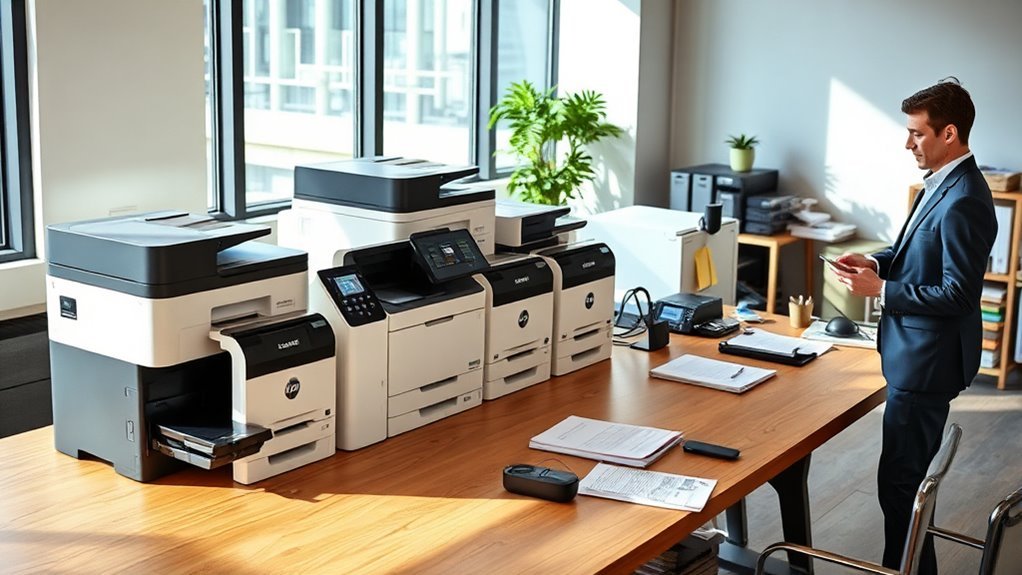
When choosing a business printer in 2026, you’ll want to focus on print speed, connectivity options, and paper handling capacity to match your workflow.
Don’t overlook essential security features to protect sensitive information. Also, consider cost efficiency to keep your expenses manageable over time.
Print Speed Importance
Consider how print speed directly impacts your workflow efficiency, especially during high-volume tasks. Moving from 25 ppm to 50 ppm can halve print times, cutting wait times and boosting productivity.
When choosing a printer, rely on ISO/IEC speeds rather than manufacturer “up to” claims for more accurate comparisons. Match the printer’s speed and duty cycle to your monthly page volume to avoid bottlenecks or overuse.
Remember, faster machines often consume more power and may require more frequent consumable replacements, so weigh speed against operating costs. For mixed workloads, first-page-out time and warm-up speed matter just as much as sustained ppm, since quick readiness keeps short jobs moving smoothly without delays.
Prioritize print speed wisely to keep your office running efficiently.
Connectivity Options Available
Print speed keeps your office productive, but connectivity determines how smoothly your documents reach the printer.
For busy offices printing thousands of pages monthly, wired Gigabit Ethernet guarantees consistent, high-throughput network performance with minimal latency.
If your team relies on mobile devices, look for dual-band Wi-Fi (2.4/5 GHz) with strong roaming and automatic issue resolution to minimize dropped connections.
USB 2.0/3.0 ports let you print directly when the network is down or for secure, walk-up jobs.
NFC or Bluetooth tap-to-print adds convenience by allowing quick, credentialed mobile printing without joining the corporate Wi-Fi.
Finally, check support for cloud and mobile protocols like AirPrint and Mopria to enable seamless printing and scanning from smartphones, tablets, and cloud services.
Paper Handling Capacity
Choosing a business printer with the right paper handling capacity can save you time and reduce interruptions. Match the input tray capacity to your monthly print volume—small offices benefit from 250–500 sheets, while high-volume workgroups need 1,000+ sheets to cut reloads.
Look for multiple paper trays, including a multipurpose tray, so you can load different sizes or specialty media without swapping. It really makes life easier when you don’t have to keep switching paper types.
Consider automatic document feeder (ADF) capacity; larger ADFs (50–80+ sheets) and single-pass duplex ADFs speed two-sided scanning and copying. This is a huge time saver if you deal with lots of double-sided documents.
Check the maximum supported media sizes and adjustable trays to handle legal, tabloid, envelopes, or labels. That way, you’re ready for whatever print job comes your way.
Finally, evaluate output bin size and optional tray expansions to prevent jams or overflow during long print runs, keeping your workflow smooth and efficient. Trust me, avoiding those hiccups means less frustration and more productivity.
Security Features Needed
While selecting a business printer for 2026, you’ll want to prioritize robust security features that protect your data and network. Look for multi-layer firmware protections like secure boot and signed firmware to block unauthorized code.
Make sure the device supports advanced network security protocols such as WPA3, TLS 1.2+, and IPv6-ready firewalls to encrypt communications and reduce exposure. Choose printers offering user and job authentication through LDAP or Active Directory integration, and secure pull printing to prevent unauthorized access.
Verify auditing and logging capabilities with detailed event logs and remote monitoring for compliance and incident detection. Finally, require data-at-rest protections like hardware encryption and secure erase options to safeguard stored job and scan data effectively, keeping your office secure.
Cost Efficiency Factors
Because business printers represent a significant investment, you’ll want to evaluate their cost efficiency carefully. Start by calculating the total cost of ownership over 3–5 years, including hardware price, consumables like toner or ink based on realistic yields, and estimated annual maintenance.
Compare cost per page by dividing cartridge cost by manufacturer-rated yield, adjusting for your print volume. Don’t forget to factor in energy consumption by estimating annual electricity costs using average power draw and runtime.
Also, consider indirect costs like downtime, staff time for supply changes, and productivity loss from slow speeds. Finally, account for savings from features such as automatic duplexing, high-yield cartridges, and print management tools, which can notably reduce your overall printing expenses.
This approach guarantees you choose a printer that balances performance with long-term savings. It’s all about making sure your investment pays off in the long run.
Maintenance and Support
When selecting a business printer, you’ll want to thoroughly assess maintenance and support options to avoid costly downtime and guarantee smooth operations. Check the warranty length and coverage, including onsite versus return-to-base service, and confirm repair response times—aim for next-business-day onsite support for critical devices.
Evaluate consumable availability, pricing, and cost per page to plan budgets and prevent supply shortages. Make sure your vendor offers remote management, firmware updates, and a robust spare-parts inventory to reduce repair time and enable proactive maintenance.
Review service contracts for scheduled maintenance, loaner devices during repairs, and clear escalation procedures. Finally, confirm technician certification standards, authorized service-partner density in your area, and accessible online resources to speed up troubleshooting and minimize dependence on local field service.
Frequently Asked Questions
How Often Should I Perform Maintenance on a Business Printer?
You should perform maintenance on your business printer every three to six months, depending on usage. Regularly clean components, replace consumables, and update firmware to keep it running smoothly and avoid costly downtime.
It might seem like a hassle, but staying on top of these tasks really pays off. Doing this helps prevent unexpected breakdowns and keeps your printer working efficiently. So, setting a reminder can be a good idea!
What Is the Average Lifespan of a Commercial Printer?
You can expect a commercial printer to last around 5 to 7 years on average.
With proper maintenance, you’ll extend its life, keeping it efficient and reducing costly downtime for your business.
Taking care of your printer really pays off in the long run!
Can Business Printers Integrate With Cloud Storage Services?
Yes, you can easily integrate business printers with cloud storage services. This allows you to print documents directly from the cloud and save scanned files automatically.
It’s a great way to boost your workflow and keep your office running more efficiently. Plus, it saves time and reduces the hassle of managing physical files.
Are There Eco-Friendly Toner or Ink Options Available?
Just like Robin Hood stole from the rich to give to the poor, you can choose eco-friendly toner and ink that reduce waste and toxins.
Many brands now offer cartridges made from recycled materials to keep your office green.
It’s a simple swap that makes a big difference. Plus, you’re helping cut down on plastic and chemical pollution.
What Security Features Protect Sensitive Printed Documents?
You’ll find security features like PIN printing, user authentication, and encrypted data transmission protect sensitive documents.
Some printers also offer secure print release, ensuring your confidential files print only when you’re physically present.
It’s a smart way to keep your information safe, especially in busy office environments.
Conclusion
Did you know businesses that invest in efficient printers can boost productivity by up to 40%? Choosing the right printer, like one from our top 8 list, can save you time and cut costs.
Whether you need color, wireless features, or monochrome speed, there’s a perfect option for your office. Don’t settle for less—upgrade your printing game in 2026.
With the best business printers, you’ll not only improve output speed but also enhance overall office efficiency. So, take a look at our top picks and find the ideal printer to meet your business needs. Boost your office productivity and cut operational costs with the right printer today!