8 Best All in One Inkjet Printers for 2027
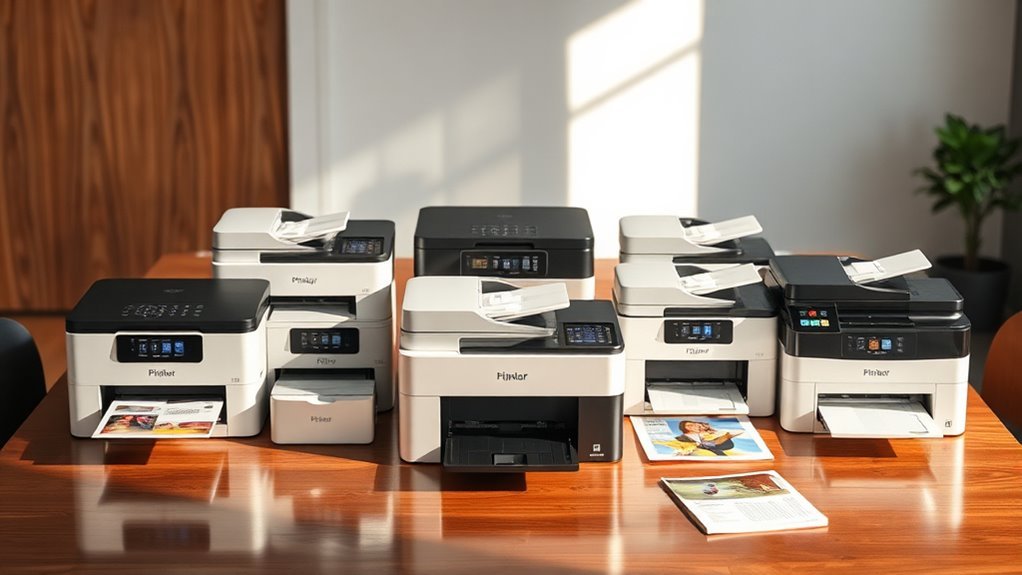
You’ll find top all-in-one inkjet printers for 2027 offering wireless connectivity, sharp print quality, and versatile functions like scanning and copying. These printers are designed to handle everything from everyday documents to vibrant photos, making them perfect for both home and office use.
Whether you need speed, efficiency, or cost savings, there’s something for everyone.
Models like the Brother Work Smart 1360 shine for compact efficiency, fitting easily into tight spaces without sacrificing performance. Meanwhile, the Canon MegaTank G3270 and Epson EcoTank ET-4800 excel with low running costs and high page yields, so you can print more without breaking the bank.
If speed and security are your priorities, the HP OfficeJet Pro 8125 stands out with fast printing and advanced features to keep your documents safe. Keep going to uncover even more features and find which printer fits your needs best.
| Image | Name | Editor's Rating | Price |
|---|---|---|---|

|
|
||

|
|
||

|
|
||

|
|
||

|
|
Brother Work Smart 1360 Wireless Color Inkjet All-in-One Print, Scan, Copy
- AFFORDABLE ALL-IN-ONE FOR HOME AND HOME OFFICE: Print, copy, and scan on one compact wireless printer designed for everyday home office printing, schoolwork, documents...
- EASY TO USE WITH CLOUD APP CONNECTIONS: Print from and scan to popular Cloud apps(2), including Google Drive, Dropbox, Box, OneDrive, and more from the simple-to-use...
- FULL-SIZE FEATURES IN A COMPACT DESIGN: This printer includes automatic duplex (2-sided) printing, a 20-sheet single-sided Automatic Document Feeder (ADF)(3), and a...
- MULTIPLE CONNECTION OPTIONS: Connect your way. Interface with your printer on your wireless network or via USB.
- MOBILE PRINTING MADE EASY: Go mobile with the Brother Mobile Connect app(5) that delivers easy onscreen menu navigation for printing, copying, scanning, and device...

The Brother Work Smart 1360 is designed to simplify your printing, scanning, and copying tasks. Its wireless color inkjet technology ensures crisp, vibrant documents without complicated setup. This all-in-one printer fits well in tight spaces, making it ideal for home or small office use.
Maintaining this printer is straightforward. The 20-sheet automatic document feeder and automatic duplex printing reduce manual effort, saving time on multi-page jobs. Its 150-sheet paper tray balances capacity and compactness but may require regular refills during heavy use.
Connectivity is flexible with Wi-Fi, AirPrint, and the Brother Mobile Connect app. These options streamline printing from various devices, helping you stay productive without cables. The printer’s lightweight design enhances portability while its sharp 1,200 × 6,000 dpi resolution delivers professional-quality prints.
While print speeds are moderate, they suit typical home or office workloads. The single USB 2.0 port offers basic wired connection, though wireless options are the focus. Overall, the Brother Work Smart 1360 combines practical functionality with ease of use to meet everyday document needs.
Best for: Small businesses or individuals seeking a compact, wireless all-in-one color printer for home, office, or school projects.
What We Like:
- Compact and lightweight, fitting easily into limited spaces
- Automatic duplex printing and 20-sheet feeder boost efficiency
- Multiple wireless options including Wi-Fi and a dedicated mobile app
- High print resolution ensures clear, detailed output
Specification:
| Feature | Details |
|---|---|
| Manufacturer | Brother |
| Dimensions (W×D×H) | Approx. 15.7 × 14.2 × 7.5 in (40 × 36 × 19 cm) |
| Weight | 16.8 lb (7.6 kg) |
| Printing Technology | Color Inkjet |
| Paper Tray Capacity | 150 sheets |
| Connectivity | Wi-Fi, AirPrint, USB 2.0, Mobile App |
HP DeskJet 2923 Color Inkjet Printer | Wireless | All-in-One
- Perfect for basic printing needs – Print everyday color documents like to-do lists, letters, financial documents and recipes
- KEY FEATURES – Color print, copy, scan, and a 60-sheet input tray, plus mobile and wireless printing
- OPTIMIZE PRINT FORMATTING WITH HP AI – Print web pages and emails with precision—no wasted pages or awkward layouts; HP AI easily removes unwanted content, so your...
- ICON LCD – Print your basic documents with ease from the intuitive control panel
- PRINT SPEED – Up to 7.5 ppm black, 5.5 ppm color
Experience hassle-free home printing with the HP DeskJet 2923 Color Inkjet Printer. Designed to handle everyday tasks, this compact all-in-one device prints, copies, and scans in vibrant color. Its modest print speeds of up to 7.5 ppm in black and 5.5 ppm in color suit typical home use without overwhelming complexity.
Maintenance is straightforward with a 60-sheet input tray that keeps paper ready but may require refilling for larger jobs. The intuitive icon LCD and dual-band Wi-Fi simplify setup and connectivity. Using the HP App, you can print or scan directly from your smartphone, making remote tasks quick and easy.
Unique to this printer is HP’s AI-driven page optimization, which reduces ink waste and enhances print quality. You also benefit from a 6-month Instant Ink trial, ensuring automatic ink delivery without interruption. Environmentally conscious users will appreciate its construction from 70% recycled plastics and ENERGY STAR certification.
Though the print speed and tray capacity might limit high-volume use, this model excels in convenience and eco-friendliness for everyday home printing needs.
Best for: individuals and families seeking a compact, user-friendly all-in-one printer for everyday color printing, copying, and scanning at home.
What We Like:
- Wireless dual-band Wi-Fi with easy mobile printing via HP App
- Smart AI page optimization reduces ink waste
- 6-month Instant Ink trial for seamless ink management
- Eco-friendly design with 70% recycled plastics and ENERGY STAR certification
Specification:
| Feature | Details |
|---|---|
| Manufacturer | HP |
| Dimensions | Compact size (exact dimensions not provided) |
| Weight | Not specified |
| Material | 70% recycled plastics |
| Color Options | Not specified |
HP OfficeJet Pro 8125 Wireless All-in-One Printer
- FROM AMERICA'S MOST TRUSTED PRINTER BRAND – The OfficeJet Pro 8125 is perfect for home offices printing professional-quality color documents like business documents...
- 3 MONTH TRIAL OF INSTANT INK INCLUDED – Subscribe to the Instant Ink delivery service to get ink delivered directly to your door before you run out, and you save up to...
- KEY FEATURES – Fast color printing, scan, copy, auto 2-sided printing, auto document feeder, and a 225-sheet input tray
- 2.7-INCH TOUCHSCREEN – Quickly navigate your printer with a large color touchscreen and a phone-like user interface
- WIRELESS PRINTING – Stay connected with our most reliable dual-band Wi-Fi, which automatically detects and resolves connection issues
The HP OfficeJet Pro 8125 Wireless All-in-One Printer is designed to streamline your everyday printing tasks with professional-quality results. It produces sharp color prints at up to 20 ppm for black and 10 ppm for color, helping you complete jobs quickly and efficiently.
This versatile device goes beyond printing by offering scanning, copying, and faxing capabilities through the HP Smart app, making multitasking easier from your home or office. The intuitive 2.7-inch color touchscreen simplifies navigation, while dual-band Wi-Fi and Ethernet ensure reliable connectivity.
Maintenance is straightforward with a 225-sheet input tray and automatic duplex printing that saves paper and time. The printer also supports eco-friendly use, constructed with over 45% recycled plastic and including a 3-month trial of HP Instant Ink.
Security is a priority with HP Wolf Essential Security protecting your data. While faxing is limited to app use and it requires original HP 923 cartridges, this model balances functionality and safety in a compact design.
Best for: Small home offices or individuals needing an efficient, all-in-one color printer with wireless features and easy maintenance.
What We Like:
- Fast print speeds with high-resolution color output
- User-friendly touchscreen and automatic duplexing
- Secure printing with HP Wolf Essential Security
- Eco-conscious build using recycled materials
- Wireless and Ethernet connectivity for flexible setup
Specification:
| Feature | Details |
|---|---|
| Manufacturer | HP |
| Dimensions (W x D x H) | 18.35 x 15.47 x 7.68 inches |
| Weight | 17.6 lbs (7.99 kg) |
| Connectivity | Dual-band Wi-Fi, Ethernet |
| Input Tray Capacity | 225 sheets |
| Touchscreen | 2.7-inch color touchscreen |
Canon MegaTank G3270 All-in-One Wireless Color Printer
- Wireless Print/Copy/Scan
- Up to 2 years of ink included (2)
- Print up to 6,000 black & white / 7,700 color pages using a single set of inks! (1)
- Save up to $1,000 on ink (1)
- 1.35” Square LCD display
The Canon MegaTank G3270 offers a seamless printing experience for home and small office users who require a reliable, long-lasting solution. Its refillable MegaTank system reduces the hassle of frequent ink replacements, delivering up to 6,000 black and 7,700 color pages per refill. This means you can focus more on your tasks and less on maintenance.
Designed to handle everyday printing, copying, and scanning needs, this all-in-one wireless color printer connects easily via Wi-Fi or USB. You can control it conveniently through mobile apps, making it simple to print directly from your smartphone or tablet. The 1.35″ LCD screen enhances navigation, ensuring smooth operation.
The G3270 produces sharp, borderless prints with a high resolution of 4800 × 1200 dpi, ideal for professional-looking documents and vibrant photos. While it doesn’t support automatic duplex printing, its compact design fits well in limited spaces without compromising functionality.
Its energy-efficient build supports various paper sizes and types, making it adaptable to different projects. Although it has a larger footprint and moderate copy speed, the printer’s cost-effective ink system and versatile features help improve productivity.
Best for: Home users and small offices seeking a cost-effective, high-volume wireless color printer with easy maintenance and quality output.
What We Like:
- Refillable MegaTank system supports up to 2 years of ink supply.
- Wireless and USB connectivity with mobile app control.
- High-resolution, borderless printing for professional results.
- User-friendly 1.35″ LCD screen for easy navigation.
- Energy-efficient design supports diverse paper types.
Specification:
| Feature | Details |
|---|---|
| Manufacturer | Canon |
| Dimensions | 21.9″ × 16.4″ × 10.6″ (55.6 × 41.7 × 27 cm) |
| Weight | 13.2 lb (6 kg) |
| Connectivity | Wi-Fi, USB |
| Print Resolution | Up to 4800 × 1200 dpi |
| Ink System | Refillable MegaTank |
Epson EcoTank ET-4800 Wireless Color All-in-One Supertank Printer
- INNOVATIVE CARTRIDGE-FREE PRINTING — High-capacity ink tanks mean no more dealing with lots of tiny ink cartridges; Epson’s exclusive EcoFit ink bottles make filling...
- CLEAR AND VIBRANT PRINT QUALITY ― Create memorable prints and projects; Unique Micro Piezo Heat-Free Technology allows wireless color printer to produce sharp text and...
- ZERO CARTRIDGE WASTE — By using an Epson EcoTank printer you can help reduce the amount of cartridge waste ending up in landfills
- BUILT IN SCANNER AND COPIER ― All-In-One Epson EcoTank is more than a printer; High-resolution flatbed scanner and color display come together for easy document copying...
- LESS FREQUENT INK REPLACEMENT — Replacement ink bottles don't have to be changed nearly as often as ink cartridges¹; Printer, scanner and copier lets you print up to...
The Epson EcoTank ET-4800 transforms home office printing by eliminating frequent cartridge replacements. Its cartridge-free ink system with large ink tanks means fewer interruptions and less waste. You can print thousands of pages—up to 4,500 in black and 7,500 in color—before needing a refill, saving both time and money.
This all-in-one printer combines printing, scanning, copying, and faxing in one compact device. Its Micro Piezo Heat-Free Technology ensures sharp text and vibrant colors on nearly any paper type. This technology also helps reduce energy use, making it an efficient choice for busy users.
Maintaining the ET-4800 is straightforward but requires genuine Epson ink to keep print quality high and protect the printer’s warranty. Initial setup and ink refilling may be slightly more involved than cartridge models but offer long-term convenience and value.
The design suits high-volume printing needs, especially in home offices where reliability and multi-functionality are essential. Its eco-friendly approach minimizes waste while providing consistent performance.
Best for: Home office users who need a cost-effective, eco-friendly printer with multifunction capabilities and high-volume output.
What We Like:
- Cartridge-free ink system reduces waste and refills
- High page yield of 4,500 black and 7,500 color prints
- Includes scanner, copier, and fax for versatile use
- Sharp, vibrant print quality with energy-efficient technology
Specification:
| Feature | Details |
|---|---|
| Manufacturer | Epson |
| Dimensions | Approx. 14.8 x 13.8 x 9.8 inches (37.6 x 35.1 x 24.9 cm) |
| Weight | Approx. 12.8 lb (5.8 kg) |
| Ink System | Cartridge-free Supertank |
| Color Options | Wireless Color |
Canon PIXMA TS6520 Wireless Color Inkjet Printer, 1.42″ OLED Display, White

- Affordable Versatility - A budget-friendly all-in-one printer perfect for both home users and hybrid workers, offering exceptional value
- Crisp, Vibrant Prints - Experience impressive print quality for both documents and photos, thanks to its 2-cartridge hybrid ink system that delivers sharp text and vivid...
- Effortless Setup & Use - Get started quickly with easy setup for your smartphone or computer, so you can print, scan, and copy without delay
- Reliable Wireless Connectivity - Enjoy stable and consistent connections with dual-band Wi-Fi (2.4GHz or 5GHz), ensuring smooth printing from anywhere in your home or...
- Scan & Copy Handling - Utilize the device’s integrated scanner for efficient scanning and copying operations
Discover a printer that fits seamlessly into your home or hybrid work environment. The Canon PIXMA TS6520 combines a sleek, compact design with versatile functionality to make everyday printing tasks effortless. Its 1.42″ monochrome OLED display provides intuitive control, helping you manage print, scan, and copy jobs quickly and accurately.
This all-in-one color inkjet printer delivers sharp, detailed prints up to 1200 x 1200 dpi. It supports wireless printing via dual-band Wi-Fi and voice commands through Alexa, so you can print from any device without hassle. Automatic duplexing and borderless printing up to letter size add convenience and professional results to your projects.
Maintenance is straightforward, thanks to its two-cartridge hybrid ink system that balances print quality and ink economy. While it lacks an automatic document feeder and has a single paper tray with limited capacity, its lightweight, space-saving design makes it ideal for smaller workspaces.
The Canon PIXMA TS6520 is designed to meet the needs of families, students, and remote workers who require reliable, versatile, and easy-to-use printing solutions without clutter.
Best for: Families, students, and home or hybrid workers needing a compact, multifunction printer for everyday printing, scanning, and copying.
What We Like:
- Compact footprint fits easily in tight spaces
- Dual-band Wi-Fi and Alexa voice control simplify wireless printing
- Automatic duplex and borderless printing enhance output quality
- Two-cartridge hybrid ink system balances economy and sharpness
Specification:
| Feature | Details |
|---|---|
| Manufacturer | Canon |
| Model | PIXMA TS6520 |
| Printer Type | Wireless Color Inkjet |
| Display | 1.42″ Monochrome OLED |
| Print Resolution | Up to 1200 x 1200 dpi |
| Connectivity | Dual-band Wi-Fi, Alexa voice control |
| Ink System | Two-cartridge hybrid ink |
| Paper Handling | Single tray, automatic duplex |
| Color | White |
| Dimensions (W x D x H) | Approx. 14.7 x 11.7 x 5.6 in |
| Weight | Approx. 11.3 lbs |
HP Envy 6155 Wireless All-in-One Inkjet Printer

- FROM AMERICA'S MOST TRUSTED PRINTER BRAND – The Envy 6155 is perfect for homes printing everyday high-quality color documents like homework and borderless photos. Print...
- 3 MONTH TRIAL OF INSTANT INK – Subscribe to the Instant Ink delivery service to get ink delivered directly to your door before you run out, and you save up to 50% on...
- KEY FEATURES – Color print, copy and scan, plus auto 2-sided printing and a 100-sheet input tray
- HP'S MOST INTUITIVE COLOR TOUCHSCREEN – Smoothly navigate your printer with the easy-to-use 2.4" touchscreen
- WIRELESS PRINTING – Stay connected with our most reliable dual-band Wi-Fi, which automatically detects and resolves connection issues
The HP Envy 6155 Wireless All-in-One Inkjet Printer is designed to make everyday printing tasks simple and efficient. It handles printing, scanning, and copying with ease, helping you manage home projects without hassle. The automatic duplex printing saves paper, while the 100-sheet input tray reduces frequent refills, enhancing your workflow.
This printer delivers vibrant, true-to-screen photos using P3 color technology. It also features HP’s AI print optimization, which trims unwanted content to create efficient layouts, reducing waste and saving ink. Wireless dual-band Wi-Fi and the HP App make printing from your smartphone straightforward and convenient.
Maintenance is easy with original HP cartridges that ensure consistent quality, although third-party options are not supported. The 2.4″ touchscreen interface is intuitive, simplifying navigation through settings and print jobs. Plus, the printer is eco-conscious, made with 60% recycled plastic.
A 3-month Instant Ink trial keeps you stocked on ink without unexpected interruptions. After the trial, the subscription service is optional and can be canceled anytime.
Best for: home users needing a versatile, reliable printer for color documents, homework, and photos with seamless mobile and wireless features.
What We Like:
- Automatic duplex printing reduces paper use.
- Vibrant photo quality with P3 color technology.
- Easy mobile printing via wireless dual-band Wi-Fi and HP App.
- Intuitive 2.4″ touchscreen for simple operation.
- Eco-friendly design with 60% recycled plastic.
Specification:
| Feature | Details |
|---|---|
| Manufacturer | HP |
| Dimensions (W×D×H) | 17.3 × 14.5 × 5.7 inches |
| Weight | 13.7 lbs |
| Color Options | Black |
| Connectivity | Wireless dual-band Wi-Fi |
Canon MegaTank MAXIFY GX2020 Wireless All-in-One Printer

- Wireless Print/Copy/Scan/Fax (2)
- Print up to 3,000 black & white / 3,000 color pages using a single set of inks! (1)
- 2.7” LCD Color Touchscreen
- Auto 2-sided printing
- ADF – 35 sheet Auto Document Feeder
The Canon MegaTank MAXIFY GX2020 is designed to handle high-volume printing without breaking the bank. Its refillable ink tanks deliver up to 3,000 pages per set, reducing the hassle and cost of frequent replacements. This makes it an ideal solution for busy home offices or small businesses that demand efficiency and affordability.
This all-in-one printer manages print, copy, scan, and fax tasks smoothly. Duplex printing and a 35-sheet Auto Document Feeder simplify multi-page jobs, saving time and effort. The 2.7″ adjustable touchscreen offers intuitive control, so operating the device is straightforward.
Connectivity is seamless with dual-band Wi-Fi and wired LAN options, allowing flexible placement and easy sharing across devices, including Chromebooks. The compact design fits well in limited spaces while supporting various media sizes up to 8.5″ x 14″.
Maintenance is user-friendly thanks to the large ink tanks and simple refilling process. However, the paper capacity maxes out at 250 sheets, which may require more frequent reloads in very high-volume settings.
Best for: small businesses or individuals who need reliable, cost-effective, and versatile printing with wireless functionality.
What We Like:
- High page yield of up to 3,000 pages per ink set
- Multifunction capabilities including print, copy, scan, and fax
- Duplex printing and 35-sheet Auto Document Feeder for efficient document handling
- Flexible connectivity with dual-band Wi-Fi, wired LAN, and USB support
- Compact design suitable for limited workspace
Specification:
| Feature | Details |
|---|---|
| Manufacturer | Canon |
| Dimensions (W×D×H) | Compact size (exact not specified) |
| Weight | Not specified |
| Ink Type | Refillable GI-25 pigment ink tanks |
| Media Size Supported | Up to 8.5″ x 14″ |
| Paper Capacity | 250 sheets |
| Display | 2.7″ adjustable touchscreen |
| Connectivity | Dual-band Wi-Fi, wired LAN, USB |
Factors to Consider When Choosing an All in One Inkjet Printer
When choosing an all-in-one inkjet printer, you’ll want to focus on print quality and resolution to get sharp results. Consider connectivity options and mobile features for easy wireless use.
Don’t forget to check ink efficiency, paper capacity, and the device’s size to match your space and budget. These little details can make a big difference in your day-to-day printing experience.
Print Quality And Resolution
Although print quality depends on several factors, you should focus on resolution and color accuracy when choosing an all-in-one inkjet printer. Look for a higher maximum print resolution (like 1200 × 1200 dpi or 4800 × 1200 dpi) to get finer details and smoother gradients, especially for photos and graphics.
Check the printer’s color depth and gamut coverage—greater bit depth and wider gamut mean more vibrant, accurate colors. The printhead technology also matters; smaller droplet sizes and more nozzles improve sharpness and halftone smoothness.
For crisp text, prioritize printers with dedicated pigment black inks and high black text resolution. Finally, use the right media and print mode settings, as optimal resolution and color accuracy depend on compatible photo or plain paper types.
Connectivity And Mobile Features
Print quality matters, but how you connect and interact with your all-in-one inkjet printer shapes your overall experience just as much. Make sure your printer supports dual-band Wi-Fi (2.4 GHz and 5 GHz) and Wi-Fi Direct for reliable, interference-free wireless connections.
Mobile printing is a must—look for AirPrint, Mopria, or dedicated apps to print and scan straight from your smartphone or tablet without needing a computer. If you handle large files or share the printer in an office, consider wired options like USB or Ethernet for stable, high-speed connections.
Cloud integration lets you scan to or print from online storage seamlessly. Finally, check for easy management tools like touchscreens, remote updates, and secure printing options to keep your documents safe and setup hassle-free.
Ink Efficiency And Cost
To get the most value from your all-in-one inkjet printer, you’ll want to zero in on ink efficiency and costs. Start by comparing the cost per page—divide the price of replacement ink by its page yield to reveal true long-term expenses.
Opt for printers with high-yield or continuous ink tank systems, which often offer thousands of pages per refill, cutting your per-page cost markedly. Don’t forget to weigh starter ink quantities versus regular cartridges to avoid underestimating initial costs.
Also, check if the printer uses OEM chips or firmware that blocks third-party ink, as this can drive up expenses. Finally, calculate your total ownership cost by factoring in ink or subscription fees, monthly print volume, and replacement frequency to get an accurate annual ink budget.
Paper Handling And Capacity
When choosing an all-in-one inkjet printer, you should carefully evaluate its paper handling and capacity features to match your workflow. Start by checking the input tray capacity—ranging from about 60 to 250 sheets—to reduce frequent refills, especially if you print in high volumes.
If you often scan or copy multiple pages, look for an automatic document feeder (ADF) with a capacity of 20 to 35 sheets. Automatic duplex printing helps save paper and produces professional double-sided documents.
Make certain the printer supports the paper sizes and types you need, from letter and legal to cardstock and envelopes. Finally, consider the output tray capacity and the maximum monthly duty cycle to safeguard the printer can handle your busiest periods without constant emptying or overheating.
Device Size And Portability
Although performance matters most, device size and portability play a pivotal role in choosing an all-in-one inkjet printer that fits your space and lifestyle. Check the printer’s footprint—depth, width, and height—to make certain it fits your desk or shelf and is light enough for occasional moves.
Compact models typically weigh under 17 pounds and measure between 14 and 22 inches wide. Think about whether the printer’s vertical or flatbed design, along with features like an Automatic Document Feeder, add bulk that affects storage.
If you move your printer often, it’s better to choose lightweight, one-piece models instead of bulky multi-tray or large-tank designs. Also, keep in mind paper capacity; bigger trays increase the size and footprint.
Finally, allow extra space around the printer for opened trays and access panels. This helps keep usability smooth, especially in tight spots.
Frequently Asked Questions
How Long Do Ink Cartridges Typically Last in These Printers?
Ink cartridges typically last between 200 to 500 pages, depending on usage and print quality. You’ll find high-yield options that extend this.
But keep in mind, frequent printing or photos will drain ink much faster, so plan accordingly. It’s always good to have a backup cartridge just in case.
Are These Printers Compatible With macOS and Windows?
Yes, these printers are compatible with both macOS and Windows. You’ll find drivers and software that work seamlessly on either system.
Can These Printers Connect to Mobile Devices via Bluetooth?
Yes, many of these printers connect to your mobile devices via Bluetooth, allowing you to print wirelessly with ease. Just pair your phone or tablet, and you’re set to print from anywhere in your home or office.
It’s super convenient and saves you the hassle of dealing with cables. Plus, once paired, printing is usually just a tap away!
What Is the Average Print Speed for Black and Color Documents?
Like the tortoise’s steady pace, you’ll find black prints average 10-15 pages per minute, while color documents take about 5-10.
You won’t win any sprints, but you’ll finish strong with quality output.
Do These Printers Support Duplex (Double-Sided) Printing Automatically?
Yes, most all-in-one inkjet printers now support automatic duplex printing. You’ll save paper and time since they print double-sided pages without needing you to flip them manually.
This makes your workflow more efficient and eco-friendly. It’s a handy feature that many users appreciate for everyday printing tasks.
Conclusion
Choosing the right all-in-one inkjet printer is like finding the perfect tool in a busy workshop—it makes every task smoother and more efficient. Whether you need wireless convenience or vibrant color, there’s an option that fits your style.
Maybe budget-friendly ink options are what you’re after. No worries, one of these top picks has got you covered.
Keep your priorities clear, and you’ll enjoy seamless printing, scanning, and copying that keeps your projects flowing without a hitch. With the best all-in-one inkjet printers for 2027, you can expect reliable performance and great value.
Your ideal printer is just a click away, ready to handle all your printing needs with ease and efficiency.