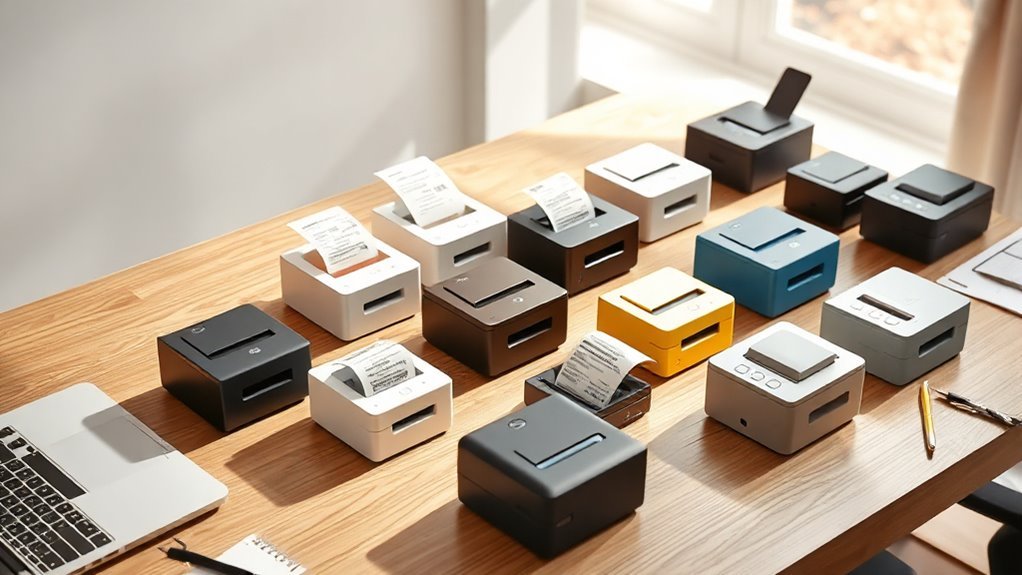
15 Best Budget Thermal Printers for 2027 That Save You Money
You want a budget thermal printer that’s fast, reliable, and saves on ink costs. Thermal printers are perfect for shipping labels and small business needs because they don’t require ribbons or toner, which helps you save money. Models like KNAON, Labeer, and JADENS offer wireless 4×6 label printing with crisp 203 dpi clarity.
These printers connect easily via Bluetooth or USB, making setup a breeze. Plus, their thermal technology means no extra ink expenses. Many options are lightweight and portable, perfect for tight spaces or mobile jobs. Stick with this guide to uncover the top budget thermal printers that match your shipping needs and wallet.
| Image | Name | Editor's Rating | Price |
|---|---|---|---|

|
|
||

|
|
||

|
|
||

|
|
||
|
|
KNAON Shipping Thermal Label Printer, 4×6 Portable Label Printer, Black
- Bluetooth Wireless Connection: KNAON Y41BT Bluetooth shipping label printer enables wireless printing. For iOS and Android users, need to download the 'FlashLabel Pro...
- USB Cable Connectivity: This printer ensures seamless USB connectivity with macOS, Windows (7 and above), ChromeOS, and Linux. KNAON printer features a built-in USB drive...
- Versatile DIY Labeling Options: KNAON Thermal Shipping Label Printer offers a vast selection of pre-designed templates, including 3,000+ templates, 5,000+ icons, and...
- Seamless Multi-Platform Compatibility: This Bluetooth shipping label printer works effortlessly with all major platforms, including Amazon, eBay, Shopify, USPS, UPS...
- Portable & Stylish Design: KNAON multi-function thermal label printer offers user-friendly operation in a compact design. Its perfect size (7.2 x 3.15 x 2.65 inches...

The KNAON Shipping Thermal Label Printer offers a compact and efficient solution for printing shipping labels wherever you are. Its portable design lets you print 4×6-inch labels quickly, ideal for busy environments or on-the-go needs. The printer connects via Bluetooth or USB, adapting to multiple devices and operating systems.
Using the FlashLabel Pro app, you can customize labels with thousands of templates and icons tailored for platforms like Amazon, Etsy, and USPS. This flexibility helps you create professional labels without hassle. The printer’s fast thermal printing speeds up to 180 mm/s reduce wait times, improving your workflow.
Maintenance is straightforward since the thermal printing technology eliminates the need for ink or toner. The built-in USB drive includes helpful driver tutorials, making setup and upkeep easier. However, Bluetooth printing requires using the FlashLabel Pro app, and some platforms like ChromeOS may need an additional browser extension.
Overall, the KNAON label printer balances portability, speed, and ease of use, making it a practical tool for shipping and product labeling tasks.
Best for: Small business owners and online sellers needing a versatile, portable label printer compatible with various devices.
What We Like:
- Bluetooth and USB connectivity for flexible device support
- Extensive label customization through FlashLabel Pro app
- Fast printing speed ideal for busy shipping environments
- Compact, lightweight design perfect for mobile use
- Driver tutorials included on built-in USB for easy setup
Specification:
| Feature | Details |
|---|---|
| Manufacturer | KNAON |
| Dimensions | Compact (exact size not specified) |
| Weight | Lightweight (exact weight not specified) |
| Color Options | Black |
| Label Size | 4×6 inches |
| Connectivity | Bluetooth (via app), USB |
| Printing Speed | Up to 180 mm/s |
Labeer Bluetooth Thermal Shipping Label Printer, Wireless 4×6 Label Printer
- 【Smart PDF Printing】For Amazon, Etsy, Shopify and eBay sellers who print orders while packing, download the shipping label as a PDF and print it directly from an...
- 【4x6 Shipping Label Printing】For delivery workers, shipping staff and online sellers who prepare packages throughout the day, this 4x6 label printer handles standard...
- 【203 DPI Direct Thermal Printing】For warehouse employees, inventory teams and retail staff who print barcode labels, product labels and inventory tags, this Bluetooth...
- 【Multiple Label Sizes】For retail employees, small business owners and manufacturing teams who use different labels for products, inventory, parts and packages, this...
- 【Bluetooth Wireless Printing & Auto Calibration】For warehouse workers, shipping teams and small businesses that print labels throughout the day, connect your Windows...
The Labeer Bluetooth Thermal Shipping Label Printer offers a simple and efficient way to handle your shipping needs. Its wireless Bluetooth connectivity works seamlessly with both iPhone and Android devices through the FlashLabel Pro app, allowing you to print labels quickly without tangled cords.
This compact printer uses direct thermal technology, which means no ink, toner, or ribbons are required. This reduces maintenance tasks and cuts down on recurring costs. The device supports various label sizes with automatic gap detection, ensuring consistent print quality for your 4×6 shipping labels.
Designed for busy environments, it delivers fast prints at up to 100 pages per minute in clear black and white. Its small, lightweight design makes it easy to place in tight spaces like shipping stations or retail counters. However, it only prints in monochrome and has a modest 10-label capacity, which may require frequent refills during high-volume use.
If you need a straightforward, affordable solution for wireless thermal label printing, the Labeer printer fits well in small businesses and home office setups.
Best for: Small businesses and home offices seeking an easy-to-use, wireless 4×6 thermal label printer.
What We Like:
- Wireless Bluetooth connection compatible with iPhone and Android.
- Direct thermal printing eliminates ink and ribbon costs.
- Supports multiple label sizes with auto gap detection.
- Fast print speed up to 100 pages per minute.
- Compact and lightweight for easy placement.
Specification:
| Feature | Details |
|---|---|
| Manufacturer | Labeer |
| Dimensions | Approx. 7.5 x 5 x 4 in |
| Weight | Lightweight (under 2 lbs) |
| Printing Technology | Direct thermal |
| Connectivity | Bluetooth, USB |
| Supported Label Size | 4×6 inches (and others) |
| Print Speed | Up to 100 ppm (monochrome) |
JADENS Bluetooth Thermal Shipping Label Printer, Wireless 4×6 Label Printer
- [HIGH TECH LABEL PRINTER] Equipped with a Japanese high tech thermal print head, 203 DPI high printing quality. No ink, No toner, Clean with no mess, economical. Works...
- [PRINT WIRELESSLY]The label printer support printing wirelessly. For windows 8 or later and Mac, you can print via Bluetooth. For Android& iOS, you can’t print via...
- [PRINT VIA USB] USB connection works with both Windows (7 and newer) and Mac OS (10.9 and newer) devices. Please long and press the feed button to identify and calibrate...
- [WIDE USAGE] JADENS thermal label printer is widely used to print labels from various marketplaces and shipping platforms, such as Endicia, Dazzle, ShipStation, Shipping...
- [EASY TO SET UP & RELIABLE AFTER-SALE SERVICE] Set up in one minute. Printer driver, instruction videos and problem shooting videos are provided in U-Disk for better...
The JADENS Bluetooth Thermal Shipping Label Printer offers a hassle-free way to print shipping labels wirelessly. Designed for small businesses and online sellers, it eliminates the clutter of cables and speeds up your workflow. With quick setup, you can start printing in just about a minute, reducing downtime and boosting productivity.
This wireless label printer connects via Bluetooth or USB, ensuring compatibility with Windows, Mac, Android, and iOS devices through the dedicated Jadens app. Its sharp 203 DPI Japanese thermal head delivers crisp, clear labels up to 4×6 inches, suitable for various shipping needs. The printer’s design supports multiple platforms, helping you integrate it easily into your existing shipping process.
Maintenance is simple since it uses thermal printing technology, which requires no ink or toner. Just load the labels, and you’re ready to print. While it prints only in monochrome, its reliability and ease of use are key strengths for busy shipping environments.
Best for: Small businesses and online sellers needing a fast, wireless 4×6 thermal label printer compatible with multiple devices and shipping platforms.
What We Like:
- Supports Bluetooth and USB for flexible connectivity
- Fast setup, ready to print within a minute
- Prints sharp 4×6 labels with a 203 DPI thermal head
- Works seamlessly with Windows, Mac, Android, and iOS devices
- Simple maintenance with no ink or toner required
Specification:
| Feature | Details |
|---|---|
| Manufacturer | JADENS |
| Print Resolution | 203 DPI |
| Maximum Label Size | 4 x 6 inches |
| Connectivity | Bluetooth, USB |
| Compatible Devices | Windows, Mac, Android, iOS |
| Color Mode | Monochrome (black only) |
KNAON Shipping Thermal Label Printer, 4×6 Portable Label Printer, White
- Bluetooth Wireless Connection: KNAON Bluetooth shipping label printer enables wireless printing. For Mobile users, download the 'FlashLabel Pro' app from APP Store or...
- USB Cable Connectivity: This printer ensures seamless USB connectivity with macOS, Windows (7 and above), ChromeOS, and Linux. KNAON printer features a built-in USB drive...
- Versatile DIY Labeling Options: KNAON Thermal Shipping Label Printer offers a vast selection of pre-designed templates, including 3,000+ templates, 5,000+ icons, and...
- Seamless Multi-Platform Compatibility: This Bluetooth shipping label printer works effortlessly with all major platforms, including Amazon, eBay, Shopify, USPS, UPS...
- Portable & Stylish Design: KNAON multi-function thermal label printer offers user-friendly operation in a compact design. Its perfect size (7.2 x 3.15 x 2.65 inches...
The KNAON Shipping Thermal Label Printer is designed to simplify your shipping and labeling tasks. Its compact size and portable design make it easy to use in small offices or home setups. You can quickly print sharp, clear labels that help keep your packages organized and professional.
This 4×6 label printer works with both USB and Bluetooth connections through the FlashLabel Pro app. It supports a variety of label sizes, allowing you to customize your shipping, barcode, or price tags with ease. The printer’s fast output reduces wait times, keeping your workflow smooth and efficient.
Maintenance is straightforward, with the thermal printing technology eliminating the need for ink or toner. This reduces running costs and minimizes mess, making it a practical choice for busy users. The printer comes with a starter pack of labels to get you going right away.
While it only prints on one side and requires the FlashLabel Pro app for Bluetooth use, its wide compatibility and extensive template library offer great flexibility. This makes it ideal for small business owners who need reliable, versatile labeling solutions.
Best for: Small business owners and home office users needing a compact, versatile, and affordable thermal label printer for shipping and various labeling tasks.
What We Like:
- Fast, clear thermal printing up to 180 mm/s speeds
- Supports USB and Bluetooth connectivity through the FlashLabel Pro app
- Compatible with major e-commerce platforms like Amazon and Shopify
- Includes 3,000+ templates and 5,000+ icons for diverse label designs
Specification:
| Feature | Details |
|---|---|
| Manufacturer | KNAON |
| Dimensions | Compact (exact size not specified) |
| Weight | Not specified |
| Color | White |
| Print Speed | Up to 180 mm/s |
| Connectivity | USB, Bluetooth |
| Supported Label Size | 4×6 inches |
KNAON Bluetooth Portable Thermal Shipping Label Printer
- Bluetooth Wireless Connection: KNAON Bluetooth shipping label printer enables wireless printing. For Mobile users, download the 'FlashLabel Pro' app from APP Store or...
- USB Cable Connectivity: This printer ensures seamless USB connectivity with macOS, Windows (7 and above), ChromeOS, and Linux. KNAON printer features a built-in USB drive...
- Versatile DIY Labeling Options: KNAON Thermal Shipping Label Printer offers a vast selection of pre-designed templates, including 3,000+ templates, 5,000+ icons, and...
- Seamless Multi-Platform Compatibility: This Bluetooth shipping label printer works effortlessly with all major platforms, including Amazon, eBay, Shopify, USPS, UPS...
- Portable & Stylish Design: KNAON multi-function thermal label printer offers user-friendly operation in a compact design. Its perfect size (7.17 x 3.9 x 3.43 inches...
Experience hassle-free label printing with the KNAON Bluetooth Portable Thermal Shipping Label Printer. Designed to simplify your shipping process, this compact printer connects easily via Bluetooth, eliminating tangled cords and allowing for flexible placement. Its portable size means you can print labels wherever you need, improving efficiency in busy home offices or small business settings.
This printer supports standard 4×6 inch shipping labels, delivering clear prints at 203 dpi resolution with a speed of 180 mm/s. It works seamlessly with the FlashLabel Pro app available on iOS, Android, macOS, and Windows, offering access to over 3,000 label templates. Integration with platforms like Amazon and Shopify streamlines your workflow, saving time on manual entry.
Maintenance is straightforward since the thermal printing technology requires no ink or toner. Simply load thermal paper, and you’re ready to print. However, note that it only supports monochrome printing, which suits most shipping and barcode label needs but not color labels.
Best for: Small business owners and home office users seeking a portable Bluetooth thermal label printer optimized for shipping and barcode labels.
What We Like:
- Wireless Bluetooth connectivity with broad app compatibility
- Access to thousands of customizable label templates
- Easy maintenance with no ink or toner needed
- Compatible with major e-commerce platforms for smoother operations
Specification:
| Feature | Details |
|---|---|
| Manufacturer | KNAON |
| Label Size | 4 x 6 inches (10.16 x 15.24 cm) |
| Print Resolution | 203 dpi |
| Print Speed | 180 mm/s |
| Connectivity | Bluetooth |
| Supported OS | iOS, Android, macOS, Windows |
| Weight | Compact and lightweight |
Rongta Bluetooth Wireless 4×6 Thermal Label Printer
- Wireless Bluetooth Connectivity for Flexible Use: The RONGTA RP425 Bluetooth thermal shipping label printer is fully compatible with iOS and Android phones/tablets...
- Automatic Label Identification: Rongta shipping label printer automatically detects, grabs, and feeds labels, eliminating manual adjustment hassle. It supports all direct...
- Easy Installation for Multiple Systems: The Windows and Mac driver software is available on Rongta official website for easy setup. Compatible with Windows 7 and newer...
- Compact and Portable Design: The Rongta thermal label printer features a space-saving compact build with dimensions of 10.2 x 7.4 x 5.3 inches, making it easy to store...
- High-Speed Printing Performance: Features fast printing speed of up to 150 mm/s with 203dpi resolution and thermal printing method, ensuring efficient label production...
The Rongta Bluetooth Wireless 4×6 Thermal Label Printer is designed to simplify label printing for mobile professionals and small business owners. Its wireless Bluetooth connectivity ensures hassle-free printing from iOS and Android devices, eliminating the need for cables and allowing for greater flexibility on the go.
This compact and lightweight printer fits easily into tight spaces or travel bags, making it ideal for users who need portability without sacrificing performance. It prints crisp black-and-white labels at 203 dpi, suitable for shipping labels, barcodes, and other common formats.
Maintenance is straightforward thanks to USB-C charging and easy setup via the RONGTA app, which streamlines the connection and driver installation process. The printer holds up to 100 labels and prints quickly at 150 mm/s, helping users maintain efficiency during busy workdays.
While it only supports monochrome printing and has a moderate print resolution, the device covers essential label printing needs without complexity. It is compatible with Windows, Mac, and Chrome OS, offering versatility across multiple platforms.
Best for: Small businesses and mobile workers seeking a portable and efficient 4×6 thermal label printer with Bluetooth wireless connectivity.
What We Like:
- Wireless printing compatible with iOS and Android devices
- Compact design for easy transport and limited workspace
- Supports various label sizes, including standard 4×6 shipping labels
- Fast print speed of 150 mm/s enhances productivity
- Simple setup via RONGTA app and USB-C connectivity
Specification:
| Feature | Details |
|---|---|
| Manufacturer | Rongta |
| Dimensions | Compact and lightweight (exact size not specified) |
| Weight | Lightweight (exact weight not specified) |
| Print Resolution | 203 dpi |
| Print Speed | 150 mm/s |
| Connectivity | Bluetooth, USB-C |
| Supported OS | iOS, Android, Windows, Mac, Chrome OS |
| Color Mode | Monochrome (black only) |
Gloryang Bluetooth Thermal Shipping Label Printer 4×6

- Smaller, Lighter, and More Space-Saving Design: The Gloryang Bluetooth thermal printer is compact and lightweight, taking up less space on your desk compared to...
- Seamless Wireless Printing Across Multiple Devices: Easily connect via Bluetooth to phones, laptops, computers, Chromebooks, and tablets. Fully compatible with iOS...
- Fast and Clear Thermal Printing for Multiple Label Sizes: Whether you need 4x6 shipping labels or smaller 2-inch and 3-inch labels, the Gloryang label printer delivers...
- Hassle-Free Inkless Printing Technology: With advanced thermal printing, there’ s no need for ink or toner, reducing maintenance and operating costs. Simply load the...
- Easy Setup and User-Friendly Operation: Designed for quick setup and intuitive use, this phone printer is easy to operate even for first-time users. Its sleek, modern...
The Gloryang Bluetooth Thermal Shipping Label Printer 4×6 offers a simple, inkless way to print shipping labels without the hassle of cartridges or toner. Its thermal printing technology ensures clear, crisp labels that help streamline your shipping process.
This compact printer connects easily via Bluetooth to a variety of devices, including iOS, Android, macOS, Windows, and Chromebooks. Its lightweight design fits well in small workspaces and home offices, making label printing accessible and convenient.
Maintenance is straightforward since there’s no ink to replace. The 100-sheet label capacity reduces frequent reloads, keeping your workflow efficient. Although it prints only in black and white at 203 x 203 dpi, this resolution is ideal for standard shipping labels and barcodes.
The printer supports popular shipping platforms like Amazon, UPS, and Shopify, making it a practical choice for small businesses looking to improve shipping accuracy and save on printing costs.
Best for: Small businesses and home offices needing a reliable, inkless Bluetooth label printer compatible with multiple platforms and shipping services.
What We Like:
- Inkless thermal printing lowers maintenance and operating costs.
- Wide device compatibility including Chromebooks and major OS platforms.
- Compact size with easy Bluetooth setup fits small spaces.
- Supports major shipping services for seamless label printing.
Specification:
| Feature | Details |
|---|---|
| Manufacturer | Gloryang |
| Dimensions | Compact (exact size not given) |
| Weight | Lightweight (exact weight not given) |
| Printing Technology | Thermal (inkless) |
| Print Resolution | 203 x 203 dpi |
| Print Speed | Up to 150 ppm |
| Connectivity | Bluetooth |
| Compatible Platforms | iOS, Android, macOS, Windows, Chromebooks |
Thermal Shipping Label Printer 4×6 Bluetooth Label Maker for Small Business

- 【High‑Quality, Energy‑Efficient Thermal Printing】The NULLTONEX shipping label printer uses direct thermal technology, eliminating the need for ink or toner and...
- 【Bluetooth & USB Dual Connectivity】 Connect seamlessly to your phone, laptop or PC via Bluetooth or USB. Download the free app for quick Bluetooth pairing to create...
- 【User‑Friendly Operation】 Easy setup and a dedicated app offer 1,800+ customizable templates, 300+ fonts, and multiple editing tools for everything from daily home...
- 【Wide Compatibility with Popular Shipping Platforms】 Works seamlessly with major shipping carriers and e‑commerce platforms including Amazon, Shopify, Etsy, USPS...
- 【Durable, Compact & Ready to Use】 Featuring a special matte finish with reinforced coating and a space‑saving design that fits neatly on any desk. Built‑in...
Experience faster, smoother shipping with the Thermal Shipping Label Printer 4×6 Bluetooth Label Maker. This reliable device eliminates the hassle of ink or toner, using direct thermal printing to produce sharp 4×6 labels swiftly. Its high resolution and speed help reduce wait times, so your shipping workflow stays efficient.
The printer connects easily via Bluetooth or USB, making it compatible with Windows, Mac, iOS, and Android systems. It integrates with major shipping platforms like Amazon and FedEx, simplifying label management. The compact design fits neatly in small workspaces, perfect for busy small businesses.
Maintenance is straightforward since no ink or toner is needed, cutting ongoing costs. The included mobile app offers over 1,800 label templates and offline editing, allowing you to create customized labels anytime, anywhere. However, it only prints in black and white and handles single-sided labels, which suits most shipping needs but limits design options.
The small media capacity means you’ll need to reload labels regularly during heavy use. Still, this printer balances convenience, speed, and connectivity, helping e-commerce sellers stay organized and productive.
Best for: Small business owners and e-commerce sellers who need a fast, reliable, and cost-effective label printer for high-volume shipping tasks.
What We Like:
- Fast direct thermal printing at 203 dpi, up to 150 mm/s speed
- Bluetooth and USB connectivity across multiple devices
- Mobile app with 1,800+ templates and offline editing capabilities
- Compact design ideal for limited workspace
- Easy maintenance with no ink or toner required
Specification:
| Specification | Details |
|---|---|
| Manufacturer | Not specified |
| Dimensions | Compact (exact size not provided) |
| Weight | Not specified |
| Printing Resolution | 203 dpi |
| Printing Speed | Up to 150 mm/s |
| Connectivity | Bluetooth, USB |
| Compatible Systems | Windows, Mac, iOS, Android |
| Media Capacity | 15 labels |
| Printing Color | Monochrome (black and white) |
Bluetooth Thermal Label Printer w/ Stand, 4×6 Shipping Label Printer

- [ Quick Bluetooth & App Control ] - Arrvel A42BT thermal printer supports seamless wireless printing. iOS and Android users can download the 'FlashLabel Pro' App from the...
- [ USB Cable Connectivity ] - Compatible with macOS via the included USB-C adapter, Windows (7 or later), ChromeOS, and Linux via USB. Features an Auto-Pop-Up driver...
- [ Efficient & Cost-Saving ] - Utilizes advanced thermal direct technology with speeds up to 150mm/s (72 labels/min), significantly boosting efficiency. High-resolution...
- [ AI-Powered Smart Printing ] - Fully compatible with Amazon, eBay, Shopify, Etsy, USPS, UPS, FedEx, and more. Our App features AI Smart Cropping, which automatically...
- [ Versatile DIY Options ] - Access 3,000+ templates, 5,000+ icons, and 100+ fonts in the app. Perfect for both professional and personal use, supporting various paper...
The Arrvel A42BT Bluetooth Thermal Label Printer delivers an efficient and straightforward solution for printing crisp 4×6 shipping labels. Its direct thermal technology ensures clear, smudge-free labels without the need for ink or toner, reducing ongoing maintenance and supply costs. This printer is designed to keep your shipping process smooth and hassle-free.
Connecting to your devices is simple with Bluetooth functionality through the FlashLabel Pro app, or you can opt for a USB-C wired connection. This flexibility suits various work environments, whether you prefer wireless mobility or a stable wired setup. The included label stand keeps your labels organized and accessible during busy packing sessions.
This printer supports over 3,000 templates and major shipping platforms like Amazon and USPS, making label creation intuitive and customizable. While it prints only in monochrome and is limited to 4×6 labels, its fast speed of up to 72 labels per minute helps meet high-volume demands efficiently.
Regular maintenance involves just replacing thermal labels, with no ink cartridges to worry about. Its compact design and straightforward operation make it ideal for small businesses and e-commerce sellers looking to streamline shipping.
Best for: Small businesses and online sellers needing a fast, reliable 4×6 Bluetooth thermal label printer with versatile connectivity and extensive template options.
What We Like:
- High-speed printing up to 72 labels per minute with sharp 203 DPI resolution
- Dual connectivity via Bluetooth and USB-C for flexible use
- Supports major shipping platforms with thousands of customizable templates
Specification:
| Feature | Details |
|---|---|
| Manufacturer | Arrvel |
| Dimensions | Compact (exact size not specified) |
| Weight | Not specified |
| Printing Method | Direct thermal |
| Print Resolution | 203 DPI |
| Label Size | 4×6 inches |
| Connectivity | Bluetooth, USB-C |
| Color Options | Monochrome (black only) |
Labeer Bluetooth Thermal Shipping Label Printer, Wireless 4×6 Label Printer

- 【Smart PDF Printing】For Amazon, Etsy, Shopify and eBay sellers who print orders while packing, download the shipping label as a PDF and print it directly from an...
- 【4x6 Shipping Label Printing】For delivery workers, shipping staff and online sellers who prepare packages throughout the day, this 4x6 label printer handles standard...
- 【203 DPI Direct Thermal Printing】For warehouse employees, inventory teams and retail staff who print barcode labels, product labels and inventory tags, this Bluetooth...
- 【Multiple Label Sizes】For retail employees, small business owners and manufacturing teams who use different labels for products, inventory, parts and packages, this...
- 【Bluetooth Wireless Printing & Auto Calibration】For warehouse workers, shipping teams and small businesses that print labels throughout the day, connect your Windows...
Experience hassle-free label printing with the Labeer Bluetooth Thermal Shipping Label Printer, designed to streamline your shipping process. Its wireless Bluetooth connection frees you from tangled cables, letting you print labels anywhere in your workspace. This printer handles shipping labels up to 4×6 inches, perfect for most packaging needs.
Using direct thermal technology, it prints without ink or ribbons, saving you time and ongoing supplies costs. The compact design fits neatly on your desk, while fast print speeds keep your workflow moving efficiently. Maintenance is simple since you only need to load thermal labels, reducing downtime.
The FlashLabel Pro app allows seamless printing from iOS or Android devices, and USB connectivity supports Windows, macOS, and Linux systems. This flexibility ensures you can integrate the printer into various setups without compatibility worries. While it prints only in monochrome, this suits standard shipping labels well.
Best for: Small businesses and home offices seeking a wireless, reliable 4×6 thermal label printer with easy app control.
What We Like:
- Wireless Bluetooth and USB support for versatile device compatibility
- Inkless thermal printing reduces maintenance and supply costs
- Compact, fast printer perfect for small spaces and quick jobs
- User-friendly app simplifies mobile and desktop label creation
Specification:
| Feature | Details |
|---|---|
| Manufacturer | Labeer |
| Dimensions | Compact (approx. 7 x 5 x 5 in) |
| Weight | Lightweight (under 2 lbs) |
| Printing Technology | Direct thermal (inkless) |
| Max Label Size | 4 x 6 inches |
| Connectivity | Bluetooth, USB |
| Compatible OS | iOS, Android, Windows, macOS, Linux |
Rongta Wireless Bluetooth Portable Thermal Printer Black

- Easy to Set Up: RONGTA F11A portable thermal printer for travel go by bluetooth.Download "RONGTA" APP from Google Play or APP store for iOS and Android Phone or...
- RONGTA portable printer, 203DPI resolution, large to 8.5" design, easy to use and maintain. Print forms, letters, assignments, study materials, and travel documents...
- Stylish Thermal Printer:Rongta bluetooth wireless printer, It is compatible with your go-to paper sizes—including US Letter, Legal, A4 thermal papers. What’s more, it...
- Portable and Compact: When traveling you can take Rongta portable printer wireless in your backpack or tote bag wherever you need. It is compact and portable whether in...
- Warm Tips: Do Not Support Chrome. Rongta portable printers wireless for travel can't support pair bluetooth via Phone or tablet directly, must be pair on the"RONGTA" APP...
Experience efficient, inkless printing on the go with the Rongta Wireless Bluetooth Portable Thermal Printer Black. Designed for users who need fast, reliable printing without the fuss of ink cartridges, this printer simplifies your workflow. Its seamless Bluetooth connection through the dedicated RONGTA app ensures easy setup and operation across devices.
Weighing just 0.43 kg, this compact thermal printer fits comfortably into your bag, making it ideal for business trips, school, or home use. It supports thermal paper up to letter size and delivers sharp, 203 dpi monochrome prints at a steady pace. This combination of portability and print quality addresses common challenges of mobile printing.
Maintenance is straightforward thanks to its inkless thermal technology, eliminating the costs and mess of ribbons or cartridges. Compatible with Android, iOS, Windows, and macOS, it offers broad device support, though printing requires the RONGTA app and does not work directly through standard OS Bluetooth settings or Chrome browser.
While the print speed of 3.23 pages per minute suits occasional use, it may not meet the demands of high-volume printing. Still, its sleek design and ease of use make it a practical choice for budget-conscious users seeking dependable, portable printing.
Best for: Professionals and students who need a compact, budget-friendly thermal printer for quick, inkless printing across multiple operating systems.
What We Like:
- Lightweight and compact for easy portability
- Inkless printing reduces operating costs and cleanup
- Compatible with Android, iOS (via RONGTA app), Windows, and macOS
- Crisp 203 dpi print quality for clear monochrome output
Specification:
| Feature | Details |
|---|---|
| Manufacturer | Rongta |
| Dimensions | Compact (exact size not specified) |
| Weight | 0.43 kg |
| Color | Black |
| Print Technology | Thermal |
| Print Resolution | 203 dpi |
| Print Speed | 3.23 pages per minute |
| Connectivity | Bluetooth (via RONGTA app) |
Rongta Bluetooth 4×6 Thermal Shipping Label Printer

- Label maker for Shipping labels & small business labels
- supports multiple-size wide wireless printing
- Download "RONGTA" app for phone to bluetooth print
- Download computer driver for PC/Laptop to USB print
- Inkless Thermal Printing for Sharp Clarity
Experience efficient shipping label printing with the Rongta Bluetooth 4×6 Thermal Shipping Label Printer. Designed for small businesses, it simplifies your workflow by delivering fast, reliable labels without the hassle of ink cartridges. This printer uses thermal technology to produce clear black labels that stand out.
Its compact white design fits neatly into tight spaces, making it ideal for crowded work areas. The connection options include Bluetooth and USB, allowing seamless integration with Windows, macOS, Android, and iOS devices. Use the dedicated RONGTA mobile app or computer drivers for straightforward setup and operation.
Maintenance is minimal thanks to inkless printing, which means no cartridge replacements or messy refills. The printer handles standard 4×6 inch thermal labels, perfect for most shipping needs. While the 203 dpi resolution suits text and barcodes, it may not capture fine graphic details.
The device is lightweight, weighing just 16 ounces, and built for straightforward, everyday use. Note that it supports simplex printing only and is limited to 4×6 inch labels, which could restrict larger format requirements.
Best for: Small businesses and individuals needing fast, reliable, and compact thermal label printing for shipping purposes.
What We Like:
- Wireless Bluetooth and USB connectivity for versatile device pairing
- Inkless thermal printing offers clean, cartridge-free labels
- Compact and lightweight design fits small workspaces comfortably
Specification:
| Feature | Details |
|---|---|
| Manufacturer | Rongta |
| Dimensions | Compact (approximate) |
| Weight | 16 ounces (0.45 kg) |
| Color | White |
| Label Size | 4 x 6 inches |
| Print Resolution | 203 x 203 dpi |
| Connectivity | Bluetooth, USB |
Rongta 4×6 Bluetooth Wireless Thermal Label Printer Pink

- Label maker for Shipping labels & small business labels
- supports multiple-size wide wireless printing
- Download "RONGTA" app for phone to bluetooth print
- Download computer driver for PC/Laptop to USB print
- Inkless Thermal Printing for Sharp Clarity
The Rongta 4×6 Bluetooth Wireless Thermal Label Printer Pink offers a simple solution for printing labels without the clutter of wires. Its wireless Bluetooth connection lets you print directly from smartphones, tablets, or computers, streamlining your workflow. This convenience is ideal for busy home offices or small businesses needing quick, efficient labeling.
Designed for ease of use, this printer produces crisp, clear labels on standard 4×6-inch thermal paper. You don’t need ink or toner, which reduces maintenance and keeps running costs low. Its compact size and lightweight design make it easy to move or store when not in use, saving valuable desk space.
The printer supports both Bluetooth and USB connections, ensuring compatibility with a range of devices including iPhones, Android phones, macOS, and Windows systems. While it prints only in monochrome, the sharp 203 DPI resolution ensures labels are legible and professional-looking.
Though it does not offer duplex printing or support larger label sizes beyond 4.1 x 9.5 inches, it meets most standard labeling needs with speed and reliability. This printer is a practical choice for those focused on straightforward, monochrome label printing.
Best for: Small business owners and home office users needing a compact, wireless thermal label printer compatible with various devices.
What We Like:
- Wireless Bluetooth and USB connectivity for versatile device use
- Fast printing at 72 pages per minute with clear 203 DPI output
- Compact and lightweight design for easy placement and portability
- Low maintenance with thermal printing technology, no ink required
Specification:
| Feature | Details |
|---|---|
| Manufacturer | Rongta |
| Dimensions | Not specified |
| Weight | 0.4 kg |
| Printing Type | Thermal, monochrome |
| Max Label Size | 4.1 x 9.5 inches |
| Connectivity | Bluetooth, USB |
| Color Options | Pink |
Nelko Bluetooth Thermal Shipping Label Printer, 4×6 Thermal Label Printer

- Go Wireless by Bluetooth: Download the "NELKO"app to print via Bluetooth on your Nelko Bluetooth thermal label printer for iOS and Android. Printing shipping labels has...
- Print via USB: For Windows (7 and later), Mac OS,Chrome OS, you can connect the desktop label printer via USB cable. Note that Mac OS only works with USB connection, you...
- Good Helper for Cost Saving: Advanced thermal direct technology is adopted to achieve the printing speed of 150 mm/s, up to 72 sheets 4x6 labels/min. High speed brings...
- Strong Platform Compatibility: This bluetooth shipping label printer can work with virtually all platforms, including Amazon, Ebay, Shopify, USPS, UPS, Esty, PayPal...
- Suitable for Commercial and Home Use: Printer driver, instruction videos and problem shooting videos are provided in U-Disk for better setting. Nelko PL70E label printer...
The Nelko Bluetooth Thermal Shipping Label Printer delivers a practical solution for fast and efficient label printing. Its wireless Bluetooth connectivity lets you print labels directly from your smartphone, tablet, or laptop without cumbersome cables. This flexibility is perfect for busy small businesses or individuals on the move.
Designed specifically for shipping, it prints crisp 4×6-inch labels with a clear 203 DPI resolution. The printer uses thermal technology, which means no ink or toner is needed, reducing ongoing costs and maintenance. Its compact size fits easily into tight workspaces, simplifying setup and daily use.
The printer supports both Bluetooth and USB connections, ensuring compatibility with various devices. However, Mac users might find Bluetooth options limited and may prefer USB for reliable printing. The included 50 labels help you get started quickly, though additional supplies will be necessary for heavy use.
Overall, this device streamlines label printing while minimizing hassle and supply expenses.
Best for: Small businesses and individuals needing a compact, wireless thermal label printer for fast, on-the-go 4×6 shipping label printing.
What We Like:
- Bluetooth and USB connectivity for versatile device use.
- Fast label printing at up to 72 labels per minute.
- No ink or toner required, cutting maintenance and supply costs.
- Compact design ideal for limited workspace environments.
Specification:
| Feature | Details |
|---|---|
| Manufacturer | Nelko |
| Label Size | 4 x 6 inches |
| Print Resolution | 203 × 203 DPI |
| Connectivity | Bluetooth, USB |
| Included Labels | 50 thermal labels |
| Dimensions | Compact size (exact dimensions not specified) |
| Warranty | 1 year (not included in specification table) |
MUNBYN Bluetooth Thermal Label Printer, Wireless 4×6 Shipping Label Printer

- VERSATILE LABEL SIZES FOR MORE USES: Print a wide range of direct thermal labels from 1.57" to 4.25" wide, giving you the flexibility to handle everything from shipping...
- Save on Long-Term Costs: Designed as a thermal printer, it lasts up to 970,000 labels—six times more than ordinary devices. Its professional-grade engineering ensures a...
- DAC Dynamic Algorithm Tech: As the first thermal shipping label printer with a 4-inch DAC chip, it auto-calibrates to reduce label misalignment and delivers precision for...
- Enhanced Clarity: Built for professional-grade output, this shipping label printer ensures 0.1 mm font legibility. It’s ideal for creating crisp monochrome labels...
- Whisper-Quiet Performance: Operating at just 60 dB—quieter than typing—this thermal label printer maintains focus in quiet environments like home offices, libraries...
The MUNBYN Bluetooth Thermal Label Printer offers a compact and wireless way to print crisp 4×6 shipping labels effortlessly. Its direct thermal printing technology eliminates the need for ink, delivering clear, monochrome labels with a lifespan of up to 970,000 prints. This makes it ideal for businesses seeking a reliable and low-maintenance labeling solution.
Designed to minimize interruptions, the printer operates with a near-zero jam rate and whisper-quiet performance. It easily connects via Bluetooth or USB to a wide range of devices, including Android, iOS, Windows, Mac, and Chromebook. The built-in auto-calibration DAC chip ensures every label is aligned perfectly, reducing waste and saving time.
Its small footprint fits neatly into any workspace, making it suitable for busy shipping stations or home offices. While it prints only in monochrome and has a single output tray, these features keep the device straightforward and easy to maintain during frequent use.
Best for: Small business owners, crafters, and home organizers needing a compact, wireless thermal label printer for shipping, inventory, and product tagging.
What We Like:
- Direct thermal printing with up to 970,000 label lifespan
- Bluetooth and USB connectivity across multiple platforms
- Near-zero jam rate and whisper-quiet operation
- Auto-calibration for precise label alignment
Specification:
| Feature | Details |
|---|---|
| Manufacturer | MUNBYN |
| Dimensions | Compact size (exact size not specified) |
| Weight | Not specified |
| Material | Not specified |
| Color Options | Not specified |
Factors to Consider When Choosing a Budget Thermal Printer
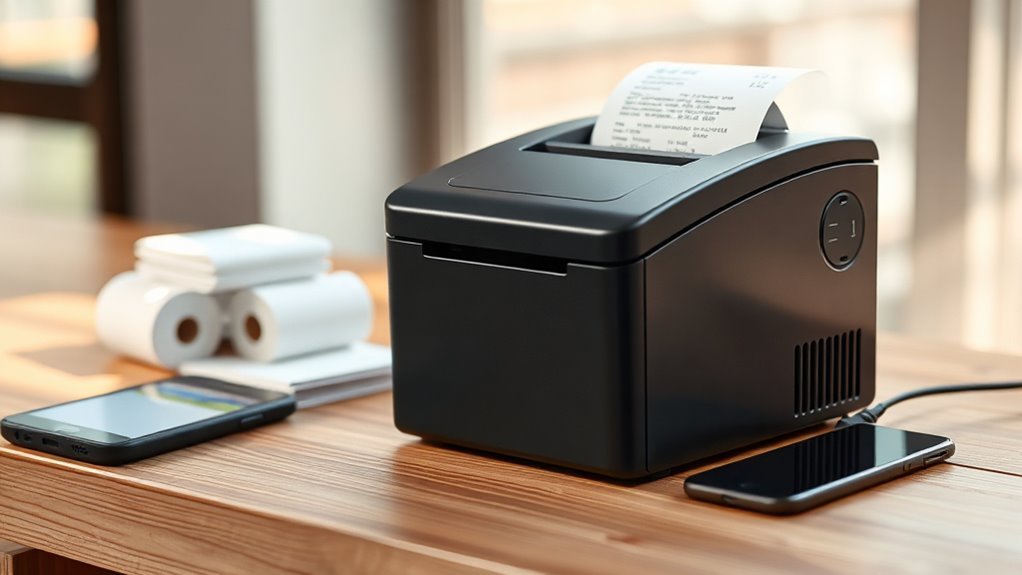
When choosing a budget thermal printer, you’ll want to focus on print quality and speed to meet your needs efficiently. These two factors make a big difference in getting the job done right and on time.
Also, check the connectivity options and device compatibility to guarantee seamless integration with your setup. It’s important that the printer works smoothly with whatever devices you already use.
Don’t forget to take into account supported label sizes and the software or app features that make printing easier. These little extras can really simplify your workflow and save you time.
Print Quality and Speed
Although budget thermal printers often come with standard features, understanding print quality and speed can help you choose one that meets your needs without overspending. Most budget printers offer 203 × 203 dpi resolution, which works well for typical 4×6 shipping labels and barcodes.
If label legibility matters, prioritize resolution over speed since higher dpi and slower printing yield clearer small text and dense barcodes. Print speed usually ranges from 150 to 180 mm/s (about 72 labels per minute), boosting throughput but sometimes slightly softening fine details.
Keep in mind that thermal printing is monochrome, so label stock quality and contrast play a big role in perceived sharpness. For consistent results, pick a printer with a durable print head and avoid low-quality labels that can cause streaks or damage.
Connectivity Options
To get the most out of your budget thermal printer, pay close attention to its connectivity options. You’ll want a printer that supports both wired USB and wireless Bluetooth so you can print easily from desktops, laptops, and mobile devices without extra adapters.
Check if Bluetooth printing uses a dedicated app or standard OS pairing, as this affects convenience. Also, verify USB types—Type-A, micro-USB, or USB-C—and make sure drivers are available for your OS. This is especially important if you use ChromeOS or Linux, which often need native or browser-based support.
Advanced features like auto pop-up driver installers and Bluetooth gap detection can be lifesavers for high-volume tasks. They make your printing workflow smoother and more reliable. So, keep an eye out for these extras—they really help!
Compatibility With Devices
Choosing a budget thermal printer that works seamlessly with your devices means confirming it supports your operating systems and connection methods. Make sure it’s compatible with Windows 7+, macOS, ChromeOS, Linux, iOS, or Android, depending on what you use.
Check connection options like Bluetooth, USB-C/A, or Wi-Fi, and whether mobile printing needs a specific app rather than just standard OS pairing. It’s good to know if Bluetooth or wireless printing accepts PDFs or images directly or if it requires importing through an app that auto-crops or optimizes labels.
Also, guarantee the printer’s workflow suits your platform—some printers need you to save labels as PDFs and import them, while others allow direct printing from apps. Finally, look for easy-to-install, regularly updated drivers or extensions for your system to avoid setup headaches.
Supported Label Sizes
Considering supported label sizes is crucial when picking a budget thermal printer since it guarantees your labels print correctly without wasting materials or time. You’ll want to check the maximum and minimum printable widths—most budget models handle from about 1.38 to 4.4 inches wide, covering small barcodes to standard 4×6-inch shipping labels.
Also, confirm if the printer supports both roll and fanfold formats and can fit different core and roll diameters to match your label supplier’s stock. It’s a good idea to look for printers offering preset standard sizes like 4×6, 4×4, or 2×1 inches, plus custom size options to avoid cropping or scaling problems.
Finally, make certain the firmware or driver can auto-detect or let you manually calibrate label gaps or black marks. This ensures reliable printing across various label heights without any hiccups.
Software and App Features
When you pick a budget thermal printer, its software and app features can make or break your printing experience. First, check if the printer uses a proprietary app for Bluetooth printing. Also, see whether it supports direct PDF import, automatic label area detection, and white-margin removal to streamline your shipping labels.
Look into the app’s template library and editing tools like crop, rotate, barcode generation, and batch printing capabilities for efficient formatting. Confirm the app’s cross-platform support and whether Bluetooth printing requires the app or works at the OS level, as this affects compatibility.
Also, make sure the software includes built-in drivers, gap calibration, and alerts for jams or paper-outs. It’s a good idea to prioritize apps offering tutorials, help, remote support, and frequent updates to guarantee long-term reliability.
Portability and Design
After exploring software and app features, it’s important to focus on portability and design, especially if you plan to use your thermal printer on the go. Look for compact models around 7 x 3 x 2.5 inches and under a pound—they’re easier to carry and fit nicely in bags or on small desks.
If you need mobile use, prioritize printers with built-in batteries or clear battery specs to avoid being tethered to power outlets. Choose a rugged, simple design with rounded edges and minimal moving parts for durability.
Pay attention to media loading—top-loading or clamshell designs that allow quick label changes without tools boost efficiency. Finally, check for USB-C or USB ports and consider whether Bluetooth printing needs specific apps, as wireless-only models might limit your flexibility.
Warranty and Support
Although budget thermal printers offer great value, you’ll want to carefully examine their warranty and support options to avoid costly repairs and downtime. Check the warranty length—usually 1 to 2 years—and confirm it covers key parts like the print head, electronics, and mechanics.
Make sure support channels like phone, email, or live chat are available, with reasonable response times for claims or tech help. It’s also important to verify if consumables, drivers, and firmware updates are free during the warranty period, and whether software compatibility is maintained.
Look for clear return policies and whether repairs require shipping at your cost or local service. Finally, read exclusions and required actions, such as registration or maintenance, to keep your warranty valid and protect your investment.
Frequently Asked Questions
How Long Do Thermal Printer Labels Typically Last Without Fading?
Thermal printer labels typically last 1 to 3 years without fading, depending on exposure to heat, light, and chemicals.
You should store them in a cool, dark place to keep the print clear and durable longer. That way, your labels will stay crisp and easy to read for much longer.
Can Thermal Printers Be Used for Printing Receipts as Well?
Yes, you can use thermal printers to print receipts. They’re designed for fast, clear printing without ink, making them perfect for retail and hospitality.
Just make sure you use compatible thermal paper for the best results. It really helps keep everything looking sharp and professional.
What Maintenance Is Required to Keep a Thermal Printer Working Well?
You’ll need to regularly clean the print head and platen roller. Using quality thermal paper is also important to keep things running smoothly.
Try to avoid exposing your printer to dust and heat. Plus, don’t forget to update the firmware whenever there’s a new version available. This helps your thermal printer stay reliable and efficient.
Are Thermal Printers Compatible With All Operating Systems?
Thermal printers aren’t always compatible with all operating systems, but many support Windows, macOS, and Linux. You’ll want to check the specific model’s drivers and software to make certain it works smoothly with your system.
It’s a good idea to do a quick compatibility check before buying. That way, you avoid any surprises when setting it up.
Do Thermal Printers Require Special Software for Label Design?
Like a painter needs a canvas, you’ll need special software for label design with thermal printers.
Luckily, many come with easy-to-use programs or support popular third-party apps, making your design process smooth and efficient.
Conclusion
Choosing the right budget thermal printer can save you both time and money, especially since 60% of small businesses report improved efficiency after switching to thermal label printers. You’ll want a model that’s reliable, wireless, and fits your shipping needs without breaking the bank.
Whether you pick a KNAON or a MUNBYN, investing in a quality thermal printer now means smoother operations and fewer hassles later. Don’t overlook the power of smart spending!
In the world of budget thermal printers, finding the perfect balance between cost and performance is key. A good thermal printer not only streamlines your shipping process but also helps you save money in the long run. So, when choosing your next thermal printer, focus on reliability, wireless connectivity, and compatibility with your business needs. Smart choices today will lead to better efficiency and savings tomorrow.