14 Best All-In-One Printers for 2027 With Low Ink Usage
If you’re looking for the best all-in-one printers for 2027 that save ink without compromising on print quality, you’ve got some great options.
These printers are perfect for anyone wanting to cut down on ink usage while still getting crisp, clear prints.
Consider the HP DeskJet 2923 if you need something compact and ideal for low-volume tasks.
It’s simple and efficient for everyday printing.
On the other hand, the Canon MegaTank G3270 features refillable ink tanks, offering a long-lasting ink supply that’s perfect for heavier use.
For faster and more versatile home office needs, the HP OfficeJet Pro 8125 or 9015e come with wireless convenience and support Instant Ink to help reduce costs.
These models combine efficiency, eco-friendly design, and smart features.
Keep exploring to find the perfect fit for your printing needs!
| Image | Name | Editor's Rating | Price |
|---|---|---|---|

|
|
||

|
|
||
|
|
||

|
|
||

|
|
HP DeskJet 2923 Color Inkjet Printer | Wireless | All-in-One
- Perfect for basic printing needs – Print everyday color documents like to-do lists, letters, financial documents and recipes
- KEY FEATURES – Color print, copy, scan, and a 60-sheet input tray, plus mobile and wireless printing
- OPTIMIZE PRINT FORMATTING WITH HP AI – Print web pages and emails with precision—no wasted pages or awkward layouts; HP AI easily removes unwanted content, so your...
- ICON LCD – Print your basic documents with ease from the intuitive control panel
- PRINT SPEED – Up to 7.5 ppm black, 5.5 ppm color

The HP DeskJet 2923 is designed to simplify everyday printing tasks at home. It offers reliable printing, scanning, and copying, making it easy to handle documents like letters and colorful recipes without hassle. This all-in-one printer fits well in small spaces thanks to its compact design.
Wireless connectivity helps you print directly from your smartphone or tablet using the HP App. Dual-band Wi-Fi ensures a stable connection, reducing interruptions and saving time. The 60-sheet input tray holds enough paper for routine use, while manual duplex printing lets you save paper, though you’ll need to flip pages yourself.
Maintenance is straightforward with access to HP’s Instant Ink service, which can cut ink costs by up to half during the included six-month trial. The printer is also built with sustainability in mind, using at least 70% recycled plastics, reflecting an eco-conscious approach.
This printer balances everyday functionality with ease of use and environmental responsibility, making it a practical choice for home users with basic color printing needs.
Best for: Home users seeking a compact, affordable all-in-one printer for light color printing, scanning, and copying with wireless convenience.
What We Like:
- Dual-band Wi-Fi and HP App support enable easy mobile printing.
- Six-month Instant Ink trial helps reduce ongoing ink expenses.
- Compact footprint with eco-friendly recycled plastic materials.
- Simple maintenance suited for casual home printing tasks.
Specification:
| Feature | Details |
|---|---|
| Manufacturer | HP |
| Dimensions | Compact size (specifics not provided) |
| Weight | Not specified |
| Material | At least 70% recycled plastics |
| Color Options | Standard HP DeskJet colors |
Canon MegaTank G3270 All-in-One Wireless Color Printer
- Wireless Print/Copy/Scan
- Up to 2 years of ink included (2)
- Print up to 6,000 black & white / 7,700 color pages using a single set of inks! (1)
- Save up to $1,000 on ink (1)
- 1.35” Square LCD display
Experience hassle-free, cost-effective printing with the Canon MegaTank G3270 All-in-One Wireless Color Printer. This printer is designed to save you money and time by providing an incredibly efficient ink system. Its refillable MegaTank holds ink for up to two years, drastically reducing the need for frequent refills.
The printer delivers sharp, vibrant prints at a high resolution of 4800 x 1200 dpi. Wireless connectivity allows you to print effortlessly from smartphones and tablets, making it ideal for modern home or small office setups. Its compact design fits well in limited spaces while supporting multiple paper sizes.
Maintenance is simple and straightforward thanks to the large ink tanks, which minimize interruptions. However, note that this model prints only single-sided pages and offers moderate print speeds, which may not suit very high-volume tasks. The 100-sheet paper tray is sufficient for everyday use but lacks advanced handling features.
With energy-efficient operation, the Canon MegaTank G3270 helps you reduce both costs and environmental impact, making your printing experience more sustainable and convenient.
Best for: Home users and small offices needing wireless, high-quality color printing with long-lasting ink supply and low maintenance.
What We Like:
- Refillable MegaTank system extends ink life up to two years.
- Crisp print quality at 4800 x 1200 dpi for vibrant documents.
- Convenient wireless printing from mobile devices.
- Compact footprint fits easily in small workspaces.
- Energy-efficient design lowers power consumption.
Specification:
| Feature | Details |
|---|---|
| Manufacturer | Canon |
| Dimensions | Compact size (exact dimensions not specified) |
| Weight | Not specified |
| Ink System | Refillable MegaTank |
| Print Resolution | Up to 4800 x 1200 dpi |
| Connectivity | Wireless (smartphones, tablets) |
| Paper Capacity | 100 sheets |
| Printing Mode | Single-sided only |
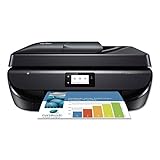
HP OfficeJet 5255 Wireless All-in-One Printer
- Get simple Wi-Fi setup in less than a minute, and start printing fast.
The HP OfficeJet 5255 Wireless All-in-One Printer is designed to simplify your home office tasks with its versatile functionality. It combines printing, scanning, copying, and faxing into one compact device, saving space without sacrificing performance.
This printer helps reduce your workload with fast print speeds—20 ppm in black and 17 ppm in color—and an automatic 35-page document feeder. Duplex printing further cuts down on paper use and saves you time on double-sided projects. The device’s sharp 4800 dpi resolution ensures clear, crisp prints for professional-looking documents.
Maintenance is straightforward thanks to compatibility with HP 63 ink cartridges, keeping running costs manageable. Wireless connectivity options, including Wi-Fi and Bluetooth, plus integration with Amazon Alexa, allow you to print from multiple devices easily, enhancing your workflow flexibility.
With a 100-sheet paper capacity, it suits moderate daily printing needs. While ink options are limited to HP 63 cartridges, the printer’s reliability and smart features make it a practical choice for busy homes.
Best for: Home office users needing a reliable, wireless all-in-one printer with smart device compatibility and efficient document handling.
What We Like:
- Fast print speeds with automatic duplex printing and 35-page ADF
- High-resolution output (4800 dpi) for sharp, vibrant prints
- Wireless connectivity including Wi-Fi, Bluetooth, and Alexa integration
- Compact design fits well in small workspaces
- Compatible with HP 63 cartridges and Instant Ink for cost savings
Specification:
| Feature | Details |
|---|---|
| Manufacturer | HP |
| Dimensions (W x D x H) | Approx. 17.3 x 14.5 x 7.9 in (44 x 37 x 20 cm) |
| Weight | 14.4 lb (6.53 kg) |
| Color Options | White with gray accents |
| Print Speed (Black) | Up to 20 pages per minute |
| Print Speed (Color) | Up to 17 pages per minute |
| Print Resolution | Up to 4800 dpi |
| Paper Capacity | 100 sheets |
| Connectivity | Wi-Fi, Bluetooth, Alexa |
HP OfficeJet Pro 8125 Wireless All-in-One Printer
- FROM AMERICA'S MOST TRUSTED PRINTER BRAND – The OfficeJet Pro 8125 is perfect for home offices printing professional-quality color documents like business documents...
- 3 MONTH TRIAL OF INSTANT INK INCLUDED – Subscribe to the Instant Ink delivery service to get ink delivered directly to your door before you run out, and you save up to...
- KEY FEATURES – Fast color printing, scan, copy, auto 2-sided printing, auto document feeder, and a 225-sheet input tray
- 2.7-INCH TOUCHSCREEN – Quickly navigate your printer with a large color touchscreen and a phone-like user interface
- WIRELESS PRINTING – Stay connected with our most reliable dual-band Wi-Fi, which automatically detects and resolves connection issues
Experience hassle-free printing with the HP OfficeJet Pro 8125 Wireless All-in-One Printer, a smart solution tailored for home and small office needs. This printer boosts your workflow with fast print speeds, delivering up to 20 pages per minute in black and 10 in color. Its high-resolution output ensures your documents and images come out crisp and professional every time.
Designed to handle multiple tasks, it prints, scans, copies, and faxes with ease. The built-in duplex printing saves paper automatically, while the auto document feeder speeds up batch scanning or copying. Wireless connectivity options, including dual-band Wi-Fi and AirPrint, let you print directly from your smartphone or tablet without complicated setups.
Maintenance is simplified with HP’s Instant Ink trial, reducing your ink expenses while keeping your printer ready to perform. The eco-conscious design uses recycled plastics, supporting sustainability without compromising durability. However, it only supports single-sided scanning through the feeder and requires original HP cartridges with embedded chips for operation.
Best for: Home users and small offices needing a reliable, versatile all-in-one printer with wireless convenience and fast, quality output.
What We Like:
- Quick printing speeds with sharp 4800 x 1200 dpi resolution
- Easy wireless setup via dual-band Wi-Fi and AirPrint
- Eco-friendly build with over 45% recycled plastic content
- User-friendly 2.7-inch color touchscreen for smooth operation
- Cost-effective ink management through HP Instant Ink trial
Specification:
| Feature | Details |
|---|---|
| Manufacturer | HP |
| Dimensions | Approx. 17.3 x 15.4 x 9.7 in (44 x 39 x 25 cm) |
| Weight | Approx. 18.4 lb (8.35 kg) |
| Color Options | Black and white |
| Connectivity | Dual-band Wi-Fi, AirPrint |
| Display | 2.7-inch color touchscreen |
HP Envy 6155 Wireless All-in-One Inkjet Printer
- FROM AMERICA'S MOST TRUSTED PRINTER BRAND – The Envy 6155 is perfect for homes printing everyday high-quality color documents like homework and borderless photos. Print...
- 3 MONTH TRIAL OF INSTANT INK – Subscribe to the Instant Ink delivery service to get ink delivered directly to your door before you run out, and you save up to 50% on...
- KEY FEATURES – Color print, copy and scan, plus auto 2-sided printing and a 100-sheet input tray
- HP'S MOST INTUITIVE COLOR TOUCHSCREEN – Smoothly navigate your printer with the easy-to-use 2.4" touchscreen
- WIRELESS PRINTING – Stay connected with our most reliable dual-band Wi-Fi, which automatically detects and resolves connection issues
Experience hassle-free printing with the HP Envy 6155 Wireless All-in-One Inkjet Printer. Designed to meet everyday home needs, it delivers sharp color prints, clear scans, and quick copies with ease. This printer helps you save time and effort by handling multiple tasks in one compact device.
Its auto duplex printing reduces paper waste and speeds up your workflow. The 100-sheet tray lets you print large jobs without constant refilling. Control is intuitive through a bright 2.4-inch color touchscreen or the HP App, making it simple to manage prints from your smartphone.
Maintenance is straightforward thanks to HP’s AI technology, which optimizes ink use and paper layout to reduce costs. The included 3-month Instant Ink trial ensures you won’t run out of ink unexpectedly. Plus, its eco-friendly design uses 60% recycled plastic, blending sustainability with performance.
Though its print speeds peak at 10 ppm in black, it suits typical home use rather than heavy workloads. Keep in mind, it requires original HP cartridges with chips, limiting third-party options and firmware updates may enforce this compatibility.
Best for: Home users wanting reliable, high-quality color printing, scanning, and copying for daily documents and photos.
What We Like:
- Auto duplex printing and large 100-sheet tray streamline tasks
- Easy smartphone control via 2.4-inch touchscreen and HP App
- Ink-saving AI technology and 3-month Instant Ink trial included
- Eco-friendly design with 60% recycled plastic
Specification:
| Feature | Details |
|---|---|
| Manufacturer | HP |
| Dimensions | Approx. 17.3 x 14.5 x 5.9 in |
| Weight | Around 13.5 lbs |
| Material | Plastic (60% recycled content) |
| Color Options | Portobello |
HP OfficeJet Pro 8135 Wireless All-in-One Printer

- FROM AMERICA'S MOST TRUSTED PRINTER BRAND – The OfficeJet Pro 8135 is perfect for home offices printing professional-quality color documents like business documents...
- 3 MONTH TRIAL OF INSTANT INK INCLUDED – Subscribe to the Instant Ink delivery service to get ink delivered directly to your door before you run out, and you save up to...
- KEY FEATURES – Fast color printing, scan, copy, fax, auto 2-sided printing, auto document feeder, and a 225-sheet input tray
- 2.7-INCH TOUCHSCREEN – Quickly navigate your printer with a large color touchscreen and a phone-like user interface
- WIRELESS PRINTING – Stay connected with our most reliable dual-band Wi-Fi, which automatically detects and resolves connection issues
The HP OfficeJet Pro 8135 Wireless All-in-One Printer is designed to simplify your home or small office tasks. It handles printing, scanning, copying, and faxing efficiently, saving you valuable time. With print speeds up to 20 pages per minute for black and 10 for color, it keeps up with your busy workflow.
This printer offers flexible connectivity options, including wireless and wired connections. The HP Smart app lets you manage printing from your mobile device, adding convenience. Automatic two-sided printing reduces paper use, supporting more eco-friendly office habits.
Maintenance is straightforward, but note that the auto document feeder only scans one side at a time. The printer uses cartridges authenticated by firmware, limiting third-party ink options. Still, its use of over 45% recycled plastic in construction reflects a commitment to sustainability.
Overall, the HP OfficeJet Pro 8135 balances performance and environmental responsibility. It is ideal for those who need a reliable all-in-one printer that fits small office needs without complexity.
Best for: Small office and home office users seeking an affordable, versatile all-in-one printer with wireless capability and eco-friendly design.
What We Like:
- Fast print speeds with sharp, high-resolution output.
- Wireless and wired connectivity plus mobile printing via HP Smart app.
- Automatic two-sided printing for efficient paper use.
- Constructed with over 45% recycled plastic for sustainability.
- Simple maintenance with easy-to-use controls.
Specification:
| Feature | Details |
|---|---|
| Manufacturer | HP |
| Model | OfficeJet Pro 8135 |
| Dimensions (W×D×H) | 17.3 × 14.5 × 9.8 inches |
| Weight | 18.7 lbs (8.5 kg) |
| Connectivity | Wireless, Wired (Ethernet) |
| Print Speed | Up to 20 ppm (black), 10 ppm (color) |
| Paper Handling | Automatic two-sided printing, Auto document feeder (one-sided scan) |
| Material | Over 45% recycled plastic |
HP OfficeJet Pro 9015 Wireless All-in-One Printer

The HP OfficeJet Pro 9015 Wireless All-in-One Printer is designed to streamline your home office tasks. It combines printing, scanning, copying, and faxing into one compact device. This printer helps reduce clutter and saves time, making your workflow smoother and more efficient.
With fast print speeds of up to 22 pages per minute in black and 18 in color, it handles daily jobs without delay. The automatic duplex feature cuts paper use in half by printing on both sides. Plus, its sharp resolution ensures professional quality for documents and images.
Connecting is simple with Wi-Fi, Bluetooth, and Ethernet options. The 250-sheet tray accommodates various paper sizes, minimizing frequent refills. The intuitive touchscreen and smartphone app control add convenience, allowing you to manage tasks remotely.
Maintenance is straightforward, with features like Instant Ink compatibility that help keep ink costs low. While the printer supports media sizes up to 8.5 x 14 inches, it may not fit larger format needs. Its moderate weight requires a stable spot in your workspace.
Best for: Small home offices or individuals needing a versatile, fast, and reliable wireless all-in-one printer with smart features.
What We Like:
- Fast print speeds with high-resolution output for crisp documents.
- Automatic two-sided printing saves paper and time.
- Multiple connectivity options including Wi-Fi and app control.
- Large input tray reduces interruptions during busy printing.
- Instant Ink compatibility lowers ink replacement hassle.
Specification:
| Feature | Details |
|---|---|
| Manufacturer | HP |
| Dimensions (W×D×H) | Approx. 17.3 × 14.5 × 10.2 inches |
| Weight | About 20.4 lb |
| Color Options | Black |
| Max Print Resolution | Up to 4800 × 1200 dpi |
| Max Media Size | 8.5 × 14 inches |
| Connectivity | Wi-Fi, Bluetooth, Ethernet, USB 2.0 |
HP OfficeJet Pro 6978 Wireless All-in-One Printer

- Main functions of this HP color inkjet photo printer: copy, scan, fax, wireless printing, two-sided duplex printing and scanning, color touchscreen, automatic document...
- Easily print when and where you need to from your smartphone, tablet, or notebook PC. Get convenient mobile printing options and mobile setup. Connect the way you want to...
- Built for business. Produce fast professional-quality color for 50% less than lasers, save paper, and handle more tasks without slowing down
- HP Office Jet Pro 6978 is ideal for the home office or small workgroups that need professional-quality, affordable color with powerful productivity and fast functionality
- Save up to 50% on ink with HP Instant Ink: ordered by your printer and delivered to your door before you run out (optional subscription required). Use Original HP 902, HP...
The HP OfficeJet Pro 6978 Wireless All-in-One Printer is designed to streamline your home office or small business tasks. It combines printing, copying, scanning, and faxing in one compact device, saving space and simplifying workflows. Its automatic duplexing lets you print double-sided documents effortlessly, reducing paper use.
This printer supports wireless and mobile printing, so you can easily send documents from smartphones or tablets without needing a network. The color touchscreen and voice control add convenience, making operation intuitive and hands-free. These features help you stay productive with minimal setup and maintenance.
Expect professional-quality color prints that cost up to 50% less per page compared to laser printers, especially when using the Instant Ink subscription. The 225-sheet paper tray accommodates various paper types and sizes, though it may require frequent refilling in busier environments.
While print speeds are moderate, this model suits small workgroups and home offices prioritizing quality and flexibility over high volume. Its design balances usability and functionality for everyday business needs.
Best for: Small business owners and home office users who need a versatile, affordable all-in-one printer with professional color quality and flexible connectivity.
What We Like:
- Professional-quality color printing with lower cost per page using Instant Ink
- Automatic two-sided printing and scanning with an automatic document feeder
- Multiple connectivity options including wireless, Ethernet, USB, and voice control
- User-friendly color touchscreen and mobile printing support
Specification:
| Feature | Details |
|---|---|
| Manufacturer | HP |
| Dimensions (W×D×H) | Approximately 17.3 × 14.5 × 9.7 inches |
| Weight | About 17.5 lbs (7.9 kg) |
| Paper Capacity | 225 sheets |
| Connectivity | Wireless, Ethernet, USB, Mobile Printing, Voice Control |
HP OfficeJet 8040 Wireless All-in-One Printer (F5A16A)

- Main functions of this HP color inkjet photo printer: copy, scan, fax, wireless printing, AirPrint, two-sided duplex printing, color touchscreen, Instant Ink ready so...
- Mobile printing: print from anywhere using your smartphone or tablet with the free HP ePrint app, easily print from your iPhone with AirPrint, print even without a...
- Laser quality text and brilliant color for all your documents and projects
- Scan and send digital files directly to email
- Choose an ink replenishment service - Let your printer track usage and have ink delivered before you run out. Either reorder Original HP 62 ink cartridges only when you...
Experience hassle-free wireless printing with the HP OfficeJet 8040 Wireless All-in-One Printer. This versatile device is designed to simplify your office tasks by combining printing, scanning, copying, and faxing in one compact unit. It delivers sharp text and vibrant colors, helping you produce professional-quality documents without the complexity.
The printer’s automatic two-sided printing and 25-page automatic document feeder boost efficiency, allowing you to handle multi-page tasks with ease. Connectivity options like Wi-Fi, Ethernet, and USB, along with mobile printing support via HP ePrint and Apple AirPrint, make it easy to print from almost any device. This flexibility reduces workflow interruptions and keeps your projects moving smoothly.
Maintenance is straightforward with HP Instant Ink options, helping you manage ink costs effectively while ensuring you never run out during critical jobs. The intuitive 3.5-inch touchscreen and Neat cloud integration streamline navigation and document organization, saving you time.
While the print speed is moderate and the paper capacity is limited, the OfficeJet 8040 is ideal for small offices or home users who value versatile features and wireless convenience in one package.
Best for: Small offices and home users needing an all-in-one wireless printer with versatile functions and efficient ink management.
What We Like:
- Combines print, scan, copy, and fax in one wireless device
- Automatic two-sided printing and 25-page document feeder enhance productivity
- Multiple connectivity options including Wi-Fi, Ethernet, USB, and mobile printing
- HP Instant Ink support reduces ink management hassle
- User-friendly 3.5″ touchscreen with Neat cloud integration
Specification:
| Feature | Details |
|---|---|
| Manufacturer | HP |
| Model | OfficeJet 8040 (F5A16A) |
| Dimensions (inches) | Approx. 17.3 x 15.2 x 8.7 |
| Weight (lb) | Approx. 17.4 |
| Color Options | Black |
| Connectivity | Wi-Fi, Ethernet, USB |
| Display | 3.5-inch touchscreen |
| Automatic Document Feeder | 25 sheets |
| Print Speed | Up to 9 ppm black, 4 ppm color |
HP OfficeJet 5740 Wireless All-in-One Printer

- Main functions of this HP color inkjet photo printer: copy, scan, fax, wireless printing, AirPrint, two-sided duplex printing, color touchscreen, Instant Ink ready so...
- Mobile printing: print from anywhere using your smartphone or tablet with the free HP ePrint app, easily print from your iPhone or iPad with AirPrint, print even without...
- Scan to email: Scan and send digital files directly to email. HP Printables: Your printer delivers fun activities, news, savings and more—for free
- Laser quality text and brilliant color for all your documents and projects
- Choose an ink replenishment service - Let your printer track usage and have ink delivered before you run out. Either reorder Original HP 62 ink cartridges only when you...
The HP OfficeJet 5740 Wireless All-in-One Printer offers a practical solution for managing your printing, scanning, copying, and faxing needs in one compact device. Its wireless capabilities simplify connecting multiple devices, allowing you to print effortlessly from smartphones or laptops. This eliminates the hassle of cables and makes it easy to operate from anywhere in your home or office.
With automatic duplex printing and a 20-page auto document feeder, the printer speeds up handling multi-page documents. This reduces manual work and saves time during busy tasks. The sharp color inkjet output ensures your documents and photos look vibrant and professional, improving the quality of your printouts without extra effort.
Maintenance is straightforward thanks to compatibility with HP Instant Ink and Amazon Dash Replenishment. These services help you avoid running out of ink by automatically ordering supplies when needed, keeping your workflow smooth and reducing unexpected interruptions. The device’s design balances functionality with ease of use, fitting well in small spaces.
While the color copy speed is moderate, and paper capacity is limited to 125 sheets, the printer meets the needs of users who prioritize convenience and versatile wireless printing. It’s a reliable choice for everyday printing tasks with efficient ink management.
Best for: individuals or small offices needing an affordable, versatile all-in-one printer with wireless connectivity and simple maintenance.
What We Like:
- Multiple wireless printing options including Wi-Fi, AirPrint, HP ePrint, and NFC touch-to-print
- Automatic duplexing and 20-page auto document feeder for efficient multitasking
- Supports HP Instant Ink and Amazon Dash Replenishment for hassle-free ink management
Specification:
| Feature | Details |
|---|---|
| Manufacturer | HP |
| Dimensions (W x D x H) | Approx. 17.3 x 14.2 x 7.7 in |
| Weight | Approx. 15.4 lb (7 kg) |
| Color Options | Black |
HP OfficeJet 3833 All-in-One Printer (K7V37A)
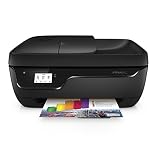
- Main functions of this HP color inkjet photo printer: copy, scan, fax, wireless printing, AirPrint, touchscreen, Instant Ink ready so you'll never run out of ink, and...
- The power of your printer in the palm of your hand: The HP Smart app allows you to easily set up your printer, scan from your smartphone, order toner, and print from the...
- Ink delivered to your home: get your first 2 months free when you enroll in HP Instant Ink (optional) during printer set up; plans starting at $0.99 per month after the...
- Print laser-quality documents and lab-quality photos from your smartphone or tablet
- Optional quiet mode helps keep noise to a minimum
The HP OfficeJet 3833 All-in-One Printer offers a seamless way to manage your printing, scanning, copying, and faxing needs. Its wireless capabilities and compatibility with Apple AirPrint and cloud services like Google Drive simplify document handling from almost any device. This makes it ideal for busy home offices or small businesses looking to stay productive without hassle.
With a 35-page automatic document feeder, you can quickly process multi-page documents, saving time on manual input. The printer delivers sharp color prints at up to 1200 dpi, ensuring your photos and presentations look professional. Black-and-white documents print at a fast speed of 20 pages per minute, helping you complete tasks efficiently.
Maintenance is straightforward thanks to the Instant Ink ready feature, which helps reduce ink expenses by automatically ordering replacements before you run out. The intuitive touchscreen and voice control options make operating the printer simple, even for those less familiar with technology.
While its single paper tray holds up to 250 sheets, it might require frequent refills in high-volume settings. Additionally, color print speed is slower, which could impact workflows needing extensive color printing. Despite these limitations, it remains a reliable choice for everyday office needs.
Best for: Small offices and home users seeking an affordable, versatile all-in-one printer with wireless convenience and quality color output.
What We Like:
- Multifunction device handling print, scan, copy, and fax tasks efficiently
- Wireless printing with AirPrint and cloud service integration
- Automatic document feeder speeds up handling of multi-page documents
- Instant Ink ready reduces ink replacement hassles and costs
- Easy-to-use touchscreen and voice control features
Specification:
| Feature | Details |
|---|---|
| Manufacturer | HP |
| Dimensions (W×D×H) | 17.2 × 14.4 × 7.5 inches |
| Weight | Approx. 11.7 lbs (5.3 kg) |
| Color Options | White with black accents |
| Print Resolution | Up to 1200 dpi (color) |
| Paper Tray Capacity | 250 sheets |
| Automatic Document Feeder | 35 pages |
HP OfficeJet Pro 8034e Wireless All-in-One Printer

- Fast color print, copy, scan, fax, 2-sided prints, mobile/wireless printing
- Pro quality color for forms, reports, brochures and presentations
- Includes 1 full year subscription for Instant Ink delivery service with HP+ activation.
- HP+ requires HP account, internet, works only with original HP ink
- Dynamic security enabled printer
The HP OfficeJet Pro 8034e Wireless All-in-One Printer offers a seamless way to manage your printing, scanning, copying, and faxing tasks from a single device. Its automatic two-sided printing helps save paper and reduces manual effort, making it ideal for busy home offices or small businesses. You can easily connect via Wi-Fi or Ethernet, ensuring reliable wireless operation without complicated setups.
This printer supports high-quality color prints with a resolution up to 4800 x 1200 dpi, delivering sharp and vibrant results. Although color printing is slower, black-and-white documents print quickly at up to 20 pages per minute. The intuitive touchscreen and mobile app control add convenience, allowing you to operate the printer remotely or on the go.
Maintenance is simplified with support for HP’s Instant Ink subscription, which helps keep ink costs low and avoids unexpected cartridge changes. However, activation of HP+ and use of original HP ink are required to access these features. The single paper tray holds 225 sheets, which suits moderate printing volumes without frequent refills.
Best for: individuals or small office users who need a reliable, versatile all-in-one printer with wireless connectivity and efficient duplex printing.
What We Like:
- Supports automatic two-sided printing to save paper
- High-resolution color printing up to 4800 x 1200 dpi
- Multiple control options: touchscreen, app, and Android compatibility
- Reliable Wi-Fi and Ethernet connectivity
- Compatible with HP Instant Ink subscription for convenient maintenance
Specification:
| Feature | Details |
|---|---|
| Manufacturer | HP |
| Dimensions (W×D×H) | Approx. 17.23 × 14.1 × 9.78 in |
| Weight | Around 14.6 lb (6.62 kg) |
| Color Options | Black |
| Connectivity | Wi-Fi, Ethernet |
| Paper Tray Capacity | 225 sheets |
| Print Speed (Black) | Up to 20 ppm |
| Print Speed (Color) | Up to 5 ppm |
HP OfficeJet Pro 6975 Wireless All-in-One Printer

- Two great ways to print: Choose between the HP OfficeJet Pro 6975 and the HP OfficeJet Pro 6978 for all the same great features that help you set the pace for success
- Remarkable value for in-office color: Manage your budget with professional-quality color at up to 50% less cost per page than lasers
- Ink delivered to your home: get your first 2 months free when you enroll in HP Instant Ink (optional) during printer set up; plans starting at $0.99 per month after the...
- Supercharge productivity: This HP all-in-one printer helps you handle more tasks without slowing down with print, copy, scan, and fax capabilities, borderless printing...
- Print and scan remotely with the HP Smart app: Access your printer and scanner, monitor ink levels, and print, copy, and scan on the go with our highly-rated HP Smart app
Experience efficient multitasking with the HP OfficeJet Pro 6975 Wireless All-in-One Printer, designed to streamline your small business or home office tasks. This device combines printing, scanning, copying, and faxing in a compact unit, helping you save space and time.
Its automatic duplex printing and 35-sheet automatic document feeder reduce manual handling and speed up workflow. With sharp print quality up to 1200 x 1200 dpi in color and speeds reaching 20 pages per minute in black, your documents maintain a professional appearance.
Connectivity is versatile, offering Wi-Fi, Ethernet, and USB options, plus control via the intuitive color touchscreen or the HP Smart app. This flexibility supports various work environments and remote printing needs. Maintenance is straightforward, especially with HP’s Instant Ink program, which helps manage ink costs efficiently.
While the paper tray holds up to 250 sheets, it may require frequent refills during heavy printing days. Copy tasks are optimized for short runs, making this printer ideal for moderate use rather than large batch copying.
Best for: Small businesses and home offices needing a reliable all-in-one printer with fast duplex capabilities and versatile connectivity.
What We Like:
- Efficient automatic duplex printing with a 35-sheet document feeder
- High-quality color printing at 1200 x 1200 dpi resolution
- Multiple connection options including wireless and Ethernet
- Easy management through HP Smart app and Instant Ink compatibility
Specification:
| Feature | Details |
|---|---|
| Manufacturer | HP |
| Dimensions (W x D x H) | 17.1 x 15.6 x 9.7 inches (43.4 x 39.6 x 24.6 cm) |
| Weight | 18.7 lb (8.5 kg) |
| Color Options | White with black accents |
HP Smart Tank 5003 Ink Tank Printer | 3 Years of Ink Included | All-in-One

- THE LAST PRINTER YOU'LL EVER NEED – Set it up once and print with confidence; no complicated maintenance, just easy, reliable printing you can count on
- FULLY LOADED WITH SAVINGS – Best for low-cost, high-volume printing—up to 3 years of HP Ink included; get up to 6,000 color or black pages right out of the box
- KEY FEATURES – Print, copy and scan, plus borderless prints, mobile and wireless printing
- MESS-FREE REFILL – Replenish ink with HP's easy-access, mess-free refill system; simply plug the ink bottles into this cartridge-free ink tank and let them drain—no...
- BEST PRINT QUALITY, PERIOD – Sharper text, richer colors, only with HP Smart Tank
The HP Smart Tank 5003 Ink Tank Printer is designed for those who want to save on ink expenses without compromising print quality. It comes with up to 3 years of ink included, enabling you to print as many as 6,000 pages straight away. This makes it ideal for high-volume printing needs.
This all-in-one printer combines printing, copying, and scanning functions in one compact device. It delivers sharp, colorful prints with borderless options, enhancing your documents and photos. Wireless and mobile printing capabilities add convenience for modern workflows.
Its cartridge-free ink tank system simplifies maintenance. Refilling ink is straightforward and mess-free—just insert the bottle and let gravity fill the tanks. This reduces downtime and keeps your workspace clean.
While the printer is slightly larger due to integrated ink tanks, it offers long-term cost savings and less frequent refills. New users may need some time to get used to the ink tank system, but it’s well suited for those with steady, medium to high print volumes.
Best for: Users needing an efficient, low-maintenance all-in-one printer that supports high-volume printing and reduces ongoing ink costs.
What We Like:
- Up to 3 years of ink included, supporting large print volumes
- Cartridge-free ink tanks enable simple, mess-free refills
- Supports sharp, borderless prints with wireless and mobile connectivity
Specification:
| Feature | Details |
|---|---|
| Manufacturer | HP |
| Dimensions | Approx. 17.2 x 14.7 x 9.5 in (43.7 x 37.3 x 24.1 cm) |
| Weight | Approx. 9.6 lb (4.35 kg) |
| Color Options | Black |
| Ink System | Cartridge-free ink tank |
Factors to Consider When Choosing an All in One Printer on Ink Usage
When choosing an all-in-one printer, you’ll want to focus on ink efficiency and how many pages each cartridge yields.
Consider whether an ink tank system or traditional cartridges suit your printing needs better, especially regarding refill and replacement costs.
Don’t forget to check if instant ink subscriptions are available—they can save you money and hassle over time.
Ink Efficiency Metrics
Since ink costs can quickly add up, understanding ink efficiency metrics is essential when choosing an all-in-one printer. Start by looking at pages-per-cartridge, which shows how many pages a cartridge can print under standard conditions.
Then, check cost-per-page—it’s a better indicator of ongoing expenses than just cartridge price. Remember, yields are based on 5% ink coverage, so if you print photos or graphics, expect your cartridges to run out faster.
Also, consider the printer’s duty cycle and monthly page volume to make certain it matches your printing needs. This helps you avoid frequent refills and maintenance.
Finally, pay attention to the ink delivery system: individual cartridges minimize color waste, while refillable tanks usually offer lower cost-per-page and less frequent replacements.
Cartridge Yield Comparison
Although cartridge yield is often listed as an estimated page count based on standard coverage, you should look beyond the numbers to understand how they apply to your printing habits. Manufacturers base yields on about 5% coverage per page, which means your actual yield varies if you print images or use high-density colors.
High-yield or XL cartridges offer 2 to 4 times more pages than standard ones, lowering your cost per page by spreading fixed costs over more prints. If your printer uses separate color cartridges, you can replace only the depleted color, saving ink compared to tri-color combos.
To compare real-world costs, calculate cost per page by dividing cartridge price by its claimed yield, then adjust for your typical coverage to get an accurate estimate of ink expenses. This way, you get a clearer picture of what you’re really paying for.
Ink Tank Vs Cartridges
Choosing between an ink-tank system and a cartridge-based printer really comes down to how you plan to use your all-in-one device and your budget for ink. Ink-tank printers use refillable reservoirs with affordable bottled ink. They offer thousands of pages per refill and a much lower cost per page—perfect if you print frequently.
Cartridge printers, on the other hand, use sealed cartridges that are easy to swap but cost more per page and yield fewer prints, especially in color. If you print only occasionally, cartridges might suit you better because they have lower upfront costs and simpler maintenance.
That said, cartridges can dry out or clog faster if you don’t use them often, while ink tanks resist drying out if you keep them capped properly. Also, cartridge printers may block third-party inks, which can push your expenses up over time. So, it’s worth thinking about how often you print before choosing!
Instant Ink Subscription Benefits
When managing ink usage for your all-in-one printer, an Instant Ink subscription can simplify the process by automatically delivering replacement cartridges based on your monthly page allotment. This prevents unexpected out-of-ink interruptions and keeps you printing smoothly.
Plans usually charge by the number of pages, not ink volume, letting you choose tiers that match your printing habits, from low to high usage. Subscriptions often include free shipping and cartridge recycling, which saves you time and helps the environment.
Plus, these plans can lower your per-page ink cost by up to half compared to buying cartridges retail. Just keep an eye on your monthly printing to avoid overage fees or auto-upgrades, ensuring you pick the best plan for your needs without surprises.
Refill and Replacement Costs
To figure out the true cost of owning an all-in-one printer, you need to investigate refill and replacement expenses. Refillable ink-tank systems typically offer a much lower cost per page since bulk ink bottles print thousands of pages, cutting ongoing expenses.
In contrast, standard cartridges demand more frequent replacement and cost more per page, especially for color prints. Subscription ink services can lower costs if your printing matches their tiers but may become pricey if you print infrequently.
Always compare unit price and page yield to calculate realistic per-page costs based on your black and color mix. Don’t forget to factor in incidental costs, like printhead replacements and firmware restrictions, which can drive up long-term ink expenses beyond just refills.
Print Quality Impact
Understanding how print quality affects ink usage can help you make smarter choices with your all-in-one printer. Higher resolution settings like 4800 x 1200 dpi or photo-quality modes use markedly more ink than draft or standard text modes. This often multiplies ink consumption per page.
Color-heavy prints, especially photos, draw on cyan, magenta, yellow, and black inks. They use much more than black-and-white text. Borderless or saturated prints also increase ink use due to wider coverage.
Frequent automatic cleaning cycles consume ink over time. This can add up to several pages monthly. To save ink, try duplex printing, grayscale, draft mode, or printing multiple pages per sheet.
These options lower ink coverage and improve efficiency without sacrificing essential print quality. So, you get the best balance between quality and ink savings.
Printer Compatibility Issues
Ink usage depends not only on print quality settings but also on how well your printer works with its cartridges and ink supplies. Many printers use proprietary cartridges or chips that authenticate ink, so non‑OEM or refilled cartridges might trigger error messages or get blocked, wasting ink.
Refillable ink‑tank systems require matching ink types and nozzle compatibility; using the wrong ink can clog printheads and increase cleaning cycles. Firmware updates may disable previously compatible third-party cartridges, forcing you to buy authenticated supplies.
Additionally, printer drivers and firmware can change default print modes or trigger extra cleaning, raising ink consumption. Physical differences between cartridge models or regions also affect estimated yields and cause premature replacement alerts.
Choosing a printer with broad compatibility helps you avoid wasted ink and unexpected expenses. It’s definitely worth considering if you want to save money and hassle in the long run.
Environmental Ink Considerations
When selecting an all-in-one printer, considering environmental impact can help you save money and reduce waste. Choose refillable ink-tank or high-yield cartridge systems since they offer thousands of pages per refill and notably cut single-use plastic waste.
Don’t just focus on cartridge size; check ink efficiency and estimated page yield because some cartridges waste ink on maintenance tasks. It’s worth paying attention to how much ink actually goes into your prints versus what’s used up behind the scenes.
Pick printers certified for high recycled content and recyclability to minimize virgin plastic use and guarantee materials get recycled, not landfilled. Also, look for models supporting official take-back or recycling programs—this makes it easier to dispose of cartridges responsibly.
Another tip: choose ink bottles with airtight caps to reduce spills and solvent waste. If you use subscription plans, confirm they prevent over-ordering and packaging waste; otherwise, bulk-buying high-yield ink and storing it properly is more eco-friendly.
Frequently Asked Questions
How Do All-In-One Printers Connect to Mobile Devices?
You connect all-in-one printers to mobile devices via Wi-Fi, Bluetooth, or USB. Most models support apps and AirPrint, letting you print, scan, or copy directly from your phone or tablet without hassle or cables.
It’s pretty convenient, right? Just pick the connection that works best for you and you’re good to go!
Can These Printers Scan and Fax Documents?
Imagine your printer as a Swiss Army knife—it scans and faxes documents just like it prints.
You’ll find many all-in-ones handle scanning and faxing seamlessly, making your workflow smooth and efficient every day.
It’s pretty handy, right? Having one device that does it all saves you time and desk space.
What Is the Average Print Speed for These Models?
You’ll find these printers average around 10 to 20 pages per minute for black-and-white prints and slightly slower for color.
They balance speed well, ensuring quick output without sacrificing ink efficiency or print quality.
Are Replacement Ink Cartridges Compatible Across Different Models?
You can’t usually use replacement ink cartridges across different models because manufacturers design them specifically.
Always check compatibility before buying, or you might end up with cartridges that don’t fit or work properly in your printer.
Do These Printers Support Duplex (Double-Sided) Printing?
Yes, most of these printers support duplex printing, letting you save paper and time.
You’ll find this feature in their settings, so you can easily print double-sided documents without manually flipping pages.
Conclusion
Choosing the right all-in-one printer is like finding the perfect dance partner—smooth, efficient, and in sync with your needs. Don’t let high ink usage trip you up; instead, glide through your tasks with printers designed to save ink and money.
With these top picks, you’ll print smarter, not harder, turning every page into a masterpiece without draining your wallet. So, take the leap and let your printing flow effortlessly into 2027!
When selecting a printer, focus on features like low ink consumption, fast printing speeds, and reliable multifunction capabilities. These all-in-one printers combine convenience with cost-effectiveness, making them ideal for home offices, students, or small businesses.
By choosing a printer with low ink usage, you reduce waste and save money over time. Plus, these models often offer high-quality prints for documents and photos alike.
In 2027, smart printing means balancing performance with economy. Pick a printer from this list of the best all-in-one printers, and enjoy seamless printing, scanning, copying, and faxing—all while keeping ink costs low and your workflow smooth.