5 Best Budget Printers Overall: Canon Pixma TR4520 in 2027
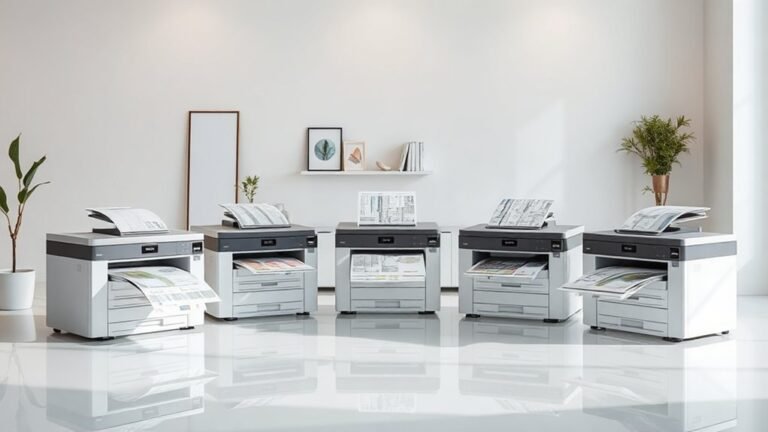
If you want a budget-friendly printer that handles print, scan, copy, and fax with ease, the Canon Pixma TR4520 is a solid choice in 2027. This all-in-one printer offers wireless connectivity and automatic duplexing, making your printing tasks smoother and more efficient. Plus, its 100-sheet tray is perfect for everyday home use without constant refills.
With support for XL cartridges, you get more pages at a lower cost, which is great for anyone watching their budget. The Canon Pixma TR4520 is compact and reliable, fitting comfortably into small spaces without sacrificing performance. Keep exploring to see why it leads the pack for affordable all-in-one printers.
| Image | Name | Editor's Rating | Price |
|---|---|---|---|

|
|
||

|
|
||

|
|
||

|
|
||

|
|
Canon PIXMA TR4720 Wireless All-in-One Printer
- Product 1: PRINT, COPY, SCAN, FAX: The PIXMA TR4720 is a true 4-in-1 printer that is compact, versatile and easy-to-use..In The Box : PIXMA TR4720 Wireless All-in-One...
- Product 1: EASY SETUP: Enjoy simple setup through the Canon PRINT Inkjet/SELPHY app[1].
- Product 1: EASY TO INSTALL: Designed for easy ink cartridge installation and replacement.
- Product 2: Product Type: Inkjet Printer Ink
- Product 2: Package Quantity: 1

The Canon PIXMA TR4720 is an affordable all-in-one printer designed to simplify everyday tasks at home. It handles printing, scanning, copying, and faxing smoothly, helping you manage documents without hassle. Wireless connectivity and mobile printing through the Canon PRINT Inkjet/SELPHY app make setup quick and control effortless.
This compact printer features an auto document feeder and duplex printing, saving time and paper with automatic double-sided output. Its color print resolution reaches up to 4800 x 1200 dpi, delivering sharp and vibrant results for photos and documents. The single paper tray holds 100 sheets, ideal for moderate home use.
Maintenance is straightforward with included starter ink cartridges and easy replacement, ensuring consistent performance. While black print resolution is lower at 1200 dpi, the PIXMA TR4720 meets typical home printing needs. The maximum supported paper size is A4/Letter, so larger formats are not compatible.
This printer is a practical solution for users who want reliable all-in-one functionality combined with wireless convenience in a compact design.
Best for: home users needing an affordable, wireless all-in-one printer for everyday document and photo tasks.
What We Like:
- Multi-function device with print, scan, copy, and fax capabilities
- Wireless and mobile app control for easy operation
- Auto document feeder and duplex printing increase efficiency
- High-quality color prints at 4800 x 1200 dpi
- Simple ink cartridge replacement with starter cartridges included
Specification:
| Feature | Details |
|---|---|
| Manufacturer | Canon |
| Dimensions | Compact size (exact dimensions not provided) |
| Weight | Not specified |
| Material | Not specified |
| Color Options | Not specified |
| Maximum Print Resolution (Color) | 4800 x 1200 dpi |
| Maximum Print Resolution (Black) | 1200 dpi |
| Paper Tray Capacity | 100 sheets |
| Maximum Paper Size | A4/Letter |
Canon PIXMA TS4320 – Wireless Color Inkjet Printer with Print, Copy, Scan
- Affordable Versatility - A budget-friendly all-in-one printer perfect for both home users and hybrid workers, offering exceptional value
- Crisp, Vibrant Prints - Experience impressive print quality for both documents and photos, thanks to its 2-cartridge hybrid ink system that delivers sharp text and vivid...
- Effortless Setup & Use - Get started quickly with easy setup for your smartphone or computer, so you can print, scan, and copy without delay
- Reliable Wireless Connectivity - Enjoy stable and consistent connections with dual-band Wi-Fi (2.4GHz or 5GHz), ensuring smooth printing from anywhere in your home or...
- Scan & Copy Handling - Utilize the device’s integrated scanner for efficient scanning and copying operations
The Canon PIXMA TS4320 is a dependable all-in-one printer designed to simplify your home and hybrid work tasks. It delivers clear, vibrant prints and sharp scans, helping you produce professional-quality documents without hassle. Its compact size fits easily on any desk, making it ideal for small spaces.
This printer supports wireless dual-band Wi-Fi, allowing seamless mobile printing through Canon’s app, AirPrint, or Mopria. You can print, scan, or copy from your smartphone or tablet with ease. Auto duplex printing saves paper and effort by handling double-sided documents automatically.
Maintenance is straightforward with easy ink replacement, although starter ink tanks may need early refills depending on usage. The 100-sheet capacity reduces frequent paper loading, and voice command compatibility via Amazon Alexa adds convenience for hands-free operation.
While print speeds are moderate and a single paper tray limits media flexibility, the PIXMA TS4320 balances functionality and style. It suits users who need reliable, occasional printing with wireless convenience and solid color quality.
Best for: Home users and hybrid workers needing a compact, reliable all-in-one printer for light printing, copying, and scanning with wireless ease.
What We Like:
- Auto duplex printing reduces paper waste and effort
- Wireless dual-band Wi-Fi supports mobile printing via multiple platforms
- Compact design fits small spaces and includes 100-sheet paper capacity
- Voice command compatibility with Amazon Alexa enhances usability
- Produces sharp color and black-and-white documents up to 1200 dpi
Specification:
| Feature | Details |
|---|---|
| Manufacturer | Canon |
| Dimensions (W×D×H) | 14.5 × 12.3 × 5.0 inches |
| Weight | 8.1 lb (3.7 kg) |
| Printing Technology | Wireless Color Inkjet |
| Maximum Resolution | 1200 dpi |
| Paper Capacity | 100 sheets |
| Connectivity | Dual-band Wi-Fi |
| Supported Media Types | Cardstock, glossy photo paper |
243XL 244XL Ink Cartridges Black Color 2-Pack Replacement for TR4520 TS202
- Q: What is the difference between 243XL 244XL and 245XL 246XL? A: Your printer supports both Ankink 243XL 244XL and 245XL 246XL, and Ankink 243XL 244XL also supports...
- ANKINK 243XL 244XL INK CARTRIDGE, Each Ankink ink 243 244 xl printer cartridge is equipped with the updated chip, and is strictly tested in production to ensure that each...
- EXCELLENT PRINT LEVELS, Ankink ink cartridge 243 244 black and color combo pack advanced pigment making process technology is adopted to improve the brightness and...
- SUITABLE FOR THE FOLLOWING PRINTERS, (1) Pixma MX490 MX492 MX498 (2) MG2420 MG2450 MG2520 MG2522 MG2525 MG2555 MG2550 MG2920 MG2922 MG2924 MG2950 MG3020 MG3022 MG...
- MULTI PAGE YIELD, Ankink PG 243 and CL 244 ink cartridges combo pack have 4 times the capacity and allow you to print 400 black documents and 350 color documents.
Experience smooth, hassle-free printing with the 243XL 244XL ink cartridges designed for your Canon TR4520 or TS202 printer. These cartridges help prevent common issues like paper jams and ink leaks, ensuring your printer runs reliably every time. With updated chips, the cartridges are instantly recognized by your device, eliminating compatibility problems.
Enjoy crisp black text and vibrant color prints thanks to advanced pigment technology. This means your documents and images come out sharp and clear, enhancing readability and presentation. The cartridges offer a high page yield—around 400 pages in black and 350 in color—making them ideal for frequent printing needs.
Maintenance is simple with these cartridges, as their design minimizes ink waste and reduces the risk of clogging. This helps extend the life of your printer and keeps your printing consistent. These replacements fit select Canon Pixma models, providing an efficient alternative to original cartridges.
Best for: Canon Pixma users who want reliable, high-capacity ink replacements for everyday printing tasks.
What We Like:
- High-yield cartridges reduce frequent replacements
- Updated chips ensure smooth printer recognition
- Advanced pigment inks deliver sharp text and vivid colors
- Designed to minimize paper jams and ink leaks
Specification:
| Feature | Details |
|---|---|
| Manufacturer | Compatible ink cartridges |
| Dimensions | Standard cartridge size |
| Weight | Approximately 0.1 lb each |
| Color Options | Black and Color (2-pack) |
Canon PIXMA TR4720 Wireless All-in-One Printer White 5074C022AA Bundle
- PRINT, COPY, SCAN, FAX: The PIXMA TR4720 is a true 4-in-1 printer that is compact, versatile and easy-to-use
- EASY SETUP: Enjoy simple setup through the Canon PRINT Inkjet/SELPHY app[1].
- EASY TO INSTALL: Designed for easy ink cartridge installation and replacement.
- FRONT PAPER TRAY: A fast and easy to load front paper tray with 100 sheet plain paper capacity.
- QUALITY DOCUMENTS AND PHOTOS: Produce quality documents, photos and boarderless[11] prints up to 8.5" x 11"
The Canon PIXMA TR4720 Wireless All-in-One Printer offers a smart solution for everyday printing challenges. Its compact design fits easily into home offices or small workspaces, saving valuable desk space without sacrificing functionality. You can print, scan, copy, and fax all from one device, streamlining your workflow efficiently.
Wireless connectivity options such as Wi-Fi, USB, and AirPrint allow you to print from multiple devices effortlessly. Voice command compatibility with Alexa and Google Home adds convenience, enabling hands-free operation. The Auto Document Feeder simplifies multi-page scanning, while automatic duplex printing helps reduce paper use.
Maintenance is straightforward with starter cartridges included in the bundle, so setup is quick and hassle-free. The hybrid ink system delivers clear text and vibrant colors, ideal for documents and photos alike. While print speeds are moderate and the paper tray holds up to 100 sheets, this printer balances functionality and compactness well.
Best for: Individuals and small offices needing a versatile all-in-one printer with wireless features and smart assistant integration.
What We Like:
- True 4-in-1 functionality: print, copy, scan, and fax
- Multiple connectivity options including Wi-Fi and voice commands
- Auto Document Feeder and automatic two-sided printing
- Compact design suitable for tight spaces
Specification:
| Feature | Details |
|---|---|
| Manufacturer | Canon |
| Dimensions | Compact (exact size N/A) |
| Weight | Lightweight (exact weight N/A) |
| Color Options | White |
| Connectivity | USB, Wi-Fi, AirPrint, Alexa, Google Home |
MC SUPRINT 245XL Ink Cartridge Replacement for Canon 245XL 246XL Combo Pack
- For Canon 245XL 246XL combo packs: Simply remove the protective tape and insert the cartridge into your Canon printer. It delivers great compatibility with your printer.
- For canon 245xl 246xl combo pack printers PIXMA TR4500, TR4522, TR4520, TS3322, TS3122, TS3120, TS3320, TS3300, TS202, TS302, MX492, MX490, MG2500, MG3022, MG2525, MG...
- PG-245XL CL-246XL 245XL ink cartridge for Canon printers estimated high page yield: 500 pages per Pixma 245XL black ink cartridge , 400 pages per 246XL color ink...
- For canon ink 245 and 246 print bright and accurate colors to ensure that the print results are always clear and sharp. Use our inks to protect your printer and get...
- Leak-Proof Sealed Design: Each 245XL 246XL ink cartridge features a protective foil seal and snap-fit installation that prevents ink leakage during shipping or...
Experience vibrant, high-quality prints that help you save money with the MC SUPRINT 245XL Ink Cartridge Replacement combo pack. Designed specifically for Canon PIXMA printers like the TR4520 and MG2920, this set ensures your documents and photos come out sharp and clear every time.
Installation is quick and hassle-free—simply remove the protective tape and snap the cartridges into place. The leak-proof, reinforced shell design prevents spills during shipping and everyday use, keeping your printer safe and clean.
These cartridges deliver approximately 500 black and 400 color pages, reducing the need for frequent replacements. When unopened, their vacuum-sealed packaging maintains ink freshness for up to 24 months, ensuring reliable performance when you need it most.
Eco-conscious users will appreciate that these cartridges are remanufactured using recycled parts, offering a sustainable alternative without compromising quality. Keep in mind, print yields may vary depending on your printer model and usage habits, and some variation in print quality compared to OEM cartridges is possible.
Best for: Canon PIXMA users seeking cost-effective, eco-friendly ink replacements for home, school, or office printing.
What We Like:
- High page yield reduces cartridge changes
- Leak-proof, snap-in design for clean installation
- Eco-friendly remanufactured cartridges made from recycled parts
- Vacuum-sealed packaging preserves ink freshness
- Reinforced shell protects during shipping and use
Specification:
| Specification | Details |
|---|---|
| Manufacturer | MC SUPRINT |
| Compatible Models | Canon PIXMA TR4520, MG2920 |
| Ink Types | Black (PG-245XL), Color (CL-246XL) |
| Page Yield | Approx. 500 (black), 400 (color) |
| Packaging | Vacuum-sealed, leak-proof |
| Shelf Life | Up to 24 months unopened |
Factors to Consider When Choosing a Budget Printer Overall: Canon Pixma TR4520

When choosing a budget printer like the Canon Pixma TR4520, you’ll want to focus on print quality and resolution. This helps guarantee sharp documents and images.
Also, check its connectivity options and compatibility with your devices for smooth operation. You don’t want any hiccups when printing.
It’s a good idea to consider multi-function features, ink cartridge choices, and how much paper it can handle. That way, the printer fits your needs perfectly.
Print Quality And Resolution
Choosing a budget printer like the Canon Pixma TR4520 means paying close attention to print quality and resolution to guarantee your documents and photos look sharp and vibrant. Aim for a printer with at least 1200 x 1200 dpi to make certain clear text and decent color graphics.
The TR4520 uses pigment-based black ink, which delivers crisp, water-resistant text, while its dye-based color inks produce vivid photos. You can adjust print settings—selecting “high quality” or “photo” mode boosts dpi and color depth, though it uses more ink and prints slower.
The printer’s color gamut, supported by its ink formulation, affects hue accuracy, so models with separate CMYK tanks or extra colors handle gradients better. Efficient image processing also sharpens text and enhances color when printing detailed images.
Connectivity And Compatibility
In evaluating the Canon Pixma TR4520, you’ll want to focus on its connectivity and compatibility features to guarantee it fits smoothly into your digital ecosystem. This printer supports both 2.4 GHz and 5 GHz Wi‑Fi bands, ensuring stable connections even in crowded wireless environments.
You’ll appreciate the multiple connection options, including Wi‑Fi, USB Type‑B, and mobile printing protocols like AirPrint and Mopria. This makes it easy to print from smartphones, tablets, laptops, and desktops.
Remote printing and scanning are simple thanks to cloud printing support and companion mobile apps for iOS and Android. If you need wired options, the TR4520 offers fax and telephone ports, but no Ethernet.
Plus, it works seamlessly across Windows, macOS, Android, and iOS with reliable driver and cartridge compatibility. So, it should fit right into whatever setup you have without a hitch.
Multi-Function Features
Explore the Canon Pixma TR4520’s multi-function features to see how it handles printing, copying, scanning, and faxing all in one device. This printer offers true multi-function capability, letting you manage various document tasks without switching devices.
You’ll appreciate the automatic document feeder (ADF), which speeds up multi-page scanning and faxing, saving you time. Duplex printing is supported, so you can print on both sides automatically, reducing paper use and hassle.
The flatbed scanner delivers clear scans, whether you’re digitizing photos or text. Plus, mobile and cloud integration let you print and scan remotely via an easy-to-use app.
These features make the Canon Pixma TR4520 a convenient, efficient choice for handling diverse document needs on a budget.
Ink Cartridge Options
Ink cartridges play a crucial role in your printing experience with the Canon Pixma TR4520, affecting both quality and cost. You’ll want to check if your model supports standard or XL cartridges, as XL versions offer 30–100% more pages, lowering your cost per page.
Consider the page yields—around 400–500 pages for black and 350–400 for color—to estimate how often you’ll need replacements. It’s a good idea to decide between OEM, remanufactured, or third-party cartridges by balancing upfront savings against print longevity, color accuracy, and warranty support.
Pay attention to ink types: pigment black guarantees sharp text and durability, while dye color produces vivid photos. Also, look for cartridges with updated chips and sealed packaging to avoid installation issues, recognition errors, and leakage during shipping or storage.
These factors make for smooth, cost-effective printing. Taking a little time to choose the right cartridge means fewer headaches and better results down the road.
Paper Handling Capacity
When choosing a budget printer like the Canon Pixma TR4520, you’ll want to pay close attention to its paper handling capacity to match your daily printing needs. The Pixma TR4520 features a 100-sheet input tray, which helps reduce frequent refills if you print regularly.
It supports various paper sizes and types, including plain paper, photo paper, envelopes, and labels. So, you can tackle diverse tasks without swapping media constantly.
An automatic document feeder (ADF) simplifies multi-page scanning or copying, boosting efficiency. Plus, duplex printing lets you print double-sided documents automatically, saving paper and time.
Additionally, the printer’s dedicated output tray and reliable paper path design minimize jams during larger print jobs. This ensures smooth operation whether you print occasionally or in batches.
Frequently Asked Questions
How Long Does the Canon Pixma TR4520 Typically Last?
You can expect the Canon Pixma TR4520 to last about 3 to 5 years with regular use.
If you keep up with maintenance and avoid heavy printing loads, it’ll serve you reliably for quite a while.
Is the Canon Pixma TR4520 Compatible With Mac and Windows?
Like a bridge connecting islands, the Canon Pixma TR4520 works seamlessly with both Mac and Windows.
You’ll easily install drivers and print without hassle, making it a versatile choice for your tech setup.
It’s super user-friendly, so you won’t have to stress about compatibility issues.
Just plug in, set up, and you’re good to go!
Can the Canon Pixma TR4520 Print Double-Sided Automatically?
Yes, the Canon Pixma TR4520 can print double-sided automatically. You’ll save time and paper with its automatic duplex printing feature.
It’s super convenient for producing professional-looking documents without having to flip the pages yourself. Makes the whole printing process a lot smoother!
What Is the Print Speed of the Canon Pixma TR4520?
Like a steady runner, the Canon Pixma TR4520 prints about 8.8 black-and-white pages per minute and 4.4 color pages.
You’ll find it reliable but not lightning-fast, perfect for everyday home use.
Does the Canon Pixma TR4520 Support Mobile Printing Apps?
Yes, the Canon Pixma TR4520 supports mobile printing apps like Canon PRINT, Apple AirPrint, and Google Cloud Print.
You can easily print documents and photos directly from your smartphone or tablet without hassle.
It’s super convenient and saves you the trouble of transferring files to a computer first.
Conclusion
When choosing a budget printer like the Canon PIXMA TR4520, you’re getting reliable quality without breaking the bank. Did you know this model offers up to 8.8 images per minute in black and white? That means you can breeze through your printing tasks quickly and efficiently.
Whether you need scanning, copying, or wireless printing, the TR4520 balances performance and affordability perfectly. It’s designed to handle everyday tasks with ease, making your work smooth and hassle-free.
In 2027, the Canon PIXMA TR4520 stands out as one of the best budget printers overall. Its combination of speed, versatility, and cost-effectiveness makes it a smart choice for home and small office use. If you want a printer that won’t slow you down but won’t drain your wallet either, this model is definitely worth considering.