9 Best Budget Printers for Stickers in 2027 That Deliver Quality
If you’re on the hunt for budget-friendly sticker printers that deliver sharp, reliable prints, you’ve come to the right place. Options like the PM290C and Cabaro are perfect for crisp monochrome stickers, while the Liene Pearl N200 Pro shines with vivid color output. These printers are ideal for crafting, journaling, or small business labeling without the mess of ink.
What’s great is that these portable, Bluetooth-enabled devices offer decent print speeds and app customization. Plus, they make media handling super easy. Keep exploring to discover features that matter most and find the perfect printer to suit your sticker-making needs.
| Image | Name | Editor's Rating | Price |
|---|---|---|---|

|
|
||

|
|
||

|
|
||

|
|
||

|
|
Sticker Printer, PM290C Mini Printer with 3 Rolls Paper, Pink
- Portable PM290C Custom Sticker Printer – This versatile mini printer is a compact and portable sticker maker machine. It's an ideal sticker printer for school, home, or...
- Bluetooth Connection – The ETIKEZ mini printer supports Bluetooth pairing with iOS and Android devices. Download the "Labelnize" app, long-press the printer button...
- Intelligent App Features – This sticker printer unlocks advanced functions with the Labelnize app. Use AI tools, OCR, and a range of templates to print study notes...
- High-Quality Printing Experience – The PM290C sticker maker machine delivers clear monochrome prints. The sticker printer's cute and compact design makes this mini...
- Multifunctional Mini Printer – This sticker maker is suitable for office, school, or home use. Print photos, to-do lists, labels, and designs for greeting cards with...
Discover the convenience of the PM290C Mini Sticker Printer, designed to fit seamlessly into your active lifestyle. This compact, portable printer lets you create crisp, monochrome stickers anywhere, eliminating the hassle of bulky devices or ink cartridges.
Using thermal printing technology, it requires no ink, reducing upkeep and mess. Simply connect via Bluetooth to your smartphone or tablet for quick, wireless printing. The intuitive one-button operation simplifies your workflow, making sticker creation straightforward and efficient.
The included Labelnize app enhances your experience with AI-powered tools and ready-made templates tailored for study notes, journaling, and scrapbooking. With three rolls of thermal paper included, you can start printing immediately without extra purchases.
Its lightweight, stylish design makes it ideal for use at home, in the office, or while traveling. However, it prints only in black and white and works exclusively through the mobile app, which may not suit everyone’s preferences.
Best for: Users seeking a portable, easy-to-maintain sticker printer for creative projects and personal organization using their mobile devices.
What We Like:
- Inkless thermal printing reduces maintenance and eliminates ink mess
- Bluetooth connectivity enables flexible, wireless use with iOS and Android devices
- Comes with three rolls of thermal paper and an AI-powered app for customization
- Compact and lightweight design suits travel and small workspaces
Specification:
| Feature | Details |
|---|---|
| Manufacturer | Not specified |
| Dimensions | Compact size (exact dimensions not provided) |
| Weight | Lightweight (exact weight not provided) |
| Material | Not specified |
| Color Options | Pink |
Liene Pearl N200 Pro Portable Bluetooth Photo Printer
- Professional-Grade Prints Sticker Photo Anywhere: Utilizing advanced dye-sublimation photo printing technology in a compact 3-inch portable design, this mini sticker...
- Discover Different Versions of Yourself with Liene Picture Printer: Upload your photo, choose from multiple artistic styles, and let AI reimagine you while keeping the...
- Instantly Shoot & Print with One-Touch Simplicity: Switch to InstaPic Print mode for a true "shoot-and-print" experience, complete with built-in CCD camera filters...
- Unleash Endless Creativity Beyond Editing: With rich built-in frames, AI-powered background removal for custom fun borders, personalized watermarks & timestamps, and...
- Fast Bluetooth Pairing & Group-Print Ready: With quick-connect technology and multi-device pairing support, everyone at parties or gatherings can print seamlessly...
Capture and print your favorite moments instantly with the Liene Pearl N200 Pro Portable Bluetooth Photo Printer. Designed for on-the-go creativity, this compact device produces sharp, vibrant 2 x 3-inch stickers using advanced dye-sublimation thermal printing. It solves the hassle of waiting for prints by offering quick, colorful results wherever you are.
The printer’s one-touch InstaPic mode allows you to snap and print photos immediately. Built-in camera filters add fun effects, while Bluetooth quick-pairing connects multiple devices for seamless sharing. Its lightweight design ensures you can carry it easily, making it ideal for parties, travel, or personal projects.
Maintaining the printer is straightforward, with durable dye-sublimation technology that keeps prints smudge-free and long-lasting. The Liene Photo App introduces AI features such as background removal and artistic styles, giving you creative control over your prints without complicated editing software.
Battery life supports up to 27 stickers per charge, balancing portability with usage needs. While print speed is moderate, it suits casual users who value quality and customization in a compact format.
Best for: Creative individuals seeking a portable photo printer that delivers vibrant, customizable 2 x 3-inch sticker prints instantly.
What We Like:
- Sharp, vivid colors with dye-sublimation thermal printing
- Instant shoot-and-print with one-touch InstaPic mode
- AI-powered app features for easy photo customization
- Lightweight and portable design for on-the-go use
Specification:
| Feature | Details |
|---|---|
| Manufacturer | Liene |
| Print Size | 2 x 3 inches |
| Printing Technology | Dye-sublimation thermal |
| Connectivity | Bluetooth |
| Battery Capacity | Up to 27 stickers/charge |
| Weight | Lightweight (exact weight not specified) |
Cabaro Sticker Maker, Mini Thermal Sticker Printer, 3 Rolls Paper
- [Enjoy More Interesting Life] New style inkless pocket printer is used to print pictures/photos,memo,shopping lists,study/meeting notes and etc.Mini sticker printer...
- [Customized Label Maker Machine]Cabaro thermal sticker printer comes with 3 rolls of 50mm-53mm thermal sticker paper, you can cut the printouts into labels of any shape...
- [Bluetooth Thermal Printer]- Bluetooth 4.0 connection. System for Android 4.0 and IOS8.0 or above. Cabaro pocket printer is an inkless printer, you don’t need to buy...
- [Mini Mobile Printer with Powerful APP]- one-click printing, saving time and effort, Cabaro note printer can print photos and text instantly, Fun Print app offers variety...
- [203dpi Clear Printing] Cabaro Mini Sticker Printer has a cute look and a small size, specially designed for kids. More importantly, compared with similar mini printer...

Create custom stickers and labels effortlessly with the Cabaro Sticker Maker, a compact mini thermal printer designed for on-the-go use. Its inkless thermal printing technology eliminates the need for ink cartridges, reducing maintenance and mess. This makes it ideal for quick, sharp monochrome prints anytime, anywhere.
The printer’s small size and lightweight design mean you can easily carry it in your pocket or bag. It connects seamlessly to iOS and Android devices via Bluetooth or USB, allowing easy access and control through the intuitive Fun Print app. Customize your prints with various fonts, filters, and shapes to suit your needs.
Using thermal paper rolls, the Cabaro Sticker Maker simplifies the printing process while keeping operational costs low. While it prints only in black and white, it delivers clear results at 203 x 203 DPI, perfect for labels, notes, or creative crafts. The 50–53 mm paper width fits most small sticker needs.
This device is a practical tool for students, crafters, and professionals who want to create personalized prints without bulky equipment or ink hassles.
Best for: Students, teachers, and crafters seeking a portable, inkless printer for quick custom stickers and labels.
What We Like:
- Inkless printing reduces maintenance and mess
- Compact and lightweight for easy portability
- Easy customization through the Fun Print app
Specification:
| Feature | Details |
|---|---|
| Manufacturer | Cabaro |
| Dimensions | Pocket-sized (approx.) |
| Weight | 160 grams (0.35 lbs) |
| Printing Method | Thermal (inkless) |
| Print Resolution | 203 x 203 DPI |
| Paper Width | 50–53 mm |
| Connectivity | Bluetooth, USB |
| Color | Green |
Mini Portable Bluetooth Thermal Sticker Printer with Paper
- Free App control: The [Fun Print] application is always free for users, no need to subscribe to any paid services. Massive of free templates in the app. You can print...
- 8 Rolls of Printing Thermal Paper: Mini printer equipped with 8 rolls of thermal printing paper (5 rolls of thermal paper + 3 rolls of adhesive colorful thermal paper...
- 203dpi Clear Printing: JEPEErbz mini pocket printer has a cute look and small size, specially designed for kids. More importantly, compared with similar mini sticker...
- Mini Bluetooth Inkless Printer: Bluetooth 4.0 connection. System for Android 4.0 and IOS8.0 or above. JEPEErbz mini portable printer is an inkless printer, you don’t...
- Wireless Printing : Our mini portable printer for iphone is built-in 1200mAh rechargeable battery which is longer lasting use for one week. The inkless portable printer...
Discover a compact printing solution designed for creativity and convenience wherever you go. The Mini Portable Bluetooth Thermal Sticker Printer offers a lightweight, inkless thermal printing experience ideal for journaling, memos, and custom stickers. Its small size and sleek blue design fit effortlessly into your bag, making it perfect for use on the move.
This printer connects easily via Bluetooth 4.0 to smartphones and tablets, allowing you to print directly from the free Fun Print app. Create photos, notes, QR codes, and more with sharp 203 DPI resolution. The included eight rolls of thermal paper, both plain and adhesive, let you produce durable monochrome prints that can last up to 10 years.
Maintenance is straightforward since no ink cartridges are needed. The rechargeable battery supports up to a week of typical use, reducing interruptions and making it reliable for travel or daily tasks. Keep in mind that it prints only in monochrome and requires app use, which might involve a short learning curve.
Best for: Creative individuals, travelers, and students needing a portable, inkless thermal printer for stickers, memos, and photos on the go.
What We Like:
- Compact and lightweight for easy portability
- Includes multiple rolls of plain and adhesive thermal paper
- Long-lasting rechargeable battery for extended use
- Sharp 203 DPI resolution for clear monochrome prints
Specification:
| Feature | Details |
|---|---|
| Manufacturer | JEPEErbz |
| Dimensions | Compact (approximate) |
| Weight | Lightweight |
| Printing Method | Inkless Thermal |
| Connectivity | Bluetooth 4.0 |
| Resolution | 203 DPI |
| Included Paper | 8 rolls (plain & adhesive) |
| Battery Life | Up to 1 week typical use |
| Color Options | Blue |
Hello Blink Sticker Maker for Kids, Portable Mini Bluetooth Sticker Printer
- Portable Sticker Maker: Create custom stickers on the go with this fun, easy-to-use gadget for kids.
- Mini Printer Fun: Print colorful stickers directly from your phone perfect for craft time and gifts.
- Kid-Friendly Sticker Pack: Includes sticker with tape rolls for endless creativity, no ink needed!
- Wireless & Bluetooth: A compact wireless sticker printer for effortless design anywhere.
- Perfect for DIY Crafts: Great for kids' projects, scrapbooking, and personalizing school supplies.
Unleash creativity with the Hello Blink Sticker Maker, a portable mini Bluetooth printer designed for kids and craft lovers. This device solves the mess and hassle of traditional sticker making by using ink-free thermal printing. Just connect it wirelessly to your phone or tablet and start producing vibrant stickers effortlessly.
Its compact, battery-powered design means you can create stickers anywhere, perfect for scrapbooking, school projects, or personalizing items on the go. Maintenance is simple since no ink cartridges are needed, reducing downtime and cleanup.
The printer includes extra tools like color-in markers and tape rolls, encouraging hands-on creativity. While it prints only on thermal paper, this keeps the process clean but may affect long-term durability. The single-sided printing and limited media capacity suit casual or educational use rather than heavy-duty applications.
With a high resolution of 300 x 300 dpi and compatibility across iPhone and Android devices, the Hello Blink is a user-friendly, mess-free solution for turning ideas into colorful stickers quickly.
Best for: Kids and craft enthusiasts seeking a convenient, mess-free way to create custom stickers for fun and school projects.
What We Like:
- Portable and battery-operated for on-the-go use
- Inkless thermal printing eliminates mess and ink refills
- Includes color-in markers and labels for added creativity
- Easy Bluetooth connection compatible with most devices
Specification:
| Feature | Details |
|---|---|
| Manufacturer | Hello Blink |
| Dimensions | Compact (specific size not provided) |
| Weight | Lightweight (exact weight not provided) |
| Printing Method | Thermal (inkless) |
| Resolution | 300 x 300 dpi |
| Connectivity | Bluetooth (iPhone & Android compatible) |
| Power Source | Battery-operated |
| Included Extras | 2 sticker rolls, 4 color-in markers, labels, tape rolls |
| Printing Capacity | Single-sided only |
Rongta Bluetooth 4×6 Thermal Shipping Label Printer

- Label maker for Shipping labels & small business labels
- supports multiple-size wide wireless printing
- Download "RONGTA" app for phone to bluetooth print
- Download computer driver for PC/Laptop to USB print
- Inkless Thermal Printing for Sharp Clarity
The Rongta Bluetooth 4×6 Thermal Shipping Label Printer is designed to simplify your shipping process. It produces clear, black-and-white labels without using ink, which means no mess and lower operating costs. This printer handles 4×6 inch labels perfectly, making it ideal for busy shipping environments.
Connecting the printer is straightforward with Bluetooth and USB options. It works smoothly with Windows, macOS, Android, and iOS devices through the RONGTA app or drivers. This flexibility helps you print labels directly from your preferred device without hassle.
Its compact and lightweight design fits comfortably into small workspaces. At just 16 ounces and measuring 4 x 1 x 2 inches, it’s easy to carry and store. Maintenance is simple since thermal printing does not require ink replacement, reducing downtime.
While the print speed is moderate at 15 pages per minute, it suits small to medium volume shipping needs well. The printer supports only monochrome printing and simplex mode, focusing on practical shipping label production without extra features.
Best for: Small businesses and individuals needing a compact, reliable thermal printer for efficient 4×6 inch shipping label printing.
What We Like:
- Sharp, ink-free thermal printing reduces mess and costs
- Bluetooth and USB connectivity support multiple devices
- Compact, lightweight design fits tight workspaces and is portable
- Easy maintenance with no ink or toner replacements needed
Specification:
| Feature | Details |
|---|---|
| Manufacturer | Rongta |
| Dimensions | 4 x 1 x 2 inches |
| Weight | 16 ounces (approx. 0.45 kg) |
| Connectivity | Bluetooth, USB |
| Print Resolution | 203 x 203 dpi |
| Printing Mode | Monochrome, simplex only |
Mini Sticker Printer,Thermal Printer Bluetooth Sticker Maker

- 𝑴𝒊𝒏𝒊 𝑷𝒓𝒊𝒏𝒕𝒆𝒓 𝒘𝒊𝒕𝒉 3 𝑹𝒐𝒍𝒍𝒔 𝒐𝒇 𝑺𝒕𝒊𝒄𝒌𝒆𝒓𝒔: Incorporates unique sticker printing...
- 𝑷𝒐𝒓𝒕𝒂𝒃𝒍𝒆 𝑻𝒉𝒆𝒓𝒎𝒂𝒍 𝑷𝒓𝒊𝒏𝒕𝒆𝒓: Delightfully compact and lightweight, this Mini Printer easily fits into your...
- 𝑪𝒐𝒎𝒑𝒂𝒄𝒕 & 𝑺𝒕𝒚𝒍𝒊𝒔𝒉 𝑫𝒆𝒔𝒊𝒈𝒏: Its cute, compact design fits on any desk and makes printing labels, notes and...
- 𝑰𝒏𝒌𝒍𝒆𝒔𝒔 𝑺𝒕𝒊𝒄𝒌𝒆𝒓 𝑴𝒂𝒌𝒆𝒓: Enjoy stickers printing with NADA Print App at your fingertips. Perfect for printing out...
- 𝑷𝒆𝒓𝒇𝒆𝒄𝒕 𝑮𝒊𝒇𝒕 𝑪𝒉𝒐𝒊𝒄𝒆: Whether for Christmas or a birthday celebration, this Sticker Printer serves as an excellent gift...
Experience the convenience of instant sticker printing with the mini thermal sticker printer. This compact device is designed for on-the-go use, allowing you to create personalized stickers anywhere without the hassle of ink cartridges. Its portable size fits easily in your pocket, making it ideal for busy lifestyles.
The printer uses thermal technology, eliminating the need for ink and simplifying maintenance. You can print quickly and consistently without worrying about smudges or drying times. It pairs seamlessly with the NADA Print App, letting you customize labels, tickets, photos, and more with ease.
Ideal for journaling, event organization, or crafts, this printer supports creative expression and efficient labeling. Its lightweight design ensures comfort during extended use, and it comes ready with three rolls of sticker paper. While it excels in convenience, note that it prints in black and white and requires the app for designs.
Best for: Anyone needing quick, portable, and inkless sticker printing for journaling, labeling, crafts, or event organization.
What We Like:
- Compact and lightweight for easy portability
- Inkless thermal printing reduces upkeep
- Includes three rolls of sticker paper
- Compatible with NADA Print App for customization
- Fast printing suitable for various personal and professional uses
Specification:
| Feature | Description |
|---|---|
| Manufacturer | NADA |
| Dimensions | Approx. 3.5 x 2.5 x 1.5 inches (9 x 6.3 x 3.8 cm) |
| Weight | Approx. 0.3 lb (140 g) |
| Material | Plastic |
| Color Options | Black |
Phomemo M110 Label Printer, Portable Thermal Sticker Printer with Display

- Easily Label Printing- Phomemo-M110 thermal label printer has over 3000+ templates in the APP, you can easily print any labels: name labels, clothing labels, price...
- Powerful APP- Phomemo-M110 Bluetooth label maker machine with multiple label templates and can set up your own templates. You can edit and typeset labels, supporting...
- Compact & Smart Label Maker - The Phomemo M110 Thermal label maker features a clear electronic display that keeps you informed at a glance: it lets you monitor your...
- Stable Bluetooth Connection – Supports one‑click connection and printing. Equipped with Bluetooth 4.0 featuring a wireless range up to 33 feet, it pairs in just...
- Compatibility Note - The M110 label printer comes with one roll of test label paper; please fully charge the device before powering it on for testing, and feel free to...
The Phomemo M110 Label Printer offers a simple and efficient way to create custom labels wherever you are. Its compact, portable design lets you print crisp black-and-white labels up to 50 mm wide, helping you stay organized whether at home, in the office, or on the move. The convenience of Bluetooth connectivity ensures you can pair your device quickly with just one click.
Designed for ease of use, the M110 features an intuitive electronic display that shows battery status and operational prompts. This reduces downtime and makes maintenance straightforward. Using the Print Master app, you can customize labels with thousands of templates and even batch print from Excel, streamlining your labeling tasks.
While the printer excels at producing sharp labels for organizing or inventory, it is not intended for shipping labels. Some advanced app features require a paid membership, and the printer’s output is limited to black and white at a moderate speed of about one page per minute.
Overall, the Phomemo M110 is ideal for users needing a reliable, portable label printer that simplifies small-scale labeling without complex setups or bulky equipment.
Best for: small business owners, educators, and home organizers seeking a portable thermal printer for quick and easy custom label creation.
What We Like:
- Lightweight, portable design with fast one-click Bluetooth pairing
- Clear electronic display for battery and operation status
- Extensive template library via the Print Master app, including Excel batch printing
- Simple maintenance with no ink cartridges needed
Specification:
| Feature | Details |
|---|---|
| Manufacturer | Phomemo |
| Dimensions | Compact (exact size not provided) |
| Weight | Lightweight (exact weight not provided) |
| Printing Width | Up to 50 mm (2 inches) |
| Printing Method | Thermal (black-and-white) |
| Connectivity | Bluetooth |
| Display | Electronic display showing battery and prompts |
Mini Sticker Printer, AHM2 Thermal Printer Sticker Maker Machine

- 【All-in-One Mini Sticker Printer for Study & Daily Life】XenGro mini portable printer is a versatile tool for study and organization. Ideal for students, it prints...
- 【Inkless Thermal Printing for Sharp & Clean Sticker】XenGro bluetooth printpod uses advanced thermal printing technology to deliver sharp, detailed 203 DPI...
- 【【Wireless & Smart App Control】Connect via Bluetooth and print easily from your iOS or Android device anytime, anywhere. The “Funnyprinter” app makes printing...
- 【Ultra Portable, Print Anywhere】Our thermal printer weighs only 0.26 lbs and measures just 3.3 × 3.1 × 1.4 inches, making it compact enough to fit in your pocket...
- 【Fun & Creative Gift for All Ages】XenGro mobile sticker printer features a cute, playful design and is easy to use, making it suitable for students, planners...
Discover a compact solution that fits in your bag and transforms how you organize your daily tasks. The Mini Sticker Printer AHM2 delivers inkless, black-and-white thermal printing directly from your smartphone. It helps students, planners, and small business owners create labels, notes, and price tags effortlessly.
This portable device connects via Bluetooth using the Funnyprinter app, which offers tools like OCR and AI recognition for easy editing and customization. It prints on BPA-free thermal paper, eliminating the need for ink, toner, or cartridges. Plus, it requires no warm-up time, so you can print immediately whenever inspiration strikes.
Maintenance is simple with the built-in serrated cutter providing clean edges on every sticker. However, keep in mind it only prints in black and white at 203 DPI, which might not meet needs for color images. Using the specified XenGro thermal paper ensures the best print quality.
Weighing just 0.26 lbs, the AHM2 is designed for portability without sacrificing versatility. Its compact frame makes on-the-go printing practical and efficient, making organization easier and more creative.
Best for: Students, creative planners, and small business owners needing a lightweight, portable thermal sticker printer for quick, inkless labeling and note-making.
What We Like:
- Inkless thermal printing with zero warm-up time
- Lightweight design with built-in cutter for neat stickers
- Bluetooth connection via Funnyprinter app with advanced editing
- Uses BPA-free thermal paper for safe and clean prints
Specification:
| Feature | Details |
|---|---|
| Manufacturer | AHM2 |
| Dimensions | Compact, pocket-sized |
| Weight | 0.26 lbs (approx. 118 g) |
| Material | BPA-free thermal paper |
| Color Options | Black and white printing |
Factors to Consider When Choosing a Budget Printer for Stickers
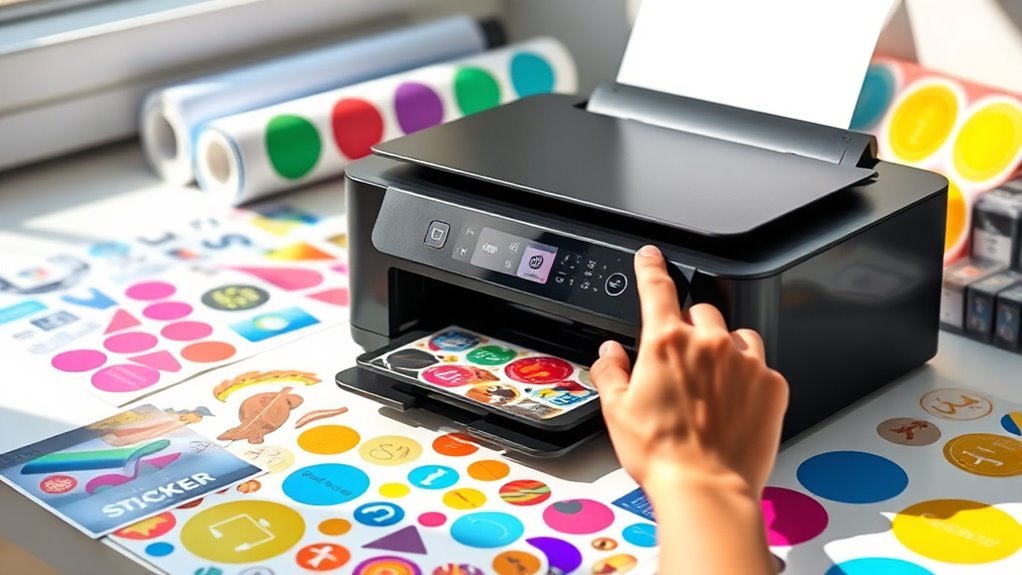
When choosing a budget printer for stickers, you’ll want to focus on print quality to guarantee your designs look sharp and vibrant. Consider connectivity options and media compatibility to match your workflow and sticker materials.
Also, think about portability and whether an inkless or ink printer suits your needs best. It’s all about finding what works smoothly for you without breaking the bank.
Print Quality Essentials
Choosing a budget printer for stickers means paying close attention to print quality essentials that directly impact your final product. Start by checking the printer’s resolution—aim for at least 200–300 dpi to ensure crisp text and fine details.
If you want vibrant colors and smooth gradients, choose a color-capable printer like dye-sublimation or inkjet instead of monochrome thermal models. Also, consider the printer’s color gamut and management features; wider color reproduction and software controls let you fine-tune contrast and saturation for vivid, faithful prints.
Evaluate line sharpness by looking at bit-depth—multi-bit or continuous-tone printers handle shaded images better than 1-bit thermal ones. Finally, match print resolution and media compatibility to guarantee longevity and prevent fading, especially when using coated sticker papers.
Connectivity Options Available
Print quality matters, but how you connect your printer to devices can affect convenience and workflow just as much. Bluetooth is ideal if you want portable, cable-free printing from your phone or tablet, especially with app-based design.
USB connections, like USB-C or USB 2.0, offer stable, direct links to your PC and often support charging and firmware updates. Wi-Fi, including Wi-Fi Direct, lets you print from multiple devices on the same network and handles large files faster.
NFC or quick-pairing features simplify setup, letting you pair your smartphone with a tap instead of lengthy Bluetooth steps. Always check which operating systems and apps your printer supports since some connections need specific drivers or software to function smoothly.
Media Compatibility Range
How do you know if a budget printer can handle your sticker projects? Start by checking the supported paper widths and formats—whether it accepts the sticker roll sizes or label sheets you plan to use.
Next, verify compatible media types: direct thermal, adhesive rolls, or dye-sublimation paper. Each printer works with specific consumables, so matching these is vital.
Also, confirm maximum media thickness and weight limits to make certain heavier vinyl or laminated stickers feed without jams. If you use both continuous rolls and pre-cut sheets, choose a printer supporting mixed media workflows.
Finally, consider consumable availability and cost—roll lengths or sheet counts must fit your printing volume and budget. This way, you avoid surprises and get consistent, quality sticker prints.
Printer Portability Benefits
When you’re on the move, a portable printer can make all the difference for your sticker projects. Compact thermal printers weighing under 400 grams easily fit in your purse or backpack, so you can print stickers anywhere.
Their built-in rechargeable batteries, usually around 1000–1200 mAh, let you print dozens of stickers per charge without needing an outlet. With simple one-button or app-controlled operation, you can quickly print labels or stickers directly from your smartphone, saving setup time.
Lightweight designs with easy roll-loading and adhesive sticker media mean you won’t have to carry bulky ink cartridges or paper. Plus, Bluetooth pairing allows multiple devices to connect, making collaborative printing at events, workshops, or parties seamless and fun.
Portability truly enhances your sticker printing flexibility and convenience. It’s all about making your creative process easier no matter where you are!
Inkless Vs Ink Printers
Choosing the right type of printer can make a big difference in your sticker projects, especially if you want to balance cost, quality, and convenience. Inkless (thermal) printers save you money by eliminating ink costs and offer fast, compact printing. But they only produce black-and-white stickers with limited resolution and durability.
If you need vibrant, full-color stickers with smooth gradients and better UV resistance, inkjet printers are your best bet. They do come with ongoing ink expenses and sometimes higher maintenance, though.
Also, thermal papers can fade or darken over time, while inkjet prints on proper media last longer. So, it’s worth thinking about how much color quality, print longevity, and total cost of ownership matter to you before choosing between inkless and ink printers for your sticker needs.
App Features Importance
Since app functionality directly impacts your printing experience, you’ll want to focus on features that streamline design alignment, support efficient batch printing, and maintain reliable device connections. Look for apps with templates and layout controls to match common sticker roll widths precisely, avoiding manual trimming.
Image-editing tools like contrast adjustment, dithering, and 1-bit preview help optimize monochrome thermal prints at typical resolutions. If you plan bulk printing, prioritize OCR, batch printing, and CSV or Excel import options for efficiency.
Bluetooth pairing reliability and in-app firmware updates are essential for stable connections and compatibility with your phone’s OS. Finally, explore creative features like stickers, frames, and background removal for decorative prints, but be aware some premium template libraries may require subscriptions.
This guarantees a smooth, flexible sticker printing process.
Speed and Efficiency
Although speed might seem like the top priority, you should balance print rate with resolution to get quality stickers without delays. Check the pages-per-minute (ppm) or lines-per-minute specs—thermal printers range from about 1 to 120 ppm, so faster speeds mean quicker batch output.
However, consider print resolution too; 203 dpi works for clear monochrome, but 300 dpi or higher guarantees sharper text and fine graphics. Don’t overlook warm-up time and connection latency—Bluetooth pairing or app processing can slow real-world use despite high print speeds.
For portable printers, evaluate battery capacity and duty cycle to avoid frequent recharges. Also, look at paper handling and roll capacity since small rolls or trays mean more reloads, interrupting your workflow and reducing overall efficiency.
Warranty and Support
When you invest in a budget printer for stickers, understanding the warranty and support options can save you from unexpected hassles down the line. Check the warranty length—12 months beats 90 days—and what it covers: parts, labor, batteries, and consumables.
Be sure printheads or sensors aren’t excluded. Also, confirm if replacement parts like paper rolls and cutters are readily available and how long they take to arrive.
Look for multiple support channels—phone, email, live chat—and their response times. Review return and repair policies carefully: who covers shipping costs, and whether expedited replacements or loaner units are offered.
Knowing these details guarantees you get reliable assistance, keeps your printer running smoothly, and protects your investment without surprises.
Frequently Asked Questions
How Long Do the Printer’s Ink Cartridges Typically Last?
You’ll find ink cartridges usually last between 100 to 400 pages, depending on usage and printer type.
If you print stickers often, you’ll likely need to replace them more frequently to maintain vibrant colors. It really depends on how much you print and what kind of printer you have.
Can These Printers Print on Waterproof Sticker Paper?
You know what they say: “Don’t put all your eggs in one basket.”
Yes, you can print on waterproof sticker paper, but you’ll want to check your printer’s specs. Make sure it handles thicker, coated materials without jams or smudges.
Are Any of These Printers Compatible With Mac OS?
Yes, many of these printers are compatible with Mac OS. You’ll just need to check the specific model’s drivers and software support to guarantee smooth installation and operation on your Mac device.
It’s pretty straightforward, but making sure you have the right drivers is key. Once that’s sorted, your Mac should work well with the printer without any hitches.
What Is the Average Print Speed for Sticker Printing?
Print speeds for sticker printing usually range from 10 to 30 pages per minute, like a steady stream flowing smoothly.
You’ll find variations depending on printer type, resolution, and sticker material, so expect some differences. It’s kind of like how different cars perform on various terrains.
Do These Printers Support Custom Sticker Sizes?
Yes, these printers support custom sticker sizes, letting you tailor your designs precisely. You’ll find flexible settings that accommodate various dimensions.
This ensures your stickers come out exactly how you want, without any hassle or restrictions. It’s pretty straightforward to get the perfect size every time.
Conclusion
Choosing the right budget printer for stickers can truly boost your creativity without breaking the bank. Did you know that over 60% of small business owners use affordable sticker printers to personalize packaging and increase brand recognition?
With options like the PM290C Mini Printer or the Phomemo M110, you’re sure to find a reliable, cost-effective choice that fits your needs. These printers combine quality and affordability, making them perfect for both beginners and seasoned sticker creators.
So, go ahead—start printing your unique stickers and make your mark! Finding the best budget printer for stickers means you don’t have to compromise on quality while keeping costs low. Whether for personal projects or small business branding, these affordable sticker printers deliver impressive results every time.