3 Best Budget PLA 3D Printers for 2027
For budget PLA 3D printers in 2027, you really can’t go wrong with some standout options that combine quality and affordability. The Creality Ender 3 V3 SE is a top pick, offering fast, slip-free filament feeding and auto-leveling that makes setup a breeze. It’s perfect if you want reliable performance without breaking the bank.
Then there’s the Mini 3D Printer Kit, which is ideal for those who want a compact design and the ability to print with multi-color PLA filaments right out of the box. It’s great for adding a splash of creativity to your prints.
Lastly, the Malyan M320 comes fully assembled, featuring a sturdy metal frame and a user-friendly touchscreen. This one is excellent if you prefer something ready to go with minimal hassle.
Want to find out how each stacks up on features and print quality? Let’s dive in!
| Image | Name | Editor's Rating | Price |
|---|---|---|---|
|
|
||
|
|
||

|
|
Creality Ender 3 V3 SE 3D Printer Bundle
- 【250mm/s High-speed Printing】Creality Ender 3 V3 SE 3d printer supports a maximum printing speed of 250mm/s, 2500mm/s² acceleration.The speed has been greatly...
- 【Powerful ""Sprite"" Direct Extruder】Ender 3 V3 SE is the upgrade of ender 3, ender 3 v2, ender 3 pro, ender 3 neo, ender 3 v2 neo, ender 3 s1, ender 3 s1 pro etc 3d...
- 【Worry-free CR Touch Auto Leveling & Strain Sensor】Creality Ender 3 upgraded 3d printer features a CR Touch sensor for auto leveling and a strain sensor for auto...
- 【Stable Dual Z-axis & Y-axis Linear Shafts】High-precision dual Z-axis lead screws reduce Z wobbling effectively, avoid printing deviation in single-axis printing...
- 【High-Quality PLA Filaments】Made of high-quality PLA, a commonly used thermoplastic material features lower melting temperature and ease of use, low warp and...
The Creality Ender 3 V3 SE 3D Printer Bundle delivers efficient and hassle-free printing for everyday use. It tackles common printing challenges with its upgraded Sprite full-metal dual-gear direct extruder, ensuring smooth filament feeding without slipping. This feature supports popular filaments like PLA, TPU, and PETG, making it versatile for various projects.
With a maximum speed of 250 mm/s and acceleration of 2500 mm/s², this printer significantly reduces print times—by up to 73% compared to standard models. Its auto-leveling system, equipped with CR Touch and a strain sensor, minimizes setup time and calibration errors, so you can focus more on creating.
Designed for stability, the Ender 3 V3 SE includes dual Z-axis screws and robust Y-axis shafts. These enhancements reduce vibrations and maintain print accuracy over long sessions. Maintenance is straightforward, and the included PLA filaments offer low warp and odorless printing with glossy finishes.
Best for: hobbyists and makers seeking a fast, stable 3D printer with easy setup and reliable PLA printing quality.
What We Like:
- Smooth, slip-free filament feeding with the full-metal dual-gear extruder
- Up to 73% faster print speed and acceleration for quicker project completion
- Auto-leveling with CR Touch and strain sensor for easy calibration
- Stable printing with dual Z-axis screws and sturdy Y-axis shafts
- Included PLA filaments provide low warp and clean, glossy results
Specification:
| Feature | Details |
|---|---|
| Manufacturer | Creality |
| Dimensions | Not specified |
| Weight | Not specified |
| Material | Full-metal extruder components |
| Color Options | Not specified |
Mini 3D Printer Kit with 8 Colors PLA Filament
- 🎨 All-in-One Starter 3D Printer Kit – Comes with 8 vibrant PLA filament colors (200g each), a fully equipped printing kit, and user-friendly instructions—perfect...
- 🖨️ Compact & Portable FDM Design – This mini desktop 3D printer uses FDM technology and is compact enough for any desk or workspace. Great for school, home, or...
- 🧠 Effortless Setup, Plug & Print – No complex calibration needed. Supports TF Card and USB connections, compatible with Windows and macOS using CURA, Easyware, or...
- 💡 Precise & Smooth Printing – Achieve detailed prints with 0.05-0.2mm accuracy. Features a 0.4mm nozzle, supports 1.75mm PLA, and even WOOD filament.
- 📦 Full Accessories Included – Package includes the printer components, 8-color filaments, TF card and reader, US power adapter, filament holder, screwdriver, and a...
Discover the convenience of the Mini 3D Printer Kit, designed to make 3D printing accessible for beginners and hobbyists. Its compact size and lightweight design fit perfectly on any desk, solving space issues for small work areas.
This kit includes eight vibrant PLA filament colors, allowing users to create colorful projects without hassle. Setup is straightforward, with all necessary components included and no complex calibration required, making it ideal for quick starts.
The printer supports both Windows and macOS, working seamlessly with popular slicers like CURA and Easyware. Its FDM technology and 0.4 mm nozzle deliver precise prints with accuracy between 0.05 and 0.2 mm.
Maintenance is simple, focusing primarily on PLA and wood filaments, which keep the printing process clean and user-friendly. While it has some limitations in filament types and lacks advanced calibration, it remains a reliable choice for school, home, or hobby projects.
Best for: Beginners and hobbyists seeking an easy-to-use, compact 3D printer for creative projects at home or school.
What We Like:
- Compact, lightweight design fits small spaces easily
- Includes eight vibrant PLA filament colors for versatile printing
- Quick setup with no complex calibration needed
- Compatible with Windows and macOS using popular slicers
- Precise print accuracy with FDM technology and 0.4 mm nozzle
Specification:
| Feature | Details |
|---|---|
| Manufacturer | Not specified |
| Dimensions | Not specified |
| Weight | 3.3 lb (1.5 kg) |
| Material | PLA filament (8 colors, 200g each) |
| Color Options | 8 vibrant PLA filament colors |
Malyan M320 Fully Assembled 3D Printer
- 1. Ready to Print: Unlike most other low-cost 3D printers, this printer ships fully assembled and has already been calibrated at the factory. We even include sample PLA...
- 2. LCD Touch Screen: Touch screen interface, simply navigate through the easy to use touch screen to level the print bed, select the part you want to print, and let the...
- 3. Heated aluminum build plate nozzle cooling fan for printing all filament types. Complete kit with sample PLA filament, bed scraper, and MicroSD card with preloaded...
- 4. All Metal Hotend for Stability: The all metal hotend is capable of superior performance and prevents wear and tear, while the heat brake design allows for efficient...
- 5. Removable Magnetic Build Plate: The easy to remove magnetic build plate makes the often times messy and difficult removal of prints simple and straightforward. You can...
The Malyan M320 is designed for those who want a hassle-free 3D printing experience right out of the box. It arrives fully assembled and calibrated, eliminating the need for setup and allowing you to focus on creating. Its compact metal frame supports a build volume of 150 x 150 x 150 mm, ideal for producing detailed small to medium-sized projects.
This printer addresses common printing challenges with its heated aluminum bed and all-metal hotend, both equipped with cooling fans. These features help maintain consistent temperatures, improving print quality and reducing errors when working with PLA filament. The removable magnetic build plate makes taking off finished prints quick and easy, minimizing damage risks.
Navigation and operation are straightforward thanks to the intuitive LCD touchscreen. Whether you prefer printing from a microSD card or connecting to a PC or Mac via USB, the M320 offers flexible options. Maintenance is simplified by its robust design, reducing downtime and ensuring reliable performance.
Best for: Hobbyists and beginners seeking a fully assembled 3D printer with reliable functionality for small to medium projects.
What We Like:
- Fully assembled and factory calibrated for immediate use.
- Heated bed and all-metal hotend ensure reliable print quality.
- Removable magnetic build plate simplifies print removal.
- User-friendly LCD touchscreen for easy operation.
- Supports printing via microSD or USB connection.
Specification:
| Feature | Details |
|---|---|
| Manufacturer | Malyan |
| Build Volume | 150 x 150 x 150 mm |
| Frame Material | Metal |
| Bed Type | Heated aluminum |
| Hotend | All-metal with cooling fan |
| Connectivity | MicroSD, USB |
| Display | LCD touchscreen |
Factors to Consider When Choosing a Budget Pla 3d Printer
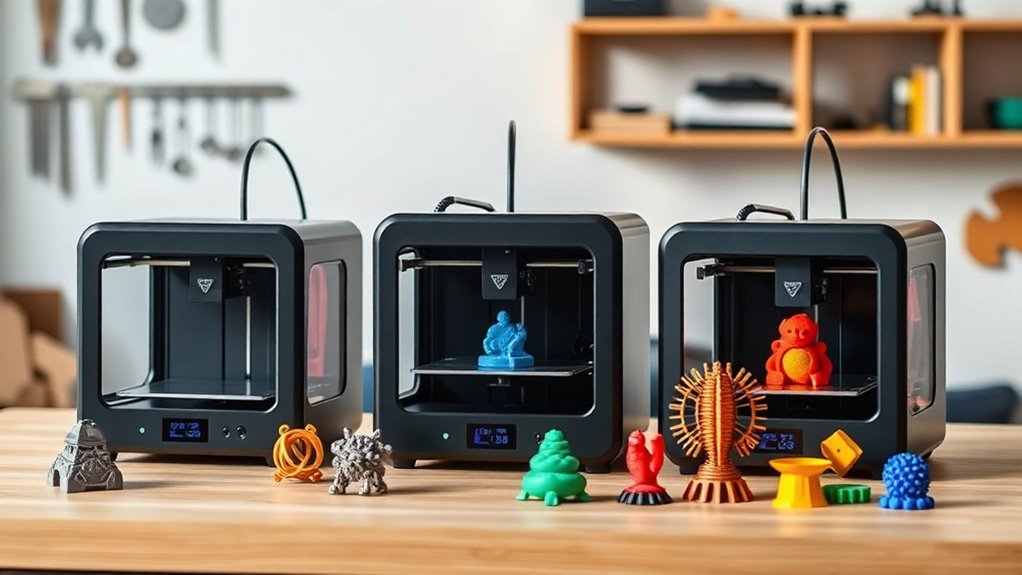
When choosing a budget PLA 3D printer, you’ll want to focus on print quality and precision to get the best results. Consider filament compatibility and build volume to match your project needs.
Also, think about ease of setup and auto-leveling features that save you time and hassle. Keeping these factors in mind helps you pick a printer that fits both your budget and goals.
Print Quality And Precision
Choosing a budget PLA 3D printer means balancing print quality and precision with cost. Understanding key factors can help you get the best results.
Focus on layer height capability—printers that offer 0.05 to 0.2 mm let you choose between fine detail and faster prints. Nozzle diameter matters too; a 0.4 mm nozzle is common, but smaller nozzles produce finer features while larger ones improve speed and strength.
Check for stable motion hardware like dual Z leadscrews and rigid frames to minimize wobble and ringing. This really helps enhance surface smoothness.
The extruder type impacts filament feeding precision. Dual-gear metal extruders and direct-drive systems reduce extrusion issues.
Finally, accurate bed leveling with sensors guarantees consistent first-layer adhesion. That’s vital for repeatable, precise prints.
Filament Compatibility Options
You’ll often find that filament compatibility is a vital factor in getting consistent, high-quality prints from a budget PLA 3D printer. Start by guaranteeing the printer supports the common 1.75 mm filament diameter, as it provides the widest material availability.
Check if it handles various PLA variants—standard, PLA+, and specialty blends like wood-fill or matte PLA—without clogging. It’s pretty important to avoid interruptions during printing.
Consider the nozzle and hotend materials: brass nozzles paired with all-metal hotends let you print at higher temperatures and use abrasive filaments. On the other hand, PTFE-lined hotends might limit temperature ranges, so keep that in mind.
Also, look at the extruder type; direct-drive systems better manage flexible filaments like TPU and soft PLA blends. This can make a big difference if you like experimenting with different materials.
Finally, review the filament feeding mechanism to make certain smooth extrusion and avoid slipping with different PLA formulations. You want everything to run smoothly without any hiccups.
Ease Of Setup
Getting a budget PLA 3D printer up and running shouldn’t feel like a chore. Choose one that ships fully assembled or includes clear, step-by-step visual guides to cut down setup time and frustration.
Look for plug-and-print features like preloaded sample files and SD card or USB drive support, so you can start printing without complicated PC setups. Auto or assisted bed leveling is a huge plus, reducing tedious manual calibration and ensuring smooth first layers.
Make sure the printer’s firmware supports common formats like G-code and works smoothly with popular slicers and your operating system. Finally, prioritize easy access to tools—removable build plates, simple filament loading, and clear maintenance instructions make your 3D printing journey hassle-free and beginner-friendly.
Build Volume Capacity
When selecting a budget PLA 3D printer, build volume capacity plays a pivotal role in what you can create. You’ll find small (120–160 mm), medium (200–250 mm X/Y, 150–250 mm Z), and large (300 mm+) options.
Keep in mind the usable build volume is often less than advertised due to removable plates, belts, and gantry clearances. Larger volumes increase print time and filament use exponentially—doubling linear size means eight times the material. So, choose a size that fits your typical projects to avoid waste.
If you plan tall prints or multi-part assemblies, prioritize Z-height and look for features like dual Z-leadscrews to maintain stability. For beginners, balancing build volume with print quality and enclosure considerations is key. Very large, unheated volumes can struggle to keep PLA printing consistent.
Auto-Leveling Features
Although manual bed leveling can be manageable, choosing a budget PLA 3D printer with reliable auto-leveling features saves you time and guarantees consistent first-layer adhesion.
Look for printers using sensors like contact probes or inductive sensors that measure multiple points across the build plate, creating a mesh bed leveling map. This approach corrects unevenness better than a single-point Z-offset.
Automatic Z-offset sensing or strain sensors can set the nozzle height precisely, preventing crashes and improving adhesion without manual tweaks. You’ll want a system that handles filament runout and everyday vibrations, minimizing the need for frequent recalibration.
Also, verify that the printer’s firmware and slicer support mesh data storage and probing commands so your leveling adjustments stay consistent between prints. It just makes your printing experience smoother overall.
Mechanical Stability And Durability
Because mechanical stability directly impacts print quality and reliability, you should prioritize a rigid frame made of steel or aluminum and features like a dual Z-axis or reinforced gantry. These reduce wobble and layer artifacts, guaranteeing consistent dimensional accuracy.
Look for stiff linear motion components—8 mm steel rods or high-quality linear rails—that minimize play and improve repeatability, especially on taller prints. A sturdy heated bed mounting and secure bed leveling system prevent shifting and adhesion issues during long prints.
Robust extruder mounting and a direct-drive or well-supported Bowden setup lower filament slippage, improving quality under high acceleration. Finally, durable fasteners, quality lead screws, and organized cable management enhance longevity, cutting down on maintenance and recalibration needs.
Prioritizing these features guarantees your budget PLA printer performs reliably over time. It’s all about making sure your printer stays solid and consistent, print after print.
Frequently Asked Questions
How Do PLA Filaments Compare to Other Types of 3D Printing Materials?
PLA filaments are easier to print, eco-friendly, and less prone to warping compared to ABS or PETG. You’ll find them ideal for beginners, though they’re less heat-resistant and less flexible than some other materials.
That said, if you need something tougher or more flexible, you might want to explore other options. But for everyday printing, PLA is a solid choice that’s pretty user-friendly.
Can Budget PLA 3D Printers Handle Flexible Filaments?
When it comes to flexible filaments, budget PLA printers often struggle—they’re not always built for that kind of stretch. You’ll need upgrades or a specialized extruder; otherwise, it’s like trying to fit a square peg in a round hole.
It’s not impossible, but definitely tricky. So, if you’re set on printing with flexible materials, be ready to tweak your setup a bit.
What Safety Precautions Should I Take When Printing With PLA?
You should make sure good ventilation, avoid touching the hot nozzle or bed, keep your workspace clean, wear gloves if needed, and never leave the printer unattended.
These steps help you stay safe while printing with PLA. Just a few simple precautions can make a big difference.
How Long Does It Typically Take to Print a Standard PLA Object?
It typically takes you 30 minutes to several hours to print a standard PLA object, depending on size, layer height, and printer speed. Smaller, simpler models finish faster, while detailed, larger prints need more time.
Are There Eco-Friendly PLA Filament Options Available?
You’ll spot eco-friendly PLA filaments as easily as leaves after rain—biodegradable, made from renewable resources, and low-emission.
You can happily print knowing your creations won’t harm the planet while still getting great quality.
Conclusion
Choosing the right budget PLA 3D printer doesn’t have to feel like searching for a needle in a haystack. Whether you go with the versatile Creality Ender 3 V3 SE, the colorful Mini 3D Printer Kit, or the ready-to-go Malyan M320, each offers great value without breaking the bank.
Keep your needs and budget in mind, and you’ll be turning your creative ideas into reality in no time. These budget PLA 3D printers are perfect for beginners and hobbyists alike, offering reliability without a hefty price tag.
So, if you’re looking for an affordable PLA 3D printer that combines quality and ease of use, these models should be at the top of your list. Finding the right budget PLA 3D printer in 2027 means you can enjoy smooth printing experiences while staying within your budget. Happy printing!