8 Best Budget Wireless Laser Printers for 2027
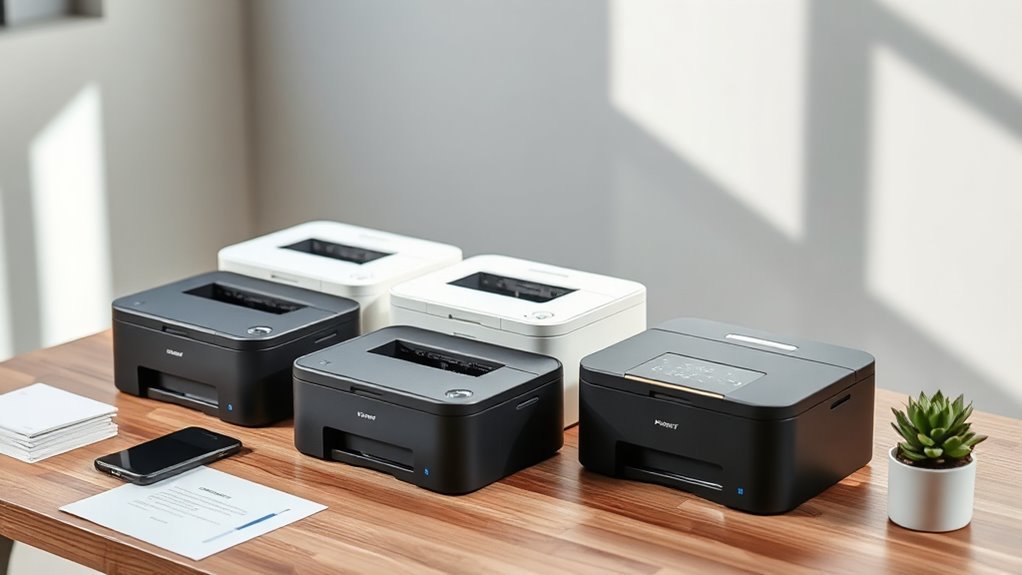
You’ll want reliable, fast monochrome printing with wireless ease, especially when looking for budget wireless laser printers in 2027. Options like the Brother HL-L2405W offer a speedy 30 ppm output and come equipped with dual-band Wi-Fi, making them perfect for a home or small office setup.
If you need all-in-one features, HP’s M234sdw and Pro 3105sdw deliver printing, scanning, copying, plus network sharing and automatic duplexing. Canon’s compact LBP6030w suits tight spaces, while others like the Brother HL-6210DW balance speed and duplex support.
Explore these picks to match your home or small office needs. You’ll find something that fits your workflow and budget perfectly.
| Image | Name | Editor's Rating | Price |
|---|---|---|---|

|
|
||

|
|
||

|
|
||

|
|
||

|
|
Brother HL-L2405W Wireless Monochrome Laser Printer
- BEST FOR HOMES & HOME OFFICES – Engineered for consistent, premium print quality, the Brother HL-L2405W Monochrome (Black & White) Laser Printer delivers sharp, crisp...
- COMPACT, CONNECTED PRINTER – Flexible connection options make this an ideal printer for home use and at-home offices. Securely connect to multiple devices with built-in...
- BROTHER MOBILE CONNECT APP – Manage your printer remotely and print from your mobile device anytime, from almost anywhere. Order Brother Genuine Supplies, track toner...
- VERSATILE PAPER HANDLING – Enjoy seamless, reliable everyday printing with the 250-sheet paper tray(4) and a manual feed slot that enables printing on envelopes and...
- BROTHER IS AT YOUR SIDE – Backed by Brother with a 1-year limited warranty and free online, call, or live chat support for the life of your printer

Experience fast and efficient black-and-white printing with the Brother HL-L2405W Wireless Monochrome Laser Printer. Its compact design fits neatly on any desktop, making it an excellent choice for home and small office environments. You can complete your printing tasks quickly, thanks to a print speed of up to 30 pages per minute.
This printer supports dual-band wireless and USB connections, allowing seamless printing from laptops, smartphones, and tablets. Managing your print jobs remotely is easy with the Brother Mobile Connect app, which adds convenience and flexibility to your workflow.
With a 250-sheet paper capacity, this device reduces frequent refills and handles daily printing needs with ease. Manual duplexing lets you print on both sides of the paper, saving resources, although it requires flipping pages manually.
Maintenance is straightforward, and the monochrome laser technology offers sharp 1200 x 1200 dpi resolution for clear text and graphics. While it doesn’t scan or copy, its focused functionality suits users who prioritize reliable, high-speed monochrome printing.
Best for: individuals and small home office users who need a fast, dependable monochrome laser printer with wireless and mobile printing features.
What We Like:
- Fast print speed of up to 30 ppm with crisp 1200 x 1200 dpi output
- Dual-band wireless and USB connectivity for versatile device support
- Compact footprint with a large 250-sheet paper capacity
- Remote print management through the Brother Mobile Connect app
Specification:
| Feature | Details |
|---|---|
| Manufacturer | Brother |
| Dimensions (W x D x H) | 14 x 14.2 x 7.2 inches (35.6 x 36.1 x 18.3 cm) |
| Weight | 15.9 lbs (7.2 kg) |
| Connectivity | Dual-band wireless, USB |
| Print Technology | Monochrome Laser |
| Resolution | 1200 x 1200 dpi |
| Paper Capacity | 250 sheets |
HP LaserJet M234sdw Monochrome Laser Printer | All-in-One
No products found.
The HP LaserJet M234sdw is a dependable all-in-one printer designed to meet the needs of small teams and home offices. It tackles printing, copying, and scanning tasks effortlessly, helping your workspace stay productive without delays. Its fast 30 ppm monochrome printing speeds up document handling, while automatic duplex printing reduces paper use and streamlines workflows.
This printer supports up to five users with wireless dual-band Wi-Fi and Ethernet connectivity, making it easy to share across your team. The 40-page auto document feeder further enhances efficiency by allowing unattended batch scanning or copying. Its compact size fits neatly into limited office spaces, while being Energy Star certified keeps energy consumption low.
Maintenance is straightforward with the included starter toner cartridge yielding about 700 pages, though high-volume users should plan for timely replacements. The 150-sheet input tray is suitable for moderate print volumes but may require refills during busy periods. The device’s built-in security features help protect sensitive information during operation.
Best for: small teams or home offices needing a fast, reliable, and compact monochrome all-in-one printer for everyday document handling.
What We Like:
- Consistent print speed of up to 30 ppm with automatic two-sided printing
- Flexible connectivity: wireless dual-band Wi-Fi, Ethernet, and mobile printing via HP Smart app
- Energy-efficient design with security features to safeguard data
- 40-page auto document feeder for improved multitasking
Specification:
| Feature | Details |
|---|---|
| Manufacturer | HP |
| Dimensions (W×D×H) | Compact size (exact not stated) |
| Weight | Not specified |
| Color Options | Monochrome (black and white) |
| Connectivity | Wireless dual-band Wi-Fi, Ethernet |
HP LaserJet Pro 3105sdw Monochrome Laser Printer | All-in-One
No products found.
Experience reliable, high-speed black-and-white printing with the HP LaserJet Pro 3105sdw. Designed for small teams, this all-in-one printer simplifies office tasks by combining printing, copying, scanning, and faxing in one compact device. It helps reduce workflow bottlenecks, making everyday document handling smoother and faster.
The printer delivers sharp prints at up to 33 pages per minute with a crisp 1200 dpi resolution. Automatic duplex printing and two-sided scanning save both time and paper, addressing common office efficiency challenges. Its connectivity options include Wi-Fi, Ethernet, and USB, letting you print easily from computers or smartphones using the HP app.
Maintenance is straightforward but requires original HP cartridges with chip authentication, ensuring quality but potentially increasing operating costs. The single tray holds up to 250 sheets, which suits moderate print volumes but may need refilling in busy settings. Its robust security features protect sensitive data, supporting secure workflows.
Best for: Small to medium businesses and work teams needing fast, multifunction monochrome printing with secure, efficient performance.
What We Like:
- Fast print speeds with professional-quality monochrome output
- Automatic duplex printing and two-sided scanning reduce paper waste
- Multiple connectivity options including mobile printing
- Compact design fits well in small office spaces
- Strong security features for safe document handling
Specification:
| Feature | Details |
|---|---|
| Manufacturer | HP |
| Dimensions | Approx. 14.5 x 14.3 x 12.3 inches (36.8 x 36.3 x 31.2 cm) |
| Weight | Approx. 21.6 lb (9.8 kg) |
| Color Options | Monochrome (black/white) |
| Connectivity | Wi-Fi, Ethernet, USB |
Canon imageCLASS LBP6030w Wireless Monochrome Laser Printer
- FAST PRINT SPEEDS: Print up to 19 pages per minute.
- COMPACT DESIGN: Space-saving, compact design fits anywhere in your home, school or small office.
- WIRELESS CONNECTIVITY: Print from almost anywhere in your workspace using your compatible mobile device.
- PAPER CAPACITY: Up to 150 sheets.
- SUSTAINABILITY: Uses less than 2 watts in Energy Saver mode.
The Canon imageCLASS LBP6030w delivers reliable wireless printing designed to fit seamlessly into small workspaces. Its compact, lightweight build makes it ideal for desks with limited room. This monochrome laser printer produces sharp, clear prints quickly, helping you stay productive without unnecessary wait times.
Connectivity is simple with Wi-Fi and USB options. Whether printing from a laptop or mobile device, it offers flexibility to suit various setups. The 150-sheet tray supports common paper sizes, reducing frequent paper reloads during everyday tasks.
Maintenance is straightforward, with toner cartridges that yield approximately 1,600 pages before replacement. The printer’s energy-efficient design helps lower power consumption, making it practical for personal or small office use.
While it focuses on monochrome printing only, the imageCLASS LBP6030w meets essential needs without complex features. It does not include scanning or copying functions, keeping its operation simple and efficient.
Best for: Compact home offices or small businesses requiring dependable wireless monochrome printing.
What We Like:
- Fast printing speed of up to 19 pages per minute.
- Easy wireless and USB connectivity.
- Compact size saves space on crowded desks.
- Energy-efficient operation reduces power use.
Specification:
| Feature | Details |
|---|---|
| Manufacturer | Canon |
| Dimensions (W×D×H) | 13.1 × 9.2 × 7.7 inches |
| Weight | 11 pounds |
| Color | White |
| Paper Capacity | 150 sheets |
HP Laserjet MFP M140w Wireless Black & White Printer
- FROM AMERICA'S MOST TRUSTED PRINTER BRAND – Perfect for small teams printing, scanning and copying professional-quality black & white documents and reports. Perfect for...
- WORLD'S SMALLEST LASER IN ITS CLASS – Precision laser printing, scanning, and copying that fits anywhere
- FAST PRINT SPEEDS – Up to 21 black-and-white pages per minute single-sided
- WIRELESS WITH SELF-RESET – Helps you stay connected
- EASILY COPY ID CARDS AND MORE – Copy both sides of ID cards or other small-size documents onto the same side of one sheet of paper
The HP Laserjet MFP M140w is a compact solution designed to fit small office spaces without sacrificing performance. Its small footprint makes it ideal for tight work areas, while delivering consistent black-and-white printing that keeps daily tasks moving smoothly.
This printer handles printing, scanning, and copying with ease. It speeds through jobs at up to 21 pages per minute, helping small teams stay productive. The unique ability to copy both sides of ID cards onto one page adds practical functionality for office use.
Wireless connectivity is seamless and broad. Compatible with Microsoft, Mac, AirPrint, Android, and Chromebook, it allows printing directly from phones, tablets, or PCs. The HP Smart app further simplifies scanning to the cloud and automates routine tasks, reducing manual effort.
Maintenance is straightforward but requires original HP cartridges with HP chips, which ensures quality but limits cartridge options. The device focuses on black-and-white output, making it less suitable for users needing color prints or high-volume output.
Best for: Small teams of 1–3 people requiring reliable, wireless black-and-white printing in a space-saving design.
What We Like:
- Compact size ideal for limited office space
- Fast printing speed up to 21 ppm for efficient workflow
- Convenient wireless printing from multiple device types
- HP Smart app integration for easy scanning and automation
Specification:
| Feature | Details |
|---|---|
| Manufacturer | HP |
| Dimensions | Compact size (exact dimensions not provided) |
| Weight | Not specified |
| Color Options | Black |
| Printing Speed | Up to 21 pages per minute |
| Connectivity | Wireless (Wi-Fi), compatible with Microsoft, Mac, AirPrint, Android, Chromebook |
HP LaserJet M110w | Monochrome | Laser Printer
- FROM AMERICA'S MOST TRUSTED PRINTER BRAND – Perfect for small teams printing professional-quality black & white documents and reports. Perfect for 1-3 people
- WORLD'S SMALLEST LASER IN ITS CLASS – Precision laser printing that fits anywhere
- FAST PRINT SPEEDS – Up to 21 black-and-white pages per minute single-sided
- WIRELESS WITH SELF-RESET – Helps you stay connected
- PRINT FROM ANY DEVICE – Wireless printing from any mobile device, PC or tablet. Works with Microsoft, Mac, AirPrint, Android, Chromebook and more
The HP LaserJet M110w offers a space-saving solution for fast, efficient black-and-white printing. Its compact design fits easily in small offices or home workspaces, helping reduce clutter. This printer delivers clear, professional-quality prints quickly, making daily tasks smoother.
With print speeds up to 21 pages per minute and a sharp 600 x 600 dpi resolution, it handles everyday documents with ease. The simple setup and wireless connectivity let you print directly from smartphones or laptops using the HP Smart app. This adds flexibility and convenience to your workflow.
Maintenance is straightforward with a single 150-sheet input tray. While the printer supports only monochrome printing, it suits users who focus on text documents. Keep in mind, it uses proprietary HP toner cartridges, which may affect third-party supply options.
Designed for small teams and home offices, the HP LaserJet M110w balances functionality and space efficiency. It meets basic monochrome printing needs reliably while saving time and workspace.
Best for: Small teams and home offices needing a compact, fast, and reliable monochrome laser printer for everyday black-and-white document printing.
What We Like:
- Compact size ideal for limited spaces.
- Fast printing at up to 21 pages per minute.
- Easy wireless printing via HP Smart app.
- Crisp 600 x 600 dpi print quality.
Specification:
| Feature | Details |
|---|---|
| Manufacturer | HP |
| Dimensions | Compact size (exact size not provided) |
| Weight | Not specified |
| Print Technology | Monochrome Laser |
| Print Speed | Up to 21 ppm |
| Print Resolution | 600 x 600 dpi |
| Paper Capacity | 150 sheets |
| Connectivity | USB, Wireless |
| Color Options | Monochrome (black and white) |
Brother Laser Printer, Monochrome Duplex Wireless Printer, HL-6210DW
- Professional Performance: Dominate your office printing tasks with this Brother Genuine laser office printer delivering an impressive 50 ppm output speed, ensuring your...
- Superior Capacity: Print business documents with this monochrome laser printer's robust 520-sheet main tray and 100-sheet multipurpose tray, expandable up to 1,660 sheets...
- Advanced Connectivity: Experience seamless integration with this Brother wireless printer's built-in Gigabit Ethernet and dual band wireless networking capabilities...
- Cost-efficient Printing: Maximize your printing budget with Brother Genuine ultra high-yield replacement toner cartridges for Brother printers delivering up to...
- Security Excellence: Safeguard your Brother Genuine business printer for daily office use with advanced Triple Layer Security features, ensuring comprehensive protection...
Experience efficient, high-speed printing with the Brother HL-6210DW, designed to meet the demands of busy small offices. This monochrome laser printer delivers crisp text with a sharp 1200 x 1200 dpi resolution, helping you produce professional-quality documents quickly.
Its wireless duplex capability solves the hassle of manual double-sided printing, saving time and reducing paper usage. The large 520-sheet main tray and 100-sheet multipurpose tray keep your workflow smooth, with an option to expand capacity up to 1,660 sheets for heavier workloads.
Maintenance is straightforward with long-lasting consumables, though initial toner yield is moderate. Connectivity is flexible, offering dual-band Wi-Fi and Gigabit Ethernet for seamless integration into your office network. Mobile printing support adds convenience, allowing you to print directly from smartphones or tablets.
Security features protect sensitive information, making this printer a reliable choice for workgroups that prioritize data safety alongside performance.
Best for: Small offices or workgroups needing a fast, secure monochrome laser printer with wireless duplex printing.
What We Like:
- Fast printing speed up to 50 ppm with high-resolution output
- Large, expandable paper capacity to minimize interruptions
- Flexible connectivity including dual-band Wi-Fi and Ethernet
- Auto duplex printing reduces paper waste effortlessly
- ENERGY STAR certified for energy-efficient operation
Specification:
| Feature | Details |
|---|---|
| Manufacturer | Brother |
| Dimensions | Approx. 16.7 x 14.2 x 13.7 in (42.5 x 36 x 34.8 cm) |
| Weight | Approx. 18.7 lb (8.5 kg) |
| Color | Monochrome (Black & White) |
| Connectivity | Dual-band Wi-Fi, Gigabit Ethernet |
| Paper Capacity | 520-sheet main tray, 100-sheet multipurpose tray, expandable to 1,660 sheets |
Canon imageCLASS LBP122dw – Wireless Monochrome Duplex Laser Printer

- Wireless, duplex printer (print-only)
- Fast print speeds up to 30 pages per minute (black and white)
- Print on-the-go with Canon PRINT app and more.
- Uses Canon GENUINE Toner 071 / 071 high-capacity
- Compact design fits almost anywhere in your home, great for home use and personal printing
Experience efficient black-and-white printing designed to save you time and effort with the Canon imageCLASS LBP122dw. This wireless monochrome laser printer delivers up to 30 pages per minute, helping you complete tasks quickly without sacrificing quality. Automatic duplex printing reduces paper usage, making it an eco-friendlier choice for home or small office use.
Its compact and sleek design fits comfortably in tight spaces, allowing seamless integration into your workspace. Wireless connectivity means you can print directly from your mobile devices using the Canon PRINT app, simplifying your workflow and eliminating the need for cables.
Maintenance is straightforward with Canon GENUINE Toner 071 cartridges, which ensure consistent output and protect the printer’s longevity. While this model focuses solely on printing, its specialization guarantees reliable, high-quality monochrome prints whenever you need them.
Best for: individuals or home users seeking a fast, compact, and dependable wireless black-and-white printer.
What We Like:
- Fast printing speed of up to 30 ppm with automatic duplexing
- Wireless printing supported by Canon PRINT mobile app
- Compact design ideal for small spaces
- Uses genuine Canon toner for consistent print quality
Specification:
| Feature | Details |
|---|---|
| Manufacturer | Canon |
| Dimensions | Approx. 14 x 14 x 10 inches |
| Weight | Around 16 lbs (7.3 kg) |
| Color Options | Black |
| Printing Type | Monochrome Laser Printer |
Factors to Consider When Choosing a Budget Wireless Laser Printer
When choosing a budget wireless laser printer, you’ll want to contemplate print speed and efficiency to keep up with your tasks. Check the wireless connectivity options to make certain smooth setup and reliable connections.
Don’t forget to look at print quality, paper handling, and duplex printing capabilities to match your needs. These features can really make a difference depending on what you print most often.
Print Speed Efficiency
Maximize your printing efficiency by focusing on key speed factors when choosing a budget wireless laser printer. Look for models with a high pages-per-minute (ppm) rating—ideally 25–33 ppm or more—to reduce wait times on single-sided jobs.
Don’t overlook first-page-out time; printers that deliver a page in under 9 seconds feel much faster for short prints. If you print multi-page documents, consider duplex printing, which cuts paper handling time in half and lowers paper usage.
Compare both one-sided ppm and two-sided images-per-minute (ipm) speeds, since duplex speeds can vary markedly. Finally, make certain the printer’s monthly duty cycle and recommended page volume exceed your typical usage to prevent slowdowns from overheating or maintenance issues.
Doing this keeps your workflow smooth and efficient.
Wireless Connectivity Options
In choosing a budget wireless laser printer, paying close attention to wireless connectivity options can markedly enhance your printing experience. Make sure the printer supports dual-band Wi-Fi (2.4 GHz and 5 GHz) so you can use the less-crowded 5 GHz band for faster, more reliable local printing.
Check compatibility with modern Wi-Fi standards like 802.11n, ac, or ax to guarantee better range and throughput. Security matters—look for WPA3 or WPA2 encryption and automatic firmware updates to keep your device and print jobs safe.
If you print from smartphones or tablets, support for mobile protocols like AirPrint or Mopria is key. And if multiple users share the printer or wired access is needed, verify it offers Ethernet alongside reliable wireless reconnection features.
Print Quality Resolution
How sharp do you need your prints to be? For most home or home-office needs, a resolution between 600 x 600 dpi and 1200 x 1200 dpi is enough to produce clear text and basic graphics.
Monochrome laser printers often deliver cleaner text than inkjets at the same dpi, thanks to toner particle size and laser imaging. So, don’t judge solely by numbers.
Keep in mind, print drivers and post-processing like halftoning also affect the effective resolution. It’s wise to check sample prints or manufacturer claims rather than relying on nominal dpi alone.
When budgeting, balance resolution with printing speed and cost-per-page. Very high dpi might slow you down or increase expenses without noticeably improving everyday black-and-white documents.
Paper Handling Capacity
When choosing a budget wireless laser printer, you’ll want to pay close attention to its paper handling capacity to keep your workflow smooth. Check the input tray capacity—typically between 150 and 250 sheets—to match your usual monthly print volume and avoid constant refills.
Look for a multipurpose or manual feed slot that handles envelopes and specialty media. That way, you don’t have to swap paper when printing labels or envelopes.
Also, consider the output tray capacity, which is commonly around 100 sheets. This helps reduce frequent stacking or jams during large jobs.
Finally, verify the maximum supported media sizes and thickness ranges. Make sure your printer handles everything from standard paper to legal-size documents and card stock without any issues.
Duplex Printing Capability
Along with paper handling, duplex printing capability plays a big role in efficiency and cost savings. Automatic duplexing prints on both sides without your intervention, saving time and reducing paper use—perfect if you print often or in volume.
Manual duplex printers may cost less upfront but require you to flip pages, which can slow you down and risk misfeeds or mixed page order.
If you need an all-in-one, check whether duplex support includes automatic double-sided scanning or copying. This feature speeds up multi-page workflows and makes your life easier.
Also, keep in mind that duplex printing might lower your effective print speed and affect the printer’s duty cycle.
Finally, verify if duplexing supports the media types you use. Some printers can’t handle thicker paper, envelopes, or labels properly.
Compatible Consumables Cost
A key factor in choosing a budget wireless laser printer is the ongoing cost of compatible consumables. Start by calculating the cost per page—divide the toner cartridge price by its rated page yield—to get a clear picture of real expenses.
Consider whether the printer supports standard, high-yield, or ultra high-yield cartridges. High-yield options usually lower your cost per page, even if they come with a higher upfront price.
Don’t forget to factor in additional consumables like drum units, maintenance kits, or transfer belts. These can add significant costs over time.
Also, check if the printer restricts you to OEM cartridges or uses chip authentication. That can block cheaper third-party options.
Finally, explore subscription or auto-replenishment plans carefully. They might save money but could lock you into recurring fees.
Device Size Footprint
Although budget wireless laser printers often promise powerful features, you’ll want to carefully consider their size footprint to make certain they fit comfortably in your workspace. Measure your available desk or shelf space and compare it to the printer’s depth, width, and height, keeping room for paper trays and easy access to controls and ports.
Check the printer’s weight and dimensions to confirm it’s light and compact enough for your intended placement or occasional moves. Remember, input and output trays can extend the footprint when loaded or pulled out.
Also, factor in clearance for ventilation, cable connections, and opening panels for toner replacement. If space is tight, prioritize models with a smaller footprint that still offer key features like duplexing or an automatic document feeder.
Mobile App Integration
Many budget wireless laser printers include mobile apps that make printing and managing tasks easier from your phone or tablet. When choosing a printer, check if its app supports essential functions like print, scan-to-cloud, fax send, and remote toner status to avoid feature gaps.
Make certain the app is compatible with your device’s OS—iOS, Android, or Chromebook—and offers wireless setup with AirPrint, Mopria, or proprietary printing for smooth integration. Look for useful features such as scan-to-email, cloud upload, and customizable workflows to simplify mobile tasks without needing a desktop.
Prioritize apps that enable secure printing with PIN or pull printing, remote management, and push notifications. Also, make certain it supports both 2.4 GHz and 5 GHz Wi-Fi bands for reliable connectivity on the go.
Frequently Asked Questions
How Do Wireless Laser Printers Connect to Different Devices?
Wireless laser printers connect to your devices via Wi-Fi or Bluetooth. You’ll just need to pair your device or join the same network, then install the printer’s driver or app to start printing effortlessly.
It’s pretty straightforward once you get the hang of it. Just a few simple steps and you’re good to go!
What Is the Average Lifespan of a Budget Wireless Laser Printer?
You might think budget wireless laser printers wear out quickly, but they usually last about 3 to 5 years with regular use.
With proper care, you can stretch their life and keep printing reliably longer.
Are Wireless Laser Printers Compatible With Mobile Printing Apps?
Yes, wireless laser printers usually work with mobile printing apps. You can easily print documents or photos from your smartphone or tablet without cables.
This makes your printing tasks convenient and quick wherever you are. It’s super handy when you’re on the go!
How Energy-Efficient Are Budget Wireless Laser Printers?
You’ll find budget wireless laser printers generally energy-efficient, especially with ENERGY STAR ratings. They use less power in sleep mode and during printing, helping you save on electricity without sacrificing performance or print quality.
Pretty handy, right? It means you can keep your costs down while still getting good results. So, if you’re looking for something affordable and eco-friendly, these printers are a solid bet.
Can Wireless Laser Printers Handle Printing on Various Paper Types?
Yes, wireless laser printers can handle various paper types like labels, cardstock, and envelopes. Just check your printer’s specifications to make certain compatibility.
Also, make sure to adjust settings accordingly to get the best print quality every time. It’s pretty straightforward once you know what your printer can do!
Conclusion
You might worry that budget wireless laser printers can’t deliver quality or reliability, but that’s not the case. These models prove you don’t have to spend a fortune to get sharp, fast prints and solid wireless connectivity.
Whether you need basic printing or versatile all-in-one features, there’s a budget-friendly option that fits your needs without compromising performance. So go ahead—choose one confidently and enjoy hassle-free printing at a great price.
When shopping for the best budget wireless laser printers, remember that affordability doesn’t mean sacrificing quality. These printers offer excellent print speed, clear text output, and reliable wireless connections. They’re perfect for home offices, students, or anyone looking to save money without giving up on performance.
In short, finding a budget wireless laser printer that meets your needs is easier than you think. With so many options available, you can enjoy efficient, sharp, and dependable printing without breaking the bank.