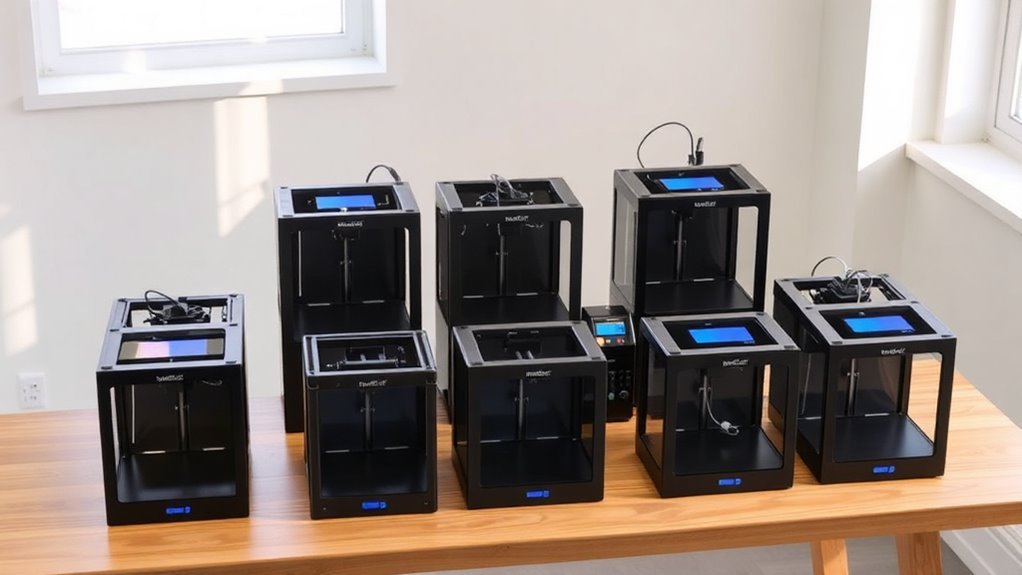
9 Best Beginner 3D Printers Under $200 for 2027
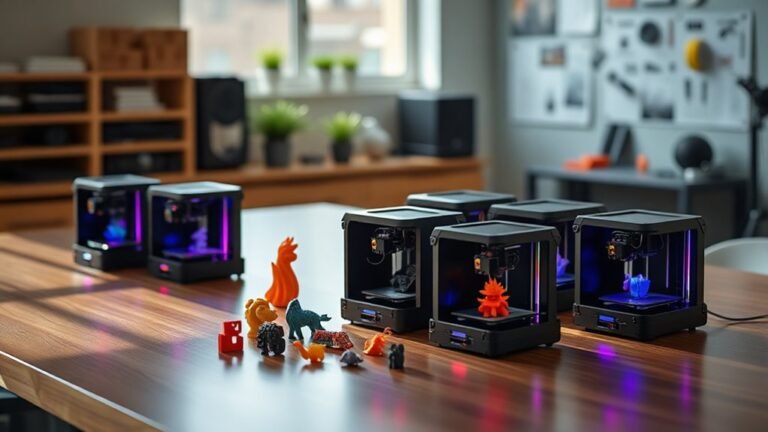
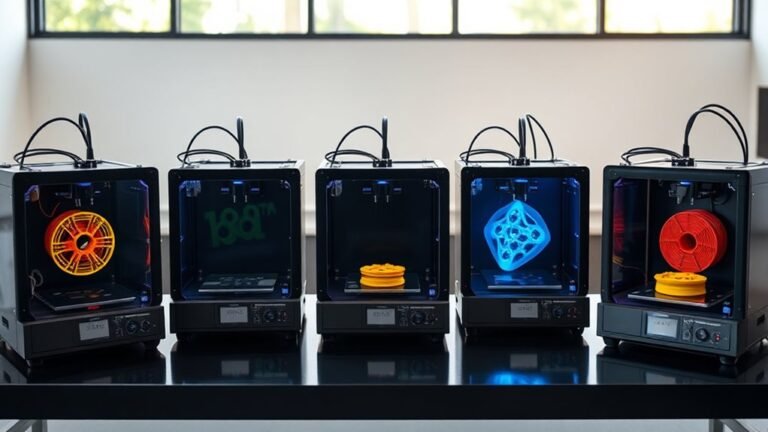
If you’re on the hunt for the best beginner 3D printers under $200 in 2027, you’ve got some great options to consider.
Models like the Entina Tina2 Mini, Geeetech Mini, and TINA2C are perfect for newbies thanks to their easy setup and auto leveling features. Plus, their compact designs make them ideal for small workspaces.
These printers support popular filaments like PLA and TPU, and they come with fast nozzle heating and silent printing capabilities.
If you want a bit more precision without sacrificing ease of use, the Creality Ender 3 V3 SE is a solid pick.
Keep exploring these options to find the perfect 3D printer that fits your creative projects and learning journey.
| Image | Name | Editor's Rating | Price |
|---|---|---|---|
|
|
||

|
|
||

|
|
||

|
|
||

|
|
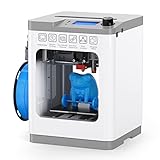
Entina Tina2 Mini 3D Printer for Beginners
- 3D Printer for Beginners and Kids: Out of the box, fully assembled, Speedy Printing –TINA2 BASIC 3d printer is super easy to use and does not require a complex setup...
- Ready to Print: Equipped with 2.4" LCD screen and Wiibulider slicer software makes it easy to conduct offline printing using the MicroSD Card. The 3-d printer supports...
- Fully Open-Source: Entina TINA2 BASIC Mini 3D printer adopts a safety-first design philosophy, featuring complete open-source compatibility for enhanced flexibility and a...
- Auto Leveling & Magnetic Platform: The small 3d printer does not need manual leveling, the intelligent leveling system can automatically adjust the uneven bed, thus...
- Compact Design:This is light weight and minimalist desktop 3D printers, the mini 3D printer size is 8.3''x8.3''x11.4'', weight is 3kg. Light weight and portable design...
The Entina Tina2 Mini 3D Printer offers a smooth introduction to 3D printing with its fully assembled design and intelligent auto-leveling system. This means you can start printing within five minutes without the usual setup frustrations. Its compact build fits easily on any desk, making it a practical choice for small spaces.
Maintenance is simple thanks to the magnetic removable build plate, which allows for quick and safe model removal. The printer’s safety-first construction ensures peace of mind, especially in environments with beginners or kids. Offline printing is supported through a TF card loaded with test models and slicing software, controlled via a clear 2.4-inch LCD screen.
Designed with precision in mind, dual Z-axis rails provide stable, accurate printing results. While its open-frame design might not suit all settings, it keeps the printer lightweight and accessible for users focused on basic projects. The limited build volume encourages creativity within manageable sizes, perfect for learning and small-scale creations.
The Entina Tina2 Mini 3D Printer simplifies the entry into 3D printing with easy setup, reliable operation, and user-friendly features that make creative projects approachable for all ages.
Best for: Beginners, kids, and hobbyists seeking a compact, straightforward 3D printer with quick setup and dependable performance.
What We Like:
- Fully assembled with intelligent auto-leveling for quick start
- Magnetic removable build plate for easy maintenance and model removal
- Offline printing capability with included TF card and 2.4-inch LCD screen
- Dual Z-axis rails ensure precise and stable prints
- Compact design suitable for small spaces and beginner use
Specification:
| Specification | Details |
|---|---|
| Manufacturer | Entina |
| Build Volume | 100 x 105 x 100 mm |
| Display | 2.4-inch LCD screen |
| Printing Technology | FDM |
| Material | Not specified |
| Weight | Not specified |
| Color Options | Not specified |
Portable Compact FDM 3D Printer with Removable Plate
- Foolproof Setup with Video Guides – Never get stuck! We provide a crystal-clear Quick Start Guide and step-by-step video tutorials. Watch them online to get started.
- Simple Assembly with Video Guide – Requires quick modular setup (watch our step-by-step video). Comes with 10m PLA filament, TF card, tools, and 12V Type-C power...
- Versatile Filament Compatibility – Unleash your creativity with both PLA and flexible TPU (1.75mm). The reliable 0.4mm nozzle and precise 0.05-0.3mm layer thickness...
- Reliable Performance & Compact Design – Features stable FDM technology and a removable build plate for easy model removal. The perfect 100x100x100mm build volume is...
- Complete Package – No Hidden Costs – Includes printer, 10m PLA filament, 8GB TF card + reader, tools, illustrated manual, and 12V Type-C power adapter. Plus free...
Experience the convenience of a truly portable compact FDM 3D printer designed to fit into any workspace. Its lightweight frame and small footprint solve the challenge of limited desk space, making 3D printing accessible wherever you are. The removable build plate simplifies the printing process by allowing easy model removal and quick cleaning.
This printer supports PLA and TPU filaments, providing versatility for creating toys, prototypes, and decorative items. With a 0.4mm nozzle and adjustable layer thickness from 0.05 to 0.3mm, it balances print quality with ease of use. Setup is straightforward, guided by video tutorials and a Quick Start Guide, so beginners can start printing without frustration.
Maintenance is hassle-free thanks to the detachable plate and included tools. The compact 100x100x100mm build volume suits small projects, though larger items may require alternative solutions. Its basic FDM technology focuses on functionality over advanced features, making it ideal for those new to 3D printing.
Best for: Beginners, hobbyists, and educators seeking a portable, user-friendly 3D printer with a compact design and reliable filament compatibility.
What We Like:
- Lightweight and compact for easy portability
- Removable build plate for simple model handling and cleaning
- Clear setup instructions with included accessories
- Supports flexible TPU and standard PLA filaments
Specification:
| Feature | Details |
|---|---|
| Manufacturer | Not specified |
| Dimensions | Compact size |
| Weight | 2.2 lbs (1 kg) |
| Build Volume | 100 x 100 x 100 mm |
| Nozzle Diameter | 0.4 mm |
| Supported Filaments | PLA, TPU |
| Included Extras | Filament, tools, 8GB TF card, power adapter |
Geeetech Mini 3D Printer for Kids and Beginners
No products found.
The Geeetech Mini 3D Printer is designed to simplify 3D printing for kids and beginners. Its compact size and straightforward knob controls make setup quick and operation intuitive. This means users can focus on creating without struggling with complicated settings.
Its precise 16-point auto-leveling system and flexible magnetic build plate reduce print errors and maintenance time. The printer supports TPU and PLA materials, handling speeds up to 250 mm/s, which helps users produce quality prints efficiently.
Maintenance is easy thanks to the fully assembled design and a reliable dual-drive metal gear extruder that ensures consistent filament feeding. Although the print area is modest at 3.94 x 4.33 x 3.94 inches, it suits small to medium projects perfect for learning and experimentation.
The lightweight frame enhances portability but may require careful placement to maintain stability during faster prints. Overall, this printer balances ease of use with reliable performance, making it ideal for those new to 3D printing.
Best for: Kids and beginners seeking a compact, easy-to-use 3D printer that delivers consistent results with minimal setup.
What We Like:
- Fully assembled with simple knob controls for hassle-free operation
- 16-point auto-leveling and magnetic build plate for accurate printing
- Dual-drive metal gear extruder ensures steady filament feeding
- Supports printing TPU and PLA materials at speeds up to 250 mm/s
Specification:
| Feature | Details |
|---|---|
| Manufacturer | Geeetech |
| Print Area | 3.94 x 4.33 x 3.94 inches |
| Weight | 9.8 pounds |
| Supported Materials | TPU, PLA |
| Controls | Knob controls, 2.4” LCD screen |
TINA2C 3D Printer Beginner Friendly, Easy-Ready to Print in 5 Mins
- 【BEGINNER FRIENDLY-READY TO PRINT】Hephi3d Tina2C 3d printer friendly for home, fully assembled, factory preset, auto leveling, ready to print right out of the box, no...
- 【EASY TO USE-ONE TAP PRINTING】Tina2C mini 3d printer provides 3500+ online massive ready to print model library, new designs update every day. You can print in one...
- 【UNLIMITED CREATIVITY-EASY DIY】Tina2C beginner friendly 3d printer with APP provides STEM Learning Module and 25+ design modules for simply customizing. AIGC & Photo...
- 【FULLY OPEN SOURCE-NO LIMITS】Tina2C beginner 3d printer is no software lock-In. Print you way freely with Wiibuilder or Cura on PC and laptops, one-click wifi upload...
- 【FAMILY & BEGINNER FRIENDLY】 Tina2c compact 3d printer for home can print anytime anywhere, space save. Silent Printing and Auto Detect Bed function give more safe...
The TINA2C 3D printer offers a smooth and straightforward start for beginners. Its fully assembled design and auto leveling feature mean you can begin printing in just five minutes without frustration. This printer solves the common setup challenges by delivering a reliable, hassle-free experience.
Its compact and lightweight build makes it easy to place and manage in any workspace. You can effortlessly access over 3,500 printable models with just one tap on your phone or tablet. The built-in app control and multiple upload options like Wi-Fi, TF card, and USB-C provide flexible, user-friendly operation.
Maintenance is simple with the quick-release hotend, allowing for stress-free cleaning and part replacement. Features like silent printing, auto bed detection, and resume-after-power-outage increase reliability and reduce downtime during long prints.
While its size limits large project builds and it may lack advanced features for professionals, the TINA2C excels at delivering ease of use and versatility. Its design focuses on making 3D printing accessible and enjoyable for hobbyists and beginners alike.
Best for: Beginners and hobbyists looking for a quick-start, easy-to-use 3D printer with versatile connectivity and reliable performance.
What We Like:
- Fully assembled with auto leveling for fast setup
- One-tap access to 3,500+ models via app control
- Flexible upload options: Wi-Fi, TF card, USB-C
- Quiet printing and power outage resume functionality
- Quick-release hotend simplifies maintenance
Specification:
| Feature | Description |
|---|---|
| Manufacturer | TINA2C |
| Dimensions | Compact, lightweight |
| Weight | Lightweight |
| Connectivity | Wi-Fi, TF card, USB-C |
| Control | App control (phone/tablet) |
| Special Features | Auto leveling, silent print, auto bed detection, quick-release hotend |
Creality Ender 3 V3 SE Beginner-Friendly 3D Printer with Auto Leveling
- 250mm/s High-Speed Printing: Print at speeds of up to 250mm/s with 2500mm/s² acceleration, helping you complete prototypes, functional parts, and everyday projects...
- Easy Setup with Auto Leveling: Designed for a fast and straightforward setup, the Ender 3 V3 SE can be assembled in just a few simple steps. CR Touch Auto Leveling and...
- Proven Sprite Direct Drive Extruder: The upgraded Sprite Direct Drive Extruder provides smooth and consistent filament feeding for PLA, PETG, and TPU. Its proven design...
- Stable Motion System for Consistent Results: Dual synchronized Z-axis lead screws and precision Y-axis linear shafts work together to help reduce vibration and Z...
- Quiet Operation with Easy Print Removal: A 32-bit silent mainboard helps reduce operating noise for a more comfortable printing experience, while the flexible PC spring...
The Creality Ender 3 V3 SE offers a smooth introduction to 3D printing with its auto leveling system, eliminating the frustration of manual bed leveling. This feature ensures a perfect first layer every time, saving you time and improving print reliability from the start.
Its design includes an upgraded Sprite Direct Drive Extruder, which handles popular filaments like PLA, PETG, and TPU effortlessly. This versatility makes it easier to experiment with different materials without frequent adjustments or maintenance hassles.
Printing is stable and consistent thanks to the dual Z-axis lead screws and precision Y-axis shafts, which reduce vibration. The 32-bit silent mainboard keeps noise levels low, making it suitable for home or office use. The flexible PC spring steel build plate also simplifies print removal, reducing the risk of damage.
Maintenance is straightforward, and the fast assembly process means you’ll spend more time printing and less time setting up. While it supports common filaments, specialty materials are not mentioned. The printer’s size may limit portability, but its performance suits both beginners and experienced users.
Best for: Those seeking an easy-to-assemble 3D printer with reliable auto leveling and consistent print quality for everyday use.
What We Like:
- Hassle-free setup with CR Touch Auto Leveling and Z-offset calibration
- Supports multiple filament types with the Sprite Direct Drive Extruder
- Stable, quiet printing from dual Z-axis lead screws and a 32-bit silent mainboard
- Flexible spring steel build plate for easy print removal
Specification:
| Feature | Details |
|---|---|
| Manufacturer | Creality |
| Dimensions (approx.) | Not specified |
| Weight | Not specified |
| Material | Metal frame, PC spring steel build plate |
| Color Options | Not specified |
Gonetre FDM 3D Printer for Beginners (100mm)
- [Fast Heating Capability] The frequency division multiplexing 3d printer is engineered for efficient heating, making it suitable for beginners. with a unique key system...
- [High Accuracy Printing] The beginner 3d printer features a compact printing size of 4 x 4 x 4in (100 x 100 x 100mm) and is equipped with an excellent all metal nozzle...
- [ and ] Made from robust abs material, this 3d printer is built to withstand regular use while maintaining its performance. its sturdy design ensures reliability and...
- [Easy to Use for Beginners] Designed with beginners in mind, this frequency division multiplexing 3d printer allows for easy usage even if you have no experience with 3d...
- [Versatile Printing Options] You can print from both included model files and downloaded online, offering versatility in your innovative projects. this feature enables...
Discover the Gonetre FDM 3D Printer, designed to bring precision and ease to your first 3D printing experience. Its compact size and straightforward controls make it ideal for beginners who want reliable results without the complexity.
This printer solves the common challenge of long wait times by heating its all-metal nozzle up to 180°C in just five minutes. It supports flexible TPU and standard PLA filaments, allowing you to experiment with various materials easily. The precise layer resolution of up to 0.05mm ensures your prints come out clean and detailed.
Maintenance is simple thanks to its durable ABS construction, which balances sturdiness with lightweight portability. While the build volume of 100x100x100mm limits larger projects, it perfectly fits small-scale creations in home, classroom, or makerspace environments.
With its user-friendly design, the Gonetre FDM 3D Printer reduces errors and frustration, helping you focus on creativity and learning. It’s a reliable tool for exploring 3D printing fundamentals without overwhelming features.
Best for: Beginners and hobbyists needing an accurate, compact 3D printer for small projects and educational use.
What We Like:
- Quick heating all-metal nozzle reaches 180°C in 5 minutes
- High precision printing with 0.05mm layer resolution
- Easy loading and unloading of TPU and PLA filaments
- Compact design suitable for limited workspaces
- Durable ABS frame balances strength and lightweight handling
Specification:
| Feature | Details |
|---|---|
| Manufacturer | Gonetre |
| Build Volume | 100 x 100 x 100 mm |
| Printing Technology | FDM |
| Nozzle Material | All-metal |
| Max Nozzle Temp | 180°C |
| Layer Resolution | Up to 0.05 mm |
| Frame Material | ABS |
| Supported Filaments | TPU, PLA |
M1 Mini 3D Printer for Kids & Beginners
No products found.
The M1 Mini 3D Printer is designed to make 3D printing simple and accessible for kids and beginners. Its easy setup with pre-sliced models means users can start creating quickly without technical barriers. The smart 16-point auto leveling system ensures precise printing by eliminating the need for manual calibration.
This compact printer’s direct drive extruder handles PLA and flexible TPU filaments with accuracy. It prints at speeds up to 250mm/s, completing models 60% faster than most beginner printers. This efficiency helps young makers stay engaged and finish projects in less time.
Maintenance is straightforward, though flexible filament printing may require occasional extruder care. Safety features like filament break detection and a PEI spring steel plate add peace of mind during operation. The lightweight design fits neatly on a desk and can be easily moved as needed.
Overall, the M1 Mini balances functionality and ease of use, making it a practical choice for educational and creative settings. Its limitations in material variety and print volume suit smaller-scale projects and introductory use.
Best for: Kids and beginners seeking a fast, user-friendly 3D printer for STEM learning and creative projects.
What We Like:
- Pre-sliced models and smart 16-point auto leveling for easy start-up
- Fast printing speeds up to 250mm/s, 60% quicker than typical beginner printers
- Filament break detection and PEI spring steel plate for safe, hassle-free printing
- Compact, lightweight design for convenient placement and portability
Specification:
| Feature | Details |
|---|---|
| Manufacturer | M1 Mini |
| Dimensions | Compact (specific size not provided) |
| Weight | 8.8 lb (4 kg) |
| Supported Materials | PLA, TPU |
| Color Options | Not specified |
MALYAN M320 Mini 3D Printer for Beginners

- Compact Build Volume 3D Printer for Everyday Projects:With a 150×150×150 mm compact build volume, the M320 is perfect for daily creative projects. Featuring a heated...
- Fully Assembled 3D Printer with Touchscreen for Easy Use:The M320 comes fully assembled and factory-calibrated, ready to print out of the box. Thanks to the intuitive...
- Magnetic Removable Build Plate :The detachable magnetic platform ensures strong adhesion during printing, while allowing you to remove models effortlessly by bending...
- Compact, Sturdy, and Stable Metal Frame 3D Printer:Featuring a full-metal frame in a lightweight, space-saving design, the M320 stays stable during printing while...
- Ideal for Learning, Creating, and Prototyping:Whether for educational projects, family DIY fun, cosplay miniatures, or professional prototyping, the M320 brings your...
The MALYAN M320 Mini 3D Printer offers a smart solution for those stepping into 3D printing. Its compact design fits neatly on any desk, making it ideal for small workspaces. The intuitive touchscreen simplifies operation, helping beginners avoid common setup frustrations.
This printer is built with a sturdy full-metal frame that ensures stability during printing. Its heated bed and magnetic removable build plate improve print adhesion and make removing models effortless. These features help reduce print failures and save time on cleanup.
With a 150 x 150 x 150 mm build volume, it handles daily projects efficiently, especially with PLA or PETG filaments. The M320 arrives fully assembled, so users can start printing immediately without complex setup. Routine maintenance is straightforward, helping keep the printer running smoothly.
While its smaller build size may limit larger projects, the M320 focuses on delivering reliability and ease of use. It comes with enough filament to get started, though replenishment will be needed for extended use.
Best for: Beginners, educators, and DIY enthusiasts needing a compact and reliable 3D printer for everyday prototyping and small projects.
What We Like:
- Compact full-metal frame provides durability and workspace efficiency
- Intuitive touchscreen control simplifies user interaction
- Heated bed with magnetic build plate enhances print adhesion and model removal
Specification:
| Feature | Detail |
|---|---|
| Manufacturer | MALYAN |
| Build Volume | 150 x 150 x 150 mm |
| Frame Material | Full Metal |
| Control Interface | Touchscreen |
| Filament Types | PLA, PETG |
| Assembly | Fully assembled |
Cuifati Mini 3D Printer for Kids and Beginners

- 【Rapid Heating and Printing】Engineered for efficiency, this 3D printer heats up quickly, ideal for beginners. Its unique key system lets you easily start, stop, and...
- 【Excellent Print Quality】This beginner-friendly 3D printer boasts a compact print size of 4 x 4 x 4 inches (100 x 100 x 100 mm) and features an all-metal nozzle for...
- 【Versatile Printing Options】You can print using the included model files or model downloaded online, offering flexibility in your projects. This feature encourages...
- 【User-Friendly Setup and Operation】Tailored for beginners, this frequency division multiplexing 3D printer simplifies the printing process. Just download the model...
- 【Rugged Construction】Built from durable ABS material, this fully assembled 3D printer is designed to withstand regular use without compromising performance. Its...
Step into the world of 3D printing with the Cuifati Mini 3D Printer, designed specifically for kids and beginners. This compact printer solves common startup challenges by offering an easy setup and safe, user-friendly operation. Its small footprint fits neatly on any desk, making it ideal for home or classroom use.
The printer heats its nozzle to 180°C in just five minutes, allowing users to start projects quickly without long waits. It supports PLA and TPU filaments, which are both safe and versatile materials. With a fine layer resolution of 0.05mm, it produces detailed prints that bring creative ideas to life.
Maintenance is straightforward thanks to its durable ABS construction and fully assembled design. The intuitive controls simplify filament loading and unloading, while following the included leveling guide ensures consistent print quality. Though the print area is limited to 4 x 4 x 4 inches, this size encourages manageable projects perfect for learning.
Best for: Kids and beginners seeking a simple, safe, and compact 3D printer to explore creativity with PLA and TPU materials.
What We Like:
- Fully assembled for quick, hassle-free startup
- Fast nozzle heating reduces wait time
- High layer resolution for detailed prints
- Durable ABS frame enhances longevity
- Easy filament handling with intuitive controls
Specification:
| Feature | Details |
|---|---|
| Manufacturer | Cuifati |
| Build Volume | 4 x 4 x 4 inches |
| Supported Filaments | PLA, TPU |
| Nozzle Temperature | Up to 180°C |
| Layer Resolution | 0.05 mm |
| Material | ABS |
Factors to Consider When Choosing a Beginner 3D Printer Under 200

When choosing a beginner 3D printer under $200, you’ll want to focus on print quality and ease of setup to get started quickly. It’s all about getting those first prints right without too much hassle.
Also, consider safety features, build volume size, and filament compatibility. These should match your projects and environment so everything runs smoothly.
Taking these factors into account will help you find a reliable printer that fits your needs and skill level. That way, you can enjoy learning and creating without frustration.
Print Quality And Precision
Print quality plays an essential role in your 3D printing experience, especially as a beginner working with a budget under $200. You’ll want to focus on layer resolution since higher resolution, like 0.05mm, delivers finer details and smoother finishes.
Stability during printing also matters; features like dual Z-axis rails or a solid frame help reduce vibrations, boosting precision. The nozzle diameter influences quality too—a standard 0.4mm nozzle balances detail and speed for various projects.
Auto-leveling is a handy feature that guarantees your print bed is perfectly aligned, minimizing first-layer adhesion problems. Keep in mind the build volume; while a compact size around 100x100x100mm limits large prints, it’s perfect for smaller, beginner-friendly projects where precision matters most.
Ease Of Setup
Although 3D printing can seem intimidating at first, choosing a beginner printer under $200 with easy setup features can get you printing quickly and confidently. Look for fully assembled models that minimize setup time, so you can start your projects within minutes.
Auto-leveling beds remove the hassle of manual adjustments, making your first prints smoother. Clear instructions or video guides are essential—they’ll walk you through the process step-by-step.
Printers that include pre-sliced test models on an SD card let you print immediately without extra software setup. And intuitive controls, like simple buttons or knobs, make operating your printer straightforward, even if you’re new to 3D printing.
Prioritizing these features will make your 3D printing journey enjoyable and stress-free from the start.
Safety Features Included
Because safety should never be an afterthought, choosing a beginner 3D printer under $200 means prioritizing features that protect both you and your machine. Look for models with automatic bed leveling systems to avoid manual adjustments that can lead to errors or injury.
A hotend release mechanism lets you change materials safely without risking burns. Filament break detection pauses printing if your material runs out, preventing failed prints and potential hazards.
Make sure your printer has an efficient cooling system to reduce overheating during long sessions. Additionally, silent printing capabilities help keep noise levels low, creating a safer, more comfortable environment—especially if you’re printing at home with kids around.
These safety features make your 3D printing experience smoother and worry-free.
Build Volume Size
Along with safety, the size of your printer’s build volume plays a big role in what you can create. It sets the maximum dimensions of your printed objects, so it directly affects the range of projects you can tackle.
Most beginner 3D printers offer a build volume around 100x100x100 mm, which works well for small models and educational pieces. If you want to print larger items, look for printers with volumes exceeding 200×200 mm.
But keep in mind that bigger build volumes usually mean a bulkier machine and higher costs. Also, consider if the build plate is heated or removable, as these features improve adhesion and make handling bigger prints easier.
Balancing your project needs with space and budget will help you pick the right printer. It’s all about finding what works best for you!
Filament Compatibility Options
Choosing the right filament compatibility is essential when picking a beginner 3D printer under $200. Most beginner-friendly models support common filaments like PLA and TPU, which are easy to print with and widely available.
You’ll find that 1.75mm filament diameter is the standard, so sourcing materials won’t be a hassle. Some printers even allow multiple filament types, giving you flexibility to create everything from toys to functional parts.
Keep in mind the nozzle diameter, usually around 0.4mm, as it influences print resolution and filament options. Also, look for printers that offer adjustable layer thickness settings, typically between 0.05mm and 0.3mm.
This way, you can balance print quality and speed depending on the filament you choose. That guarantees your prints come out just right every time.
Software And Connectivity
After selecting the right filament for your projects, you’ll want to evaluate how the printer’s software and connectivity options fit your workflow. Look for printers compatible with open-source slicing software like Cura or those offering proprietary options to boost customization and ease of use.
Make sure the printer supports offline printing via MicroSD cards, which is essential if your internet is spotty or unavailable. Features like Wi-Fi connectivity or app control can simplify operation and let you manage prints remotely.
Many beginner models include preloaded test prints on TF cards, helping you start quickly without complex setup. Finally, check for accessible online tutorials and troubleshooting guides—these resources make addressing software and connectivity issues much easier as you get started.
Frequently Asked Questions
What Types of Filaments Are Compatible With Beginner 3D Printers Under $200?
You’ll mostly work with PLA and sometimes ABS filaments since they’re easy to print and affordable.
Some printers handle TPU for flexible projects, but stick to PLA if you want fewer issues and smooth beginner prints.
How Much Maintenance Do Entry-Level 3D Printers Typically Require?
You’ll need to perform basic maintenance like cleaning the nozzle, lubricating moving parts, and leveling the bed regularly. It’s usually not time-consuming, but staying consistent guarantees better print quality and extends your printer’s lifespan.
Trust me, keeping up with these simple tasks makes a big difference. It helps avoid bigger issues down the road and keeps your prints looking sharp.
Are There Any Safety Tips for Kids Using Beginner 3D Printers?
When a kid accidentally touched a hot nozzle, they learned safety quickly. You should always supervise kids and make sure they avoid hot parts.
Also, it’s a good idea to use gloves and keep the workspace clean. This helps prevent burns and accidents during printing.
Can Beginner 3D Printers Connect Directly to Smartphones or Tablets?
Yes, some beginner 3D printers connect directly to smartphones or tablets via Wi-Fi or Bluetooth. You’ll find apps that let you control prints, making it easier to manage projects without needing a computer.
It’s pretty convenient! You can start, pause, or stop your print right from your phone. No need to be stuck at your desk all the time.
What Software Is Recommended for Beginners to Design 3D Models?
Think of Tinkercad as your 3D modeling playground; it’s user-friendly and web-based, perfect for beginners.
You’ll also love Fusion 360 for more features, while SketchUp offers intuitive tools to bring your ideas to life quickly.
Conclusion
Choosing your first 3D printer can feel like a fantastic foray into creativity and crafting. With these friendly, affordable, and functional options under $200, you’re set to start strong.
Whether you crave compact convenience or kid-friendly simplicity, there’s a perfect pick for you. Immerse yourself in designing, delight in development, and discover the dazzling details of 3D printing.
Your journey to joyful, jaw-dropping creations begins here! Exploring the best beginner 3D printers under $200 means finding tools that balance ease of use with quality results. These models are ideal for anyone eager to dive into 3D printing without breaking the bank. So, get ready to unleash your imagination and bring your ideas to life with a budget-friendly printer made just for beginners.