7 Best Budget Friendly 3D Printers for 2027
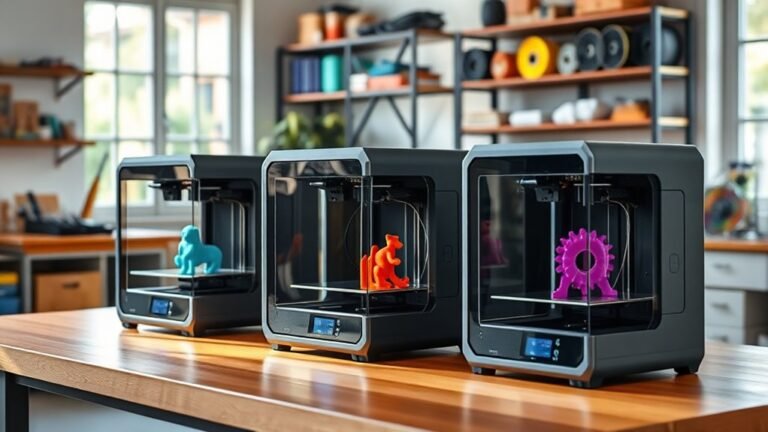
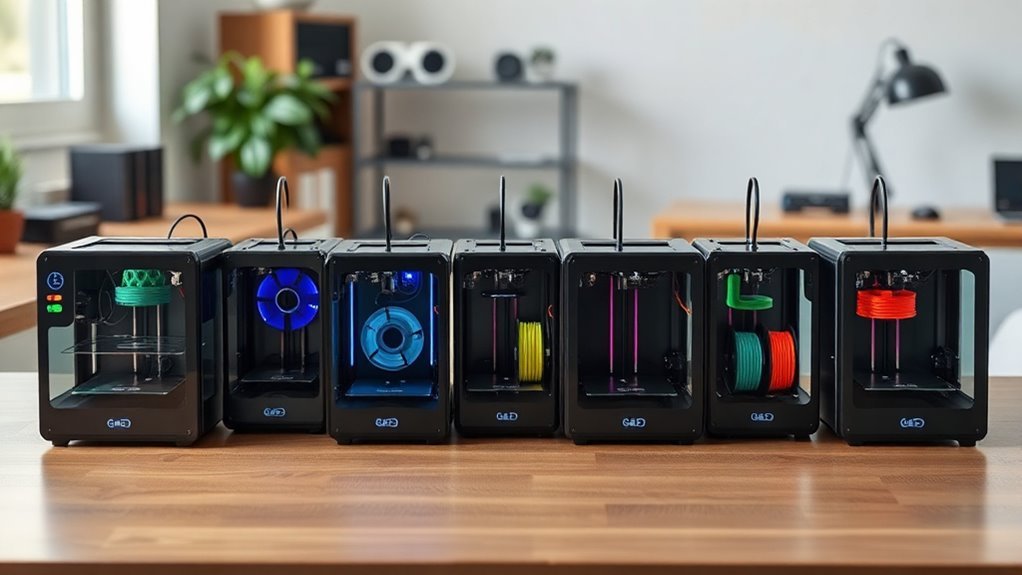
If you’re hunting for budget-friendly 3D printers in 2027, you’ve come to the right place. Whether you’re a beginner, hobbyist, or someone who just wants reliable, affordable printing options, there are plenty of great choices out there.
From fast and precise models to compact and portable ones, the market has something for everyone.
For instance, the Creality Ender 3 V3 SE is perfect if you want speed and precision without breaking the bank. On the other hand, the Geeetech Mini is designed with kids and beginners in mind, making it super user-friendly and fun to use.
The ENTINA MINI and TINA2C stand out because they come pre-assembled and feature reliable auto-leveling, which means less hassle setting things up.
If you’re always on the go, portable compact models are ideal for your projects anywhere.
Looking for something with multicolor capabilities? The Anycubic Kobra X has you covered.
And for hobbyists who want a balanced, all-around machine, the MALYAN M320 Mini strikes just the right note. Keep exploring—you’re sure to find the perfect fit for your 3D printing needs!
| Image | Name | Editor's Rating | Price |
|---|---|---|---|

|
|
||

|
|
||

|
|
||

|
|
||
|
|
Creality Ender 3 V3 SE 3D Printer Upgrade
- 【250mm/s High-speed Printing】Creality Ender 3 V3 SE 3d printer supports a maximum printing speed of 250mm/s, 2500mm/s² acceleration.The speed has been greatly...
- 【Powerful ""Sprite"" Direct Extruder】Ender 3 V3 SE is the upgrade of ender 3, ender 3 v2, ender 3 pro, ender 3 neo, ender 3 v2 neo, ender 3 s1, ender 3 s1 pro etc 3d...
- 【Worry-free CR Touch Auto Leveling & Strain Sensor】Creality Ender 3 upgraded 3d printer features a CR Touch sensor for auto leveling and a strain sensor for auto...
- 【Stable Dual Z-axis & Y-axis Linear Shafts】High-precision dual Z-axis lead screws reduce Z wobbling effectively, avoid printing deviation in single-axis printing...
- 【Quick Assembly & Easy to Use】Preassembly has solved those hassles and worries of parts assembly, It only takes 3 steps to complete the assemble the ender-3 v3 se 3d...

The Creality Ender 3 V3 SE Upgrade is designed to boost your 3D printing efficiency without compromising quality. It tackles long print times by delivering speeds up to 250 mm/s and acceleration at 2500 mm/s², cutting print durations by nearly three-quarters compared to many alternatives. This means faster project completion and less waiting.
Its Sprite full-metal dual-gear extruder ensures smooth handling of PLA, TPU, and PETG filaments. The automatic filament loading and unloading simplify maintenance and reduce downtime. Precision is enhanced by the CR Touch auto-leveling system and dual Z-axis lead screws, providing stable and accurate prints every time.
Assembly is straightforward with a quick three-step setup process, making it accessible for both beginners and experienced users. The printer’s compact build volume fits most hobby projects while maintaining detailed results. Its design balances speed and reliability, ideal for those upgrading their 3D printing capabilities.
Best for: Hobbyists and makers seeking a fast, precise, and easy-to-maintain 3D printer upgrade with reliable filament management.
What We Like:
- Fast printing speeds with significant time savings
- Durable full-metal dual-gear extruder with auto filament handling
- Advanced stability through CR Touch leveling and dual Z-axis lead screws
- Simple and quick three-step assembly process
Specification:
| Feature | Details |
|---|---|
| Manufacturer | Creality |
| Build Volume | 8.66 x 8.66 x 9.84 inches |
| Printing Speed | Up to 250 mm/s |
| Acceleration | 2500 mm/s² |
| Filament Compatibility | PLA, TPU, PETG |
| Extruder Type | Sprite full-metal dual-gear |
| Auto-Leveling | CR Touch |
Geeetech Mini 3D Printer for Kids and Beginners
No products found.
The Geeetech Mini 3D Printer offers a straightforward and hassle-free introduction to 3D printing. Designed with kids and beginners in mind, it simplifies the creative process with a fully assembled setup and an easy-to-navigate 2.4″ color LCD screen. This makes starting new projects quick and accessible without technical frustration.
Its 16-point auto-leveling system ensures consistent print quality by automatically adjusting the bed for a smooth surface. The heated, flexible magnetic bed helps reduce warping and makes removing finished models effortless, enhancing the overall user experience.
Equipped with a direct drive extruder and dual metal gears, the printer delivers precise prints at speeds up to 250 mm/s. It supports TPU and PLA filaments and can accommodate spools up to 1 kg, providing versatility for various project types.
While the compact print area limits the size of models, this design suits smaller educational or creative tasks. Maintenance is straightforward thanks to the flexible bed and user-friendly controls, making it ideal for learning environments.
Best for: Kids and beginners seeking a reliable, easy-to-use 3D printer for educational and creative projects.
What We Like:
- Fully assembled with simple setup and intuitive 2.4″ color LCD
- 16-point auto-leveling and heated flexible magnetic bed reduce warping
- Direct drive extruder with dual metal gears for precise TPU and PLA printing
- Supports up to 1 kg filament spools for extended use
Specification:
| Feature | Details |
|---|---|
| Manufacturer | Geeetech |
| Print Area | 3.94 × 4.33 × 3.94 in |
| Filament Compatibility | TPU, PLA |
| Filament Spool Size | Up to 1 kg |
| Print Speed | Up to 250 mm/s |
| Display | 2.4″ color LCD |
Portable Compact FDM 3D Printer for Beginners
- Foolproof Setup with Video Guides – Never get stuck! We provide a crystal-clear Quick Start Guide and step-by-step video tutorials. Watch them online to get started.
- Simple Assembly with Video Guide – Requires quick modular setup (watch our step-by-step video). Comes with 10m PLA filament, TF card, tools, and 12V Type-C power...
- Versatile Filament Compatibility – Unleash your creativity with both PLA and flexible TPU (1.75mm). The reliable 0.4mm nozzle and precise 0.05-0.3mm layer thickness...
- Reliable Performance & Compact Design – Features stable FDM technology and a removable build plate for easy model removal. The perfect 100x100x100mm build volume is...
- Complete Package – No Hidden Costs – Includes printer, 10m PLA filament, 8GB TF card + reader, tools, illustrated manual, and 12V Type-C power adapter. Plus free...
This portable compact FDM 3D printer is designed to make 3D printing accessible and straightforward for beginners. Its small footprint and lightweight design fit easily into tight spaces, helping users set up quickly in classrooms, dorms, or home workshops. You get detailed prints thanks to a 0.4 mm nozzle and adjustable layer thickness from 0.05 to 0.3 mm.
Maintenance is simple with a removable build plate, making it easy to remove finished models without damage. The printer supports PLA and TPU filaments, which are user-friendly materials that reduce the complexity of filament handling and cleanup. Setup is guided by a clear Quick Start Guide and helpful video tutorials, so users don’t feel overwhelmed.
Its compact build volume of 100 x 100 x 100 mm suits small to medium projects perfectly, making it an ideal learning tool for students and hobbyists. This printer solves the problem of limited workspace while delivering quality prints and ease of use. Its design encourages creativity and practical learning in STEM environments.
Best for: Beginners, students, and hobbyists wanting a compact and easy-to-use 3D printer for educational or personal projects.
What We Like:
- Compact and lightweight, fits well in small spaces
- Clear instructional materials for easy setup
- Removable build plate simplifies print removal
- Supports PLA and TPU filaments for versatile printing
Specification:
| Feature | Details |
|---|---|
| Manufacturer | Not specified |
| Build Volume | 100 x 100 x 100 mm |
| Nozzle Diameter | 0.4 mm |
| Layer Thickness | 0.05 – 0.3 mm |
| Filament Types | PLA, TPU |
| Weight | 2.2 lb (1 kg) |
| Dimensions | Under 7 inches (approx.) |
TINA2C 3D Printer Beginner Friendly, Easy-Ready to Print in 5 Mins
- 【BEGINNER FRIENDLY-READY TO PRINT】Hephi3d Tina2C 3d printer friendly for home, fully assembled, factory preset, auto leveling, ready to print right out of the box, no...
- 【EASY TO USE-ONE TAP PRINTING】Tina2C mini 3d printer provides 3500+ online massive ready to print model library, new designs update every day. You can print in one...
- 【UNLIMITED CREATIVITY-EASY DIY】Tina2C beginner friendly 3d printer with APP provides STEM Learning Module and 25+ design modules for simply customizing. AIGC & Photo...
- 【FULLY OPEN SOURCE-NO LIMITS】Tina2C beginner 3d printer is no software lock-In. Print you way freely with Wiibuilder or Cura on PC and laptops, one-click wifi upload...
- 【FAMILY & BEGINNER FRIENDLY】 Tina2c compact 3d printer for home can print anytime anywhere, space save. Silent Printing and Auto Detect Bed function give more safe...
The TINA2C 3D printer offers a straightforward entry into 3D printing, letting beginners start creating in just five minutes. Its fully assembled setup with factory presets and auto leveling eliminates the usual hassle of calibration, saving time and frustration. This ease of use makes it ideal for home projects, STEM education, and family activities.
Designed for convenience, the TINA2C includes starter PLA filament, essential tools, and test models on a TF card. Users can control the printer through a mobile app, enabling one-tap printing and quick access to over 3,500 ready-made designs. This seamless integration supports creativity without complicated software or hardware setups.
Maintenance is simple thanks to its compact and silent design. The printer also resumes printing after power interruptions, ensuring consistent results. Multiple upload options provide flexibility, though it primarily supports PLA filament, which may limit material variety.
While compact size suits smaller projects, larger or more complex prints might be challenging. Advanced users may find customization options limited without additional software expertise, but the TINA2C’s open-source workflow and AI-generated 3D models enhance design possibilities.
Best for: Beginners and hobbyists seeking a user-friendly, ready-to-print 3D printer for educational and creative use at home.
What We Like:
- Fully assembled with factory presets and auto leveling for quick setup
- Mobile app control with one-tap printing and extensive model library
- Silent operation with print recovery after interruptions
- Supports AI-generated designs and multiple file upload options
Specification:
| Feature | Details |
|---|---|
| Manufacturer | TINA |
| Dimensions | Compact size (exact size not provided) |
| Weight | Not specified |
| Material | PLA filament (included) |
| Color Options | Not specified |
Anycubic Kobra X Multicolor 3D Printer, Easy One-Click Printing
- 【Vivid 19-Color and Versatile Materials】Unleash creativity beyond limits. The Kobra X supports 4-color standard and expands up to 19 colors with 4 ACE 2 Pro for...
- 【600mm/s High Speed Performance】Don't let slow speeds limit your creativity. This high-speed FDM 3D printer reaches up to 600mm/s, completing tasks significantly...
- 【True Plug & Play Experience】Start your first project in as little as 15 minutes. The Kobra X arrives with a user-friendly setup and LeviQ 3.0 automatic bed leveling...
- 【LeviQ 3.0 Perfect First Layer】Forget the frustration of manual bed leveling that plagues beginner machines. The LeviQ 3.0 system utilizes 49-point full-auto leveling...
- 【Quiet & Reliable for Home】The ultra-quiet ≤48 dB operation ensures the living or learning space remains peaceful. Combined with power loss recovery and filament...
Experience vibrant multicolor 3D printing made simple with the Anycubic Kobra X Multicolor 3D Printer. It solves the challenge of creating complex, multi-hued projects without complicated setups. With easy one-click printing, you can quickly bring your colorful designs to life.
This printer features an adaptive extrusion force compensator that ensures smooth color transitions and consistent print quality. Its hardened steel nozzle heats up to 300°C, supporting a range of common materials while maintaining crisp details. The 260mm build volume balances workspace and versatility for most hobbyist and educational needs.
Maintenance is straightforward thanks to LeviQ 3.0 auto-leveling, which simplifies bed calibration and reduces setup time. Real-time 720p camera monitoring helps you keep an eye on prints remotely, preventing errors before they occur. The printer’s quiet operation suits home or classroom use without distractions.
While it supports up to 4 colors out of the box, expansions up to 19 colors are possible with additional hardware, offering flexibility for advanced users. However, this adds complexity and cost. The build volume and maximum temperature set practical limits for very large or high-temperature materials.
Best for: hobbyists, educators, and small businesses needing an affordable, easy-to-use multicolor 3D printer with reliable performance.
What We Like:
- Supports up to 4 colors standard, expandable to 19 for complex projects
- Quick setup with LeviQ 3.0 automatic bed leveling
- Real-time 720p camera monitoring for remote print supervision
- Adaptive extrusion force compensator for smooth color transitions
- Ultra-quiet operation ideal for shared spaces
Specification:
| Feature | Details |
|---|---|
| Manufacturer | Anycubic |
| Build Volume | 260 × 260 × 260 mm |
| Nozzle Temperature | Up to 300°C |
| Color Support | 4 colors standard, expandable to 19 |
| Bed Leveling | LeviQ 3.0 Auto-leveling |
| Camera | 720p real-time monitoring |
| Operation Noise | Ultra-quiet |
ENTINA MINI 3D Printer,TIAN2PLUS 250mm/s Fast 3D Printer for Beginners
- Open the Box & Start Printing in Minutes:The TINA2 PLUS arrives fully pre-assembled, pre-calibrated, and ready to go. No tedious setup, no complicated tuning. Just plug...
- Blazing Fast Prints with ±0.1 mm Precision :Achieve print speeds up to 250 mm/s without sacrificing quality. The 0.4 mm nozzle and high‑efficiency cooling fan...
- One‑Touch Auto Leveling & Dual Z‑Axis Stability :The 9‑point intelligent leveling system ensures perfect first layers every time, while the dual Z‑axis...
- Super‑Quiet Operation & Flexible Connectivity :Upgraded silent motherboard and adjustable fan keep noise below a whisper – perfect for bedrooms, libraries, or...
- Compact Footprint, Wide Material Compatibility & Slicer Freedom :Measuring just 200×200×290 mm with a 100×105×100 mm build volume, this space‑saving 3D printer...
The ENTINA MINI 3D Printer, TIAN2PLUS model, offers a simple entry into 3D printing with both speed and precision. Its fully pre-assembled and pre-calibrated design eliminates complex setup, allowing users to start printing immediately. This ease of use reduces frustration and downtime, making it ideal for beginners.
With a print speed of up to 250 mm/s and ±0.1 mm accuracy, this printer produces detailed and smooth results. Enhanced by a high-efficiency cooling fan and dual Z-axis stability, it maintains print quality even at faster speeds. The one-touch 9-point auto leveling and filament runout sensor help prevent print failures and ensure consistency.
Maintenance is straightforward thanks to its reliable components and smart sensors. Wireless control through the Polypoint app simplifies monitoring and managing prints remotely. The printer supports popular slicers and offers access to thousands of free models, providing a versatile platform for learning and creativity.
The limited build volume of 100 × 105 × 100 mm suits small to medium projects but may restrict larger prototypes. Its maximum hotend temperature of 245°C and filament compatibility focus on common materials like PLA and PETG, which cover most beginner and hobbyist needs.
Best for: Beginners, students, and hobbyists seeking a fast, user-friendly 3D printer with wireless control and reliable print quality.
What We Like:
- Fully pre-assembled and pre-calibrated for immediate use
- High print speed combined with precise ±0.1 mm accuracy
- Intelligent features like 9-point auto leveling and filament runout sensor
- Wireless control via the Polypoint app for convenient operation
Specification:
| Feature | Details |
|---|---|
| Manufacturer | ENTINA |
| Model | TIAN2PLUS |
| Print Speed | Up to 250 mm/s |
| Print Accuracy | ±0.1 mm |
| Build Volume | 100 × 105 × 100 mm |
| Max Hotend Temperature | 245°C |
| Supported Filaments | PLA, TPU, WOOD, PETG, PLA+ |
MALYAN M320 Mini 3D Printer for Beginners

- Compact Build Volume 3D Printer for Everyday Projects:With a 150×150×150 mm compact build volume, the M320 is perfect for daily creative projects. Featuring a heated...
- Fully Assembled 3D Printer with Touchscreen for Easy Use:The M320 comes fully assembled and factory-calibrated, ready to print out of the box. Thanks to the intuitive...
- Magnetic Removable Build Plate :The detachable magnetic platform ensures strong adhesion during printing, while allowing you to remove models effortlessly by bending...
- Compact, Sturdy, and Stable Metal Frame 3D Printer:Featuring a full-metal frame in a lightweight, space-saving design, the M320 stays stable during printing while...
- Ideal for Learning, Creating, and Prototyping:Whether for educational projects, family DIY fun, cosplay miniatures, or professional prototyping, the M320 brings your...
MALYAN M320 Mini transforms 3D printing into an approachable experience for beginners and hobbyists. Its fully assembled design means you can start printing right away, without the hassle of setup. The compact metal frame fits easily on any desk, making it ideal for small spaces.
This printer solves common frustrations with its heated bed and detachable magnetic build plate, which ensure your prints stick well during printing but come off smoothly afterward. Managing prints is simple with the intuitive touchscreen, allowing easy adjustments and monitoring.
Maintenance is convenient thanks to the magnetic flexible plate, reducing cleanup time and protecting the printer’s surface. The M320 Mini supports popular 1.75 mm filaments like PLA and PETG, offering versatility for various projects. Its 150 × 150 × 150 mm build volume suits most educational and prototyping needs, though larger projects may require a bigger printer.
Overall, the MALYAN M320 Mini balances ease of use, reliable performance, and space-saving design, making it a practical choice for classrooms, homes, or offices.
Best for: Beginners, kids, and hobbyists looking for a compact, user-friendly 3D printer for learning and small-scale prototyping.
What We Like:
- Fully assembled and factory-calibrated for instant use
- Heated bed and magnetic flexible build plate for reliable, easy print removal
- Intuitive touchscreen interface simplifies operation
- Compact metal frame fits small spaces efficiently
- Supports common filaments like PLA and PETG
Specification:
| Feature | Details |
|---|---|
| Manufacturer | MALYAN |
| Build Volume | 150 × 150 × 150 mm |
| Filament Diameter | 1.75 mm |
| Frame Material | Metal |
| Weight | Lightweight (exact weight not specified) |
Factors to Consider When Choosing a Budget Friendly 3D Printer
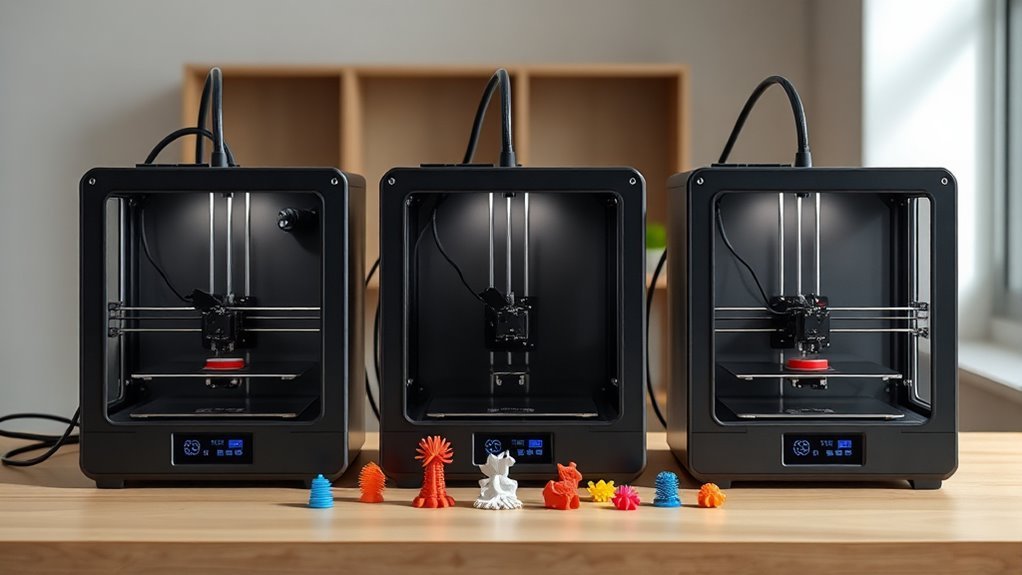
When choosing a budget-friendly 3D printer, you’ll want to focus on print quality and precision to get the best results. Consider the build volume and size to make sure it fits your projects and space.
Don’t forget ease of setup, filament compatibility, and speed to match your needs and experience level. These factors can really make a difference, especially if you’re just starting out or have specific project goals.
Print Quality And Precision
Although budget 3D printers may come with limitations, you can still achieve impressive print quality and precision by focusing on key factors. Start by checking the layer height range—look for printers that offer 0.05 to 0.3 mm resolution. Lower values deliver finer surface details, though print times increase.
Nozzle diameter matters too; a 0.4 mm nozzle is standard, balancing detail and speed. But smaller nozzles enable finer features if you don’t mind slower prints.
Stability in the motion system, such as dual Z-axis and sturdy linear rails, reduces artifacts like layer shifting. It really helps keep your prints looking clean.
Pay attention to the extruder design—direct-drive and dual-gear systems improve filament control and detail. These designs give you better precision overall.
Finally, reliable bed adhesion through auto-leveling and heated surfaces guarantees dimensional accuracy and prevents warping. This step is super important to get consistent results.
Build Volume And Size
Choosing the right build volume is essential for matching your printer to the size of your typical projects. Measure the maximum object size you plan to print and pick a printer with a usable build volume (X×Y×Z) that meets or exceeds those dimensions to avoid scaling or splitting models.
Keep in mind, larger build volumes mean a bigger footprint and heavier machine, so check your available space carefully. Smaller build plates heat faster and cost less but limit batch printing and part size.
Also, consider the Z height—taller prints take longer and risk wobbling, so opt for stable Z-drive mechanics if you print tall models. If you print multicolor or multipart assemblies, choose extra build volume to accommodate jigs, supports, or multiple parts per run for better workflow.
Ease Of Setup
After considering build volume and size, you’ll want to focus on how easy the printer is to set up. Look for models arriving fully assembled or requiring minimal steps, ideally under 30 minutes, so you can start printing quickly.
Features like automatic or multi-point bed leveling and built-in Z-offset sensors simplify calibration and maintenance, which helps reduce frustration. Pre-calibrated firmware and plug-and-play slicer profiles also cut down setup time and lower your learning curve.
Intuitive interfaces, such as touchscreens, one-button printing, or mobile app controls, make daily use straightforward—especially if you’re new to 3D printing. Also, check for clear setup guides, quick start videos, and responsive support to make sure you can troubleshoot easily and get your printer running smoothly without delays.
Filament Compatibility
When selecting a budget 3D printer, you’ll want to make sure it supports the filament types and diameters you plan to use. Most budget printers use 1.75 mm filament, so confirm compatibility to avoid nozzle and spool issues.
Check which materials it handles—PLA, TPU, PETG, ABS—and verify the hotend and heated bed can reach and maintain their required temperatures. You don’t want to get stuck with a printer that can’t handle the filament you like.
Look at the extruder type: direct drive or Bowden, and whether it has dual-drive gears or high torque. These details matter because they impact feeding flexible filaments like TPU.
Also, consider the bed surface and adhesion options since some filaments need heated or specific surfaces to prevent warping. It’s these little things that can make a big difference in print quality.
Finally, make certain features like filament runout sensors, easy loading, and a suitable spool holder are included. These help keep your prints running smoothly without constant supervision.
Speed And Performance
Speed plays a crucial role in how quickly you can bring your 3D designs to life. When choosing a budget 3D printer, look for a maximum printing speed between 150–250 mm/s or higher. But remember, speed alone won’t guarantee quality.
Acceleration and jerk settings, ideally between 1000–2500 mm/s², help reduce print times during short moves. However, these settings need a rigid frame to avoid defects like ringing.
Consider your typical build volume and layer height since larger parts or finer layers (0.05–0.2 mm) slow down printing considerably. Also, hotend power and nozzle size (0.4 mm+) affect how fast material flows, impacting throughput.
Finally, make certain the motion hardware is sturdy. Dual Z axes, quality rails, and belts help maintain precision at higher speeds without sacrificing print quality.
Warranty And Support
Making sure your 3D printer performs well is only part of the equation; reliable warranty and support can save you time and money if issues arise. You should confirm the warranty length—often 12 months—and understand if it covers parts, labor, and shipping.
Check the vendor’s customer support response time and available channels like email, phone, or chat. It’s also important to be aware of exclusions such as user damage or wear parts like nozzles.
Also, verify if spare parts are readily available and whether they’re covered by warranty or sold separately. Finally, take a look at long-term support options, including firmware updates, online resources, and community forums.
Choosing a printer backed by strong support makes certain you won’t be left stranded when problems pop up. It’s always better to have a safety net than to figure things out on your own!
Frequently Asked Questions
What Materials Are Compatible With Budget 3D Printers?
You can print with PLA, ABS, PETG, and TPU on budget 3D printers. These materials are affordable, widely available, and easy to use.
That makes them perfect for beginners and everyday projects. Plus, you don’t need any advanced features to get great results with these options.
How Much Maintenance Do Budget 3D Printers Require?
You’ll need to perform regular maintenance like cleaning the nozzle, leveling the bed, and lubricating moving parts. It’s not time-consuming, but staying consistent helps your printer run smoothly.
Plus, it extends its lifespan without headaches. Just a little effort now saves you from bigger problems later.
Can Budget 3D Printers Be Upgraded With New Parts?
Upgrading budget 3D printers is like giving your bike a turbo boost—you absolutely can swap parts to enhance performance. You’ll find plenty of affordable upgrades, like better hotends or improved bed surfaces, to keep your prints sharp.
It’s pretty straightforward, really. Just a few changes can make a big difference in print quality and reliability. Plus, it’s a fun way to learn more about how your printer works!
What Software Is Best for Beginners Using Budget 3D Printers?
You’ll find Ultimaker Cura perfect for beginners due to its user-friendly interface and powerful features. It’s free, supports many printers, and helps you quickly prepare models for printing without overwhelming complexity or cost.
Plus, it’s super easy to get started with. You won’t have to worry about confusing settings right away, which is great when you’re just learning the ropes.
How Long Does It Typically Take to Print a 3D Object?
Sometimes, it takes just minutes, other times hours—you’ll see printing times vary based on object size, complexity, and printer speed.
You’ll need patience, but watching your creation form layer by layer is totally worth it.
Conclusion
Imagine holding your first vibrant 3D creation, the layers perfectly stacked, all without breaking the bank. Choosing the right budget-friendly 3D printer opens doors to endless creativity and learning.
Whether you’re a beginner or looking for a compact, easy-to-use model, there’s a perfect fit waiting for you. These printers make it simple to bring your ideas to life effortlessly.
Start your exciting 3D printing journey today and watch your imagination take shape before your eyes! With the best budget-friendly 3D printers for 2027, you don’t have to spend a fortune to explore this amazing technology. Dive in and discover how affordable 3D printing can unlock your creative potential and make every project a success.