15 Best Brother Printers for Small Offices in 2027
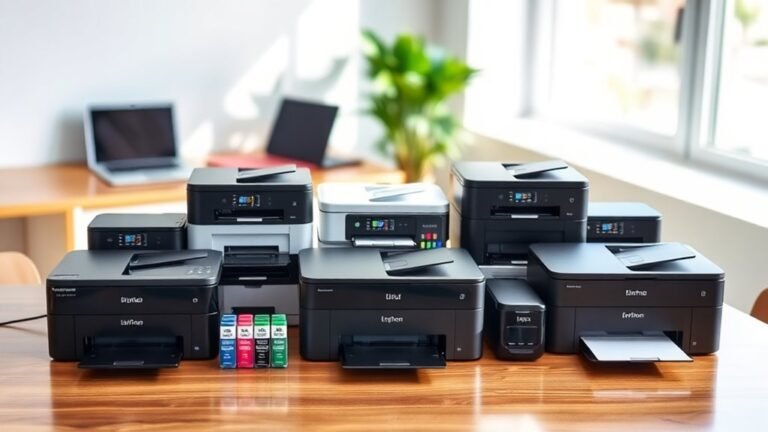
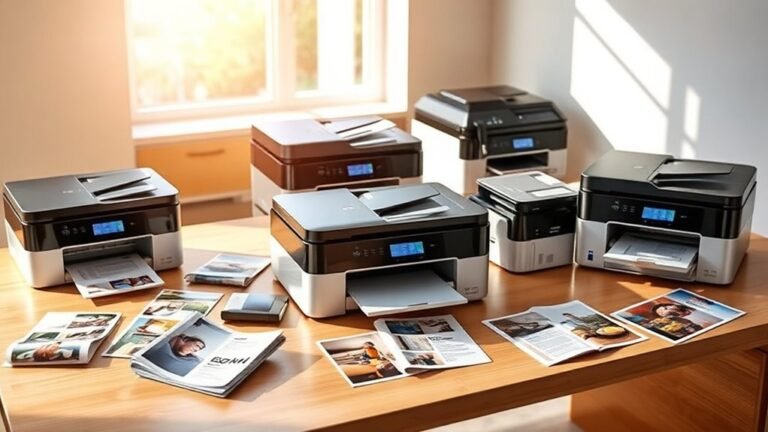
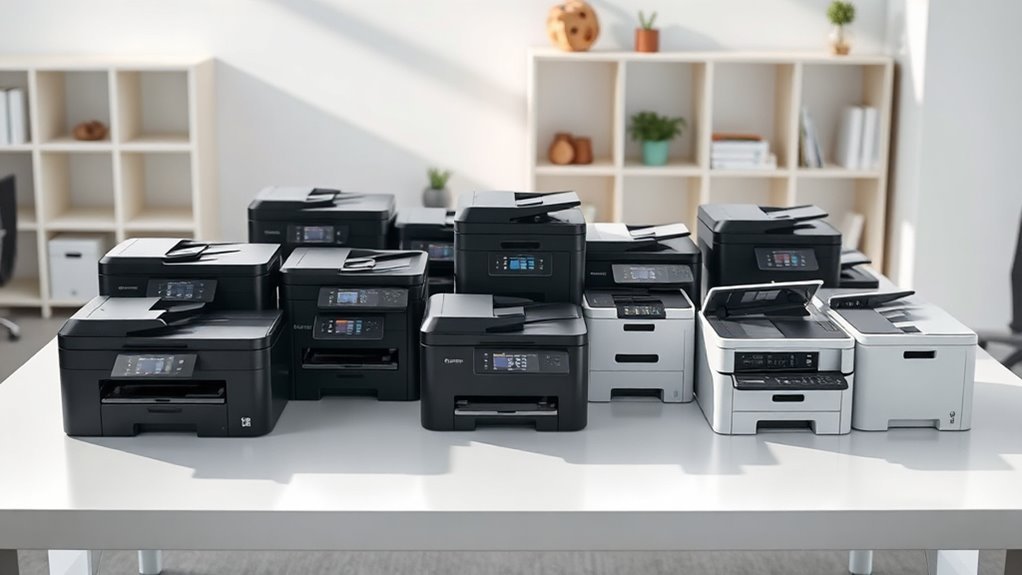
You’ll find Brother’s lineup for small offices impressively versatile in 2027. Whether you need monochrome laser printers or color inkjets, there’s something tailored just for you. Models like the DCP-L2640DW and MFC-L2820DW deliver fast, reliable black-and-white printing that keeps your workflow smooth.
On the other hand, color inkjets such as the Work Smart 1410 and INKvestment 6960 offer vibrant, cost-efficient color output. These printers combine compact design, wireless connectivity, and multi-function features to fit your workspace and workflow needs seamlessly.
Looking for a printer that matches your office demands without breaking the bank? Explore how these specific models line up with your budget considerations. You might just find the perfect Brother printer for your small office in 2027!
| Image | Name | Editor's Rating | Price |
|---|---|---|---|

|
|
||

|
|
||

|
|
||

|
|
||

|
|
Brother DCP-L2640DW Wireless Monochrome Printer
- BEST FOR SMALL BUSINESSES – Engineered for extraordinary productivity, the Brother DCP-L2640DW Monochrome (Black & White) 3-in-1 combines laser printer, scanner, copier...
- FAST PRINTER WITH EFFICIENT SCANNING – Produces documents quickly with print speeds up to 36 ppm(2) and scan speeds up to 23.6/7.9 ipm(3) (black/color). A 50-page auto...
- FLEXIBLE CONNECTION OPTIONS – Easily navigate the changing demands of your business with secure multi-device connectivity via built-in dual-band wireless (2.4GHz...
- BROTHER MOBILE CONNECT APP – Print, scan, and manage your wireless printer anytime, from almost anywhere from your mobile device. Order Brother Genuine Supplies, track...
- CHOOSE BROTHER GENUINE TONER – When it’s time to replace your toner, be sure to choose Brother Genuine TN830 or TN830XL replacement toner. And with Refresh EZ Print...

The Brother DCP-L2640DW wireless monochrome printer is designed to simplify busy workspaces. Its compact, multi-function design combines printing, scanning, and copying into one device, reducing clutter and saving space. This laser printer delivers sharp black-and-white documents quickly, helping you stay productive.
With print speeds up to 36 pages per minute and a fast first page out time, it handles daily tasks efficiently. The 50-sheet automatic document feeder and 250-sheet paper tray minimize interruptions, supporting smooth workflow. Dual-band wireless connectivity and mobile app control add convenience, allowing for flexible printing from multiple devices.
Maintenance is straightforward with easy-to-replace toner cartridges. The printer’s monochrome output is ideal for text-heavy documents but not suitable for color printing needs. While the paper capacity fits most small office demands, very high-volume environments may require more frequent refills.
Overall, this printer balances speed, functionality, and connectivity in a compact package. It’s a practical choice for those who need reliable black-and-white printing with added scanning and copying features.
Best for: Small businesses and home offices needing a fast, reliable monochrome multi-function printer with wireless capabilities.
What We Like:
- Fast printing speed of up to 36 pages per minute
- Multi-function device with scanning and copying capabilities
- Dual-band wireless connectivity for versatile device access
- Compact design saves valuable desk space
Specification:
| Feature | Description |
|---|---|
| Manufacturer | Brother |
| Dimensions (W x D x H) | 16.1 x 15.7 x 12 inches |
| Weight | 17.6 lb (8 kg) |
| Color Options | White |
| Paper Tray Capacity | 250 sheets |
| Auto Document Feeder | 50 sheets |
Brother Work Smart 1410 Wireless Color Inkjet Printer
- BEST FOR HOME OFFICE AND SMALL OFFICE: Get your work done with a multifunction printer. Print, copy, and scan on one convenient, compact printer, with quick and easy...
- EASY-TO-USE TOUCHSCREEN WITH CLOUD APP CONNECTIONS: Seamless integration with the Cloud(2). Print from and scan to popular Cloud apps(2), including Google Drive, Dropbox...
- PRODUCTIVITY-FOCUSED FEATURES: Automatic duplex (2-sided) printing, 20-sheet single-sided Automatic Document Feeder (ADF)(3), 150-sheet paper tray(3). Print at fast...
- MULTIPLE CONNECTION OPTIONS: Connect your way. Interface with your printer on your wireless network or via USB.
- THE BROTHER MOBILE CONNECT APP: Go mobile with the Brother Mobile Connect app(5) for easy onscreen menu navigation for printing, copying, scanning, and device management...
The Brother Work Smart 1410 Wireless Color Inkjet Printer is designed to streamline your office tasks with ease. Its intuitive 2.7” color touchscreen simplifies navigation, making printing, scanning, and copying straightforward. This printer supports wireless connectivity and integrates smoothly with cloud services like Google Drive and Dropbox, helping you stay productive without being tied to a desk.
Automatic duplex printing and a 20-sheet automatic document feeder reduce manual work and speed up multi-page jobs. The 150-sheet paper tray supports moderate print volumes, while print speeds of 16 ppm in black and 9 ppm in color suit daily office needs. Managing your workflow remotely is easy with the Brother Mobile Connect app, which also monitors ink levels for hassle-free maintenance.
The printer’s compact design fits well in small office or home office environments. It uses Brother Genuine LC501 ink cartridges to ensure consistent print quality, though these may come at a higher cost compared to third-party options. Overall, it offers a balanced combination of functionality and convenience for everyday printing tasks.
Best for: Small office and home office users who need an all-in-one wireless color inkjet printer with easy touchscreen controls and cloud connectivity.
What We Like:
- Automatic duplex printing and 20-sheet ADF boost efficiency.
- Wireless connectivity plus mobile app enable remote print management.
- Clear 2.7” color touchscreen enhances user experience.
- Seamless cloud integration supports flexible document handling.
Specification:
| Feature | Details |
|---|---|
| Manufacturer | Brother |
| Dimensions | Not specified |
| Weight | Not specified |
| Color Options | Not specified |
| Paper Tray Capacity | 150 sheets |
| Automatic Document Feeder | 20 sheets |
| Print Speed (Black) | 16 ppm |
| Print Speed (Color) | 9 ppm |
| Connectivity | Wireless, USB |
| Ink Cartridge | Brother Genuine LC501 |
Brother MFC-L2820DW Wireless Monochrome Laser Printer
- BEST FOR SMALL OFFICES – Combining space-saving efficiency and premium monochrome (black & white) print quality with affordability, the Brother MFC-L2820DW delivers...
- EFFICIENT PRINTING & SCANNING – Produces black & white documents quickly with print speeds up to 36 ppm(2) and scan speeds up to 23.6/7.9 ipm(3) (bk/cl). A 50-page auto...
- FLEXIBLE CONNECTION OPTIONS – Securely connect to multiple devices with built-in dual-band wireless (2.4GHz / 5GHz), Ethernet, or connect locally to a single computer...
- 2.7" TOUCHSCREEN – The intuitive 2.7” touchscreen enables effortless navigation with the added ability to print-from and scan-to popular Cloud-based apps such as...
- BROTHER MOBILE CONNECT APP – Print, scan, and manage your wireless printer anytime, from almost anywhere from your mobile device. Order Brother Genuine Supplies, track...
Experience efficient monochrome printing with the Brother MFC-L2820DW, designed to simplify your small office tasks. This all-in-one laser printer combines printing, copying, scanning, and faxing in a compact unit, saving valuable desk space. Its fast print speed of up to 36 pages per minute ensures quick turnaround for busy workloads.
Handling documents is easy with a 250-sheet paper tray and a 50-page automatic document feeder, allowing you to manage multi-page jobs without constant supervision. Automatic duplex printing cuts paper use in half, promoting cost savings and eco-friendliness.
Connectivity options include dual-band Wi-Fi, Ethernet, and USB, giving you flexible ways to connect in a home or small office setup. Mobile and cloud printing via Brother’s app add convenience for on-the-go tasks. The 2.7-inch touchscreen interface is intuitive, making operation straightforward.
Maintenance is straightforward, but note the scanner resolution is limited to 300 x 300 dpi, suitable for basic scans. Also, power consumption peaks at 470 watts, which might impact energy costs. Despite these, the printer is energy-efficient overall and compatible with Alexa for voice control.
Best for: Small or home office users seeking a compact, reliable monochrome printer that integrates multiple functions with versatile connectivity.
What We Like:
- Fast printing at 36 ppm with quick first-page output.
- Automatic duplex and 50-page ADF enhance document handling.
- Multiple connectivity options, including dual-band Wi-Fi and mobile app.
- Energy-efficient design with Alexa compatibility.
- Compact footprint ideal for limited office space.
Specification:
| Feature | Details |
|---|---|
| Manufacturer | Brother |
| Dimensions (W x D x H) | 16.1 x 15.7 x 12.7 inches |
| Weight | 17.6 lbs (8 kg) |
| Color | Monochrome (Black & White) |
| Connectivity | Dual-band Wi-Fi, Ethernet, USB |
| Scan Resolution | 300 x 300 dpi |
| Paper Capacity | 250-sheet tray, 50-page ADF |
Brother INKvestment 6960 Wireless Color Inkjet Printer
- BEST FOR SMALL BUSINESS: This multifunction printer makes it easy to print, copy, scan, and fax on up to 11”x17” paper. Includes one 1,800-page yield black ink...
- PRODUCTIVITY-FOCUSED FEATURES: 500-sheet capacity with two trays(3), 100-sheet multipurpose tray(3), up to 50-page single-pass duplex copy & scan via ADF(3), and...
- SPEED & QUALITY: Engineered with MAXIDRIVE Technology with print speeds of up to 31 pages per minute (ppm) in black and up to 30 ppm in color(5). The PerfectPrint Auto...
- INNOVATIVE TECHNOLOGY: With Wi-Fi Direct, print wirelessly without an external network connection. Print from and scan to Cloud apps(6), including Google Drive, Dropbox...
- THE BROTHER MOBILE CONNECT APP: The power of printing at your fingertips. Go mobile with the simple-to-use Brother Mobile Connect app(7) that delivers onscreen menu...
Experience efficient office productivity with the Brother INKvestment 6960 Wireless Color Inkjet Printer. This all-in-one device streamlines everyday tasks by combining fast printing, scanning, and copying in one compact unit. It helps reduce workflow interruptions with sharp, high-resolution prints and quick output speeds.
Designed to handle busy small offices, it offers flexible media handling with two paper trays and a multipurpose tray holding up to 500 sheets. The 50-sheet duplex automatic document feeder simplifies scanning and copying of multi-page documents, saving valuable time. Connectivity options like dual-band Wi-Fi, Ethernet, and USB ensure smooth integration into your workspace.
Maintenance is straightforward with Brother’s ink subscription service, which delivers ink automatically and can cut printing costs by up to 50%. However, color ink cartridges have lower yields than black, so budgeting for color prints is important. The printer’s weight of 51.4 pounds means it is best kept in a fixed location rather than moved frequently.
Best for: Small businesses and office teams needing a versatile, reliable color inkjet printer with strong media handling and advanced connectivity.
What We Like:
- Fast print speeds with sharp 1200 x 4800 dpi resolution
- Large paper capacity and duplex automatic document feeder
- Multiple connectivity choices including mobile app support
- Ink subscription service reduces running costs
- Robust build suited for high-volume office use
Specification:
| Feature | Details |
|---|---|
| Manufacturer | Brother |
| Dimensions | Not specified |
| Weight | 51.4 lb (23.3 kg) |
| Color Options | Not specified |
| Connectivity | Dual-band Wi-Fi, Ethernet, USB |
Brother HL-L2405W Wireless Monochrome Laser Printer
- BEST FOR HOMES & HOME OFFICES – Engineered for consistent, premium print quality, the Brother HL-L2405W Monochrome (Black & White) Laser Printer delivers sharp, crisp...
- COMPACT, CONNECTED PRINTER – Flexible connection options make this an ideal printer for home use and at-home offices. Securely connect to multiple devices with built-in...
- BROTHER MOBILE CONNECT APP – Manage your printer remotely and print from your mobile device anytime, from almost anywhere. Order Brother Genuine Supplies, track toner...
- VERSATILE PAPER HANDLING – Enjoy seamless, reliable everyday printing with the 250-sheet paper tray(4) and a manual feed slot that enables printing on envelopes and...
- BROTHER IS AT YOUR SIDE – Backed by Brother with a 1-year limited warranty and free online, call, or live chat support for the life of your printer
Experience efficient and crisp black-and-white printing right at your desk with the Brother HL-L2405W Wireless Monochrome Laser Printer. Designed to fit into tight spaces, it offers a reliable solution for fast document output without compromising on quality. The sharp 1200 x 1200 dpi resolution ensures every page is clear and professional.
This printer tackles busy workloads with a print speed of up to 30 pages per minute. Its 250-sheet paper tray and manual feed slot allow you to handle different paper sizes and types easily. Wireless connectivity through dual-band Wi-Fi and USB options lets you print from multiple devices without hassle.
Maintenance is straightforward, featuring cost-effective toner cartridges that keep running costs low. While it supports manual duplex printing, it focuses on dependable single-sided output. Its lightweight and compact design make it ideal for small offices or home workspaces.
Best for: small businesses or individuals who need fast, dependable monochrome printing with flexible wireless connectivity in a compact form.
What We Like:
- Fast printing at 30 ppm with high-quality 1200 x 1200 dpi output
- Dual-band Wi-Fi and USB connectivity for versatile device access
- Compact build with a 250-sheet tray plus manual feed slot for varied media
- Cost-effective toner options for easy maintenance
- Lightweight design suitable for limited spaces
Specification:
| Feature | Details |
|---|---|
| Manufacturer | Brother |
| Dimensions | Approx. 14 x 14 x 7.2 inches |
| Weight | Around 15.4 lbs (7 kg) |
| Printing Technology | Monochrome Laser |
| Print Resolution | Up to 1200 x 1200 dpi |
| Connectivity | Dual-band Wi-Fi, USB |
| Paper Capacity | 250-sheet tray + manual feed |
Brother INKvestment 1365 Wireless Color Inkjet Printer

- BEST FOR HOME AND HOME OFFICE: This multifunction printer makes it easy to print, copy, and scan—all in one compact printer. Includes one 1,200-page yield black...
- WIRELESS, MOBILE, AND USB CONNECTIVITY: Connect your way. Interface with your printer on your wireless network or via USB. Enhance your workflow with Wi-Fi Direct, which...
- CLOUD APP CONNECTIONS: Print from and scan to popular Cloud apps(3), including Google Drive, Dropbox, Box, OneDrive, and more, from an impressive 1.8” color display...
- PRODUCTIVITY-FOCUSED FEATURES: A 150-sheet paper tray(4), 20-page single-sided automatic document feeder (ADF)(4), and automatic duplex (2-sided) printing. Prints at fast...
- THE BROTHER MOBILE CONNECT APP: Put the power of printing at your fingertips. Go mobile with the Brother Mobile Connect app(6) that delivers easy onscreen menu navigation...
The Brother INKvestment 1365 Wireless Color Inkjet Printer is designed to meet the everyday needs of small offices and home users who require reliable, versatile printing solutions. It simplifies multitasking by combining printing, copying, and scanning in one compact unit. This all-in-one printer reduces clutter and streamlines workflows.
Maintenance is straightforward, thanks to Brother’s cost-effective ink system that helps cut ink expenses by up to 50%. Although the color ink cartridges have a modest page yield, the ink subscription option minimizes frequent cartridge replacements and keeps running costs manageable. Wireless and USB connectivity enable easy setup and mobile printing from various devices.
The printer’s functionality extends to automatic duplex printing and a 20-page automatic document feeder, which save time on double-sided and multi-page jobs. Print quality is sharp, with resolutions up to 1,200 x 6,000 dpi, suitable for professional documents and vibrant photos. However, color print speeds are moderate, and connectivity options are limited to USB and wireless.
Overall, the Brother INKvestment 1365 offers an efficient, budget-friendly printing experience designed to enhance productivity in small workspaces.
Best for: Small offices and home users seeking an affordable, versatile all-in-one printer with wireless connectivity and efficient ink usage.
What We Like:
- Automatic duplex printing and 20-page document feeder improve efficiency.
- High-resolution output ensures sharp, professional-quality prints.
- Ink subscription service effectively lowers ink costs.
- Compact design fits well in limited office spaces.
Specification:
| Feature | Details |
|---|---|
| Manufacturer | Brother |
| Dimensions (W x D x H) | Approx. 16.1 x 14.0 x 7.2 in (40.9 x 35.6 x 18.3 cm) |
| Weight | Approx. 13.7 lbs (6.2 kg) |
| Color Options | White |
| Connectivity | Wireless (Wi-Fi), USB 2.0 |
Brother HL-L2460DW Wireless Monochrome Laser Printer

- BEST FOR HOME OFFICES & SMALL TEAMS – Engineered for consistent, premium print quality, the Brother HL-L2460DW Monochrome (Black & White) Laser Printer produces...
- COMPACT, CONNECTED, EXCEPTIONALLY EFFICIENT– Connect with built-in dual-band wireless (2.4GHz/5GHz), Ethernet, or to a single computer via USB interface. Prints at...
- BROTHER MOBILE CONNECT APP – Manage your wireless printer remotely and print from your mobile device anytime, from almost anywhere. Order Brother Genuine Supplies...
- VERSATILE PAPER HANDLING – Tackle high-volume black & white printing with the 250-sheet capacity paper tray.(4) The manual feed slot enables printing on envelopes and...
- BROTHER IS AT YOUR SIDE – Backed by Brother with a 1-year limited warranty and free online, call, or live chat support for the life of your printer
The Brother HL-L2460DW Wireless Monochrome Laser Printer offers reliable black-and-white printing that fits perfectly in small offices and home workspaces. Its fast print speed of up to 36 pages per minute means you spend less time waiting and more time working. Automatic duplex printing helps reduce paper waste effortlessly.
Designed for convenience, this printer connects easily through dual-band Wi-Fi, Ethernet, or USB, allowing smooth integration with your existing setup. You can also print remotely using Alexa or the Brother Mobile Connect app, making printing more flexible and accessible.
Maintenance is straightforward with a 250-sheet tray that supports both standard and specialty media. Toner Save Mode helps extend cartridge life, saving you money and reducing downtime. The compact design ensures it fits neatly on your desk without taking up much space.
While this model focuses on monochrome output only, it delivers consistent quality and efficiency. Its single paper tray limits flexibility compared to multi-tray printers, but it balances simplicity with performance for everyday use.
Best for: small offices and home users who need fast, reliable monochrome printing with efficient, user-friendly features.
What We Like:
- Prints up to 36 pages per minute with automatic duplexing.
- Multiple connectivity options including dual-band Wi-Fi, Ethernet, USB, Alexa, and mobile app support.
- Compact design with a 250-sheet tray for various media types.
- Toner Save Mode extends cartridge life.
- Easy maintenance and setup for busy environments.
Specification:
| Feature | Details |
|---|---|
| Manufacturer | Brother |
| Dimensions (W x D x H) | Approx. 16.1 x 15.7 x 7.2 in |
| Weight | Approx. 16.5 lbs (7.5 kg) |
| Print Speed | Up to 36 pages per minute |
| Connectivity | Dual-band Wi-Fi, Ethernet, USB |
| Paper Capacity | 250-sheet tray |
| Printing Technology | Monochrome Laser |
| Duplex Printing | Automatic |
Brother INKvestment 4355 Wireless Color Inkjet Printer

- UP TO 1-YEAR OF INK IN-BOX¹ – Enjoy exceptional convenience and savings with enough ink for up to 1 year of printing right out of the box¹.
- REVOLUTIONARY INKVESTMENT TANK TECHNOLOGY – Internal ink tank system works with front-loading cartridges for hassle-free, uninterrupted printing with no manual refills.
- COMPACT ALL-IN-ONE FUNCTIONALITY – Print, copy, scan, and fax with fast speeds, duplex printing, and a 20-page automatic document feeder
- WIRELESS AND CLOUD READY – Print-from and scan-to popular cloud services and mobile devices via the Brother Mobile Connect App³.
- VERSATILE PAPER HANDLING – Features a 150-sheet adjustable paper tray, bypass tray, and automatic duplex printing for letter and legal-size paper.
The Brother INKvestment 4355 Wireless Color Inkjet Printer is designed to help you save on ink costs while maintaining high-quality prints. Its INKVESTMENT TANK technology provides a built-in ink reservoir combined with front-loading cartridges, offering up to a year’s worth of ink right out of the box. This system reduces the hassle of frequent cartridge replacements, making ongoing maintenance easier and more cost-effective.
This all-in-one printer handles printing, scanning, copying, and faxing with straightforward controls through its touchscreen or mobile app. Duplex printing and a 20-sheet automatic document feeder simplify managing multi-page documents. You can connect wirelessly or via Ethernet, giving you flexible options for your workspace.
Print speeds reach up to 20 pages per minute, delivering vibrant color and sharp black-and-white documents quickly. The printer also supports Alexa-enabled smart ink reordering, which helps keep your ink supply managed without interruption. Although the 1.8-inch touchscreen is compact, the overall design focuses on efficiency and user-friendly operation.
Best for: Small offices or individuals needing a versatile all-in-one printer that cuts ink expenses and supports reliable wireless connectivity.
What We Like:
- Long-lasting ink supply with INKVESTMENT TANK technology
- Fast and quality color and black-and-white printing
- Duplex printing and automatic document feeder for convenience
- Alexa-enabled smart ink reordering for easy maintenance
Specification:
| Feature | Details |
|---|---|
| Manufacturer | Brother |
| Dimensions (W x D x H) | Approx. 16.1 x 15.7 x 7.5 in |
| Weight | Approx. 14.5 lb |
| Color Options | White |
| Connectivity | Wireless, Ethernet |
| Touchscreen Size | 1.8 inches color display |
| Paper Capacity | 150-sheet tray, single-sheet manual feed |
Brother INKvestment 5010 Wireless Color Inkjet Printer

- BEST FOR SMALL BUSINESS: Print, copy, scan, and fax with one powerful device, with advanced security features for business. Includes one 1,800-page yield black ink...
- PRODUCTIVITY-FOCUSED FEATURES: A 250-sheet paper tray, 50-page single-pass duplex (2-sided) automatic document feeder (ADF), and automatic duplex printing on paper up to...
- SUPERIOR PRINTING: Engineered with the Brother PerfectPrint Auto Detection System, which helps ensure reliable, consistent print quality and performance you can depend on...
- SEAMLESS CONNECTIONS: Simplify your workflow with Wi-Fi Direct and multiple connection options, including wireless network interfacing, Ethernet, and USB. Plus, print...
- THE BROTHER MOBILE CONNECT APP: Put the power of printing at your fingertips. Go mobile with the simple-to-use Brother Mobile Connect app, which delivers easy on-screen...
The Brother INKvestment 5010 Wireless Color Inkjet Printer is designed to meet the demands of small offices and home businesses that require fast, reliable color printing with versatile all-in-one capabilities. It delivers sharp, vibrant prints at speeds up to 28 ppm in black and 26 ppm in color, helping you stay productive without delays.
Its automatic duplex printing and 50-sheet duplex ADF simplify double-sided copying and scanning, reducing paper waste and saving time. The printer handles various paper sizes through a 250-sheet main tray and a 100-sheet multipurpose tray, making it adaptable to different projects.
Connectivity is seamless with dual-band Wi-Fi, Ethernet, USB, and mobile app support, allowing easy printing from multiple devices or cloud services. The INKvestment system lowers ink costs by providing high-capacity cartridges, ensuring consistent output while minimizing maintenance interruptions.
While the printer’s moderate paper capacity may require periodic refills in busy settings, and the smaller 2.7″ touchscreen limits navigation ease, its overall design prioritizes efficiency and cost-effective operation.
Best for: Small offices or home businesses needing efficient, versatile color printing with cost-conscious ink management.
What We Like:
- Fast print speeds with high-resolution output
- Efficient double-sided copying and scanning
- Wide connectivity options including mobile and cloud printing
- Cost-saving INKvestment ink system
- Handles various media sizes with flexible paper trays
Specification:
| Feature | Details |
|---|---|
| Manufacturer | Brother |
| Printer Type | Wireless Color Inkjet |
| Print Speed | Up to 28 ppm (black), 26 ppm (color) |
| Print Resolution | 4800×1200 dpi |
| Duplex Printing | Automatic |
| Duplex ADF Capacity | 50 sheets |
| Paper Capacity | 250-sheet main tray, 100-sheet multipurpose tray |
| Connectivity | Dual-band Wi-Fi, Ethernet, USB, mobile app, cloud printing |
| Display | 2.7″ color touchscreen |
Brother HL-L2480DW Wireless Monochrome Laser Printer

- BEST FOR SMALL OFFICES & WORK FROM HOME – Engineered for efficiency, the Brother HL-L2480DW Monochrome (Black & White) 3-in-1 Laser Printer is equipped with a...
- COMPACT, CONNECTED, DYNAMIC – Connect with built-in dual-band wireless (2.4GHz/5GHz), Ethernet, or to a single computer via USB interface. Produces B/W prints at speeds...
- 2.7" TOUCHSCREEN – The intuitive 2.7” touchscreen enables effortless navigation with the added ability to print-from and scan-to popular Cloud-based apps such as...
- BROTHER MOBILE CONNECT APP – Print, scan, and manage your wireless printer anytime, from almost anywhere from your mobile device. Order Brother Genuine Supplies, track...
- VERSATILE PAPER HANDLING – Tackle high-volume black & white printing with the 250-sheet capacity paper tray.(5) The manual feed slot enables printing on envelopes and...
Experience hassle-free printing with the Brother HL-L2480DW, a wireless monochrome laser printer designed for small office and home environments. Its fast print speed of up to 36 pages per minute ensures you spend less time waiting and more time focusing on your tasks.
This all-in-one device combines printing, copying, and scanning, making it versatile for everyday office needs. The intuitive 2.7″ touchscreen simplifies operation, while cloud app integration allows easy access to documents from multiple sources.
Connectivity options include dual-band Wi-Fi, Ethernet, and USB, offering flexible ways to print from various devices. Energy-efficient automatic duplex printing not only saves paper but also reduces your environmental impact.
Maintenance is straightforward with a single 250-sheet paper tray, though high-volume users may need to refill more often. While the scanner is limited to flatbed scanning, it suits basic scanning tasks well.
Best for: Small offices and remote workers seeking a compact, efficient wireless monochrome laser printer with multifunction capabilities.
What We Like:
- High-speed printing at 36 ppm with sharp 1200 x 1200 dpi quality
- Multifunction device with easy-to-use touchscreen and cloud integration
- Flexible connectivity via dual-band Wi-Fi, Ethernet, and USB
- Energy-saving automatic duplex printing for reduced paper use
Specification:
| Feature | Details |
|---|---|
| Manufacturer | Brother |
| Dimensions (W x D x H) | 16.1 x 16.7 x 12.7 inches |
| Weight | 19.5 lb (8.85 kg) |
| Color | White |
| Connectivity | Dual-band Wi-Fi, Ethernet, USB |
Brother INKvestment 6560 Wireless Color Inkjet Printer
- BEST FOR SMALL BUSINESS: This multifunction printer makes it easy to print, copy, scan, and fax, and includes one 1,800-page yield black ink cartridge and one 750-page...
- PRODUCTIVITY-FOCUSED FEATURES: A 250-sheet paper tray(3), 50-page single-sided ADF(3), and automatic duplex (2-sided) printing for media-handling capabilities on paper up...
- SPEED & QUALITY: Engineered with MAXIDRIVE Technology with print speeds of up to 31 pages per minute (ppm) in black and up to 30 ppm in color(5). The Brother PerfectPrint...
- INNOVATIVE TECHNOLOGY: With Wi-Fi Direct, print wirelessly without an external network connection. Print from and scan to Cloud apps(6), including Google Drive, Dropbox...
- THE BROTHER MOBILE CONNECT APP: The power of printing at your fingertips. Go mobile with the simple-to-use Brother Mobile Connect app(7) that delivers onscreen menu...
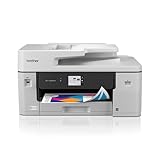
The Brother INKvestment 6560 Wireless Color Inkjet Printer is designed to meet the diverse needs of small offices. It combines printing, copying, scanning, and faxing into one compact device, saving space and simplifying workflow. Its ability to handle large media sizes up to 11” x 17” means you can produce professional documents without extra equipment.
This printer delivers fast output with speeds up to 31 ppm for black and 30 ppm for color, helping you stay productive during busy days. The sharp 1,200 x 4,800 dpi resolution ensures crisp, clear prints for presentations and reports. Automatic duplex printing reduces paper waste and saves time on double-sided documents.
Maintenance is straightforward with the ink subscription service, which lowers running costs and keeps ink replenished. Connectivity is flexible, featuring dual-band Wi-Fi, Ethernet, and USB, plus a user-friendly 2.7” touchscreen and mobile app for easy job management. However, the printer’s larger size and heavier weight may require a dedicated space, and color cartridge yields are lower, which could increase replacement frequency for heavy color users.
Best for: small businesses and office environments needing a versatile, high-speed all-in-one printer with wireless options and large media handling.
What We Like:
- Fast print speeds with high-resolution output
- Supports large media and automatic duplex printing
- Multiple connectivity options including mobile app control
- Ink subscription reduces maintenance hassle
Specification:
| Feature | Details |
|---|---|
| Manufacturer | Brother |
| Dimensions | Approx. 17.3” x 19.1” x 15.6” |
| Weight | 44.1 lb (20 kg) |
| Media Size | Up to 11” x 17” |
| Connectivity | Dual-band Wi-Fi, Ethernet, USB |
| Display | 2.7” Color Touchscreen |
Brother INKvestment 4555 Wireless Color Inkjet Printer
- BEST FOR SMALL OFFICE AND SMALL BUSINESS: This multifunction printer makes it easy to print, copy, scan, and fax —all in one compact printer. Includes one 1,800-page...
- INNOVATIVE CONNECTIVITY TECHNOLOGY: Connect your way via ethernet, wireless network, or USB connection. Wi-Fi Direct enables convenient wireless printing, even without an...
- CLOUD APP CONNECTIONS: Print from and scan to popular Cloud apps(4), including Google Drive, Dropbox, Box, OneDrive, and more with an impressive 2.7” color touchscreen...
- PRODUCTIVITY-FOCUSED FEATURES: Automatic duplex (2-sided) printing, 400-sheet paper capacity between 2 trays, 20-page single-sided auto document feeder (ADF), 1-sheet...
- THE BROTHER MOBILE CONNECT APP: Put the power of printing at your fingertips. Go mobile with the Brother Mobile Connect app(7) that delivers easy onscreen menu navigation...
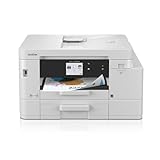
Experience seamless productivity with the Brother INKvestment 4555 Wireless Color Inkjet Printer. This all-in-one device is designed to simplify your daily tasks by combining printing, copying, scanning, and faxing in one compact unit. It tackles busy workloads efficiently, ideal for small offices and home businesses.
With two paper trays holding up to 400 sheets and a 20-sheet automatic document feeder, you can manage large print jobs without constant paper refills. The printer offers fast output, delivering up to 20 pages per minute in black and 19 in color, while automatic duplex printing helps reduce paper use.
Navigating tasks is straightforward thanks to the intuitive 2.7-inch color touchscreen and the Brother Mobile Connect app, which also enables easy cloud access. Maintenance is practical, though the initial color cartridge yields about 750 pages, requiring timely replacements to maintain smooth operation.
Best for: Small offices and home businesses needing a versatile and efficient wireless color inkjet all-in-one printer.
What We Like:
- Dual paper trays with 400-sheet total capacity plus a 20-sheet document feeder.
- Fast print speeds with automatic duplexing to save paper.
- User-friendly 2.7″ color touchscreen and mobile app connectivity.
- Convenient all-in-one functionality for printing, scanning, copying, and faxing.
Specification:
| Feature | Details |
|---|---|
| Manufacturer | Brother |
| Dimensions (W×D×H) | Approx. 16.1 × 19.1 × 7.5 in |
| Weight | Approx. 17.5 lb (7.9 kg) |
| Printer Type | Wireless Color Inkjet All-in-One |
| Paper Capacity | 2 trays, total 400 sheets + 20-sheet ADF |
| Display | 2.7″ Color Touchscreen |
Brother MFC-L5915DW Professional Laser Printer All-in-One

- FAST BUSINESS PRINTING AND COPYING: The Brother MFC-L5915DW business monochrome laser all-in-one printer delivers high-quality output and print and copy speeds of up to...
- LOW-COST OUTPUT: Help reduce operating costs by using the Brother Genuine TN920UXXL ultra high-yield 18,000-page replacement toner cartridge. Includes a Brother Genuine...
- FAST, HIGH-VOLUME SCANNING: The 70-page capacity(3) auto document feeder offers single-pass, two-sided scanning up to 56ipm(4). Features a large document glass for up to...
- FLEXIBLE CONNECTIVITY OPTIONS: Features built‐in Gigabit Ethernet and dual band wireless networking to seamlessly set up and share on your wired.
Experience seamless efficiency with the Brother MFC-L5915DW, designed to meet the demands of busy small offices. This monochrome all-in-one laser printer delivers fast, reliable printing and copying at up to 50 pages per minute, helping you handle high-volume tasks without delay. Its compact design fits well in tight spaces while providing powerful performance.
This model simplifies two-sided document handling with automatic duplex printing and a 70-sheet automatic document feeder (ADF) that scans at 56 images per minute. The 5-inch color touchscreen offers easy navigation and lets you customize shortcuts, streamlining your daily workflows. Connectivity options include both wired and wireless networking, plus mobile and cloud printing support for versatile access.
Maintenance is straightforward thanks to its robust build and straightforward paper handling. While its single 250-sheet tray can be expanded, it’s best suited for environments prioritizing monochrome output. The printer’s security features protect sensitive documents and network access, making it a dependable choice for secure office environments.
Best for: Small offices and workgroups requiring fast, efficient monochrome printing and scanning with versatile all-in-one capabilities and secure connectivity.
What We Like:
- Fast print and scan speeds up to 50 ppm and 56 ipm.
- Automatic duplex printing and scanning with a 70-sheet ADF.
- User-friendly 5-inch color touchscreen with customizable shortcuts.
- Supports wired, wireless, mobile, and cloud printing.
- Strong security features protect documents and network access.
Specification:
| Feature | Details |
|---|---|
| Manufacturer | Brother |
| Dimensions (W x D x H) | 16.1 x 16.3 x 14.0 inches (40.9 x 41.4 x 35.6 cm) |
| Weight | 32.6 lbs (14.8 kg) |
| Paper Capacity | 250-sheet tray, expandable |
| Print Speed | Up to 50 ppm (monochrome) |
| Scan Speed | Up to 56 ipm (two-sided) |
| Connectivity | Wired, wireless, mobile, cloud |
| Display | 5-inch color touchscreen |
Brother MFC-L2900DW Professional Laser Printer Scanner

- Professional Performance: Elevate your business efficiency with this Brother Genuine laser printer delivering lightning-fast 36 ppm output, crystal-clear monochrome...
- Versatile Connectivity: Take command of your workflow with dual-band wireless (2.4GHz/5GHz), Ethernet, or USB connectivity options, plus seamless mobile printing and...
- Advanced Document Handling: Maximize productivity with the 50-page auto document feeder, automatic duplex printing to save paper, and convenient single-pass two-sided...
- Smart Interface: Navigate effortlessly through printing, scanning, and cloud functions using the responsive 3.5 in touchscreen display, with direct access to popular...
- Energy Efficient: Benefit from an enhanced fuser design that delivers 22% reduction in electricity consumption, faster warm-up times from sleep mode, and automatic duplex...
Experience reliable and efficient printing with the Brother MFC-L2900DW Professional Laser Printer Scanner. This monochrome laser all-in-one is designed to meet the demands of busy small offices by delivering fast print speeds and high-quality output. Its compact design fits neatly in limited spaces, keeping your workspace organized.
The printer’s automatic duplex printing and 250-sheet tray handle daily tasks with ease, reducing paper waste and frequent refills. Scanning and copying two-sided documents is effortless thanks to the single-pass duplex scanner with a 50-page automatic document feeder. This saves time and streamlines workflow.
Connectivity is versatile, offering dual-band Wi-Fi, Ethernet, and USB options. You can also print remotely using Brother’s Mobile Connect app, enhancing convenience for mobile professionals. Maintenance is straightforward, though the starter toner cartridge yields about 700 pages, so plan for timely replacements in high-volume settings.
Its energy-efficient design reduces power consumption by 22%, supporting eco-friendly office practices. The intuitive 3.5″ touchscreen simplifies operation, making it accessible for all users. This printer balances speed, functionality, and ease of use in one solid package.
Best for: Small offices or professionals needing a dependable, fast monochrome all-in-one printer with duplex scanning and flexible connectivity.
What We Like:
- Fast print speeds up to 36 ppm with automatic duplex printing
- Single-pass duplex scanner with 50-page feeder for efficient two-sided scanning
- Multiple connectivity options including dual-band Wi-Fi and Ethernet
- Energy-efficient design lowers power usage by 22%
- User-friendly 3.5″ touchscreen interface
Specification:
| Feature | Details |
|---|---|
| Manufacturer | Brother |
| Dimensions (W x D x H) | 16.1 x 15.7 x 12 inches (40.9 x 39.9 x 30.5 cm) |
| Weight | 17.6 lb (8 kg) |
| Print Technology | Monochrome Laser |
| Print Speed | Up to 36 ppm |
| Paper Capacity | 250-sheet tray |
| Scanner Type | Single-pass duplex scanner |
| Connectivity | Dual-band Wi-Fi, Ethernet, USB |
Brother HL-L5210DW Wireless Monochrome Laser Printer

- FAST PRINTING FOR INCREASED EFFICIENCY: The Brother HL-L5210DW business monochrome laser printer delivers high-quality output and a print speed of up to 48ppm(1) to help...
- COST-EFFICIENT OUTPUT: Help reduce operating costs by using the Brother Genuine TN920XXL super high-yield 11,000-page replacement toner cartridge. Includes a Brother...
- EXPANDABLE PAPER CAPACITY: 250-sheet capacity paper tray is adjustable for letter or legal-sized paper and 100-sheet capacity multipurpose tray is ideal for printing on...
- FLEXIBLE CONNECTIVITY:Features built-in Gigabit Ethernet and dual band wirelessnetworking to seamlessly set up and share on your wired or wireless network. Easily print...
- ADVANCED SECURITY FEATURES: Equipped with Triple Layer Security features to help safeguard your network, keep your devices secure, and protect documents in transit to and...
Experience fast, dependable printing with the Brother HL-L5210DW, designed to meet the demands of busy small offices. It delivers sharp monochrome prints at a speed of up to 48 pages per minute, helping you keep up with tight deadlines and high-volume tasks. Its crisp 1200 dpi resolution ensures every document is professional and clear.
This printer handles a variety of paper sizes easily thanks to its 250-sheet adjustable tray and a 100-sheet multipurpose tray. Connecting is simple with built-in Gigabit Ethernet and dual-band Wi-Fi, letting you print from desktops or mobile devices without hassle. Auto-duplex printing helps save paper, making your office more efficient.
Maintenance is straightforward, but note that the initial toner cartridge yields around 3,000 pages, so consider replacement super high-yield cartridges for longer use. While it offers strong security with triple-layer protection, the printer’s power use is relatively high, which may impact energy consumption.
Lightweight and compact, the Brother HL-L5210DW is ideal for environments that need speed and quality without color printing. It balances performance with practical features to streamline your office workflow.
Best for: Small offices and busy workgroups that require fast, reliable monochrome printing with versatile paper handling and strong security features.
What We Like:
- Prints at a rapid 48 pages per minute with clear 1200 x 1200 dpi quality
- Large, flexible paper capacity with adjustable and multipurpose trays
- Multiple connectivity options including Gigabit Ethernet, dual-band Wi-Fi, and mobile printing
- Auto-duplex printing saves paper and reduces waste
- Strong security with triple-layer protection
Specification:
| Feature | Details |
|---|---|
| Manufacturer | Brother |
| Dimensions (W×D×H) | Approx. 16.1 × 15.7 × 9.7 in (41 × 40 × 24.6 cm) |
| Weight | Approx. 19.1 lbs (8.7 kg) |
| Color | Monochrome (Black & White) |
| Connectivity | Gigabit Ethernet, Dual-band Wi-Fi |
Factors to Consider When Choosing Brother Printer for Small Office
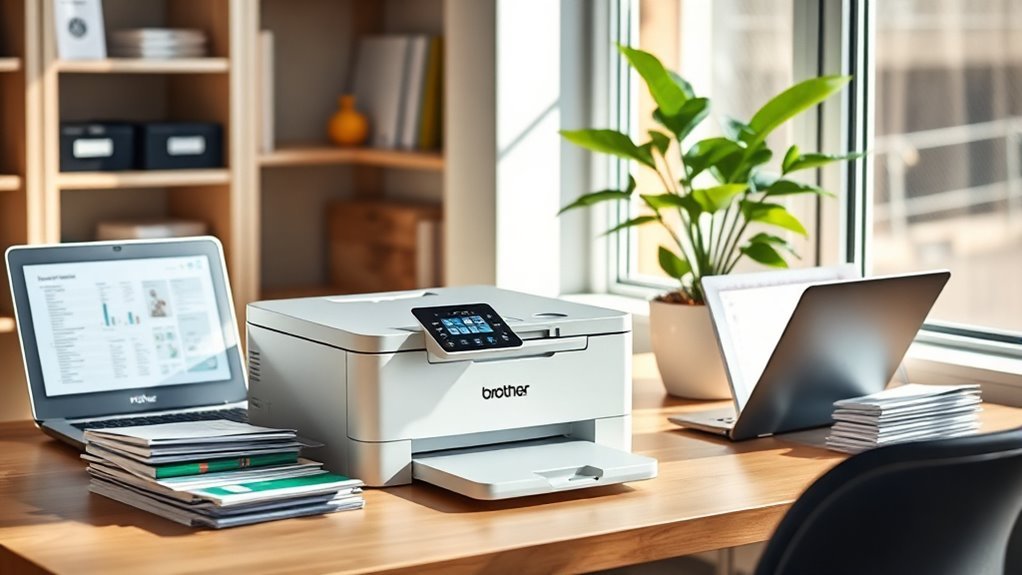
When choosing a Brother printer for your small office, you’ll want to factor in print speed to keep up with your workload and connectivity options that fit your setup. Think about how much paper you’ll handle regularly and the print quality you need for professional documents.
Also, check if multi-function features like scanning or copying will help streamline your tasks. It’s all about finding the right balance that makes your daily work easier and more efficient.
Print Speed Requirements
Choose a Brother printer with a print speed that matches your office’s monthly volume to keep workflow smooth. If you print less than a few hundred pages monthly, a speed of 20–30 ppm will do.
For busier offices handling thousands of pages, aim for 30+ ppm to prevent delays. Also, consider first-page-out time—printers that deliver a page in about 5–9 seconds help minimize wait times for small jobs.
If you often print double-sided, check the duplex speed since slower duplexing can double your print time. Remember, rated ppm reflects one-sided, lab-tested speeds, so expect slower real-world performance with high-res or networked printing.
Finally, match print speed with the device’s duty cycle to guarantee durability during heavy use. That way, your printer won’t just be fast, but also reliable over time.
Connectivity Options Available
Print speed matters, but how you connect your Brother printer to your office network can impact daily productivity just as much. Look for dual-band Wi‑Fi (2.4 GHz and 5 GHz) to cut interference and boost wireless reliability.
Ethernet ports, ideally Gigabit, offer stable wired connections and simplify office LAN integration. USB ports, including front USB host slots, let you print from or scan to flash drives directly.
Don’t overlook mobile and cloud printing support—app-based printing, Wi‑Fi Direct, and cloud services keep you productive from smartphones, tablets, or remote locations. Additional features like Wi‑Fi Direct allow device-to-printer links without routers, while compatibility with voice assistants and network security options guarantees safe, convenient access.
Choosing the right connectivity options keeps your small office efficient and flexible. It’s all about making your workday smoother and hassle-free.
Paper Handling Capacity
Although paper handling might seem straightforward, selecting a Brother printer with the right tray capacities and feeder options can markedly streamline your small office workflow. Match the main paper tray size to your monthly print volume—150 to 250 sheets work well for light use, while 400 to 500+ sheets suit higher volumes, reducing reloads.
Look for additional trays like multipurpose or second paper trays to handle envelopes, labels, or different media without constant swapping. Consider the Automatic Document Feeder (ADF) capacity, typically 20 to 50 sheets, especially if you scan or copy multi-page documents frequently.
Also, check output capacity (100–250 sheets) to avoid jams during large jobs. Finally, make sure the printer supports your needed media sizes and offers duplex printing to save paper and space efficiently.
Print Quality Standards
Image clarity plays a crucial role when selecting a Brother printer for your small office, as it directly impacts the professionalism of your documents and marketing materials. You should check the native print resolution, aiming for at least 1200 x 1200 dpi in monochrome and up to 4800 x 1200 dpi for color prints to make certain fine detail and smooth gradients.
Evaluate the printer’s color depth and gamut, and confirm it supports high-resolution color modes for accurate photos. Don’t overlook scan and copy resolution if you handle digital archiving—optical dpi and ADF quality matter.
Also, consider print speed at rated quality since faster printing can lower output quality. Finally, look for advanced image-processing features like auto color correction and ICC profile support to guarantee consistent, professional results every time.
Multi-functionality Features
Consider how a Brother printer’s multi-functionality can streamline your small office tasks by combining printing, copying, scanning, and faxing into one device. Look for true multi-function capabilities, including single-pass duplex ADF scanning, which speeds up two-sided multi-page jobs.
Automatic duplex printing and scanning help you save paper and handle multi-page workflows efficiently. Check the ADF capacity—typically 20 to 50 sheets—and maximum copy limits to make certain it meets your batch needs.
Don’t forget to verify the size of the flatbed scanner glass for scanning thick or bound originals. Also, prioritize models with onboard controls like touchscreens and mobile/cloud integration.
This way, you can initiate tasks remotely and scan directly to email or cloud services, simplifying your daily operations. It really makes managing your office tasks a whole lot easier!
Ink and Toner Costs
After exploring how multi-functionality can boost your office productivity, it’s important to look at ink and toner costs to keep expenses manageable. Start by calculating the cost per page—divide the cartridge or toner price by its yield to compare standard and high-yield options fairly.
Don’t get misled by starter cartridges with lower page counts; focus on ongoing costs instead. Opt for high-yield or XL cartridges when possible, as they usually lower your cost per page and reduce replacement frequency.
Remember to factor in hidden expenses like replacement drums or maintenance kits, especially if using subscription programs. Finally, use toner-saving modes, duplex printing, and draft settings for non-critical documents to stretch your supplies further and trim monthly costs.
Device Footprint and Size
When choosing a Brother printer for your small office, you’ll want to check the device’s footprint and size carefully to make sure it fits your workspace. Measure your available desk or floor space and compare it to the printer’s dimensions—depth, width, and height—to avoid blocking walkways or vents.
Consider the unit’s weight, especially for heavier all-in-one models that need a sturdy surface or cart. Don’t forget clearance for paper trays, output bins, and the automatic document feeder to load paper and retrieve prints easily.
Also, leave a few inches around the device for ventilation and to access power, network, or USB ports. If your space is tight, prioritize compact single-function printers or models with a lower profile over larger, multi-tray machines.
Security and Privacy Features
While selecting a Brother printer for your small office, you’ll want to prioritize security and privacy features that protect sensitive information. Make sure the printer supports secure network protocols like WPA3/WPA2 for Wi-Fi and TLS/HTTPS for cloud services to keep data safe during transmission.
Look for device-level access controls such as user authentication, role-based permissions, and LDAP or Active Directory integration to limit who can print or modify settings. It’s important these controls are easy to manage so you can stay in control without hassle.
Verify the printer encrypts stored data and securely deletes print or scan files. This helps prevent unauthorized access to your information after printing or scanning is done.
Choose models with secure printing options like PIN or badge release to prevent confidential documents from sitting unattended. You don’t want sensitive papers left out in the open where anyone could grab them.
Also, confirm the printer supports firmware signing, offers regular authenticated updates, and maintains audit logs. These features help detect and address security incidents promptly, keeping your network and data safer.
Frequently Asked Questions
How Do Brother Printers Compare to Other Brands in Durability?
You’ll find Brother printers generally more durable than many brands, thanks to their sturdy build and reliable components.
They’re designed to handle heavy use, so you won’t worry about frequent breakdowns or costly repairs. That peace of mind is a big plus if you print a lot or need something that lasts.
What Are the Environmental Impacts of Brother Printers?
You won’t believe it, but Brother printers minimize waste like a superhero saving the planet! They use energy-efficient tech and recyclable cartridges.
Can Brother Printers Be Used for Large-Format Printing?
Brother printers typically aren’t designed for large-format printing, so you won’t find models that handle oversized prints well.
If you need large-format output, you’ll want to look at specialized large-format printers from other brands instead.
They’re built specifically for that purpose and will give you much better results.
Do Brother Printers Support Mobile Printing Apps?
Yes, Brother printers support mobile printing apps, so you can easily print from your smartphone or tablet.
You’ll find compatibility with apps like Brother iPrint&Scan, Apple AirPrint, and Google Cloud Print for seamless wireless printing. It makes printing on the go pretty hassle-free!
What Warranty Options Are Available for Brother Small Office Printers?
You’ll find Brother offers standard one-year warranties on their small office printers, with options to extend coverage for up to three years.
They also provide support plans that cover repairs and replacement parts for added peace of mind.
Conclusion
Imagine your small office humming with productivity, each Brother printer working seamlessly to bring your ideas to life—whether it’s crisp black-and-white documents or vibrant color presentations. Choosing the right Brother printer means less hassle and more focus on what truly matters.
With wireless ease and reliable performance, you’ll have a trusted partner that keeps your workflow smooth and your workspace clutter-free. Ready to upgrade? Your perfect Brother printer is just a click away.
When it comes to small office needs, Brother printers offer unmatched versatility and efficiency. From compact inkjets to high-speed laser models, there’s a Brother printer designed to fit your workspace and budget. Investing in one of the best Brother printers for small offices ensures you get quality output, dependable connectivity, and cost-effective operation.
So why wait? Discover the best Brother printers for small offices in 2027 and transform your daily tasks with devices built to keep up with your pace.