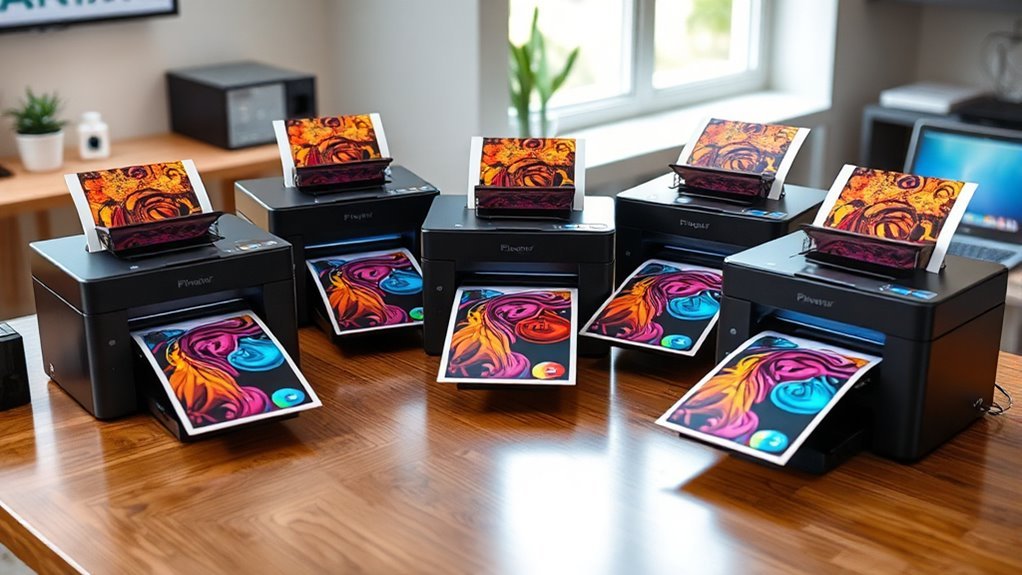
5 Best Budget Dye Sublimation Printers for 2027
If you’re on the hunt for a reliable, budget-friendly dye sublimation printer in 2027, you’ve come to the right place. Finding the best budget dye sublimation printer can be tricky, but we’ve narrowed down the top five options that combine quality, speed, and affordability. Whether you need it for personal projects, event photos, or small business use, these printers deliver impressive results without breaking the bank.
The Epson SureColor F170 offers precise prints with a compact design, making it ideal for limited spaces. Meanwhile, the DNP QW410 pumps out fast 4×6 photos, perfect for events where speed matters.
The HPRT CP4100 comes with starter supplies and even lets you control it via a smartphone app. Brother SP1 shines with high resolution and wireless printing, adding convenience. Lastly, the Mitsubishi CP-D70DW impresses with a speedy 6-second output. Take a closer look at each printer to see which one fits your needs best!
| Image | Name | Editor's Rating | Price |
|---|---|---|---|

|
|
||

|
|
||

|
|
||

|
|
||

|
|
Epson SureColor F170 Dye-Sublimation Printer Kit
- Confidence - Epson authorized partner. Original Epson Manufactured product delivered in Epson’s factory-sealed packaging with Epson documentation and Epson’s full...
- Genuine Epson Ink Included - Comes with a full set of OEM Epson sublimation inks, certified ECO PASSPORT by OEKO-TEX for safe use on textiles, apparel, mugs, mousepads...
- Astounding Print Quality - Epson's Surecolor F170 Sublimation printer boasts the PrecisionCore printhead which offers Precision Droplet Control for the most outstanding...
- Versatile Media Support - Includes a 150-sheet auto-feed tray for added efficiency. Epson SureColor sublimation printers house the paper in a dust resistant closed tray...
- Compact Reliable Solution - Space-saving design with user-friendly setup for MacOS & Windows. Please note that connection to mobile devices is not supported with this...
Experience the ease of high-quality dye-sublimation printing with the Epson SureColor F170 Printer Kit. Designed to fit neatly in small workspaces, this compact printer delivers sharp, vibrant images perfect for textiles and promotional items. Its small footprint means it won’t crowd your workspace, allowing you to focus on your creative projects or business needs.
The printer uses genuine OEM Epson inks that are certified safe for fabrics and mugs, ensuring durable and vivid results. Maintenance is straightforward thanks to the PrecisionCore printhead, which consistently produces crisp prints without frequent adjustments. Connectivity options include USB and Ethernet, making it easy to integrate into your existing setup.
While the print speed is modest, approximately one page per minute, the SureColor F170 offers reliable performance for hobbyists and small business owners focused on quality over quantity. Note that it supports only simplex printing and does not connect to mobile devices, which may limit some workflows.
Best for: hobbyists and small businesses needing a compact, reliable dye-sublimation printer for vibrant, high-quality textile and promotional printing.
What We Like:
- Compact design ideal for limited space
- Uses genuine OEM Epson dye-sublimation inks safe for multiple materials
- PrecisionCore printhead delivers sharp, detailed images
- Simple setup and versatile connectivity options
Specification:
| Feature | Details |
|---|---|
| Manufacturer | Epson |
| Dimensions | 13.7″ x 14.8″ x 7.4″ |
| Weight | 16 lb |
| Ink Type | OEM Epson dye-sublimation |
| Max Media Width | 8.5 inches |
| Connectivity | USB, Ethernet |
DNP QW410 4.5″ Dye Sublimation Printer, 300 x 300dpi, W QW410 4×6
- INCLUDED - QW410 Printer, Paper Tray (4x6), Paper Holder, 4" Spacer, Power Cord, Booklet, 1-Year Warranty, & QW410 Printer Media (4x6).
- SUPERIOR PRINT QUALITY - Experience vibrant and detailed prints with a resolution of 300x300 dpi, ensuring every image is captured with clarity.
- INCREDIBLY FAST PRINT SPEEDS - Achieve high-speed printing at 19 seconds for 4x6" prints, maximizing efficiency for high-volume jobs and quick results.
- VERSATILE MEDIA OPTIONS - Supports multiple media sizes including 4x6" and 4.5x8", with a capacity of 150 sheets for 4x6" prints, reducing downtime.
- SEAMLESS CONNECTIVITY - Features USB 2.0 interface for reliable and fast data transfer, compatible with Windows and Mac OS-X for easy integration.
The DNP QW410 dye sublimation printer delivers vibrant, high-quality 4×6 prints with speed and precision. Its 300 x 300 dpi resolution ensures sharp images, making it ideal for photographers who need quick, professional results on the go. The printer’s compact, lightweight design enhances portability without compromising print quality.
Designed for ease of use, the QW410 supports both 4×6 and 4.5×8-inch media, accommodating wide-ratio photos without cropping. Connecting via USB 2.0, it works seamlessly with Windows and macOS devices. Its energy-efficient operation consumes just 16.5 watts, making it suitable for busy event environments.
Maintenance is straightforward with a generous 150-sheet capacity, reducing the need for frequent paper reloads. While it focuses solely on printing, this specialization ensures reliable and consistent output. The QW410’s simplicity and efficiency help streamline workflows in mobile photography and event booths.
Best for: Mobile photographers and event booth operators needing fast, high-quality 4×6 prints in a compact, portable device.
What We Like:
- Fast print speed of 19 seconds per 4×6 photo
- Compact and lightweight for easy transport
- Supports wider 4.5×8-inch media for versatile printing
- Energy-efficient with low power consumption
- Large 150-sheet paper capacity reduces interruptions
Specification:
| Feature | Details |
|---|---|
| Manufacturer | DNP |
| Dimensions | 4.5 inches (print width) |
| Print Resolution | 300 x 300 dpi |
| Media Sizes | 4×6, 4.5×8 inches |
| Connectivity | USB 2.0 |
| Power Consumption | 16.5 watts |
| Paper Capacity | 150 sheets |
HPRT CP4100 4×6 Photo Printer with 108 Sheets & 2 Ribbons, Full-Color
- ✅ Photo Printer with Waterproof & Long-Lasting Prints: Print stunning 4x6" photos with 300dpi dye-sublimation,reproducing up to 16.7 million colors for vivid, lifelike...
- ✅ 108 Sheets & 2 Ribbons Included: HPRT CP4100 photo printer comes ready with 108 premium photo papers and 2 dye-sub ribbons—no need for separate purchases. Get...
- ✅ Instant Photo Printer with Full-Featured Free App: Print photos, collages, ID photos, and even AR videos right from your iPhone or Android using the HeyPhoto app...
- ✅ AR Video Photo Printer Experience: Bring photos to life with AR video printing. Use the HeyPhoto app to scan a printed photo and watch the original video replay on...
- ✅ Phone Printer for Home & Gifting: Compact, lightweight, and easy to use, this 4x6 photo printer is perfect for home, travel, parties, or special occasions. A...
Capture and preserve your favorite moments with the HPRT CP4100 4×6 photo printer. Designed for ease and reliability, it prints vibrant, full-color photos that stay sharp and clear. The thermal dye-sublimation technology ensures your prints are waterproof and scratch-resistant, making them perfect for keepsakes and sharing.
This compact printer is simple to operate via the HeyPhoto app using Bluetooth or Wi-Fi. You can print photos directly from your smartphone without hassle. Its portable design fits well in any space, ideal for home use, travel, or special events.
Maintenance is straightforward thanks to included supplies—108 glossy sheets and two dye-sub ribbons. These ensure you can start printing immediately and enjoy consistent quality. The 300 x 300 dpi resolution supports clear, detailed images, though it may be lower than some other photo printers.
While print speed is modest at about one page per minute, the device focuses solely on high-quality photo printing. It does not offer scanning or copying, which keeps its design simple and dedicated to photo output.
Best for: users who want a compact, easy-to-use photo printer delivering durable, full-color 4×6 prints for personal or event use.
What We Like:
- Produces full-color, borderless photos with waterproof and scratch-resistant finish
- Easy smartphone control via HeyPhoto app with Bluetooth and Wi-Fi
- Comes with ample starter supplies for immediate printing
- Compact, lightweight design suitable for travel and small spaces
Specification:
| Feature | Details |
|---|---|
| Manufacturer | HPRT |
| Dimensions | Not specified |
| Weight | Not specified |
| Print Size | 4 x 6 inches |
| Resolution | 300 x 300 dpi |
| Color Depth | 24-bit |
| Connectivity | Bluetooth, Wi-Fi |
| Included Supplies | 108 glossy sheets, 2 ribbons |
Brother SP1 Sublimation Printer
- Create unique sublimation designs and print them easily with the SP1 sublimation printer from the comfort of your PC or Artspira app.
- Create a very individual shirt, a unique mug and much more in just three steps. : 1st step: select or design 2. step: print design 3. step: transfer design with your heat...
- Thanks to its compact size, it fits on any desk.
- High quality, vibrant colours - Print in high colour and Eco mode.
- With the included inks and sublimation paper, you can start your first creative projects right away.
The Brother SP1 Sublimation Printer is designed to make your creative projects effortless and professional. Its compact size fits neatly on any desk, helping you save space while delivering sharp, vibrant prints. Wireless connectivity means you can print directly from your device without hassle, streamlining your workflow.
This dye sublimation printer works seamlessly with the Artspira app, giving you access to over 100 ready-to-use designs. You can print on various media sizes, including letter and legal, producing high-resolution images at 1200 x 2400 dpi. It’s ideal for customizing polyester-coated items like shirts and mugs, printing a sheet in about 45 seconds.
Maintenance is straightforward with included 47 ml ink cartridges and sublimation paper, making it easy to keep your printer running smoothly. However, it supports only simplex printing and requires polyester content of at least 80% for optimal results. Note that the USB cable is sold separately if needed.
The Brother SP1 sublimation printer offers a reliable, user-friendly solution for producing quality sublimation prints with minimal setup and upkeep.
Best for: creative individuals and small business owners seeking a compact, efficient sublimation printer for polyester-coated merchandise.
What We Like:
- Compact design saves workspace
- Wireless printing with Artspira app and 100+ designs
- High-resolution, fast prints (1200 x 2400 dpi, 45 seconds per sheet)
- Includes ink cartridges and sublimation paper for easy start-up
Specification:
| Feature | Details |
|---|---|
| Manufacturer | Brother |
| Dimensions (W x D x H) | Approx. 14 x 10 x 7 inches |
| Weight | Approx. 4.5 lbs (2.04 kg) |
| Print Technology | Inkjet Dye Sublimation |
| Maximum Resolution | 1200 x 2400 dpi |
| Media Sizes Supported | Up to Letter and Legal |
| Connectivity | Wi-Fi |
| Included Consumables | Four 47 ml ink cartridges, sublimation paper |
Mitsubishi Compact Dye Sublimation Photo Printer (CP-D70DW)
- This Certified Refurbished product is tested and certified to look and work like new. The refurbishing process includes functionality testing, basic cleaning, inspection...
- Compact design
- Easy to use
- Dust-proof housing design
- Advanced cooling system
Experience fast, high-quality photo printing with the Mitsubishi Compact Dye Sublimation Photo Printer CP-D70DW. This compact device delivers vibrant, sharp 4×6 photos in just six seconds, making it ideal for busy environments where speed and quality matter.
Its space-saving design includes a dust-proof casing and an advanced cooling system. These features allow for continuous printing without overheating, ensuring reliable performance during long print runs. The simple front-load media system makes refills quick and easy, reducing downtime.
Designed for users who need consistent, vivid prints, this printer supports multiple photo sizes up to 6×8 inches. The USB 2.0 connectivity offers straightforward PC connection, making setup hassle-free and keeping your workflow smooth.
While it lacks duplex printing and has limited connectivity options compared to newer models, the CP-D70DW excels in delivering fast, dependable photo prints with minimal maintenance. Its compact footprint fits well in tight spaces without sacrificing performance.
Best for: photographers, event coordinators, and small business owners requiring a reliable, fast photo printer for vibrant color prints with easy media handling.
What We Like:
- Certified refurbished unit offering quality and value
- Fast 6-second print speed for 4×6 photos
- Compact, dust-proof design with advanced cooling
- Simple front-load media refill system
- Supports prints up to 6×8 inches
Specification:
| Feature | Details |
|---|---|
| Manufacturer | Mitsubishi |
| Dimensions | Compact (exact size not specified) |
| Weight | Not specified |
| Material | Not specified |
| Color Options | Not specified |
| Connectivity | USB 2.0 |
Factors to Consider When Choosing a Budget Dye Sublimation Printer
When choosing a budget dye sublimation printer, you’ll want to focus on print quality and resolution to guarantee sharp images. Consider ink and media compatibility, as well as print speed to match your workflow.
Also, don’t forget to check connectivity options and the device’s size for easy portability. These factors can really make a difference depending on how and where you plan to use the printer.
Print Quality And Resolution
Although budget dye sublimation printers often come with lower price tags, you still want to prioritize print quality and resolution to get the best results. Aim for printers with at least 300 x 300 dpi for good photo-quality prints.
Models offering up to 1200 x 2400 dpi deliver sharper text and graphics. Pay attention to printhead technology—smaller droplet sizes and multi-pass printing reduce banding and create smoother gradients.
Choose printers supporting full 24-bit color depth and multi-color ink sets with accurate ICC profiles to guarantee vibrant, true-to-life colors. Consistent thermal transfer and temperature control are vital for avoiding color shifts and maintaining uniform print density.
These factors combined help you achieve crisp, detailed, and color-accurate prints without overspending. It’s all about balancing quality with cost, so you get the most bang for your buck.
Ink And Media Compatibility
Several key factors determine ink and media compatibility for budget dye sublimation printers, and understanding these will help you get the best results. First, verify your printer uses true dye-sublimation ink—either liquid dye or sublimation ribbons—since only these inks infuse polyester fibers and coated substrates properly.
Next, check the media size and format your printer supports, such as 4×6 or letter-sized sheets. This way, you can make certain your transfer paper and final products align.
Also, confirm your ink and transfer paper combo is tested for textile safety and colorfastness. This helps maintain durability on garments and keeps colors looking great over time.
Finally, make sure the printer supports your preferred consumables, whether rolls or sheets. It should also match substrate requirements like polyester content or hard-good coatings, so dye migration and adhesion perform correctly during heat transfer.
Print Speed Efficiency
You’ll often find that print speed plays a crucial role in choosing a budget dye sublimation printer, especially if you handle high-volume or time-sensitive jobs. Focus on the time-per-print for your typical output size—for instance, whether a 4×6 print takes seconds or a full minute. Small differences add up quickly during batch runs.
Don’t just compare dpi; check throughput in prints per hour or minutes per page to gauge true productivity. Also, factor in warm-up times, color calibration, and media handling delays like paper loading or curl reduction since those impact effective speed.
Match the printer’s pace to your workflow: event setups need sub-20-second prints, while hobby use can afford slower speeds. And remember, balance speed with reliability—faster models might demand more frequent maintenance, which affects your overall efficiency.
Connectivity Options Available
When choosing a budget dye sublimation printer, understanding its connectivity options can make a big difference in how smoothly it fits your workflow. First, check if the printer offers wired connections like USB 2.0 or Ethernet for stable, fast transfers. This is especially useful if you use desktop PCs.
If you prefer wireless printing, look for Wi-Fi or Wi-Fi Direct support. This lets you connect smartphones, tablets, or multiple computers without the hassle of cables.
Make sure it supports mobile printing through Bluetooth, AirPrint, Mopria, or dedicated apps if you print from iOS or Android devices. Also, don’t forget to verify driver support and OS compatibility for Windows and macOS. Regular driver updates are a bonus.
Finally, consider how many ports the printer has. Multiple interfaces or Ethernet allow easier network integration and simultaneous connections. It just makes life a bit simpler.
Device Size And Portability
Considering device size and portability plays a crucial role in selecting a budget dye sublimation printer that fits your lifestyle and workspace. You’ll want to check the printer’s dimensions and weight—compact models can be just a few inches tall and under 5 pounds, while larger ones may exceed a foot across and weigh over 10 pounds.
If you need true portability, look for lightweight printers around 3–5 pounds with wireless or Bluetooth connectivity. Battery-free models require power outlets and limit mobility, so keep that in mind.
Also, assess media handling; smaller printers often hold fewer sheets, meaning more frequent reloads. Durable setups with dust-resistant trays protect your device during transport, which is a nice bonus.
Finally, built-in wireless and app controls enhance portability, unlike USB-only models that tie you down with cables. So, think about how and where you’ll use your printer before making a choice.
Included Consumables And Extras
How much do the included consumables and extras affect your overall printing experience? Quite a bit. When choosing a budget dye sublimation printer, check what consumables come in the box—ink or ribbon cartridges and media sheets can vary widely.
Some kits include only a few cartridges and 10–108 sheets, while others offer larger starter packs. Make sure the inks are OEM or reliable third-party and consider if refilling is user-friendly, like bottles with auto-stop to reduce mess.
Also, verify the media type, size, and count, especially if sheets have protective lamination. Extras like spare ribbons, built-in laminating layers, or software access can add value, especially for events or on-the-go printing.
These factors influence your initial uptime and ongoing costs, so choose wisely.
Warranty And Support Coverage
Although budget dye sublimation printers may seem similar upfront, their warranty and support coverage can vary substantially, impacting your long-term satisfaction. You should check the warranty length—90 days versus one or two years—and understand what parts are covered, like printheads, electronics, or just the chassis.
Also, ask if third-party inks or media affect coverage. Make certain you know what kind of technical support is available—phone, email, or chat—and typical response times.
Find out if repairs happen on-site, by mail, or through replacements, and who covers shipping costs. Finally, look for vendor return policies or satisfaction guarantees, such as 30-day returns, to get extra protection beyond the manufacturer’s warranty.
This knowledge helps you avoid surprises and guarantees solid support.
Frequently Asked Questions
How Long Do Dye Sublimation Prints Typically Last?
Dye sublimation prints typically last 10 to 30 years if you keep them away from direct sunlight and moisture. You’ll enjoy vibrant, fade-resistant colors that stay sharp over time with proper care and storage.
Just be sure to store them properly and avoid exposing them to harsh conditions. That way, your prints will look great for a long time!
Can Dye Sublimation Printers Be Used for Fabric Printing?
You’d think dye sublimation printers could print on the moon with how versatile they are!
Yes, you can use them for fabric printing, producing vibrant, long-lasting designs on polyester and similar synthetic materials effortlessly.
What Types of Inks Are Compatible With Dye Sublimation Printers?
You’ll need to use specially formulated dye sublimation inks, which are typically water-based and designed to turn into gas when heated.
Regular inks won’t work since they won’t sublimate properly onto your materials. So, make sure you get the right type of ink to get the best results every time.
Are There Eco-Friendly Dye Sublimation Printer Options Available?
You’ll find eco-friendly dye sublimation printers that use water-based, non-toxic inks, letting you print vibrant designs while protecting the planet.
These options reduce waste and energy, helping you create with a greener footprint every time.
How Does Temperature Affect Dye Sublimation Printing Quality?
Temperature directly affects dye sublimation quality by controlling ink transfer and color vibrancy. If you don’t maintain the right heat, your prints can appear faded or blurry.
Conclusion
Choosing the right budget dye sublimation printer can feel overwhelming, but it doesn’t have to be. You’ve seen some great options that balance quality and affordability perfectly.
Whether you prioritize speed, color accuracy, or ease of use, there’s a printer on this list for you. So, why settle for less when you can create vibrant, lasting prints without breaking the bank?
Finding the best budget dye sublimation printer means you don’t have to compromise on quality or performance. These affordable printers make it easy to bring your creative projects to life with brilliant colors and sharp details.
Your perfect printer is just a decision away! Dive into the options, and start printing stunning, durable designs without exceeding your budget.