5 Best Budget Duplex Printers for 2027
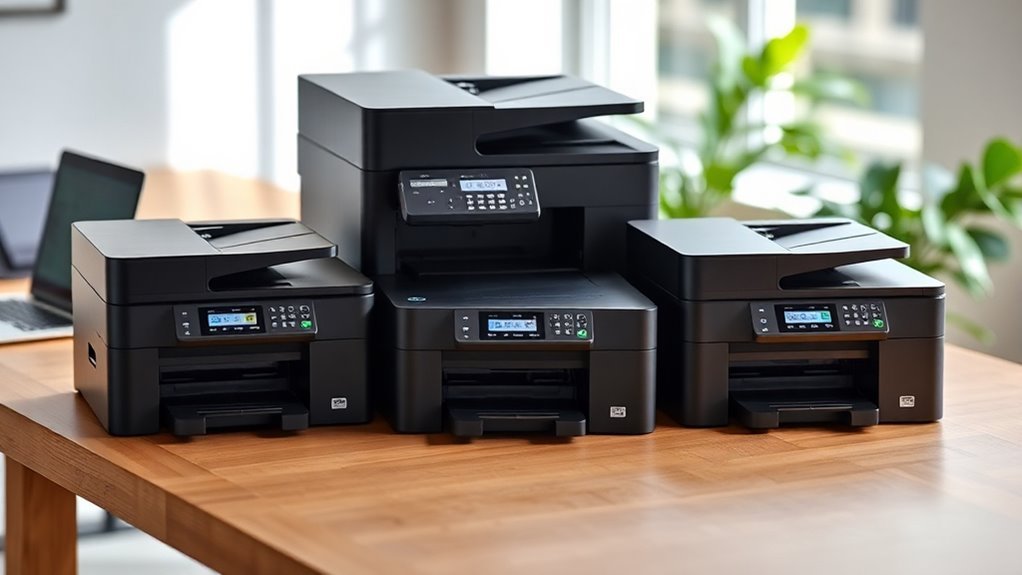
If you’re on the hunt for a reliable, budget-friendly duplex printer in 2027, you’ve got some great options to explore. Duplex printers are perfect for saving paper and making your printing more efficient without breaking the bank. Whether you need color or monochrome printing, there’s something to fit your style and budget.
Consider the HP OfficeJet Pro 8125 if you want versatile color printing that handles everyday tasks smoothly. On the other hand, the Brother DCP-L2640DW is a solid pick for fast monochrome output, ideal if you mostly print black and white documents.
The Brother HL-L3220CDW offers wireless color laser printing, which is great for a small office or home setup. Meanwhile, the Work Smart 1410 and Canon PIXMA TR7120 provide compact all-in-one solutions with handy automatic document feeders (ADFs). Each model balances performance, connectivity, and cost, so keep exploring to find the one that fits your daily print needs best.
| Image | Name | Editor's Rating | Price |
|---|---|---|---|

|
|
||

|
|
||

|
|
||

|
|
||

|
|
HP OfficeJet Pro 8125 Wireless All-in-One Printer
- FROM AMERICA'S MOST TRUSTED PRINTER BRAND – The OfficeJet Pro 8125 is perfect for home offices printing professional-quality color documents like business documents...
- 3 MONTH TRIAL OF INSTANT INK INCLUDED – Subscribe to the Instant Ink delivery service to get ink delivered directly to your door before you run out, and you save up to...
- KEY FEATURES – Fast color printing, scan, copy, auto 2-sided printing, auto document feeder, and a 225-sheet input tray
- 2.7-INCH TOUCHSCREEN – Quickly navigate your printer with a large color touchscreen and a phone-like user interface
- WIRELESS PRINTING – Stay connected with our most reliable dual-band Wi-Fi, which automatically detects and resolves connection issues

Experience sharp, professional-quality prints without the hassle. The HP OfficeJet Pro 8125 Wireless All-in-One Printer offers fast, reliable printing that keeps your workflow smooth. With print speeds up to 20 ppm in black and 10 ppm in color, it helps you complete tasks quickly and efficiently.
This printer tackles common office challenges by supporting automatic duplex printing and handling various paper sizes with a large 225-sheet input tray. Its dual-band Wi-Fi connectivity and USB port make it easy to connect from multiple devices, while the 2.7-inch touchscreen and HP Smart app simplify control and maintenance.
Designed for busy individuals and small home offices, the OfficeJet Pro 8125 also incorporates eco-friendly recycled plastic components. It includes HP Wolf Essential Security, adding a layer of protection to your printing tasks. However, the fax function is accessible only via the app, and ink costs may be higher due to cartridge restrictions.
Best for: Small offices and home users needing a fast, wireless all-in-one printer that combines professional output with sustainability.
What We Like:
- High-resolution printing up to 4800 x 1200 dpi with quick output speeds
- Automatic duplex printing with versatile paper handling
- Easy wireless setup with touchscreen and app management
- Security features with HP Wolf Essential Security
- Eco-friendly design using recycled plastics
Specification:
| Feature | Details |
|---|---|
| Manufacturer | HP |
| Model | OfficeJet Pro 8125 |
| Dimensions (W×D×H) | Approx. 17.3 × 14.5 × 9.1 in |
| Weight | Approx. 17.2 lb (7.8 kg) |
| Print Resolution | Up to 4800 x 1200 dpi |
| Print Speed | Up to 20 ppm (black), 10 ppm (color) |
| Connectivity | Dual-band Wi-Fi, USB |
| Display | 2.7-inch touchscreen |
| Paper Capacity | 225-sheet input tray |
| Special Features | Automatic duplex, HP Wolf Essential Security, recycled plastic components |
Brother DCP-L2640DW Wireless Monochrome Printer
- BEST FOR SMALL BUSINESSES – Engineered for extraordinary productivity, the Brother DCP-L2640DW Monochrome (Black & White) 3-in-1 combines laser printer, scanner, copier...
- FAST PRINTER WITH EFFICIENT SCANNING – Produces documents quickly with print speeds up to 36 ppm(2) and scan speeds up to 23.6/7.9 ipm(3) (black/color). A 50-page auto...
- FLEXIBLE CONNECTION OPTIONS – Easily navigate the changing demands of your business with secure multi-device connectivity via built-in dual-band wireless (2.4GHz...
- BROTHER MOBILE CONNECT APP – Print, scan, and manage your wireless printer anytime, from almost anywhere from your mobile device. Order Brother Genuine Supplies, track...
- CHOOSE BROTHER GENUINE TONER – When it’s time to replace your toner, be sure to choose Brother Genuine TN830 or TN830XL replacement toner. And with Refresh EZ Print...
The Brother DCP-L2640DW is designed to streamline your daily printing, scanning, and copying tasks. Its fast monochrome printing speed up to 36 pages per minute helps you save time on busy workdays. With an 8.5-second first-page output, you can quickly get started without long waits.
This compact all-in-one printer fits well in small office spaces or home setups. The 50-page auto document feeder simplifies multi-page scanning and copying, reducing manual effort. A 250-sheet paper tray supports extended print runs, minimizing frequent reloads.
Connectivity options are versatile with dual-band wireless, Ethernet, and USB, allowing seamless integration with various devices. The Brother Mobile Connect app enables remote management, letting you monitor and control print jobs from anywhere. Automatic duplex printing helps reduce paper usage, supporting eco-conscious practices.
Maintenance is straightforward, with reliable hardware designed for consistent performance. Although it only prints in black and white, this laser printer meets the needs of users focused on fast, efficient monochrome output. Its simple display and processor suit standard office demands but may limit advanced preview features.
Best for: Small businesses and home offices needing fast, reliable monochrome printing with versatile scanning and copying features in a compact design.
What We Like:
- Fast print and copy speeds with quick first-page output
- Multiple connectivity options including dual-band wireless and Ethernet
- Automatic duplex printing for efficient paper use
- Easy maintenance with reliable hardware
- Compact design fits small spaces
Specification:
| Feature | Details |
|---|---|
| Manufacturer | Brother |
| Dimensions (W×D×H) | 16.1 × 15.7 × 12.7 inches |
| Weight | 14.3 lbs (6.5 kg) |
| Color Options | White |
| Printing Technology | Monochrome Laser |
| Paper Capacity | 250 sheets |
| Auto Document Feeder | 50 pages |
Brother HL-L3220CDW Wireless Color Laser Printer
- Professional Quality: Brother Genuine color laser printer delivers stunning business documents with crisp text and vibrant graphics at impressive 19 PPM speed...
- Wireless Connectivity: Brother Genuine advanced wireless capabilities enable seamless printing from laptops, smartphones, and tablets, with built-in security protocols...
- High-Volume Capacity: Brother Genuine laser printer includes a generous 250-sheet paper tray minimizing refills, while the manual feed slot offers versatility for...
- Efficient Performance: Brother Genuine automatic duplex printing saves time and paper, while delivering professional-quality double-sided documents at speeds up to...
- Mobile Integration: Brother Genuine technology ensures seamless compatibility with major mobile printing platforms and cloud services, enabling effortless document...
The Brother HL-L3220CDW brings speed and precision to your home office with its reliable wireless color laser printing. It solves the common need for quick, vibrant prints by delivering sharp images at a resolution of 2400 x 600 dpi. This printer keeps your workflow smooth, handling up to 19 pages per minute so you can focus on your tasks without waiting.
Designed for efficiency, it offers a 250-sheet paper tray and automatic duplex printing to reduce paper waste and save time. The wireless connectivity options, including Wi-Fi and mobile printing, allow you to print from multiple devices easily. This flexibility helps you stay productive whether you’re at your desk or working remotely.
Maintenance is straightforward with the use of TN229 toner cartridges, known for consistent performance. The compact design fits well in limited spaces and the user-friendly interface supports app, touch, and voice controls. Security features built into the printer protect your documents and data.
While it is strictly a print-only device without scanning or copying functions, its focus on reliable, high-quality color printing makes it a practical choice for professional home use.
Best for: Professionals and small office users who need fast, high-quality wireless color printing with efficient paper management.
What We Like:
- Sharp 2400 x 600 dpi color prints at 19 pages per minute
- Automatic duplex printing and 250-sheet capacity for productivity
- Versatile wireless, USB, mobile, and cloud connectivity
- Easy maintenance with reliable TN229 toner cartridges
- User-friendly interface with app, touch, and voice controls
Specification:
| Feature | Details |
|---|---|
| Manufacturer | Brother |
| Dimensions | Compact design (specific size not provided) |
| Weight | Not specified |
| Printing Technology | Wireless Color Laser |
| Print Speed | 19 pages per minute |
| Resolution | 2400 x 600 dpi |
| Paper Capacity | 250 sheets |
| Connectivity | Wi-Fi, USB, Mobile, Cloud |
| Toner Cartridge | TN229 |
Brother Work Smart 1410 Wireless Color Inkjet Printer
- BEST FOR HOME OFFICE AND SMALL OFFICE: Get your work done with a multifunction printer. Print, copy, and scan on one convenient, compact printer, with quick and easy...
- EASY-TO-USE TOUCHSCREEN WITH CLOUD APP CONNECTIONS: Seamless integration with the Cloud(2). Print from and scan to popular Cloud apps(2), including Google Drive, Dropbox...
- PRODUCTIVITY-FOCUSED FEATURES: Automatic duplex (2-sided) printing, 20-sheet single-sided Automatic Document Feeder (ADF)(3), 150-sheet paper tray(3). Print at fast...
- MULTIPLE CONNECTION OPTIONS: Connect your way. Interface with your printer on your wireless network or via USB.
- THE BROTHER MOBILE CONNECT APP: Go mobile with the Brother Mobile Connect app(5) for easy onscreen menu navigation for printing, copying, scanning, and device management...
Get more done with the Brother Work Smart 1410 Wireless Color Inkjet Printer. Designed for home offices and small businesses, it makes printing, scanning, copying, and faxing straightforward and efficient. This compact all-in-one solution helps reduce clutter and streamlines your workflow.
The printer’s automatic duplex feature cuts paper use and saves time on double-sided documents. Its 150-sheet capacity means fewer interruptions for reloading. Wireless connectivity and a 2.7″ color touchscreen provide easy access from laptops, smartphones, or cloud services, so you can print wherever you work.
Maintenance is simple with included starter ink cartridges and an optional subscription service for automatic refills. The 20-sheet automatic document feeder speeds up multi-page tasks, making it easier to handle larger jobs without constant supervision.
While print speeds are moderate, this printer balances quality and convenience for everyday use. The single USB 2.0 port limits wired connections, and the subscription service is available only in the contiguous U.S., requiring enrollment.
Best for: Home users, home offices, and small businesses seeking a compact, versatile all-in-one printer with easy wireless printing and efficient color output.
What We Like:
- Automatic duplex printing saves paper and time
- 2.7″ touchscreen and wireless support enable flexible device access
- Starter ink included with optional subscription for hassle-free refills
- 20-sheet automatic document feeder speeds scanning and copying
Specification:
| Feature | Details |
|---|---|
| Manufacturer | Brother |
| Dimensions (W x D x H) | Compact size (exact dimensions not provided) |
| Weight | Not specified |
| Ink Type | Color inkjet |
| Connectivity | Wireless, USB 2.0 |
| Paper Capacity | 150 sheets |
| Display | 2.7-inch color touchscreen |
Canon PIXMA TR7120 Wireless Inkjet Printer White
- Affordable Versatility - A budget-friendly all-in-one printer perfect for both home users and hybrid workers, offering exceptional value
- Crisp, Vibrant Prints - Experience impressive print quality for both documents and photos, thanks to its 2-cartridge hybrid ink system that delivers sharp text and vivid...
- Effortless Setup & Use - Get started quickly with easy setup for your smartphone or computer, so you can print, scan, and copy without delay
- Reliable Wireless Connectivity - Enjoy stable and consistent connections with dual-band Wi-Fi (2.4GHz or 5GHz), ensuring smooth printing from anywhere in your home or...
- Seamless Multi-Page Handling - Tackle multi-page documents with ease using the Auto Document Feeder (ADF) for quick scanning and copying
Experience hassle-free printing with the Canon PIXMA TR7120, designed to simplify your home or hybrid office tasks. This wireless inkjet printer delivers reliable duplex printing and features a 20-sheet Auto Document Feeder, making multi-page scanning and copying efficient and effortless.
Its compact white design fits neatly into any workspace, while the hybrid ink system ensures sharp text and vibrant photos. The printer connects easily via dual-band Wi-Fi, USB, or the Canon PRINT app, keeping you productive without tangled cables.
Maintenance is straightforward with a two-cartridge ink setup that minimizes waste and cost. The clear OLED display and voice control through Alexa provide intuitive operation without overwhelming controls.
Though its single paper tray holds up to 100 sheets, and print speeds are moderate, the PIXMA TR7120 balances functionality and convenience for everyday office needs. It supports various paper sizes up to Legal, handling diverse projects smoothly.
Best for: Professionals and home users needing dependable duplex printing and an Auto Document Feeder for frequent multi-page documents.
What We Like:
- Automatic two-sided printing and 20-sheet ADF streamline multi-page jobs
- Dual-band Wi-Fi and mobile app offer stable, flexible connectivity
- Compact design with sharp, vivid output from hybrid ink cartridges
- Simple maintenance with a two-cartridge system
- Voice control compatibility and clear OLED display for easy operation
Specification:
| Feature | Details |
|---|---|
| Manufacturer | Canon |
| Dimensions (W×D×H) | 14.1 × 11.6 × 5.8 inches |
| Weight | Approx. 13.7 lb (6.2 kg) |
| Color Options | White |
| Ink System | 2-cartridge hybrid ink |
| Connectivity | Dual-band Wi-Fi, USB, Canon PRINT app |
| Auto Document Feeder | 20 sheets |
| Max Paper Capacity | 100 sheets |
| Supported Paper Size | Up to Legal |
Factors to Consider When Choosing a Budget Duplex Printer

When choosing a budget duplex printer, you’ll want to compare print speeds and check the quality of duplex printing. Don’t forget to take into account connectivity options and how much ink or toner will cost over time.
Also, look at the paper handling capacity to make sure it fits your needs. It’s a good idea to think about these factors so you get the best value for your money.
Print Speed Comparison
Understanding print speed is essential when choosing a budget duplex printer, as it directly impacts your productivity. Print speed is measured in pages per minute (ppm), and you’ll want to compare both black-and-white and color speeds since they can vary notably.
Remember, duplex printing often slows down throughput because the printer flips or re-feeds sheets, so duplex ppm is usually lower than simplex ppm. Also, consider the first-page-out time—it shows how fast your printer starts printing, which matters for quick, frequent jobs.
If you plan to scan or copy two-sided documents, check scan and copy speeds in images per minute (ipm), especially for multi-page jobs. Finally, rely on ISO/IEC or industry-standard speed ratings for accurate comparisons across models.
Duplex Printing Quality
Print speed alone won’t guarantee satisfaction if the quality of your duplex prints falls short. You’ll want a printer with true automatic two-sided printing—manual duplexing wastes time and risks misfeeds.
Check the duplex print resolution; it should match the single-sided dpi to avoid softer text or images on the second side. Also, look for a model that maintains similar speeds for duplex and simplex jobs to keep multi-page prints efficient.
Pay attention to paper handling during duplexing—tray capacity, feed path, and supported paper weights matter since thin or heavy paper can cause jams or skewing. Finally, verify duplex alignment and registration accuracy to prevent misaligned text or graphics, especially if you’re producing professional reports or booklets.
Connectivity Options Available
Although duplex printing quality is essential, connectivity options play an equally important role in ensuring your budget printer fits seamlessly into your workspace. You should prioritize printers supporting dual-band Wi-Fi (2.4 GHz and 5 GHz) to maintain a stable connection and minimize interference, especially in busy wireless environments.
Ethernet connectivity offers reliable, high-speed network printing, which is ideal for shared offices. Don’t overlook USB ports for direct connections and quick troubleshooting when network access is limited.
Also, check if the printer supports mobile printing and cloud services like AirPrint. This way, you can print straight from your smartphone or tablet without any hassle.
Features like Wi-Fi Direct enable peer-to-peer printing without a router, adding valuable flexibility to your setup. It’s these little extras that can make a big difference in how smoothly your printing experience goes.
Ink and Toner Costs
Managing ink and toner costs can make a huge difference in how budget-friendly your duplex printer truly is. Start by comparing the cost per page (CPP), which you get by dividing the cartridge price by its estimated yield.
Monochrome laser printers usually have a lower CPP than color inkjets, especially if you print a lot. And here’s a tip: opt for high-yield or XL cartridges—they cost more upfront but lower your CPP over time.
Don’t forget to factor in replacement drum units, maintenance kits, or subscription fees, as they add to your total costs. Also, consider your printing habits: duplex printing saves paper but may increase ink or toner use per page.
Always check yield figures based on ISO/IEC standards, since real-world CPP tends to be higher than manufacturer claims. It’s better to be prepared than surprised later!
Paper Handling Capacity
Keeping ink and toner costs low is just one part of making a duplex printer budget-friendly. You’ll also want to focus on paper handling capacity to keep your workflow smooth.
Check the input tray size—printers with 150–250 sheet capacity mean fewer reloads compared to 50–100 sheets. If you scan or copy multi-page documents often, look for a larger automatic document feeder (20–50 sheets) to save time and effort.
Don’t overlook output tray capacity to avoid jams during large duplex print jobs. Also, confirm the printer supports the paper sizes and specialty media you use, like envelopes or cardstock.
Make sure it can duplex heavier papers (60–120 g/m²) without manual flipping or quality loss. Proper paper handling means less hassle and more efficiency.
Device Size and Weight
When choosing a budget duplex printer, you’ll want to carefully consider its size and weight to make certain it fits your workspace and usage needs. Measure your available desk or shelf space and compare it to the printer’s footprint—most compact models stand about 9–16 inches tall and 13–16 inches deep.
Don’t forget to allow extra room for paper trays, the automatic document feeder, and open scanner lids. Heavier printers, often weighing 15–25+ pounds, tend to be more stable during duplexing and high-volume jobs. But if you plan to move your printer frequently or place it on lightweight furniture, look for models under about 20 pounds.
Also, make sure you have enough clearance around the device for ventilation, cable access, and proper operation. It’s easy to overlook these little details, but they really make a difference in your day-to-day use.
Frequently Asked Questions
How Do Duplex Printers Save on Paper Costs?
Duplex printers save you paper costs by printing on both sides of a sheet automatically. This cuts paper use nearly in half, reducing your expenses and waste.
Can Duplex Printers Handle Thick or Specialty Paper?
You’ll find that about 60% of duplex printers can handle thick or specialty paper, but you’ll want to check specs carefully.
Using the right paper type and printer settings helps avoid jams and guarantees quality prints every time.
What Is the Typical Lifespan of a Budget Duplex Printer?
You can expect a budget duplex printer to last around 3 to 5 years with regular use. Proper maintenance and moderate printing volume will help you extend its lifespan and keep it running smoothly.
Taking care of your printer really makes a difference. So, cleaning it regularly and not overloading it can go a long way. That way, you won’t have to replace it too soon!
Are Duplex Printers Compatible With Mobile Printing Apps?
Yes, duplex printers often work with mobile printing apps, letting you print double-sided directly from your phone.
You’ll find compatibility depends on the printer model and app, so always check before you buy or install.
It’s a good idea to make sure the app supports duplex printing to get the most out of your printer.
How Noisy Are Duplex Printers During Operation?
Duplex printers aren’t usually very noisy during operation; you’ll mostly hear the quiet whirring and occasional paper feed sounds.
If noise bothers you, look for models labeled “quiet” or with noise-reduction features to keep distractions low. It really helps if you prefer a calmer workspace.
Conclusion
Choosing the right budget duplex printer doesn’t have to be overwhelming. With options like the HP OfficeJet Pro 8125 or the Brother HL-L3220CDW, you’re sure to find a model that fits your needs and budget.
So, why settle for single-sided prints when you can save time and paper with duplex printing? It’s a simple way to boost efficiency and reduce waste.
By considering factors like wireless capability, print quality, and speed, you’ll make a smart choice that keeps both your wallet and workflow happy. Finding the best budget duplex printer means getting great features without breaking the bank. Whether you’re working from home or running a small office, these printers deliver reliable performance and cost savings. In the end, choosing a budget-friendly duplex printer helps you print smarter, faster, and more sustainably.