10 Best 3D Printers Under $800 for 2027 You’ll Love
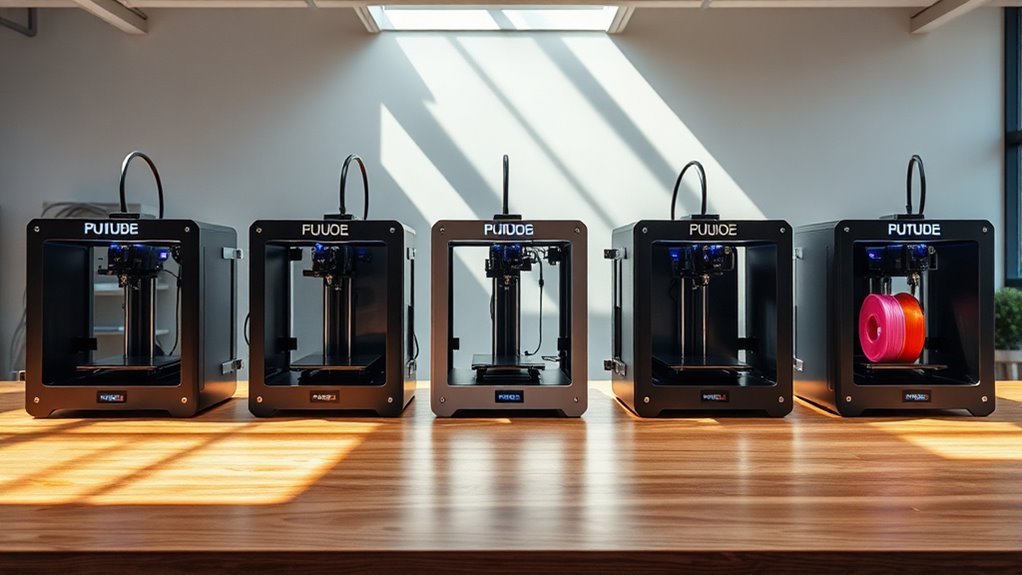
If you’re looking for a reliable and easy-to-use 3D printer under $800, you’ve got some fantastic options to consider. These printers are perfect whether you’re just starting out or need something that can handle more detailed projects without breaking the bank.
For example, the Entina Tina2C offers quick WiFi setup and beginner-friendly features that make getting started a breeze.
Then there’s the Anycubic Kobra X, which really shines with its fast, native 4-color printing—great if you want to add some vibrant touches to your prints. The Creality Ender 3 V3 SE is another solid choice, featuring auto-leveling for hassle-free setup and consistent performance.
If you prefer resin printing, the ELEGOO Mars 5 Ultra delivers ultra-fine detail that’s perfect for intricate designs.
Each of these printers suits different needs, whether it’s for classrooms, hobbyists, or creative pros. Take some time to explore these choices and find the perfect match for your 3D printing adventures!
| Image | Name | Editor's Rating | Price |
|---|---|---|---|

|
|
||

|
|
||

|
|
||
|
|
||

|
|
Entina Tina2C Beginner 3D Printer with WiFi
- 【Easy to Use 3D Printer – Ready in 5 Minutes】 Meet the Entina Tina2C, a plug-and-play mini 3D printer designed for first-time users. Fully assembled with factory...
- 【3500+ 3D Models & Easy One-Tap Printing】 Explore 3500+ ready-to-print 3D models and 25+ DIY projects in the Poloprint Cloud app, with new designs added daily...
- 【Smart WiFi 3D Printer & AI-Powered App】 Connect via 2.4GHz WiFi and enjoy convenient 3D printer app control through Poloprint Cloud. Explore models, manage prints...
- 【Auto Leveling 3D Printer & Power-Loss Recovery】 Automatic bed leveling helps improve first-layer adhesion and reduces manual adjustments for a smoother 3D printing...
- 【Flexible Magnetic Print Bed & Quick-Swap Nozzle】 The flexible magnetic build plate makes finished 3D prints easier to remove with a gentle bend. A removable...
Step into the world of 3D printing with the Entina Tina2C Beginner 3D Printer with WiFi, designed to make printing simple and accessible. Its quick setup means you can start creating in just five minutes, eliminating the usual frustration of complicated assembly.
The printer’s compact size fits comfortably on any desk, making it ideal for home or classroom use. Maintenance is straightforward, thanks to a removable nozzle and a flexible magnetic build plate that allows easy removal of prints without damage.
Connectivity is seamless with built-in WiFi and the Poloprint Cloud app, giving you effortless access to a vast library of designs and AI-assisted print management. Features like power-loss recovery ensure your projects are safe even during unexpected interruptions.
While its small build volume limits larger projects, the Tina2C excels at beginner-level and educational printing tasks, offering quiet operation and reliable performance in a user-friendly package.
Best for: Beginners, families, and educators looking for a compact, easy-to-use 3D printer for learning and small-scale projects.
What We Like:
- Fully assembled with factory presets and auto-leveling for quick, hassle-free startup
- WiFi-enabled with Poloprint Cloud app for easy design access and print management
- Power-loss recovery and quiet operation enhance reliability and user comfort
- Flexible magnetic build plate simplifies print removal and maintenance
Specification:
| Feature | Details |
|---|---|
| Manufacturer | Entina |
| Build Volume | 3.9 x 3.9 x 3.9 inches (10 x 10 x 10 cm) |
| Connectivity | WiFi |
| Setup | Fully assembled, auto-leveling |
| Special Features | Power-loss recovery, magnetic build plate |
| Weight | Not specified |
Anycubic Kobra X Multicolor 3D Printer, Easy Setup, Native 4-Color
- 【 Newest Level - 19-Color with 4 ACE 2 Pro】Why settle for one color when you can have multicolor? The Kobra X comes born with 4 colors built-in. It is innovative 3D...
- 【 Savings 2X Time】Stop wasting hours and filament on purging! Kobra X impresora 3D reduces the filament and machine travel path by 81.25%, so 2X the Speed, and...
- 【Hardened Precision & High Speed 】 Equipped with a high-durability hardened steel nozzle and vibration compensation, the Kobra X ensures every layer remains smooth...
- 【Flawless First Layer with LeviQ 3.0】The LeviQ 3.0 and auto bed leveling system uses a 49-point calibration and advanced leveling algorithm to ensure 100% bed...
- 【Smart AI Monitoring & Large Model Library】APP remote control, features Spaghetti detection and foreign object detection. The innovative top-mount spool holder...
The Anycubic Kobra X Multicolor 3D Printer transforms your creative workflow by enabling native 4-color printing without the hassle of multiple devices. It streamlines complex projects, letting you produce vibrant, multi-material prints quickly and efficiently. With a rapid print speed of up to 600 mm/s, it reduces wait times and material waste, cutting costs by nearly half.
Setup is simple and stress-free thanks to the LeviQ 3.0 auto bed leveling system. This ensures precise calibration in minutes, so you can start printing within about 15 minutes. The intuitive design also supports various filament types, making it adaptable for different project needs.
Maintenance is straightforward, with smart features like Wi-Fi connectivity and AI-powered monitoring that allow you to track and control prints remotely. This functionality reduces downtime and helps catch issues early, keeping your prints consistent and high-quality.
Though compact and powerful, the printer weighs 20.9 pounds and measures 23 × 13 × 22 inches, which may affect portability. Also, filament spools are sold separately, and expanding beyond the 4-color setup requires additional compatible units.
Best for: Creators and educators who need a fast, reliable multicolor 3D printer with flexible filament use and remote monitoring.
What We Like:
- Native 4-color printing enables vibrant, complex projects.
- Fast print speeds up to 600 mm/s save time and materials.
- LeviQ 3.0 auto bed leveling simplifies setup and ensures accuracy.
- Wi-Fi and AI monitoring provide convenient remote control.
- Supports multiple filament types for versatile printing.
Specification:
| Feature | Details |
|---|---|
| Manufacturer | Anycubic |
| Dimensions (L×W×H) | 23 × 13 × 22 inches |
| Weight | 20.9 pounds |
| Color Options | Native 4-color printing |
| Filament Compatibility | Various filament types |
Creality Ender 3 V3 SE Beginner-Friendly 3D Printer with Auto Leveling
- 250mm/s High-Speed Printing: Print at speeds of up to 250mm/s with 2500mm/s² acceleration, helping you complete prototypes, functional parts, and everyday projects...
- Easy Setup with Auto Leveling: Designed for a fast and straightforward setup, the Ender 3 V3 SE can be assembled in just a few simple steps. CR Touch Auto Leveling and...
- Proven Sprite Direct Drive Extruder: The upgraded Sprite Direct Drive Extruder provides smooth and consistent filament feeding for PLA, PETG, and TPU. Its proven design...
- Stable Motion System for Consistent Results: Dual synchronized Z-axis lead screws and precision Y-axis linear shafts work together to help reduce vibration and Z...
- Quiet Operation with Easy Print Removal: A 32-bit silent mainboard helps reduce operating noise for a more comfortable printing experience, while the flexible PC spring...
The Creality Ender 3 V3 SE is designed to make 3D printing accessible and hassle-free for beginners. Its auto leveling system with CR Touch and automatic Z-offset calibration eliminate the need for manual adjustments. This ensures you get consistent, reliable first layers without the usual setup frustrations.
Printing is smooth and fast, with speeds up to 250 mm/s supported by a stable dual Z-axis and precision linear shafts. These features minimize vibration, leading to higher-quality prints. The Sprite Direct Drive Extruder handles a variety of filaments like PLA, PETG, and TPU, expanding your creative possibilities.
Maintenance is straightforward thanks to the flexible spring steel build plate. It allows you to easily remove prints without damage, making cleanup quick and convenient. The compact design fits well on most desks, perfect for daily projects or prototyping in small spaces.
While it offers many benefits, the build volume is limited by its compact size, and some users may find warranty support less accessible. However, its ease of use and reliable performance make it a strong choice for those starting out in 3D printing.
Best for: Beginners and hobbyists seeking a user-friendly 3D printer with auto leveling and versatile filament support.
What We Like:
- Auto leveling with CR Touch and Z-offset calibration for hassle-free setup
- Stable motion system enables high printing speeds with reduced vibration
- Flexible spring steel build plate simplifies print removal
- Compatible with multiple filament types for diverse projects
Specification:
| Feature | Details |
|---|---|
| Manufacturer | Creality |
| Dimensions | 15 x 19.6 x 15 inches |
| Weight | Not specified |
| Material | Metal frame with spring steel build plate |
| Color Options | Not specified |
ELEGOO Mars 5 Ultra Resin 3D Printer
- 【9K High Precision Mono LCD】Featuring a 7-inch mono LCD with 9K ultra-high resolution and 18 μm XY resolution, ELEGOO Mars 5 Ultra 3D Printer ensures the faithful...
- 【Blazing Fast Speed with Tilt Release Innovation】Boasting a blazing fast speed of up to 150 mm/h, ELEGOO Mars 5 Ultra resin 3D printer leaves competitors in the dust...
- 【AI Camera Acts as Your Eyes, Stay in Total Control】Say goodbye to costly failures and wasted time as the AI camera detects errors in real-time, guiding you to...
- 【Print Smarter, Print Easily】With a smart mechanical sensor, ELEGOO Mars 5 Ultra impresora 3D supports residue detection to prevent damage to the LCD screen. Plus...
- 【Wi-Fi Cluster Printing, Redefining Efficiency & Productivity】Redefine efficiency and streamline your workflow with seamless control over multiple ELEGOO Mars 5 Ultra...
The ELEGOO Mars 5 Ultra Resin 3D Printer offers artists and designers a precise tool to bring intricate ideas to life. Its 7-inch monochrome 9K LCD ensures ultra-high resolution prints with sharp 18-micron XY detail, capturing even the finest features effortlessly.
This printer addresses common printing frustrations by integrating smart sensors and an AI camera that continuously monitor resin levels and detect errors. This real-time oversight helps reduce material waste and avoids costly mistakes during long print jobs.
Thanks to its compact build and tilt release technology, the Mars 5 Ultra speeds up the printing process without sacrificing accuracy. The printer supports a build volume of 6.04 × 3.06 × 6.49 inches, ideal for detailed small to medium projects.
Managing multiple printers is simplified with Wi-Fi cluster printing, allowing synchronized control from a single interface. Maintenance is straightforward, keeping downtime low and productivity high.
Best for: Professionals and creatives who need ultra-detailed resin 3D prints combined with smart monitoring and efficient multi-printer management.
What We Like:
- Exceptional 18-micron XY resolution with 9K monochrome LCD for detailed models
- Real-time error detection and resin monitoring via AI camera and sensors
- Tilt release technology speeds up peeling for faster prints without loss of detail
- Wi-Fi cluster printing enables easy control of several units simultaneously
Specification:
| Feature | Details |
|---|---|
| Manufacturer | ELEGOO |
| Dimensions (WxDxH) | Not specified |
| Weight | 19.36 lb (8.78 kg) |
| Build Volume | 6.04 × 3.06 × 6.49 inches |
| Display | 7-inch monochrome 9K LCD |
ANYCUBIC Photon Mono 4, Resin 3D Printer with 7” 10K Mono LCD Screen
- 【7'' 10K High Resolution】Photon Mono 4 boasts an impressive 105% increase in print precision compared to Mono 2. With a resolution of 9024x5120, each pixel measures a...
- 【Powerful Light Source】The time-tested Anycubic LighTurbo matrix light source technology delivers stable, balanced, and uniform lighting to reduce layer lines and...
- 【Sufficient Print Size】With a generous maximum build volume of 6.04'' x 3.42'' x 6.49''/153.4mm x 87mm x 165mm, you have ample print space to easily tackle your daily...
- 【Laser-engraved Print Platform 2.0】With a new design, the laser engraving platform of the photon mono 4 improves adhesion to mitigate lifting and warping of the model...
- 【User-friendly Function】The 4-point leveling method is ideal for beginners, after the first leveling and tightening the 4 screws, no need to repeat leveling. Photon...
Experience precision and smooth finishes with the ANYCUBIC Photon Mono 4 resin 3D printer. Its 7-inch 10K monochrome LCD delivers ultra-high resolution, ensuring your prints come out with exceptional detail and clarity. This advanced screen improves printing precision by 105% compared to earlier models, making it easier to capture fine features.
The printer’s LightTurbo matrix provides even light distribution, reducing visible layer lines and enhancing surface quality. A compact build volume of 6.04 x 3.42 x 6.49 inches is perfect for hobbyists and professionals focused on detailed miniatures and prototypes. Maintenance is straightforward thanks to the Laser-engraved Print Platform 2.0, which ensures strong adhesion while allowing easy removal of finished prints.
Leveling is simplified with a 4-point system that saves setup time, and the ability to resume printing after power loss protects your projects from interruptions. Although the build size is modest and remote app support is unavailable, this model prioritizes reliability and print quality for users who demand precision without complexity.
Best for: hobbyists and professionals seeking a high-precision resin 3D printer that delivers ultra-smooth surfaces and reliable performance with easy maintenance.
What We Like:
- High-resolution 7″ 10K monochrome LCD with enhanced precision
- LightTurbo matrix for uniform lighting and reduced layer lines
- Laser-engraved Print Platform 2.0 for strong adhesion and easy print removal
- 4-point leveling system simplifies setup
- Resume-on-power-loss ensures print continuity
Specification:
| Feature | Description |
|---|---|
| Manufacturer | ANYCUBIC |
| Screen Size | 7 inches |
| LCD Resolution | 9024 x 5120 (10K monochrome) |
| Build Volume | 6.04 x 3.42 x 6.49 inches |
| Print Platform | Laser-engraved Print Platform 2.0 |
| Leveling Method | 4-point leveling |
ANYCUBIC Photon Mono 4 10K Resin 3D Printer, 7” HD Mono LCD Screen

- 【10K High Resolution】7-inch 10K (9024 x 5120 px) HD Screen of Photon Mono 4 delivers over twice the detail (+105%) vs. Mono 2. With 17×17μm pixel precision, see...
- 【Stabilized Light Source】Anycubic LighTurbo matrix light source system ensures ultra-stable layer curing for smoother surfaces and near-invisible layer lines. Achieve...
- 【Upgraded Build Plate】Anycubic Photon Mono 4 uses the Laser Engraving Platform 2.0, which optimizes pattern and grain depth, enhances model adhesion, and reduces the...
- 【Power Failure Recovery】Resume printing from the original schedule after downtime - save time and materials in case of accidents
- 【Easy to Start】Photon Mono 4 Resin 3D Printer Fully assembled, tested, and factory-calibrated. Just unbox, run a quick 4-point leveling check, and start printing in...
Experience the precision and clarity your projects demand with the ANYCUBIC Photon Mono 4 10K Resin 3D Printer. This model delivers ultra-fine details thanks to its cutting-edge 10K resolution and 17-micron pixel accuracy.
The 7-inch HD Mono LCD screen ensures your prints capture every intricate feature with remarkable sharpness. Fast 1.5-second exposure times accelerate production without compromising surface smoothness or detail.
Maintenance is straightforward as the printer comes fully assembled and factory-calibrated, allowing quick setup in under five minutes. Its power failure recovery feature adds reliability by letting you resume prints after interruptions, saving time and materials.
Though the build volume is somewhat limited, this printer excels in producing highly detailed small to medium-sized resin models. It strikes a balance between speed, precision, and ease of use, making it ideal for detailed, professional-grade 3D printing.
Best for: professionals and hobbyists requiring ultra-high-resolution resin prints with fast exposure and fine micro-detail accuracy.
What We Like:
- 10K resolution with 17 μm pixel precision for exceptional detail
- Quick 1.5-second exposure speeds up printing without quality loss
- Factory-calibrated, fully assembled for easy setup
- Power failure recovery ensures print continuity
Specification:
| Specification | Details |
|---|---|
| Manufacturer | ANYCUBIC |
| Screen Size | 7 inches |
| Screen Resolution | 9024 × 5120 pixels (10K) |
| Pixel Size | 17 microns |
| Exposure Time | 1.5 seconds per layer |
| Setup | Fully assembled, calibrated |
| Build Volume | Limited |
Creality Ender 3 V3 SE 3D Printer Upgrade

- 【250mm/s High-speed Printing】Creality Ender 3 V3 SE 3d printer supports a maximum printing speed of 250mm/s, 2500mm/s² acceleration.The speed has been greatly...
- 【Powerful ""Sprite"" Direct Extruder】Ender 3 V3 SE is the upgrade of ender 3, ender 3 v2, ender 3 pro, ender 3 neo, ender 3 v2 neo, ender 3 s1, ender 3 s1 pro etc 3d...
- 【Worry-free CR Touch Auto Leveling & Strain Sensor】Creality Ender 3 upgraded 3d printer features a CR Touch sensor for auto leveling and a strain sensor for auto...
- 【Stable Dual Z-axis & Y-axis Linear Shafts】High-precision dual Z-axis lead screws reduce Z wobbling effectively, avoid printing deviation in single-axis printing...
- 【Quick Assembly & Easy to Use】Preassembly has solved those hassles and worries of parts assembly, It only takes 3 steps to complete the assemble the ender-3 v3 se 3d...

Experience efficient and precise 3D printing with the Creality Ender 3 V3 SE. This printer is designed to accelerate your projects while maintaining affordability. Its high-speed printing capability up to 250 mm/s reduces print times by nearly three-quarters compared to older models.
The printer features a full-metal dual-gear extruder that ensures smooth and consistent filament feeding. Dual Z-axis lead screws enhance stability, minimizing wobble for sharper, cleaner prints. These design elements work together to improve the quality and reliability of your prints.
Setup is straightforward with auto bed leveling and automated filament loading, allowing you to start printing in about 20 minutes. Maintenance is simplified, making it easy for users to keep the printer in optimal condition without extensive technical knowledge.
With a print volume of 8.66 x 8.66 x 9.84 inches, the Ender 3 V3 SE is ideal for small to medium projects. Its sturdy build and smart features make it suitable for hobbyists and intermediate users looking for a dependable 3D printer.
Best for: hobbyists and beginner to intermediate 3D printing enthusiasts seeking a reliable, fast, and easy-to-assemble printer with advanced features at an affordable price.
What We Like:
- Fast print speeds up to 250 mm/s with significant time savings
- Smooth filament feeding via full-metal dual-gear extruder
- Automated functions including bed leveling and filament loading
- Dual Z-axis lead screws for improved print stability
- Compact yet versatile print volume for various projects
Specification:
| Feature | Details |
|---|---|
| Manufacturer | Creality |
| Print Volume | 8.66 x 8.66 x 9.84 inches |
| Print Speed | Up to 250 mm/s |
| Extruder Type | Full-metal dual-gear |
| Z-Axis | Dual lead screws |
| Setup Time | Approximately 20 minutes |
Entina Tina2 Mini 3D Printer for Beginners
- 3D Printer for Beginners and Kids: Out of the box, fully assembled, Speedy Printing –TINA2 BASIC 3d printer is super easy to use and does not require a complex setup...
- Ready to Print: Equipped with 2.4" LCD screen and Wiibulider slicer software makes it easy to conduct offline printing using the MicroSD Card. The 3-d printer supports...
- Fully Open-Source: Entina TINA2 BASIC Mini 3D printer adopts a safety-first design philosophy, featuring complete open-source compatibility for enhanced flexibility and a...
- Auto Leveling & Magnetic Platform: The small 3d printer does not need manual leveling, the intelligent leveling system can automatically adjust the uneven bed, thus...
- Compact Design:This is light weight and minimalist desktop 3D printers, the mini 3D printer size is 8.3''x8.3''x11.4'', weight is 3kg. Light weight and portable design...
The Entina Tina2 Mini 3D Printer is designed to make 3D printing simple and accessible for beginners. Its compact size and fully assembled setup mean you can start printing your ideas within minutes. The one-button filament loading and 2.4″ LCD screen keep the process straightforward, reducing frustration during setup.
This printer solves common entry-level challenges by offering auto-leveling and dual Z-axis rails, which improve print accuracy and stability. If a power outage occurs, your print won’t be lost thanks to the resume printing feature. The magnetic removable bed makes it easy to detach models without damage.
Maintenance is hassle-free with this lightweight, open-source machine. Its small build volume is perfect for home, school, or dorm projects but does limit larger prints. The clear design and simple controls provide a safe and user-friendly experience for new users exploring 3D printing.
Overall, the Entina Tina2 Mini balances ease of use with essential features to support learning and creativity in small-scale printing.
Best for: beginners, students, and hobbyists looking for an easy-to-use 3D printer for small projects and educational purposes.
What We Like:
- Fully assembled and quick to start with simple filament loading
- Auto-leveling and dual Z-axis rails for precise and stable printing
- Resume printing feature protects against power interruptions
- Magnetic removable build plate for easy model removal
Specification:
| Feature | Details |
|---|---|
| Manufacturer | Entina |
| Build Volume | 100 x 105 x 100 mm |
| Screen | 2.4″ LCD |
| Weight | Lightweight (exact weight not specified) |
| Assembly | Fully assembled |
| Bed Type | Magnetic removable |
Entina Tina2C Mini 3D Printer Starter Bundle

- Complete Starter Bundle with 1kg PLA: Includes four 250g rolls of PLA filament in different colors. Start creating colorful toys, decorations, and DIY projects without...
- Fully Assembled & Ready in 5 Minutes: No complicated assembly required. The Tina2C mini 3D printer comes ready for guided setup through the Poloprint Cloud app, helping...
- 3500+ Models, New Designs Added Daily: Explore over 3500 printable models and 25+ DIY modules through the app. Discover fresh creative projects and hands-on STEM...
- Auto Leveling & Power-Loss Recovery: Automatic bed leveling improves first-layer setup and reduces manual adjustments. Power-loss recovery helps resume interrupted...
- Magnetic Build Plate & Quick-Swap Nozzle: The flexible magnetic plate helps release finished prints with a gentle bend, while the quick-swap nozzle design makes routine...
Step into the world of 3D printing with the Entina Tina2C Mini 3D Printer Starter Bundle, designed to make creativity accessible for kids and beginners. This compact printer arrives fully assembled, allowing users to start printing within minutes, eliminating setup frustration. Its intuitive Poloprint Cloud app guides you through the process, making learning easy and enjoyable.
The printer’s 3.9-inch build volume is ideal for small-scale projects, perfect for classrooms and family activities. Features like auto bed leveling and power-loss recovery ensure prints stay accurate and reliable, even if interruptions occur. A magnetic flexible build plate simplifies print removal, reducing the risk of damage.
Maintenance is straightforward with easy nozzle swaps and compatibility with the included four colorful PLA filament rolls. Whether connected via WiFi or offline using a TF card, the printer offers flexible control options. This bundle supports exploration with access to over 3,500 printable models, encouraging endless creativity.
Best for: Families, classrooms, and beginners seeking a user-friendly, compact 3D printer with guided setup and diverse project options.
What We Like:
- Fully assembled and ready to print quickly with guided app support
- Includes four vibrant PLA rolls and a large model library
- Reliable printing with auto bed leveling and power-loss recovery
- Magnetic flexible build plate for easy print removal
- Simple maintenance with easy nozzle replacement
Specification:
| Feature | Details |
|---|---|
| Manufacturer | Entina |
| Build Volume | 3.9 x 3.9 x 3.9 inches |
| Connectivity | 2.4 GHz WiFi, TF card |
| Filament Included | Four colorful PLA rolls |
| Control Method | Poloprint Cloud app, offline |
| Weight | Not specified |
ANYCUBIC Kobra X 3D Printer, Native 4-Color, Up 19-Color with 4 ACE 2 Pro

- 【Native 4-Color & 19-Color Expansion】Maximize profit margins with ACE GEN 2 multicolor technology. Kobra X support native 4-color and expansion up to 19 colors with...
- 【81.25% Less Waste & Peak Efficiency】Kobra X shortens filament change length by 81.25%, drastically reducing purge waste. KX allows print farms to produce more parts...
- 【Space-Efficient Top-Mount Design for High Density】The vertical spool holder and top-mount architecture reduce the footprint compared to side-box systems. Fit more...
- 【LeviQ 3.0: Precision Auto-Leveling】Precision is non-negotiable. LeviQ 3.0 uses a 49-point auto-leveling mesh to eliminate bed variances, ensuring a flawless first...
- 【Smart Management & AI Guard】Manage a fleet via Anycubic App with object skipping to save batches. The integrated AI camera and space-saving build offer...
The ANYCUBIC Kobra X 3D Printer transforms how you approach multicolor printing. It handles intricate, vibrant designs with ease thanks to its native 4-color printing capability, which can expand up to 19 colors when paired with four ACE 2 Pro units. This flexibility lets you create detailed, multi-hued projects without the hassle of switching filaments manually.
Its fast printing speeds are a game changer, completing standard prints like benchy models in just 14 minutes. This efficiency not only saves time but also reduces filament waste by over 80%, making it a cost-effective choice for frequent users. The large 260 mm build volume supports bigger projects without compromising quality or speed.
Maintenance is straightforward with features like the LeviQ 3.0 auto-leveling system, ensuring your print bed is perfectly aligned every time. The AI-driven camera continuously monitors prints, helping catch issues early and improving overall reliability. Compact design and robust support make it suitable for both hobbyists and professional environments.
While expanding to 19 colors requires additional ACE 2 Pro units, the modular setup allows gradual upgrades. Some users may experience a learning curve with advanced multicolor setups and app integration, but the printer’s smart features simplify this process over time.
Best for: hobbyists and professionals seeking a versatile, high-speed multicolor 3D printer with advanced features and efficient material use.
What We Like:
- Native 4-color printing expandable to 19 colors with ACE 2 Pro units
- Ultra-fast printing speeds with significant filament waste reduction
- LeviQ 3.0 auto-leveling ensures precise bed calibration
- AI-driven camera detection for real-time print monitoring
- Large 260 mm build volume supports bigger, detailed projects
Specification:
| Feature | Specification |
|---|---|
| Manufacturer | ANYCUBIC |
| Build Volume | 260 x 260 x (height not specified) mm |
| Color Options | Native 4-color, expandable to 19 colors |
| Print Speed | Benchy in 14 minutes |
| Leveling System | LeviQ 3.0 Auto-leveling |
| Monitoring | AI-driven camera detection |
| Expandability | Supports up to 4 ACE 2 Pro units |
Factors to Consider When Choosing a 3D Printer for Under 800

You’ll want to focus on print volume capacity and printing speed to match your project needs without wasting time.
Check material compatibility to make certain your printer handles the filaments you plan to use.
Also, consider ease of use and connectivity options to make your printing experience smooth and hassle-free.
Print Volume Capacity
Print volume capacity plays a crucial role when choosing a 3D printer under $800, as it determines the maximum size of your projects.
You’ll want to take into account the build volume (X×Y×Z) that matches your typical prints—small figurines fit well within 100–150 mm cubes, while functional parts often need 200–300 mm on one axis.
Keep in mind, usable print volume is less than nominal size due to print head clearance and multi-extruder setups.
Larger volumes mean longer prints, higher material costs, and increased failure risk, so balance size with reliability.
Also, make certain your workspace fits the printer’s footprint plus room for filament spools and part removal.
If multi-color or multi-part printing matters, think about splitting models to fit smaller volumes for better print quality and success.
Printing Speed Efficiency
Speed efficiency often determines how quickly you can complete projects with a 3D printer under $800. Look for models with high maximum print speeds (200–600 mm/s) and acceleration specs (1000–2500 mm/s²). But keep in mind, faster speeds may reduce print quality unless settings are finely tuned.
Effective throughput matters too—features that minimize filament purge and non-print travel can slash job time and material waste by up to 80%. You’ll also want printers with auto-leveling and solid first-layer systems to cut down on failed starts and reprints.
Since fast printing demands stable frames and good motion dampening, check for robust hardware and adequate part cooling to keep accuracy intact. Balancing speed with quality is key when shopping in this budget.
Material Compatibility Range
When selecting a 3D printer under $800, it’s crucial to take into account the range of materials it can handle reliably. Check which filaments the printer supports—PLA, PETG, and TPU are common. But if you want engineering materials like Nylon or ABS, make sure the hotend reaches 280–300°C and uses hardened nozzles.
Flexible filaments like TPU feed better with direct-drive extruders, while Bowden setups might struggle. Also, consider the bed’s heating capability; materials like ABS or Nylon need beds heating up to 110°C to reduce warping.
Some filaments absorb moisture easily, so an enclosed build chamber or filament drying options help prevent print defects. Matching your printer’s material compatibility to your projects guarantees better results and fewer frustrations.
Ease of Use
Although 3D printers under $800 can offer great value, ease of use should be a top priority. This way, you spend more time creating and less time troubleshooting.
Choose models that arrive fully assembled or require minimal setup. Ideally, look for ones with guided wizards or apps that get you printing within 30 minutes.
Features like automatic bed leveling and reliable first-layer calibration save you from manual adjustments and failed prints. It’s a real time-saver.
Also, look for one-touch filament loading, resume-on-power-loss, and removable flexible build plates. These simplify daily tasks and make post-print cleanup easier.
Intuitive software with easy slicers and clear presets for materials and print settings will cut your learning curve. Trust me, that makes a big difference.
Built-in monitoring and quiet operation under 50 dB enhance your user experience. These printers are perfect for home or classroom use.
Connectivity Options
Many 3D printers under $800 offer multiple connectivity options to fit your workflow, from Wi-Fi and Ethernet to USB and SD card support. Wi-Fi lets you manage prints remotely and access cloud model libraries. But check if the printer supports only 2.4 GHz or dual-band (2.4/5 GHz) since some devices can’t connect to 5 GHz networks.
Ethernet provides stable, low-latency connections, ideal for large prints or multiple printers in busy environments. USB and SD/TF card printing serve as reliable offline backups when network access isn’t available.
Some models include built-in cameras for live print monitoring. Just verify if the feed requires a proprietary cloud service or streams directly over your network.
Also, make certain compatibility with popular slicers and open file transfer methods to keep your workflow flexible.
Reliability and Durability
Connectivity options help you stay flexible during printing, but reliability and durability determine how long your 3D printer will perform consistently. You should choose printers with metal frames or reinforced chassis to reduce vibration and prevent structural drift that compromises print quality.
Prioritize models featuring proven motion components like metal linear rails, quality lead screws, and reliable belts to maintain precision over time. Look for a 32-bit controller board with reputable stepper drivers that support firmware updates and protect against overheating.
Make sure parts like hotends, extruder gears, and fans are replaceable and easily accessible for maintenance, extending your printer’s lifespan. Finally, built-in safeguards such as power-loss resume, filament runout detection, and thermal protections help avoid damage and failed prints, ensuring long-term dependable operation.
Software and App Support
When choosing a 3D printer under $800, you’ll want to dig into the software and app support it offers. Confirm the printer works with popular slicers like Cura, PrusaSlicer, or Simplify3D to access advanced settings and community profiles.
Check if the manufacturer provides a mobile or cloud app with features such as remote print control, live camera monitoring, and a model library to simplify your workflow. Make sure it supports common file types like STL, OBJ, and 3MF, and whether it accepts direct G-code uploads to avoid extra steps.
Prioritize printers with regularly updated firmware and solid documentation, plus active community forums or tutorials, so you can fix issues quickly and keep your printer running smoothly for years. It really helps to have that kind of support when you’re just starting out or even down the line.
Frequently Asked Questions
What Materials Can These 3D Printers Use Besides Standard PLA?
You can use materials like ABS, PETG, TPU, and sometimes nylon with these printers. Just make sure your printer supports the temperature and bed requirements for each filament type to get the best print quality.
Different materials need different settings, so double-check what your printer can handle. That way, you’ll avoid any printing issues and get great results every time.
How Noisy Are These 3D Printers During Operation?
You know what they say, “Silence is golden.” These 3D printers run quietly enough not to disturb your focus.
You won’t hear loud buzzing, making them perfect for home or office use without causing distractions.
Do These Printers Support Wireless Printing Options?
Yes, many of these printers support wireless printing options, letting you send files directly from your computer or smartphone.
You’ll find Wi-Fi or Bluetooth connectivity on several models, making printing hassle-free and convenient. It’s super easy to get started without dealing with cables.
What Is the Typical Print Speed for These Models?
Print speeds usually clock around 40-60 mm/s, so your projects won’t crawl like snails.
You’ll get a good balance between quality and speed, letting you create detailed models without wasting time.
Are Replacement Parts and Upgrades Widely Available for These Printers?
Yes, you’ll find replacement parts and upgrades widely available for these printers. Most manufacturers and communities support easy maintenance, so you can keep your printer running smoothly.
You can even improve performance over time without hassle. It’s pretty convenient when you want to upgrade or fix something quickly.
Conclusion
Choosing the right 3D printer under $800 is like picking the perfect brush to bring your ideas to life. Whether you’re a beginner or looking for advanced features, these models offer something for everyone.
Trust your creativity and needs to guide you, and you’ll find a printer that turns your visions into reality. Plunge in confidently—your next masterpiece is just a print away!
Finding the best 3D printer under $800 means balancing quality, features, and price. With so many options available, you can get great results without breaking the bank.
So, dive into the world of 3D printing with confidence. Your ideal 3D printer under $800 is waiting to help you create amazing projects and explore endless possibilities!