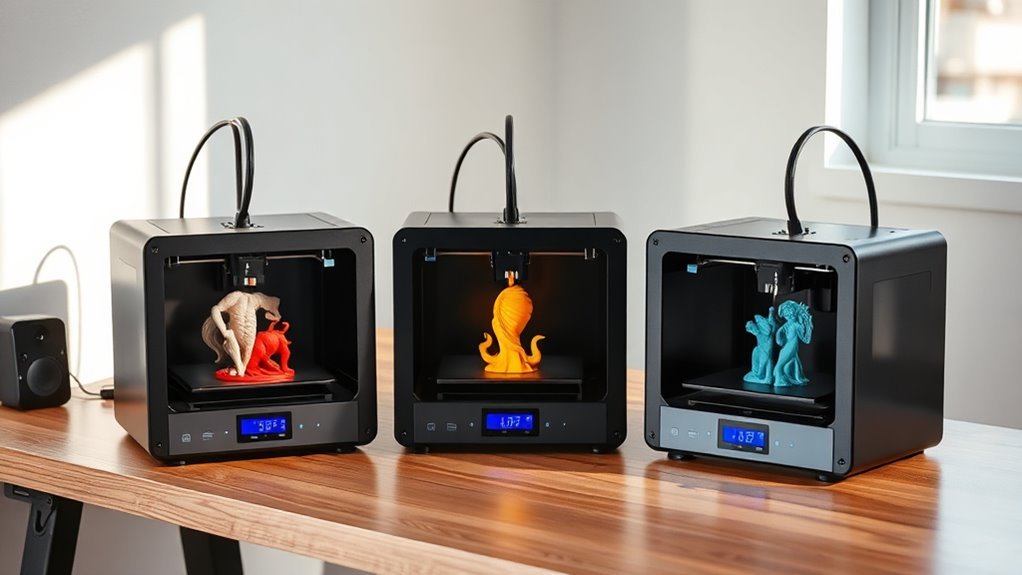
3 best budget 3d printer recommendations 2026
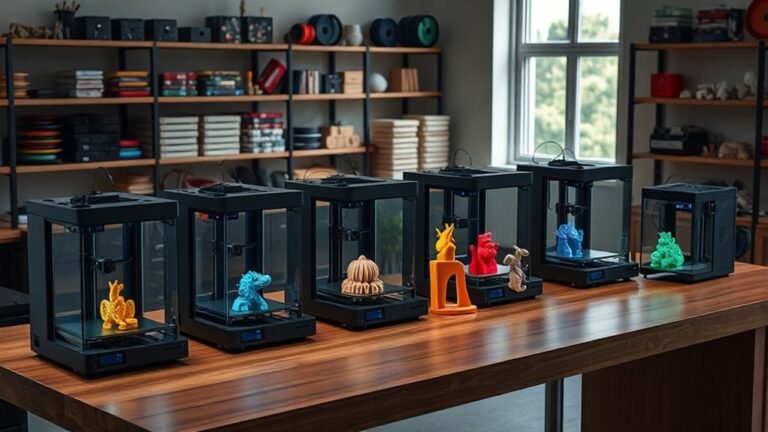
For budget 3D printers in 2026, you’ll find some amazing options that combine affordability with great features. Whether you’re a beginner or looking to upgrade, these printers offer reliable performance without breaking the bank. They’re perfect for hobbyists, educators, or anyone interested in exploring 3D printing on a budget.
The Anycubic Kobra X Multicolor is fantastic for vibrant multicolor prints and comes with an easy setup, making it a breeze to start printing right away.
The Creality Ender 3 V3 SE is super beginner-friendly, featuring auto leveling and smooth, reliable printing.
If speed and precision are your top priorities, the ELEGOO Centauri 2 offers full auto calibration and excellent print quality.
Each of these models balances affordability with advanced features, so keep exploring to find the one that fits your specific printing needs best.
| Image | Name | Editor's Rating | Price |
|---|---|---|---|

|
|
||

|
|
||

|
|
Anycubic Kobra X Multicolor 3D Printer, Easy One-Click Printing
- 【Vivid 19-Color and Versatile Materials】Unleash creativity beyond limits. The Kobra X supports 4-color standard and expands up to 19 colors with 4 ACE 2 Pro for...
- 【600mm/s High Speed Performance】Don't let slow speeds limit your creativity. This high-speed FDM 3D printer reaches up to 600mm/s, completing tasks significantly...
- 【True Plug & Play Experience】Start your first project in as little as 15 minutes. The Kobra X arrives with a user-friendly setup and LeviQ 3.0 automatic bed leveling...
- 【LeviQ 3.0 Perfect First Layer】Forget the frustration of manual bed leveling that plagues beginner machines. The LeviQ 3.0 system utilizes 49-point full-auto leveling...
- 【Quiet & Reliable for Home】The ultra-quiet ≤48 dB operation ensures the living or learning space remains peaceful. Combined with power loss recovery and filament...
The Anycubic Kobra X Multicolor brings multicolor 3D printing into easy reach without complexity. It tackles the challenge of creating vibrant, detailed models by supporting up to four colors out of the box. For advanced projects, you can expand this capability to 19 colors with additional modules, allowing for intricate designs and smooth color transitions.
This printer’s adaptive extrusion force compensator ensures seamless material shifts, reducing common print issues and improving overall quality. Its hardened steel nozzle lets you work with a variety of filaments like TPU, PLA, and PETG, adding versatility to your creative options. Setup is straightforward thanks to true plug-and-play functionality and the LeviQ 3.0 auto bed leveling, so you can start printing quickly without fuss.
Maintenance is simplified with reliable automatic leveling and stable extrusion, minimizing downtime and filament waste. The printer’s build volume of 260 × 260 × 260 mm is suitable for most hobbyist and educational projects, though very large prints may require different equipment. Noise levels remain low, though some sound is noticeable in very quiet spaces.
Best for: hobbyists, educators, and small businesses seeking an affordable, easy-to-use multicolor 3D printer with reliable performance.
What We Like:
- Supports 4 colors standard, expandable to 19 for complex prints
- Plug-and-play with LeviQ 3.0 auto bed leveling for fast setup
- Adaptive extrusion force compensator reduces print errors
- Hardened steel nozzle compatible with multiple filament types
- Quiet operation suitable for home or classroom environments
Specification:
| Feature | Details |
|---|---|
| Manufacturer | Anycubic |
| Build Volume | 26 × 26 × 26 cm |
| Color Support | 4 standard, expandable to 19 |
| Nozzle Material | Hardened Steel |
| Filament Compatibility | TPU, PLA, PETG, others |
| Noise Level | ≤48 dB |
Creality Ender 3 V3 SE Beginner-Friendly 3D Printer with Auto Leveling
- 250mm/s High-Speed Printing: Print at speeds of up to 250mm/s with 2500mm/s² acceleration, helping you complete prototypes, functional parts, and everyday projects...
- Easy Setup with Auto Leveling: Designed for a fast and straightforward setup, the Ender 3 V3 SE can be assembled in just a few simple steps. CR Touch Auto Leveling and...
- Proven Sprite Direct Drive Extruder: The upgraded Sprite Direct Drive Extruder provides smooth and consistent filament feeding for PLA, PETG, and TPU. Its proven design...
- Stable Motion System for Consistent Results: Dual synchronized Z-axis lead screws and precision Y-axis linear shafts work together to help reduce vibration and Z...
- Quiet Operation with Easy Print Removal: A 32-bit silent mainboard helps reduce operating noise for a more comfortable printing experience, while the flexible PC spring...
The Creality Ender 3 V3 SE transforms 3D printing into a hassle-free experience with its beginner-friendly auto leveling system. The CR Touch auto leveling and automatic Z-offset calibration help eliminate tedious manual adjustments. This ensures your first layer sticks well, reducing print failures and saving time.
Setting up the printer is straightforward and quick, making it accessible for newcomers. Its upgraded Sprite Direct Drive Extruder delivers smooth and consistent filament feeding. It handles materials like PLA, PETG, and TPU with ease, expanding your creative possibilities.
Precision is enhanced by dual synchronized Z-axis lead screws and sturdy Y-axis shafts. These features reduce vibration and Z wobble, resulting in sharper prints. Maintenance is simpler thanks to the silent 32-bit mainboard and a flexible spring steel build plate, which makes removing prints easier and minimizes noise.
While the maximum print speed of 250 mm/s suits most users, it may not satisfy those needing ultra-fast printing. The printer’s weight of 19.8 pounds offers stability but might affect portability.
Best for: Beginners and hobbyists seeking a reliable 3D printer with user-friendly auto leveling and versatile material support.
What We Like:
- CR Touch auto leveling with automatic Z-offset calibration improves print reliability
- Upgraded Sprite Direct Drive Extruder supports multiple filament types smoothly
- Dual synchronized Z-axis screws and precision shafts minimize vibration
- Quiet operation with a 32-bit mainboard
- Flexible spring steel build plate simplifies print removal
Specification:
| Feature | Details |
|---|---|
| Manufacturer | Creality |
| Dimensions | Not specified |
| Weight | 19.8 lb (9 kg) |
| Material | Metal frame, spring steel build plate |
| Color Options | Not specified |
ELEGOO Centauri 2 3D Printer, Full Auto Calibration, Beginner-Friendly
- Easy from Start to Finish: Whether you’re a beginner or an experienced maker, automatic calibration and smart pre-print checks take care of setup before every job...
- Designed for Speed: Turn hours of waiting into finished creations with speeds up to 500 mm/s and 20,000 mm/s² acceleration. The high-speed CoreXY system and rigid...
- Smoother, Sharper, Smarter: From the first layer to the final detail, intelligent calibration, vibration compensation, and precise extrusion control help produce clean...
- A Seamless Workflow from Idea to Print: Find inspiration from thousands of ready-to-print models on Nexprint, prepare files easily with ElegooSlicer, and monitor your...
- Made for Easier Everyday Printing: A user-friendly 5-inch touchscreen simplifies operation, while the magnetic printhead cover, semi-automatic belt tensioner, and nozzle...

The ELEGOO Centauri 2 offers a seamless 3D printing experience with its full auto calibration, eliminating the frustration of manual setup. This feature ensures precise and consistent prints, making it ideal for users new to 3D printing who want reliable results without the hassle.
Its spacious 256 × 256 × 256 mm build area and high-temperature nozzle capable of reaching 350°C allow you to experiment with a wide range of materials. The sturdy aluminum frame paired with the CoreXY motion system delivers fast, stable printing speeds up to 500 mm/s, reducing print times without sacrificing quality.
Maintenance is straightforward with intelligent vibration compensation and easy filament loading, minimizing downtime and keeping prints sharp. The 5-inch touchscreen interface simplifies navigation, while remote monitoring through the ELEGOO Matrix app keeps you connected to your projects from anywhere.
Designed for beginners and hobbyists, this printer balances performance with user-friendly features. While it’s relatively heavy and tied to ELEGOO’s software ecosystem, its automation and build quality make it a dependable choice for consistent, high-quality 3D printing.
Best for: Beginners and hobbyists seeking a reliable, easy-to-use 3D printer with automated calibration and versatile material support.
What We Like:
- Full auto calibration simplifies setup and improves print accuracy
- High-temp nozzle and large build volume support diverse projects
- CoreXY system and rigid frame deliver fast, stable printing
- User-friendly touchscreen and remote app monitoring
- Intelligent vibration compensation enhances print quality
Specification:
| Feature | Details |
|---|---|
| Manufacturer | ELEGOO |
| Build Volume | 256 × 256 × 256 mm |
| Nozzle Temperature | Up to 350°C |
| Motion System | CoreXY |
| Frame Material | Aluminum |
| Touchscreen | 5-inch |
| Weight | 30.1 lb (13.65 kg) |
Factors to Consider When Choosing Budget 3D Printer Recommendations 2026
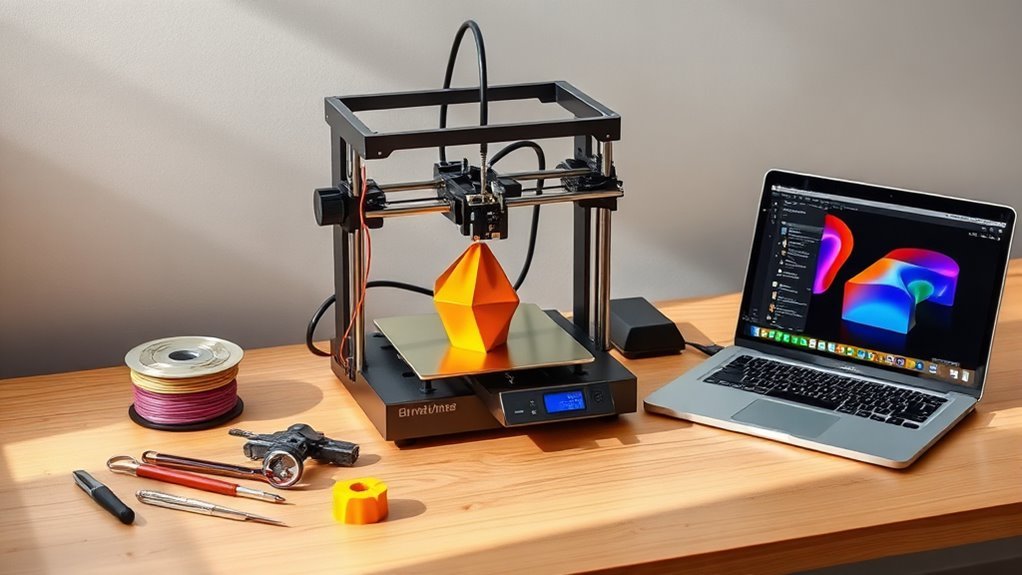
When choosing a budget 3D printer, you’ll want to focus on print quality and which materials it supports. Consider how easy it is to set up, plus speed and reliability for consistent results.
Don’t forget to check if it includes monitoring and safety features to keep your prints smooth and secure. These little details can make a big difference when you’re working on your projects.
Print Quality Essentials
Although budget 3D printers come with limitations, you can still achieve impressive print quality by focusing on key factors like layer resolution, frame stability, and extrusion precision. Aim for a printer supporting at least 0.1 mm layer height with nozzle sizes from 0.2 to 0.6 mm to balance detail and speed.
Choose models with rigid frames and precise motion systems, such as CoreXY or dual-Z leadscrews, to minimize vibration and Z-wobble. This helps preserve sharp edges and overall print accuracy.
A stable hotend maintaining ±1–2°C temperature and a well-tuned extruder guarantee consistent extrusion and a smooth surface finish. Don’t overlook reliable auto-leveling or mesh-leveling with fine Z-offset control.
Also, make sure your printer has a heated, flat build surface for strong first-layer adhesion. These essentials really help you get crisp, accurate prints even on a budget.
Material Compatibility Options
Since filament variety directly impacts the range of projects you can tackle, checking a budget 3D printer’s material compatibility is essential. First, verify the nozzle and hotend’s maximum temperature—machines supporting 300–350°C open doors to filaments like PETG, ASA, and some nylons, beyond just PLA.
Next, consider the extruder type; direct-drive systems handle flexible filaments like TPU (~68D) better, reducing feeding issues compared to Bowden setups. If you want multi-color or multi-material prints, look for printers with adaptive extrusion compensation and multi-extruder support.
Also, make certain your printer supports filament sensors and soluble support materials like PVA for complex designs. Finally, if you plan to print abrasive composites such as carbon-fiber filaments, check for hardened steel or abrasion-resistant nozzles to prevent rapid wear.
Ease Of Setup
Material compatibility expands what you can print, but getting started quickly and smoothly matters just as much. Choose a 3D printer with a true plug-and-play setup or a pre-assembled frame so you can start printing within 15–30 minutes.
Automatic bed leveling and Z-offset calibration save you from tedious manual adjustments and improve your first print’s success. Look for guided touchscreen wizards, one-click filament loading, and smart pre-print checks to simplify filament setup and prevent errors.
Built-in tools like magnetic flex plates and spring-steel build surfaces make removing prints easier and faster. Clear documentation and intuitive firmware menus help you learn quickly and minimize troubleshooting.
These features make your initial experience hassle-free, letting you focus on creating instead of fiddling with hardware. It really makes a difference when you can jump right into printing without the usual headaches.
Speed And Reliability
When choosing a budget 3D printer, you want one that balances speed with reliability to get quality prints without constant interruptions. Look for printers with maximum travel speeds around 250–600 mm/s and high acceleration ratings, but make certain they have robust motion systems like CoreXY or dual Z-screws to avoid quality loss.
Vibration compensation and stabilized motion help keep layers aligned and reduce ringing, especially at higher speeds. Reliable first-layer systems with multi-point auto bed leveling cut down failed prints during fast, high-volume jobs.
Durable hotends and extruders, with thermal stability up to 300–350°C, guarantee consistent extrusion and fewer clogs. Features like filament run-out detection and power-loss recovery protect long prints, boosting your printer’s effective reliability without breaking your budget.
Monitoring And Safety Features
Although budget 3D printers focus on affordability, they increasingly include advanced monitoring and safety features that protect your investment and guarantee smooth operation. Many models now offer built-in cameras with remote apps, letting you check prints in real time and get instant error notifications, so you don’t have to watch every moment.
Filament run-out sensors pause printing when material runs low, preventing wasted prints. Power-loss recovery features save your progress, allowing prints to resume after outages, which is vital for long jobs.
Automated error detection systems spot common issues like spaghetti failures early, pausing or skipping faulty parts to save filament and avoid damage. Plus, thermal safety measures like over-temperature protection and enclosed-chamber monitoring help you run prints unattended without fire risks.
Frequently Asked Questions
How Do I Maintain and Clean a Budget 3D Printer?
You should regularly clean the nozzle, bed, and extruder to prevent clogs. Lubricate moving parts, tighten screws, and remove filament debris.
Also, make sure to calibrate the bed often. Updating the firmware helps keep your printer running smoothly and efficiently.
What Types of Filaments Are Compatible With Budget 3D Printers?
You’ll find budget 3D printers usually handle PLA, ABS, and PETG filaments. Over 70% of users prefer PLA for its ease and low warping.
You’ll enjoy experimenting with these affordable, versatile materials easily. They’re great for beginners and offer plenty of room to learn and create.
Can Budget 3D Printers Handle Large-Scale Prints?
You can handle large-scale prints with budget 3D printers, but they usually have smaller build volumes.
For bigger projects, you’ll need to print in parts and assemble them later to achieve the desired size. It’s a bit more work, but totally doable!
How Do Firmware Updates Affect 3D Printer Performance?
Firmware updates improve your 3D printer’s performance by fixing bugs, enhancing features, and boosting stability. They can optimize print quality and speed, but you should follow instructions carefully to avoid compatibility issues or malfunctions.
It’s a good idea to keep your firmware up to date. Just make sure you double-check the update steps so everything goes smoothly. Otherwise, you might run into problems that could have been avoided.
Are There Safety Precautions for Using 3D Printers at Home?
Yes, you should always make sure there’s good ventilation and keep the printer on a stable surface. Avoid touching hot parts, and make sure to supervise it while it’s printing.
Using gloves and a mask can help protect you from fumes and burns. It’s better to be safe than sorry when working with 3D printers at home!
Conclusion
Choosing your budget 3D printer in 2026 is like planting a seed for creativity—each option, from the Anycubic Kobra X to the ELEGOO Centauri 2, offers a unique spark to bring your ideas to life. With easy setup and smart features, these printers turn your visions into reality without breaking the bank.
So, jump in, press print, and watch your imagination take shape, layer by vibrant layer. Whether you’re a beginner or a hobbyist, these budget 3D printers deliver quality and reliability. They are perfect for crafting prototypes, personalized gifts, or even small business products.
Finding the right budget 3D printer means balancing cost, performance, and ease of use. In 2026, these models stand out by offering advanced technology at affordable prices. Dive into the world of 3D printing with confidence—your creative journey starts here with the best budget 3D printers.