7 Best Budget All-in-One Mono Laser Printers for 2027
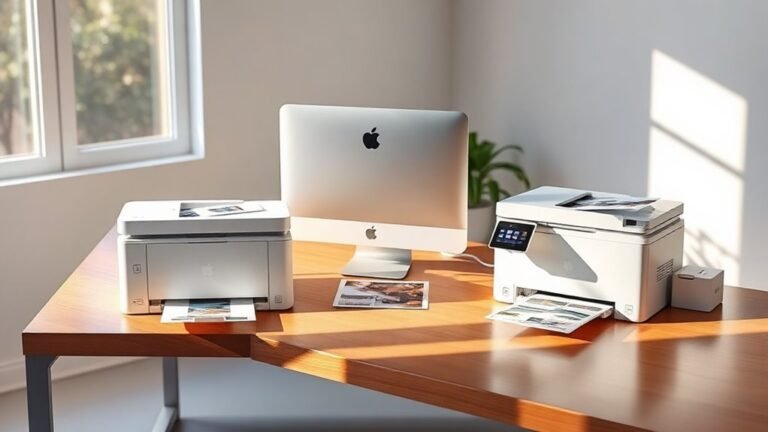
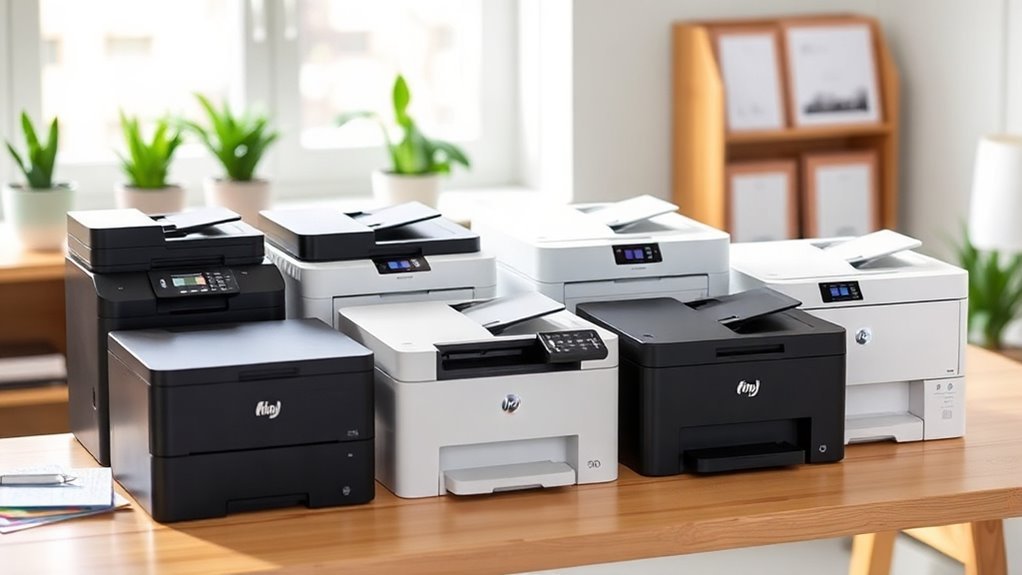
You’ll find fast, reliable, and budget-friendly all-in-one mono laser printers like the HP LaserJet Pro 3105sdw, HP M234sdw, Canon imageCLASS MF273dw, and Brother MFC-L2820DW perfect for small offices or home use.
These budget all-in-one mono laser printers deliver solid print speeds and efficient duplex printing, making them great for everyday tasks without breaking the bank.
Plus, they offer versatile connectivity options and handy features like automatic document feeders (ADFs) and mobile support.
Whether you’re looking for a compact design to save space or a larger paper tray to handle bigger print jobs, there’s a model that fits your workflow and space perfectly.
Explore the finer details to pick the best match for your needs and get the most value for your money.
| Image | Name | Editor's Rating | Price |
|---|---|---|---|

|
|
||

|
|
||

|
|
||
|
|
||

|
|
HP LaserJet Pro 3105sdw Monochrome Laser Printer | All-in-One
No products found.
The HP LaserJet Pro 3105sdw is designed to enhance productivity for small and medium businesses. It combines printing, copying, scanning, and faxing into one compact device, reducing the need for multiple machines. This all-in-one monochrome laser printer delivers crisp black-and-white documents at a fast pace of 33 pages per minute, helping your team stay efficient.
With sharp 1200 dpi resolution, your documents maintain a professional look, perfect for business communications. The printer’s smart Wi-Fi and app connectivity allow you to print and scan directly from smartphones or tablets. This feature streamlines workflows, especially for remote or mobile workers.
Maintenance is straightforward, but keep in mind it only supports monochrome printing. The 250-sheet tray offers decent capacity, though busy offices might need to refill it frequently. Firmware restrictions require authentic HP cartridges, which can impact running costs but ensure print quality.
Duplex printing supports automatic two-sided output, saving paper and time. Its Ethernet and USB options provide flexible connectivity for various office setups.
Best for: Small to medium businesses and teams up to seven users needing reliable, professional-quality black-and-white printing and multifunction capabilities.
What We Like:
- Fast printing at 33 pages per minute with sharp 1200 x 1200 dpi resolution
- All-in-one functionality: print, copy, scan (ADF and flatbed), and fax
- Smart Wi-Fi and app connectivity for mobile printing and scanning
- Automatic duplex printing for efficient two-sided documents
- Multiple connectivity options including Ethernet and USB
Specification:
| Feature | Details |
|---|---|
| Manufacturer | HP |
| Model | LaserJet Pro 3105sdw |
| Print Technology | Monochrome Laser |
| Print Speed | Up to 33 pages per minute |
| Resolution | 1200 x 1200 dpi |
| Paper Capacity | 250 sheets |
| Connectivity | Wi-Fi, Ethernet, USB |
| Functions | Print, Copy, Scan, Fax |
| Duplex Printing | Automatic two-sided |
| Dimensions (W×D×H) | Approx. 16.5 × 14.6 × 14 in |
HP LaserJet M234sdw Monochrome Laser Printer | All-in-One
No products found.
The HP LaserJet M234sdw delivers efficient monochrome printing and scanning designed to keep small teams productive. With a print speed of up to 30 pages per minute, it handles daily workloads swiftly, reducing wait times and boosting efficiency.
Its automatic duplex printing saves both time and paper by printing on both sides without manual effort. The 40-page auto document feeder streamlines scanning and copying tasks, making multitasking easier and more efficient.
This all-in-one printer supports a variety of media types, including labels and envelopes, offering flexibility for diverse office needs. Connectivity is straightforward, featuring dual-band Wi-Fi, Ethernet, and USB, ensuring seamless integration with Windows, macOS, and Android devices.
Maintenance is simple due to its compact design and Energy Star certification, which helps reduce energy consumption without sacrificing performance. While it only supports monochrome output and has a moderate paper capacity of 150 sheets, it remains a reliable choice for small offices.
Best for: Small teams or home offices seeking a fast, reliable monochrome laser printer with scanning and copying capabilities.
What We Like:
- Fast printing with automatic duplex to save time and paper
- Supports diverse media types for versatile printing needs
- Multiple connectivity options including dual-band Wi-Fi and Ethernet
- Compact, Energy Star-certified design for efficient operation
Specification:
| Feature | Details |
|---|---|
| Manufacturer | HP |
| Dimensions (W×D×H) | Approximately 16.3×14.3×10.6 in (41.4×36.3×27 cm) |
| Weight | 19 lbs (8.6 kg) |
| Print Speed | Up to 30 ppm |
| Max Print Resolution | 600 x 600 dpi |
| Paper Capacity | Up to 150 sheets |
| Connectivity | Dual-band Wi-Fi, Ethernet, USB |
Canon imageCLASS MF273dw Wireless Monochrome Printer
- Wireless 3-in-1: Print | Copy | Scan
- Print up to 30 Pages Per Minute (BW, Letter)
- First Print Out in Approximately 5.3 Seconds (Letter)
- Auto 2-sided Printing
- Uses Toner 071 / 071 High-Capacity Toner
Experience efficient monochrome printing with the Canon imageCLASS MF273dw, designed to streamline your daily tasks. Its fast 30 ppm print speed helps reduce wait times, allowing you to complete jobs quickly and move on. Whether you need to print, scan, or copy, this all-in-one device handles it with sharp 2400 x 600 dpi clarity, ensuring professional-quality output every time.
The automatic duplex printing feature cuts paper use in half, supporting eco-friendly office practices and saving costs. A 150-sheet input tray lets you maintain a smooth workflow without constant refilling. Connectivity is versatile, with options for USB, Wi-Fi, and Wi-Fi Direct, so you can print wirelessly from multiple devices with ease.
Maintenance is straightforward with the starter cartridge yielding up to 700 pages, suitable for light to moderate use. Its compact design fits comfortably on a desk, making it ideal for limited spaces without sacrificing functionality. The intuitive LCD display simplifies navigation, reducing setup and operational complexity.
While the printer is limited to monochrome output and has a moderate paper capacity, its reliable performance and energy-efficient design make it a practical choice for busy home offices or small businesses. The imageCLASS MF273dw balances speed, convenience, and quality in a compact package.
Best for: Small office users or individuals needing a dependable, fast monochrome printer with wireless capabilities and duplex printing.
What We Like:
- Fast 30 ppm printing with sharp 2400 x 600 dpi resolution
- Flexible USB, Wi-Fi, and Wi-Fi Direct connectivity
- Automatic duplex printing reduces paper waste
- Compact design fits easily in small workspaces
- Energy Star certified for efficient operation
Specification:
| Feature | Details |
|---|---|
| Manufacturer | Canon |
| Dimensions | 16.5 x 15.2 x 15.7 inches |
| Weight | 29.8 lb (13.5 kg) |
| Color Options | Black |
| Print Speed | Up to 30 ppm |
| Print Resolution | 2400 x 600 dpi |
| Paper Capacity | 150-sheet input tray |
Brother MFC-L2820DW Wireless Monochrome Laser Printer
- BEST FOR SMALL OFFICES – Combining space-saving efficiency and premium monochrome (black & white) print quality with affordability, the Brother MFC-L2820DW delivers...
- EFFICIENT PRINTING & SCANNING – Produces black & white documents quickly with print speeds up to 36 ppm(2) and scan speeds up to 23.6/7.9 ipm(3) (bk/cl). A 50-page auto...
- FLEXIBLE CONNECTION OPTIONS – Securely connect to multiple devices with built-in dual-band wireless (2.4GHz / 5GHz), Ethernet, or connect locally to a single computer...
- 2.7" TOUCHSCREEN – The intuitive 2.7” touchscreen enables effortless navigation with the added ability to print-from and scan-to popular Cloud-based apps such as...
- BROTHER MOBILE CONNECT APP – Print, scan, and manage your wireless printer anytime, from almost anywhere from your mobile device. Order Brother Genuine Supplies, track...

Experience efficient, reliable printing with the Brother MFC-L2820DW, designed to streamline your office tasks. This all-in-one laser printer handles printing, copying, scanning, and faxing, helping you reduce clutter and improve productivity. Its compact design fits neatly in small workspaces without sacrificing functionality.
The printer delivers sharp, professional-quality prints at speeds up to 36 pages per minute. Automatic duplex printing and a 50-sheet automatic document feeder simplify handling multi-page jobs and save paper. With a 250-sheet paper tray, it supports longer print runs, reducing interruptions for reloads.
Connectivity is flexible and straightforward. Dual-band Wi-Fi, Ethernet, and USB options let you print from multiple devices easily. Mobile printing via Brother Mobile Connect adds convenience, allowing you to manage documents directly from smartphones or cloud services.
Maintenance is straightforward, but note that this model prints only in monochrome and has a power consumption of 470 watts. These aspects suit users prioritizing black-and-white output and consistent performance over color printing.
Best for: Small offices and home users needing a compact, versatile monochrome laser printer with fast printing and multiple connectivity options.
What We Like:
- Fast printing at 36 ppm with crisp 1200 x 1200 dpi resolution
- Automatic duplex and 50-sheet ADF for efficient paper handling
- Multiple connection methods including Wi-Fi, Ethernet, and USB
- Mobile and cloud printing support for added flexibility
Specification:
| Feature | Details |
|---|---|
| Manufacturer | Brother |
| Dimensions | Compact design (exact size not provided) |
| Weight | Not specified |
| Color Options | Monochrome (black and white) |
| Connectivity | Dual-band Wi-Fi, Ethernet, USB |
Brother HL-L2480DW Wireless Monochrome Laser Printer
- BEST FOR SMALL OFFICES & WORK FROM HOME – Engineered for efficiency, the Brother HL-L2480DW Monochrome (Black & White) 3-in-1 Laser Printer is equipped with a...
- COMPACT, CONNECTED, DYNAMIC – Connect with built-in dual-band wireless (2.4GHz/5GHz), Ethernet, or to a single computer via USB interface. Produces B/W prints at speeds...
- 2.7" TOUCHSCREEN – The intuitive 2.7” touchscreen enables effortless navigation with the added ability to print-from and scan-to popular Cloud-based apps such as...
- BROTHER MOBILE CONNECT APP – Print, scan, and manage your wireless printer anytime, from almost anywhere from your mobile device. Order Brother Genuine Supplies, track...
- VERSATILE PAPER HANDLING – Tackle high-volume black & white printing with the 250-sheet capacity paper tray.(5) The manual feed slot enables printing on envelopes and...
The Brother HL-L2480DW offers a streamlined solution for small offices and remote workers who need efficient black-and-white printing. Its compact 3-in-1 design combines printing, scanning, and copying, reducing the need for multiple devices. The 2.7″ touchscreen makes navigation straightforward, helping users focus on their tasks without hassle.
Connectivity is flexible, with dual-band Wi-Fi, Ethernet, and USB options. You can also control the printer through Alexa or the Brother Mobile Connect app, adding convenience to your workflow. This versatility ensures the printer fits smoothly into various work environments.
Printing speed reaches up to 36 pages per minute, and automatic duplex printing saves paper and time. The 250-sheet paper tray minimizes frequent refills, supporting consistent productivity. The flatbed scanner integrates with cloud apps, making document management and sharing simpler.
Maintenance is easy with Brother’s Refresh EZ Print service, allowing automatic toner delivery to prevent downtime. While the printer only handles monochrome output, it excels at fast, reliable black-and-white tasks. The manual feed slot may slow specialty paper handling, and the lack of fax functionality could be limiting for some users.
Best for: small offices and remote workers needing fast, reliable black-and-white printing with scanning and copying capabilities.
What We Like:
- Fast print speed of up to 36 ppm with automatic duplexing
- Multiple connection options including dual-band Wi-Fi and mobile app control
- Compact 3-in-1 design with easy-to-use touchscreen
- Cloud app support for streamlined document management
- Convenient toner subscription service for hassle-free maintenance
Specification:
| Feature | Details |
|---|---|
| Manufacturer | Brother |
| Dimensions | Compact (exact size not provided) |
| Weight | Not specified |
| Color Options | Monochrome (black-and-white) |
| Connectivity | Dual-band Wi-Fi, Ethernet, USB, Alexa, Mobile app |
HP Laserjet Pro M29w Wireless All-in-One Printer
- WORLD’S SMALLEST LASER PRINTER IN ITS CLASS – The HP LaserJet Pro M29w all in 1 laser printer, copier, and scanner is 30% smaller than its predecessor and produces...
- Fast print speeds – prints up to 19 pages per minute, with the first page out in as few as 7; 9 seconds
- Mobile printing – The HP Smart app allows you to easily scan from your smartphone or tablet, order toner, and Print from the cloud, such as iCloud, Google Drive, and...
- Reliability wireless connectivity – built in wireless capabilities let you easily access, Print, and share resources on a network; for those with no Wi Fi connection...
- Scan files directly to PDF and email with preloaded business apps
The HP LaserJet Pro M29w is a compact wireless printer designed to fit seamlessly into small spaces. Its small footprint, 30% smaller than previous models, makes it ideal for home or small office setups with limited room. This printer simplifies your tasks by combining printing, copying, and scanning in one device, reducing the need for multiple machines.
With fast printing speeds of up to 19 pages per minute, it helps you complete tasks efficiently without long waits. The sharp 600 x 600 dpi resolution ensures clear, professional-quality monochrome documents every time. Wireless connectivity via Wi-Fi and Wi-Fi Direct allows easy printing from laptops or mobile devices using the HP Smart app, streamlining your workflow.
Maintenance is straightforward with a single paper tray that handles letter-sized paper, envelopes, and card stock. The sheetfed scanner supports scanning to PDF or email, though it may be less convenient for thick or multi-page documents. Alexa integration adds hands-free control, enhancing usability for busy environments.
While it only prints in black and white and has a limited paper capacity, the HP LaserJet Pro M29w offers reliable performance for everyday monochrome printing needs. Its simple design and wireless features make it a practical choice for users seeking convenience and space-saving functionality.
Best for: Home users or small offices needing a compact, wireless monochrome all-in-one printer with efficient print and scan functions.
What We Like:
- Compact design ideal for tight spaces
- Wireless printing via Wi-Fi and HP Smart app
- Fast printing and copying at 19 pages per minute
- Sharp monochrome print quality at 600 x 600 dpi
- Voice control compatibility with Alexa
Specification:
| Feature | Details |
|---|---|
| Manufacturer | HP |
| Dimensions | Approximately 13.7 x 8.5 x 7.6 inches (W x D x H) |
| Weight | Around 7.5 lbs (3.4 kg) |
| Printing Technology | Monochrome Laser |
| Connectivity | Wi-Fi, Wi-Fi Direct |
| Scan Type | Sheetfed Scanner |
| Supported Paper | Letter, envelopes, card stock |
HP LaserJet Pro M127fw Wireless All-in-One Monochrome Printer, (CZ183A)
- Handle the essentials. Be agile—easily manage your MFP right at the 3-inch color touchscreen
- Finish projects fast—use the 35-page automatic document feeder to make the most of your time.
- Easily copy both sides of a two-sided ID or other small document onto the front of a single-page.
- Set the pace for success with an MFP that prints, copies, and scans—fast.
- Print on your terms. Extend your printing reach. Easily set up, print, and share using Ethernet and wireless connectivity.
The HP LaserJet Pro M127fw is designed to streamline your monochrome printing tasks with ease and efficiency. Its all-in-one functionality lets you print, copy, scan, and fax without switching devices. This compact printer fits well in small workspaces, helping you save room while handling multiple jobs.
With a fast print speed of 20–21 pages per minute and sharp 600 x 600 dpi resolution, it ensures your documents are clear and professional. The 3-inch color touchscreen and automatic 35-page document feeder make navigating tasks simple. True duplex printing helps reduce paper waste, saving you money and effort.
Connectivity options such as wireless, Ethernet, and USB allow you to print directly from smartphones, tablets, or laptops using HP ePrint, AirPrint, or wireless direct. Its 150-sheet input tray and 100-sheet output capacity support busy home or office environments without frequent refills.
Maintenance is straightforward, but keep in mind it only prints in monochrome and has moderate power consumption at 480 watts. The single USB and Ethernet ports may limit connection flexibility for some users.
Best for: Small offices or individuals needing a reliable, fast monochrome all-in-one printer with versatile connectivity and efficient paper handling.
What We Like:
- Fast printing speed with clear 600 x 600 dpi resolution
- Easy-to-use 3-inch touchscreen and automatic document feeder
- Multiple connectivity options including wireless and mobile printing
- True duplex printing to save paper and reduce waste
Specification:
| Feature | Details |
|---|---|
| Manufacturer | HP |
| Model | LaserJet Pro M127fw |
| Printer Type | Wireless All-in-One |
| Print Speed | 20–21 ppm |
| Print Resolution | 600 x 600 dpi |
| Display | 3-inch color touchscreen |
| Document Feeder | Automatic 35 pages |
| Duplex Printing | Yes, automatic |
| Input Capacity | 150 sheets |
| Output Capacity | 100 sheets |
| Connectivity | Wireless, Ethernet, USB |
| Power Consumption | 480 watts |
| Color Printing | No (monochrome only) |
Factors to Consider When Choosing a Budget All in One Mono Laser Printer

When choosing a budget all-in-one mono laser printer, you’ll want to focus on print speed and connectivity options to match your workflow.
Don’t overlook paper handling capacity and print quality, as they directly impact your daily tasks.
Also, consider the scanner and copier features to make certain the printer meets all your multifunction needs.
Print Speed Importance
Consider how print speed impacts your daily tasks when choosing a budget all-in-one mono laser printer. A higher print speed, measured in pages per minute (ppm), cuts the time for large jobs considerably. For example, jumping from 20 to 30+ ppm trims a 100-page print from 5 minutes to about 3.3 minutes.
Don’t overlook first-page-out time; faster starts (4–6 seconds) make short or single-page prints feel quicker. If you often print or copy double-sided, check duplex print speeds and automatic document feeder (ADF) copy rates, as these usually differ from single-sided ppm.
For multi-user setups, make sure the printer’s rated speed matches your monthly volume to avoid bottlenecks. Keep in mind faster printers may use more power and raise operating costs, so balance speed with energy efficiency and budget.
Connectivity Options Available
How do you make sure your budget all-in-one mono laser printer fits seamlessly into your workspace? Start by choosing one that supports both Wi-Fi (dual-band 2.4/5 GHz or Wi-Fi Direct) and Ethernet for reliable connectivity and to avoid wireless congestion.
Also, look for USB 2.0 or USB host ports to connect directly to a PC or print from a flash drive when the network isn’t available. It’s super handy to have those options at your fingertips.
Make certain it supports mobile printing standards like AirPrint, Mopria, or Google Cloud Print alternatives. That way, you can print or scan from smartphones and tablets without needing vendor-specific apps.
If you handle multi-page documents, an automatic document feeder (ADF) with network scanning features really helps streamline workflows. It saves you time and makes everything run smoother.
Finally, check for remote printing and app-based control. This lets you print or scan from anywhere—even outside your local network—which is pretty convenient when you’re on the go.
Paper Handling Capacity
Beyond connectivity, the way a printer handles paper directly impacts your productivity and convenience. You’ll want to check the input tray capacity—typically 150 to 250 sheets for budget models—to match your daily print volume and avoid constant refills.
An automatic document feeder (ADF) with a 35 to 50-sheet capacity streamlines multi-page scanning, copying, or faxing without manual effort. Make sure the printer supports duplex printing and duplex scanning to save paper and handle double-sided tasks efficiently.
Also, verify the maximum paper sizes and special media types it can manage, like envelopes or legal-size sheets, ensuring compatibility with your needs. Finally, consider the overall paper handling system, including multiple trays and manual feed options, so you can organize media types and handle busy printing periods smoothly.
Print Quality Standards
When choosing a budget all-in-one mono laser printer, print quality should never be an afterthought. Aim for a maximum print resolution of at least 600 x 600 dpi to guarantee clear text. But honestly, 1200 x 1200 dpi or higher is even better for sharp fine lines and detailed graphics.
Also, pay attention to first-page-out times—under six seconds keeps your workflow smooth. And look for printers offering 30+ pages per minute to maintain efficiency.
Choose models with high toner yield cartridges and consistent print density. This helps avoid faint text or banding during long print runs.
Make sure the printer supports true automatic duplexing with consistent registration. That way, you won’t have to worry about skew or misalignment on two-sided prints.
These factors guarantee crisp, professional results every time.
Scanner And Copier Features
Print quality sets the foundation, but you’ll also want to take into account the scanner and copier features to get the most value from your mono laser printer. Check the ADF capacity and type; a 30–50 sheet ADF lets you scan or copy multiple pages hands-free, unlike single-sheet feeders.
Duplex scanning saves time by automatically digitizing double-sided documents. Pay attention to optical scan resolution and color depth to guarantee clear text and accurate images.
Consider the flatbed size and feed options for scanning books or thick originals that won’t fit through an ADF. Finally, review maximum copy runs, speed, and features like reduce/enlarge and collate to handle high-volume copying efficiently.
These factors help you choose a scanner and copier that match your workflow needs. It’s all about making your tasks easier and faster!
Mobile Printing Compatibility
How easily can you print from your smartphone or tablet? Make sure your budget all-in-one mono laser printer supports popular mobile printing standards like AirPrint and Mopria. This way, you can print directly without having to install special drivers.
Look for built-in wireless connectivity or Wi-Fi Direct so you can print on the go—even if there’s no network around. Also, check if the printer’s companion app makes setup, scanning to email or cloud, and remote printing simple and smooth. Positive user reviews can give you a good idea of how well it works.
Don’t forget to see if it supports scanning-to-mobile features, like multi-page ADF scans sent right to your device. Plus, it’s a bonus if the app auto-names files or extracts text to save you time. These little extras help guarantee seamless mobile printing that fits your workflow perfectly.
Security And Privacy
Mobile printing convenience is great, but securing your documents and device should come next on your checklist. Make sure your printer supports secure network protocols like WPA2/WPA3 for Wi-Fi and TLS for network services to block interception of print jobs.
Look for built-in access controls such as user authentication—PIN codes or LDAP/Active Directory—to restrict usage to authorized users only. It’s important to keep your printer locked down so no one unauthorized can print sensitive info.
Check if the device offers data-at-rest protections, like encrypted storage or automatic secure erase, to safeguard sensitive information. That way, even if someone gets physical access, your data stays safe.
Confirm the firmware supports secure boot, provides signed updates, and makes patching easy to reduce vulnerabilities. Keeping your printer’s software updated is key to staying ahead of security risks.
Finally, choose a model with audit logging and the option to disable unused network services. This helps you monitor activity and minimize potential attack points, giving you more control over your device’s security.
Energy Efficiency Benefits
When you’re choosing a budget all-in-one mono laser printer, energy efficiency should be a top priority to keep operating costs low and reduce environmental impact. Opt for ENERGY STAR–rated models, as they use advanced power management and consume less energy in standby and sleep modes.
Features like auto-on/auto-off and scheduled sleep markedly cut idle power draw, saving energy overnight. Automatic duplex printing reduces paper use by up to 50%, which also lowers the energy and emissions tied to paper production.
Look for printers with low warm-up times and efficient fusing systems to minimize energy spikes when waking from sleep. Plus, selecting a device with low standby power and an automatic document feeder (ADF) helps reduce energy per page and monthly electricity costs.
All in all, this makes your choice both economical and eco-friendly.
Frequently Asked Questions
How Long Do Toner Cartridges Typically Last in Mono Laser Printers?
Toner cartridges typically last between 2,000 and 5,000 pages, depending on your printer model and usage.
You’ll want to check your printer’s specifications and usage habits to estimate how often you’ll need replacements. It really varies, so keeping an eye on your printing needs helps a lot.
Are All-In-One Mono Laser Printers Compatible With macOS and Windows?
You might wonder if that all-in-one mono laser printer will play nice with your system. Good news—it usually does!
Most models support both macOS and Windows, so you won’t have compatibility headaches holding you back.
Can These Printers Scan and Fax Documents Without a Computer?
Yes, many all-in-one mono laser printers can scan and fax documents directly without a computer.
You’ll find models with built-in control panels that let you manage scanning and faxing independently. It’s a real time-saver and makes the whole process hassle-free.
What Is the Average Energy Consumption of Budget Mono Laser Printers?
You might be surprised, but budget mono laser printers usually consume around 300 to 500 watts while printing. When idle, they drop to about 10 to 15 watts.
Do Budget All-In-One Printers Support Mobile Printing via Apps?
Yes, budget all-in-one printers often support mobile printing via apps. You can easily print documents or photos directly from your smartphone or tablet.
This makes your printing tasks more convenient and flexible wherever you are. It’s pretty handy when you’re on the go or just don’t want to mess with cables.
Conclusion
Choosing the right budget all-in-one mono laser printer doesn’t have to be overwhelming. With options like HP, Canon, and Brother, you’re sure to find one that fits your needs and budget.
Do you want speed, wireless convenience, or compact design? Whatever you prioritize, these printers offer reliable performance without breaking the bank.
So why wait? Pick the one that suits you best and enjoy hassle-free printing every day. Finding the best budget all-in-one mono laser printer means you get quality, efficiency, and features tailored to your lifestyle. Whether it’s for home use, small office tasks, or school projects, these affordable printers deliver dependable results without compromising on speed or connectivity. With our top picks for 2027, you can confidently choose a printer that balances cost and performance perfectly. Happy printing!