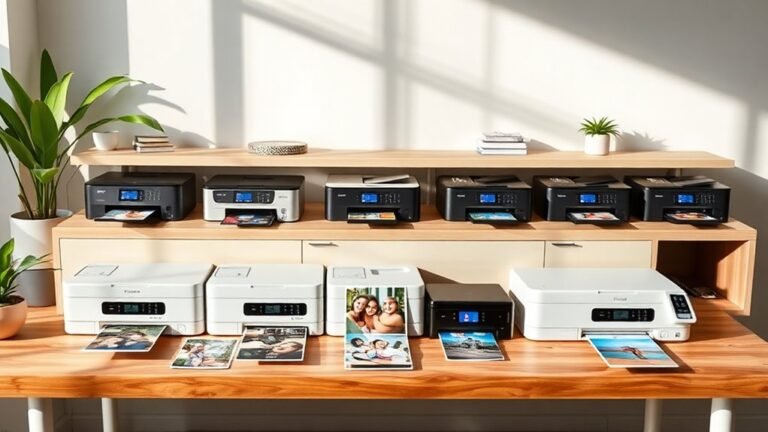
6 Best Art Scanner Printers for 2027
You’ll want to contemplate top models like the Epson EcoTank Photo ET-8550 for vivid, lab-quality prints and the ET-15000 for wide-format versatility with low-cost inks. Canon’s PIXMA TS9521Ca offers smart large-media support, while the HP DesignJet T850 excels in precision large-format printing.
For high-res scanning, the Epson V39 II and the versatile Expression Photo XP-8800 are excellent choices. Each brings unique features that help you match quality, size, and efficiency perfectly.
Discover which suits your creative workflow best. Whether you need vibrant colors, detailed scans, or wide-format capabilities, these art scanner printers cover all bases. They’re designed to elevate your art projects with ease and professional results.
| Image | Name | Editor's Rating | Price |
|---|---|---|---|

|
|
||

|
|
||

|
|
||

|
|
||

|
|
Epson EcoTank Photo ET-8550 Wireless Wide-Format All-in-One Tank Printer
- CARTRIDGE-FREE PRINTING — Print lab-quality photos, graphics and creative projects; Get vibrant colors and sharp text with Epson's high-accuracy printhead and Claria ET...
- INK BOTTLES — Save on photos1 and creative projects with affordable in-house printing; All-in-one printer allows you to print 4" x 6" photos for about 4 cents each vs...
- LESS FREQUENT INK REPLACEMENT — Replacement ink bottles don't have to be changed nearly as often as ink cartridges¹; Printer, scanner and copier lets you print up to...
- PRINT FOR LONGER — Up to 2 years of ink in the box² (and with every replacement ink set) for fewer out-of-ink frustrations with this wireless printer
- ZERO CARTRIDGE WASTE — Epson EcoTank printer helps reduce the amount of cartridge waste ending up in landfills; Cartridge-free printer uses high-yield ink bottles; Each...

Experience vibrant, lab-quality prints without the hassle of frequent cartridge changes with the Epson EcoTank Photo ET-8550. This all-in-one printer uses a cartridge-free system that simplifies maintenance and keeps your workflow smooth. Its Claria ET Premium 6-color inks produce sharp text, vivid photos, and rich graphics that meet the needs of creative professionals.
Designed for those who value efficiency, this wireless wide-format printer delivers up to 6,200 color pages per ink bottle set. This reduces both printing costs and waste, helping you save money and contribute to an eco-friendly workspace. The printer’s broad functionality also includes scanning and copying, making it a versatile tool for busy studios.
The EcoTank Photo ET-8550 supports 4 x 6 photo prints, ideal for artists and photographers who require high-quality, detailed images. Its wide-format size accommodates larger projects but may need extra space. Ink refills are cost-effective, though they require careful handling to avoid spills.
Best for: artists, photographers, and creative professionals seeking a cost-effective, eco-friendly, and versatile wireless all-in-one printer.
What We Like:
- Cartridge-free system with high-capacity ink bottles reduces running costs.
- Claria ET Premium 6-color inks deliver lab-quality print results.
- Wireless wide-format printing, scanning, and copying add versatility.
- Supports 4 x 6 photo prints for detailed image work.
Specification:
| Feature | Details |
|---|---|
| Manufacturer | Epson |
| Dimensions | Approx. 20.7 x 14.8 x 9.8 in |
| Weight | Approx. 15.7 lb (7.1 kg) |
| Ink System | Cartridge-free, refillable tanks |
| Color Options | 6-color Claria ET Premium inks |
Epson EcoTank ET-15000 Wireless All-in-One Wide-Format Supertank Printer
- PHOTO PRINTING — Ultra HD photo printer delivers borderless prints up to 13 in x 19 in with 6-color Claria Photo HD ink system including red and gray for enhanced color...
- COMPACT DESKTOP PRINTER — Wide format A3 plus printer is 30% smaller than predecessor and fits on desktop, easily fits on desktop while accommodating specialty media...
- WIRELESS CONNECTIVITY — Wi-Fi printer enables convenient printing from computers, smartphones and tablets with auto 2-sided document printing capability and 200-sheet...
- INDIVIDUAL INK SYSTEM — 6-color cartridge system with Claria Photo HD technology provides color accuracy and longevity; Designed for use with genuine Epson printer ink...
- SMART CONVENIENCE — Amazon Dash Replenishment Ready feature automatically tracks ink usage and orders replacement cartridges when running low; Supports uninterrupted...
The Epson EcoTank ET-15000 is designed to meet the needs of users who require wide-format, high-quality printing without the hassle of frequent ink replacements. Its innovative cartridge-free design helps reduce interruptions and lowers long-term ink costs. This printer produces stunning, vibrant photos up to 13 x 19 inches with borderless printing, perfect for creative projects and professional presentations.
Maintenance is simple thanks to the supertank system, which supplies up to 6,000 pages per ink set. This means fewer trips to restock ink and less waste, making it an eco-friendly choice. The 6-color Claria Photo HD ink system enhances color accuracy and detail, delivering ultra HD prints with rich, lifelike results.
This all-in-one device also handles scanning, copying, and faxing with ease. The 250-sheet front tray and rear specialty-media feed accommodate various paper types and sizes. Wireless connectivity and a 2.7-inch touchscreen streamline operation, while auto duplex printing saves time and paper.
Though its larger size requires ample space, the ET-15000 is ideal for artists, photographers, and small offices needing a versatile, efficient wide-format printer. Its combination of functionality and low ink costs makes it a valuable addition to any creative workspace.
Best for: Artists, photographers, and small offices seeking a versatile, wide-format all-in-one printer with high-quality photo output and low-cost, eco-friendly ink usage.
What We Like:
- Produces vibrant, borderless prints up to 13 x 19 inches with a 6-color ink system
- Cartridge-free supertank design yields up to 6,000 pages per ink set
- Wireless connectivity with a user-friendly 2.7-inch touchscreen
- Auto duplex printing for efficient, double-sided output
Specification:
| Feature | Details |
|---|---|
| Manufacturer | Epson |
| Dimensions (W x D x H) | 29.6 x 19.6 x 14.3 inches |
| Weight | Not specified |
| Ink System | 6-color Claria Photo HD |
| Max Print Size | 13 x 19 inches (borderless) |
| Paper Capacity | 250-sheet front tray |
| Connectivity | Wireless |
Canon PIXMA TS9521Ca – Wireless Home All-in-One Inkjet Printer
- ALL-IN-ONE: Print, Copy, Scan features for full control at your fingertips. Comes with a 1 year limited warranty.
- FAST PRINT SPEEDS: Print approximately 15 (black) / 10 (color) images per minute.
- EASY SETUP and INSTALL: Get running in just a few minutes thanks to a streamlined and easy setup process out of the box. The five individual ink system makes it easy to...
- USER-FRIENDLY TOUCHSCREEN: Get the job done with an intuitive and easy to use 4.3” touch LCD screen.
- AUTO 2-SIDED PRINTING: Built in auto duplex printing for convenience & paper savings.
Create vibrant and versatile projects with the Canon PIXMA TS9521Ca, a wireless all-in-one inkjet printer designed for home use. It solves the challenge of printing large-format documents and crafts with ease, supporting media up to 12″ x 12″ and 11″ x 17″. This flexibility makes it ideal for creative tasks that require more than standard paper sizes.
Maintenance is straightforward thanks to five individual ink cartridges. You replace only the colors that run low, reducing waste and saving money. The printer also handles up to 200 sheets, balancing capacity with compact design. Automatic duplex printing speeds up your workflow by printing on both sides without extra effort.
The intuitive 4.3″ touch LCD screen simplifies navigation and setup. Wireless connectivity via Wi-Fi and the Canon PRINT app means you can print directly from your smartphone or tablet, adding convenience to your daily routine. While its auto document feeder holds only 20 sheets, it suits moderate copying needs in a home environment.
Best for: Creative home users seeking versatile printing options with large-format support and efficient ink management.
What We Like:
- Efficient duplex printing speeds up output.
- Supports various media types and large formats.
- Cost-effective ink replacement with individual cartridges.
- Easy wireless printing from mobile devices.
- User-friendly touch screen interface.
Specification:
| Feature | Details |
|---|---|
| Manufacturer | Canon |
| Dimensions (W x D x H) | Approx. 17.3 x 14.6 x 6.4 in |
| Weight | Approx. 15.4 lb |
| Ink System | Five individual cartridges |
| Max Paper Capacity | 200 sheets |
| Max Media Size Supported | 12″ x 12″, 11″ x 17″ |
| Connectivity | Wi-Fi |
| Display | 4.3″ Touch LCD |
HP DesignJet T850 36-inch Color Plotter Printer
- Onsite Support Included: Rest assured with 2-years of onsite and phone support to get you up and running should you experience a covered issue with your printer.
- Ideal for: AEC, GIS, and MCAD professionals who want to print/scan/copy maps, technical drawings, posters, and renders with precise, accurate line quality and crisp text.
- Multi-function Printer: Print, scan, and copy with one powerful device. Integrated scanner allows users to quickly digitize, share, and copy oversized documents...
- Media Handling: Roll feed, sheet feed input tray (50-sheet capacity), automatic horizontal cutter, media bin, and integratd front-loading scanner. Compatible with a range...
- 2 GB memory. Simplify scan and copy workflows while collaborating with colleagues wherever they are with the easy-to-use front-loading scanner with personalized one-click...
The HP DesignJet T850 36-inch Color Plotter Printer is designed to simplify large-format printing tasks for professionals. It enables you to print, scan, and copy wide-format documents up to 36 inches, ideal for blueprints, technical drawings, and maps. This all-in-one functionality helps reduce the need for multiple devices, saving workspace and time.
Its thermal inkjet technology produces sharp images with a resolution of 2400 x 1200 dpi, ensuring detailed and clear results. The printer supports both roll and sheet feeding, making it easy to handle various media types. An automatic cutter adds convenience by neatly finishing prints without manual effort.
Maintenance is straightforward with reliable media handling and a 50-sheet capacity, minimizing frequent reloads. Flexible connectivity options like Ethernet, Wi-Fi, and mobile printing allow seamless integration into diverse work environments. While its print speed of 2.4 pages per minute suits moderate workloads, it may be slower for very high-volume needs.
The printer’s robust design requires dedicated space due to its weight and size, but it offers consistent performance in professional settings. Manual duplex printing is supported, though it requires user involvement for double-sided outputs.
Best for: Engineers, architects, and construction professionals who need precise large-format printing, scanning, and copying capabilities for technical documents.
What We Like:
- Sharp, high-resolution prints at 2400 x 1200 dpi
- Versatile media handling with roll and sheet feed plus automatic cutter
- Multiple connectivity options including Gigabit Ethernet and Wi-Fi
- Easy maintenance with 50-sheet capacity and reliable operation
Specification:
| Feature | Details |
|---|---|
| Manufacturer | HP |
| Dimensions (W×D×H) | Approx. 48.8 × 23.2 × 14.1 inches |
| Weight | 72.58 kg (160 lbs) |
| Media Width | Up to 36 inches |
| Connectivity | Ethernet, Wi-Fi, Mobile Printing |
Epson Perfection V39 II Flatbed Photo Scanner 4800 dpi Optical Resolution
- CLEAR, DETAILED PHOTO SCANS — Achieve stand-out image clarity and detail with the Epson Perfection Scanner's 4800 dpi optical resolution1; Quickly enlarge your favorite...
- IMAGE AND DOCUMENT SCANNER — The versatility you need; Jumpstart your home and office projects with this compact and lightweight picture scanner; Easily scan photos...
- ENHANCED SCANNING — Boost your scanning capability and creative projects by seamlessly stitching oversized images together or sending scans to cloud storage services...
- EFFORTLESS ONE-TOUCH SCANNING — Flatbed scanner allows you to scan documents and images in fewer steps with easy-to-use buttons³ making scanning a breeze; Scan...
- PHOTO RESTORATION MADE EASY — Restore color to faded photos with one click using Easy Photo Fix technology, ensuring your memories remain vibrant; This scanner for old...
Experience precise and vibrant scans with the Epson Perfection V39 II, designed to bring your photos and artwork to life. Its 4800 dpi optical resolution captures fine details, making it ideal for preserving memories or digitizing valuable documents.
This scanner simplifies handling of various media, including oversized images, through its image stitching feature. The one-touch scanning function and fast 10-second speed for letter-sized items improve your workflow, saving time and effort.
Maintaining the device is straightforward as it’s USB-powered and compact, fitting easily into any workspace. The high-rise lid accommodates thicker items, ensuring versatility without adding bulk or complexity.
Unique benefits include the Easy Photo Fix tool, which effortlessly restores faded images, and Epson ScanSmart software that supports direct scanning to USB or cloud storage. This integration enhances storage options and file accessibility, although it requires software installation on a connected Windows or Mac computer.
Best for: Individuals and creative professionals seeking a compact, high-resolution scanner for photos, documents, and oversized artwork with easy restoration and cloud connectivity.
What We Like:
- Sharp 4800 dpi resolution with photo restoration and image stitching
- Fast, one-touch scanning with OCR for editable documents
- USB-powered and lightweight with a high-rise lid for bulky items
- Easy Photo Fix for quick image restoration
- Epson ScanSmart software enables scanning to USB or cloud
Specification:
| Feature | Details |
|---|---|
| Manufacturer | Epson |
| Optical Resolution | 4800 dpi |
| Dimensions | Compact design (exact size not provided) |
| Weight | Lightweight (exact weight not provided) |
| Power | USB-powered |
| Software | Epson ScanSmart |
| Compatibility | Windows, Mac |
Epson Expression Photo XP-8800 Wireless Color All-in-One Inkjet Printer

- Lab-quality photos and prints — 6-color Claria Photo HD ink and high print resolution for amazing borderless prints up to 8.5" x 11"
- Fast photo printing — delivers 4" x 6" borderless photos with astounding detail and accuracy in as fast as 10 seconds (1)
- Convenient, easy operation — features flush 4.3" color touchscreen, plus Easy Mode for enhanced visibility and ease of use
- Versatile paper handling — separate trays for plain and photo paper, plus a rear feed for specialty paper
- Easy wireless printing — print from your laptop, desktop, smartphone or tablet (3); use Wi-Fi Direct (4) for router-free printing
Experience crisp, vibrant photo printing with the Epson Expression Photo XP-8800, designed to bring professional-quality images right to your home or studio. This compact all-in-one printer handles wireless printing seamlessly, saving you time and reducing clutter.
Its advanced 6-color Claria Photo HD ink system produces sharp, borderless photos up to 8.5 x 11 inches. The high print resolution of 5760 x 1440 dpi ensures every detail is captured with accuracy and vivid color. Automatic duplex printing helps you save paper while its dual trays accommodate both plain and photo paper without constant reloading.
Maintenance is straightforward with Epson Genuine Cartridges, ensuring consistent print quality, though they may carry a higher cost. The 4.3″ touchscreen and Epson Smart Panel app offer intuitive control and easy connectivity, especially useful for mobile and wireless workflows.
This printer is ideal for photographers, creative hobbyists, and home users who want a reliable, space-saving device that delivers vibrant photo prints and versatile media handling.
Best for: photographers and creative users seeking a compact, wireless all-in-one printer for high-quality photo printing and efficient paper management.
What We Like:
- Sharp, vibrant borderless photos with 6-color Claria Photo HD ink
- Automatic duplex printing and dual paper trays for convenience
- Wireless connectivity with Wi-Fi Direct and smart touchscreen controls
Specification:
| Feature | Details |
|---|---|
| Manufacturer | Epson |
| Dimensions (W×D×H) | 14.8 × 12.6 × 5.8 inches |
| Weight | 12.8 lbs (5.8 kg) |
| Color Options | White |
| Print Resolution | Up to 5760 x 1440 dpi |
| Ink System | 6-color Claria Photo HD |
| Max Media Size | 8.5 × 11 inches (Letter) |
Factors to Consider When Choosing an Art Scanner Printer

When choosing an art scanner printer, you’ll want to focus on scan resolution and print quality to capture every detail accurately.
Don’t forget to check the ink system’s efficiency and whether the printer supports the media sizes you need.
Also, consider what connectivity options are available to fit your workspace setup.
Scan Resolution Importance
Choosing the right scan resolution plays an essential role in capturing the fine details and textures of your artwork accurately. Aim for an optical resolution between 600 and 4800 dpi, depending on your original size and desired enlargement.
To guarantee sharp prints, scan at a resolution that delivers at least 300 PPI at your target print size. Remember, optical resolution reflects actual sensor capability, unlike interpolated resolution, which only adds pixels without detail.
Higher resolutions increase file size and scanning time, so balance your need for detail with storage and workflow efficiency. For most art reproduction, 600–1200 dpi usually does the trick.
Also, consider color bit depth—scanning at 16-bit per channel preserves subtle tonal nuances. This is indispensable for restoration and color-critical work.
Print Quality Standards
Although high resolution is essential, print quality standards involve more than just scan dpi. You should aim for at least 600–1200 dpi optical scan resolution for general art, and up to 4800 dpi or higher for fine detail and large prints to capture textures and line work accurately.
Equally important is color depth—48-bit internal scanning and 24-bit output guarantee smooth gradations and true-to-life color reproduction. Look for printers supporting at least 2400–4800 dpi print resolution with 6+ ink colors to enhance tonal range and subtle shadow details.
Wide color gamut coverage (sRGB/Adobe RGB) and precise color management through ICC profiles help maintain faithful color matching. Finally, prioritize devices with low noise and high dynamic range to preserve shadow and highlight details, preventing loss of texture in dark or bright areas.
Ink System Efficiency
Print quality depends heavily on the ink system, so understanding how ink efficiency affects both cost and color fidelity can help you pick the right art scanner printer. Look for multi-color ink setups with six or more inks, including light or extra primaries, to achieve wider color gamuts and smooth tonal gradations essential for art prints.
High-capacity, refillable, or individual cartridges let you replace only depleted colors, cutting waste and costs. Check ink yield metrics and starter volumes to estimate long-term expenses and maintenance frequency.
Pigment-based inks provide better longevity and fade resistance, ideal for archival work, while dye-based inks offer brighter colors but can fade faster. Also, consider if maintenance cycles consume multiple inks, as this impacts overall ink usage and efficiency.
Media Size Compatibility
When selecting an art scanner printer, you’ll want to confirm its media size compatibility to match your creative needs. Check the maximum media width and supported sheet sizes—whether that’s up to 12″ x 12″, 11″ x 17″, or larger formats like 13″ x 19″ rolls.
Look for borderless printing and minimum margins if you want your artwork to bleed to the edges without white borders. It really makes a difference in how your final piece looks.
Consider input and output tray capacities, including rear specialty-media feeds or roll support, especially if you handle heavy stock, cardstock, or multiple sheet sizes. These features can save you a lot of hassle.
Also, verify the device supports your media’s thickness and weight, which is essential for fine art papers and photo stocks. You don’t want your paper getting jammed or damaged.
If you scan oversized originals or panoramas, confirm the scanner’s image stitching or large-format handling capabilities and its maximum scan area. That way, you’ll know it can handle your bigger projects without a problem.
Connectivity Options Available
Media compatibility guarantees your art scanner printer can handle the physical size and type of your work, but how you connect to the device plays an equally important role in your workflow.
USB connections provide a stable, high-speed link perfect for scanning high-resolution artwork without network issues. If you want wireless freedom, Wi‑Fi and Wi‑Fi Direct let you scan and print from various devices, though signal strength can affect quality.
For shared studios, Gigabit Ethernet ensures the most reliable and fast network connection, ideal for large file transfers. Cloud and app integration enable remote printing and scanning but require internet and account setup.
Finally, look for support of network protocols like AirPrint or Mopria to guarantee smooth, cross-platform file sharing and color management across your devices. It just makes everything flow a bit easier.
Speed And Performance
Releasing the full potential of your art scanner printer means paying close attention to speed and performance. You’ll want to prioritize optical scan resolution—2400 to 4800 dpi or higher—to capture fine detail and produce large, high-quality prints.
Color bit depth matters too; look for at least 48-bit internal and 24-bit external to maintain subtle tonal gradations. Consider scanning throughput as well, since faster CIS or CCD sensors can save you time when digitizing large portfolios.
On the printing side, balance resolution and engine speed with media handling. Higher DPI and multi-color inks elevate print quality but may slow large jobs.
Finally, don’t overlook end-to-end workflow efficiency—software processing often impacts your total scan-to-print time more than raw hardware speed. So, keeping everything running smoothly from start to finish really pays off.
Environmental Sustainability Features
Balancing speed and performance with environmental impact can help you choose an art scanner printer that meets both your productivity and sustainability goals. Opt for models featuring cartridge-free refill systems or high-yield ink bottles to cut down on plastic waste and reduce how often you replace consumables.
Look for devices with high-yield ink metrics—thousands of pages per bottle—to minimize packaging and transport emissions over time. Prioritize energy-efficient certifications like ENERGY STAR and low power consumption during use and standby.
Also, consider printers that support recyclable or returnable consumables and offer remanufactured parts to extend device life and reduce landfill waste. Finally, choose models with built-in maintenance tools like automatic cleaning and ink tracking to optimize consumable use and prevent unnecessary waste.
Frequently Asked Questions
How Do Art Scanners Handle Color Accuracy Over Time?
Art scanners maintain color accuracy by using calibrated sensors and regular software updates. You’ll need to recalibrate your scanner periodically to prevent color drift and guarantee consistent, vibrant reproductions over time.
It’s kind of like giving your scanner a little tune-up now and then. That way, the colors stay true and your artwork looks just as brilliant as the day it was scanned.
What File Formats Are Best for Scanned Artwork Preservation?
You’ll want to save scanned artwork in TIFF or PNG formats because they preserve quality without compression loss.
Avoid JPEG for preservation since it compresses data, reducing color accuracy and detail over time.
These formats keep your artwork looking just as vibrant and detailed as the original. So, sticking with TIFF or PNG is definitely the way to go!
Can Art Scanner Printers Handle Textured or 3D Artwork?
Yes, you can scan textured or 3D artwork, but results vary. You’ll want a scanner with depth capture or 3D scanning features to preserve details accurately.
Flatbed scanners might struggle with raised textures or shadows. So, if you’re dealing with lots of texture, it’s good to choose a scanner designed for that kind of detail.
How Often Does Maintenance or Calibration of Art Scanners Be Required?
You’ll want to calibrate your art scanner every few months, like tuning a fine instrument. This helps ensure colors stay true and details remain crisp.
Regular maintenance, such as cleaning, should happen monthly. It keeps your scans flawless and vibrant.
Are There Specific Lighting Conditions Recommended for Scanning Artwork?
Yes, you should scan artwork in consistent, diffused lighting to avoid glare and shadows. Avoid direct sunlight or fluorescent lights, which can distort colors.
Using a controlled environment helps you capture accurate, vibrant scans every time. It really makes a difference in how your artwork turns out.
Conclusion
Choosing the right art scanner printer is like finding your artistic soulmate—it brings your creative visions to life with precision and vibrancy. Whether you lean toward Epson’s innovative EcoTank series or Canon’s versatile PIXMA, you’ll capture every detail like a master painter capturing light on canvas.
So, trust your instincts, and let your next printer be the brush that transforms your digital art into a masterpiece worthy of the Louvre. With the best art scanner printers for 2027, you’re not just printing; you’re creating gallery-quality prints that showcase every hue and nuance.
These top-notch devices combine cutting-edge scanning technology with vibrant printing capabilities, perfect for artists looking to elevate their work. Ready to bring your creativity to life? The right art scanner printer will make sure every print is as stunning as the original.