7 Best Budget All-in-One Laser Printers for 2027
If you’re on the hunt for a reliable, budget-friendly all-in-one laser printer for 2027, you’ve come to the right place. Finding a printer that balances cost, speed, and features can be tricky, especially when you want something that handles printing, scanning, and copying without breaking the bank.
Consider models like the HP LaserJet Pro 3105sdw or the compact M234sdw—they’re perfect for small teams who need efficiency without extra bulk.
If you’re facing higher print volumes, the Brother DCP-L2640DW and Canon imageCLASS MF273dw are great picks. They offer fast speeds and robust paper trays, which keep your workflow smooth and uninterrupted.
For home offices or smaller setups, wireless options like the HP MFP M140w, along with Canon and Brother counterparts, provide solid scanning and copying performance without fuss.
Remember, matching printer speeds and tray sizes to your print volume is key to avoiding delays. Stick around for more details to help you find the perfect fit for your needs.
| Image | Name | Editor's Rating | Price |
|---|---|---|---|
|
|
||

|
|
||

|
|
||

|
|
||

|
|
HP LaserJet Pro 3105sdw Monochrome Laser Printer | All-in-One
No products found.
The HP LaserJet Pro 3105sdw streamlines office tasks for small to medium teams, handling printing, scanning, copying, and faxing in one compact device. Its monochrome laser technology delivers sharp, professional-quality documents quickly, helping reduce wait times and keep your day moving. Duplex automatic two-sided printing cuts paper use and supports eco-friendly office practices.
Designed for easy integration, it connects through Wi-Fi, Ethernet, USB, and supports mobile printing via the HP app. This flexibility means your team can print from multiple devices without hassle. The device’s smart AI features improve scanning and printing precision, while HP Wolf Pro Security safeguards sensitive information.
Maintenance is straightforward, though the 250-sheet paper tray may need refilling in busy environments. Firmware updates ensure printer security but limit cartridge options to original HP supplies, which can affect running costs. Weighing just 23 pounds, it fits neatly into your workspace without sacrificing performance.
Best for: Small to medium businesses and teams of up to seven users requiring a reliable all-in-one monochrome laser printer for efficient document management.
What We Like:
- Fast print speed of up to 33 pages per minute with automatic duplex printing
- Multiple connectivity options including Wi-Fi, Ethernet, USB, and mobile printing
- Smart AI-enhanced scanning and printing with robust security features
- Compact and lightweight design for easy placement in office environments
Specification:
| Feature | Details |
|---|---|
| Manufacturer | HP |
| Dimensions (W×D×H) | Approx. 15.4 × 14.4 × 11.7 inches (39.1 × 36.5 × 29.7 cm) |
| Weight | 23 lbs (10.4 kg) |
| Color Options | Monochrome (black and white) |
| Connectivity | Wi-Fi, Ethernet, USB, Mobile printing via HP app |
HP LaserJet M234sdw Monochrome Laser Printer | All-in-One
No products found.
The HP LaserJet M234sdw offers an efficient solution for small teams needing dependable monochrome printing with added scanning and copying. Its fast output of up to 30 pages per minute reduces waiting times and boosts productivity. Automatic duplex printing helps save paper by producing two-sided documents with ease.
Maintenance is straightforward with a 150-sheet capacity that balances space and usage without frequent refills. The 40-page auto document feeder streamlines multi-page scanning and copying tasks, cutting down manual effort. Wireless dual-band Wi-Fi and Ethernet connectivity ensure flexible placement in any office setup.
Designed for compact spaces, its sleek gray exterior blends well in small work areas. Compatible with Windows, macOS, and Android devices, it supports diverse workflows. While the monochrome-only output limits color tasks, it excels in delivering crisp, clear black-and-white prints suitable for everyday office needs.
Best for: Small teams or home offices with 1–5 users requiring fast, reliable monochrome printing combined with scanning and copying in a compact all-in-one device.
What We Like:
- Fast print speed of up to 30 ppm with automatic two-sided printing
- Flexible connectivity including dual-band Wi-Fi, Ethernet, and USB
- 40-page auto document feeder for efficient scanning and copying
- Compact design ideal for limited office space
- Energy Star certified for reduced power consumption
Specification:
| Feature | Details |
|---|---|
| Manufacturer | HP |
| Dimensions | Compact size (exact not specified) |
| Weight | Not specified |
| Color | Gray |
| Print Speed | Up to 30 pages per minute |
| Sheet Capacity | 150 sheets |
| Auto Document Feeder | 40 pages |
| Connectivity | Dual-band Wi-Fi, Ethernet, USB |
| Supported OS | Windows, macOS, Android |
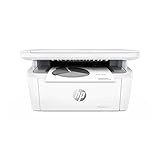
HP Laserjet MFP M140w Wireless All-in-One Printer
- All-in-One Functionality: The HP LaserJet MFP M140w offers the convenience of printing, copying, and scanning in a single, compact device, saving valuable space in your...
- Wireless Connectivity for Easy Printing: Enjoy the flexibility of wireless printing with seamless Wi-Fi connectivity. You can easily print documents from your phone...
- Fast, High-Quality Monochrome Printing: Achieve clear, sharp, black-and-white prints with fast print speeds, making this printer perfect for handling high-volume tasks...
- Effortless Setup and User-Friendly Operation: The HP LaserJet MFP M140w is designed for quick and simple setup. With a user-friendly interface, you'll be up and running...
- Energy-Efficient with Auto-On/Off Technology: Save on energy costs with HP’s Auto-On/Off technology, which automatically powers the printer on when you send a print job...
Experience efficient printing that fits seamlessly into your home or small office. The HP LaserJet MFP M140w is a compact all-in-one printer designed to handle your everyday printing, copying, and scanning needs with speed and precision. Its sharp black-and-white output at 21 pages per minute ensures your documents are clear and professional.
This printer solves the hassle of tangled cables with its wireless Wi-Fi connectivity. You can print directly from your smartphone, tablet, or laptop using the HP Smart app, making remote and mobile printing simple and convenient. Its lightweight design saves desk space without sacrificing performance.
Maintenance is straightforward with a preinstalled toner cartridge, allowing you to start printing right away. The flatbed scanner and automatic duplex printing add practical convenience for multitasking. Energy-efficient Auto-On/Auto-Off technology helps reduce power consumption when idle.
While it only supports monochrome printing and has a limited 150-sheet paper capacity, the M140w offers reliable functionality ideal for small-scale printing tasks. Its single tray design keeps operations simple and user-friendly.
Best for: Home users or small offices needing a compact, fast, and reliable monochrome wireless all-in-one printer.
What We Like:
- Fast printing speed of 21 ppm with sharp 600 dpi resolution
- Wireless and mobile printing via HP Smart app
- Compact, lightweight design saves space
- Energy-efficient Auto-On/Auto-Off technology
Specification:
| Feature | Details |
|---|---|
| Manufacturer | HP |
| Dimensions | Not specified |
| Weight | 11.9 lb (5.4 kg) |
| Color | White |
| Printing Speed | 21 pages per minute |
| Max Print Resolution | 600 dpi |
| Paper Capacity | 150 sheets |
Brother DCP-L2640DW Wireless Monochrome Printer
- BEST FOR SMALL BUSINESSES – Engineered for extraordinary productivity, the Brother DCP-L2640DW Monochrome (Black & White) 3-in-1 combines laser printer, scanner, copier...
- FAST PRINTER WITH EFFICIENT SCANNING – Produces documents quickly with print speeds up to 36 ppm(2) and scan speeds up to 23.6/7.9 ipm(3) (black/color). A 50-page auto...
- FLEXIBLE CONNECTION OPTIONS – Easily navigate the changing demands of your business with secure multi-device connectivity via built-in dual-band wireless (2.4GHz...
- BROTHER MOBILE CONNECT APP – Print, scan, and manage your wireless printer anytime, from almost anywhere from your mobile device. Order Brother Genuine Supplies, track...
- CHOOSE BROTHER GENUINE TONER – When it’s time to replace your toner, be sure to choose Brother Genuine TN830 or TN830XL replacement toner. And with Refresh EZ Print...

The Brother DCP-L2640DW is designed to meet the demands of busy home offices and small businesses requiring fast, dependable monochrome printing. It simplifies multitasking by combining printing, copying, and scanning into one compact device. This efficiency helps keep your workflow smooth and uninterrupted, even during high-volume jobs.
Its fast print speed of up to 36 pages per minute reduces wait times and boosts productivity. The 50-page auto document feeder and 250-sheet paper tray minimize the need for frequent reloading, making it ideal for continuous printing tasks. Wireless dual-band Wi-Fi and Ethernet connectivity offer flexible networking options for any workspace.
Maintenance is straightforward with eco-friendly features like automatic duplex printing and toner save mode, which help reduce paper and toner usage. The printer’s streamlined design fits neatly into any office environment without taking up much space. While it only prints in monochrome, it excels at delivering sharp, clear text documents quickly.
Best for: small businesses and home offices needing fast, reliable, high-volume monochrome printing with multifunction capabilities.
What We Like:
- Fast print and copy speeds improve efficiency.
- Dual-band wireless and Ethernet connections offer versatile networking.
- Eco-conscious features reduce waste and operating costs.
- Compact 3-in-1 design saves space in busy work areas.
- Large paper capacity supports high-volume printing.
Specification:
| Feature | Details |
|---|---|
| Manufacturer | Brother |
| Dimensions | Approx. 16.1 x 15.7 x 14.0 in (40.9 x 39.9 x 35.6 cm) |
| Weight | Approx. 15.4 lbs (7.0 kg) |
| Color Options | White |
| Connectivity | Wireless dual-band Wi-Fi, Ethernet, USB |
Canon imageCLASS MF273dw Wireless Monochrome Laser Printer
- Wireless 3-in-1: Print | Copy | Scan
- Print up to 30 Pages Per Minute (BW, Letter)
- First Print Out in Approximately 5.3 Seconds (Letter)
- Auto 2-sided Printing
- Uses Toner 071 / 071 High-Capacity Toner
The Canon imageCLASS MF273dw is designed to streamline printing tasks in small offices and home environments. Its fast monochrome printing at up to 30 pages per minute helps reduce wait times and keeps your workflow moving smoothly. The sharp 2400 x 600 dpi resolution ensures clear, professional-quality documents every time.
This multifunction printer simplifies daily tasks by combining printing, copying, and scanning with consistent speed and quality. The automatic two-sided printing and auto document feeder help save paper and time, making it ideal for busy users managing multiple documents.
Connectivity options like wireless, Wi-Fi Direct, and USB allow flexible printing from laptops and mobile devices, eliminating the hassle of cables. Its compact design fits easily into tight spaces, keeping your workspace organized without sacrificing functionality.
Maintenance is straightforward with easy access to consumables, although the starter cartridge yields only about 700 pages. Keep in mind, this model supports monochrome printing only and has a modest 150-sheet input tray, which may require frequent paper refills in high-volume settings.
Best for: Small offices and home users needing a fast, reliable, and compact monochrome multifunction printer with wireless connectivity.
What We Like:
- Fast print and copy speeds up to 30 ppm with sharp resolution
- Automatic duplex printing and convenient auto document feeder
- Multiple connectivity options including Wi-Fi and USB
- Compact design suitable for limited workspace
- Energy-efficient operation with Energy Star certification
Specification:
| Feature | Details |
|---|---|
| Manufacturer | Canon |
| Dimensions (W x D x H) | 16.1 x 15 x 10.3 inches |
| Weight | 24.3 lbs (11 kg) |
| Color | Black |
| Print Technology | Monochrome Laser |
| Print Speed | Up to 30 ppm |
| Resolution | 2400 x 600 dpi |
| Paper Capacity | 150-sheet input tray |
Brother MFC-L2820DW Wireless Monochrome Laser Printer
- BEST FOR SMALL OFFICES – Combining space-saving efficiency and premium monochrome (black & white) print quality with affordability, the Brother MFC-L2820DW delivers...
- EFFICIENT PRINTING & SCANNING – Produces black & white documents quickly with print speeds up to 36 ppm(2) and scan speeds up to 23.6/7.9 ipm(3) (bk/cl). A 50-page auto...
- FLEXIBLE CONNECTION OPTIONS – Securely connect to multiple devices with built-in dual-band wireless (2.4GHz / 5GHz), Ethernet, or connect locally to a single computer...
- 2.7" TOUCHSCREEN – The intuitive 2.7” touchscreen enables effortless navigation with the added ability to print-from and scan-to popular Cloud-based apps such as...
- BROTHER MOBILE CONNECT APP – Print, scan, and manage your wireless printer anytime, from almost anywhere from your mobile device. Order Brother Genuine Supplies, track...
The Brother MFC-L2820DW is designed to streamline your everyday printing tasks with reliable performance. This compact all-in-one monochrome laser printer handles printing, scanning, copying, and faxing with ease, making it a versatile addition to any home or small office.
Its high-speed printing delivers up to 36 pages per minute with crisp 1200 x 1200 dpi resolution, helping you finish jobs quickly without sacrificing quality. The 250-sheet paper tray and 50-page automatic document feeder minimize interruptions, so you can focus on your work instead of frequent refills.
Maintenance is straightforward with features like Toner Save Mode, which extends toner life and reduces waste. The 2.7-inch touchscreen simplifies navigation, while wireless connectivity options, including dual-band Wi-Fi and mobile app support, ensure smooth integration into your workspace.
Though limited to monochrome output and a 250-sheet capacity, this printer balances compact design with robust functionality. Its automatic duplex printing saves paper, and at just 22.5 pounds, it fits neatly into tight spaces without compromising security or efficiency.
Best for: Small office or home users needing a compact, efficient monochrome laser printer with reliable wireless and mobile connectivity.
What We Like:
- Fast printing speed up to 36 ppm with sharp 1200 x 1200 dpi output
- Automatic duplex printing and 50-page ADF for multitasking ease
- Dual-band Wi-Fi and mobile app support for flexible connectivity
- User-friendly 2.7″ touchscreen interface
- Toner Save Mode helps reduce operational costs and waste
Specification:
| Feature | Details |
|---|---|
| Manufacturer | Brother |
| Dimensions | 16.1 x 15.7 x 12.7 inches |
| Weight | 22.5 lbs (10.2 kg) |
| Printing Technology | Monochrome Laser |
| Print Speed | Up to 36 pages per minute |
| Resolution | 1200 x 1200 dpi |
| Paper Capacity | 250-sheet tray |
| ADF Capacity | 50 pages |
| Connectivity | Dual-band Wi-Fi, USB, Mobile App |
HP LaserJet Pro M127fw Wireless All-in-One Monochrome Printer, (CZ183A)
- Handle the essentials. Be agile—easily manage your MFP right at the 3-inch color touchscreen
- Finish projects fast—use the 35-page automatic document feeder to make the most of your time.
- Easily copy both sides of a two-sided ID or other small document onto the front of a single-page.
- Set the pace for success with an MFP that prints, copies, and scans—fast.
- Print on your terms. Extend your printing reach. Easily set up, print, and share using Ethernet and wireless connectivity.
The HP LaserJet Pro M127fw is designed to bring efficiency and ease to small office printing needs. Its wireless functionality lets you print effortlessly from smartphones, tablets, or laptops, eliminating the hassle of cables and making your workflow smoother.
This monochrome all-in-one printer handles up to 21 pages per minute with true duplex printing, saving both time and paper. The 3-inch color touchscreen and 35-page automatic document feeder simplify scanning, copying, and faxing, reducing manual effort and improving productivity.
Maintenance is straightforward with its moderate paper capacity of 150 sheets input and 100 sheets output, suitable for medium workloads without frequent interruptions. While its print resolution is 600 x 600 dpi, it meets everyday office document standards though it may not satisfy high-detail graphic needs.
The compact design fits well in small office or home environments. Its multiple connectivity options, including wireless, Ethernet, and USB, provide flexibility for various setups, making it a practical choice for monochrome printing tasks.
Best for: Small offices and home users needing a reliable, wireless monochrome all-in-one printer with moderate volume capacity.
What We Like:
- Fast print speed with true duplex printing for efficient document handling
- Easy-to-use 3-inch color touchscreen and automatic document feeder
- Versatile connectivity options: wireless, Ethernet, USB, and mobile printing support
Specification:
| Feature | Details |
|---|---|
| Manufacturer | HP |
| Dimensions (W×D×H) | 15.4 × 14.8 × 10.1 inches |
| Weight | 18.7 lbs (8.5 kg) |
| Color Options | Monochrome (Black & White) |
| Connectivity | Wireless, Ethernet, USB |
Factors to Consider When Choosing a Budget All in One Laser Printer

When choosing a budget all-in-one laser printer, you’ll want to take into account how fast you need your prints and what connectivity options suit your setup.
Think about the print quality you expect and how much paper the printer can handle at once.
Also, make sure the device works smoothly with your computers and other gadgets. It’s all about finding something that fits your needs without any hassle.
Print Speed Needs
Consider your typical monthly page volume carefully to make sure your budget all-in-one laser printer can handle the workload without premature wear. Choose a printer whose monthly duty cycle comfortably exceeds your average use to avoid early maintenance.
Match the print speed to your workflow: 20–30 ppm suits light home or small-office needs, while 30+ ppm works better if you print in batches or have multiple users. Don’t overlook first-page-out time—a 4–6 second delay feels quicker for short or single-page jobs.
If several people share the printer, prioritize higher ppm and ADF throughput to cut wait times and streamline multi-page scanning or copying. Balance speed with print quality and cost-per-page since faster printers might use more power and toner, impacting long-term expenses.
Connectivity Options Available
Don’t overlook connectivity options when choosing a budget all-in-one laser printer, as they directly impact how easily you can integrate the device into your workspace. Look for dual-band Wi-Fi (2.4 GHz and 5 GHz) to boost reliability and reduce interference when multiple devices share your network.
If you need stable, high-volume office connections, make sure the printer supports wired Ethernet for shared-network printing. It’s a great way to keep things running smoothly without drops or slowdowns.
Check for USB Type-A or Type-B ports, plus USB host features, so you can print directly from mobile devices or flash drives without network access. That way, you’re not stuck if your Wi-Fi is acting up.
Also, confirm support for mobile and cloud printing protocols like AirPrint or Mopria to print and scan from smartphones or cloud storage seamlessly. It really makes printing from your phone or tablet hassle-free.
Consider an automatic document feeder with network scan-to-email or scan-to-folder for efficient multi-page workflows. It saves time and keeps things moving when you’ve got lots of pages to handle.
Print Quality Expectations
Connectivity and ease of use matter, but print quality ultimately determines if your budget all-in-one laser printer meets your needs. Expect sharp, crisp text at resolutions between 600 x 600 dpi and 1200 x 1200 dpi, perfect for reports and invoices.
However, don’t rely on these printers for smooth photo or continuous-tone graphics—images may appear grainy or posterized compared to inkjets. First-page-out times usually range from 4 to 9 seconds, with print speeds of 20–36 ppm. But keep in mind, driver settings and toner density influence the final output quality.
Duplex printing might cause slight alignment issues on thin paper, so using heavier stock or increasing toner density can help improve two-sided document quality. Also, replacing starter cartridges with high-yield ones is a smart move to maintain consistent darkness and uniform prints over time.
Paper Handling Capacity
Although print quality is essential, paper handling capacity plays an equally important role in choosing a budget all-in-one laser printer that fits your workflow. Start by checking the input tray capacity, typically 150–250 sheets, to match your weekly print volume and minimize refills.
Also, consider if the printer includes a multipurpose or bypass tray for envelopes, labels, and cardstock. This way, you won’t interrupt your regular printing.
If you scan or copy multi-page documents often, an automatic document feeder (ADF) with a 35–50 page capacity will save you time. It’s a real convenience to have.
Make sure to verify if the printer offers automatic duplex printing to save paper and reduce stack size. And don’t forget to confirm the maximum supported media sizes and types so you can handle varied print jobs smoothly without jams or manual feed hassles.
Device Compatibility Range
When choosing a budget all-in-one laser printer, you’ll want to confirm it works seamlessly with your devices and operating systems. Check compatibility with Windows, macOS, Linux, Chrome OS, Android, and iOS, including minimum driver or OS version requirements.
Make sure the connection options like USB, Ethernet, dual-band Wi‑Fi, or Wi‑Fi Direct match your network and devices for smooth printing. It’s important to avoid any hiccups when you hit “print.”
If you print or scan from smartphones or tablets, make sure the printer supports mobile printing standards such as AirPrint, Mopria, or vendor cloud-print services. That way, you can print on the go without any fuss.
Also, confirm the printer integrates with cloud storage and productivity tools like OneDrive, Google Drive, or Dropbox for easy scanning and sharing. This makes managing your documents way more convenient.
Don’t forget to review multifunction features like ADF and duplex scanning. Ensure they support your document sizes and file handling needs through compatible software or apps. This will save you time and effort in the long run.
Security Features Included
Since printers often handle sensitive documents, you need to prioritize security features in your budget all-in-one laser printer. Look for built-in network security like firewalls, secure boot, and firmware integrity checks to block unauthorized access and tampering.
Make sure it supports encrypted data transfer protocols such as TLS/SSL for web interfaces and IPP over TLS for printing. Choose a printer requiring user authentication—via PIN, LDAP/Active Directory, or card-based systems—to control access to printing, scanning, and admin functions.
Check for secure printing options like PIN release or pull-printing so your confidential jobs only print when you’re present. Also, confirm it can automatically update firmware and disable outdated, insecure protocols to keep your device protected from emerging threats.
Prioritizing these features safeguards your sensitive information effectively. It’s really worth paying attention to these details to keep your data safe.
Energy Efficiency Ratings
Choosing a budget all-in-one laser printer means you should pay close attention to its energy efficiency ratings to save both power and money over time. Look for ENERGY STAR or EPEAT certifications—they guarantee the printer uses less power in active and standby modes.
Compare power consumption in idle, ready, printing, and sleep states. Printers with sleep modes under 5 W and idle power below 15 W are more efficient.
Auto-duplex printing helps reduce paper use and lowers energy per page. Make sure to match the printer’s duty cycle to your monthly volume to avoid excess energy use.
Also, seek models with Auto-On/Auto-Off scheduling and fast wake-up times. This way, your device stays in low-power states without slowing your workflow.
This approach secures smart energy use without sacrificing performance.
Warranty And Support
Although budget printers often come with limited warranties, understanding the length and coverage of those warranties helps you avoid unexpected repair costs. Check whether the warranty is a one-year limited plan or if extended options are available, and know which parts and repairs are covered.
Make sure support channels like phone, email, live chat, and authorized service centers are accessible and convenient for you. Confirm if repairs are on-site, mail-in, or just parts replacement—and if shipping fees or deductibles apply.
Also, verify the availability of firmware and driver updates to keep your printer secure and bug-free. Finally, ask about consumable and spare-parts support, including lead times and if third-party supplies void your warranty.
This knowledge guarantees you get reliable, ongoing support.
Frequently Asked Questions
How Do Laser Printers Compare to Inkjet Printers in Print Quality?
You’ll notice laser printers deliver sharper text and faster prints, while inkjets excel at vibrant photos.
If you print mostly documents, laser’s crisp quality suits you better. But inkjets win for colorful images and photos.
What Is the Average Lifespan of a Budget All-In-One Laser Printer?
You might expect short-lived gadgets, but budget all-in-one laser printers typically last 3 to 5 years with proper care.
You’ll enjoy consistent performance, balancing affordability and durability without sacrificing your everyday printing needs.
Can These Printers Handle Duplex Scanning and Printing Automatically?
Yes, many budget all-in-one laser printers now offer automatic duplex printing and scanning. You’ll find models that handle double-sided documents smoothly, saving you time and effort without needing manual page flipping.
It’s pretty convenient, especially if you deal with lots of paperwork. No more fumbling with pages or worrying about mixing them up.
Are Replacement Toner Cartridges Readily Available and Affordable?
Yes, you’ll find replacement toner cartridges for these printers readily available and affordable. Manufacturers and third-party brands offer plenty of options.
How Energy-Efficient Are Budget All-In-One Laser Printers?
You’ll be thrilled to know these printers don’t guzzle power like a caffeinated monster.
Most budget all-in-one laser printers are surprisingly energy-efficient, sipping electricity quietly.
Conclusion
Choosing the perfect budget all-in-one laser printer can feel like finding a unicorn in a haystack. But with these top picks, you’re not just getting a printer—you’re releasing a powerhouse that’ll tackle your printing, scanning, and copying needs without draining your wallet.
Imagine crisp documents flying out at lightning speed, all from a sleek device that fits right on your desk. Ready to transform your workspace? These printers have got your back!
When it comes to budget all-in-one laser printers, you want reliability, speed, and quality without the hefty price tag. These options deliver all that and more, making them ideal for home offices, small businesses, or students.
So, if you’re hunting for an affordable all-in-one laser printer that combines efficiency with great features, look no further. These top budget picks ensure you get the best value for your money while upgrading your printing game in 2027.