7 Best Brother Multifunction Printers for 2027 That Boost Productivity
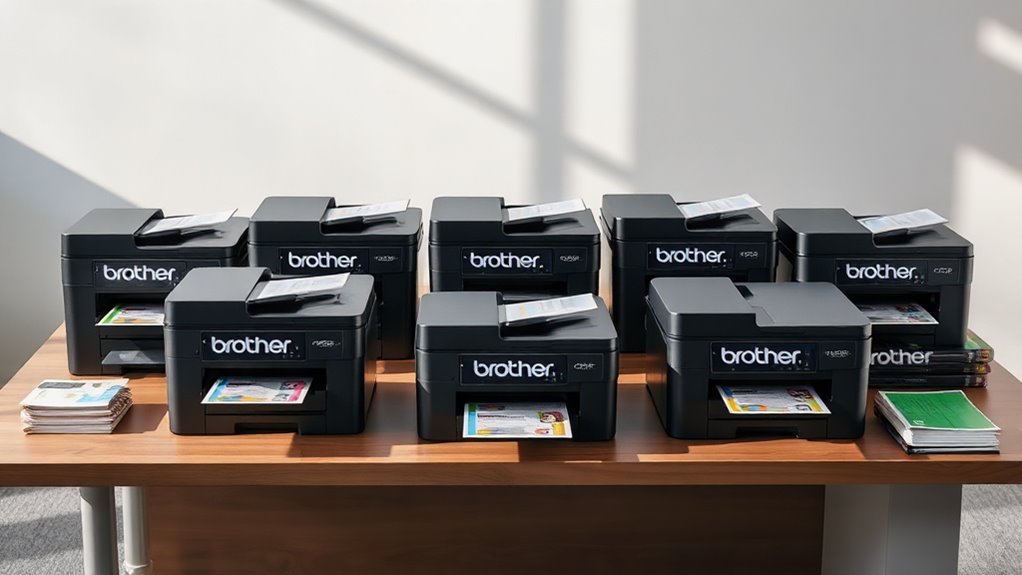
You’ll find Brother’s top multifunction printers in 2027 tailored to boost your productivity, whether you need fast monochrome output like the DCP-L2640DW or vibrant color with models like the INKvestment MFC-J6960DW. These best Brother multifunction printers deliver reliable performance that suits both home offices and busy small businesses.
Options range from compact home office printers with high-yield ink tanks, like the INKvestment 4355, to robust 500-sheet capacity all-in-ones, ideal for busy small offices. Plus, versatile connectivity and smart features guarantee smooth workflows.
Discover which model fits your needs and workspace next. With Brother’s multifunction printers, you get high-quality printing, scanning, copying, and faxing all in one device designed to enhance your daily tasks effortlessly.
| Image | Name | Editor's Rating | Price |
|---|---|---|---|

|
|
||

|
|
||

|
|
||

|
|
||
|
|
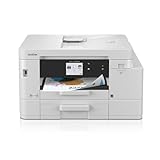
Brother DCP-L2640DW Wireless Monochrome Printer
- BEST FOR SMALL BUSINESSES – Engineered for extraordinary productivity, the Brother DCP-L2640DW Monochrome (Black & White) 3-in-1 combines laser printer, scanner, copier...
- FAST PRINTER WITH EFFICIENT SCANNING – Produces documents quickly with print speeds up to 36 ppm(2) and scan speeds up to 23.6/7.9 ipm(3) (black/color). A 50-page auto...
- FLEXIBLE CONNECTION OPTIONS – Easily navigate the changing demands of your business with secure multi-device connectivity via built-in dual-band wireless (2.4GHz...
- BROTHER MOBILE CONNECT APP – Print, scan, and manage your wireless printer anytime, from almost anywhere from your mobile device. Order Brother Genuine Supplies, track...
- CHOOSE BROTHER GENUINE TONER – When it’s time to replace your toner, be sure to choose Brother Genuine TN830 or TN830XL replacement toner. And with Refresh EZ Print...

The Brother DCP-L2640DW Wireless Monochrome Printer offers a smart solution for small businesses needing efficient, space-saving printing, copying, and scanning. Its compact design fits easily into tight office spaces, while delivering a fast print speed of up to 36 pages per minute. This means less waiting and more productivity for your daily tasks.
With automatic duplex printing and a 50-sheet document feeder, it handles multi-page jobs with ease. The 250-sheet paper tray reduces frequent refills, making it suitable for moderate volume printing. Wireless and Ethernet connectivity options provide flexible placement and seamless integration into your office network.
Maintenance is straightforward, with easy access to consumables and ENERGY STAR compliance ensuring energy-efficient operation. The Brother Mobile Connect app adds convenience by enabling direct mobile printing, streamlining your workflow even further.
While it prints only in black and white, its reliability and speed make it ideal for businesses focused on text documents. The scanner performs well for monochrome scans but is slower with color, which may be a minor drawback in some cases.
Best for: Small businesses that require a compact, reliable monochrome printer with integrated copying and scanning.
What We Like:
- Fast print speed of up to 36 ppm with quick first page out.
- Automatic duplex printing and 50-sheet document feeder.
- Multiple connectivity options including wireless, Ethernet, and USB.
- ENERGY STAR certified for energy-efficient operation.
- Easy mobile printing via Brother Mobile Connect app.
Specification:
| Feature | Details |
|---|---|
| Manufacturer | Brother |
| Dimensions (W×D×H) | Approx. 16.1 × 15.7 × 12.7 in (41 × 40 × 32.3 cm) |
| Weight | Approx. 15.4 lb (7 kg) |
| Printing Technology | Monochrome Laser |
| Connectivity | Wireless (dual-band), Ethernet, USB |
| Paper Capacity | 250-sheet input tray, 50-sheet ADF |
Brother Work Smart 1360 Wireless Color Inkjet All-in-One Print, Scan, Copy
- AFFORDABLE ALL-IN-ONE FOR HOME AND HOME OFFICE: Print, copy, and scan on one compact wireless printer designed for everyday home office printing, schoolwork, documents...
- EASY TO USE WITH CLOUD APP CONNECTIONS: Print from and scan to popular Cloud apps(2), including Google Drive, Dropbox, Box, OneDrive, and more from the simple-to-use...
- FULL-SIZE FEATURES IN A COMPACT DESIGN: This printer includes automatic duplex (2-sided) printing, a 20-sheet single-sided Automatic Document Feeder (ADF)(3), and a...
- MULTIPLE CONNECTION OPTIONS: Connect your way. Interface with your printer on your wireless network or via USB.
- MOBILE PRINTING MADE EASY: Go mobile with the Brother Mobile Connect app(5) that delivers easy onscreen menu navigation for printing, copying, scanning, and device...
The Brother Work Smart 1360 Wireless Color Inkjet All-in-One is designed to make your home office or study space more efficient and organized. It solves common printing challenges by offering wireless convenience and multifunction capabilities—print, scan, and copy with ease. This printer handles everyday tasks smoothly with automatic duplex printing and a 20-sheet automatic document feeder.
Its compact design fits well in small spaces and supports various paper sizes with a 150-sheet tray. Managing print jobs is simple via Wi-Fi, USB, or cloud apps, all controlled through the Brother Mobile Connect app. This functionality helps reduce clutter and saves time during busy days.
Maintenance remains straightforward thanks to its reliable inkjet technology. While color print speeds are moderate, the device delivers sharp, vibrant prints with resolutions up to 1200 x 6000 dpi. This balance of quality and convenience is ideal for light to moderate printing needs.
Best for: home offices, students, and anyone needing versatile wireless printing, scanning, and copying with automatic duplex for moderate volume use.
What We Like:
- Automatic two-sided printing and 20-sheet ADF enhance workflow
- Multiple wireless connections including Wi-Fi Direct and cloud printing
- High-resolution prints for clear, colorful documents
Specification:
| Feature | Details |
|---|---|
| Manufacturer | Brother |
| Dimensions | Compact size suitable for desks |
| Weight | Lightweight for easy placement |
| Connectivity | Wi-Fi, Wi-Fi Direct, USB, Cloud |
| Paper Capacity | 150 sheets |
| Print Resolution | Up to 1200 x 6000 dpi |
Brother INKvestment 1365 Wireless Color All-in-One Printer
- BEST FOR HOME AND HOME OFFICE: This multifunction printer makes it easy to print, copy, and scan—all in one compact printer. Includes one 1,200-page yield black...
- WIRELESS, MOBILE, AND USB CONNECTIVITY: Connect your way. Interface with your printer on your wireless network or via USB. Enhance your workflow with Wi-Fi Direct, which...
- CLOUD APP CONNECTIONS: Print from and scan to popular Cloud apps(3), including Google Drive, Dropbox, Box, OneDrive, and more, from an impressive 1.8” color display...
- PRODUCTIVITY-FOCUSED FEATURES: A 150-sheet paper tray(4), 20-page single-sided automatic document feeder (ADF)(4), and automatic duplex (2-sided) printing. Prints at fast...
- THE BROTHER MOBILE CONNECT APP: Put the power of printing at your fingertips. Go mobile with the Brother Mobile Connect app(6) that delivers easy onscreen menu navigation...
The Brother INKvestment 1365 Wireless Color All-in-One Printer is designed to meet your everyday printing needs with efficiency and ease. It produces sharp, high-resolution prints up to 1,200 x 6,000 dpi, ensuring your documents and photos look professional. Automatic duplexing helps you save paper by printing on both sides effortlessly.
This printer combines printing, copying, and scanning in one compact device, making it ideal for small workspaces. The 150-sheet tray reduces the need for frequent refills, while wireless connectivity options like Wi-Fi and mobile app support let you print directly from your devices or cloud services. Setup and maintenance are straightforward with high-yield cartridges and the cost-effective Refresh EZ Print Subscription.
While the print speeds of up to 16 ppm for black and 9 ppm for color handle daily tasks well, heavy users might find it less suited for large volumes. The automatic document feeder scans only single-sided pages with a 20-sheet capacity, which fits typical small office or home use.
Best for: Small offices or individuals needing a reliable, versatile wireless printer with quality color output and easy maintenance.
What We Like:
- Sharp, high-resolution printing up to 1,200 x 6,000 dpi.
- Includes high-yield cartridges with cost-saving subscription option.
- Convenient wireless and mobile device connectivity.
- Compact design fits well in limited workspace.
Specification:
| Feature | Details |
|---|---|
| Manufacturer | Brother |
| Dimensions | Compact size (exact size not specified) |
| Weight | Not specified |
| Print Resolution | Up to 1,200 x 6,000 dpi |
| Paper Tray Capacity | 150 sheets |
| Connectivity | Wi-Fi, USB, Mobile app |
| Print Speed | Up to 16 ppm (black), 9 ppm (color) |
| Scanner ADF Capacity | 20 pages, single-sided scan |
Brother INKvestment MFC-J6960DW Wireless Color Printer
- BEST FOR SMALL BUSINESS: This multifunction printer makes it easy to print, copy, scan, and fax on up to 11”x17” paper. Includes one 1,800-page yield black ink...
- PRODUCTIVITY-FOCUSED FEATURES: 500-sheet capacity with two trays(3), 100-sheet multipurpose tray(3), up to 50-page single-pass duplex copy & scan via ADF(3), and...
- SPEED & QUALITY: Engineered with MAXIDRIVE Technology with print speeds of up to 31 pages per minute (ppm) in black and up to 30 ppm in color(5). The PerfectPrint Auto...
- INNOVATIVE TECHNOLOGY: With Wi-Fi Direct, print wirelessly without an external network connection. Print from and scan to Cloud apps(6), including Google Drive, Dropbox...
- THE BROTHER MOBILE CONNECT APP: The power of printing at your fingertips. Go mobile with the simple-to-use Brother Mobile Connect app(7) that delivers onscreen menu...
Experience efficient, high-quality color printing designed to keep pace with your busy office. The Brother INKvestment MFC-J6960DW Wireless Color Printer simplifies large-format tasks by supporting prints up to 11” x 17” with automatic duplexing, saving time and reducing paper waste.
This printer features a 3.5” color touchscreen and a single-pass duplex automatic document feeder, speeding up scanning and copying jobs. It delivers sharp, detailed prints at up to 31 pages per minute, ensuring your documents look professional without long waits.
Connectivity is versatile with dual-band Wi-Fi, Ethernet, and cloud app integration. Brother Mobile Connect adds convenience by enabling printing and scanning directly from your mobile devices, streamlining workflow.
Maintenance is straightforward, with high-yield ink cartridges that help lower running costs. Be aware that color ink yields vary and the subscription service requires enrollment and auto-renewal, which might not fit all users’ preferences.
Best for: Small businesses and busy offices needing fast, high-quality color printing with versatile media handling and robust connectivity options.
What We Like:
- Fast print speeds up to 31 ppm with sharp 1,200 x 4,800 dpi resolution
- Large 500-sheet capacity with automatic duplex printing for efficient media handling
- Multiple connectivity options including dual-band Wi-Fi, Ethernet, and mobile compatibility
- Single-pass duplex ADF streamlines scanning and copying tasks
- High-yield ink cartridges reduce the frequency of replacements
Specification:
| Feature | Details |
|---|---|
| Manufacturer | Brother |
| Dimensions (W×D×H) | 20.9” × 17.7” × 9.9” |
| Weight | 51.4 lb (23.3 kg) |
| Color Options | Black |
| Connectivity | Dual-band Wi-Fi, Ethernet, USB |
| Print Resolution | Up to 1,200 x 4,800 dpi |
| Print Speed | Up to 31 ppm |
| Paper Capacity | 500 sheets |
Brother INKvestment 4555 Wireless Color Inkjet Printer
- BEST FOR SMALL OFFICE AND SMALL BUSINESS: This multifunction printer makes it easy to print, copy, scan, and fax —all in one compact printer. Includes one 1,800-page...
- INNOVATIVE CONNECTIVITY TECHNOLOGY: Connect your way via ethernet, wireless network, or USB connection. Wi-Fi Direct enables convenient wireless printing, even without an...
- CLOUD APP CONNECTIONS: Print from and scan to popular Cloud apps(4), including Google Drive, Dropbox, Box, OneDrive, and more with an impressive 2.7” color touchscreen...
- PRODUCTIVITY-FOCUSED FEATURES: Automatic duplex (2-sided) printing, 400-sheet paper capacity between 2 trays, 20-page single-sided auto document feeder (ADF), 1-sheet...
- THE BROTHER MOBILE CONNECT APP: Put the power of printing at your fingertips. Go mobile with the Brother Mobile Connect app(7) that delivers easy onscreen menu navigation...
The Brother INKvestment 4555 Wireless Color Inkjet Printer is designed to streamline your small office or home business tasks. It combines printing, scanning, copying, and faxing in one compact device, saving space and simplifying workflows. Its versatile paper handling with two trays holding up to 400 sheets reduces interruptions during busy workdays.
Maintenance is straightforward with high-yield ink cartridges that help reduce frequent replacements, although starter color cartridges offer moderate page yields. The 20-sheet automatic document feeder and duplex printing enhance efficiency by automating multi-page and double-sided jobs. This printer supports Wi-Fi, Ethernet, and USB connections for seamless integration into various office setups.
User interaction is made easy through the 2.7″ touchscreen and the Brother Mobile Connect app, allowing quick access to cloud services and mobile printing. While fax functionality remains available, it may be less essential in modern offices. The single USB host port supports JPEG plug-and-print, which limits direct device options but covers basic needs.
Best for: Small office, home business, and home office users seeking a reliable, all-in-one wireless color inkjet printer with flexible paper handling and connectivity.
What We Like:
- High paper capacity with dual trays and automatic document feeder
- Fast print speeds with sharp 1200 x 4800 dpi resolution
- Multiple connectivity options including Wi-Fi, Ethernet, and USB
- Easy operation via touchscreen and mobile app
- Efficient duplex printing saves paper and time
Specification:
| Feature | Details |
|---|---|
| Manufacturer | Brother |
| Dimensions (W x D x H) | 16.1 x 15.7 x 7.9 inches (40.9 x 39.9 x 20 cm) |
| Weight | 18.1 lbs (8.2 kg) |
| Color Options | White |
| Connectivity | Wi-Fi, Ethernet, USB |
| Paper Capacity | 2 trays (total 400 sheets), 20-sheet ADF |
Brother HL-L3300CDW Wireless Color Laser Printer

- Best for Small Offices and Work from Home, the Brother HL-L3300CDW wireless compact 3-in-1 digital color printer with copy & scan functionalities consistently produces...
- UPGRADE YOUR PROFESSIONAL DOCUMENTS. With the consistent dependability of laser-quality digital color printing.
- EFFECTIVE PRODUCTIVITY WITH THREE-IN-ONE FUNCTIONALITY. Featuring a flatbed scan glass for convenient copying and scanning capabilities from a single, compact machine...
- FLEXIBLE CONNECTION OPTIONS. Count on steady connections at the office or on the go. Built-in dual band wireless (2.4GHz / 5GHz)(4), and Wi-Fi Direct, or USB interface...
Experience vibrant, laser-quality color printing with the Brother HL-L3300CDW Wireless Color Laser Printer. Designed for small offices and home workspaces, it delivers crisp, smudge-free documents that enhance your professional image. This compact 3-in-1 device simplifies your workflow by combining printing, copying, and scanning in one unit.
Its fast print speed of up to 19 pages per minute and automatic duplexing save time and paper, making bulky print jobs more efficient. The printer’s dual-band wireless connectivity ensures stable and flexible connections with laptops and smartphones, while Alexa voice control adds hands-free convenience.
Maintenance is straightforward with a 250-sheet paper capacity that reduces frequent refills. The included 2-month Brother Refresh EZ Print trial helps keep toner stocked, though note that it requires a monthly subscription afterward. While the printer is robust and weighs 40.8 lb, its design fits well on most desks without taking up excessive space.
This printer is ideal for professionals who need reliable, high-quality color printing with smart wireless features. It balances performance, ease of use, and connectivity to support busy work environments.
Best for: Small offices, home-based professionals, and hybrid workers needing a versatile, wireless color laser printer with scanning and copying functions.
What We Like:
- Sharp, smudge-free color prints with automatic duplexing at 19 ppm
- Flexible wireless options including dual-band Wi-Fi and voice control via Alexa
- Large 250-sheet capacity reduces interruptions during heavy use
- Easy maintenance with Brother Refresh EZ Print toner subscription trial
Specification:
| Feature | Details |
|---|---|
| Manufacturer | Brother |
| Dimensions (W x D x H) | 16.1 x 18.5 x 15 inches |
| Weight | 40.8 lb (18.5 kg) |
| Connectivity | Dual-band Wi-Fi, Wi-Fi Direct, USB, Alexa voice control |
| Functions | Print, Copy, Scan |
| Print Speed | Up to 19 pages per minute |
| Paper Capacity | 250 sheets |
Brother INKvestment 4355 Wireless Color Inkjet Printer

- UP TO 1-YEAR OF INK IN-BOX¹ – Enjoy exceptional convenience and savings with enough ink for up to 1 year of printing right out of the box¹.
- REVOLUTIONARY INKVESTMENT TANK TECHNOLOGY – Internal ink tank system works with front-loading cartridges for hassle-free, uninterrupted printing with no manual refills.
- COMPACT ALL-IN-ONE FUNCTIONALITY – Print, copy, scan, and fax with fast speeds, duplex printing, and a 20-page automatic document feeder
- WIRELESS AND CLOUD READY – Print-from and scan-to popular cloud services and mobile devices via the Brother Mobile Connect App³.
- VERSATILE PAPER HANDLING – Features a 150-sheet adjustable paper tray, bypass tray, and automatic duplex printing for letter and legal-size paper.
The Brother INKvestment 4355 Wireless Color Inkjet Printer is designed to simplify your printing needs. With up to a year of ink included, it reduces the hassle and cost of frequent cartridge replacements. Its unique INKVESTMENT Tank Technology blends a built-in tank with front-loading cartridges for easy maintenance without manual refills.
This printer delivers sharp color prints at 19 pages per minute and supports duplex automatic printing to save paper. It handles various media sizes up to legal, making it versatile for both home and office tasks. Connectivity is seamless with Wi-Fi, Ethernet, and USB options, while the color touchscreen and Brother Mobile Connect app offer intuitive control.
Smart features like Alexa-enabled ink reordering keep your supplies stocked without interruption. Though the paper tray holds 150 sheets and the document feeder 20 sheets, the printer suits low to moderate volume needs. Some users note occasional reliability concerns and varying app compatibility depending on location.
Best for: Small offices and individuals needing an affordable, low-maintenance color inkjet printer with smart features for everyday use.
What We Like:
- Includes up to 1 year of ink with INKVESTMENT Tank Technology.
- Fast color and black printing with duplex automatic functionality.
- Multiple connectivity options including Wi-Fi, Ethernet, USB.
- Alexa-enabled smart ink reordering for effortless supply management.
Specification:
| Feature | Details |
|---|---|
| Manufacturer | Brother |
| Dimensions (W×D×H) | Approx. 16.1 × 14.7 × 7.2 in |
| Weight | Approx. 15.5 lb (7.03 kg) |
| Color Options | White |
| Connectivity | Wi-Fi, Ethernet, USB |
Factors to Consider When Choosing a Brother Multifunction Printer
When choosing a Brother multifunction printer, you’ll want to focus on print quality and speed to match your needs. Don’t forget to check connectivity options and compatibility with your devices for smooth operation.
Also, consider ink efficiency, paper capacity, and the printer’s size to guarantee it fits your workspace and budget. These factors really help make sure you get the best fit for your setup.
Print Quality and Speed
Evaluate print quality and speed carefully to guarantee your Brother multifunction printer meets your needs. Look for a higher maximum print resolution (dpi) to make certain sharp text and detailed graphics.
Compare rated print speeds (ppm) for black and color printing to match your workflow—faster speeds cut down wait times for large jobs. Don’t overlook first-page-out times, which show how quickly your printer starts printing after a job is sent.
If you frequently scan or copy multi-page documents, consider copy and scan speeds (ipm) to avoid bottlenecks. Also, check how automatic duplex printing affects speed; some models print slower per side, so a faster duplex feature is key if you handle a lot of double-sided printing.
Connectivity and Compatibility
How will you connect your Brother multifunction printer to your devices and network? Start by ensuring it supports the network types you need, like dual-band Wi‑Fi (2.4 GHz/5 GHz), Wi‑Fi Direct, and Ethernet for reliable connections.
Check mobile and cloud printing compatibility, including AirPrint, Mopria, and apps integrating Google Drive, Dropbox, or OneDrive. This way, you can print or scan directly from smartphones and tablets without any hassle.
Confirm the printer’s physical ports—USB-A, USB-B, Ethernet, or USB host—to match your wired setup and any legacy devices you might have. It’s all about making sure everything fits together smoothly.
Also, verify driver and OS support for Windows, macOS, Linux, and mobile systems. You don’t want to run into compatibility issues down the road.
Finally, look for security and management features such as user authentication, firmware updates, and network-ready capabilities. These will keep your connections secure and manageable, giving you peace of mind.
Ink and Toner Efficiency
Consider the page yield ratings of Brother multifunction printers before making your choice, as they directly impact how often you’ll replace ink or toner cartridges and the overall cost per page. Compare standard versus high-yield cartridges—500, 1,200, or 1,800 pages—to estimate replacement frequency and expenses.
Choose models supporting XL cartridges or multipacks to lower costs and reduce interruptions. It’s a smart move if you want to avoid constantly swapping out cartridges.
Check if the printer offers toner or ink saver modes to stretch cartridge life for everyday prints, balancing quality and efficiency. These features can really help when you’re printing lots of documents but don’t need top-notch photo quality every time.
Also, evaluate internal ink tank systems or high-capacity toner designs that provide more pages upfront and cut ongoing replacements. That way, you get more bang for your buck over the long haul.
Finally, consider subscription or automatic reorder programs carefully, as they influence long-term supply costs and may have policies requiring cartridge purchases if you cancel. It’s worth reading the fine print so you don’t get stuck with unexpected fees.
Paper Handling Capacity
When selecting a Brother multifunction printer, you’ll want to pay close attention to its paper handling capacity to keep your workflow smooth and efficient. Start by considering the input tray capacity—models range from 150 to 500 sheets—so you can match your typical print volume and avoid frequent reloads.
Also, check the output tray’s size, usually holding 100 to 150+ sheets, to prevent overflow during large jobs. If you work with multiple media types like envelopes or cardstock, look for multiple trays or a multipurpose tray to stay organized.
Don’t forget the Automatic Document Feeder (ADF) capacity, typically 20 to 50 pages, which streamlines scanning and copying multi-page documents. Finally, confirm the printer supports the media sizes and types you need, ensuring versatility for all your tasks.
Size and Footprint
Understanding a printer’s paper handling capacity is only part of the selection process; you also need to account for its physical size and footprint. Start by measuring your available desk or shelf space—depth, width, and height—and compare it to the printer’s dimensions to make certain it fits comfortably without blocking vents or access panels.
Don’t forget to check the printer’s weight to confirm your furniture can support it safely. Also, add clearance for paper trays, output trays, and automatic document feeder lids when fully extended, as these increase the needed space.
Multi-tray or multifunction models often have larger footprints when trays are loaded. If your workspace is tight, prioritize compact designs. But for shared offices, larger printers with added features and higher paper capacity justify their bigger size.
Frequently Asked Questions
How Long Is the Warranty Period on Brother Multifunction Printers?
Brother multifunction printers usually come with a one-year limited warranty, but you can often extend it by registering your product.
It’s a good idea to check your model’s specifics since some offer longer coverage or additional support options.
That way, you can make sure you’re getting the best protection for your printer.
Are Brother Printers Compatible With Mac and Linux Systems?
Think of Brother printers as universal keys; they’re compatible with Mac and Linux systems. You won’t hit many snags since Brother provides drivers and software supporting both platforms, ensuring smooth printing across your devices.
It’s pretty straightforward to get them up and running. Plus, Brother regularly updates their software to keep things compatible and hassle-free. So, whether you’re team Mac or team Linux, Brother’s got you covered.
What Is the Average Cost of Replacement Ink or Toner Cartridges?
You’ll typically pay between $20 and $60 for Brother replacement ink cartridges, while toner cartridges can range from $40 to $100.
Prices vary based on your printer model and cartridge type, so check specifics before buying. It’s a good idea to compare prices to get the best deal.
Do Brother Printers Support Mobile and Cloud Printing Services?
When it comes to printing on the fly, Brother printers have you covered. You’ll find they support mobile and cloud printing services like AirPrint, Google Cloud Print, and Brother’s own app.
This makes remote printing a walk in the park. So whether you’re at home or on the go, printing from your phone or tablet is super easy.
Can Brother Multifunction Printers Connect via Ethernet or USB?
Yes, Brother multifunction printers can connect via both Ethernet and USB. You’ll find these options handy for stable wired connections, ensuring reliable printing, scanning, and faxing.
Whether you’re at the office or working from home, these connection methods keep your tasks running smoothly. It’s all about giving you flexibility and consistent performance wherever you need it.
Conclusion
Choosing the right Brother multifunction printer means balancing speed with quality, wireless features with ease of use, and affordability with advanced functions. Whether you need a monochrome model for crisp documents or a color inkjet for vibrant prints, you’ll find options that boost productivity, streamline tasks, and fit your workspace.
By focusing on what matters most to you, you’ll pick a printer that works smarter, prints faster, and lasts longer—making your day easier every time. Brother multifunction printers combine reliability with innovative features, helping you stay efficient whether at home or in the office.
With the right choice, you can enjoy seamless wireless connectivity, sharp print quality, and versatile scanning or copying capabilities. So, explore the best Brother multifunction printers for 2027 and upgrade your workflow with a device designed to enhance productivity and meet all your printing needs.