4 Best Budget 3D Printer Resins for 2027
For 2027, you’ll want budget 3D printer resins that deliver sharp detail and reliable curing, especially with popular printers like the ANYCUBIC Photon Mono 4 or ELEGOO Mars 5. These resins need to be compatible with 405 nm UV light, which is common for many affordable resin printers.
It’s important to find options that offer good strength without being brittle — nobody wants failed prints after all. Plus, cost-efficient resins that minimize waste and come with safe handling features make the whole printing process smoother and more enjoyable.
Matching your resin choice to your printer’s resolution and post-processing setup is key. That way, you get the best possible results every time. Keep exploring different resins to find the perfect fit for your projects and printer features!
| Image | Name | Editor's Rating | Price |
|---|---|---|---|

|
|
||
|
|
||
|
|
||

|
|
ANYCUBIC Photon Mono 4, Resin 3D Printer with 7” 10K Mono LCD Screen
- 【7'' 10K High Resolution】Photon Mono 4 boasts an impressive 105% increase in print precision compared to Mono 2. With a resolution of 9024x5120, each pixel measures a...
- 【Powerful Light Source】The time-tested Anycubic LighTurbo matrix light source technology delivers stable, balanced, and uniform lighting to reduce layer lines and...
- 【Sufficient Print Size】With a generous maximum build volume of 6.04'' x 3.42'' x 6.49''/153.4mm x 87mm x 165mm, you have ample print space to easily tackle your daily...
- 【Laser-engraved Print Platform 2.0】With a new design, the laser engraving platform of the photon mono 4 improves adhesion to mitigate lifting and warping of the model...
- 【User-friendly Function】The 4-point leveling method is ideal for beginners, after the first leveling and tightening the 4 screws, no need to repeat leveling. Photon...
Experience precision and speed with the ANYCUBIC Photon Mono 4, a resin 3D printer designed to enhance your creative projects. Its 7-inch 10K mono LCD screen delivers a crisp resolution of 9024 x 5120 pixels, allowing you to capture ultra-fine details with ease. This advanced screen technology improves print accuracy by 105% compared to earlier models, making it ideal for producing smooth, detailed prints.
The printer uses LighTurbo matrix technology to provide stable and uniform lighting. This ensures consistent curing across the build plate, reducing imperfections and improving surface quality. Its efficient design supports fast print speeds up to 70 mm/h, helping you complete tasks quickly without sacrificing detail.
Maintenance is straightforward with a 4-point leveling system that requires minimal adjustment. The power recovery feature allows your print to resume after power interruptions, increasing reliability during longer print jobs. Its moderate build volume offers flexibility for most hobby and professional projects.
While the Photon Mono 4 lacks Anycubic APP support for remote control, its ease of use and advanced features make it a dependable choice for detailed resin printing. This lightweight printer balances quality, speed, and convenience for consistent results.
Best for: hobbyists and professionals seeking a budget-friendly resin 3D printer with ultra-high resolution and fast print speeds for detailed and smooth model creation.
What We Like:
- Sharp 7″ 10K mono LCD screen for ultra-fine detail and improved precision
- LighTurbo matrix technology ensures stable, uniform lighting for smoother surfaces
- Easy 4-point leveling reduces setup time and maintenance
- Power recovery feature safeguards prints against power outages
Specification:
| Feature | Details |
|---|---|
| Manufacturer | ANYCUBIC |
| Display Size | 7 inches |
| Screen Resolution | 9024 x 5120 pixels |
| Pixel Size | 17 microns |
| Print Speed | Up to 70 mm/h |
| Build Volume | Moderate |
| Technology | LighTurbo matrix lighting |
| Weight | Lightweight (exact weight not specified) |
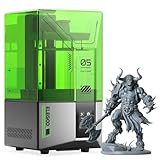
ELEGOO Mars 5 Resin 3D Printer
- 【Effortless Magic with One-Click Automatic Leveling】Effortless precision is just a click away. ELEGOO Mars 5 resin 3D printer offers advanced automatic leveling...
- 【Print Smarter, Print Worry-Free】With a smart mechanical sensor, ELEGOO Mars 5 resin printer supports residue detection to prevent damage to the LCD screen. Plus...
- 【One-Click Self-Check, Ensuring Reliable Prints】Tired of setup hassles and unexpected errors ruining your printing projects? With just a simple click, ELEGOO Mars...
- 【4K Mono LCD for Stunning Details】Featuring a 4K mono LCD with advanced COB light source, ELEGOO Mars 5 impresora 3D de resina faithfully reproduces intricate details...
- 【Advanced Overheat Protection, Cool and Safe】No more overheating worries. The advanced overheat protection automatically halts printing and triggers an alarm if the...

Experience detailed 3D printing like never before with the ELEGOO Mars 5 Resin 3D Printer. Its 4K mono LCD delivers sharp and intricate prints, allowing you to capture fine textures and complex designs effortlessly. This precision helps hobbyists and creators bring their visions to life with ease.
The Mars 5 offers a print volume of 5.65 × 3.53 × 5.91 inches, perfect for small to medium detailed projects. Setup is streamlined through one-click automatic leveling and self-check diagnostics, reducing errors and wasted materials. These features save time and improve print success rates.
Maintenance is straightforward, thanks to built-in safety systems such as residue detection, resin shortage alerts, and overheat protection. These safeguards ensure smooth operation and extend the printer’s lifespan. The efficient cooling system also helps keep the machine running reliably over time.
Compact and weighing just over 14 pounds, the Mars 5 fits well in limited workspaces without sacrificing stability. While its size limits larger prints, it excels in delivering high-quality results for detailed models. Handling resin requires care and post-processing, so beginners should prepare accordingly.
Best for: hobbyists and creators seeking a user-friendly, high-detail resin 3D printer with reliable safety features and a compact footprint.
What We Like:
- Sharp 4K mono LCD for precise, detailed prints
- Easy one-click leveling and self-check diagnostics
- Safety features like residue detection and overheat protection
- Efficient cooling system for longer printer life
Specification:
| Feature | Details |
|---|---|
| Manufacturer | ELEGOO |
| Print Volume | 5.65 × 3.53 × 5.91 inches |
| Weight | 14.33 lbs (6.5 kg) |
| Display | 4K mono LCD |
| Safety Features | Residue detection, resin shortage alarm, overheat protection |
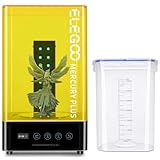
ELEGOO Mercury Plus 2.0 Wash and Cure Station
- 【Upgrade Protection Function】Sealed washing to prevent the volatilization of alcohol during the cleaning process . Fan-less curing mode makes it quieter to use. The...
- 【Intelligent Curing and Washing】The front TFT screen can directly display the setting time and remaining time, and the operation is simple and intuitive. With...
- 【Flexible Washing Mode】The models can be placed in a cleaning basket to be cleaned separately, or mount the build plate with models on it and wash them together...
- 【Ideal Compatibility】Compatible with most of the LCD/DLP/SLA 3D printers like ELEGOO Mars, Mars Pro, Mars C, Photon, Photon s etc, which provides you an ideal support...
- 【Special Notes】The washing function is not quite suitable for 3D models printed with water washable resin, which is better to be washed with running water.
The ELEGOO Mercury Plus 2.0 Wash and Cure Station offers a streamlined way to handle post-processing for resin 3D prints. Its sealed washing system reduces alcohol fumes, creating a safer and cleaner workspace. You can wash models in a basket or clean the build plate with prints attached, minimizing direct contact with uncured resin.
The adjustable platform ensures the liquid level is always optimal, making cleaning easier and more efficient. For curing, the unit uses 16 UV LEDs combined with a 360° rotating turntable to deliver consistent, even curing results. The anti-UV lid protects your eyes from harmful rays, while the fan-less mode keeps noise levels low during operation.
Maintenance is simple, with easy access to the washing chamber and intuitive controls via a TFT screen. This station works well with a variety of LCD, DLP, and SLA printers, including popular models like the ELEGOO Mars and Anycubic Photon series. However, it is not suitable for water-washable resins, and its washing capacity may limit larger prints.
Best for: Resin 3D printing enthusiasts and professionals seeking an all-in-one, efficient solution to wash and cure prints with minimal hassle.
What We Like:
- Sealed design lowers alcohol fumes and provides flexible washing options
- 16 UV LEDs with 360° rotating turntable for uniform curing
- Anti-UV lid safeguards eyes during curing
- Fan-less mode ensures quiet operation
Specification:
| Feature | Details |
|---|---|
| Manufacturer | ELEGOO |
| Dimensions | 7.7 × 6.2 × 9.3 inches |
| Weight | 10 lbs (4.54 kg) |
| Material | Plastic and metal components |
| Color Options | Black |
MALYAN S100 Mini Resin 3D Printer with Auto Leveling
- 【Entry-level Resin 3D Printer】MALYAN S100 features a 5.5-inch LCD screen with a resolution of 2560x1440, which can better restore 3d printing models and realize...
- 【Auto Calibrates And Leveling】MALYAN S100 Mini resin 3d printer has a printing size of 115x65x110 mm, which can be calibrated and run in one click. It automatically...
- 【Magnetic Build Plate】The magnetic build plate is easy to remove and takes the hassle out of cleaning and prepping for multiple print jobs in quick succession. The...
- 【Upgraded light source】The 57W parallel LED array can provides a stable and uniform parallel light source, thus effectively reducing the layer lines and eliminating...
- 【Laser-engraved Build Plate】S100 is equipped with a laser engraved platform, which has excellent flatness that can increase model adhesion, making the 3d model hard...
The MALYAN S100 Mini Resin 3D Printer offers a simple solution for beginners aiming for precise, high-quality prints without complicated setup. Its automatic leveling system removes guesswork, ensuring your models come out accurately every time.
This compact printer features a sharp 5.5-inch 2K LCD screen with a resolution of 2560 x 1440. It delivers fine detail suitable for small, intricate projects within its 115 x 65 x 110 mm build volume. The magnetic, laser-engraved build plate enhances adhesion while making print removal easy and minimizing warping.
Maintenance is straightforward with one-click auto calibration, reducing the time spent on adjustments. The 57W parallel LED array provides consistent lighting, which improves surface smoothness and lowers visible layer lines. Simply pair your resin with the correct settings, and the printer handles the rest.
While ideal for beginners, the limited build size may not suit larger projects. Users should also be prepared to fine-tune resin settings for optimal results. Overall, the MALYAN S100 balances ease of use with reliable print quality in a compact design.
Best for: Beginners and hobbyists seeking a user-friendly resin 3D printer with automatic leveling and sharp detail.
What We Like:
- One-click auto leveling for precise, hassle-free setup
- High-resolution 5.5-inch 2K LCD screen for detailed prints
- Magnetic, laser-engraved build plate reduces warping and eases print removal
- Stable LED lighting improves surface finish quality
Specification:
| Feature | Details |
|---|---|
| Manufacturer | MALYAN |
| Build Volume | 115 x 65 x 110 mm |
| LCD Screen Size | 5.5 inches |
| LCD Resolution | 2560 x 1440 pixels |
| Light Source | 57W parallel LED array |
| Build Plate | Magnetic, laser-engraved |
Factors to Consider When Choosing Budget 3d Printer Resin

When choosing budget 3D printer resin, you need to make sure it’s compatible with your printer and delivers the print quality you want. Consider how long it takes to cure and the methods required.
Also, think about the resin’s durability and strength for your projects. It’s important to match these factors to what you need.
Don’t forget to follow safety and handling guidelines to keep your workspace safe. Taking a few precautions goes a long way!
Resin Compatibility With Printers
Although budget-friendly resins can save you money, you’ll want to confirm they’re fully compatible with your 3D printer to avoid failed prints and damaged equipment. First, check that the resin’s curing wavelength matches your printer’s light source—most consumer LCD/DLP printers use 405 nm.
Next, verify the resin’s recommended layer thickness and exposure times align with your printer’s LCD resolution and light intensity to guarantee proper curing. Also, consider the resin’s viscosity and wash method; it should work with your resin vat, pump, and post-processing setup.
Don’t forget to review compatibility notes on shrinkage, brittleness, or flexibility to prevent warping or failure during peeling. Finally, make certain the resin won’t degrade your printer’s build surface or seals, and follow maintenance guidelines to prolong equipment life.
Print Quality And Detail
Ensuring your resin matches your printer’s specs sets the stage for quality prints, but the resin itself plays a major role in the final detail you achieve. When choosing budget resins, consider how your printer’s LCD resolution impacts XY detail—higher pixel counts and smaller pixels yield sharper curves and finer features.
Layer thickness matters, too; thinner layers improve vertical smoothness but extend print time. A uniform light source and precise optics help avoid uneven exposure, preserving surface texture and small details.
Your printer’s mechanical stability, like a rigid Z-axis and flat build plate, prevents layer shifts that blur details. Finally, select resins formulated for crisp edges and minimal cure spread, ensuring your prints retain fine features without sacrificing accuracy.
These factors combined elevate your print quality markedly. It’s all about balancing each aspect to get the best results from your setup.
Curing Time And Methods
Because curing time and method directly impact your print’s strength and detail, you’ll want to choose resin compatible with your printer’s UV wavelength and intensity. Typical 405 nm UV LEDs cure thin prints in 2–10 minutes, but thicker parts often need 10–30+ minutes of post-curing.
Faster UV irradiance shortens cure time but risks overbaking, so focus on the manufacturer’s recommended energy dose rather than time alone. Your print’s geometry matters too—thin or hollow areas cure faster, while solid or detailed parts require longer, often multi-angle curing for uniform hardness.
Also, consider curing methods: rotating turntables or multi-LED setups provide more even cures than a single fixed light. Finally, environmental factors like temperature and LED distance affect curing speed—closer, warmer setups speed it up, while greater distance slows it down.
Resin Durability And Strength
Curing affects more than just your print’s appearance—it directly impacts its durability and strength. When choosing budget resin, consider tensile strength and flexural modulus; standard resins usually offer 30–60 MPa, while higher-grade engineering resins exceed 70 MPa, resisting pulling and bending better.
Impact resistance is vital too. Low-cost resins often chip or crack under shocks because they score poorly in notched Izod or Charpy tests.
Post-curing time and intensity raise hardness and strength, but they can also make parts more brittle by reducing elongation at break. So, there’s a bit of a trade-off there.
Don’t overlook environmental resistance, either. Many basic resins yellow under UV and soften above 50–70°C.
Finally, layer adhesion and print orientation affect strength more than resolution. Try to print layers perpendicular to stress and ensure good overlap to avoid delamination and maximize durability.
Safety And Handling Precautions
When handling budget 3D printer resins, you need to prioritize safety to avoid exposure to harmful chemicals. Always work in a well-ventilated area or use a fume extractor since resins emit volatile organic compounds that irritate lungs and eyes.
Wear nitrile gloves, safety goggles, and an apron to prevent skin contact and chemical burns. If resin touches your skin, wash it off immediately with soap and water.
Store resin in its original, tightly sealed container away from sunlight and heat. Make sure to clearly label it and keep it out of children’s and pets’ reach.
Dispose of resin waste and contaminated liquids according to local hazardous-waste rules—never pour them down drains. After printing, rinse and fully cure your prints with UV light before handling without gloves to reduce toxic risks.
Cost Efficiency And Volume
Several key factors influence how cost-effective your budget 3D printer resin will be. Start by calculating the cost per usable print: divide the total resin volume by the expected number of prints, accounting for support waste and failed attempts.
Compare resin coverage by noting milliliters needed per cubic centimeter of your model and estimate monthly consumption based on build plate capacity. Don’t forget post-processing costs—solvents, gloves, filters, and energy for wash and cure cycles add up.
Maximize batch printing by filling the vat close to capacity; spreading fixed resin and setup time lowers cost per part. Finally, consider resin shelf life and storage losses to avoid overbuying for small projects, which can increase your effective cost through wasted material.
Frequently Asked Questions
How Long Does Resin 3D Printing Typically Take?
Resin 3D printing typically takes 1 to 4 hours, depending on model size, layer height, and printer speed. You’ll find smaller or simpler prints finish faster, while detailed, larger models can take longer to complete.
It really comes down to the specifics of your print. So, if you’re in a hurry, keeping your design simple can help speed things up.
What Safety Precautions Are Needed When Handling Resin?
You’ve got to treat resin like it’s liquid fire: always wear gloves and goggles, work in a ventilated area, and avoid skin contact.
Don’t forget to wash hands thoroughly—resin’s toxic enough to make your skin scream!
Seriously, it’s not something to mess around with, so take those precautions every time you handle it.
Can Resin Prints Be Sanded and Painted Easily?
Yes, you can sand and paint resin prints easily. Just make sure you cure the print fully first.
Then, lightly sand with fine grit paper. After that, apply primer before painting for the best smooth, vibrant finish.
It really helps to get a great look!
How Do Temperature and Humidity Affect Resin Printing?
You know what they say: “A stitch in time saves nine.” Temperature and humidity directly impact resin curing; too hot or humid, and your prints might warp or cure unevenly.
Keep conditions stable for the best results. It really makes a difference in the quality of your prints.
What Are Common Troubleshooting Tips for Resin Print Failures?
You should check resin exposure times, make sure proper leveling, and clean the build plate. Also, remove cured resin residue, maintain stable temperature, and avoid overexposure.
These steps help fix common resin print failures effectively. Just taking these simple actions can really improve your print quality!
Conclusion
Choosing the right budget 3D printer resin doesn’t have to feel like traversing a maze. With options like the ANYCUBIC Photon Mono 4 and ELEGOO Mars 5, you’re stepping into a world where quality meets affordability.
Even the MALYAN S100 Mini and ELEGOO Mercury Plus 2.0 make your creative journey smoother. These resins offer great performance without costing a fortune.
Keep your priorities clear, like print quality, curing time, and compatibility. When you do, you’ll find the perfect resin to bring your ideas to life without stretching your wallet too thin.
In 2027, budget 3D printer resins have never been better. Whether you’re a beginner or a hobbyist, these affordable resins deliver impressive results. So, dive in with confidence, knowing you can achieve high-quality prints while staying on budget.