4 Best Budget 3D Printers for Cosplay in 2027
If you want fast, reliable cosplay prints, the Creality Ender 3 V3 SE cuts print times by up to 73% and handles multiple filaments with ease. It’s perfect for those who need quick turnaround and consistent results.
For budget-friendly multicolor work, the Anycubic Kobra X Multicolor offers an easy one-click setup and expandable color options. This makes it super simple to add variety to your cosplay pieces without breaking the bank.
Need native multicolor with scalability? The ANYCUBIC Kobra X supports 4 colors upfront and up to 19 total, giving you more creative freedom for detailed designs.
And if you’re working on big single-piece props, the Longer LK5 Pro’s large volume and stable frame really shine. Keep going to discover which one suits your cosplay style best!
| Image | Name | Editor's Rating | Price |
|---|---|---|---|

|
|
||

|
|
||

|
|
||

|
|
Creality Ender 3 V3 SE 3D Printer Upgrade
- 【250mm/s High-speed Printing】Creality Ender 3 V3 SE 3d printer supports a maximum printing speed of 250mm/s, 2500mm/s² acceleration.The speed has been greatly...
- 【Powerful ""Sprite"" Direct Extruder】Ender 3 V3 SE is the upgrade of ender 3, ender 3 v2, ender 3 pro, ender 3 neo, ender 3 v2 neo, ender 3 s1, ender 3 s1 pro etc 3d...
- 【Worry-free CR Touch Auto Leveling & Strain Sensor】Creality Ender 3 upgraded 3d printer features a CR Touch sensor for auto leveling and a strain sensor for auto...
- 【Stable Dual Z-axis & Y-axis Linear Shafts】High-precision dual Z-axis lead screws reduce Z wobbling effectively, avoid printing deviation in single-axis printing...
- 【Quick Assembly & Easy to Use】Preassembly has solved those hassles and worries of parts assembly, It only takes 3 steps to complete the assemble the ender-3 v3 se 3d...

The Creality Ender 3 V3 SE Upgrade transforms your 3D printing experience with a powerful balance of speed and precision. Designed to save time, it cuts print durations by up to 73%, letting you bring cosplay creations to life faster than before. Its reliable full-metal dual-gear extruder handles various filaments smoothly, reducing common printing frustrations.
Maintenance is simplified with features like auto filament loading and unloading, minimizing downtime and hassle. The enhanced stability through CR Touch auto leveling and dual Z-axis lead screws ensures consistent, accurate prints, even on complex models. Assembly is straightforward, taking just about 20 minutes, so you can start printing without delay.
This upgrade is tailored specifically for cosplay enthusiasts and hobbyists who need a fast, dependable printer capable of working with multiple filament types. While the build volume may limit larger projects, its precision and speed make it ideal for detailed costume parts. It’s a practical choice for those already familiar with the Ender 3 series looking to enhance their setup.
Best for: cosplay enthusiasts and hobbyists seeking a fast, reliable, and easy-to-assemble 3D printer with versatile filament compatibility.
What We Like:
- High printing speed and acceleration save significant time.
- Durable full-metal dual-gear extruder supports PLA, TPU, and PETG.
- Auto filament loading/unloading simplifies operation.
- Stable printing with CR Touch auto leveling and dual Z-axis screws.
- Quick 20-minute preassembly for fast setup.
Specification:
| Feature | Details |
|---|---|
| Manufacturer | Creality |
| Max Printing Speed | 250 mm/s |
| Acceleration | 2500 mm/s² |
| Extruder Type | Sprite full-metal dual-gear |
| Filament Compatibility | PLA, TPU, PETG |
| Auto Leveling | CR Touch |
| Z-Axis Configuration | Dual lead screws |
| Assembly Time | Approximately 20 minutes |
Anycubic Kobra X Multicolor 3D Printer, Easy One-Click Printing
- 【Vivid 19-Color and Versatile Materials】Unleash creativity beyond limits. The Kobra X supports 4-color standard and expands up to 19 colors with 4 ACE 2 Pro for...
- 【600mm/s High Speed Performance】Don't let slow speeds limit your creativity. This high-speed FDM 3D printer reaches up to 600mm/s, completing tasks significantly...
- 【True Plug & Play Experience】Start your first project in as little as 15 minutes. The Kobra X arrives with a user-friendly setup and LeviQ 3.0 automatic bed leveling...
- 【LeviQ 3.0 Perfect First Layer】Forget the frustration of manual bed leveling that plagues beginner machines. The LeviQ 3.0 system utilizes 49-point full-auto leveling...
- 【Quiet & Reliable for Home】The ultra-quiet ≤48 dB operation ensures the living or learning space remains peaceful. Combined with power loss recovery and filament...
The Anycubic Kobra X Multicolor 3D Printer transforms your creative process by enabling vibrant, detailed prints with ease. Its ability to handle up to 4 standard colors—and expand up to 19—solves the challenge of producing complex multicolor designs quickly. This flexibility enhances your cosplay or hobby projects without complicated setup.
Maintenance is straightforward thanks to the adaptive extrusion force compensator, which ensures smooth transitions between materials. The hardened steel nozzle supports high temperatures up to 300°C, allowing reliable printing with various filaments. Setup is simple with a plug-and-play design and LeviQ 3.0 automatic bed leveling, so your first layers are consistently perfect.
The printer’s built-in 720p camera and AI error detection help catch issues early, minimizing print failures. Its quiet operation and fast speeds of up to 600 mm/s keep your workspace comfortable and efficient. While the maximum build volume of 260 × 260 × 260 mm may limit very large pieces, the printer remains highly versatile for most cosplay needs.
Expansion to 19 colors requires additional hardware, which adds complexity and cost. The printer also supports TPU materials with a hardness limit of 68D, which may restrict some flexible filament options. Despite these considerations, the Kobra X offers a balanced mix of functionality and ease of use.
Best for: budget-conscious cosplayers and hobbyists seeking a versatile multicolor 3D printer with reliable performance and easy setup.
What We Like:
- Supports up to 19 colors for intricate multicolor prints with expansion.
- Quick plug-and-play setup with LeviQ 3.0 automatic bed leveling.
- 720p camera and AI error detection reduce print failures.
- Hardened steel nozzle handles high temperatures up to 300°C.
- Ultra-quiet operation with fast print speeds up to 600 mm/s.
Specification:
| Feature | Details |
|---|---|
| Manufacturer | Anycubic |
| Build Volume | 260 × 260 × 260 mm |
| Max Nozzle Temperature | 300°C |
| Supported Colors | 4 standard, expandable to 19 |
| TPU Hardness Limit | 68D |
| Camera | 720p with AI error detection |
| Bed Leveling | LeviQ 3.0 automatic |
ANYCUBIC Kobra X 3D Printer, Native 4-Color, Up 19-Color with 4 ACE 2 Pro
- 【Native 4-Color & 19-Color Expansion】Maximize profit margins with ACE GEN 2 multicolor technology. Kobra X support native 4-color and expansion up to 19 colors with...
- 【81.25% Less Waste & Peak Efficiency】Kobra X shortens filament change length by 81.25%, drastically reducing purge waste. KX allows print farms to produce more parts...
- 【Space-Efficient Top-Mount Design for High Density】The vertical spool holder and top-mount architecture reduce the footprint compared to side-box systems. Fit more...
- 【LeviQ 3.0: Precision Auto-Leveling】Precision is non-negotiable. LeviQ 3.0 uses a 49-point auto-leveling mesh to eliminate bed variances, ensuring a flawless first...
- 【Smart Management & AI Guard】Manage a fleet via Anycubic App with object skipping to save batches. The integrated AI camera and space-saving build offer...
Experience a new level of multicolor 3D printing with the ANYCUBIC Kobra X. This printer is built for creators who need efficient, scalable production without sacrificing quality. It allows native 4-color printing and can expand up to 19 colors using four ACE 2 Pro units, enabling vibrant and detailed prints.
The ultra-fast FDM technology cuts print times by up to 50%, helping you meet tight deadlines and increase output. Maintenance is straightforward with LeviQ 3.0 auto-leveling, which ensures precise prints without manual calibration. This reduces downtime and keeps your workflow smooth.
Designed with a compact, top-mount layout, the Kobra X saves workspace and makes it easier to operate multiple units in a print farm. Its smart AI-driven print monitoring helps catch issues early, minimizing failed prints and material waste.
While the build volume of 260 × 260 × 260 mm suits most cosplay and custom parts, very large prints may require multiple sessions or different machines. Expanding to 19 colors does require additional ACE 2 Pro units, which adds to setup complexity and cost.
Best for: creators and small businesses needing precise, scalable multicolor 3D printing solutions, especially for cosplay and custom production runs.
What We Like:
- Native 4-color printing with expansion up to 19 colors for rich, complex prints
- Ultra-fast FDM reduces printing time by up to half
- LeviQ 3.0 auto-leveling simplifies maintenance and improves accuracy
- Compact top-mount design optimizes workspace for multiple printer setups
- AI-driven print monitoring minimizes errors and material waste
Specification:
| Feature | Details |
|---|---|
| Manufacturer | ANYCUBIC |
| Build Volume | 26 × 26 × 26 cm (10.2 in) |
| Native Color Support | 4 colors |
| Expandable Colors | Up to 19 via ACE 2 Pro |
| Technology | FDM (Fused Deposition Modeling) |
| Auto-leveling | LeviQ 3.0 |
| Design | Top-mount, space-saving |
Longer LK5 Pro 3D Printer Large Build Volume
- 【Stable Triangular Structure】Achieve superior stability with the LK5 Pro 3D printer's sturdy triangular structure. The reinforced inclined rods minimize errors from...
- 【Maximum Build Size & Material Compatibility】Unlock boundless creativity with Longer LK5 Pro 3D printer, featuring a maximum build size of 11.8" x 11.8" x...
- 【180mm/s Printing Speed & 0.1mm Precision】Immerse yourself in the advanced features of the Longer LK5 Pro 3D printer. Equipped with powerful firmware, it achieves...
- 【Filament Depletion Detection & Auto-Resume Printing】The LK5 Pro 3D printer, with its upgraded 32-bit mainboard, ensures improved print quality. It features sensors...
- 【Upgraded Configuration for Maximum Stability】Enhance print quality with our silicon carbide lattice glass platform, ensuring uniform temperature on the print bed for...
Experience the freedom to create large, detailed cosplay props with the Longer LK5 Pro 3D printer. Its generous build volume of 11.8 x 11.8 x 15.7 inches lets you print bigger models in one go, eliminating the hassle of splitting and assembling parts. This means less time on prep and more time bringing your designs to life.
Designed with a stable triangular frame and reinforced rods, the printer minimizes vibrations that can affect print quality. You’ll enjoy consistent accuracy of 0.1 mm and smooth operation thanks to automatic X/Y calibration and smart firmware. These features work together to deliver precise, long-lasting prints every time.
Maintenance is straightforward with helpful additions like filament detection and power-loss recovery, which protect your work from common interruptions. The silicon carbide glass bed improves adhesion and durability, making print removal easier while preserving the build surface. Nearly fully assembled out of the box, it’s approachable for hobbyists who want to start printing quickly.
While the printer weighs 28.2 pounds, which might limit portability, its robust design supports reliable, high-speed printing up to 180 mm/s. This makes it a practical investment for those focused on quality and efficiency rather than frequent transport.
Best for: cosplay creators and hobbyists who need a large build volume 3D printer with precise, reliable performance and user-friendly features.
What We Like:
- Large build volume enables full-scale prints without model splitting
- Stable frame and automatic calibration ensure high precision
- Filament detection and power-loss recovery increase print reliability
- Durable silicon carbide glass bed simplifies maintenance
- Fast printing speeds up to 180 mm/s
Specification:
| Feature | Details |
|---|---|
| Manufacturer | Longer |
| Build Volume | 11.8 x 11.8 x 15.7 in |
| Weight | 28.2 lb |
| Frame Design | Triangular with reinforced rods |
| Print Accuracy | 0.1 mm |
| Special Features | Filament detection, power-loss recovery, silicon carbide glass bed |
Factors to Consider When Choosing a Budget 3D Printer for Cosplay
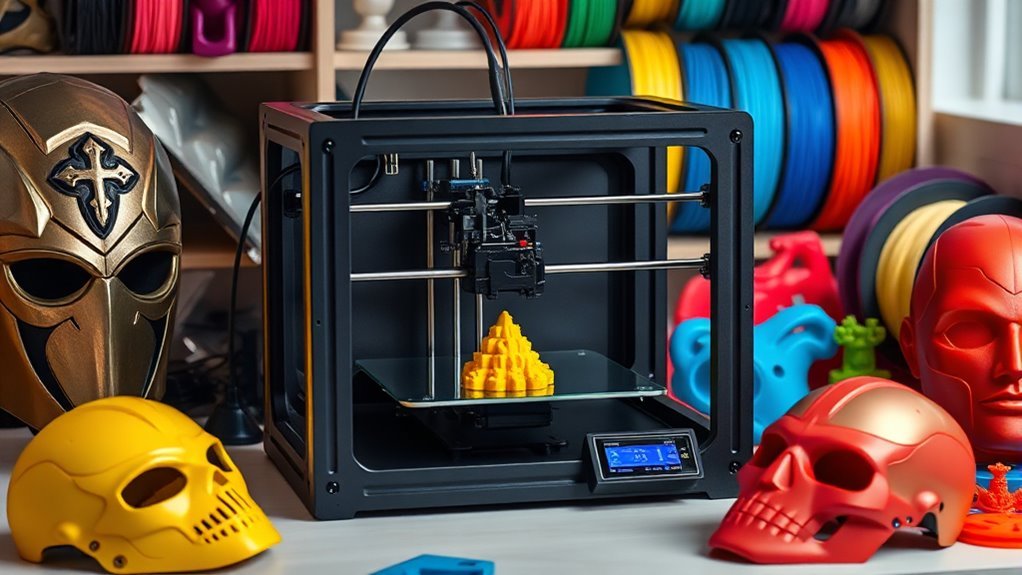
When choosing a budget 3D printer for cosplay, you’ll want to contemplate print volume to fit your costume pieces and material compatibility for the effects you want.
Speed and ease of assembly matter if you need quick results without frustration.
Don’t forget precision and detail, since your props and accessories need to look sharp and professional.
Print Volume Needs
Although print volume might seem like a straightforward spec, it plays a crucial role in cosplay 3D printing. Measure your largest single-piece prop or armor panel, then choose a build volume at least 10–20% bigger in each dimension to avoid unnecessary part splitting.
For full helmets or chest plates, aim for around 250–300 mm in X/Y and 300–400 mm in Z. This helps reduce seams and maintain strength.
If you mainly print small accessories, a smaller bed with faster print times may suit you better. Remember, smaller build volumes mean more seams, which add sanding and assembly time.
Also, larger prints need better bed adhesion and reliable first-layer calibration. Often, heated beds are necessary to prevent warping and distortion during printing.
Material Compatibility Options
Print volume sets the stage for what you can create, but the materials your printer can handle determine how durable, flexible, or detailed your cosplay pieces will be. Make sure your printer supports key filaments like PLA for easy prints, TPU around 68D for flexible wearables, and PETG for stronger, heat-resistant parts.
Check nozzle and hotend temperature limits—around 300°C is ideal—to work with specialty filaments like ASA. If you want multicolor or multi-material prints, confirm your printer or its accessories manage multiple filaments while minimizing purge waste.
Also, consider extruder type: direct-drive works best for flexible TPU, and hardened steel nozzles help with abrasive materials. Features like auto filament loading, run-out detection, and adaptive extrusion will keep your prints smooth and reliable during long cosplay projects.
Printing Speed Efficiency
Since cosplay projects often demand quick turnarounds, you’ll want a 3D printer that can move fast without sacrificing quality. Prioritize models with high maximum travel speeds, around 180–600 mm/s, and acceleration settings above 2500 mm/s² to cut print times.
Look for printers and firmware that highlight print-time savings or rapid benchmarks so you can gauge how many pieces you can produce daily. Balancing speed with quality is key—features like vibration compensation, stable frames, linear rails, or dual-lead screws help maintain detail when printing fast.
Time-saving perks such as auto bed leveling, filament sensors, and power-loss recovery reduce failed prints and boost throughput. Also, consider build volume to batch smaller parts, letting you finish cosplay projects efficiently without constant interruptions.
Assembly Ease
Getting your 3D printer up and running quickly can make a big difference when you’re on a tight cosplay deadline. Choose printers that arrive mostly preassembled—ideally 70–90% complete—to cut down setup time, letting you start printing within 15–30 minutes.
Look for clear, step-by-step guides or video tutorials and labeled wiring to avoid errors during assembly. Also, consider how easily you can perform routine maintenance like bed leveling or nozzle changes; features like auto-leveling and tool-less parts make upkeep hassle-free.
Make sure replacement parts use common sizes and connectors so repairs won’t require full teardown. Finally, check the weight and size of components you’ll handle—heavy or bulky parts might need two people or special tools, complicating assembly and delaying your cosplay projects.
Precision And Detail
Once your printer is assembled and ready to go, focusing on precision and detail will help bring your cosplay creations to life. Look for a printer with a layer height of 0.1 mm or finer to capture intricate textures and sharp edges.
You’ll want to prioritize stable Z-axis mechanics, like dual lead screws, to reduce Z-wobble and avoid visible banding. Also, check the XY motion system for high precision and low backlash to guarantee crisp corners and smooth surfaces.
Opt for printers supporting small nozzles (0.2–0.3 mm) and consistent extrusion control, so fine details print accurately without heavy cleanup. And don’t forget to secure reliable bed leveling and Z-offset repeatability.
First-layer accuracy is super important for detail adhesion and overall print quality in your cosplay props and armor. Taking care of these aspects will really make your prints stand out!
Multicolor Printing Capability
How can you achieve vibrant, detailed cosplay pieces without spending a fortune? Multicolor printing capability is key.
Budget printers range from single-extruder models that require manual filament swaps to native multi-nozzle systems that print 4+ colors simultaneously. These offer seamless color progression without any intervention.
Native systems cut purge waste and filament change times by over 80%, saving you material and money on large builds. Pretty neat, right?
Expandable setups let you scale colors from just a few to nearly twenty, which is ideal for complex costumes. But keep in mind, they do add calibration challenges and increase the risk of print failures.
For sharp color boundaries, make sure to choose precise extrusion control, hardened nozzles, and adaptive compensation.
Also, double-check that your printer supports color-aware slicing and reliable filament switching. This helps avoid wasted prints during those long, multi-color jobs.
Reliability And Stability
Multicolor printing opens up exciting possibilities for cosplay, but without a reliable and stable printer, those vibrant designs can quickly turn into frustrating failures. You should look for printers with dual Z-axis lead screws or reinforced frames that minimize Z-wobble and prevent layer shifting, especially on tall props.
Metal linear shafts or hardened rods on the motion axes help maintain positional accuracy and reduce wear when printing multiple parts. Extruders with all-metal or dual-gear designs guarantee consistent filament feed, avoiding slipping with flexible or abrasive filaments.
Features like filament run-out detection and power-loss recovery save your prints from unexpected interruptions. Finally, a stable heated bed paired with auto or mesh bed leveling preserves first-layer adhesion, keeping your complex bases flawless and your cosplay prints reliable from start to finish.
Budget And Warranty
Although finding a budget 3D printer that meets your cosplay needs can be challenging, setting a clear price range upfront helps you focus on models that offer the best value. It’s a smart move to include a 10–20% buffer for essential accessories like nozzles, build surfaces, and filament, plus any potential upgrades.
Prioritize printers with at least a 12-month warranty covering electronics, hotend, motion parts, and labor. Also, make sure to check if modifications or third-party parts might void that coverage.
Don’t forget to factor in total ownership costs, including consumables, replacement parts, and how often you’ll need maintenance. It’s more than just the initial price tag.
Finally, make sure the manufacturer offers responsive after-sales support with quick spare part shipping. This helps minimize downtime and keeps your cosplay projects on track without any unexpected delays or expenses.
Frequently Asked Questions
What Types of Filaments Work Best for Cosplay Props?
You’ll want PLA for easy printing and detail, ABS for durability and heat resistance, and TPU for flexible parts. These filaments balance strength, finish, and flexibility, making your cosplay props look great and last longer.
Each type really shines in different areas. PLA is super beginner-friendly and captures fine details beautifully. Meanwhile, ABS can take a beating and handles heat way better, which is great for props that might get a little rough.
And if your design needs to bend or stretch, TPU is your best bet. It’s flexible, so it won’t snap when you move around in your costume. Mixing these filaments depending on your prop’s needs can really up your cosplay game!
How Do I Paint and Finish 3D Printed Cosplay Parts?
You’ll want to sand your parts smooth, then apply a primer to help paint stick.
Use acrylic paints for vibrant colors, and finish with a clear coat to protect your work and give it a polished look.
It’s pretty straightforward once you get the hang of it! Just take your time with each step, and your cosplay parts will look awesome.
Can Budget 3D Printers Handle Flexible Materials for Costumes?
If you want to print flexible costume parts, you can use a budget printer like the Creality Ender 3 with TPU filament. It handles flexible materials well, letting you create comfortable, bendable cosplay pieces without breaking the bank.
Plus, the Ender 3 is pretty user-friendly, so even if you’re new to 3D printing, you’ll find it manageable. Just make sure to tweak your settings a bit for the best results with TPU.
What Safety Precautions Should I Take When 3D Printing?
You should work in a well-ventilated area and wear gloves when handling hot parts. Avoid inhaling fumes to keep yourself safe during the printing process.
Also, make sure to keep your workspace clean. And it’s really important to never leave your printer unattended while it’s running. This way, you can guarantee safe 3D printing sessions.
How Long Does It Typically Take to Print a Full Cosplay Piece?
Printing a full cosplay piece usually takes a generous amount of time, often several hours to a couple of days. You’ll want to be patient, as larger or more detailed parts naturally demand longer printing sessions.
It’s totally normal for the process to feel a bit slow, but the results are worth the wait. Just think about how awesome your finished piece will look!
Conclusion
When you’re crafting your next cosplay masterpiece, imagine the Creality Ender 3 V3 SE humming softly as the Anycubic Kobra X paints vibrant layers like a painter’s brush.
Meanwhile, the Longer LK5 Pro stands ready, its large build volume like an artist’s blank canvas. Choosing the right budget 3D printer isn’t just about specs—it’s about bringing your imagination to life, one precise layer at a time.
With the best budget 3D printers for cosplay, you get the perfect blend of affordability and quality. These printers help turn your creative ideas into detailed, wearable art without breaking the bank.
So whether you’re a beginner or a seasoned cosplayer, picking a budget-friendly 3D printer can make all the difference. It’s about making your cosplay dreams tangible, one layer, one print at a time.