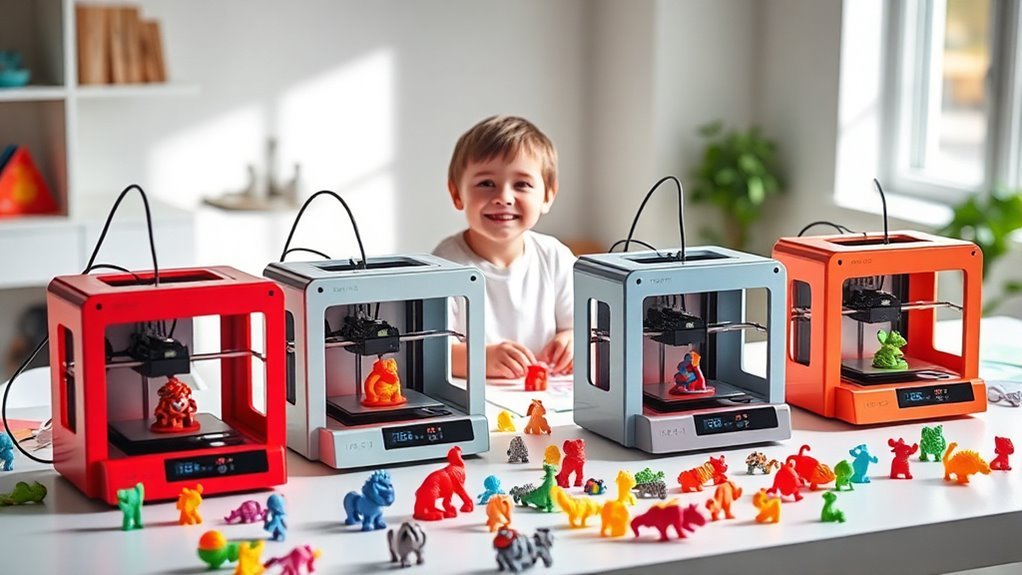
4 Best Budget 3D Printers for Kids in 2027
If you’re looking for a budget-friendly 3D printer for kids in 2027, you’ve got some great options to consider. These printers are designed with beginners in mind, offering a perfect mix of safety, reliability, and ease of use.
Whether your child is just starting out or ready to explore more advanced printing, there’s something here for everyone.
Check out the Entina Tina2C Mini for easy setup and helpful AI tools that make printing a breeze. Or, if speed and variety matter, the AOSEED AI comes with over 20,000 safe models to choose from.
The Geeetech Smart is versatile, featuring WiFi app control and support for multiple materials. Meanwhile, the M1 Mini offers offline printing and flexible filament compatibility.
Each printer balances compact design with kid-friendly features to ensure a fun and safe creative experience. Keep exploring to find the one that fits your needs best!
| Image | Name | Editor's Rating | Price |
|---|---|---|---|

|
|
||

|
|
Entina Tina2C Mini 3D Printer for Beginners
- 【Easy to Use 3D Printer – Ready in 5 Minutes】 Meet the Entina Tina2C, a plug-and-play mini 3D printer designed for first-time users. Fully assembled with factory...
- 【3500+ 3D Models & Easy One-Tap Printing】 Explore 3500+ ready-to-print 3D models and 25+ DIY projects in the Poloprint Cloud app, with new designs added daily...
- 【Smart WiFi 3D Printer & AI-Powered App】 Connect via 2.4GHz WiFi and enjoy convenient 3D printer app control through Poloprint Cloud. Explore models, manage prints...
- 【Auto Leveling 3D Printer & Power-Loss Recovery】 Automatic bed leveling helps improve first-layer adhesion and reduces manual adjustments for a smoother 3D printing...
- 【Flexible Magnetic Print Bed & Quick-Swap Nozzle】 The flexible magnetic build plate makes finished 3D prints easier to remove with a gentle bend. A removable...
The Entina Tina2C Mini 3D Printer is a great choice for beginners and young makers looking for an easy way to explore 3D printing. Its fully assembled, plug-and-play design means you can start printing in just minutes without complicated setup. The guided app and auto leveling ensure your prints stick well from the first layer, reducing frustration.
Maintenance is simple thanks to the quick-swap removable nozzle, which makes cleaning fast and hassle-free. The printer’s compact size fits neatly on any desktop and operates quietly, making it ideal for home or classroom use. If power goes out, power-loss recovery protects your work, so you won’t lose progress on your prints.
Designed specifically for small projects, the Tina2C Mini offers wireless connectivity and access to a large cloud library with AI-powered tools. This helps users create without needing advanced design skills, but the small build volume limits larger prints. The reliance on the proprietary Poloprint app may also restrict some users’ flexibility.
This printer solves the common beginner challenges of setup, maintenance, and print reliability, making 3D printing accessible and enjoyable.
Best for: beginners and young makers seeking an easy-to-use, compact 3D printer for small creative projects and learning.
What We Like:
- Fully assembled, plug-and-play design with guided app support
- Auto leveling and power-loss recovery for reliable printing
- Quick-swap nozzle simplifies maintenance
- Wireless connectivity with a cloud library and AI tools
Specification:
| Feature | Details |
|---|---|
| Manufacturer | Entina |
| Build Volume | 3.9 x 3.9 x 3.9 inches |
| Setup | Fully assembled, plug-and-play |
| Connectivity | Wireless |
| Maintenance | Quick-swap removable nozzle |
| Color Options | Not specified |
AOSEED AI 3D Printer for Kids, Fast 400mm/s, 20,000+ Models, Enclosed Safe
- [NOTE] This printer supports single-color printing only. Multi-color designs can be created by printing separate parts in different colors and assembling them
- A Home Toy Factory with Endless DIY Fun: This mini 3D printer brings a toy factory home, helping families make new toys without extra store trips. With access to...
- AI-Powered Creativity Made Simple: This AI 3D printer lets kids bring their imagination to life. With AI Doodle, children can create custom 3D models using voice, text...
- Easy, Safe One-Tap Printing: Designed as a 3D printer for kids, it makes every project simple. Kids can print with one tap in the app, while parents can feel confident...
- Fast, Precise Printing with Smart Detection: This 3D printer delivers precision up to 0.05 mm and upgraded speeds of 220–250 mm/s, with peaks up to 400 mm/s. Small toy...
The AOSEED AI 3D Printer transforms creative ideas into tangible toys with ease and safety. Its enclosed design ensures a kid-friendly and quiet workspace, making it ideal for family and classroom settings. Printing speeds reach up to 400mm/s, allowing small projects to finish in about 20 minutes, so creativity flows without long waits.
This 3D printer simplifies design by using AI-powered tools like AI Doodle and AI MiniMe. Users can generate models from voice commands, text, or photos without prior experience. Access to over 20,000 tested models and design modules encourages endless imaginative exploration.
Maintenance is straightforward with a leveling-free platform and easy filament changes. Safety features such as filament runout detection and smartphone print monitoring provide peace of mind during operation. Its compatibility with PLA filament supports safe use but limits material variety.
While it only supports single-color prints and has a moderate footprint, this printer offers a balanced solution for quick, safe, and user-friendly 3D printing. It enhances STEM learning by making 3D creation accessible to all ages.
Best for: Families with children and educators seeking a safe, easy-to-use 3D printer for creative STEM projects and fast toy production.
What We Like:
- AI-driven design tools for effortless 3D model creation
- Fast print speeds complete small projects in around 20 minutes
- Enclosed, quiet operation with advanced safety features
- Leveling-free platform simplifies setup and maintenance
- Smartphone monitoring enables convenient print management
Specification:
| Feature | Details |
|---|---|
| Manufacturer | AOSEED |
| Printing Speed | Up to 400 mm/s |
| Supported Filament | PLA |
| Safety Features | Enclosed design, filament runout detection |
| Connectivity | Wi-Fi, smartphone monitoring |
| Dimensions | Moderate size (exact dimensions not specified) |
| Weight | Not specified |
Geeetech Smart 3D Printer for Kids and Beginners with WiFi APP Control
No products found.
The Geeetech Smart 3D Printer brings creativity within easy reach for kids and beginners. Its fully assembled design and WiFi app control allow users to start printing quickly and manage projects remotely. This eliminates complex setup and keeps printing convenient.
With an auto leveling feature and a sturdy frame, the printer consistently delivers high-resolution, precise prints. The 5x5x5 inch print bed accommodates a variety of materials including PLA, ABS, and TPU, making it versatile for both small and moderately sized models.
Maintenance is straightforward thanks to the stable construction and user-friendly interface. The printer’s design minimizes common issues like misaligned layers, reducing the need for frequent adjustments. Its compact size fits well in home or classroom environments but weighs close to 10 pounds, which may affect portability.
While the build volume is modest, it suits most beginner projects and creative explorations. The combination of speed and print quality supports learning and experimentation without added hassle.
Best for: Kids and beginners seeking an easy-to-use, fully assembled 3D printer with reliable WiFi control and consistent print quality.
What We Like:
- Fully assembled with auto leveling for precise, hassle-free printing
- Supports PLA, ABS, and TPU filaments on a 5x5x5 inch build platform
- WiFi app control enables remote operation and monitoring
- Stable frame ensures consistent print quality
- Compact design fits small spaces
Specification:
| Feature | Details |
|---|---|
| Manufacturer | Geeetech |
| Dimensions | Compact (exact size not specified) |
| Weight | Approximately 10 lbs |
| Build Volume | 5 x 5 x 5 inches |
| Supported Filaments | PLA, ABS, TPU |
| Control | WiFi APP |
M1 Mini 3D Printer for Kids and Beginners
No products found.
The M1 Mini 3D Printer is designed to make 3D printing accessible and hassle-free for kids and beginners. Its quick setup means you can start printing in about 15 minutes, straight from the box. Pre-sliced models on the SD card eliminate the need for a computer, simplifying the process and saving time.
This compact printer features 16-point automatic leveling and Auto Nozzle Cleaning, ensuring consistent, reliable prints with minimal maintenance. Its direct drive extruder works with PLA and flexible TPU filaments, allowing users to create a variety of projects, from squeezable toys to wearable items.
With print speeds up to 250 mm/s, the M1 Mini balances performance and size, fitting comfortably on any desk. The filament break detection feature prevents print failures by pausing the process when filament runs out, protecting your work from interruptions and wasted materials.
While its smaller build volume suits desktop use, supervision may be needed for younger children. Advanced users might find its features limited compared to professional-grade printers, but it excels at beginner-friendly printing tasks.
Best for: Parents, educators, and beginners seeking a reliable, easy-to-use 3D printer tailored for creative STEM learning.
What We Like:
- Fast setup with pre-sliced SD card models, no computer needed
- Automatic 16-point bed leveling and nozzle cleaning for hassle-free maintenance
- Direct drive extruder compatible with PLA and flexible TPU filaments
- Filament break detection to avoid failed prints
- Compact design fits easily on desks
Specification:
| Feature | Details |
|---|---|
| Manufacturer | M1 Mini |
| Dimensions | Compact (exact size not provided) |
| Weight | Not specified |
| Material compatibility | PLA, Flexible TPU |
| Color Options | Not specified |
Factors to Consider When Choosing a Budget 3D Printer for Kids
When choosing a budget 3D printer for kids, you’ll want to focus on ease of use and strong safety features to keep things simple and secure. Don’t forget to take into account print quality and connectivity options to get the best results without hassle.
Also, think about the build volume to make sure it fits the projects your child wants to create. It’s all about finding the right balance between functionality and fun!
Ease Of Use
Since kids often get frustrated with complicated setups, choosing a budget 3D printer that’s fully assembled or plug-and-play lets them start printing within minutes. Look for models with auto-leveling or multi-point bed compensation to guarantee the first layer sticks well without manual calibration.
Intuitive touchscreen or app-based controls with guided setup and one-tap print options make operating the printer simple, even if you’re not tech-savvy. Features like removable magnetic or flexible build plates and quick-swap nozzles make removing prints and performing maintenance hassle-free for beginners.
Plus, options like filament runout detection and power-loss recovery reduce failed prints and prevent constant supervision. These ease-of-use factors let kids focus on creativity instead of troubleshooting, making the 3D printing experience enjoyable and stress-free.
Safety Features
Safety should always come first when picking out a 3D printer for kids, especially on a budget. Look for models with enclosed or shrouded print areas and pinch-resistant designs to protect little fingers from hot nozzles and moving parts.
Choose printers that include filament runout detection and power-loss recovery to avoid jams or overheating risks. These features really help keep things running smoothly and safely.
Low-noise operation and thermal protection features, like over-temperature cutoffs, enhance safety and reduce distractions. It’s also important that the printer has secure access, such as lockable doors or childproof latches.
A stable build is key too, so the printer won’t tip over or cause accidental contact during prints. Lastly, confirm that the included filaments meet safety standards and that the printer offers proper ventilation or guidance for managing fumes, especially if you plan to use non-PLA materials.
Print Quality
Beyond ensuring a safe printing environment, you’ll want to focus on the print quality your budget 3D printer can deliver. Look for a printer with a layer resolution between 0.05 and 0.2 mm to achieve smooth surfaces and fine details, especially for miniatures or educational models.
A 0.4 mm nozzle balances print speed and detail well, but smaller nozzles can give you finer results at slower speeds. Make sure the build volume fits typical projects like toys or figurines so you won’t have to scale down or split parts.
Also, consider filament compatibility—PLA is great for quality visuals, while TPU offers flexibility but may need a direct-drive extruder. Reliable bed adhesion with features like auto-leveling or textured build plates guarantees consistent prints and reduces warping.
Connectivity Options
When choosing a budget 3D printer for kids, you’ll want to look closely at connectivity options to make printing as easy and fun as possible. Wi‑Fi connectivity lets you manage prints remotely from smartphones or tablets, often with cloud libraries and one‑tap commands.
If network access is limited or to keep things simple for younger kids, local offline options like TF/SD card printing are great. Some printers include built‑in cameras and cloud apps for real‑time monitoring and automatic time-lapse videos, adding excitement to the process.
USB or wired connections offer direct control and lower latency but require a connected computer. Voice control and onboard touchscreens simplify operations, letting kids start or adjust prints without extra devices.
Choose what fits your child’s needs and environment best. It’s all about making the experience smooth and enjoyable!
Build Volume
How much space do you really need to print your child’s creations? For most kids and beginners, a compact build volume around 4 x 4 x 4 inches to 6 x 6 x 6 inches works well. It’s perfect for toys, figurines, and school projects while keeping the printer small and affordable.
If you want to print bigger models in one piece, you’ll need a larger build volume. But keep in mind, that means longer print times, more filament, and a higher risk of warping or failed prints.
Don’t forget to take into account the maximum part height too. Tall, narrow prints need enough Z-height even if the bed area is small.
If you plan modular or multi-color projects, printing parts separately and assembling them can make a smaller volume more flexible. It’s a handy trick to get creative without needing a huge printer.
Educational Content
What makes a 3D printer truly kid-friendly isn’t just its hardware, but the educational content it offers. You want a printer that comes with or gives access to a vast library of ready-to-print models—hundreds or even thousands—focused on STEM and toys. This way, kids stay engaged without needing 3D modeling skills.
Look for devices that include step-by-step lesson plans and age-appropriate tutorials. These should connect projects to science, tech, engineering, art, and math concepts for structured learning.
It’s also smart to pick printers with simple design tools like text-to-3D or block-style interfaces. These encourage creativity and design thinking, making the whole process more fun.
Don’t forget safety and troubleshooting guides, plus community features where kids and educators can share projects and find inspiration. That way, learning becomes collaborative and enjoyable for everyone.
Frequently Asked Questions
What Safety Precautions Should Parents Take When Kids Use 3D Printers?
You should supervise your kids and guarantee proper ventilation. Also, keep the printer on a stable surface to avoid any accidents.
Make sure to teach them not to touch the hot parts. It’s really important for their safety.
Use non-toxic filaments so they’re not exposed to harmful fumes. And always have a fire extinguisher nearby just in case any emergencies pop up.
How Do 3D Printers for Kids Compare to Professional Models?
Funny enough, kids’ 3D printers are simpler and safer but less precise than professional models. You’ll find they’re easier to use, with fewer features, but perfect for learning and creativity without overwhelming complexity or cost.
They’re designed to be user-friendly, so kids don’t get frustrated. Plus, the safety features mean parents can feel more at ease when their little ones are printing away. Overall, they’re a great way to get started without diving into the deep end of professional-grade machines.
Can Kids Use 3D Printers Without Adult Supervision?
You shouldn’t let kids use 3D printers without adult supervision because the machines can get hot and involve moving parts. Adults help guarantee safety, proper setup, and guide kids through troubleshooting or design adjustments effectively.
It’s really about keeping things safe and making sure the printer is used correctly. Plus, having an adult around means kids can learn how to fix problems or tweak their designs with some helpful guidance.
What Materials Are Safe for Children to Print With?
About 70% of safe kids’ 3D printing uses PLA, a non-toxic, biodegradable material. It’s pretty popular because it’s safe and easy to work with.
You’ll want to avoid ABS since it gives off fumes that aren’t great for little ones. Instead, go for PLA or PETG. These materials are safer and much easier for children to handle.
Are There Educational Programs That Complement 3D Printer Use for Kids?
Yes, you’ll find many educational programs designed to complement 3D printer use for kids. These programs teach design, engineering, and creativity skills.
They make learning fun and interactive while helping you get the most out of your printer. It’s a great way to keep kids engaged and excited about technology.
Conclusion
Choosing the right budget 3D printer for your kid can spark creativity and learning like never before. Imagine Emma, a 10-year-old who transformed her school projects using the Entina Tina2C Mini, turning ideas into real objects quickly and safely.
With options like AOSEED’s fast, enclosed printer or Geeetech’s WiFi-enabled model, you’ll find a perfect fit that’s fun, safe, and easy to use.
Ready to watch your child’s imagination come to life? A budget 3D printer for kids isn’t just a toy—it’s a gateway to innovation and hands-on learning. Whether your child is just starting out or eager to explore new tech, these affordable 3D printers offer safe, user-friendly features that encourage creativity. Investing in one means giving your kid the tools to design, build, and experiment in a fun, educational way. So go ahead, pick a 3D printer that fits your budget and watch your child’s ideas jump off the page and into the real world!