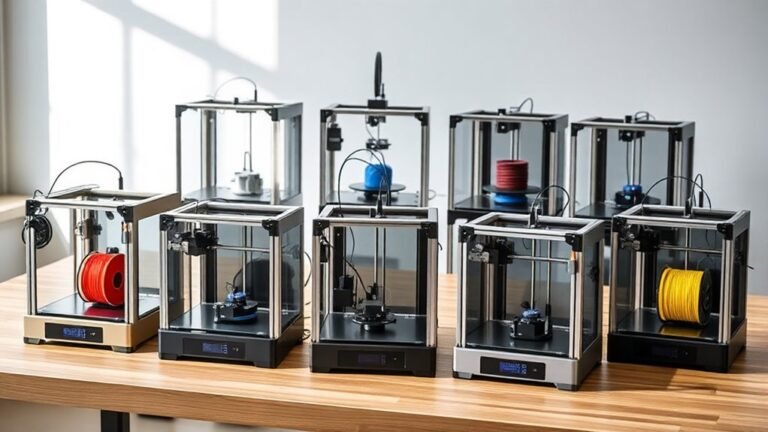
4 Best Budget 3D Printers for Cost-Conscious Buyers in 2027
You’ll find the Portable Compact FDM great for lightweight, small projects, and easy cleanup with its removable plate. It’s perfect if you need something simple and efficient without breaking the bank.
The Creality Ender 3 V3 SE offers beginner-friendly auto-leveling and precise prints thanks to its dual Z-axis. This makes it a solid choice for those new to 3D printing who want reliability and quality.
The Anycubic Kobra X is perfect if you want effortless multicolor prints with one-click setup and AI error detection. It’s designed to make your printing experience smooth and hassle-free.
For quick, family-friendly printing, the TINA2C is ready in 5 minutes with app control. Keep exploring to uncover what fits your budget and needs best.
| Image | Name | Editor's Rating | Price |
|---|---|---|---|

|
|
||

|
|
||

|
|
||

|
|
Portable Compact FDM 3D Printer with Removable Plate
- Foolproof Setup with Video Guides – Never get stuck! We provide a crystal-clear Quick Start Guide and step-by-step video tutorials. Watch them online to get started.
- Simple Assembly with Video Guide – Requires quick modular setup (watch our step-by-step video). Comes with 10m PLA filament, TF card, tools, and 12V Type-C power...
- Versatile Filament Compatibility – Unleash your creativity with both PLA and flexible TPU (1.75mm). The reliable 0.4mm nozzle and precise 0.05-0.3mm layer thickness...
- Reliable Performance & Compact Design – Features stable FDM technology and a removable build plate for easy model removal. The perfect 100x100x100mm build volume is...
- Complete Package – No Hidden Costs – Includes printer, 10m PLA filament, 8GB TF card + reader, tools, illustrated manual, and 12V Type-C power adapter. Plus free...
Looking for a compact 3D printer that fits your space and your budget? This portable FDM 3D printer offers a practical solution for those who need reliable printing without the bulk. Its removable build plate makes taking off finished models easy, reducing the risk of damage and simplifying cleanup.
Designed for effortless use, it supports PLA and TPU filaments with precise extrusion through a 0.4 mm nozzle. The 100 x 100 x 100 mm build volume is ideal for small to medium projects, making it a great choice for learning and experimentation.
Maintenance stays straightforward thanks to the stable FDM technology and clear setup instructions, including video tutorials. Weighing just 2.2 pounds, it’s highly portable and fits neatly on any desk or workspace.
While the build volume limits larger creations and filament compatibility is focused, this printer excels at delivering consistent prints with minimal hassle. It’s best suited for beginners, students, and hobbyists who prioritize ease of use and portability.
Best for: beginners, students, and hobbyists needing a compact, user-friendly 3D printer for small projects and educational use.
What We Like:
- Removable build plate for easy model removal and cleaning
- Simple setup with clear guides and video tutorials
- Lightweight and compact for easy portability
Specification:
| Feature | Details |
|---|---|
| Manufacturer | Portable Compact |
| Dimensions (in) | Approx. 7.9 x 7.9 x 7.9 |
| Weight (lb) | 2.2 |
| Material | PLA, TPU filaments only |
| Nozzle Size (mm) | 0.4 |
| Build Volume (mm) | 100 x 100 x 100 |
Creality Ender 3 V3 SE Beginner-Friendly 3D Printer with Auto Leveling
- 250mm/s High-Speed Printing: Print at speeds of up to 250mm/s with 2500mm/s² acceleration, helping you complete prototypes, functional parts, and everyday projects...
- Easy Setup with Auto Leveling: Designed for a fast and straightforward setup, the Ender 3 V3 SE can be assembled in just a few simple steps. CR Touch Auto Leveling and...
- Proven Sprite Direct Drive Extruder: The upgraded Sprite Direct Drive Extruder provides smooth and consistent filament feeding for PLA, PETG, and TPU. Its proven design...
- Stable Motion System for Consistent Results: Dual synchronized Z-axis lead screws and precision Y-axis linear shafts work together to help reduce vibration and Z...
- Quiet Operation with Easy Print Removal: A 32-bit silent mainboard helps reduce operating noise for a more comfortable printing experience, while the flexible PC spring...
The Creality Ender 3 V3 SE offers a smooth introduction to 3D printing with its user-friendly auto leveling system. The built-in CR Touch and automatic Z-offset calibration remove much of the manual setup, helping you achieve a reliable first layer every time. This feature alone cuts down frustration and saves time during your initial prints.
Designed for precision and stability, the printer uses dual synchronized Z-axis lead screws and precision Y-axis linear shafts to reduce vibration and Z wobble. This means your prints come out with consistent layers and improved surface quality. The machine’s upgraded Sprite Direct Drive Extruder handles various filaments like PLA, PETG, and TPU without jamming or uneven extrusion.
Maintenance is straightforward thanks to the flexible spring steel build plate, which lets you peel off finished prints easily. The assembly is quick, and a silent 32-bit mainboard keeps operation quiet, making it suitable for home or office environments. While the printer weighs nearly 20 pounds and has a max speed of 250 mm/s, it balances portability and performance well for hobbyists.
Best for: Beginners and hobbyists looking for a reliable 3D printer with advanced features that simplify setup and support multiple filament types.
What We Like:
- CR Touch auto leveling and Z-offset calibration for easy, accurate first layers
- Dual Z-axis lead screws and precision linear shafts minimize vibrations
- Upgraded Sprite Direct Drive Extruder supports PLA, PETG, and TPU filaments
- Flexible spring steel build plate for effortless print removal
- Quiet 32-bit mainboard enhances user experience
Specification:
| Feature | Details |
|---|---|
| Manufacturer | Creality |
| Dimensions (L×W×H) | Not specified |
| Weight | Nearly 20 lb (approx. 9 kg) |
| Material | Metal frame, spring steel build plate |
| Color Options | Not specified |
Anycubic Kobra X Multicolor 3D Printer, Easy One-Click Printing
- 【Vivid 19-Color and Versatile Materials】Unleash creativity beyond limits. The Kobra X supports 4-color standard and expands up to 19 colors with 4 ACE 2 Pro for...
- 【600mm/s High Speed Performance】Don't let slow speeds limit your creativity. This high-speed FDM 3D printer reaches up to 600mm/s, completing tasks significantly...
- 【True Plug & Play Experience】Start your first project in as little as 15 minutes. The Kobra X arrives with a user-friendly setup and LeviQ 3.0 automatic bed leveling...
- 【LeviQ 3.0 Perfect First Layer】Forget the frustration of manual bed leveling that plagues beginner machines. The LeviQ 3.0 system utilizes 49-point full-auto leveling...
- 【Quiet & Reliable for Home】The ultra-quiet ≤48 dB operation ensures the living or learning space remains peaceful. Combined with power loss recovery and filament...
The Anycubic Kobra X Multicolor 3D Printer transforms your creative process with easy one-click printing and vibrant multicolor capabilities. Designed to handle up to four colors out of the box, it can expand to 19 colors with additional hardware. This flexibility allows you to produce detailed, multi-material models without complex setup.
Its adaptive extrusion force compensator ensures smooth printing with various filaments like TPU, PLA, PETG, PVA, and ASA. You get crisp details at fast speeds up to 600 mm/s, while the 260 × 260 × 260 mm build volume suits most small to medium projects. The printer’s setup is plug-and-play, reducing downtime and simplifying maintenance.
LeviQ 3.0 auto bed leveling ensures your first layers adhere perfectly every time, improving print success rates. Real-time monitoring and AI error detection help prevent failed prints. The filament run-out sensor and ultra-quiet operation add convenience, making this printer ideal for homes and classrooms.
While the maximum nozzle temperature of 300°C limits some high-temperature materials, the expandable color options and reliable performance offer a versatile solution for multicolor 3D printing.
Best for: hobbyists, educators, and small businesses needing a versatile, easy-to-use multicolor 3D printer with fast setup and consistent results.
What We Like:
- Supports up to 4 colors standard, expandable to 19 with add-ons
- LeviQ 3.0 auto bed leveling and AI error detection improve reliability
- Real-time monitoring and filament run-out sensor add convenience
- Ultra-quiet operation fits well in home or classroom settings
Specification:
| Feature | Details |
|---|---|
| Manufacturer | Anycubic |
| Build Volume | 260 × 260 × 260 mm |
| Max Nozzle Temperature | 300°C |
| Color Support | Up to 4 standard; 19 max |
| Supported Filaments | TPU, PLA, PETG, PVA, ASA |
| Print Speed | Up to 600 mm/s |
TINA2C 3D Printer Beginner Friendly, Easy-Ready to Print in 5 Mins
- 【BEGINNER FRIENDLY-READY TO PRINT】Hephi3d Tina2C 3d printer friendly for home, fully assembled, factory preset, auto leveling, ready to print right out of the box, no...
- 【EASY TO USE-ONE TAP PRINTING】Tina2C mini 3d printer provides 3500+ online massive ready to print model library, new designs update every day. You can print in one...
- 【UNLIMITED CREATIVITY-EASY DIY】Tina2C beginner friendly 3d printer with APP provides STEM Learning Module and 25+ design modules for simply customizing. AIGC & Photo...
- 【FULLY OPEN SOURCE-NO LIMITS】Tina2C beginner 3d printer is no software lock-In. Print you way freely with Wiibuilder or Cura on PC and laptops, one-click wifi upload...
- 【FAMILY & BEGINNER FRIENDLY】 Tina2c compact 3d printer for home can print anytime anywhere, space save. Silent Printing and Auto Detect Bed function give more safe...
Jump into 3D printing quickly with the TINA2C, a beginner-friendly 3D printer designed to get you started in just five minutes. Its fully assembled and auto-leveled design eliminates setup frustration, letting you simply plug in and print your first model right away.
The TINA2C includes everything needed for smooth operation: PLA filament, essential tools, and a TF card loaded with test models. You can control your prints easily through a mobile app, offering one-tap printing and access to over 3,500 updated 3D models. This app also supports STEM learning and AI-generated designs, making it a versatile tool for education and creativity.
Maintenance is straightforward with quick hotend access for fast cleaning and resume printing functionality, so your projects stay on track even after power interruptions. Its compact and silent design fits well in any home or family setting, providing a reliable and user-friendly experience.
While the included starter PLA filament is perfect for most beginners, those pursuing advanced projects may want to explore additional filament types. The app’s Wi-Fi features require a stable internet connection, and deeper customization might need familiarity with software like Cura or Wiibuilder.
Best for: Beginners and hobbyists seeking an easy-to-use, ready-to-print 3D printer ideal for home use, STEM education, and family projects.
What We Like:
- Fully assembled with auto-leveling for hassle-free setup
- Mobile app with one-tap printing and extensive model library
- Supports STEM learning and AI-generated 3D designs
- Compact, quiet operation with resume printing feature
- Easy maintenance with quick hotend access
Specification:
| Feature | Details |
|---|---|
| Manufacturer | TINA |
| Dimensions | Compact size (exact not specified) |
| Weight | Not specified |
| Material | Not specified |
| Color Options | Not specified |
Factors to Consider When Choosing Budget 3d Printer Cost

When choosing a budget 3D printer, you’ll want to balance print quality with the size of your projects and the materials you plan to use. It’s important to think about how detailed your prints need to be and what kinds of items you want to create.
Also, consider how easy the printer is to set up and maintain. Nobody wants to spend hours troubleshooting or fixing their machine.
And don’t forget about durability — a sturdy printer can save you money in the long run. Keeping these factors in mind will help you get the best value for your money.
Print Quality Expectations
Understanding print quality expectations helps you make smarter choices when picking a budget 3D printer. Most entry-level FDM printers offer layer heights from 0.05 to 0.3 mm; lower layers mean finer details but longer print times.
A 0.4 mm nozzle is common, balancing detail and speed, though hardened or smaller nozzles can enhance fine features. Print resolution depends on stable motion and extrusion precision, so look for models with minimal Z-wobble and consistent step sizes to get smoother surfaces.
Material choice also matters: PLA delivers crisp details, TPU’s flexibility can blur edges, and PETG may cause stringing. Keep in mind that faster print speeds reduce time but often sacrifice detail quality. So, slowing down is key to achieving the best results on a budget printer.
Build Volume Needs
Consider the size of the largest object you’ll print before choosing a budget 3D printer’s build volume. If you mainly print small figurines or educational demos, a build volume around 150×150×150 mm should suffice.
For practical prototypes or parts, look for at least 200×200×200 mm. Keep in mind, usable space depends on X/Y/Z travel and any obstructions, so check net printable dimensions—not just the nominal size.
Larger volumes mean longer print times and higher risks of warping or defects, so decide if splitting models is an option. Bigger printers often have heavier frames and greater power needs, increasing maintenance and operating costs.
Also, balance your volume needs against workspace size and noise, since large printers may not fit easily or run quietly in your environment. It’s all about finding the right fit for what you need and where you’ll use it.
Filament Compatibility Options
Explore the range of filament compatibility your budget 3D printer offers to guarantee it meets your project needs. Most budget FDM printers use 1.75 mm filament, ensuring broad spool and extruder compatibility.
Check if your printer handles essential filaments like PLA, PETG, and TPU—flexible materials like TPU often need direct-drive extruders and higher nozzle temps (250–300°C). Confirm the hotend’s max temperature and nozzle type; heated beds improve adhesion for PETG or ABS.
Features like filament run-out sensors and hardened nozzles for abrasive composites add value. Also, consider community and software support for slicing profiles tailored to each filament.
Good presets save you time and filament by reducing print errors. Choosing a printer with versatile filament compatibility helps you tackle diverse projects without extra upgrades.
Ease Of Setup
Once you’ve checked that your budget 3D printer supports the filaments you want, the next step is to see how easy it is to get started. Check if the printer ships fully assembled or as a kit—fully assembled models often get you printing within 5–30 minutes, while kits can take hours.
Look for automated features like auto-bed leveling and automatic Z-offset calibration to reduce manual setup and improve first-layer success. These really take the hassle out of getting started.
Prioritize printers with clear, step-by-step guides, video tutorials, and included starter files or TF/SD cards to make learning easier. Easy filament loading, detachable build plates, and straightforward connectivity—like plug-and-play USB or mobile app support—make setup and print transfers hassle-free.
All these little things add up to spending less time preparing and more time actually printing.
Maintenance And Durability
Although budget 3D printers can save you money upfront, you’ll want to keep an eye on maintenance and durability to avoid unexpected costs and downtime. Check the availability and cost of common wear parts like nozzles, belts, and bearings. Frequent replacements might cost you $10–$50 annually.
Choose printers with modular, easily replaceable components—hotends, extruders, and bed surfaces—that cut repair time and expenses. Also, pay attention to the build plate type. Magnetic spring-steel or removable glass/PEI sheets last longer and resist warping better than painted beds.
Regular maintenance, such as belt tensioning and nozzle cleaning, takes about 30–60 minutes monthly but guarantees quality prints and extends parts’ lifespan. Finally, opt for printers with sturdy metal frames and features like dual-leadscrew Z axes or linear rails. These reduce wear and misalignment, keeping your printer running smoothly.
Software And Connectivity
How easily can you connect and control your 3D printer? Look for models that support common slicer formats like STL, OBJ, and G-code, and work seamlessly with popular slicer software such as Cura or PrusaSlicer.
Choose printers offering multiple connectivity options—USB, SD/TF cards, Wi-Fi, or USB-C—so you can print however you prefer. Features like mobile app control, web interfaces, or built-in touchscreens let you monitor prints remotely and tweak settings without re-slicing.
Make sure the firmware supports updates and uses open or well-documented protocols to benefit from improvements and community features. Finally, prioritize printers with print monitoring and recovery tools, including filament run-out detection and power-loss resume, to reduce failed prints and save you time and materials.
Noise Levels And Operation
Alongside connectivity and software features, the noise your 3D printer makes during operation can greatly affect your experience, especially in shared or quiet spaces. Typical FDM printers run between 40–65 dB, so models quieter than 48 dB are ideal for home or classroom use.
Stepper motors, fans, and vibrations generate most noise, but insulated enclosures, silent stepper drivers, and vibration-damping mounts help reduce it. Higher print speeds increase noise due to rapid motor movements and vibrations, so balancing speed with lower acceleration and jerk settings keeps sound down.
Fans often run nonstop and contribute constant noise, but larger, quieter fans or software-controlled fan profiles can lower this. For evening or multi-user environments, measure noise at about 1 meter and factor in a 10–15 dB increase caused by room reflections.
Frequently Asked Questions
What Types of Filaments Are Compatible With Budget 3D Printers?
You’ll find budget 3D printers typically work with PLA and ABS filaments. Some also handle PETG and TPU, but flexible or specialty filaments might need pricier models.
Stick to common types for reliable, affordable printing. It just makes the whole process smoother and less stressful.
How Noisy Are Budget 3D Printers During Operation?
You’ll find budget 3D printers can be a bit noisy, often producing buzzing or humming sounds during operation. However, many models include quieter components or vibration dampeners, so the noise level is usually manageable in a home setting.
That said, it really depends on the specific printer you choose. Some are surprisingly quiet, while others might be a bit louder than you’d expect. But overall, it’s not something that should disrupt your day-to-day use.
Can Budget 3D Printers Be Upgraded With Additional Features?
Yes, you can upgrade budget 3D printers with features like better print beds, improved extruders, or added auto-leveling. Just make sure the model supports modifications and you’re comfortable with DIY adjustments to enhance performance.
It’s pretty cool how a few tweaks can make a big difference. Plus, upgrading lets you get more out of your printer without spending a ton on a new one.
What Maintenance Is Required for Budget 3D Printers?
Wondering what maintenance budget 3D printers need? You’ll clean the nozzle, lubricate moving parts, and check belt tension regularly.
Don’t forget to update the firmware too. These simple steps keep your printer running smoothly and extend its lifespan without hassle.
Are There Warranty Options Available for Budget 3D Printers?
Yes, many budget 3D printers come with warranty options, usually covering parts and defects for 6-12 months.
You’ll want to check each brand’s policy, as coverage and duration can vary considerably. It’s always good to know exactly what’s included before you buy.
Conclusion
Choosing the right budget 3D printer is like picking the perfect pair of shoes—you want comfort, reliability, and style without breaking the bank. Just like a runner trusts their shoes for every mile, you’ll rely on your printer to bring ideas to life.
With options like the Ender 3 V3 SE and Anycubic Kobra X, you’re set to step confidently into 3D printing. These printers offer great value, making it easier than ever to dive into creating amazing projects without overspending.
If you’re cost-conscious but don’t want to compromise on quality, budget 3D printers like these are your best bet. They combine affordability and performance, allowing you to explore 3D printing with ease. So, whether you’re a beginner or looking to upgrade, these budget-friendly printers will help you turn your ideas into reality without breaking the bank.