5 Best Budget 3D Printers for 2027 That Deliver Quality Results
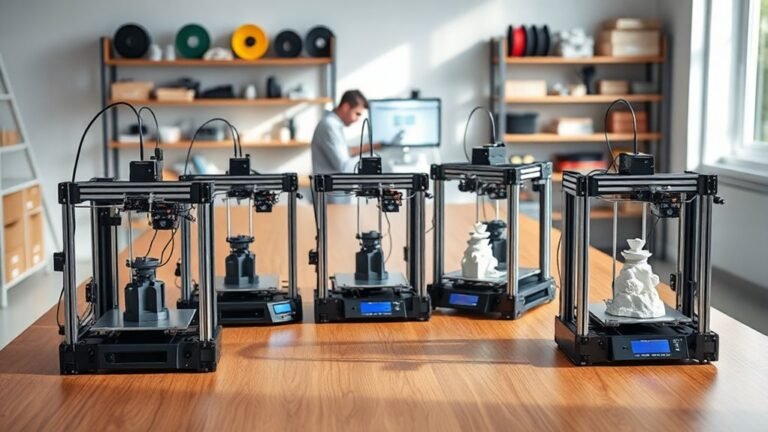
If you want a reliable budget 3D printer in 2027, consider the Creality Ender 3 V3 SE. It’s beginner-friendly with features like auto-leveling and fast printing, making it a solid choice for newcomers. Plus, it delivers quality results without breaking the bank.
The Entina Tina2 Plus is another great option, especially for kids and educators. It comes with safety features and preloaded models, which make it perfect for classrooms or family projects. For those who want detailed resin prints, the ANYCUBIC Photon Mono 4 shines with its 7″ 10K mono LCD, providing crisp and precise results.
Need something portable? Look for a compact FDM printer with a removable plate—it’s ideal for small projects on the go. Keep exploring to find which budget 3D printer fits your needs best!
| Image | Name | Editor's Rating | Price |
|---|---|---|---|

|
|
||

|
|
||

|
|
||

|
|
||

|
|
Creality Ender 3 V3 SE Beginner-Friendly 3D Printer with Auto Leveling
- 250mm/s High-Speed Printing: Print at speeds of up to 250mm/s with 2500mm/s² acceleration, helping you complete prototypes, functional parts, and everyday projects...
- Easy Setup with Auto Leveling: Designed for a fast and straightforward setup, the Ender 3 V3 SE can be assembled in just a few simple steps. CR Touch Auto Leveling and...
- Proven Sprite Direct Drive Extruder: The upgraded Sprite Direct Drive Extruder provides smooth and consistent filament feeding for PLA, PETG, and TPU. Its proven design...
- Stable Motion System for Consistent Results: Dual synchronized Z-axis lead screws and precision Y-axis linear shafts work together to help reduce vibration and Z...
- Quiet Operation with Easy Print Removal: A 32-bit silent mainboard helps reduce operating noise for a more comfortable printing experience, while the flexible PC spring...
Step into the world of 3D printing with the Creality Ender 3 V3 SE, designed to simplify your creative process. Its auto leveling feature removes the usual frustration of manual bed adjustments, ensuring your prints start perfectly every time. This means less setup time and more focus on bringing your ideas to life.
Maintenance is hassle-free thanks to the flexible PC spring steel build plate, which lets you remove prints quickly without damage. The printer’s design supports easy filament changes and smooth feeding, powered by the reliable Sprite Direct Drive Extruder. This helps maintain consistent print quality throughout your projects.
The Ender 3 V3 SE works well with common filaments like PLA, PETG, and TPU. It balances speed and precision, printing up to 250 mm/s without sacrificing detail. While it may not satisfy industrial-speed demands, it offers dependable performance for most hobbyist and beginner needs.
Weighing just under 20 pounds, it is stable but less portable. Overall, this printer is crafted to reduce the learning curve and improve your 3D printing experience with thoughtful features and solid functionality.
Best for: beginners and hobbyists seeking a straightforward 3D printer with dependable auto leveling and versatile filament support.
What We Like:
- CR Touch auto leveling and automatic Z-offset calibration for hassle-free setup
- Flexible PC spring steel build plate enabling easy print removal
- Sprite Direct Drive Extruder ensures smooth filament feeding
- Supports PLA, PETG, and TPU for varied printing projects
- Balanced speed of up to 250 mm/s maintaining consistent print quality
Specification:
| Feature | Details |
|---|---|
| Manufacturer | Creality |
| Dimensions (L×W×H) | Not specified |
| Weight | ~20 lb (9 kg) |
| Build Plate Material | Flexible PC spring steel |
| Supported Filaments | PLA, PETG, TPU |
| Max Printing Speed | 250 mm/s |
Entina Tina2 Plus 3D Printer for Beginners & Kids
- 【Start Printing in Minutes – Beginner Friendly】No setup required. Tina2 Plus 3d printer comes fully assembled and ready to use out of the box. With included TF card...
- 【Fast 250mm/s Printing Performance】This Tina2 Plus high speed 3D printer print speeds up to 250 mm/s help reduce waiting time and support fast project turnaround...
- 【WiFi App Control & STEM Model Library】Powered by the Poloprint Cloud app, this WiFi-enabled 3D printer gives access to 3,500+ printable models and 25+ creative DIY...
- 【40-Second Fast Heat Ceramic Hotend】High-efficiency ceramic hotend heats up in just 40 seconds for faster start-up and less downtime. The quick-swap nozzle design...
- 【Compact 3D Printer for Home & Classroom】Designed with a space-saving footprint while maintaining practical print capacity, this compact 3D printer fits easily on...
The Entina Tina2 Plus 3D Printer offers a user-friendly introduction to 3D printing for beginners and kids. Its fully assembled design allows users to start printing quickly without complicated setup. The included TF card with preloaded models helps users dive into projects right away.
This printer connects easily via WiFi, USB, or TF card and supports multiple operating systems like Windows, macOS, Linux, and Chromebook. Its dual Z-axis and auto-leveling PEI spring steel plate ensure reliable, high-quality prints with minimal hassle. These features reduce print errors and help users achieve consistent results.
Designed with safety in mind, the partially enclosed frame protects users during operation, making it suitable for supervised young creators. Maintenance is straightforward, with accessible components for cleaning and model swapping. The Poloprint Cloud app adds convenience by providing access to thousands of models and remote control options, supporting creative learning and STEM projects.
Best for: Beginners, kids, and educators seeking a safe, easy-to-use 3D printer that supports STEM education and creative exploration.
What We Like:
- Quick setup with preloaded models on TF card
- Stable prints thanks to dual Z-axis and auto-leveling plate
- Safety-focused partially enclosed frame for supervised use
- Compatible with multiple operating systems and connectivity options
- Access to 3,500+ models via Poloprint Cloud app
Specification:
| Feature | Details |
|---|---|
| Manufacturer | Entina |
| Dimensions | Not specified |
| Weight | Not specified |
| Material | PEI spring steel plate included |
| Connectivity | WiFi, USB, TF card |
| OS Compatibility | Windows, macOS, Linux, Chromebook |
ANYCUBIC Photon Mono 4, Resin 3D Printer with 7” 10K Mono LCD Screen
- 【7'' 10K High Resolution】Photon Mono 4 boasts an impressive 105% increase in print precision compared to Mono 2. With a resolution of 9024x5120, each pixel measures a...
- 【Powerful Light Source】The time-tested Anycubic LighTurbo matrix light source technology delivers stable, balanced, and uniform lighting to reduce layer lines and...
- 【Sufficient Print Size】With a generous maximum build volume of 6.04'' x 3.42'' x 6.49''/153.4mm x 87mm x 165mm, you have ample print space to easily tackle your daily...
- 【Laser-engraved Print Platform 2.0】With a new design, the laser engraving platform of the photon mono 4 improves adhesion to mitigate lifting and warping of the model...
- 【User-friendly Function】The 4-point leveling method is ideal for beginners, after the first leveling and tightening the 4 screws, no need to repeat leveling. Photon...
Experience precision and efficiency with the ANYCUBIC Photon Mono 4, a resin 3D printer designed to elevate your creative projects. Its 7″ 10K monochrome LCD delivers ultra-high resolution, ensuring every detail is crisp and clear. This precision helps you produce smooth surfaces and intricate models without the usual hassle.
The printer’s LighTurbo matrix light source ensures even illumination across the build plate, reducing layer lines and improving surface quality. This means less post-processing and more time enjoying your finished prints. Its compact build volume fits well on any desktop while accommodating most hobbyist and professional needs.
Maintenance is straightforward with a laser-engraved print platform that promotes strong adhesion and minimizes warping. The simple 4-point leveling system allows quick setup, so you can focus on printing rather than adjustments. While it lacks app connectivity for remote control, its reliability and consistent results make it a dependable tool.
Although the build size may limit very large projects, the Photon Mono 4 excels in delivering high-resolution prints quickly and efficiently. Its resume-on-power-loss feature adds a layer of security in case of interruptions but may not guarantee full recovery every time.
Best for: hobbyists and professionals seeking an accessible resin 3D printer that balances ultra-high resolution with ease of use and solid build quality.
What We Like:
- Exceptional detail from 7″ 10K monochrome LCD screen
- Uniform light distribution reduces layer lines
- Easy 4-point leveling and laser-engraved platform for reliable adhesion
- Compact design fits small workspaces without sacrificing quality
Specification:
| Feature | Details |
|---|---|
| Manufacturer | ANYCUBIC |
| Build Volume | 6.04 x 3.42 x 6.49 inches |
| Screen Size | 7 inches |
| Screen Resolution | 9024 x 5120 pixels |
| Pixel Size | 17 μm |
| Light Source | LighTurbo matrix |
| Leveling System | 4-point manual leveling |
Portable Compact FDM 3D Printer with Removable Plate
- Foolproof Setup with Video Guides – Never get stuck! We provide a crystal-clear Quick Start Guide and step-by-step video tutorials. Watch them online to get started.
- Simple Assembly with Video Guide – Requires quick modular setup (watch our step-by-step video). Comes with 10m PLA filament, TF card, tools, and 12V Type-C power...
- Versatile Filament Compatibility – Unleash your creativity with both PLA and flexible TPU (1.75mm). The reliable 0.4mm nozzle and precise 0.05-0.3mm layer thickness...
- Reliable Performance & Compact Design – Features stable FDM technology and a removable build plate for easy model removal. The perfect 100x100x100mm build volume is...
- Complete Package – No Hidden Costs – Includes printer, 10m PLA filament, 8GB TF card + reader, tools, illustrated manual, and 12V Type-C power adapter. Plus free...
Step into the world of 3D printing with this portable compact FDM 3D printer, designed to make your creative projects simple and enjoyable. Its removable build plate streamlines the printing process and cleanup, so you spend less time managing your workspace and more time bringing ideas to life.
Setup is straightforward thanks to a clear quick-start guide and helpful video tutorials. These resources ensure you can assemble, level, and load filament with ease, even if you’re new to 3D printing. The printer’s 0.4 mm nozzle and 100 x 100 x 100 mm build volume deliver precise results using common materials like PLA and flexible TPU.
This compact machine fits perfectly in limited spaces, making it suitable for classrooms, hobby desks, and STEM projects. Maintenance is hassle-free, and the included accessories mean you can start printing immediately without extra purchases.
While the build volume limits larger projects and advanced features are absent, this printer excels in user-friendliness and convenience for beginners and casual users.
Best for: Beginners, students, and hobbyists seeking a compact, easy-to-use 3D printer for small-scale projects and educational purposes.
What We Like:
- Simple setup with guided tutorials for quick assembly.
- Removable build plate enhances usability and cleanup.
- Supports PLA and flexible TPU for versatile printing options.
- Compact design ideal for small spaces and learning environments.
Specification:
| Feature | Details |
|---|---|
| Manufacturer | Not specified |
| Build Volume | 100 x 100 x 100 mm |
| Nozzle Diameter | 0.4 mm |
| Supported Materials | PLA, TPU |
| Dimensions | Compact (exact size not specified) |
| Weight | Not specified |
Creality Ender 3 V3 SE 3D Printer Upgrade
- 【250mm/s High-speed Printing】Creality Ender 3 V3 SE 3d printer supports a maximum printing speed of 250mm/s, 2500mm/s² acceleration.The speed has been greatly...
- 【Powerful ""Sprite"" Direct Extruder】Ender 3 V3 SE is the upgrade of ender 3, ender 3 v2, ender 3 pro, ender 3 neo, ender 3 v2 neo, ender 3 s1, ender 3 s1 pro etc 3d...
- 【Worry-free CR Touch Auto Leveling & Strain Sensor】Creality Ender 3 upgraded 3d printer features a CR Touch sensor for auto leveling and a strain sensor for auto...
- 【Stable Dual Z-axis & Y-axis Linear Shafts】High-precision dual Z-axis lead screws reduce Z wobbling effectively, avoid printing deviation in single-axis printing...
- 【Quick Assembly & Easy to Use】Preassembly has solved those hassles and worries of parts assembly, It only takes 3 steps to complete the assemble the ender-3 v3 se 3d...

The Creality Ender 3 V3 SE 3D printer transforms your creative process by significantly speeding up print times without compromising quality. With printing speeds up to 250 mm/s, it helps reduce project turnaround, making it ideal for users who value efficiency.
This model’s dual Z-axis lead screws and steel linear shafts provide enhanced stability and precision. These features ensure your prints maintain accuracy over longer runs, reducing the need for reprints and adjustments.
Maintenance is straightforward thanks to the Sprite full-metal dual-gear extruder. It offers smooth filament feeding and easy loading, minimizing filament jams and downtime. The CR Touch auto-leveling system simplifies setup, so you spend more time printing and less time calibrating.
The Ender 3 V3 SE’s compact build supports prints up to 220 x 220 x 250 mm, suitable for a wide range of projects. While it weighs 15.66 lb, its sturdy design balances portability and durability. This printer is a thoughtful upgrade for hobbyists wanting reliable, fast, and user-friendly performance.
Best for: hobbyists and beginners seeking a fast, reliable, and budget-friendly 3D printer with easy setup and quality printing capabilities.
What We Like:
- Prints up to 73% faster than many competitors, boosting productivity.
- Dual Z-axis lead screws and steel linear shafts enhance stability and precision.
- Sprite full-metal dual-gear extruder ensures smooth filament feeding.
- CR Touch auto-leveling reduces manual calibration effort.
- Quick assembly, ready to print in about 20 minutes.
Specification:
| Feature | Details |
|---|---|
| Manufacturer | Creality |
| Print Speed | Up to 250 mm/s |
| Build Volume | 220 x 220 x 250 mm |
| Weight | 15.66 lb (7.1 kg) |
| Extruder Type | Sprite full-metal dual-gear |
| Auto-Leveling | CR Touch auto-leveling |
Factors to Consider When Choosing a Budget 3D Printer
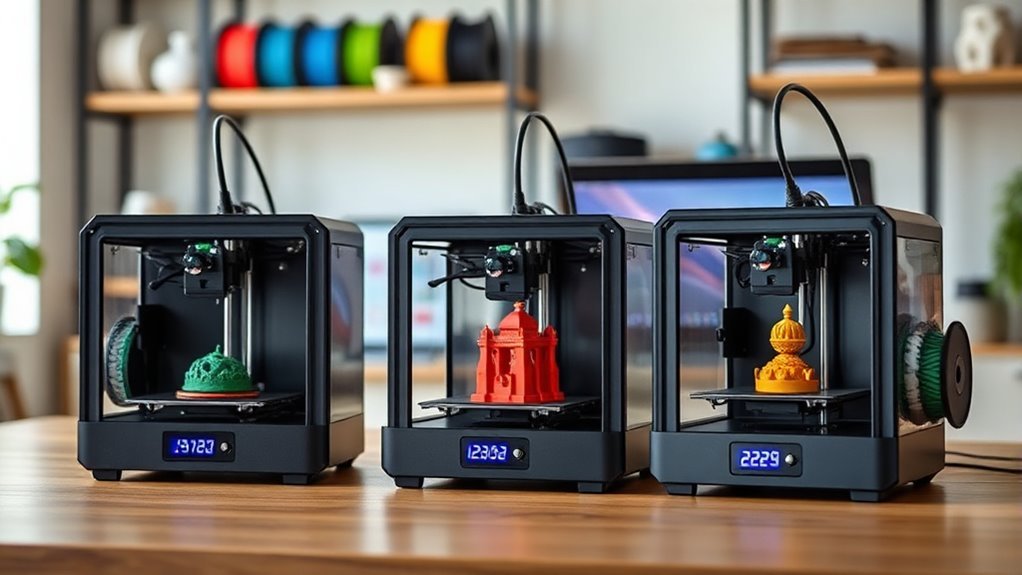
When choosing a budget 3D printer, you’ll want to focus on print quality and the types of materials it can handle. Consider the build volume to make sure it fits your project sizes.
Also, check how easy it is to assemble and operate. Don’t forget to weigh speed and overall performance to get the best value for your needs.
Print Quality Importance
Achieving high print quality is essential if you want your budget 3D printer to produce detailed, reliable models. You should pay attention to layer height—values between 0.05 and 0.3 mm let you balance fine detail with reasonable print times.
Nozzle diameter, usually around 0.4 mm, impacts the smallest features you can print and the surface finish. Look for printers with stable motion systems and rigid frames to avoid defects like ringing and layer misalignment; dual Z axes or reinforced parts help here.
The extruder type matters too—a direct drive extruder gives better control with flexible filaments, reducing extrusion issues. Don’t overlook print bed adhesion and first-layer calibration, as these prevent warping and ensure smooth starts.
Prioritizing these factors will markedly boost your print quality. It’s worth taking the time to get these settings right, so your prints come out crisp and dependable every time.
Material Compatibility Range
Print quality depends not only on mechanics and settings but also on the materials your 3D printer can handle. First, check which filament types the printer supports—common options include PLA, PETG, and TPU.
If you want to print flexible or engineering plastics, make sure the printer explicitly lists those compatible materials. Pay close attention to nozzle and hotend temperature limits; higher temps above 300°C are necessary for ABS, Nylon, or composite filaments.
Also, verify the bed type and max bed temperature since heated beds around 100°C improve adhesion for tricky materials like PETG and ABS. The extruder design matters too—direct drive setups work best with flexible filaments like TPU.
Finally, confirm filament diameter support and look for features like hardened nozzles or all-metal hotends if you plan to print abrasive or high-temperature materials. That way, you’ll avoid surprises and get the best print quality possible.
Build Volume Needs
Although it’s tempting to choose the largest build volume available, you should match the printer’s dimensions to the biggest objects you plan to create. Measure your prototypes or parts before buying to avoid a 100×100×100 mm printer that’s too small.
Remember, the usable build volume is usually 5–10% less than the stated size because of bed clips and extruder clearance, so factor in a safety margin. Larger volumes increase print time, material use, and risk of warping, so opt for the smallest size that fits your typical projects.
If you print tall parts, prioritize Z height and make sure the frame is sturdy to prevent wobble. For multi-part projects, printing smaller pieces for assembly might be faster and more reliable than one large print.
Ease of Assembly
Once you’ve determined the right build volume for your projects, consider how much effort you’ll need to get your 3D printer up and running. Check if the printer comes fully assembled, partially assembled, or as a kit—fully assembled models let you start printing faster, while kits can take hours and require tools.
Look for clear setup guides and video tutorials to reduce assembly time to under 30 minutes. Make certain essential parts like the frame, bed, and extruder are pre-aligned or pre-calibrated to avoid tedious adjustments.
Also, confirm the printer includes necessary accessories such as tools, spare nozzles, and mounting hardware. Printers with modular or snap-fit components and guided software wizards, like auto-leveling and filament loading, make your first assembly and print much easier.
Speed and Performance
When choosing a budget 3D printer, you’ll want to focus on speed and performance to maximize efficiency without compromising quality. Look for printers with higher maximum print speeds—up to 250 mm/s—and strong acceleration values to reduce print times without sacrificing precision.
A stable motion system, like dual Z-axis lead screws and rigid linear shafts, minimizes vibration and Z-wobble. This lets you print faster while maintaining detail.
The extruder and hotend design also play a big role. Direct-drive or dual-gear metal extruders combined with efficient hotends guarantee consistent filament feeding at higher speeds.
Don’t forget the cooling system—effective part cooling and rapid heat-up hotends prevent defects like stringing or under-extrusion.
Finally, a powerful 32-bit board with good firmware lets you push acceleration settings to get true top speeds without artifacts. It’s all about balancing speed and quality!
Noise Level Considerations
Speed and performance aren’t the only factors that influence your 3D printing experience—noise levels play a big role, especially if you’re printing in shared or quiet spaces. Look for printers with 32-bit silent mainboards or silent stepper motor drivers to reduce stepper noise.
Features that lower vibration, like dual Z-axes, linear shafts, or reinforced frames, help cut mechanical resonance and high-frequency ringing. Expect typical sound levels between 40–60 dB; quieter models hit around 40–45 dB, similar to a quiet office.
Fans also contribute noise, so choose printers with well-shrouded, larger low-RPM fans or those with adjustable fan profiles to minimize whine. If noise is critical, consider adding vibration isolation feet, sound-damping enclosures, or placing the printer in an acoustically isolated cabinet to keep your environment peaceful.
Support and Warranty
You should always check the warranty length and coverage before choosing a budget 3D printer, as this protects your investment against defects and malfunctions. Typically, warranties last 6–12 months and cover material and workmanship defects, but often exclude wear items like nozzles or belts.
Make sure the customer support is accessible through email, phone, live chat, or forums, and that response times are reasonable. Also, verify the availability and cost of spare parts from the manufacturer or third-party suppliers to avoid costly repairs once the warranty expires.
Prefer vendors offering clear return procedures and local repair centers to simplify claims and minimize downtime. Prioritizing solid support and warranty guarantees smoother ownership and better long-term value from your budget 3D printer.
Frequently Asked Questions
How Do 3D Printer Filaments Differ in Environmental Impact?
You’ll find that PLA filaments are eco-friendlier since they’re biodegradable and made from renewable resources.
On the other hand, ABS and PETG use petroleum-based plastics, which cause more pollution and waste. Choosing wisely really helps reduce your environmental impact.
What Software Is Best for Designing 3D Models on a Budget?
You probably want the most expensive, complicated software, right? Instead, try free options like Tinkercad or Blender—they’re powerful yet budget-friendly.
You’ll design impressive 3D models without breaking the bank or losing your mind. Give them a shot!
Can Budget 3D Printers Be Used for Educational Purposes?
Yes, you can absolutely use budget 3D printers for educational purposes. They’re affordable, easy to operate, and help you teach design, engineering, and creativity hands-on.
Plus, they don’t break the bank or require advanced technical skills. It’s a great way to bring learning to life in the classroom!
How Important Is Printer Noise Level in Home Settings?
Printer noise level is very important in home settings because you don’t want loud sounds disrupting your work or relaxation. You’ll appreciate quieter printers that let you focus without distractions or disturbing family members during prints.
When a printer is too noisy, it can be pretty annoying, especially if you’re trying to concentrate or unwind. So, picking a printer with a low noise level really makes a difference in keeping the home environment peaceful.
What Maintenance Routines Extend the Lifespan of a 3D Printer?
Keeping your 3D printer clean coincidentally extends its lifespan. You should regularly lubricate moving parts, tighten belts, and update firmware.
Don’t forget to check the nozzle and bed level to guarantee consistent, quality prints every time. These small steps really help keep your printer running smoothly.
Conclusion
So, you want a budget 3D printer that actually prints, not just sits pretty on your desk collecting dust? Good call. Whether you pick the trusty Creality Ender 3 V3 SE or the kid-friendly Entina Tina2 Plus, just remember: quality doesn’t have to cost an arm and a filament spool.
Choose wisely, or prepare for some “modern art” that even your cat won’t admire. Happy printing—may your failed prints be few and your coffee strong!
When looking for the best budget 3D printers for 2027, focus on models that deliver quality results without breaking the bank. Affordable 3D printers like the Creality Ender 3 V3 SE and Entina Tina2 Plus offer great performance for beginners and hobbyists alike.
So, if you want to get into 3D printing without spending a fortune, these budget-friendly options are the way to go. Remember, the right budget 3D printer can make all the difference in your creative projects and ensure your prints come out just right every time.