6 Best Budget 3D Printers for 2027 That Deliver Amazing Quality
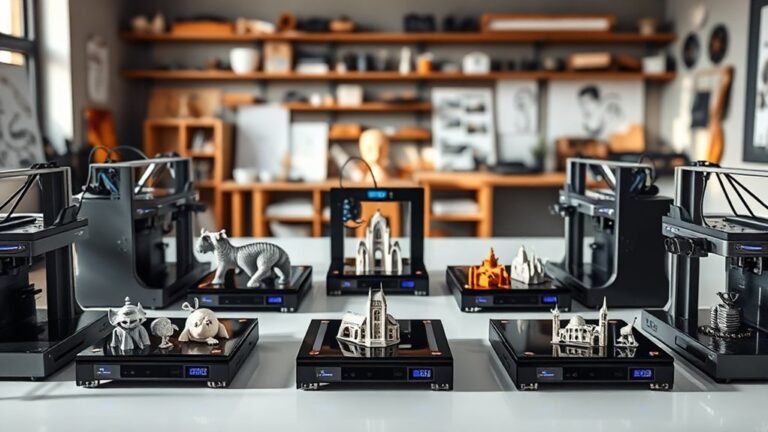
If you’re hunting for the best budget 3D printers in 2027 that deliver amazing quality, you’ve come to the right place. Getting top-notch prints doesn’t mean you have to empty your wallet. There are affordable options out there that combine speed, reliability, and user-friendly features, perfect for beginners and pros alike.
For instance, the Entina Tina2 Plus stands out with fast WiFi connectivity and super easy setup. Meanwhile, the Creality Ender 3 V3 SE offers impressive speed and reliability with handy auto-leveling.
If you’re just starting, the TINA2C is beginner-friendly and ready to go in minutes. Plus, the Anycubic Kobra X Multicolor shines when it comes to versatile multicolor printing.
Need to tackle bigger projects? The LONGER LK5 Pro 3 provides silent, stable performance that won’t let you down. Keep exploring these options to find the perfect fit for your needs!
| Image | Name | Editor's Rating | Price |
|---|---|---|---|

|
|
||

|
|
||

|
|
||

|
|
||

|
|
Entina Tina2 Plus Fast WiFi 3D Printer
- 【Start Printing in Minutes – Beginner Friendly】No setup required. Tina2 Plus 3d printer comes fully assembled and ready to use out of the box. With included TF card...
- 【Fast 250mm/s Printing Performance】This Tina2 Plus high speed 3D printer print speeds up to 250 mm/s help reduce waiting time and support fast project turnaround...
- 【WiFi App Control & STEM Model Library】Powered by the Poloprint Cloud app, this WiFi-enabled 3D printer gives access to 3,500+ printable models and 25+ creative DIY...
- 【40-Second Fast Heat Ceramic Hotend】High-efficiency ceramic hotend heats up in just 40 seconds for faster start-up and less downtime. The quick-swap nozzle design...
- 【Compact 3D Printer for Home & Classroom】Designed with a space-saving footprint while maintaining practical print capacity, this compact 3D printer fits easily on...
The Entina Tina2 Plus Fast WiFi 3D Printer is designed to simplify 3D printing for beginners and educators. It arrives fully assembled, letting you start printing almost immediately with preloaded models on the included TF card. This quick setup reduces frustration and speeds up your creative projects.
Its compact design fits neatly on desks or classroom tables, saving space while providing reliable functionality. The printer heats up in just 40 seconds, so you won’t waste time waiting to start your prints.
Maintenance is straightforward thanks to the stable dual Z-axis and an auto-leveling PEI spring steel plate. These features improve print quality and reduce failures, helping you achieve consistent results with less hassle.
Control is made easy using the Poloprint Cloud app, which allows remote operation and access to thousands of models. This connectivity supports a smooth workflow and enhances the learning experience in educational settings.
Best for: Beginners, educators, and hobbyists who want a budget-friendly, easy-to-use 3D printer with fast setup and dependable performance.
What We Like:
- Fully assembled with preloaded models for immediate use
- Stable dual Z-axis and auto-leveling plate improve print reliability
- Quick 40-second heat-up minimizes wait time
- Poloprint Cloud app enables remote management and vast model access
Specification:
| Feature | Details |
|---|---|
| Manufacturer | Entina |
| Dimensions | Compact desktop size |
| Weight | Lightweight for easy setup |
| Material | PEI spring steel plate |
| Connectivity | WiFi with Poloprint Cloud |
Creality Ender 3 V3 SE 3D Printer Upgrade
- 【250mm/s High-speed Printing】Creality Ender 3 V3 SE 3d printer supports a maximum printing speed of 250mm/s, 2500mm/s² acceleration.The speed has been greatly...
- 【Powerful ""Sprite"" Direct Extruder】Ender 3 V3 SE is the upgrade of ender 3, ender 3 v2, ender 3 pro, ender 3 neo, ender 3 v2 neo, ender 3 s1, ender 3 s1 pro etc 3d...
- 【Worry-free CR Touch Auto Leveling & Strain Sensor】Creality Ender 3 upgraded 3d printer features a CR Touch sensor for auto leveling and a strain sensor for auto...
- 【Stable Dual Z-axis & Y-axis Linear Shafts】High-precision dual Z-axis lead screws reduce Z wobbling effectively, avoid printing deviation in single-axis printing...
- 【Quick Assembly & Easy to Use】Preassembly has solved those hassles and worries of parts assembly, It only takes 3 steps to complete the assemble the ender-3 v3 se 3d...

Experience faster, more precise 3D printing with the Creality Ender 3 V3 SE. Designed to enhance your creative workflow, this printer tackles common issues like long print times and uneven layers. It achieves speeds up to 250 mm/s, making your projects quicker without compromising detail.
The printer’s full-metal Sprite dual-gear extruder ensures smooth filament feeding and reduces jams. Dual Z-axis lead screws and robust steel Y-axis shafts add precision and stability, so your prints come out clean and accurate every time. Setup is hassle-free, thanks to the CR Touch auto-leveling system that adjusts the bed automatically.
Maintenance is straightforward with one-touch filament loading and unloading, simplifying material changes and saving you time. Despite its sturdy build and moderate weight, assembly takes about 20 minutes, making it accessible for hobbyists and small businesses alike.
Its compact build volume fits most standard projects, although larger prints may require a bigger machine. The Ender 3 V3 SE balances speed, reliability, and user-friendly design to improve your printing experience.
Best for: hobbyists and small business users seeking a fast, reliable 3D printer with precise results and easy maintenance.
What We Like:
- Prints up to 73% faster than similar models
- Smooth, reliable filament feeding with a full-metal dual-gear extruder
- Precise printing with dual Z-axis lead screws and steel Y-axis shafts
- Easy setup with CR Touch auto-leveling
- Quick filament changes via one-touch system
Specification:
| Feature | Details |
|---|---|
| Manufacturer | Creality |
| Build Volume | 220 x 220 x 250 mm |
| Print Speed | Up to 250 mm/s |
| Weight | 15.66 lb (7.1 kg) |
| Extruder Type | Full-metal Sprite dual-gear |
| Leveling System | CR Touch auto-leveling |
TINA2C 3D Printer Beginner Friendly, Easy-Ready to Print in 5 Mins
- 【BEGINNER FRIENDLY-READY TO PRINT】Hephi3d Tina2C 3d printer friendly for home, fully assembled, factory preset, auto leveling, ready to print right out of the box, no...
- 【EASY TO USE-ONE TAP PRINTING】Tina2C mini 3d printer provides 3500+ online massive ready to print model library, new designs update every day. You can print in one...
- 【UNLIMITED CREATIVITY-EASY DIY】Tina2C beginner friendly 3d printer with APP provides STEM Learning Module and 25+ design modules for simply customizing. AIGC & Photo...
- 【FULLY OPEN SOURCE-NO LIMITS】Tina2C beginner 3d printer is no software lock-In. Print you way freely with Wiibuilder or Cura on PC and laptops, one-click wifi upload...
- 【FAMILY & BEGINNER FRIENDLY】 Tina2c compact 3d printer for home can print anytime anywhere, space save. Silent Printing and Auto Detect Bed function give more safe...
Getting started with 3D printing is simple and fast with the TINA2C 3D printer. Designed for beginners, it arrives fully assembled and factory preset with auto-leveling, allowing you to begin printing within five minutes. This ease of use eliminates the common frustration of complex setup and calibration.
Control is seamless through an intuitive app, enabling one-tap printing from your phone or tablet. The printer supports WiFi uploads and runs on open-source firmware, giving you flexible options to manage your projects without hassle.
Maintenance is minimal thanks to its compact, silent, and reliable design. The included starter kit features PLA filament, essential tools, and a TF card with test models and slicer software, helping you explore 3D printing creatively and educationally.
While the build volume is modest, it suits small to medium projects perfectly. The focus on PLA filament means beginners can get started quickly, though advanced users might find material choices limited initially.
Best for: Beginners and families seeking an easy-to-use 3D printer with quick setup and educational value.
What We Like:
- Fully assembled with factory auto-leveling for quick start.
- One-tap app control with WiFi upload and open-source firmware.
- Includes STEM learning modules and ready-to-print models.
- Compact and quiet operation fits home or classroom use.
- Starter kit provides everything needed to begin printing immediately.
Specification:
| Feature | Details |
|---|---|
| Manufacturer | TINA |
| Dimensions | Compact footprint |
| Weight | Lightweight |
| Material | PLA filament included |
| Color Options | Standard printer color |
Creality Ender 3 V3 SE Beginner-Friendly 3D Printer with Auto Leveling
- 250mm/s High-Speed Printing: Print at speeds of up to 250mm/s with 2500mm/s² acceleration, helping you complete prototypes, functional parts, and everyday projects...
- Easy Setup with Auto Leveling: Designed for a fast and straightforward setup, the Ender 3 V3 SE can be assembled in just a few simple steps. CR Touch Auto Leveling and...
- Proven Sprite Direct Drive Extruder: The upgraded Sprite Direct Drive Extruder provides smooth and consistent filament feeding for PLA, PETG, and TPU. Its proven design...
- Stable Motion System for Consistent Results: Dual synchronized Z-axis lead screws and precision Y-axis linear shafts work together to help reduce vibration and Z...
- Quiet Operation with Easy Print Removal: A 32-bit silent mainboard helps reduce operating noise for a more comfortable printing experience, while the flexible PC spring...
The Creality Ender 3 V3 SE is designed to make 3D printing accessible and straightforward, especially for beginners. Its CR Touch auto leveling and automatic Z-offset calibration take the guesswork out of bed leveling, ensuring your prints start perfectly every time. This reduces setup frustration and helps you achieve consistent quality with minimal effort.
This printer features a Sprite Direct Drive Extruder that handles various filaments such as PLA and TPU with ease. The built-in auto filament loading saves time and avoids common feeding issues. With a max speed of 250 mm/s and a quiet 32-bit mainboard, it delivers smooth, fast printing while keeping noise levels low.
Maintenance is simple thanks to the stable dual Z-axis lead screws, which reduce wobble and extend the printer’s lifespan by improving stability. Its robust design supports reliable operation, making it ideal for hobbyists looking to explore creative projects without frequent interruptions.
Best for: Beginners and hobbyists seeking an easy-to-use, reliable 3D printer with automatic leveling and versatile filament compatibility.
What We Like:
- CR Touch auto leveling simplifies setup and improves print quality
- Sprite Direct Drive Extruder supports multiple filament types with auto loading
- Stable dual Z-axis lead screws enhance print consistency and durability
- Quiet 32-bit mainboard ensures low noise during operation
Specification:
| Feature | Details |
|---|---|
| Manufacturer | Creality |
| Dimensions | Not specified |
| Weight | Approximately 20 lbs (9 kg) |
| Filament Compatibility | PLA, TPU, and others |
| Max Print Speed | 250 mm/s |
| Key Features | Auto leveling, auto filament loading, dual Z-axis screws |
Anycubic Kobra X Multicolor 3D Printer, Easy One-Click Printing
- 【Vivid 19-Color and Versatile Materials】Unleash creativity beyond limits. The Kobra X supports 4-color standard and expands up to 19 colors with 4 ACE 2 Pro for...
- 【600mm/s High Speed Performance】Don't let slow speeds limit your creativity. This high-speed FDM 3D printer reaches up to 600mm/s, completing tasks significantly...
- 【True Plug & Play Experience】Start your first project in as little as 15 minutes. The Kobra X arrives with a user-friendly setup and LeviQ 3.0 automatic bed leveling...
- 【LeviQ 3.0 Perfect First Layer】Forget the frustration of manual bed leveling that plagues beginner machines. The LeviQ 3.0 system utilizes 49-point full-auto leveling...
- 【Quiet & Reliable for Home】The ultra-quiet ≤48 dB operation ensures the living or learning space remains peaceful. Combined with power loss recovery and filament...
Discover the Anycubic Kobra X Multicolor, a 3D printer designed to bring your creative ideas to life with ease. It solves the challenge of multicolor printing by offering a native 4-color setup, which can expand up to 19 colors using an accessory. This flexibility allows you to produce vivid, professional-grade projects without complicated hardware changes.
The printer’s 260 x 260 x 260 mm build volume supports a wide range of medium-sized prints. Its hardened steel nozzle heats up to 300°C, enabling smooth printing with common materials like PLA, PETG, and TPU. This versatility makes it suitable for various creative and educational applications.
Setting up the Kobra X Multicolor is simple with LeviQ 3.0 auto-leveling, which ensures precise bed calibration. Its AI-powered monitoring system keeps an eye on your prints, reducing failed jobs and saving time. Plus, it prints up to twice as fast, helping you complete projects efficiently.
Maintenance is straightforward thanks to its robust design and easy material handling. While the build volume might limit very large projects, the Anycubic Kobra X Multicolor remains a reliable, user-friendly solution for multicolor 3D printing.
Best for: Beginners, hobbyists, educators, and home users seeking an affordable, easy-to-use multicolor 3D printer with fast speeds and versatile material support.
What We Like:
- Native 4-color printing, expandable to 19 colors for vibrant results
- Fast printing speeds up to 600 mm/s with vibration compensation
- Easy LeviQ 3.0 49-point auto-leveling for hassle-free setup
- AI-powered real-time print monitoring enhances reliability
Specification:
| Feature | Details |
|---|---|
| Manufacturer | Anycubic |
| Build Volume | 260 x 260 x 260 mm |
| Nozzle Material | Hardened Steel |
| Max Nozzle Temp | 300°C |
| Supported Materials | PLA, PETG, TPU |
| Color Options | Native 4-color, expandable to 19 colors |
LONGER LK5 Pro 3 3D Printer, Large Size, Silent

- 【Larger Build Volume & 180mm/s Fast Printing】 Longer LK5 Pro 3D printer has a large build volume of 11.8 x 11.8x 15.7in. / 300*300*400mm, a larger creation space to...
- 【Stable Structure & Higher Precision 】The printer uses a reinforced design of diagonal bars to form a stable triangular structure that minimizes vibration and allows...
- 【Ultra-Silent Driver & Open Source Motherboard】 Our 3D printer adopts ultra-silent TMC2209 driver to give you a quiet environment. With the open source firmware, you...
- 【Filament Exhaustion Detection & Resume Printing Function 】Longer 3D printer is equipped with filament and power detection sensors, which will intelligently pause the...
- 【95% Pre-assembled & 100% Satisfaction Service】 The upgraded Longer 3D printer is a 95% pre-installed printer, ferfect for Beginners. We also provide the lifetime...
Looking for a 3D printer that combines a large build area with quiet operation? The LONGER LK5 Pro 3 offers an expansive build volume of 11.8 × 11.8 × 15.7 inches, letting you create bigger and more complex models with ease. Its spacious design helps you take on ambitious projects without worrying about space limitations.
This model runs silently thanks to its TMC2209 silent drivers, making it suitable for home, school, or office environments where noise can be disruptive. The reinforced triangular frame and lattice glass bed provide a stable printing surface, reducing vibrations and improving print quality.
Maintenance is straightforward with features like filament run-out detection and power-loss recovery, which prevent failed prints and save time. While the printer arrives mostly pre-assembled, some technical setup is required, making it a good fit for users comfortable with basic assembly.
Best for: Beginners and hobbyists seeking a large-volume, quiet 3D printer suitable for home or educational use.
What We Like:
- Large build area for complex projects
- Quiet operation with silent stepper drivers
- Filament run-out and power-loss protection
- Stable frame design for consistent prints
Specification:
| Feature | Details |
|---|---|
| Manufacturer | LONGER |
| Build Volume | 11.8 × 11.8 × 15.7 inches |
| Frame | Reinforced triangular frame |
| Bed Material | Lattice glass bed |
| Noise Level | Ultra-quiet (TMC2209 drivers) |
| Assembly | 95% pre-assembled |
Factors to Consider When Choosing a Budget 3D Printer

When choosing a budget 3D printer, you’ll want to focus on print quality essentials and whether the build volume fits your projects.
Think about the trade-off between speed and precision, plus the range of materials the printer can handle.
Also, don’t forget how easy it is to set up and get started without frustration.
These factors can really make a difference in your printing experience.
Print Quality Essentials
Choosing a budget 3D printer means balancing several key factors that directly impact your print quality. Start by considering layer height—printers offering 0.1 mm resolution deliver finer detail but take longer.
Check the extruder and hotend reliability; metal nozzles and 200–250 °C temperature ranges handle PLA, PETG, and some flexible filaments smoothly. A sturdy frame with features like dual Z-axis or quality lead screws reduces wobble, boosting accuracy and surface finish.
Make sure the printer has an adhesion-friendly build surface, such as PEI or spring steel, with easy or automatic leveling to secure consistent first layers. Finally, effective cooling fans improve overhangs and bridging, sharpening fine details.
Paying attention to these essentials guarantees your budget printer produces clean, precise prints every time.
Build Volume Needs
Since your print size dictates your printer choice, you need to match the build volume to the largest part you’ll create. Budget printers usually range from about 120 to 220 mm per axis for small models, up to 300 mm or more for mid-size prints.
Don’t just check the overall build volume—consider the X, Y, and Z dimensions separately, especially if your model is tall or wide. If you plan to print multiple parts simultaneously, calculate the total area needed, including space for removal.
Keep in mind that usable build volume may shrink due to enclosures or print head clearance, so verify the effective printable space. Finally, balance your desired build volume with longer print times and more filament usage, as bigger prints raise the risk of failures unless your printer offers reliable features to handle them.
Speed Versus Precision
Although faster print speeds can drastically cut down your project time, they often come at the cost of precision due to increased vibrations and mechanical stress. Higher speeds push your printer’s motion system harder, causing layer artifacts and dimensional inaccuracies unless acceleration and jerk settings are carefully tuned.
Remember, a high top speed alone doesn’t guarantee accuracy—it also depends on microstepping, frame rigidity, and belt quality. If you need speed, use coarser layers and simple infill, but slow down with finer layers and reduced acceleration when detail matters.
Also, nozzle size and cooling affect how fast you can extrude without compromising quality. Balancing speed and precision means adjusting settings based on your project’s tolerance and surface finish requirements.
Material Compatibility Range
When you pick a budget 3D printer, you’ll want to make sure it supports the filament types you plan to use. Different materials require specific temperature ranges and hardware features, so it’s good to double-check.
Check the printer’s max hotend and heated bed temps to handle materials like PLA (190–220°C), PETG (230–250°C), or ABS (230–260°C). Also, confirm if the extruder and hotend are all-metal or PTFE-lined. All-metal is essential for high-temp or abrasive filaments.
Consider filament handling too—direct drive extruders better manage flexible filaments like TPU. Heated beds and enclosures help reduce warping with ABS, which is pretty handy.
Finally, verify slicer and firmware compatibility so you can tweak settings like retraction and cooling. This ensures reliable prints, especially with specialty materials such as nylon or carbon-fiber blends.
Ease of Setup
Understanding the materials your budget 3D printer can handle is important, but so is how quickly you can get it up and running. Check if the printer arrives fully assembled or nearly preassembled—this can cut setup time from hours to just minutes.
Look for out-of-the-box features like factory preset profiles, preloaded test files, and included starter filament or tools. These help you start printing within 5 to 40 minutes without hassle.
Automatic bed leveling, auto Z-offset, and quick-release hotends reduce manual calibration, making first-layer tuning easier. Plus, confirm the printer supports your OS and offers simple slicing or one-click print functions to avoid complicated software setups.
While connectivity matters, that’s for another section—focus here on straightforward hardware and ready-to-go features to save you time and frustration.
Software and Connectivity
Since software and connectivity directly impact how smoothly you manage your prints, you’ll want a budget 3D printer that plays well with your devices and workflow. Make sure it’s compatible with your operating system—whether Windows, macOS, Linux, Chromebook, or mobile platforms—so you can slice, transfer, and monitor prints without hassle.
Opt for printers supporting multiple file transfer options like USB, SD cards, and Wi-Fi or cloud uploads. This gives you flexibility if internet or cables aren’t available.
Check if the printer works with popular slicing software such as Cura or PrusaSlicer, or offers open-source firmware for customization and community support. It’s always nice to have options that let you tinker a bit.
Finally, consider printers with mobile or web apps offering remote control, easy uploads, and reliable network features like secure Wi-Fi and resume-after-power-loss. These can really help minimize failed prints and keep things running smoothly.
Safety Features Included
Although budget 3D printers often focus on affordability, you shouldn’t overlook essential safety features that protect both you and your equipment. Look for enclosed or partially enclosed frames and guarded moving parts to prevent accidental contact with hot nozzles or moving axes, especially if kids are around.
Make sure the printer includes thermal protections like thermal runaway and over-temperature cutoff to avoid uncontrolled heating. Filament run-out detection and power-loss recovery help safely pause or resume prints after interruptions.
Check for secured wiring, grounded power supplies, and certified components to reduce fire or shock risks. Also, prefer cool-touch housings, active cooling shrouds, clear hot-surface warnings, and accessible emergency stop controls so you can intervene quickly if needed.
Prioritizing these features guarantees safer, worry-free printing. It’s definitely worth taking the time to make sure your printer has them!
Frequently Asked Questions
What Materials Are Compatible With Budget 3D Printers?
You can print with PLA, ABS, PETG, and TPU on most budget 3D printers. These materials offer good strength and flexibility.
Plus, you won’t need advanced setups or heated chambers to get great results. It’s pretty straightforward, really!
How Do I Maintain and Clean a Budget 3D Printer?
You should regularly clean the nozzle and build plate, lubricate moving parts, and check belts for tension. Keep firmware updated and remove filament debris.
Doing this keeps your printer running smoothly and guarantees consistent print quality. It’s a simple routine that makes a big difference over time.
Are Budget 3D Printers Safe for Home Use?
Absolutely, budget 3D printers are safe for home use if you stay smart and vigilant. Just make certain proper ventilation, supervise while printing, and handle hot parts carefully.
You’ll enjoy creative crafting with confidence and care!
What Software Is Recommended for Designing 3D Prints?
You should try software like Tinkercad for beginners or Fusion 360 for more advanced designs. Both are user-friendly and powerful, letting you create detailed 3D models easily.
This way, you can prep your projects at home before printing. It’s pretty straightforward once you get the hang of it!
Can Budget 3D Printers Handle Multi-Color Printing?
Think of budget 3D printers as painters with a single brush—they usually can’t handle true multi-color printing.
However, you can achieve multi-color effects by swapping filaments mid-print or using dual-extruder models within your budget.
Conclusion
So, you want a budget 3D printer that doesn’t turn your room into a sci-fi disaster zone? Easy. These six models prove you don’t need to break the bank to make something other than a glorified paperweight.
Whether you’re a newbie or just tired of your plastic toys, there’s a printer here that won’t judge your design skills—or your wallet. Go ahead, make your creative mess without selling a kidney!
With the best budget 3D printers for 2027, you can enjoy amazing quality without spending a fortune. These affordable options deliver reliable performance, crisp details, and user-friendly features, making them perfect for beginners and hobbyists alike.
So if you’re looking for affordable 3D printing options that combine value and quality, these picks will help you bring your ideas to life without breaking the bank. Get ready to create, experiment, and impress—all with a budget-friendly 3D printer that fits your needs.