11 Best Bluetooth Printers for Android in 2027
You’ll find top Bluetooth printers for Android in 2027 that combine portability, quality, and ease of use.
These printers are perfect for anyone needing reliable printing on the go, whether for work or personal use. From compact thermal printers to vibrant photo printers, there’s something for every kind of printing task.
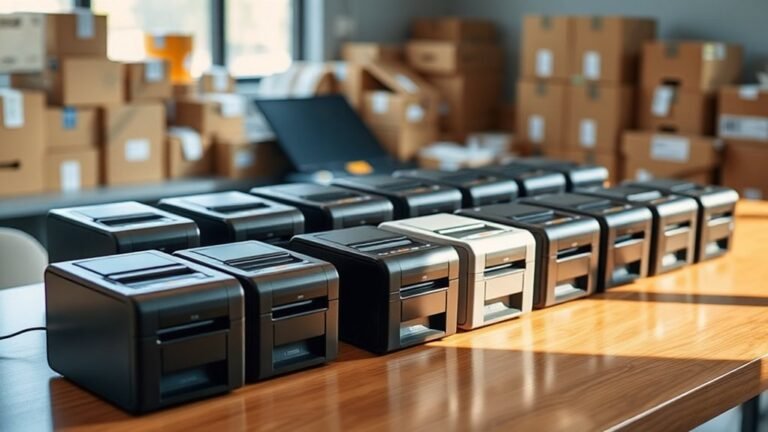
Options like the Rongta Wireless Thermal Printer and N80 Bluetooth Thermal Printer offer inkless, compact, and efficient thermal printing. They’re great if you want quick receipts or labels without the hassle of ink cartridges.
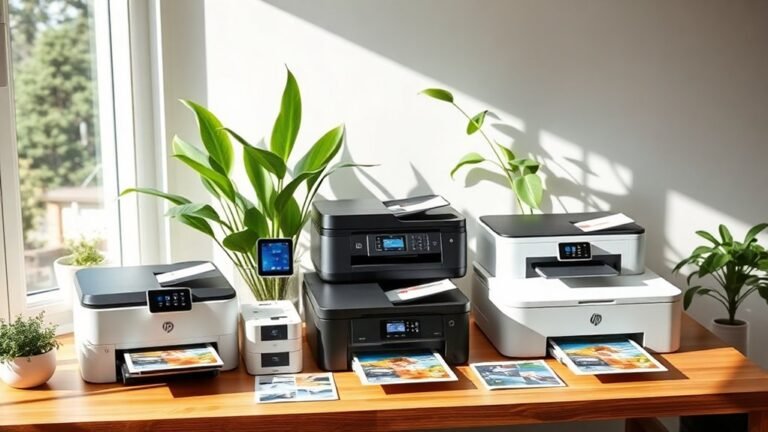
For vibrant color output, consider Canon PIXMA models or the Liene M100 photo printer. These deliver sharp, colorful photos and documents that stand out.
Whether you need receipts, labels, or photos, these devices connect seamlessly and deliver sharp print quality.
Keep going to discover the best fit for your needs.
| Image | Name | Editor's Rating | Price |
|---|---|---|---|

|
|
||

|
|
||

|
|
||

|
|
||

|
|
Rongta Wireless Thermal Portable Printer (Black)
- Easy to Set Up: RONGTA F11A portable thermal printer for travel go by bluetooth.Download "RONGTA" APP from Google Play or APP store for iOS and Android Phone or...
- RONGTA portable printer, 203DPI resolution, large to 8.5" design, easy to use and maintain. Print forms, letters, assignments, study materials, and travel documents...
- Stylish Thermal Printer:Rongta bluetooth wireless printer, It is compatible with your go-to paper sizes—including US Letter, Legal, A4 thermal papers. What’s more, it...
- Portable and Compact: When traveling you can take Rongta portable printer wireless in your backpack or tote bag wherever you need. It is compact and portable whether in...
- Warm Tips: Do Not Support Chrome. Rongta portable printers wireless for travel can't support pair bluetooth via Phone or tablet directly, must be pair on the"RONGTA" APP...

The Rongta Wireless Thermal Portable Printer (Black) offers a practical solution for mobile printing challenges. Its compact design fits easily into bags, making it ideal for printing receipts, labels, or notes wherever you go. This printer connects seamlessly to Android devices through the RONGTA App, enabling wireless printing without complicated setups.
Using inkless thermal technology, the printer eliminates the need for cartridges or ribbons. This reduces maintenance and lowers ongoing costs. Just load thermal paper, and you’re ready to print clear, 203 DPI outputs without smudges or fading.
The device supports Bluetooth and USB connections, compatible with Android, iOS, and laptops. However, it requires pairing via the dedicated app and does not work with regular paper or Chrome browser printing. These factors ensure optimized performance while setting clear usage boundaries.
Overall, this portable thermal printer suits professionals and students needing reliable, on-the-go printing. Its lightweight build and straightforward operation improve productivity in various environments.
Best for: Professionals and students requiring a compact, wireless thermal printer for efficient mobile printing.
What We Like:
- Compact and lightweight for easy portability
- Inkless thermal printing reduces maintenance and cost
- Bluetooth and USB connectivity with multiple devices
- Clear 203 DPI print quality
- Simple app-based pairing for stable wireless printing
Specification:
| Feature | Details |
|---|---|
| Manufacturer | Rongta |
| Dimensions | Compact (specific size not provided) |
| Weight | Lightweight |
| Material | Not specified |
| Color Options | Black |
Canon PIXMA TS4320 – Wireless Color Inkjet Printer with Print, Copy, Scan
- Affordable Versatility - A budget-friendly all-in-one printer perfect for both home users and hybrid workers, offering exceptional value
- Crisp, Vibrant Prints - Experience impressive print quality for both documents and photos, thanks to its 2-cartridge hybrid ink system that delivers sharp text and vivid...
- Effortless Setup & Use - Get started quickly with easy setup for your smartphone or computer, so you can print, scan, and copy without delay
- Reliable Wireless Connectivity - Enjoy stable and consistent connections with dual-band Wi-Fi (2.4GHz or 5GHz), ensuring smooth printing from anywhere in your home or...
- Scan & Copy Handling - Utilize the device’s integrated scanner for efficient scanning and copying operations
The Canon PIXMA TS4320 is designed for those who need a compact and versatile wireless printer that can handle printing, copying, and scanning with ease. Its sharp print quality ensures clear documents and vibrant photos, making it a practical solution for daily tasks at home or in a small office.
Setup is straightforward with dual-band Wi-Fi that connects quickly to your devices. Mobile printing is supported through Canon PRINT, Apple AirPrint, and Mopria, so you can print directly from your smartphone or tablet without hassle. This flexibility helps streamline your workflow and save time.
Maintenance is simple thanks to its user-friendly design. The printer supports auto-duplex printing, which reduces paper waste and adds convenience for double-sided documents. Its flatbed scanner captures detailed copies at 600 dpi, perfect for digitizing important papers or photos.
With a paper tray that holds up to 100 sheets and compatibility with various media types, including cardstock and glossy photo paper, the PIXMA TS4320 fits neatly into any workspace. It balances functionality and style without occupying much space.
Best for: individuals and small office users who need a wireless, all-in-one printer that delivers quality prints and easy mobile connectivity.
What We Like:
- Crisp print resolution of up to 1200 x 1200 dpi for sharp documents and photos
- Easy wireless setup with dual-band Wi-Fi and multiple mobile print options
- Auto-duplex printing conserves paper and supports diverse media types
- Compact design fits well in home or small office environments
- Flatbed scanner provides clear, detailed copies at 600 dpi
Specification:
| Feature | Details |
|---|---|
| Manufacturer | Canon |
| Model | PIXMA TS4320 |
| Dimensions (W×D×H) | 14.5 × 11.7 × 5.0 inches |
| Weight | 8.8 lb (4.0 kg) |
| Print Resolution | Up to 1200 x 1200 dpi |
| Print Speed | 9 ppm (color), 14 ppm (B&W) |
| Scanner Resolution | 600 dpi |
| Paper Capacity | 100 sheets |
| Connectivity | Dual-band Wi-Fi, USB |
| Supported Media | Plain paper, cardstock, glossy photo paper |
Portable Printers Wireless for Travel, N80 Bluetooth Thermal Printer
No products found.
The N80 Bluetooth Thermal Printer offers a lightweight and wireless printing solution designed for travel and remote work. Its compact design at just 1.5 pounds makes it easy to carry, helping you avoid bulky equipment while staying productive on the go.
This inkless thermal printer prints clear, 203 DPI documents without the need for ink or toner. It connects seamlessly via Bluetooth or USB-C to Android devices, iPhones, tablets, and laptops, allowing for hassle-free printing wherever you are.
Equipped with a built-in 1500mAh battery, the N80 supports up to 160 prints per charge. This feature is particularly useful for business trips, classrooms, or job sites where access to power might be limited. Maintenance is simple, but keep in mind it requires special thermal paper for operation.
While it does not include a charging adapter, the package comes with all necessary cables and a user guide to get you started quickly. Note that it prints only on US Letter or A4 size thermal paper, which may require planning for supplies.
Best for: Business travelers, remote workers, and small office users needing a portable, wireless, inkless printer for clear document printing on the move.
What We Like:
- Lightweight and compact at 1.5 pounds for easy portability
- Wireless Bluetooth connectivity compatible with multiple devices
- Inkless thermal printing with rechargeable battery for up to 160 sheets
- Clear 203 DPI print quality on US Letter and A4 thermal paper
Specification:
| Feature | Details |
|---|---|
| Manufacturer | N80 |
| Dimensions | Not specified |
| Weight | 1.5 lb (0.68 kg) |
| Material | Not specified |
| Color Options | Not specified |
| Connectivity | Bluetooth, USB-C |
| Print Resolution | 203 DPI |
| Battery Capacity | 1500mAh |
| Paper Size | US Letter, A4 (thermal) |
Portable Printers Wireless for Travel, Black
- Easy Portable Design: TENSPEED portable thermal printer fits easily into bags. Designed for travelers, mobile professionals, students and home office users. Carry...
- Bluetooth & USB Multi-Device Link: TENSPEED bluetooth wireless printer supports printing from smartphones, tablets, and laptops. Works perfectly with iOS, Android...
- 203DPI High Resolution Printing: TENSPEED portable printer delivers crisp 203DPI output. Smooth paper feeding brings sharp, smudge-free texts and graphics for all daily...
- 8.5"x11" Inkless Thermal Printing: TENSPEED portable thermal printer adopts thermal technology with no ink, toner or ribbon needed. Great for documents, worksheets...
- Simple Setup for Phone & Computer :1.Download the mobile app. -2.Turn on the F11 and your phone's Bluetooth. -3.Tap the "+" icon to find the F11 printer, connect via...
Experience hassle-free printing wherever your travels take you with the TENSPEED Portable Wireless Printer. This compact, inkless device solves the common problem of bulky printers and messy ink cartridges. Its lightweight design allows you to carry it effortlessly, ensuring you can print important documents on the go without extra weight or fuss.
The printer’s thermal technology means no ink or toner is needed, reducing maintenance and ongoing costs. Simply load thermal paper, connect via Bluetooth or USB, and print directly from iOS, Android, Windows, or Mac devices using the dedicated app. This seamless setup saves time and keeps you productive during travel or remote work.
With a sharp 203 DPI resolution and a print speed of 7 pages per minute, it delivers clear monochrome prints perfect for invoices, receipts, or worksheets. While it prints in black and white only, it meets the needs of users focused on essential document printing rather than color images.
Best for: Travelers, mobile professionals, students, and home office users seeking a lightweight, portable, and maintenance-free printer for on-the-go monochrome printing.
What We Like:
- Compact and lightweight for easy portability
- Inkless thermal printing reduces upkeep and costs
- Multiple connectivity options with broad device compatibility
- Clear, sharp monochrome print quality for essential documents
Specification:
| Feature | Details |
|---|---|
| Manufacturer | TENSPEED |
| Dimensions | Not specified |
| Weight | 0.43 kg (approx. 0.95 lb) |
| Material | Not specified |
| Color Options | Black |
Liene M100 Portable 4×6 Photo Printer with Wi-Fi
- User-Friendly Portable Photo Printer for iPhone, Android & PC - Get beautiful and colourful memories with Liene 4x6 photo printer! After opening the entire package, you...
- Superior Quality 4x6 Photo Printer - Print photos like no other thanks to the thermal-dye sublimation tech adopted by the picture printer for iphone. The dyes deeply...
- Wi-Fi Photo Printer for Smartphone - The built-in hotspot of the photo printer makes it easy to print pictures from your phone, avoiding outside interference with a fast...
- Multiple Device Compatibility - Liene phone printer provides instant photo printing for up to 5 simultaneous connections. Share with family and friends or print from your...
- Customize your Printing with the Liene App - Customize your photos with our specialized App! You can add a Square border, insert filters, enhance the contrast and...
Experience vibrant, durable 4×6 prints wherever you go with the Liene M100 Portable Photo Printer. This compact device solves the common hassle of bulky photo printers, letting you create high-quality photos quickly and wirelessly.
Using thermal dye sublimation, it produces rich colors with a laminated, water- and scratch-resistant finish. Print a photo in just 59 seconds at 300 x 300 dpi resolution, making it ideal for casual or on-the-go use. The built-in Wi-Fi hotspot lets you connect up to five devices simultaneously without relying on external networks.
Its minimalist, magnetic design keeps the printer lightweight and easy to store. Maintenance is simple with included 100 sheets and three color cartridges, while the Liene App offers convenient photo customization right from your device.
Though limited to 4×6 prints and a modest resolution, it meets the needs of users who prioritize portability and ease of use over professional-grade detail. The M100 is a smart choice for those wanting hassle-free, vibrant photo prints on demand.
Best for: Anyone needing a portable, wireless photo printer for quick, durable 4×6 prints from multiple devices.
What We Like:
- Produces water- and scratch-resistant photos with vivid colors
- Supports up to five devices via built-in Wi-Fi hotspot
- Includes starter supplies and easy-to-use customization app
- Compact magnetic design for effortless portability and storage
Specification:
| Feature | Details |
|---|---|
| Manufacturer | Liene |
| Print Size | 4 x 6 inches |
| Print Resolution | 300 x 300 dpi |
| Connectivity | Built-in Wi-Fi hotspot |
| Included Supplies | 100 sheets, 3 color cartridges |
| Dimensions | Compact (exact size not specified) |
| Design | Minimalist, magnetic |
Gloryang Inkless Portable Wireless Thermal Printer Kit
- Inkless Printing – Gloryang portable printer uses advanced thermal technology, requiring no ink, toner, or ribbons. The package includes the printer, 3 thermal paper...
- Seamless Bluetooth Connectivity – The Gloryang mobile sticker printer connects easily to iOS and Android via Bluetooth through the “Jadens Printer” app. It also...
- Ultra-Portable Design - Weighing just 1.75lb and measuring 1.7in thick, the Gloryang portable printer is incredibly lightweight and compact. Perfect for on-the-go...
- Space-Saving Design - Say goodbye to clutter with the built-in paper bin of the Gloryang printer. It saves space and keeps your workspace tidy, whether you're on the go...
- Perfect Gift for Holiday-Gloryang thermal printer can print clear photos, image, design drawings and text. It's perfect for busy professionals and students. Come with a...
The Gloryang Inkless Portable Wireless Thermal Printer Kit transforms the way you print documents on the go. No more worrying about ink cartridges or smudges. Its inkless thermal printing ensures clean, hassle-free output without the mess or expense of ink refills.
Designed for busy professionals and students, this printer is incredibly lightweight and compact. It easily fits in backpacks or briefcases, with a built-in paper bin for organized storage. The wireless Bluetooth connection lets you print directly from Android or iOS devices using the intuitive Jadens Printer app.
Maintenance is simple since you only need to replenish thermal paper rolls. The printer produces sharp monochrome prints at 203 x 203 dpi resolution with a speed of 35 pages per minute, ideal for quick document handling. However, it supports only 8.5 x 11-inch thermal paper and does not print in color.
This kit streamlines mobile printing by combining portability, ease of use, and reliable thermal technology. It’s perfect for anyone needing a compact, inkless printer to handle everyday printing tasks without bulky equipment or constant upkeep.
Best for: Professionals and students who require a lightweight, portable thermal printer for fast, ink-free document printing on the move.
What We Like:
- Inkless thermal printing for mess-free operation
- Compact, portable design with built-in paper bin
- Bluetooth connectivity with user-friendly mobile app
- Fast monochrome printing at 35 pages per minute
- Simple maintenance with only thermal paper replenishment
Specification:
| Feature | Details |
|---|---|
| Manufacturer | Gloryang |
| Dimensions | Compact (exact size not specified) |
| Weight | Lightweight (exact weight not specified) |
| Printing Technology | Inkless thermal |
| Print Resolution | 203 x 203 dpi |
| Print Speed | 35 pages per minute |
| Connectivity | Bluetooth |
| Paper Size Supported | 8.5 x 11 inches (thermal paper only) |
| Compatibility | Android and iOS via Jadens Printer app |
Inkless Portable Thermal Printer, Small Wireless & 21 Pcs Paper (1 Roll)

- Portable Printers Wireless for Travel [Compact & Space-saving]: The portable printer weighs only 1.5lb and is small in size. This inkless portable printer fits easily...
- Wireless Bluetooth Printer [High Compatibility]: The portable thermal printer compatible with iPhone, Android Phone, iPad, Tablet via Bluetooth. Print documents...
- Thermal Printer [Multi-Size Printing]: The wireless portable printer with built-in paper bin, support thermal roll paper, continuous and single sheet thermal paper. A285M...
- Inkless Printer [Cost-Effective & Inkless Printing]: The Bluetooth mobile printer adopts advanced thermal technology, no ink, toner, or ribbon required during printing...
- Mobile Printer [High Quality Printing]: The compact printer is designed for people who work outside. A wireless inkless portable printer is good for mobile notaries...
Experience hassle-free printing with the Inkless Portable Thermal Printer, designed for those who need fast, reliable output on the move. This compact device eliminates the need for ink or toner, using advanced thermal technology to produce clear, monochrome prints quickly.
Weighing just 1.5 lbs, it fits easily into your backpack or briefcase, making it perfect for travel or mobile work. The printer connects seamlessly via Bluetooth to Android devices or through USB to laptops, offering versatile options to suit your workflow.
Maintenance is simple since there’s no ink to refill or cartridges to replace. The printer uses thermal paper, with 21 sheets included, so you can start printing right away. Its ability to handle multiple paper sizes adds to its flexibility.
While it prints at a modest speed of 7 pages per minute and only in black and white, it meets the needs of professionals who prioritize convenience and portability over high-volume or color printing.
Best for: Mobile professionals and travelers needing efficient, ink-free printing for documents, receipts, and contracts on the go.
What We Like:
- Compact, lightweight design for easy portability
- Inkless thermal printing reduces maintenance and supply costs
- Wireless Bluetooth and USB connectivity for flexible use
- Supports multiple paper sizes for versatile printing needs
Specification:
| Feature | Details |
|---|---|
| Manufacturer | Not specified |
| Dimensions | Not specified |
| Weight | 1.5 lbs (approx. 0.68 kg) |
| Technology | Thermal printing (inkless) |
| Connectivity | Bluetooth, USB |
| Included Supplies | 21 sheets thermal paper |
KODAK Dock Plus 4×6 Photo Printer, Smartphone Docking, 4PASS, 50 Sheets

- Dock Photo Printer: The KODAK Dock Plus is a home photo printer that produces high-quality 4x6” prints directly from compatible smartphones. Featuring an integrated...
- Genuine 4PASS dye sublimation printing: Each photo is produced in three color layers and finished with a clear protective lamination layer. In approximately 55 seconds...
- Easy to Use: Print photos quickly without complicated setup or technical steps. Simply power on, connect wireless bluetooth, and start printing within seconds. The Dock...
- Home Printing Station: Designed for stable desktop use, this dock photo printer connects to a power outlet for consistent performance and larger 4x6” prints. Ideal for...
- KODAK Photo Printer APP: Featuring integrated Bluetooth connectivity, this portable printer connects to compatible iOS and Android devices through the KODAK Photo Printer...
Experience vibrant, high-quality 4×6 photo prints effortlessly with the KODAK Dock Plus 4×6 Photo Printer. Designed for Android users, this compact printer simplifies the process of turning digital memories into lasting keepsakes. Its 4PASS dye sublimation technology ensures prints that resist fingerprints, water, and fading, maintaining your photos’ brilliance over time.
The printer’s unique smartphone docking station lets you charge your device while printing, streamlining your workflow. Connectivity options include Bluetooth and USB-C, providing versatile ways to transfer images. The KODAK Photo Printer app enhances your experience by allowing easy editing and customization before printing.
With a neat 50-sheet capacity, this printer fits perfectly into home settings, family gatherings, or personal photo projects without frequent interruptions. Its straightforward setup means you can start printing quickly without hassle. Maintenance is simple, requiring minimal intervention to keep the printer running smoothly.
While the device focuses on 4×6 prints, which are perfect for albums and snapshots, the print speed of about 55 seconds per photo and limited sheet capacity may not suit high-volume needs. However, its durability and ease of use make it a reliable choice for casual photo printing.
Best for: Users seeking a compact, user-friendly photo printer for quick, high-quality 4×6 prints directly from Android smartphones.
What We Like:
- Durable, fingerprint- and water-resistant prints with 4PASS dye sublimation.
- Integrated smartphone dock with charging and flexible Bluetooth/USB-C connectivity.
- Simple setup and intuitive app for photo editing and customization.
- Compact design with a 50-sheet capacity suitable for home and family use.
Specification:
| Feature | Description |
|---|---|
| Manufacturer | KODAK |
| Print Size | 4 x 6 inches |
| Printing Technology | 4PASS Dye Sublimation |
| Connectivity | Bluetooth, USB-C |
| Sheet Capacity | 50 sheets |
| Compatible Devices | Android Smartphones |
| Dimensions | Compact (exact size not specified) |
| Weight | Not specified |
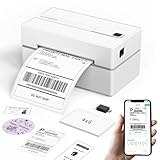
KNAON Bluetooth 4×6 Thermal Label Printer White
- Bluetooth Wireless Connection: KNAON Bluetooth shipping label printer enables wireless printing. For Mobile users, download the 'FlashLabel Pro' app from APP Store or...
- USB Cable Connectivity: This printer ensures seamless USB connectivity with macOS, Windows (7 and above), ChromeOS, and Linux. KNAON printer features a built-in USB drive...
- Versatile DIY Labeling Options: KNAON Thermal Shipping Label Printer offers a vast selection of pre-designed templates, including 3,000+ templates, 5,000+ icons, and...
- Seamless Multi-Platform Compatibility: This Bluetooth shipping label printer works effortlessly with all major platforms, including Amazon, eBay, Shopify, USPS, UPS...
- Portable & Stylish Design: KNAON multi-function thermal label printer offers user-friendly operation in a compact design. Its perfect size (7.17 x 3.9 x 3.43 inches...
Experience hassle-free label printing with the KNAON Bluetooth 4×6 Thermal Label Printer. Designed to simplify your workflow, it offers seamless wireless printing through Bluetooth or versatile USB connectivity. This flexibility allows you to print labels directly from Android, iPhone, Windows, or Mac devices without any compatibility issues.
With access to over 3,000 templates, 5,000 icons, and 100 fonts, this printer lets you create professional labels for shipping, barcodes, or price tags with ease. Its compact size fits perfectly in any workspace, making it ideal for small businesses with limited room. The fast print speed of 180 mm/s and sharp 200×200 dpi resolution help you stay efficient throughout your busy day.
Maintenance is straightforward since it uses thermal printing technology, eliminating the need for ink or toner. However, keep in mind it supports only black-and-white labels, and the maximum print width is limited to 4.2 inches, which may restrict some larger label designs. The included 10 label papers and accessories ensure a smooth start but expect to replenish supplies for ongoing use.
Best for: Small business owners and entrepreneurs needing a portable, reliable thermal label printer compatible with multiple devices and platforms.
What We Like:
- Wireless Bluetooth and USB connectivity for versatile use
- Extensive customization with thousands of templates, icons, and fonts
- Compact design with fast, high-resolution printing
Specification:
| Feature | Details |
|---|---|
| Manufacturer | KNAON |
| Dimensions | Compact (exact size not specified) |
| Weight | Not specified |
| Connectivity | Bluetooth, USB |
| Print Speed | 180 mm/s |
| Print Resolution | 200 x 200 dpi |
| Max Print Width | 4.2 inches |
| Included Supplies | 10 label papers, accessories |
| Color | White |
MUNBYN Bluetooth Thermal Receipt Printer 80mm Black USB Serial Ethernet

- NO Compatible with iOS Devices: NO Compatible with iOS, NO Compatible with iPad and iPhone. NO Compatible with Doordash support, No WIFI !
- [Compatible with Android, Windows, Mac, Linux, ChromeOS Systems & Cash Drawer] The high compatibility pos printer, with 3-ports, makes your business more accessible and...
- Note: Due to software updates, when connecting to the Shopify POS App via Bluetooth, you need to manually modify the Bluetooth name from "TM-m30-b001" to "TM-m30III" to...
- Built for Daily POS Checkout Workflows : Supports ESC/POS commands and a cash drawer connection for receipt printing in retail stores and restaurants; compatible with...
- 300mm/s Output for Peak Service Periods : Runs at up to 300mm/s and prints about 48 receipts per min for checkout counters and kitchen ticket stations during lunch rush...
Experience fast, reliable receipt printing wherever your business takes you with the MUNBYN Bluetooth Thermal Receipt Printer. Designed to keep checkout lines moving smoothly, it delivers crisp, clear prints at a speed of 300mm per second. This printer handles daily tasks efficiently, reducing wait times and improving customer satisfaction.
Its versatile connectivity options include Bluetooth, USB, Serial, and Ethernet, allowing seamless integration with Android, Windows, Mac, Linux, and ChromeOS systems. Though it does not support iOS devices, the printer’s wide compatibility ensures it fits most business setups.
Maintenance is straightforward thanks to its thermal printing technology, which eliminates the need for ink or toner. The compact design and included mounting hardware make it easy to position in tight spaces or connect to cash drawers, supporting a smooth point-of-sale experience.
Weighing just 1.68 kg, this sturdy printer balances portability with durability. It operates on ESC/POS commands, ensuring consistent performance and easy integration with existing software.
Best for: Retail and restaurant owners who need a fast, dependable thermal receipt printer compatible with multiple operating systems except iOS.
What We Like:
- High-speed printing at 300mm/s with sharp 203 x 203 dpi resolution
- Multiple connectivity options including Bluetooth, USB, Serial, and Ethernet
- Supports ESC/POS commands and cash drawer integration
- Compact and lightweight design with included mounting hardware
- Easy maintenance with inkless thermal printing technology
Specification:
| Feature | Details |
|---|---|
| Manufacturer | MUNBYN |
| Print Width | 80 mm |
| Print Speed | 300 mm/s |
| Resolution | 203 x 203 dpi |
| Connectivity | Bluetooth, USB, Serial, Ethernet |
| Supported Systems | Android, Windows, Mac, Linux, ChromeOS |
| Weight | 1.68 kg |
| Color | Black |
Canon PIXMA TS6520 Wireless Color Inkjet Printer, 1.42″ OLED Display, White

- Affordable Versatility - A budget-friendly all-in-one printer perfect for both home users and hybrid workers, offering exceptional value
- Crisp, Vibrant Prints - Experience impressive print quality for both documents and photos, thanks to its 2-cartridge hybrid ink system that delivers sharp text and vivid...
- Effortless Setup & Use - Get started quickly with easy setup for your smartphone or computer, so you can print, scan, and copy without delay
- Reliable Wireless Connectivity - Enjoy stable and consistent connections with dual-band Wi-Fi (2.4GHz or 5GHz), ensuring smooth printing from anywhere in your home or...
- Scan & Copy Handling - Utilize the device’s integrated scanner for efficient scanning and copying operations
The Canon PIXMA TS6520 wireless color inkjet printer brings sharp, vibrant prints right to your home or office. Its sleek design with a 1.42” OLED display makes monitoring ink levels and printer status simple and intuitive. This printer combines printing, scanning, and copying functions, streamlining your workspace and reducing clutter.
Designed for everyday use, it supports auto-duplex printing and produces borderless photos up to 8.5” x 11”. Dual-band Wi-Fi and voice compatibility let you print effortlessly from Android devices or PCs, saving time and hassle. The 1200 x 1200 dpi resolution ensures crisp text and clear images, ideal for family projects and schoolwork.
Maintenance is straightforward but note that the hybrid 2-cartridge ink system may require more frequent replacements. Print speeds are moderate, making it a good fit for typical home or student use rather than high-volume tasks. While it lacks fax capabilities and large paper format support, it covers essential needs reliably.
Best for: Families and students seeking an easy-to-use, all-in-one wireless printer for daily color and black-and-white printing, scanning, and copying.
What We Like:
- Clear 1.42” OLED display simplifies status monitoring
- Dual-band Wi-Fi with voice control enhances wireless printing
- Auto-duplex and borderless photo printing add convenience
- Sharp 1200 x 1200 dpi output for quality prints
Specification:
| Feature | Details |
|---|---|
| Manufacturer | Canon |
| Dimensions | Not specified |
| Weight | Not specified |
| Material | Not specified |
| Color Options | White |
Factors to Consider When Choosing a Bluetooth Printer for Android

When choosing a Bluetooth printer for your Android device, you’ll want to check its connectivity compatibility to guarantee a smooth connection. Consider print quality and resolution based on what you plan to print.
Also, think about the printer’s size and portability for your needs. It’s important if you’re on the go a lot.
Don’t forget to look at battery life and power options. Plus, check the types of media the printer supports to make the best choice.
Connectivity Compatibility
Since Bluetooth printer compatibility with Android can vary by model and manufacturer, you’ll want to confirm the device explicitly supports your Android system. Check if the printer requires a specific app for Bluetooth pairing, as some models need a dedicated application to connect properly.
It’s also smart to look for printers offering dual connectivity options like Bluetooth and USB, giving you more flexibility. Verify that the printer handles various file formats, such as PDFs, images, and documents, to guarantee smooth printing from your Android device.
Finally, consider the Bluetooth range—if you often print from a distance or larger space, a longer range will improve your overall experience and convenience. It’s little things like this that can make a big difference when you’re on the go.
Print Quality And Resolution
Print quality plays an essential role in choosing the right Bluetooth printer for your Android device. You’ll want to reflect on the printer’s resolution, measured in dots per inch (DPI).
A 203 DPI resolution works well for text and simple graphics, but if you plan to print detailed images, opt for 300 DPI. Keep in mind that print speed can impact quality—faster printing might reduce detail if the printer isn’t optimized for both speed and clarity.
For color prints, inkjet printers deliver vibrant output using multiple cartridges, while most thermal printers print in monochrome unless specified. Also, remember that using the correct media is crucial; thermal printers require specific thermal paper to avoid smudging or fading and maintain consistent quality.
Portability And Size
Although Bluetooth printers vary widely in features, portability and size often determine how convenient they are for your Android setup. You’ll want to evaluate weight carefully—options range from lightweight models around 0.43 kg to heavier ones up to 3.1 pounds.
Compact dimensions matter too; printers less than 3 inches deep fit easily in backpacks or briefcases. Choose designs that support standard paper sizes like US Letter or A4 to guarantee paper compatibility.
Additionally, look for printers with built-in paper bins or layouts that simplify storage and handling. By prioritizing these factors, you’ll find a Bluetooth printer that’s not just powerful but also easy to carry and store, perfectly suited for mobile printing on your Android device.
Battery Life And Power
When you’re choosing a Bluetooth printer for your Android device, you’ll want to focus on battery life and power to guarantee it keeps up with your mobile needs. Portable printers usually feature rechargeable batteries between 1,500mAh and 2,500mAh, supporting multiple prints on a single charge.
Look for models that can handle around 160 sheets of thermal paper before needing a recharge. That way, you’re not caught off guard during busy times.
Also, check the power consumption—some printers operate efficiently at 5V 2A, which pairs well with portable chargers. Don’t forget to verify whether the printer includes a charging adapter or cable, as this impacts convenience.
Prioritizing these factors assures your printer stays reliable wherever you go.
Supported Media Types
Battery life and power keep your printer running, but the type of media it supports determines what you can create. When choosing a Bluetooth printer for your Android device, make certain it handles the media types you need—whether that’s thermal paper, glossy photo paper, or cardstock.
Many portable thermal printers work only with inkless thermal media and standard sizes like US Letter or A4. If you want more versatility, consider an inkjet model, which often accommodates photo paper, envelopes, and labels.
Also, check the maximum media size compatibility to avoid surprises. Don’t forget to review the print resolution for each media type, as it impacts the sharpness and quality of your images and text.
This way, you confirm your printer fits your specific printing needs perfectly.
Setup And Ease
Setting up your Bluetooth printer should be quick and hassle-free, so look for models with dedicated apps that simplify pairing and configuration. You’ll want a printer that supports both Bluetooth and USB connections, giving you flexibility with different devices.
Choose one that doesn’t require technical know-how, especially if you’re not tech-savvy. Clear instructions are key, so pick a printer that offers straightforward setup guides and supports both Android and iOS platforms.
Also, make certain the printer’s app is easily accessible through popular app stores, so downloading and updating is convenient. Prioritizing these setup and ease-of-use factors guarantees you spend less time troubleshooting and more time printing smoothly from your Android device.
Frequently Asked Questions
How Do Bluetooth Printers Affect Smartphone Battery Life?
Bluetooth printers use your smartphone’s Bluetooth, which can slightly drain your battery, especially during long printing sessions.
However, with efficient models and short connections, you won’t notice much impact on your phone’s battery life.
Can Bluetooth Printers Connect to Multiple Devices Simultaneously?
Think of a Bluetooth printer like a party host—it can only chat with one guest at a time. So, you can’t connect multiple devices simultaneously.
You’ll need to switch connections whenever you want to print from different gadgets. It’s a bit like passing the mic around at a party!
What Security Features Protect Bluetooth Printer Connections?
You’ll find Bluetooth printers use encryption, authentication, and secure pairing methods to protect connections. These features prevent unauthorized access and data interception.
This way, your print jobs stay private and your device remains secure during wireless communication. It’s all about keeping things safe and hassle-free when you print.
Are Bluetooth Printers Compatible With All Android Versions?
Bluetooth printers aren’t compatible with all Android versions. You’ll need at least Android 5.0 or higher for most models.
Always check your printer’s specs and update your device to guarantee smooth connectivity and printing. That way, you can avoid any frustrating hiccups when you want to print something quickly.
How Long Does Bluetooth Printer Pairing Typically Take?
Pairing a Bluetooth printer usually takes just a few seconds, like snapping your fingers. You’ll connect your device quickly.
But if it drags, don’t worry. Just double-check the settings or restart both devices to speed things up.
Conclusion
If you don’t grab one of these Bluetooth printers for your Android, you might as well be stuck in the Stone Age! Imagine endless hassle with tangled cables and slow printing—no thanks!
These printers are so fast and wireless, they’ll make your life ridiculously easy. Whether you’re traveling or working from home, having one of these is an absolute game-changer you can’t afford to miss.
Don’t wait—print like a pro today! With the best Bluetooth printers for Android, you get seamless connectivity, quick setup, and crisp prints wherever you go. They’re compact, reliable, and designed to keep up with your busy lifestyle. So, if you want hassle-free, efficient printing on the go, these Bluetooth printers are exactly what you need. Upgrade your printing experience now and enjoy the freedom of wireless printing!