12 Best 3D Printer Kits for Beginners in 2027
If you want an easy start in 3D printing, the 12 best beginner 3D printer kits in 2027 offer a great range of options to get you going. These kits are perfect for newbies who want reliable performance without the hassle.
For example, the FLASHFORGE Adventurer 5M stands out with its fast CoreXY movement and automatic leveling, making setup a breeze.
Then there’s the AOSEED AI, which is enclosed for safe use and comes loaded with ready-to-print models.
If you’re looking to experiment with multi-color projects, Bambu Lab’s P1S Combo is a solid choice thanks to its quick setup and versatility.
Many kits also include handy toolkits filled with essential accessories to keep your printer running smoothly.
Take your time exploring these beginner-friendly options so you can find the perfect fit and start printing your projects confidently right from day one.
| Image | Name | Editor's Rating | Price |
|---|---|---|---|

|
|
||

|
|
||

|
|
||

|
|
||

|
|
FLASHFORGE Adventurer 5M 3D Printer, All-Metal CoreXY, 600mm/s Max Travel
- One-Click Automatic Printing: Experience hassle-free 3D printing with the Adventurer 5M Series. Enjoy automatic bed leveling for flawless first layers, ensuring...
- 12X Ultra Fast Printing: Featuring a CoreXY structure with 600mm/s travel speed and 20000mm/s² acceleration, the AD5M maximizes efficiency, reduces production cycles...
- Smart and Efficient Design: Quick 3-second nozzle changes, a high-flow 32mm³/s nozzle, and fast 35-second warm-up to 200°C deliver stable high-speed printing. Its...
- Superior Print Quality & Adaptability: Combines a 280°C direct drive extruder with dual-fan cooling and vibration compensation. Includes a standard 0.4mm nozzle and...
- Real-Time App Monitoring: Monitor print progress, adjust settings, and receive instant status alerts remotely with the Flash Studio. Smart mobile control ensures a...
The FLASHFORGE Adventurer 5M is designed to make 3D printing faster and more efficient for users at any skill level. Its all-metal CoreXY frame enables travel speeds up to 600mm/s, significantly reducing print times without sacrificing precision. This printer solves the common frustration of slow prototyping, helping you bring ideas to life quickly.
Maintenance is straightforward thanks to its automatic bed leveling, which ensures accurate first layers without manual calibration. The high-flow 0.4mm nozzle supports detailed prints while allowing quick swaps to adapt to different project needs. These features minimize downtime and keep your workflow smooth.
With a build volume of 220 x 220 x 220 mm, the Adventurer 5M offers enough space for most standard models while remaining compact and lightweight at about 22 pounds. Its size fits comfortably on a desktop, making it suitable for home studios or small offices.
The printer’s real-time app monitoring lets you track print progress remotely, giving you control and peace of mind. While the build volume may limit larger projects, the machine’s speed and reliability make it an excellent choice for rapid prototyping and detailed work.
Best for: Designers and engineers seeking a compact, fast 3D printer that balances speed with precision for everyday prototyping.
What We Like:
- High-speed CoreXY design enables quick, accurate printing.
- Automatic bed leveling reduces setup time and errors.
- Real-time app monitoring offers convenient print control.
- Quick nozzle swaps increase versatility and ease of use.
Specification:
| Feature | Details |
|---|---|
| Manufacturer | FLASHFORGE |
| Dimensions | Compact, fits desktop |
| Weight | 22 pounds (approx. 10 kg) |
| Frame Material | All-metal CoreXY |
| Max Travel Speed | 600 mm/s |
| Build Volume | 220 x 220 x 220 mm |
| Nozzle Size | 0.4 mm |
AOSEED AI 3D Printer for Kids, Fast 400mm/s, 20,000+ Models, Enclosed Safe
- [NOTE] PLA comes in multiple colors, but this printer supports single-color printing only. Multi-color designs can be created by printing separate parts and assembling...
- A Home Toy Factory with Endless DIY Fun: This mini 3D printer brings a toy factory home, helping families make new toys without extra store trips. With access to...
- AI-Powered Creativity Made Simple: This AI 3D printer lets kids bring their imagination to life. With AI Doodle, children can create custom 3D models using voice, text...
- Easy, Safe One-Tap Printing: Designed as a 3D printer for kids, it makes every project simple. Kids can print with one tap in the app, while parents can feel confident...
- Fast, Precise Printing with Smart Detection: This 3D printer delivers precision up to 0.05 mm and upgraded speeds of 220–250 mm/s, with peaks up to 400 mm/s. Small toy...
The AOSEED AI 3D Printer offers a safe and fast way for kids to bring their creativity to life. Its enclosed, pinch-resistant design ensures little hands stay protected during use. With a printing speed of up to 400 mm/s, projects complete quickly without compromising quality.
This printer simplifies the 3D printing process with a leveling-free platform and one-tap printing, making it easy for beginners. Maintenance is straightforward, supported by TÜV-tested PLA filament that is safe and reliable. A built-in camera allows parents to monitor prints remotely and capture time-lapse videos of creations.
Kids can explore a vast library of over 20,000 human-reviewed models and use AI tools like Doodle and MiniMe to design custom toys and avatars. This encourages learning and imaginative play while building technical skills. The starter kit includes eight filament rolls and essential tools, so printing can start immediately.
While it’s designed for ease and safety, advanced users might find material options limited to PLA, and the printer’s size may not suit very small spaces. However, it provides a high-quality, user-friendly experience for children and parents alike.
Best for: Families seeking a safe, fast, and easy-to-use 3D printer with creative AI design tools and extensive model options.
What We Like:
- Fast print speed of up to 400 mm/s with high precision (0.05 mm)
- Enclosed, child-safe design with TÜV-tested PLA filament
- Access to 20,000+ human-reviewed models and AI customization tools
- Built-in camera for print monitoring and time-lapse videos
- Starter kit includes 8 filament rolls and tools for immediate use
Specification:
| Feature | Details |
|---|---|
| Manufacturer | AOSEED |
| Printing Speed | Up to 400 mm/s |
| Precision | 0.05 mm |
| Material | TÜV-tested PLA filament |
| Included Filament | 8 rolls |
| Design | Enclosed, pinch-resistant |
| Dimensions | Not specified |
| Weight | Not specified |
Bambu Lab P1S Combo, P1S 3D Printer and AMS, Multi-Color 3D Printing
- Up to 16 Colors: Bring your designs to life with vibrant multi-color/multi-material printing capabilities, perfect for showcasing your creativity. Note: Connecting Bambu...
- 500mm/s and 20000 mm/s² Acceleration True High Speed: Don't wait around for your masterpieces. Lightning-fast printing speed lets you focus on creating, not waiting.
- Enclosed Design: Fully enclosed body improves print performance for advanced filaments. Automatic Bed Leveling: Say hello to high-quality, successful prints. Auto bed...
- Set Up in 15 Minutes: Spend more time printing and less time setting up. User-friendly design ensures a hassle-free assembly experience for all skill levels.
- Supported Filament: Ideal: PLA, PETG, TPU, PVA, PET ABS, ASA; Capable : PA, PC; Not Recommended: Carbon/Glass Fiber Reinforced Polymer.
The Bambu Lab P1S Combo redefines multi-color 3D printing with its ability to handle up to 16 colors effortlessly. This system pairs the P1S 3D printer with an Automatic Material System (AMS), allowing users to switch between materials and colors seamlessly. Its enclosed design not only enhances print quality but also creates a stable printing environment.
Setup is quick and straightforward, taking only about 15 minutes, making it accessible for both beginners and experienced users. The printer’s automatic bed leveling ensures consistent first layers, reducing failed prints and improving overall reliability. With speeds reaching 500mm/s and acceleration up to 20,000 mm/s², it delivers fast results without compromising precision.
Maintenance is simplified thanks to the enclosed build and material handling system, which protects prints and components from dust and external factors. This printer supports a broad range of filaments including PLA, PETG, TPU, and ABS, providing versatility for diverse projects. However, it is not suitable for carbon or glass fiber reinforced polymers, which limits use with some advanced materials.
Weighing 47.5 pounds, the P1S Combo is compact but less portable, best suited for dedicated workspaces. Its design and functionality make it an excellent choice for users wanting to explore complex, multi-material 3D printing with reliable performance.
Best for: Hobbyists and professionals needing a versatile, efficient multi-color 3D printer with advanced material handling.
What We Like:
- Supports up to 16 colors and multiple materials for creative flexibility
- High printing speed (500mm/s) and acceleration (20,000 mm/s²) for efficient production
- Enclosed design with automatic bed leveling ensures consistent print quality
- Quick 15-minute setup suitable for beginners and pros alike
Specification:
| Specification | Details |
|---|---|
| Manufacturer | Bambu Lab |
| Dimensions (L×W×H) | Not specified |
| Weight | 47.5 lb (21.5 kg) |
| Material Compatibility | PLA, PETG, TPU, ABS |
| Color Options | Up to 16 colors with AMS |
3D Printer Tools Kit with 34 Accessories
- 【3D Printer Tools Expedite Your Workflow, 1-Year Warranty】Designed and Selected by a 15-Year 3D print enthusiasts team, this kit includes all essential tools. We have...
- 【Nozzle Cleaning & Replacing One-Station Solution】To avoid filament inconsistent extrusion caused by a clogged nozzle, we prepare 5 different types of cleaning...
- 【2 Types of Removal Scrapers for Flawless Prints】To remove different-sized prints without damaging the print bed, the kit includes 2 types of removal scrapers. One...
- 【5 Shapes of Metal Files Catered to A Wide Range of Tasks】They are flat steel file, flat warding steel file, square steel file, triangular steel file, round steel...
- 【3D Printer Accessories Gift Must-Have】Black canvas storage bag with tool holder for easy finding, organizing, storing and transporting. The storage box provides...
Keep your 3D printer in top shape with this 3D Printer Tools Kit, designed to tackle the common challenges of maintenance and finishing. Whether you’re clearing nozzle clogs or removing prints, these tools help you work efficiently and avoid damage to delicate parts.
The kit includes a variety of nozzles and cleaning needles that target filament blockages in different sizes. Two scrapers come in handy for safely detaching prints—from heavy-duty models to intricate designs—while ergonomic metal files ensure smooth, precise edges on your finished pieces.
All tools fit neatly into a durable black canvas bag, making organization and portability simple. This thoughtful design keeps everything in place and ready for quick access, reducing downtime during your print jobs.
While the kit covers many essential needs, the included nozzle sizes might not suit all printing styles, and some tools may be underused by beginners. It focuses on manual maintenance, so electronic troubleshooting tools are not part of this set.
Best for: Beginners and hobbyists seeking a practical, well-organized toolkit for routine 3D printer maintenance and print finishing.
What We Like:
- Wide range of tools tailored for 3D printer upkeep and cleaning
- Dual scrapers and ergonomic files for both heavy-duty and fine print work
- Compact storage bag keeps tools organized and easy to transport
Specification:
| Feature | Details |
|---|---|
| Manufacturer | Not specified |
| Number of Tools | 34 accessories |
| Nozzle Sizes | Includes MK8 brass nozzles (0.2mm, 0.4mm) |
| Storage Case | Black canvas bag |
| Weight | Not specified |
Entina Tina2C Mini 3D Printer Starter Bundle
- Complete Starter Bundle with 1kg PLA: Includes four 250g rolls of PLA filament in different colors. Start creating colorful toys, decorations, and DIY projects without...
- Fully Assembled & Ready in 5 Minutes: No complicated assembly required. The Tina2C mini 3D printer comes ready for guided setup through the Poloprint Cloud app, helping...
- 3500+ Models, New Designs Added Daily: Explore over 3500 printable models and 25+ DIY modules through the app. Discover fresh creative projects and hands-on STEM...
- Auto Leveling & Power-Loss Recovery: Automatic bed leveling improves first-layer setup and reduces manual adjustments. Power-loss recovery helps resume interrupted...
- Magnetic Build Plate & Quick-Swap Nozzle: The flexible magnetic plate helps release finished prints with a gentle bend, while the quick-swap nozzle design makes routine...
The Entina Tina2C Mini 3D Printer Starter Bundle offers an easy entry into 3D printing for kids and beginners. Its compact design fits neatly into small spaces, making it ideal for home or classroom use. With the printer arriving fully assembled, users can start creating within minutes using the Poloprint Cloud app’s guided setup.
This printer solves common beginner challenges by featuring auto leveling and power-loss recovery, ensuring prints complete smoothly without constant supervision. Maintenance is simple thanks to a magnetic build plate and a quick-swap nozzle, reducing downtime and frustration.
The bundle includes 1kg of colorful PLA filament and access to over 3,500 models, plus STEM projects that inspire creativity. Connectivity options include WiFi and offline modes, allowing flexible use without complicated setups. Its quiet operation also minimizes distractions during printing.
While the build volume is modest at 3.9 x 3.9 x 3.9 inches, this size suits small projects and learning purposes. The connectivity is limited to 2.4GHz WiFi and TF card support, which may not meet the needs of advanced users. Overall, it balances ease of use with practical features for beginners.
Best for: Kids and beginners seeking a compact, user-friendly 3D printer with guided setup and creative learning resources.
What We Like:
- Fully assembled and ready to print within minutes with guided app setup
- Auto leveling and power-loss recovery ensure hassle-free printing
- Magnetic build plate and quick-swap nozzle simplify maintenance
- Includes colorful PLA filament and access to a large model library and STEM projects
- Quiet operation suitable for home or classroom environments
Specification:
| Feature | Details |
|---|---|
| Manufacturer | Entina |
| Dimensions | 7.5 x 7.5 x 7.5 inches |
| Weight | Not specified |
| Material | Not specified |
| Color Options | Not specified |
| Build Volume | 3.9 x 3.9 x 3.9 inches |
| Connectivity | 2.4GHz WiFi, TF card |
Entina Tina2C Mini 3D Printer for Beginners

- 【Easy to Use 3D Printer – Ready in 5 Minutes】 Meet the Entina Tina2C, a plug-and-play mini 3D printer designed for first-time users. Fully assembled with factory...
- 【3500+ 3D Models & Easy One-Tap Printing】 Explore 3500+ ready-to-print 3D models and 25+ DIY projects in the Poloprint Cloud app, with new designs added daily...
- 【Smart WiFi 3D Printer & AI-Powered App】 Connect via 2.4GHz WiFi and enjoy convenient 3D printer app control through Poloprint Cloud. Explore models, manage prints...
- 【Auto Leveling 3D Printer & Power-Loss Recovery】 Automatic bed leveling helps improve first-layer adhesion and reduces manual adjustments for a smoother 3D printing...
- 【Flexible Magnetic Print Bed & Quick-Swap Nozzle】 The flexible magnetic build plate makes finished 3D prints easier to remove with a gentle bend. A removable...
The Entina Tina2C Mini 3D Printer is designed to make 3D printing accessible and enjoyable for beginners and kids. Its quick 5-minute setup means you can start creating almost immediately, without the usual hassle of assembly or calibration. This printer’s plug-and-play design and auto leveling ensure smooth, reliable first prints every time.
Maintaining the Tina2C is straightforward, thanks to its compact and user-friendly design. Its quiet operation means it fits comfortably into any home or classroom environment without distractions. The compact size also saves space, making it ideal for small work areas.
This mini 3D printer improves the user experience with the AI-powered Poloprint app, which offers intuitive text-to-3D and photo-to-3D conversion. With access to over 3,500 ready-to-print models, it opens up a world of creative possibilities for beginners. Connectivity options include WiFi and offline printing, ensuring flexible use.
While the build volume is limited, it suits small projects very well. It may not have all the advanced features that experienced users seek, and its 2.4GHz WiFi could restrict connectivity in some setups. However, its compatibility with popular software like Cura and Simplify3D adds versatility.
Best for: Beginners and kids looking for a compact, easy-to-use 3D printer with quick setup and versatile printing options.
What We Like:
- Fully assembled with plug-and-play setup and auto leveling
- AI-powered Poloprint app with text-to-3D and photo-to-3D features
- Access to 3,500+ ready-to-print models
- Supports WiFi and offline printing
- Compatible with Cura and Simplify3D software
Specification:
| Feature | Description |
|---|---|
| Manufacturer | Entina |
| Dimensions | Compact (exact size not specified) |
| Weight | Lightweight (exact weight not specified) |
| Material | Not specified |
| Color Options | Not specified |
68Pcs 3D Printer Tools Kit with Storage Case

- 【Upgraded 68-in-1 3D Printer Tools Kit, 1-Year Warranty】Designed by a Team of 15-Year 3D Printing Enthusiasts, the kit includes all essential tools. From wire cutters...
- 【Scrapers for Flawless Removal 3D Printed Models】One Stainless Steel removal scraper features a 15-degree angled (0.5mm thickness, 1.57-inch length), providing...
- 【1 Deburring Tool & 10 HSS BS1010 Swivel Blades】Our model polishing tools include 3 engraving knives with 9 types of blades, 5 different metal files and a...
- 【Nozzle Cleaning Needles, Brushes & Tweezers】To avoid inconsistent filament extrusion caused by a clogged nozzle, we provide 5 types of cleaning needles, (0.2mm...
- 【3D Printer Accessories Gifts Must-Have】4 cut-resistant finger cots to protect your fingers while working. A black sleeve case makes it easy to find, organize, store...
The 68Pcs 3D Printer Tools Kit offers a well-rounded solution for managing every stage of your 3D printing projects. Its carefully selected tools help you tackle common challenges like removing supports, smoothing rough edges, and assembling parts precisely. This kit enhances your workflow by combining essential instruments in one compact set.
Maintenance becomes simpler with specialized brushes, cleaning needles, and tweezers designed to keep your nozzles and printers in optimal condition. The inclusion of a 360° swivel-head deburring tool and scrapers makes finishing touches on PETG, ABS, and PLA+ filaments more efficient and accurate.
All tools fit neatly into a sturdy black storage case, ensuring your workspace stays organized and tools are protected. The addition of cut-resistant finger cots prioritizes user safety during detailed work. While the kit is comprehensive, some users may find the collection more extensive than necessary, and the case size might feel bulky for those seeking portability.
Best for: Beginners and hobbyists looking for a complete, easy-to-manage 3D printer tool kit that supports assembly, maintenance, and finishing tasks.
What We Like:
- Diverse set of tools tailored for 3D printing tasks
- Effective cleaning accessories for routine maintenance
- Protective, organized storage with safety features
- Versatile deburring and scraping tools for multiple filament types
Specification:
| Feature | Details |
|---|---|
| Manufacturer | Not specified |
| Number of Pieces | 68 |
| Storage Case Color | Black |
| Included Tools | Wire cutters, pliers, hand drill with bits, files, knives, scrapers, deburring tool, needles, brushes, tweezers |
| Materials Supported | PETG, ABS, PLA+ |
FLASHFORGE AD5X Multi-Color 3D Printer, Built-In 4-Color IFS

- Vivid Multi-Color Printing: Bring your creations to life with vibrant, multi-color prints. This printer supports up to 4 colors simultaneously, giving you endless...
- 1-Click Auto Leveling: Enjoy smooth, uninterrupted prints with the advanced 1-Click Auto Leveling feature that automatically calibrates your print bed for optimal results...
- Ultra-Fast 12X Printing Speed: The AD5X features a Core XY structure with speeds up to 600mm/s and acceleration of 20,000mm/s². Its stable design boosts both efficiency...
- Exceptional Print Quality: The AD5X delivers outstanding print results with its advanced dual-channel cooling fan, vibration compensation system, and 300°C direct-drive...
- Versatile Nozzle Options: The AD5X supports four nozzle sizes (0.25mm to 0.8mm) for full creative control. The 0.4mm nozzle comes pre-installed for versatile, everyday...
Experience the freedom to create vivid, multi-color 3D prints with the FLASHFORGE AD5X Multi-Color 3D Printer. Designed to simplify complex printing tasks, it allows you to print up to four colors simultaneously. This capability solves the common challenge of manually painting or assembling multi-color models, saving you time and effort.
The printer’s 220 x 220 x 220 mm build volume offers enough space for a variety of projects while maintaining precision. Its ultra-fast speeds, reaching up to 600mm/s, help you complete prints quickly without sacrificing detail. The 300°C direct-drive extruder ensures sharp results, even with complex designs.
Maintenance is straightforward thanks to the 1-Click Auto Leveling feature and the resume print function, which protects your work from unexpected interruptions. The Flash Maker app lets you monitor prints remotely, giving you control and peace of mind during long sessions.
Built with a stable Core XY framework and an advanced cooling system, this printer consistently produces high-quality results. Its design balances performance with ease of use, making it a practical choice for creative beginners and hobbyists who want to bring colorful ideas to life efficiently.
Best for: Creative beginners and hobbyists seeking an easy-to-use, multi-color 3D printer that delivers detailed prints quickly.
What We Like:
- Prints up to 4 colors at once for vibrant models
- Fast printing speeds up to 600mm/s without losing detail
- Simple maintenance with 1-Click Auto Leveling and resume print
- Remote print monitoring through the Flash Maker app
- Stable Core XY design ensures consistent print quality
Specification:
| Feature | Details |
|---|---|
| Manufacturer | FlashForge |
| Build Volume | 220 x 220 x 220 mm |
| Maximum Print Speed | 600 mm/s |
| Extruder Temperature | Up to 300°C |
| Weight | 24.2 lb (11 kg) |
| Print Technology | Core XY |
| Color Capability | Up to 4 colors |
Creality K2 SE 3D Printer Bundle with 74Pcs 3D Printing Tool Wrap Kit

- 【500mm/s High-Speed Fast Printing】Driven by a lightweight CoreXY motion system, the Creality K2 SE delivers up to 500mm/s high-speed printing with 20,000mm/s...
- 【Solid Metal Build—High Precision & Stable Printing】Featuring a die-cast aluminum alloy frame, corner gussets, and dual-side crossbeams, the K2 SE offers...
- 【Expandable Multicolor Printing—Compatible with Creality CFS】K2 SE is the upgrade of K1 SE 3d printer, the K2 SE is fully compatible with the Creality CFS...
- 【16 COLORS TO ENHANCE YOUR CREATIVITY】The Creality Filament System (CFS) has a connection hub on the back. By connecting up to four CFS units together, you can print...
- 【Professional Versatility & Wide Application】Disassemble, assemble, connect, grind, cut, cleaning, scrape, shovel.This 3D Printer Tool Wrap Kit Pro contains the tools...
The Creality K2 SE 3D Printer Bundle offers a powerful solution for users who need fast and precise printing with vibrant color options. Its lightweight CoreXY motion system enables speeds up to 500mm/s, delivering sharp and smooth prints. The built-in vibration sensor enhances print quality by reducing unwanted movements.
Designed with a sturdy die-cast aluminum frame and dual crossbeams, this printer maintains stability and accuracy during rapid motions. You can expand your creative potential by connecting up to four Creality CFS units for multicolor prints featuring up to 16 different hues. This flexibility allows complex, colorful projects without compromising speed or precision.
Maintenance is simplified with the included 74-piece tool wrap kit, which equips you with all essential tools to fine-tune and care for your printer. Regular upkeep ensures consistent performance and longevity, making it easier to manage detailed 3D printing tasks from start to finish.
Best for: Professionals and enthusiasts seeking a high-speed, accurate 3D printer with advanced multicolor capability and a comprehensive tool kit for versatile, reliable printing.
What We Like:
- High-speed printing up to 500mm/s with enhanced smoothness through vibration sensing
- Durable die-cast aluminum frame for stable and precise operation
- Multicolor printing support with up to 16 colors using Creality CFS units
- Comprehensive 74-piece tool kit included for easy maintenance and adjustments
Specification:
| Feature | Details |
|---|---|
| Manufacturer | Creality |
| Dimensions | Not specified |
| Weight | Not specified |
| Frame Material | Die-cast aluminum |
| Motion System | CoreXY |
| Maximum Print Speed | 500 mm/s |
| Color Options | Up to 16 colors (with CFS units) |
| Included Tools | 74-piece 3D printing toolkit |
Anycubic Kobra X Multicolor 3D Printer, Easy Setup, Native 4-Color

- 【 Newest Level - 19-Color with 4 ACE 2 Pro】Why settle for one color when you can have multicolor? The Kobra X comes born with 4 colors built-in. It is innovative 3D...
- 【 Savings 2X Time】Stop wasting hours and filament on purging! Kobra X impresora 3D reduces the filament and machine travel path by 81.25%, so 2X the Speed, and...
- 【Hardened Precision & High Speed 】 Equipped with a high-durability hardened steel nozzle and vibration compensation, the Kobra X ensures every layer remains smooth...
- 【Flawless First Layer with LeviQ 3.0】The LeviQ 3.0 and auto bed leveling system uses a 49-point calibration and advanced leveling algorithm to ensure 100% bed...
- 【Smart AI Monitoring & Large Model Library】APP remote control, features Spaghetti detection and foreign object detection. The innovative top-mount spool holder...
The Anycubic Kobra X Multicolor 3D Printer brings vibrant creativity to life with its native 4-color printing capability. It solves the common challenge of limited color options in 3D printing, allowing users to produce multi-hued projects without complex setups. This printer’s design supports expansion up to 19 colors by adding more units, enabling greater versatility for detailed and colorful models.
Speed is a key advantage, with printing speeds up to 600mm/s and an 81.25% reduction in filament travel. This efficiency shortens print times significantly, completing a standard Benchy in just 14 minutes. Such performance helps users meet tight deadlines and boosts productivity.
Maintenance is simplified with the LeviQ 3.0 auto bed leveling and 49-point calibration system, ensuring flawless first layers and reducing setup time to around 15 minutes. This feature minimizes manual adjustments and improves print reliability, even for beginners.
Smart AI monitoring and dual-band Wi-Fi provide remote control and real-time progress updates. These tools help users manage prints conveniently and troubleshoot issues early. The printer supports a variety of filament types and handles prints up to 260mm³, suitable for most hobbyist projects.
Best for: Creative beginners and hobbyists seeking fast, multicolor 3D printing with easy setup and smart features.
What We Like:
- Native 4-color printing expandable to 19 colors
- High-speed printing with efficient filament travel
- Auto bed leveling with precise 49-point calibration
- Smart AI monitoring and dual-band Wi-Fi connectivity
Specification:
| Feature | Details |
|---|---|
| Manufacturer | Anycubic |
| Dimensions (mm) | Not specified |
| Weight | Not specified |
| Color Options | Native 4-color, expandable |
| Maximum Print Volume | 260 mm³ |
| Print Speed | Up to 600 mm/s |
Bambu Lab A1 3D Printer, Ready-to-Use FDM 3D Printer for Beginners and Kids

- High-Speed Precision: Experience unparalleled speed and precision with the Bambu Lab A1 3D Printer. With an impressive acceleration of 10,000 mm/s², the A1 delivers...
- Multi-Color Printing with AMS lite: Unlock your creativity with vibrant and multi-colored 3D prints. The Bambu Lab A1 3D printers make multi-color printing accessible and...
- Full-Auto Calibration: Say goodbye to manual calibration hassles. The A1 3D printer takes care of all the calibration processes automatically, ensuring optimal...
- Active Flow Rate Compensation: Achieve consistently smooth prints with active flow rate compensation. The algorithm actively compensates the flow rate according to the...
- Easy and Quiet 3D Printing: Experience effortless printing with the Bambu Lab A1 FDM 3D printer. Its user-friendly interface and simplified touchscreen make it easy to...
The Bambu Lab A1 is designed to make 3D printing accessible and straightforward for beginners and kids. Its ready-to-use setup eliminates complicated calibrations, letting users start printing quickly. Full-auto calibration handles bed leveling and Z-offset, saving time and reducing errors.
This printer delivers fast and precise prints thanks to its 10,000 mm/s² acceleration and an active flow rate compensation system. These features ensure consistent, high-quality results without constant adjustments. The touchscreen interface and 1-clip quick swap nozzle make operation and maintenance simple and efficient.
The Bambu Lab A1 supports multi-color printing through its AMS Lite accessory, adding creative versatility. Its lightweight design, weighing only 22 pounds, and quiet operation at ≤48 dB make it ideal for home or creative spaces without disruption.
While it focuses on FDM technology, which suits most beginners, advanced users may find limitations in print size and material options. The need for an additional AMS Lite for multi-color prints is also a consideration.
Best for: Beginners and children seeking an easy-to-use, fast, and precise 3D printer with multi-color capabilities.
What We Like:
- Fast acceleration and flow rate compensation for precise printing
- Full-auto calibration simplifies setup and reduces errors
- Touchscreen and quick swap nozzle enhance ease of use and maintenance
- Lightweight and quiet, perfect for home environments
- Compatible with AMS Lite for multi-color printing
Specification:
| Feature | Details |
|---|---|
| Manufacturer | Bambu Lab |
| Dimensions | Not specified |
| Weight | 22 lb (10 kg) |
| Printing Technology | FDM |
| Noise Level | ≤48 dB |
| Multi-Color Support | Via AMS Lite accessory |
Creality 74-Piece 3D Printer Tool Kit

- 【Professional Versatility & Wide Application】Disassemble, assemble, connect, grind, cut, cleaning, scrape, shovel.This 3D Printer Tool Wrap Kit Pro contains the tools...
- 【Model Handling & Processing Tools】Chamfer knife with 360° rotatable blade, for precisely refining edges of artwork. Engraving knife and files for easy handling of...
- 【3D Printer Tool Kit Package Includes】Multifunctional Wrench, Open -ended Wrench, Metal Spatula, Pointed-Nose Pliers, Nipper, Engraving Knife (5PCS Blades and...
- 【Various-sized Nozzle Cleaner】3d printing tool kit for quick cleaning of residual filaments. 150mm φ1.5mm needle allows cleaning residual filaments from various...
- 【Multi-functional Screwdriver Set】Complete Specifications, Wide Applicability. 34pcs chromium-vanadium steel nickel-plated screwdriver bits, for addressing challenges...
Creality’s 74-piece 3D printer tool kit is designed to make every step of 3D printing easier and more precise. Whether you’re assembling parts or maintaining your printer, this kit provides the right tools to solve common challenges like removing supports or cleaning nozzles efficiently. Its compact design ensures you can keep everything organized and accessible.
The kit includes specialized tools such as a chamfer knife with a 360° rotatable blade and engraving knives that help achieve clean, detailed finishes on your prints. With 34 chromium-vanadium steel screwdriver bits and a universal swivel hose, even hard-to-reach screws become manageable. This versatility supports fine-tuning and routine maintenance tasks with ease.
Ideal for use with all FDM 3D printers, the lightweight set fits comfortably in any workspace. While the variety of tools covers many needs, some users may find the assortment overwhelming at first. Additionally, sharp engraving blades require careful handling to ensure safety during use.
Best for: Beginners and hobbyists who want a versatile, all-in-one tool kit for assembly, upkeep, and fine adjustments of FDM 3D printers.
What We Like:
- Wide selection of precision tools for detailed print finishing and maintenance
- Durable chromium-vanadium steel bits with swivel hose for tight spaces
- Compact and lightweight for easy storage and portability
Specification:
| Feature | Details |
|---|---|
| Manufacturer | Creality |
| Number of Pieces | 74 |
| Material | Chromium-vanadium steel, various tool materials |
| Compatibility | All FDM 3D printers |
| Weight | Lightweight (exact weight not specified) |
Factors to Consider When Choosing a 3D Printer Kit for Beginners
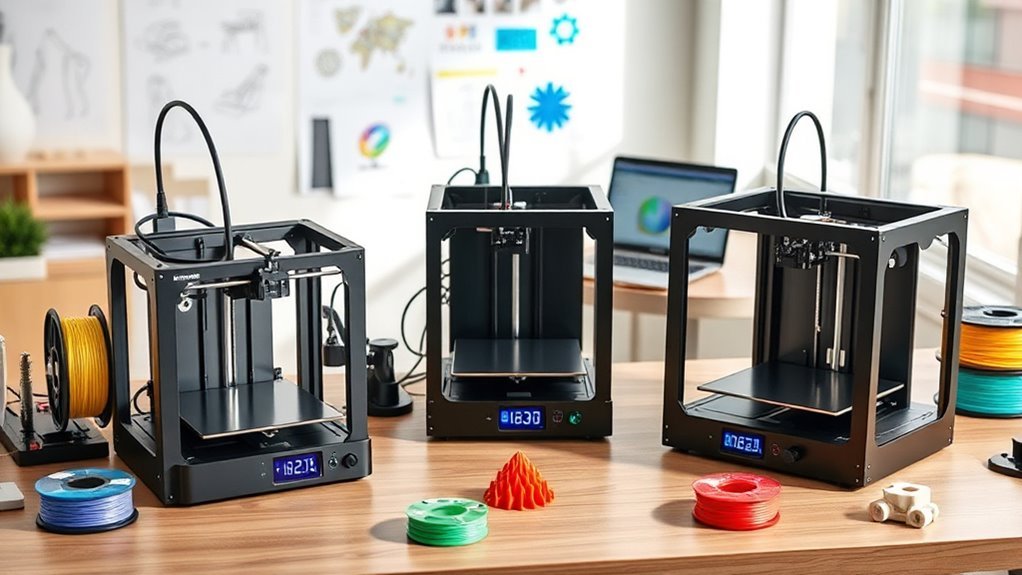
When picking a 3D printer kit, you’ll want to focus on ease of use and built-in safety features to keep things simple and secure. It really helps to have a setup that won’t give you headaches right out of the box.
Don’t forget to check the print quality and connectivity options to match your project needs. You want something that can handle what you throw at it without any fuss.
Also, consider what accessories come included to make your setup smoother from the start. Having the right tools handy makes a big difference when you’re just getting started.
Ease Of Use
Choosing a 3D printer kit that’s easy to use can make all the difference in your beginner experience. Aim for models that come fully assembled or require minimal setup—ideally under 15 minutes—so you can start printing without hassle.
Features like auto bed leveling simplify the process, helping you nail that vital first layer with little effort. Look for user-friendly interfaces, such as touchscreen controls, which make managing settings straightforward.
Guided setup through dedicated apps can be a huge help, offering step-by-step instructions as you get started. Also, consider printers with quick-swap nozzles and easy maintenance features to reduce downtime and keep your projects moving smoothly.
Prioritizing ease of use guarantees you stay motivated and enjoy your 3D printing journey from day one. It really makes the whole experience more fun and less frustrating!
Safety Features
Safety should be a top priority for anyone starting out with 3D printing, especially if kids will be involved. Look for enclosed designs that shield you from moving parts and hot components, reducing injury risks.
Choose printers with pinch-resistant features to prevent accidents when handling the machine or finished prints. Models with power-loss recovery can resume your print after outages, saving material and avoiding hazards.
An automatic bed leveling system not only simplifies setup but also cuts down on manual adjustments, keeping you safer. Finally, pick printers that use non-toxic, TÜV-tested materials to guarantee your indoor environment stays safe and suitable for young users.
Prioritizing these safety features will make your 3D printing experience much more secure and enjoyable. It’s definitely worth taking the time to find the right printer that keeps everyone safe!
Print Quality
Print quality plays an essential role in your 3D printing experience, especially as a beginner aiming for impressive results. The printer’s resolution, measured in microns, determines the level of detail and smoothness—lower values mean finer prints.
A stable frame and quality components, like precision nozzles and effective cooling, help keep prints consistent and reduce defects. Using PLA filament often yields better surface finishes compared to ABS or PETG, making it ideal for starters.
Features such as automatic bed leveling guarantee proper adhesion and consistent layers from the get-go, improving overall quality. Just keep in mind, printing at higher speeds can cause vibrations that reduce detail and create surface imperfections.
Connectivity Options
When you pick a 3D printer kit, connectivity options can really affect how easily you control and monitor your prints. Many beginner-friendly kits offer WiFi, letting you manage your printer remotely through smartphone apps.
Some even support dual-band WiFi (2.4G/5G), which boosts connection stability and speed. If you prefer offline printing, look for models with TF card support so you can print without needing internet access.
Real-time monitoring features, like built-in cameras, help you check progress and get alerts on your device. Also, make sure the printer works with popular slicing software such as Cura or Simplify3D. This gives you flexible options to prepare and customize your print files.
All these connectivity features just make your printing experience smoother and way more convenient.
Included Accessories
Beyond connectivity, what comes inside the box can make a big difference in your 3D printing journey. Many beginner kits include essential accessories like filament, assembly tools, and user manuals, helping you start smoothly.
Look for bundles offering various filament colors so you can jump straight into creative projects without extra purchases. Toolkits often include scrapers, tweezers, and cleaning tools, which are crucial for maintaining your printer and handling models safely.
Some kits also provide access to printable model libraries and educational resources, boosting your learning and inspiration. Quick-start guides or companion apps can simplify setup and operation, making the entire process more approachable.
Choosing a kit with these included accessories guarantees you’re well-equipped from day one. It just makes everything easier right from the start!
Frequently Asked Questions
How Do I Maintain and Clean My 3D Printer Kit?
You should regularly clean the print bed and remove filament debris. It really helps keep your prints looking great.
Also, don’t forget to lubricate the moving parts to ensure everything runs smoothly. Tightening screws now and then is a good idea too.
And hey, updating your firmware keeps things up to date and can fix bugs. Keeping your 3D printer kit clean guarantees smooth prints and prolongs its lifespan.
What Software Is Compatible With Beginner 3D Printers?
Imagine Sarah, new to 3D printing, using Ultimaker Cura. You’ll find Cura compatible with most beginner 3D printers.
It’s easy to learn and packed with features to help you design, slice, and print confidently right away.
Getting started has never been this simple!
Can I Use Third-Party Filaments With These Printer Kits?
Yes, you can use third-party filaments with most beginner 3D printer kits. Just make sure the filament matches your printer’s specifications, like diameter and material type.
This helps avoid print quality issues or hardware damage. It’s pretty straightforward once you know what your printer needs.
How Long Does It Typically Take to Assemble a 3D Printer Kit?
It typically takes you 2 to 6 hours to assemble a 3D printer kit, depending on the complexity and your experience. Some kits include clear instructions and pre-assembled parts, which can speed up the process considerably.
Are There Online Communities or Forums for Beginner 3D Printer Users?
Absolutely, you’ll find online communities buzzing like bees with helpful tips and support.
Join forums like Reddit’s r/3Dprinting or Facebook groups where beginners share experiences, troubleshoot, and celebrate every successful print alongside you.
They’re super welcoming and a great place to ask questions without feeling lost. Plus, you get to learn from people who’ve been exactly where you are now!
Conclusion
Picture yourself unboxing your new 3D printer, the excitement buzzing as the first layer springs to life. With these beginner-friendly kits, you’ll easily transform ideas into vibrant creations, whether it’s colorful toys or precise models.
Choosing the right kit means less frustration and more “wow” moments. So, jump in confidently—your next masterpiece is just a click away, ready to leap from digital dreams into your hands.
These 3D printer kits for beginners are designed to make your journey smooth and fun. From simple assembly to user-friendly features, they help you bring your creativity to life without the hassle.
Start exploring the best 3D printer kits for beginners in 2027 today, and watch your ideas take shape in no time. Let your creativity take flight with the perfect kit that fits your needs and skills!